Six years in numbers
What this section covers
The product itself and its pricing, then ready solutions by type of site. Open any page directly.
Seo-Gen CMS
The product itself and its pricing.
CMS by website type
Ready solutions by site type: store, corporate, landing page.
Any CMS → Seo-Gen CMS
Migration from Prom, WordPress, Horoshop, Shopify, OpenCart or Magento with the URLs kept.
A look inside
the same panel we run this site from
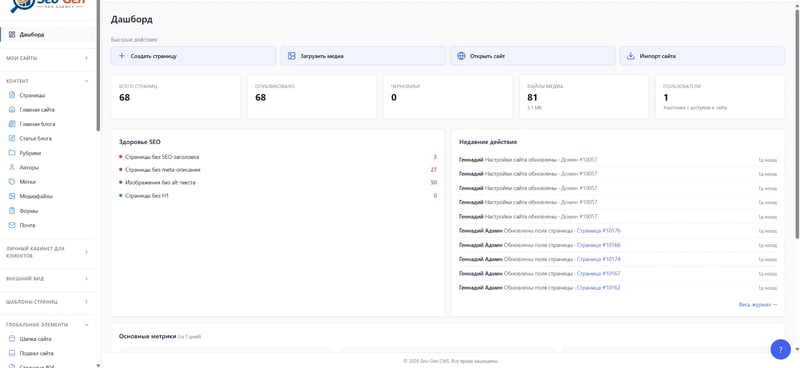
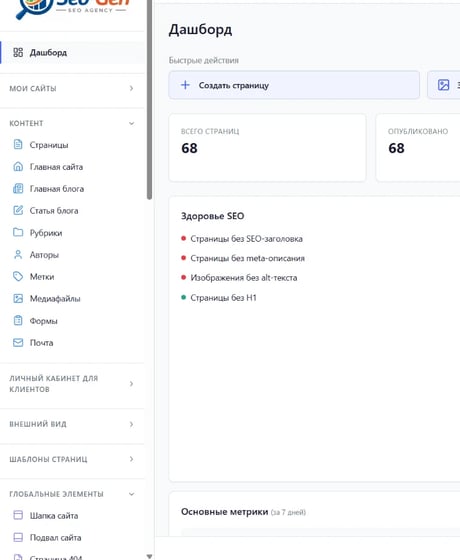
Dashboard
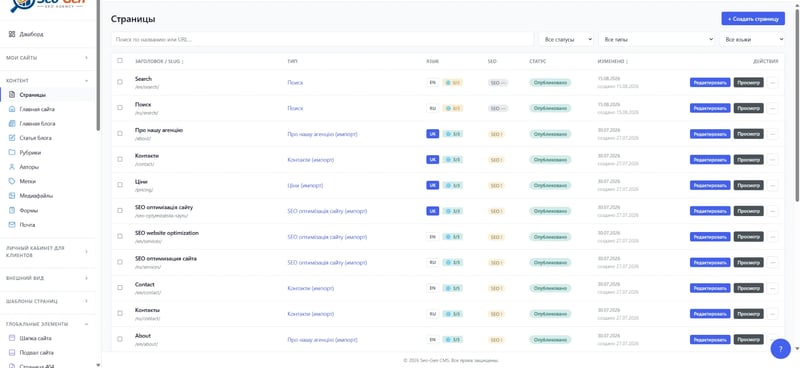
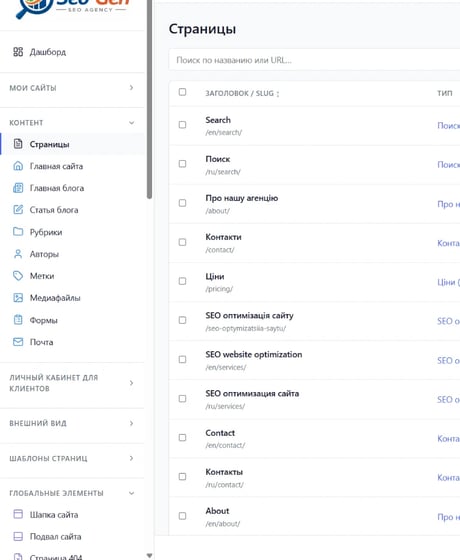
Site pages
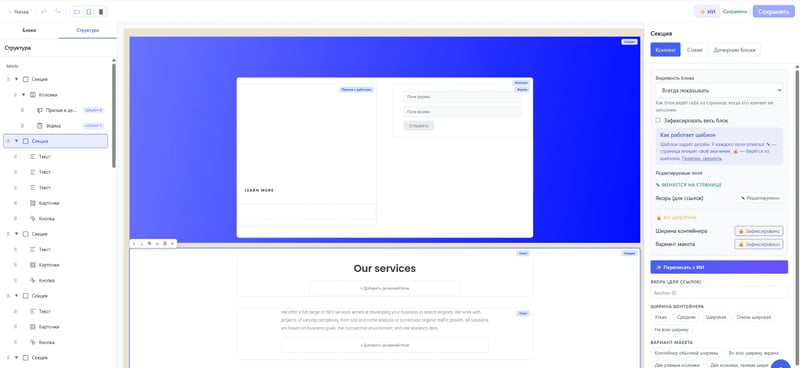
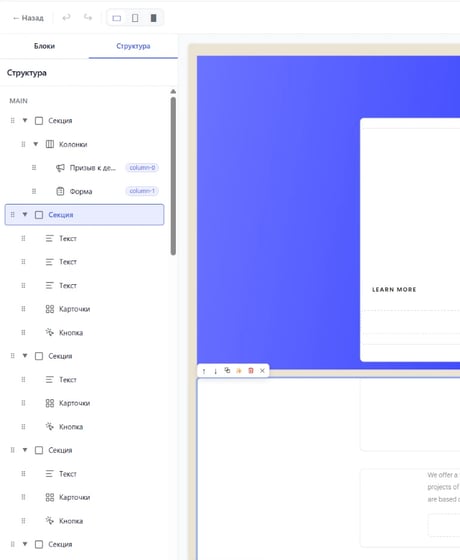
Page editor
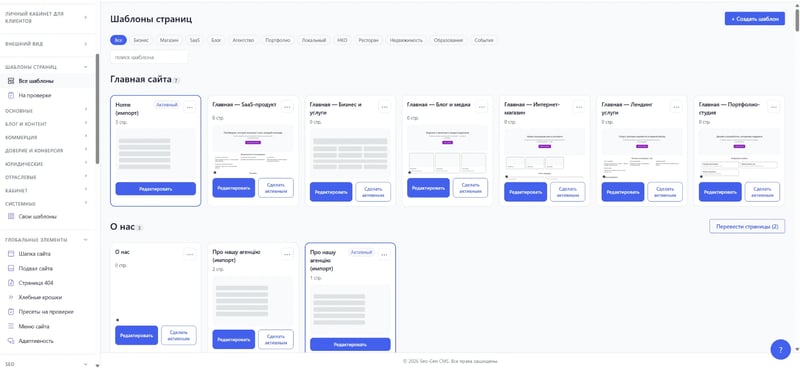
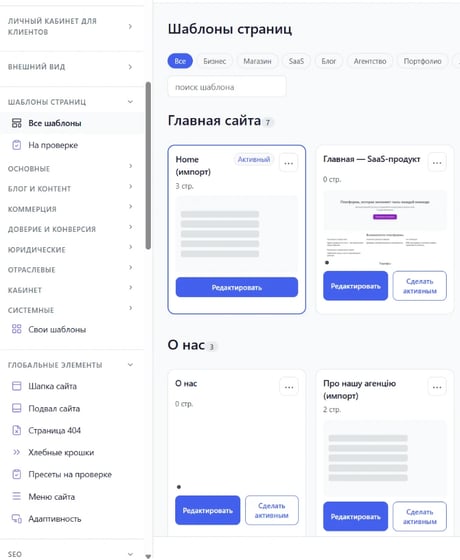
Page templates
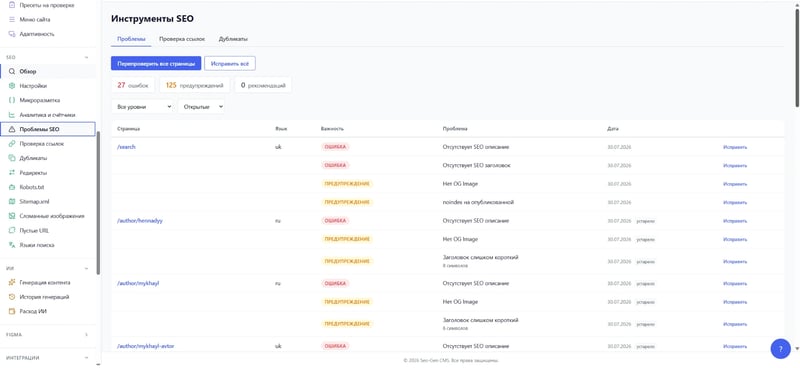
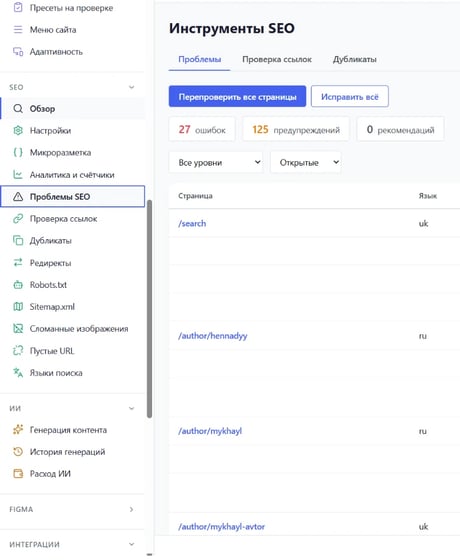
SEO issues
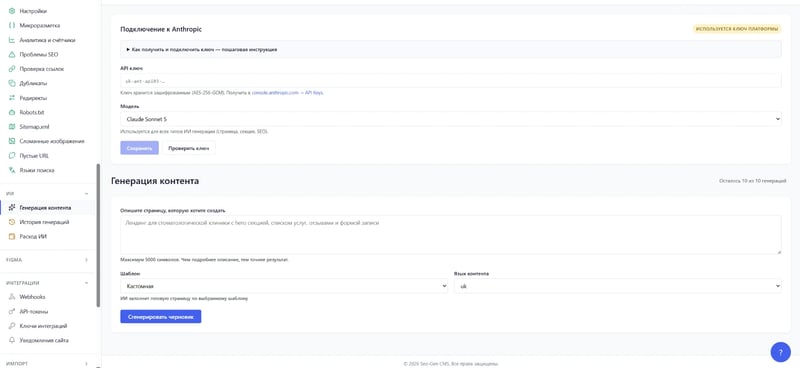
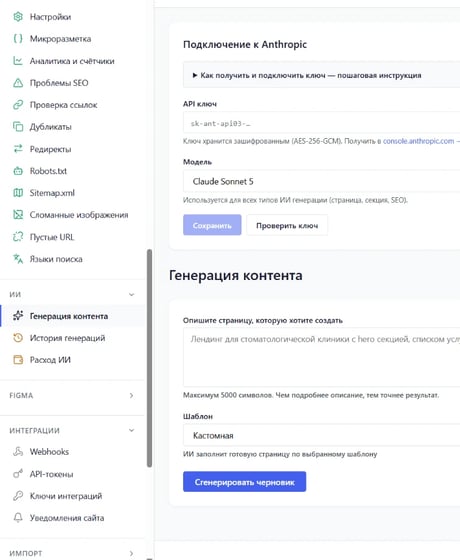
AI generation


Six screens: the dashboard, the page list, the block editor, the template library, the SEO tools and AI generation.
What the system does
Built-in SEO auditing
Pages assembled from blocks
Three languages on one template
An AI assistant
What we actually did
Three projects from our current work. Client names are withheld by agreement; the numbers come from Google Search Console and the analytics of the sites themselves.
Dental clinic · Kyiv and Chernihiv
+44% clicks from search
A domain with no history, a site built on a page builder
We built the keyword map for the services and both cities, reworked the landing pages and grew the link profile from zero. In four months: 34.8k clicks, impressions 1.32M → 1.76M, DR 0 → 41.
E-commerce · international market
+96% clicks in two months
A catalog of digital 3D models
We clustered the keywords, rebuilt the hub pages and cleared duplicates and indexing errors. Users from Google 247 → 532, CTR 2.4% → 4%. The project is ongoing.
Medical center · Ukraine
+68.75% visibility in the first month
Narrow visibility and a small keyword footprint at the start
Keywords, landing page structure, metadata and internal linking, then a gradual link build-up. Estimated traffic +48.61%, impressions +68.3%. A few months later: over 1,000 queries in the top 100.
How we work
Audit
Plan
Delivery
Report
What the CMS costs
The cost depends on how many sites you run and whether an existing site has to be migrated. We discuss the terms separately, and the plans are laid out on the CMS pricing page.
Answers to your questions
The questions about our CMS we hear most often. If yours is not here, write to us — we will answer in the same tone: no magic and no promises.
What is this CMS and who uses it?
It is our own website management system. The simplest proof that it works is the site you are reading right now: it is built in it.
Clients get the same system — there is no stripped-down customer edition.
How is it different from WordPress or a website builder?
The design lives in the template and the page changes only its content. An editor cannot accidentally break the way the site looks: blocks are assembled from ready ones rather than drawn from scratch on every page.
The second difference is the SEO audit inside: broken links, duplicates and empty titles are visible in the system itself, with no third-party services or plugins.
Can the site run in several languages?
Yes. A translation is made per locale on top of a single template, not as a separate copy of the site. A change to the page structure applies to every language at once, and only the text needs translating.
What does the AI assistant do?
It rewrites and fills sections right inside the editor: no third-party service to open and no text to carry back by hand.
The final word stays with a human — generated text lands in the block's field, it is not published on its own.
Can an existing site be migrated?
Migration is a separate line of work rather than part of this page: the scope depends on what the site is built on now and how many pages it has.
Leave a request with the address of the site — we will look and tell you what moves over untouched and what has to be rebuilt.
How does Seo-Gen CMS support work?
You can send a request at any time of day: by email to support@seo-gen.com.ua, through the support Telegram bot or with a button right in the admin area. Every request gets a number, so the whole history of a task is easy to find and continue.
Response time for an ordinary question depends on the plan, and the higher the plan, the sooner a specialist picks up the request. If the site stops opening completely, the agency starts fixing it right away, whatever plan it is on.
Do I need a developer to run the site?
Everyday work does not require a developer: pages are built in the block editor, images go to the media library, and meta tags are filled in on the page card. The admin area has a built-in assistant with chat and guides, and you can also contact support through it.
You will need a developer for a non-standard block or a new function that the system does not have yet. The agency does such custom work by estimate at 600 UAH per hour, and bugs in the system itself are fixed free of charge.
Who owns the website data?
The client does: this is written in the contract, and you can take your data on any day of the subscription at no extra cost. At the end of the contract the agency prepares one last export, which is enough to rebuild the site elsewhere.
Texts for each language version come in Markdown or HTML and the structure with URLs in JSON or CSV, together with media files, meta tags, redirects and inquiries. A full copy of the database is also provided on request, so moving to another system is never held up by missing data.
Is Seo-Gen CMS suitable for an online store?
The system has a catalog and product cards with price, currency, SKU, barcode and availability, and the product gallery opens photos with zoom. Every card outputs Product/Offer structured data, so price and availability reach search engines in the page data.
The Seo-Gen team will manually move a store from Prom, Horoshop or Shopify together with its products, categories, URLs and redirects. More about the store features of the system is on a separate page of the section about the CMS for online stores.

When I take a site on for promotion, the first weeks usually go into technical issues: duplicate URLs, wrong canonical links, redirects forgotten after a redesign. If these things are built into the core of the CMS, I can start straight away with keywords and content, because the basic markup already works the same way on every page and in every language.
See the CMS from the inside
Leave a request and we will show the system on a live site: how a page is assembled from blocks, how the built-in SEO audit and the AI assistant work. We will tell you what fits your type of site and discuss the terms.
We reply within a business day. No newsletters and no “just checking in” calls.
He will look at the site himself instead of passing it to a manager.
A CMS for websites handles everything the owner does after launch: adding pages, changing texts and prices, receiving inquiries and making sure search engines read every page correctly. The system you choose decides how much time your team spends on routine work and how much money goes to developers, plugins and hosting.
Below we look at the main types of content management systems, how to choose one and where Seo-Gen CMS fits among them. It is a cloud website management system from the Seo-Gen agency with SEO settings built into the core, and every site gets three languages, its own domains, email, forms and a Telegram bot.
What is a website CMS?
CMS stands for content management system, the software you use to fill and configure a website without touching its code. English-language guides use both the full name and the short form, and people often simply call it the site engine.
Any content management system for websites consists of an admin area where editors work and a public part that visitors and search engine crawlers see. That is why every project whose content changes more than once a year needs one, whether it is a service catalog, a company blog or an online store.
What types of CMS systems are there?
Every website CMS system solves the same problem, but these systems are built differently: some run on your own server, some are rented by subscription, others are written for one project. The type decides who handles hosting and updates, what the site costs to own over a year and how easy it will be to move later.
| Type | How it works | Examples | What to consider |
|---|---|---|---|
| Self-hosted | Installed on your hosting | WordPress, Joomla, OpenCart, 1C-Bitrix | Updates, plugins and backups are on the owner |
| Site builders | Assembled from ready-made blocks | Wix, Tilda, Weblium | Depth of settings depends on the platform |
| Cloud SaaS | Runs on the vendor's servers, access by subscription | Horoshop, Shopify, Seo-Gen CMS | Hosting and updates included, export terms matter |
| Headless | Stores content and serves it through an API | Storyblok, Contentful, Strapi | Developers build the front end |
| Custom-built | Written for one project | Studio development | Dependence on the team that knows the code |
How to choose a website management system for your task?
It is easier to start with questions about your project, because the most popular CMS platform may be too much for a landing page and too tight for a network of sites. Before choosing CMS software for websites, answer a few practical questions about the project:
- how many languages you need and whether each version needs its own texts, URLs and meta tags;
- which SEO settings you need without plugins: canonical URLs, hreflang, sitemap, redirects;
- where form inquiries should go: to email, to Telegram or into the admin area;
- how many sites you plan: one project or a network for different cities and brands;
- whether you can export your data and leave if the platform stops suiting you.
A simple CMS for a brochure website and a lightweight CMS for websites with a blog differ noticeably from a platform for a network of projects, so your answers rule out half of the options at once. The remaining web CMS systems are easiest to compare by the yearly cost of ownership together with custom work, plugins and staff time.
What is included in Seo-Gen CMS?
Seo-Gen CMS is the Seo-Gen agency's own website content management system, and in the classification above it belongs to cloud SaaS: the software runs on the agency's servers, and the client gets access by subscription. Among other website CMS platforms, the agency highlights four differences of its product:
- SEO is built into the core and works without plugins on every page and in every language;
- an existing site moves 1:1, from WordPress through the import, from other platforms with the team;
- AI writes texts and lays out pages inside the admin area from a task description;
- a turnkey site: domain, newsletters to subscribers and a separate Telegram bot for inquiries.
Hosting, updates, backups and fixes for the agency's own bugs are included in every plan, so you do not need a separate maintenance contractor. Pages are rendered on the server, and search engine crawlers receive ready HTML for every page right away.
SEO in the system core
Self-hosted systems often add SEO settings through plugins, and a single plugin update can change the markup or break redirects. In Seo-Gen CMS these functions are part of the core: every page and language has its own Title, Description and H1, canonical URL, hreflang and Schema.org structured data.
The system builds the sitemap and robots file itself, manages 301 redirects and keeps one URL format, so each page opens at exactly one address. A built-in check shows duplicates, broken links and images and empty URLs, and domain ownership can be confirmed for search engines with a single button.
Three languages on every site
Russian, Ukrainian and English are available on every site, and each language version has its own texts, field values, meta tags and page URLs. An editor works on their version in the same interface, and the system passes the links between languages to search engines through hreflang, so they show people the right version.
Site search also takes the language into account, so a visitor to the Ukrainian version sees results only in Ukrainian without a mix of versions. This helps when a site has to be in the state language, Russian stays for some clients and English serves partners.
Block editor, templates and design
Pages are built in a block editor: you drag the block you need into place, fill in its fields and check the preview before publishing. To get started there is a gallery of templates by industry, and the header, footer, breadcrumbs and 404 page are edited in one place and change on every page at once.
The design system stores themes, colors and fonts with an edit history, and every page keeps drafts and a change history for returning to an earlier version. The same admin area holds a blog with categories and authors, a media library, pop-ups with a form on any button and private sections for clients.
Forms, domain email and Telegram
Form inquiries are stored in the system, and a notification about each new inquiry goes to email and Telegram, so a manager sees the request even when away from the office. Every site can have its own Telegram bot, and subscribers and newsletters are managed in the same admin area with statistics on delivery, opens, clicks and unsubscribes.
A domain is connected with an assistant that suggests the DNS records to add at your registrar, and the system issues the HTTPS certificate automatically. Mail to your domain address is received right in the system, outgoing mail is sent from your own domain, and the email log shows what was sent and to whom.
AI and moving an existing site
AI inside Seo-Gen CMS writes and lays out a page from a task description; it is available from the Business plan, and its usage is tracked and capped by a monthly limit. A Word document with texts, images and tables becomes a finished page, and the system assembles a Figma layout into pages without manual coding.
If your site is already live, you will not have to rebuild it, and the way it moves depends on the platform. WordPress has an import built into the system, while the agency team moves other platforms by hand under an estimate agreed in advance.
Import from WordPress
The import connects to a WordPress site and takes pages, blog posts with categories, tags and authors, media files and menus. Forms, internal links, SEO data and the visual design move with them, so the site opens on the new system looking the way it did before.
The import has been tried on sites with the DIVI theme and understands Gutenberg block markup; on any other theme the team checks every page after the import and finishes by hand whatever did not carry over. WooCommerce products are not imported, so such a store is moved the same way as from other platforms.
Moving from other platforms
Stores and sites on Shopify, Prom, Horoshop, OpenCart, Magento and other engines are moved by Seo-Gen specialists. They rebuild the structure, pages, texts, images, products with categories and the visual design, keep URLs and meta tags, and set up 301 redirects from the old addresses.
Before work starts, an estimate records the scope of the move and which differences from the original count as acceptable. Prices for such a move start at 25,000 UAH, and each platform has a separate page in this section.
Who is Seo-Gen CMS for?
For a corporate website the system provides service sections, a blog, forms with notifications, three languages and email on the company domain. The marketing team edits pages on its own, and staff permissions are split by role, so shared areas are changed only by the people responsible.
An agency or the owner of a network fits the Platform plan: five sites in one subscription, roles for each site and a summary for the whole network. Branches, brands or cities get their own domains, languages and design, while the team works in one shared admin area without switching between systems.
How much does Seo-Gen CMS cost?
Seo-Gen CMS is paid for as a subscription per site per month, and one-off work such as building or moving a site is priced separately by estimate. Below are the starting prices of the main plans and services, and the full breakdown is on a separate pricing page.
| Plan or service | Price |
|---|---|
| Start, one site | from 990 UAH a month |
| Business, one site, with AI | from 1,900 UAH a month |
| Platform, five sites, with AI | from 4,500 UAH a month |
| Site on a Seo-Gen template | from 12,000 UAH one-off |
| Moving an existing site 1:1 | from 25,000 UAH one-off |
With annual payment the subscription is 20% cheaper, but the discount does not apply to one-off work or AI spending. The final amount depends on the size of the site, the number of sites in the subscription and the features you connect.
How to get started with Seo-Gen CMS?
How you start depends on whether you already have a site: a new project is built on a template or from a layout, and an existing one is moved together with its URLs and SEO data. In both cases the path has three steps, and at each of them it is clear in advance who is responsible for what.
You can pay by card with a trial period after the card is linked, via PayPal or by invoice, in hryvnia, dollars or euros. The set of features in a plan is confirmed when you connect, so name the functions your project cannot launch without in the very first conversation.
1. Inquiry and choosing a plan
You leave an inquiry, describe the project and tell us how many sites, languages and staff members will work in the system. Based on these answers the agency suggests a plan and, if needed, prepares an estimate for one-off work: a site on a template, a build from a layout or a migration.
These answers show straight away whether the Start plan is enough, whether the project needs AI on Business or whether a network of sites calls for Platform. The total cost of the subscription and one-off work becomes clear before the team starts on your site.
2. The site: template, layout or migration
A new site is built from a Seo-Gen template or from your own layout, and texts can be uploaded as Word documents so you do not have to copy them into the editor. An existing site moves the way described above: from WordPress through the import, from other platforms by the team.
At this stage the team sets up the structure, page URLs, meta tags and 301 redirects from old addresses when a site moves. Drafts and preview let you check every page before publishing without showing an unfinished version to visitors and search engine crawlers.
3. Domain, email and launch
The setup wizard helps you fill in the main site settings, and the DNS assistant shows which records to add at your domain registrar. After connection the HTTPS certificate is issued automatically, domain email starts receiving mail, and form inquiries go to Telegram.
After launch you fill the site yourself, while the agency releases system updates and fixes its own bugs free of charge. If you ever need another platform, texts, URLs, media files and inquiries are taken out in an export at no extra cost.
Leave an inquiry, describe your website and tasks, and Seo-Gen specialists will pick the right plan for your project. After the conversation we will prepare an estimate and show how your website will work on Seo-Gen CMS.
Choosing a CMS system for websites starts with the tasks of the project: how many languages, sites and staff members, which SEO settings you need and who will look after hosting and updates. Seo-Gen CMS covers these questions with one subscription: SEO in the core, three languages, a block editor, forms, domain email, Telegram, AI and migration of an existing site.