Backlink profile analysis: how to do it?


A backlink profile shows which external resources link to a website, which pages those links point to, and how naturally they are distributed. The review covers the number of referring domains, anchor texts, link types, growth trends, the topics of linking sites, and their search metrics.
Website backlink profile analysis is useful before link building, after an active placement campaign, when rankings decline, and when comparing a site with competitors. A single metric explains very little: the backlink profile needs to be assessed across several parameters and over time.
What is a website backlink profile?
A website backlink profile is the set of external links pointing to its pages from other domains. It includes backlinks, referring domains, anchor texts, link types, referring pages, target URLs, and the history of gained or lost links. Backlink analysis therefore starts with data collection and continues with an assessment of the profile as a whole.
The term “backlink volume” is often used in a similar sense, although it usually describes the amount of external links. A backlink profile is broader: it shows where links come from, the quality of external links, how they are distributed across pages, and the relationship between the number of referring domains and SEO performance.
What is the difference between inbound, outbound, and internal links?
External and internal link analysis solve different tasks, so combining all of this data into one metric is not useful. Inbound links shape the external backlink profile, outbound links show connections with other resources, and internal links help distribute authority between pages on the same website.
A complete SEO audit covers all three groups, but the evaluation methods differ. Inbound link analysis focuses on referring domains and anchor texts, outbound link analysis focuses on external URLs and their status, while internal analysis deals with internal linking and page depth.
Inbound links
Inbound links point from other websites to the domain or a specific page being analyzed. During the review, specialists check who links to the site, which anchor text is used, whether the link has a follow attribute, and how much traffic the referring page receives.
The number of inbound links should not be evaluated separately from referring domains. One thousand links from a single domain and one thousand links from several hundred independent websites create very different backlink profiles.
Outbound links
Outbound links point from the website being reviewed to third-party resources. Outbound link analysis helps find broken URLs, accidental redirects, outdated sources, irrelevant resources, and links that may have appeared after a website compromise.
Outbound links can be crawled with a crawler, while suspicious pages should also be reviewed manually. Particular attention should be paid to pages where the number of external links has increased sharply or where domains appear that the site’s editors never added.
Internal links
Internal links connect pages within the same domain and help search crawlers discover documents, understand site structure, and distribute internal link equity. Their analysis does not replace backlink analysis, although both tasks are often included in the same technical SEO audit.
During a crawl, specialists check broken internal URLs, redirects, page depth, anchor texts, and the number of internal links pointing to important sections. This helps distinguish external SEO problems from weak internal linking within the site.
Answers to your questions
How can I check who links to my website?
The easiest place to start is the Links report in Google Search Console, where you can see key referring domains and linked pages. For a broader database, use Ahrefs, Semrush, Serpstat, or similar platforms because each service finds its own set of backlinks.
If you want to know how many links to your website exist according to a specific system, keep using the same source when comparing trends. Mixing counts from different databases without explanation can create false spikes.
How many external links does a website need for SEO?
There is no exact number because competition and the starting condition of a domain differ even within the same topic. A benchmark can be estimated from competitor referring domains, the existing backlink profile, and the pace at which the project can acquire suitable placements.
If competitors have substantially more strong referring domains, the gap can be reduced gradually. Trying to compensate quickly with hundreds of weak links usually adds little value and makes future analysis harder.
Why do Ahrefs, Semrush, and Google Search Console show different numbers of links?
Each system uses its own crawlers, URL databases, and recrawl schedules. As a result, the number of external links and referring domains almost always differs between platforms.
For trend comparisons, it is better to use one tool consistently and use others to supplement the data. Important links and domains can be checked manually when needed.
How can you tell whether an external link is high quality?
A high-quality link appears on a relevant page of a legitimate website with active content, a clear history, and a real audience. Also review organic traffic, anchor text, link attributes, placement within the page, and the condition of the page itself.
A high DR can be a positive signal, but it does not replace the other factors. Link-quality analysis still requires reviewing the referring site itself.
What does a sudden increase in backlinks mean?
A sharp increase can follow a PR campaign, a viral article, the addition of a sitewide block, or the indexing of many older pages. Another possibility is automated spam from newly created domains.
To understand the cause, open the new referring domains and check where they came from. A chart by itself is not enough to support a conclusion without reviewing the actual websites.
Should you Disavow every bad link?
No. Automatically disavowing every weak domain can remove legitimate links along with genuinely problematic ones. First determine where the backlink came from and assess the risk manually.
Disavow should be used when there are strong reasons for doing so and normal removal is not available. For random backlink noise, mass domain disavowal is usually unnecessary.
How can you view a competitor’s backlinks?
Use Ahrefs, Semrush, Serpstat, Majestic, or another platform with a backlink database. Their reports can show referring domains, pages, anchor texts, and new and lost links.
Competitor backlink analysis through Link Gap or Link Intersect is especially useful. It identifies websites that already link to other businesses in the niche but are missing from your own profile.
How often should you analyze a backlink profile?
For a project with active link building, it is practical to review the main metrics every month. A deeper audit can be done before changing strategy, after a noticeable traffic decline, or when the backlink profile changes sharply.
If new placements are rare, the review can be done less often. The main point is to preserve historical data and periodically monitor lost links.
What is included in a website’s backlink profile?

When analyzing a backlink profile, specialists count the total number of backlinks and the number of unique domains that created them. They also review new and lost links, dofollow, nofollow, sponsored, ugc, anchor texts, and the website pages receiving the most external mentions.
The geography and language of the referring site, organic traffic, topical relevance, and the condition of the linking page are also checked. This type of backlink analysis helps separate hundreds of repetitive technical backlinks from genuinely valuable links from independent websites.
Why analyze a website’s backlink profile?
A backlink profile is reviewed when you need to understand the current state of off-page SEO and identify possible reasons for changes in organic visibility. Website SEO analytics are incomplete without backlink data, especially in niches where competitors regularly buy placements, earn PR mentions, and invest in content projects.
Backlink analysis is also useful before planning a budget. It shows how many domains already link to the site, which pages have received the most links, where a Link Gap exists, and how quickly the main competitors are gaining new referring domains.
Before starting link building
Before purchasing new placements, record the site’s current SEO metrics and collect baseline statistics. This usually includes the number of referring domains, backlinks, the share of follow links, anchor text distribution, key target pages, and several months of historical data.
This analysis reduces the risk of buying placements on websites that already work for the project or strengthening a page that already has sufficient backlink support. The link-building plan can then be based on specific gaps rather than the total link count shown by a tool.
When rankings or organic traffic decline
If organic traffic drops, backlink statistics can help determine whether the decline coincided with the loss of strong referring domains or the disappearance of many referring pages. At the same time, review anchor text changes, sudden backlink growth, and the appearance of suspicious websites.
A single link-related factor rarely explains an entire decline, so backlink data should be compared with technical issues, content changes, and website updates. SEO analytics become more useful when several groups of factors are reviewed for the same period.
After an active link-building campaign
After publishing several dozen placements, check whether the links are still live, whether the pages are indexed, and whether link attributes have changed. Some articles are removed, moved to other URLs, or blocked from indexing, which can reduce the value of a paid placement.
Website backlink analysis also reveals imbalances in anchor text and target pages. If most commercial anchors point to one URL, the next placement plan should be adjusted before more links are purchased.
When backlinks grow sharply
A sharp increase in backlinks should be investigated, but the chart alone proves nothing. The cause may be coverage in a major media outlet, viral content, a sitewide link, the mass indexing of older pages, or automated spam.
Review the new domains, their topics, link types, and the pages they point to. If the increase comes from dozens of weak, automatically generated domains, that segment of the profile should be monitored separately from normal organic growth.
Before analyzing competitor backlinks
Competitor comparison is useful only when you already have a baseline for your own site. Without it, competitor backlink analysis becomes a list of third-party domains with little context about which websites are actually relevant to the project.
First record your own profile, then select several comparable websites from the search results and compare the same metrics. This makes it easier to identify a gap in quality referring domains, competitor anchor texts, and pages receiving stronger external support.
Which metrics should you check during backlink analysis?

Website backlink analysis is built around several groups of data: link and domain counts, quality, trends, anchor texts, backlink types, and distribution across pages. A single DR score or the total number of backlinks is not enough for reliable conclusions.
During an audit, it is useful to export the raw data into a table and then add metrics for the referring domain and target page. This makes link-quality analysis easier and helps compare competitor websites using the same criteria.
Number of backlinks and referring domains
Backlinks show the total number of links found, while Referring Domains show the number of unique domains linking to the site. One website can generate thousands of links through a template, directory, or sitewide block, so backlink counts should always be compared with the number of independent domains.
If you need to know how many links to your website a specific tool sees, open its Backlinks report. To assess profile diversity, also review Referring Domains, because this report better reflects the actual number of independent sources.
Backlink profile dynamics
A static snapshot does not show how a backlink profile has developed. Historical trends reveal periods of active growth, lost domains, pauses in link building, and sudden changes that require further investigation.
For an established website, it is useful to review at least a year of data if the platform stores that history. For a newer project, analyze the entire available period and compare backlink growth with publications, PR activity, and ranking changes.
New links
New links show the current growth rate of the profile and the sources of recent mentions. With ongoing link building, it is useful to track how many new domains appear each month and whether they match the planned placements.
If a tool shows many links from one new domain, investigate the reason for the increase. It may be a sitewide block or automatically generated pages, so the total backlink count can grow much faster than the number of genuinely new referring domains.
Lost links
Lost links can appear after an article is removed, a URL changes, the referring site is redesigned, or a page is blocked from indexing. Some losses are natural, but losing several strong placements can noticeably change the backlink profile of a specific target page.
First check the status of the old URL and whether a redirect exists, then look for a new version of the content. If the placement was arranged directly, contact the publisher and ask them to restore the link to the current URL.
Link types: dofollow, nofollow, sponsored, and ugc

Dofollow is commonly used to describe links that do not carry the nofollow attribute and can pass ordinary linking signals between pages. Nofollow, sponsored, and ugc are used in other situations, so having different link types in the profile is not a problem by itself.
There is no universal follow-to-nofollow ratio for every website. A news site, an e-commerce store, a SaaS product, and a local business earn links in different ways, so the distribution should be compared with relevant competitors.
Anchor text distribution
Anchor text is the visible text of a link, while anchor text distribution shows how those phrases are spread across the backlink profile. A normal profile usually contains branded anchors, URLs, unanchored links, commercial queries, partial-match phrases, and geographic variations.
The review should consider both the number of links and the number of unique domains for each anchor group. Dozens of identical links from one domain create a smaller imbalance than the same number of identical commercial anchors from many different websites.
How can you detect anchor text over-optimization?
First group anchors by type, then compare the shares with competitors and the history of your own website. A sudden increase in exact commercial phrases can be suspicious, especially if they appeared within a short period on weak or topically unrelated websites.
A rigid universal percentage is not useful here. It is safer to look at the natural range in a specific niche, the type of page being promoted, and how the anchor text structure changed before the current period.
Which website pages receive external links?
External links are usually distributed unevenly: the homepage, popular research, and strong articles receive more mentions than ordinary commercial URLs. Page-level backlink analysis shows how strongly a target page is supported by external domains and which anchor texts connect it with referring sites.
If an important category receives almost no external links, this can be considered in future planning. At the same time, there is no need to point every new placement only to commercial pages, because a natural profile usually includes several content types.
How do you assess the quality of external links?

External link quality is assessed using a combination of signals related to the domain and the specific page where the link is placed. A high DR can look attractive, but it does not replace an analysis of traffic, topical relevance, domain history, indexability, and page content.
It is useful to separate site-level metrics from page-level metrics. This reduces the risk of buying a link on a strong domain where the actual article gets no traffic, is not indexed, or appears in an irrelevant section.
Topical relevance of the referring site
A topically relevant referring site usually looks more natural because its audience and content are connected with the page being promoted. For a medical clinic, a placement on a medical portal, local news outlet, or specialist publication is more logical than one on a random site with unrelated content.
Relevance should be evaluated both at the domain level and at the page level. A large media site may cover many topics, so a relevant article in the right section can be more useful than a small website whose overall category only loosely matches the subject.
Organic traffic and search visibility
Organic traffic shows whether the site receives visits from search and retains visibility for its queries. When evaluating a referring site, review its current traffic, long-term trend, and the set of keywords for which its pages rank.
A sharp, multi-month traffic decline warrants further investigation, especially if the site has also started selling a large volume of sponsored articles. A single drop is not automatically a sign of a poor referring site, because traffic can change for many reasons.
Domain authority metrics
DR, DA, Trust Flow, and Citation Flow help compare domains within a specific platform. Ahrefs, Moz, and Majestic calculate these metrics using their own formulas, so values from different systems should not be treated as directly equivalent.
These SEO metrics are useful for the initial filtering of a large list of referring domains. The final decision should come after checking traffic, relevance, outbound links, domain history, and the page where the content will be published.
Quality of the page where the link is placed

A link exists on a specific page, so checking only the domain is not enough. The page can have its own traffic, backlinks, URL Rating, indexing history, and topical context, all of which directly affect the value of the placement.
A proper link review includes page status, indexability, the position of the link in the content, and its surrounding context. If an article is buried deep in an archive and receives no internal links, strong domain metrics do not solve every problem with that placement.
Page traffic
A page with search traffic shows that Google already considers it useful for certain queries. This signal is especially interesting when the article retains visibility for several months and attracts real visitors from a relevant topic area.
Zero traffic does not automatically mean a placement should be rejected, because a new article may not have gained rankings yet. On an older page, a complete lack of visibility is another reason to review its quality and internal linking.
Links pointing to the referring page
The referring page can also have its own backlinks, which may increase its visibility and authority. During analysis, you can review URL Rating, the number of referring domains, and where the external links to that specific page come from.
If the page has already earned natural mentions and continues to attract traffic, the placement can be more attractive than an ordinary article with no history. This is especially useful for long-lived informational content.
Topical context of the content
The link should appear in text where its presence makes sense to the reader and relates to the topic of the article. An irrelevant insertion into a random paragraph looks weaker even when the domain itself has strong metrics.
Context helps use a natural anchor and send the reader to an appropriate page. An informational article often calls for a link to research or another useful resource, while a commercial URL needs a logical reason to appear in the text.
Number of outbound links on the page
A large number of outbound links should be reviewed in context. Dozens of external URLs can be normal in a software roundup or resource directory, while the same pattern in a short article linking to unrelated commercial sites may look suspicious.
During the review, consider the topics of all outbound resources and the location of the link. Being placed next to gambling, payday loans, adult websites, or unrelated commercial projects can increase risk for an ordinary business.
History and trends of the referring site
Domain history helps show how a website developed and changed over time. Review trends in organic traffic and backlinks, the topics of older pages, and signs that the domain has sharply changed its purpose.
Pay particular attention to domains that remained inactive for a long time and then began publishing large volumes of SEO articles. An increase in publishing does not make a website bad by itself, but falling traffic combined with weak content and many outbound links calls for caution.
Geography and language of the referring site
The language and region of a referring site should make sense for the project or the audience of the target page. For a Ukrainian business, a link from a Ukrainian industry resource is usually more relevant than a random placement on a website from another region with no connection to the product.
International domains can also be relevant, especially for SaaS, IT, research, and companies operating in several markets. The decision should be based on context rather than on the country-code top-level domain alone.
Signs of a toxic referring site
Suspicious sources can include link farms, low-quality PBNs, automatically generated directories, hacked websites, and doorway pages. Other warning signs include no meaningful traffic, a sudden topic change, a large number of unrelated commercial articles, and excessive outbound linking.
A low DR or high Spam Score does not prove that a link is harmful. Before taking action, manually review the domain, the referring page, the website’s history, and the origin of the specific backlink.
How do you analyze external links pointing to a website?

It is easier to analyze external links using a consistent process so that important data groups are not missed. Start by collecting backlinks and referring domains, then review referring sites, anchor texts, target pages, historical trends, and signs of problematic placements.
For large websites, export the data to a spreadsheet and combine information from several platforms. This format makes it easier to find external links, filter domains, and compare the backlink profile with competitors.
Step 1. Collect inbound link data
The first source is Google Search Console, where you can view external links to your own website. For more detailed analysis, use Ahrefs, Semrush, Serpstat, Majestic, SE Ranking, and other platforms with their own backlink databases.
The numbers almost always differ between platforms because each service uses its own crawler and update schedule. The question “how many external links point to the website?” therefore needs to be answered with a specific data source in mind.
Step 2. Identify who links to the website
The Referring Domains report answers the question of which websites link to your site and which domains make up most of the backlink profile. You can then sort the list by traffic, authority, backlink count, and topical relevance.
It is also useful to review competitor links and compare sources. This helps identify the types of websites commonly used in the niche and domains that are missing from your own profile.
Create a list of referring domains
Add the domain, DR or a similar metric, organic traffic, region, topic, and number of links to a table. These fields provide a basic overview and help separate meaningful websites from mass spam.
After the initial sorting, review strong and suspicious domains manually. Automated filtering saves time, but the final assessment of link quality still requires looking at the website itself.
Find the referring pages
The next step is to move from the domain level to the specific URLs where backlinks are placed. Check page content, indexability, internal links, traffic, and the position of the external link within the article.
If one website produces hundreds of links, determine which types of pages created them. Sitewide blocks, author boxes, and template elements can sharply increase the backlink count without creating new full editorial placements.
Identify the website’s target pages
Next, check which URLs on your own site receive external links. This helps identify pages that receive too much or too little backlink support and shows whether the current profile matches the priorities of the SEO strategy.
Inbound links to a page should be compared with its rankings, traffic, and internal linking. If an important commercial URL receives almost no external support, it becomes a separate link-building task.
Step 3. Analyze inbound links
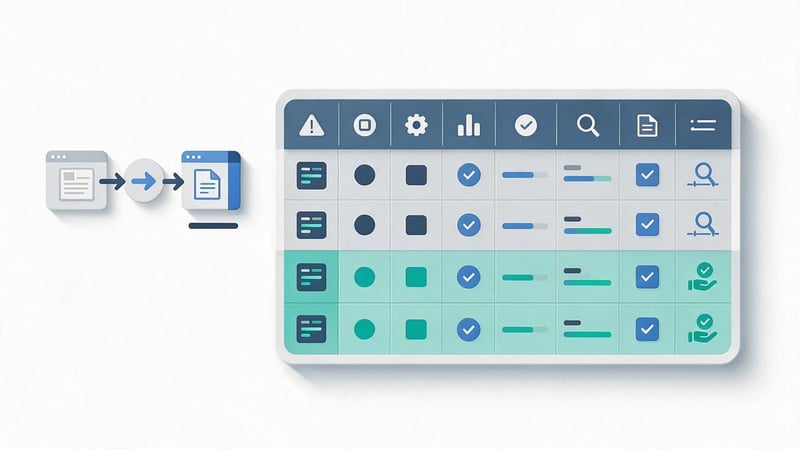
For each link, record the referring URL, anchor text, target page, attribute, status, and discovery date. Where useful, add DR, domain traffic, page traffic, and the number of outbound links on the referring page.
Inbound link analysis is easier when the data is reviewed in groups rather than by reading thousands of rows in sequence. Start with strong domains, then review suspicious sources, lost links, and unusual anchor groups.
Step 4. Analyze link quality
After collecting the data, links can be grouped as valuable, acceptable, weak, or requiring further review. This is more useful than a simple good-versus-bad classification because the quality of an external link often depends on context.
For example, a young local publication may have a modest DR but a real audience and strong topical relevance. An older domain with a high score may turn out to have falling traffic and a business model based on mass link sales.
Step 5. Review anchor text distribution
Group anchors by type and calculate their share across unique domains. This helps identify repeated commercial phrases, branded mentions, URLs, and unanchored links.
If the distribution looks suspicious, first check where those links came from and when they appeared. Identical anchors can sometimes come from a single sitewide link, so a raw row count in an export can be misleading.
Step 6. Review backlink profile growth
A referring-domain growth chart shows the development of the profile better than a single number. Steady growth, periods of active PR, and normal link losses look very different from a sudden spike caused by hundreds of weak websites.
A simplified chart may look like this:
| Period | Referring Domains | New | Lost |
|---|---|---|---|
| January | 310 | 18 | 7 |
| February | 326 | 22 | 6 |
| March | 341 | 25 | 10 |
| April | 366 | 31 | 6 |
Read the chart together with the placement calendar and major website changes. This helps identify the actual growth rate and investigate months when your own backlink profile or a competitor’s profile changed unusually quickly.
Step 7. Review outbound links from the website
Outbound link analysis includes checking external URL statuses, redirects, irrelevant domains, and unexpected links. For large projects, crawl the site for external links first and then manually review suspicious groups.
If unknown external URLs appeared after a security breach, remove them and investigate the site’s security. In normal editorial workflows, it is usually enough to monitor broken links and update sources in older articles.
Step 8. Build a final audit table
The working table should contain the data needed to make a decision about each important domain. Useful columns include referring URL, domain, target page, anchor text, follow status, DR or an equivalent metric, traffic, topic, status, and notes.
After manual review, add an action column such as keep, monitor, restore, replace, or review further. This turns a backlink audit into a concrete task list for the SEO specialist.
How do you analyze competitor backlink profiles?

Competitor backlink analysis shows the market-level profile and helps find websites that already link to other businesses in the same niche. For a useful comparison, select several genuine search competitors with similar page types and business models.
Competitor links should not be copied automatically. Their profiles are better used as benchmarks for the number of referring domains, growth rate, anchor text patterns, placement formats, and pages that attract external mentions most often.
How do you choose competitors?
Start with websites that regularly appear for your target queries, then remove aggregators, marketplaces, and information portals if they do not match the project type. The final set usually contains three to five close competitors.
This approach gives more useful SEO benchmarks than comparing the site with the largest domain in the search results. Comparable projects make it easier to estimate the real backlink gap in a specific niche.
Compare the number of referring domains and backlinks
A comparison table can include Referring Domains, Backlinks, dofollow links, new and lost domains, key anchor texts, and target pages. The number of links should always be considered together with quality and historical trends.
A competitor may have fewer backlinks but far more high-quality unique referring domains, which can create a stronger profile. This type of comparison better reflects the actual structure of the backlink profile.
Find websites that link to competitors
Backlink Gap or Link Intersect reports show domains that link to competitors but do not link to the website being analyzed. This list can provide a starting point for outreach, PR, guest content, and other link-acquisition methods.
Every exported domain should still be checked manually. The list may include directories, old mentions, weak PBNs, and resources that no longer accept content in the relevant topic area.
Review competitor anchor texts
Competitor anchor text distribution helps show how often branded, commercial, and unanchored links appear in the niche. It is especially useful to compare anchors for similar page types such as homepages, categories, services, and informational content.
Do not copy another website’s percentages directly into your own profile. Every domain has its own history, age, branded demand, and sources of natural mentions.
Compare link acquisition rates
The number of new referring domains per month helps estimate the link-building pace of competitors. Review a longer period and use a median level, because one month may be distorted by a large PR campaign or a technical spike.
These figures provide a benchmark when estimating how many links a site may need to close a gap. The plan should reflect the quality of available websites and team resources rather than trying to copy a competitor’s highest monthly result.
Identify competitor pages with the most backlinks
The Best by Links report, or an equivalent report, shows pages that have earned the most backlinks and referring domains. These often include research, calculators, rankings, guides, free tools, and strong commercial pages.
This type of competitor link analysis helps identify topics that other websites are willing to reference. The findings can be used when planning your own content and digital PR.
How many links does a website need?

There is no universal number of links required to reach top search positions. The question only makes sense when considered alongside niche competition, the existing backlink profile, domain age, priority pages, and competitor backlink profiles.
A website can gain hundreds of weak backlinks with little ranking movement, while a few strong and relevant placements may have a more noticeable impact. Link volume should therefore be planned together with referring-site quality and page-level distribution.
How can you estimate a target from competitors?
First calculate the gap in quality referring domains between your site and several comparable competitors. Then estimate their average acquisition rate and choose a realistic period over which your project can reduce the difference.
A simplified benchmark can be written as follows: divide the gap in suitable referring domains by the planned number of months. This is a working model for budgeting and placement pace, not a search-engine formula.
What should you do with bad or suspicious links?
A suspicious link should first be reviewed manually to understand where it came from. Most backlink profiles contain some low-quality automated links, so the appearance of an irrelevant domain does not automatically require urgent action.
Give priority to links created through hacking, paid schemes, mass spam, or other actions that were actively controlled. Other cases should be evaluated based on scale, origin, and the actual risk to the website.
Should every bad link be removed?
Removing every weak link is usually unnecessary and can consume a great deal of time without a visible benefit. Search engines are capable of ignoring much of the low-quality link noise that regularly appears around large websites.
It is more useful to control your own link acquisition and avoid creating new problematic placements. During an audit, identify suspicious groups and monitor how they change over time.
When should you contact the website owner?
Contact the publisher when a link was placed through your own activity and is now incorrect. For example, the article may have changed topic, the link may point to an outdated URL, or the page may have turned into a directory of unrelated commercial placements.
Contact can also help restore a lost high-quality link. If the content still exists but its URL has changed, the publisher may be able to update the link without requiring a new placement.
When should you use link Disavowal?
Google Disavow Tool should be used cautiously when there are strong reasons to consider a group of backlinks problematic and normal removal is not possible. Link disavowal should not begin with an automatic export of every domain with a low DR.
Before uploading a file, review each group, how the links appeared, and the scale of the issue. Disavowing legitimate links by mistake can remove useful signals from your own backlink profile.
Which tools can you use for backlink profile analysis?

For a complete audit, combine data from your own website with external backlink databases. Google Search Console provides information directly for a verified property, while third-party platforms offer broader discovery, historical data, competitor comparison, and proprietary metrics.
Different databases do not need to show the same number of links, so discrepancies are normal. The key is to use one source consistently when comparing trends and manually verify important domains when necessary.
Google Search Console
Google Search Console shows external links to a verified website, the main linked pages, and the main referring domains. It is free and works well for an initial review of who links to your site.
GSC is not enough for competitor analysis because it does not let you inspect other websites’ backlink profiles. Your own data is therefore usually supplemented with third-party SEO tools.
Ahrefs
Ahrefs provides Backlinks, Referring Domains, Anchors, New, Lost, Best by Links, and Link Intersect reports. These reports work well for backlink profile analysis and for comparing several competitors.
DR and UR are useful for sorting large lists, but they should be read together with traffic and topical relevance. A high score alone does not replace a manual review of the referring site.
Semrush
Semrush includes Backlink Analytics, Backlink Audit, and domain comparison tools. It can be used to analyze inbound links, anchor texts, backlink types, and potentially suspicious domains.
Toxicity scores are best used as a filter for manual review. An automated marker should not become the sole reason for removing or disavowing a link.
Serpstat
Serpstat shows referring domains, backlinks, anchor texts, pages, and backlink profile trends. It can be used to analyze your own website and compare competitors using the same set of metrics.
The platform is convenient when keyword data and rankings for the project are already tracked in the same system. This makes it easier to compare backlink changes with search visibility.
Majestic
Majestic is known for Trust Flow and Citation Flow, which help assess the structure of a domain’s backlink environment. The service also shows backlinks, referring domains, and topical categories.
TF and CF are useful for large-scale filtering, but they should not become standalone purchase criteria. Placement context and the condition of the website still need to be reviewed.
Netpeak Checker and other bulk-analysis tools
Netpeak Checker helps collect metrics in bulk for a large list of domains and URLs. This is useful when analyzing referring sites, combining metrics from several sources, and sorting hundreds of potential placements quickly.
Bulk-analysis tools save time during data preparation, but they do not replace manual review of strong and suspicious websites. This is especially true for topical relevance, content quality, and the actual amount of advertising.
What is a link aggregator?
A link aggregator is a service that helps work with websites offering external link placements and automates part of the purchasing process. Features differ between platforms: some provide a publisher directory, while others offer automated selection and placement management.
Using an aggregator as the only source of referring sites is risky when websites are selected only by internal scores. Every domain still needs to be checked for traffic, topical relevance, history, and the specific page where the link will appear.
How should you interpret backlink analysis results?

The final report should answer practical questions: which parts of the profile look healthy, where the weak areas are, and what actions should be taken next. SEO performance cannot be reduced to one number, so conclusions should be based on several groups of metrics.
A useful audit ends with a prioritized task list. It should cover restoring lost links, adjusting anchor text, finding new websites, strengthening specific pages, and monitoring suspicious domains.
Which SEO metrics should be included in the report?
The main report should include Referring Domains, Backlinks, dofollow and nofollow links, new and lost domains, anchor texts, and link distribution across target pages. Add Link Gap and the average rate of new referring-domain acquisition to the competitor section.
For borderline websites, it is useful to record traffic, DR or an equivalent metric, topic, geography, and the specialist’s comments. This keeps the SEO analysis understandable even several months after the audit.
How do you turn the analysis into an action plan?
Start with tasks that can be completed without a new budget: restore lost placements, fix broken URLs, replace outdated target pages, and review suspicious outbound links. After that, plan new publications and outreach.
Then distribute future links across pages and anchor types with the competitor gap in mind. Review the plan monthly because backlink counts, referring-site quality, and search positions continue to change.
Lead SEO specialist — Gennady
I never evaluate a backlink profile only by the number of backlinks or by a single DR score. What matters more to me is the combination of factors: where the link came from, whether the referring site has real traffic, how topically relevant it is, which anchor is used, which page the link points to, and how the profile has changed over time. A website can have several thousand weak links and still have a much weaker profile than a competitor with one hundred high-quality referring domains.
Common backlink analysis mistakes
The first mistake is judging a backlink profile by the total number of backlinks without considering unique domains. The second is drawing conclusions from a single metric such as DR, even though a high score can hide weak traffic or irrelevant content.
Teams also often ignore historical trends, target pages, and anchor texts, then mechanically copy a competitor’s link-building strategy. Another problem is mass disavowal after an automated SEO test without manually checking the real quality of the domains involved.
Common mistakes include:
- comparing your website with non-comparable aggregators and large media properties that acquire backlinks through a completely different model;
- evaluating a referring site using only one numerical metric without reviewing traffic, topical relevance, and domain history;
- buying a large number of identical commercial anchors within a short period without considering the current anchor text distribution;
- failing to monitor lost links, which can cause paid or otherwise valuable placements to disappear unnoticed;
- mixing inbound, outbound, and internal links in one report without separating the tasks and conclusions for each group.
After reviewing this list, return to the source data and determine which issues actually apply to the project. Universal checklists are useful as a starting point, but decisions should be based on the website and its competitive environment.
How can you estimate the cost of a link?
The cost of a link depends on the publisher, content format, traffic, topic, and the website owner’s commercial policy. A high price alone does not guarantee a strong SEO impact.
Before buying a placement, compare the price with the quality of the domain, page, placement, and audience. A local niche website can sometimes offer a more sensible placement than an expensive general-interest portal.
Website backlink profile analysis helps you understand where backlinks come from, the quality of referring sites, anchor text distribution, growth trends, and the real gap with competitors. A useful report ends with specific actions: which links to restore, which pages to strengthen, where to look for new placements, and which parts of the profile to keep monitoring.
If the backlink profile has not been reviewed for a long time or links have been purchased without a consistent strategy, start with a full audit and comparison with direct competitors. Seo-Gen analyzes the current profile, referring-site quality, and Link Gap, then prepares a clear link-building plan for priority pages.


