How to conduct a link audit of a website?


External links influence how search engines evaluate a website, its pages, and online mentions. But even a project with a strong promotion history eventually accumulates lost backlinks, low-quality donors, and links to deleted pages. Some placements stop working, and new ones don't always match the resource's theme.
A link audit helps you understand which sites link to your resource, how natural your link profile is, and where problems arise. To perform the audit, you'll need Google Search Console, a backlink analysis service, and a simple spreadsheet. We'll cover the steps, evaluation criteria, and ways to fix any errors.
What is a website link audit and why is it necessary?
A website link audit is a review of external links that point to the website's pages from other websites. The analysis examines backlink sources, thematic relevance of donors, anchor texts, link generation dynamics, and the status of landing pages. The resulting data helps assess the quality of the link profile and identify potential risks.
Verification is necessary before starting promotion, after link acquisition, when changing the site structure, and during regular SEO analysis. Based on its results, you can restore lost placements, fix URL issues, review your donor selection, and determine future link building directions.
What is a website link profile?
A website's link profile is the collection of external links pointing to its pages, along with the characteristics of these links. It includes referring domains, specific source pages, anchor text, link types, target URLs, and the history of backlinks appearing or disappearing. This information shows how other resources link to the site.
When analyzing, it's important to distinguish between the number of links and the number of unique donor domains. For example, a website might have 5,000 backlinks from 80 domains because one of the donors placed a sitewide link in the menu or footer. Another project with 300 links from 200 independent resources would have a completely different profile structure.
Incoming links point to the website being analyzed, while outgoing links direct visitors from its pages to other resources. In a link audit, incoming links are of primary interest, although outgoing links should also be checked during a comprehensive SEO audit.
How do backlinks affect SEO?
Search engines use links to discover pages and evaluate connections between content on different websites. A mention in a relevant article can help search engines find a new URL and users navigate to additional information. Google's algorithms independently determine which link signals to consider.
The quality of placement depends on the context, source, and nature of the link. An editorial mention in a useful article and an automatic link from a network of similar directories have different characteristics. A large number of backlinks alone does not guarantee a ranking boost.
The reason is simple: SEO encompasses a website's technical condition, indexing, page content, internal linking, and search query compliance. Even a strong link profile can't compensate for pages that are completely blocked from indexing or content that doesn't answer visitors' questions.
Answers to your questions
How to check a website's backlinks for free?
You can check your own website's backlinks for free using Google Search Console if you have access to a verified resource. Open the “Links” section, select the External Links report, and examine the main referring sites, landing pages, and anchor text.
The results can be exported for manual analysis in a table. However, Search Console displays a sample of known links and does not provide a comprehensive assessment of the donor's quality. To analyze other sites, you will need third-party tools with available free limits or paid services.
How do I view backlinks to someone else's website?
To analyze someone else's domain, you can use Ahrefs, Serpstat, Semrush, or Majestic. Enter the website address in the search field of your chosen tool, open the backlinks or referring domains report, and check the available information about placement sources.
The service will display the links it finds, but the results may differ from the actual number of external references. Pay attention to the last scan date and placement status. For a final assessment, it's recommended to manually open the most significant pages.
How often should you conduct a link audit?
For smaller websites without active external placements, a scheduled audit every 3-6 months is usually sufficient. Projects with regular publications, PR campaigns, and a large number of new donors benefit from monthly audits.
An unscheduled check is necessary after a migration, massive link loss, notification of manual actions, or the appearance of an unusual number of new domains. Frequency is best determined by the project's activity and the rate of profile changes. A daily recalculation of all links alone rarely provides additional benefit.
Can bad links harm a website?
Artificial links created to manipulate search rankings may violate Google's policies. In some cases, such schemes result in manual actions, and search algorithms may stop taking into account the signals received through them.
However, random link spam is common even among high-quality resources. Google is adept at ignoring a significant portion of such mentions, so the presence of a few suspicious links doesn't automatically result in a penalty. It's important to assess the scale, origin, and nature of the placements.
Should I remove all low DR links?
There's no need to remove all links with a low Domain Rating, as DR is calculated by a third-party service and isn't an official Google rating. A young, niche-focused website may have a low link rating but still publish high-quality content and generate natural citations.
Before making a decision, check the source content, audience, context of the link, and its origin. If the placement is relevant and appears organic, a low DR rating alone doesn't require any action. Reasons for removal must be specific and substantiated.
How is a link audit different from an SEO audit?
A link audit focuses on a site's external references: donors, anchor text, link types, dynamics, and the status of pages receiving backlinks. Its results include an assessment of the link profile and recommendations for correcting issues or further link building.
A comprehensive SEO audit covers significantly more areas, including indexing, technical errors, site structure, content, meta tags, and internal links. A link check can be included as part of this study or performed separately when a detailed analysis of external promotion is required.
What to do if the backlink leads to a 404 page?
First, check whether the old content exists under a different URL and whether there's a current replacement. If a useful page was accidentally deleted, you might want to consider restoring it. If a suitable new URL exists, a permanent 301 redirect is typically used.
If the link is on a high-quality website, you can ask the publication owner to change the old address. Redirecting to a homepage without a relevant topic often proves inconvenient for visitors. The decision should take into account the purpose of the original material and the content of the new page.
Why do you need SEO if your website already has good backlinks?
Search engine rankings depend on many factors, including the technical accessibility of pages, the quality of content, and their relevance to search queries. Good backlinks can support search engine optimization, but they don't correct indexing errors, poor site structure, or insufficiently useful content.
SEO helps identify such issues and address them consistently. For example, a page may receive links from reputable industry resources but remain blocked from indexing due to technical issues. Therefore, the link profile must be assessed along with other SEO components.
When is it necessary to conduct a backlink audit?
Regular monitoring is beneficial for websites that receive external citations or actively promote their content. For a small project, a scheduled audit every 3-6 months is usually sufficient, but if you're constantly buying links and publishing content on external platforms, it's best to monitor the progress monthly.
An unscheduled analysis should be performed under the following circumstances:
- Start of SEO promotion. It is necessary to determine the initial state of the profile and check the links left behind by previous contractors.
- Decrease in organic traffic. This check will help determine whether the drop coincides with a massive loss of links or other profile changes.
- Bulk purchase of placements. You should ensure that the links appear on the approved pages and comply with the publication terms.
- Website relocation. After changing the domain or URL structure, it is necessary to check redirects and pages to which external links lead.
- Suspicious dynamics. The sharp increase in domains, unusual anchors, and numerous similar sources require further study.
- Growth of competitors. Comparing link profiles helps you understand which thematic platforms other search results participants use.
If you notice a drop in rankings, don't immediately attribute it to poor backlinks. First, compare the dates of changes, check Google Search Console, indexing status, technical errors, and site updates. A link audit will help confirm one of the possible causes.
What tools are needed to check backlinks?
For a self-guided audit, Google Search Console and one specialized service are sufficient. Search Console shows links known to Google, while Ahrefs, Serpstat, Semrush, or Majestic provide additional information about donors, anchors, and competitors. Each tool has its own database and calculation methodology.
When choosing a service, consider the size of the site being checked, the available reports, and the plan's limitations. If budget is tight, you can start with free Search Console data and manual verification of the most significant donors. For a large project with thousands of links, paid exports will significantly reduce the amount of manual work.
Google Search Console
Google Search Console is a good place to check your own website's backlinks for the first time. After verifying ownership of the resource, open the “Links” section, which displays reports on external and internal links. In the external section, you can view the most frequently linked pages, top referring sites, and common anchor texts.
The report lets you drill down from a domain to the specific pages that link to you. The data can be exported to CSV or Google Sheets for further processing. This is a convenient starting point for compiling a list of donor and recipient pages.
The report has limitations: Google displays a sample of known links, combines some duplicates, and doesn't disclose the quality rating of each placement. It also doesn't provide a complete history of lost backlinks or information about nofollow attributes for each link. Therefore, a more in-depth audit will require additional data.
Ahrefs

Ahrefs Site Explorer helps you study external links on your own website and your competitors. After entering a domain, the Backlinks, Referring Domains, and Anchors reports are available, displaying referring pages, unique domains, and anchor text. Filters allow you to specifically study specific link types or landing pages.
The reports on new and lost backlinks make it easy to track profile changes. The Broken Backlinks section helps identify external links pointing to problematic URLs, and the referring domain history shows overall trends. The range of available features and the depth of history depend on the plan.
For preliminary assessment, Ahrefs uses Domain Rating (DR), which shows the relative strength of a domain's backlink profile according to the service's own methodology. This is a useful comparative metric, but it is not a Google indicator. When reviewing a donor site, it should be compared with the site's topic, content quality, and search visibility.
Serpstat, Semrush, and Majestic
Serpstat is suitable for checking backlink profiles, analyzing domains, and comparing resources in the same niche. The service allows you to study referring sites, link distribution, and available profile characteristics. It's convenient to use in conjunction with other tools if data differs or additional verification is required.
Semrush offers reports on backlinks, domains, and suspicious placements. Majestic specializes in link data analysis and uses its own Trust Flow and Citation Flow metrics. Neither of these assessments is a direct signal from Google, so automated findings must be verified manually.
| Tool | What can be checked? | The main limitation |
|---|---|---|
| Google Search Console | Known Google links, donors, anchors, landing pages | Access to a verified resource, partial sample |
| Ahrefs | Backlinks, domains, dynamics, anchors, competitors | Features and data volume depend on the plan |
| Serpstat | Link profile, domains and benchmarks | Own database and calculation methodology |
| Semrush | Links, Anchors, Domains, and Risk Signs | Automatic assessments require verification |
| Majestic | Link characteristics, thematic indicators | Service-specific metrics |
You don't need to pay for multiple subscriptions to perform a single check. Start with Google Search Console, then choose your primary tool, and use other sources if you have questionable results.
How to conduct a website link audit yourself?
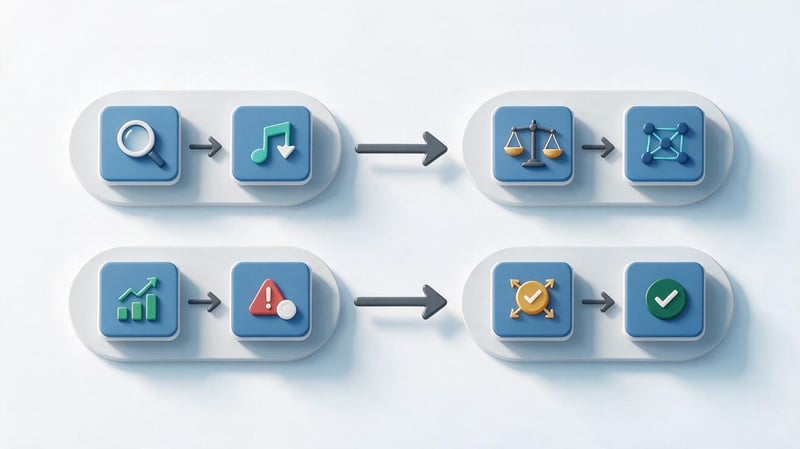
It's more convenient to work sequentially: first, gather information, then check the quality of donors, anchor text distribution, link profile changes, and the status of landing pages. If you start by removing suspicious links without examining the overall picture, you could mistakenly target natural placements.
Create a table to record the results of each audit. Include the audit date, website address, tools used, and analysis period. This will allow you to compare results over several months and understand which issues have already been addressed.
Step 1. How to view backlinks to a website?
Open Google Search Console, select the desired property, and go to the “Links” section. In the external links section, first examine the site's pages that receive the most mentions. Then, check the list of referring domains and the most common anchor texts.
To export, open the desired report and use the export function. Save the available data on recently discovered links and link examples from the general profile separately. Field names may vary depending on the selected report.
To check your website's backlinks using Ahrefs, open Site Explorer and enter a domain. The Backlinks report lets you view specific sources, while Referring Domains helps you analyze referrers at the domain level. If you need to audit a specific landing page, use the corresponding URL analysis mode.
When exporting, it's recommended to obtain the donor page address, target URL, anchor text, link attributes, and available dates. These fields will be needed to aggregate the results and further manually evaluate the placements.
Step 2. How to compile a unified list of backlinks?
After exporting data from multiple sources, it's necessary to combine it into a single table. Different services may use different URL spellings, discovery dates, and the number of links found. First, standardize the URLs, then remove any technical duplicates.
For each row, it's a good idea to preserve the original URL, data source, and last check date. Don't automatically remove different links from the same page if they have different anchors, target URLs, or other significant characteristics.
The following columns are suitable for working with the table:
- Donor domain and URL. Shows the source of the placement and allows you to check a specific page.
- Landing page. Helps determine which sections of your site are receiving external mentions.
- Anchor and attribute. Needed to analyze the wording of links and the nature of placement.
- Date and source. Allows you to understand when a link was detected and from which service the data was obtained.
- Rating and recommendation. Contains the result of the check and the required further action.
After cleaning the data, create two pivot tables: one for unique domains and one for individual links. This separation will help you see which donors are creating many similar placements and which pages are receiving links from different sources.
Step 3. How to check the quality of donor sites?

Evaluating donors takes the most time during a manual link audit. Start with the domains that account for the most links and sites with unusual anchor text. Then check newly added sources and sites with signs of mass link placement.
For each donor, examine the topic, audience, language, region, search visibility, and publication page. Also, check how naturally the link fits into the content. Don't exclude a resource just because its DR or Domain Authority is below the chosen threshold.
Thematic relevance and regionality
Topical relevance shows how closely the donor site's content relates to your project. For example, for a banking website, a mention in a business publication, a piece on finance, or entrepreneurship is usually more logical than a link from a random product catalog. However, a standalone article on a broad-topic portal can also be a suitable source.
Regional relevance is especially important for projects operating in a specific market. Ukrainian businesses may benefit from Ukrainian industry platforms, local publications, and resources with the right audience. International websites are also considered if their content is relevant to the project and the mention has a clear rationale.
When checking the source language, consider the context of the publication itself. A link from an English-language research paper may be appropriate, while mass placements with identical commercial anchors on irrelevant sites require more careful analysis.
Traffic, indexing and content quality
Search visibility helps assess whether a donor site appears in search results and which queries generate the expected traffic. You can check this data in Ahrefs, Serpstat, or Semrush. Third-party services' estimates are approximate, so a low value alone doesn't prove the absence of real visitors.
Open the donor's main page and a few recent publications. Check the content, authorship, presence of contact information, number of ads, and the nature of outbound links. Pay particular attention to sites with hundreds of similar materials created primarily for the purpose of selling placements.
To check indexing, use available search data and the service's own information. If a particular page is missing from the search results, additional verification is required: the reason may be the publication's newness, technical limitations, or quality issues.
Link placement and its attributes
A link within a thematic article usually looks more natural if it complements the content and leads to useful material. Sitewide links in footers, widgets, or sidebars require separate evaluation, especially when they are repeated across hundreds of pages on a single domain.
When checking HTML, pay attention to the rel attribute. A regular link without restrictive attributes can contribute to link signals, while nofollow, ugc, and sponsored help search engines determine the nature of the placement.
The ugc attribute is used for user-generated content, while sponsored is used for advertising and paid placements. The nofollow value can also be used when a site owner does not want to transmit a regular link signal. Google uses these attributes as hints when processing links.
Nofollow links shouldn't be automatically considered useless. Users may click them, and a natural profile contains different types of mentions. The key is to correctly identify the link's origin and its relevance to the context.
Lead SEO specialist — Gennady
When I conduct a link audit, I don't start by removing all links with low DR. First, I compare Google Search Console and Ahrefs data, checking the donor topics, anchor text, and the pages they link to. Even a site with little traffic can provide a natural and useful link. The big picture is important to me: where the placement came from, how closely it fits the project's theme, and whether there are any signs of artificial influence on search results. Only after this review do I determine which links are worth keeping, further examining, or attempting to remove.
Step 4. How to check a website's anchor list?
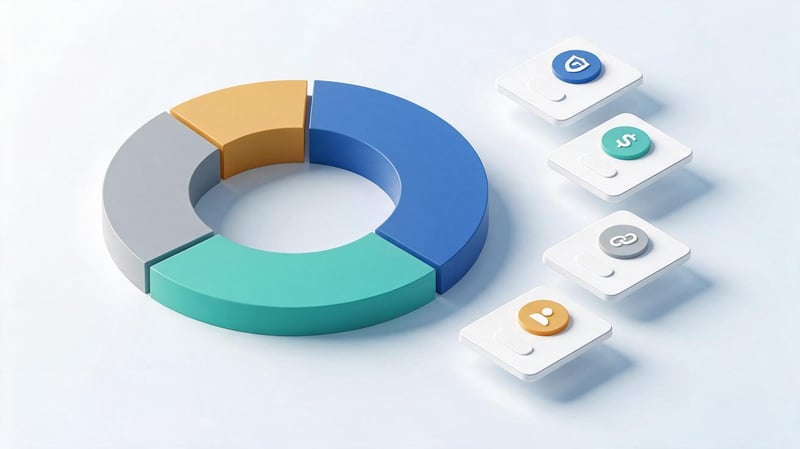
Anchor text is the visible part of a link that takes a user to another page. For an audit, you need to collect anchors from external placements and group them by type. It's easier to work with data from Ahrefs or another service that offers a separate anchor report.
Typically, a distinction is made between branded mentions, commercial keywords, diluted anchors, URLs, and anchorless links. The latter group often includes links framed by an image or neutral wording without the target keyword, although images should be considered separately during technical analysis.
For example, a company name is a branded anchor, while the phrase “buy a laptop in Kyiv” is a commercial anchor. The phrase “detailed model specifications” could be a natural contextual link. For each group, you need to look at the frequency, sources, and destination pages.
A high concentration of identical commercial anchors on a single landing page raises suspicion, especially if the donors are thematically weakly related to the resource. There is no universal safe percentage for branded and commercial links. The distribution is assessed based on the niche, promotion history, and links from real competitors.
Step 5. How to check the dynamics of your link profile?
Dynamics shows how a site's backlink profile has changed over a selected period. For analysis, use Ahrefs charts, reports on new and lost backlinks, and placement history. It's a good idea to compare not only the total number of links but also the number of referring domains.
A sharp increase in several thousand links can be explained by the addition of a single sitewide placement. Similarly, a massive loss of links is sometimes associated with the removal of a template block on a single site. Therefore, any significant increase should be considered in conjunction with the change in the number of unique donors.
Below is a hypothetical graph of the change in the number of referring domains over six months. These figures are for illustrative purposes only and do not represent a real project.
| Month | Referring domains | Dynamics |
|---|---|---|
| January | 120 | Baseline |
| February | 127 | +7 |
| March | 135 | +8 |
| April | 174 | +39 |
| May | 169 | -5 |
| June | 178 | +9 |
On this chart, the April increase requires separate scrutiny, as it significantly exceeds the changes in previous months. New domains, anchor text, and the nature of publications should be examined. If the links appeared as a result of a successful PR campaign, the increase may have a natural explanation.
Also, check for lost links from high-quality sites. This could be due to article deletion, a URL change, a page being blocked from indexing, or a technical error during a site update.
Step 6. How to detect bad links on a website?

Bad links to a site are often identified by low DR or automated toxicity assessment. This approach yields many questionable results, as third-party services use their own algorithms. To make a valid conclusion, it's necessary to simultaneously check the link's origin and several donor characteristics.
Mass placements on identical domains, pages without meaningful text, artificial commercial anchors, and links from automatically generated blocks require special attention. Moreover, random spam mentions are found on almost any significant website.
Google is usually able to ignore a significant portion of link spam on its own. Therefore, detecting a suspicious domain doesn't necessarily mean the site is under penalty. Further investigation is needed, comparing the obtained data with the site's promotion history.
Which links should be checked manually?
To conduct a manual check, first select domains with obvious signs of artificial placement. Check whether the backlinked page exists, whether it is indexed, what the publication is about, and where the link appears in the text. If the resource consists primarily of content with commercial links to random sites, it's worth examining further.
Check for recurring domain networks, identical article templates, and unusual anchor text. It's helpful to find out who placed the link: the website's editorial team, a previous SEO contractor, the project owner, or an unknown source.
Low DR, lack of visible organic traffic, and unusual page language do not individually confirm maliciousness. For each questionable link, document specific risk indicators. If there is insufficient evidence, leave the placement under additional monitoring.
When should you use the Google Disavow Tool?
The Google Disavow Tool is designed for situations where a significant number of artificial or spammy links point to a site that violate Google's policies. Its use is considered when there are manual actions for unnatural links or a serious risk of receiving them. For most regular sites, the tool is not required.
Before using this method, check the manual actions section in Google Search Console and your link building history. If you find placements created to manipulate rankings, first try removing them with the site owners. It's a good idea to save the correspondence and the removal results.
When removing artificial links is impossible and the grounds for disavowal are confirmed, you can prepare a text file with URLs or domains. To disavow a domain, use the format domain:example.com, and specify individual page addresses on separate lines.
Before uploading, the file must be double-checked. Incorrectly disavowing natural links can harm a site's search visibility, so mass automatic profile cleaning is unacceptable.
Step 7. How to check the pages that backlinks lead to?
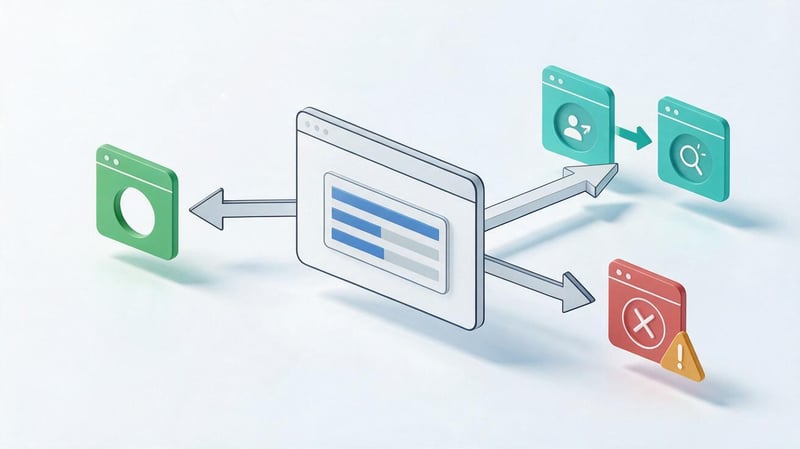
Acceptor pages are the URLs on your site that external links point to. During an audit, you should check their availability, the correctness of redirects, and whether they meet visitor expectations. To do this, you'll need a list of target pages from a link service and an HTTP response testing tool.
Pages with a 200 status are generally available for loading, while 301 indicates a permanent redirect. Errors 404 and 410 indicate a missing resource, but in each case, it's important to consider the URL history and the reason for removal.
If an external link points to an old address, check where the visitor lands after clicking. Sometimes a redirect chain ends with an irrelevant page or an error. It's a good idea to fix these issues, especially if high-quality, relevant resources link to the old URL.
If you have suitable new content, you can set up a 301 redirect from the old page. If the old content is still useful, it's sometimes wiser to restore it. Redirecting all deleted URLs to the home page without regard for the content is not recommended.
Step 8. How to evaluate the results of the link check?
Once the audit is complete, compile the metrics into a single summary. Include the number of backlinks and domains detected, the number of sources verified, the share of key anchor text groups, and changes over the selected period. Separately list lost placements, problematic target URLs, and confirmed signs of artificial link spam.
Next, prioritize the issues found. For example, a 404 error on a page with several valuable backlinks may require a faster fix than a dubious link on an obscure directory. Prioritize based on the potential impact and availability of a solution.
The final part of the audit is a list of specific actions, with responsibilities and deadlines. If the issue cannot be confirmed by the available data, note the need for additional verification. This approach helps separate real tasks from suspicions arising from automated metrics.
How to view competitors' links and compare link profiles?

Competitor analysis helps you evaluate your niche's link environment and identify relevant sites that already publish content on your topic. For comparison, it's recommended to select several sites that regularly appear in Google for your primary search queries. Competitors may differ in terms of business and search results.
Select three to five domains with similar themes and page purposes. If you're analyzing a regional service, don't compare it solely to large international directories. These resources have a different structure, audience, and promotion history.
What competitors' link profile metrics should I compare?
To start, compare the number of unique referring domains, link profile changes over several months, and link distribution across pages. Then, examine the donor topics, common anchor text, and the presence of high-quality industry-specific sites among the sources.
Take a closer look at which materials receive the most inbound links. These could be research articles, how-to guides, directories, tools, or commercial pages. This check helps you understand which content is most frequently linked to by other sites.
Below is a demonstration table. All numbers are hypothetical and illustrate the comparison principle only.
| Indicator | Our website | Competitor 1 | Competitor 2 | Competitor 3 |
|---|---|---|---|---|
| Referring domains | 145 | 230 | 185 | 310 |
| Total backlinks | 680 | 1,450 | 920 | 2,700 |
| DR by Ahrefs | 24 | 36 | 29 | 42 |
| New domains in 3 months | 18 | 34 | 25 | 41 |
| Lost domains | 6 | 8 | 11 | 13 |
| Domains from thematically relevant sites* | 70 | 125 | 105 | 160 |
The number of thematically relevant domains is estimated hypothetically to illustrate manual evaluation.
The table shows that our site is inferior to our selected competitors in terms of the number of referring domains. However, to make a decision, it's necessary to examine the quality of the sources and understand which placements are truly suitable for the project. Simply copying the number of links doesn't provide a reliable promotion plan.
How to find donors who link to competitors?
To view your competitors' links, enter their domains into Ahrefs Site Explorer or another service with similar reports. Start with Referring Domains and filter sites by topic, language, region, and available quality metrics.
Link Gap, a comparison of referring domains across multiple sites, is a useful tool for identifying overlaps. This report shows sites that mention competitors but don't yet link to your resource. Of particular interest are sources that work with multiple players in your niche.
Create a separate list of promising donors and review them manually. Check their publication format, editorial requirements, and the availability of truly relevant content. If a resource only publishes advertising or doesn't accept content in your category, including it in your plan is inappropriate.
The result of a competitive analysis should contain specific opportunities: suitable industry publications, topics for future publications, lost mentions, and pages that need additional external links.
What to do after a backlink audit?
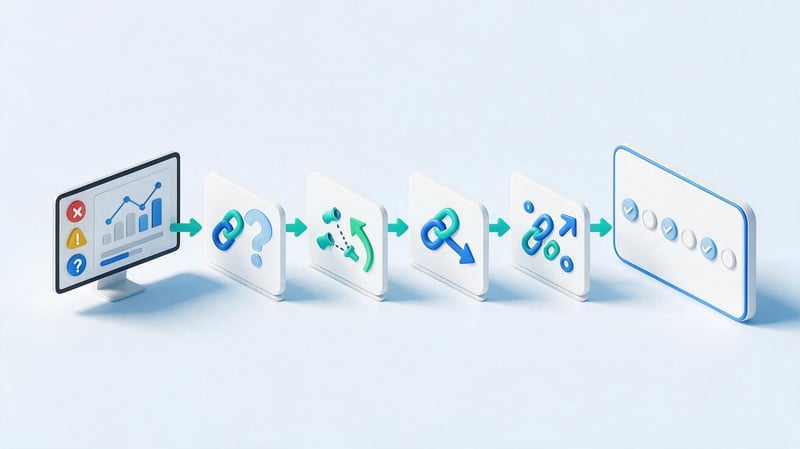
After checking, it's important to move on to fixing it, otherwise the collected data will quickly lose its practical value. Start with technical issues on your own website, as fixing them usually doesn't require approval from external sites. Then, address lost links and revise your placement strategy.
All actions should be recorded in a report with the date of completion and the responsible specialist. After a specified period, a re-check will reveal which issues have been resolved and whether any new ones have emerged. However, ranking changes cannot be automatically attributed to a single link fix.
How to deal with suspicious links?
Divide suspicious placements into three categories: links without confirmed issues, sources requiring further verification, and artificial placements requiring action. This order helps prevent accidental removal of high-quality mentions.
For questionable donors, record the page address, anchor text, discovery date, and reasons for your suspicions. If the link was posted by a previous contractor, check the agreements, reports, and acquisition method. Information about the origin is especially useful when assessing a potential search engine rule violation.
When the artificial nature of links is confirmed and there is a risk of manual action, consider removing them. For regular spam that occurs without the site owner's involvement, monitoring is often sufficient. Using Disavow requires specific justification and caution.
How to recover lost and broken links?
First, filter out lost placements from relevant resources. Check whether the link has truly disappeared, as a third-party service may temporarily lose access to the page. Then determine the cause: post deletion, URL change, text edit, or landing page unavailability.
If the issue occurs on your website, check if you can restore the content or set up a relevant 301 redirect. If the link disappears from the donor site, you can contact the site owner and clarify the reason for the change. It's especially wise to restore mentions that appeared naturally in useful publications.
Not every old link needs to be restored. If the material is no longer relevant, the source has lost its topical value, or the placement was artificial, restoring it may not make sense. Prioritize sources that align with the project's current goals.
How to adjust your link building strategy?
Based on the audit results, identify which pages lack high-quality, relevant mentions and where there's an excessive concentration of commercial anchors. Consider existing placements, the history of the link profile, and opportunities for acquiring new editorial links.
The plan can include expert publications, industry research, PR materials, and guest articles with useful information. For each area, it's important to identify the target audience, potential donors, and suitable website pages in advance.
Review your platform selection criteria separately. Instead of a single minimum DR for all projects, use a combination of topical relevance, region, content, search visibility, and placement type. This will help reduce the number of questionable purchases and better allocate your budget.
How to create a website link audit report?
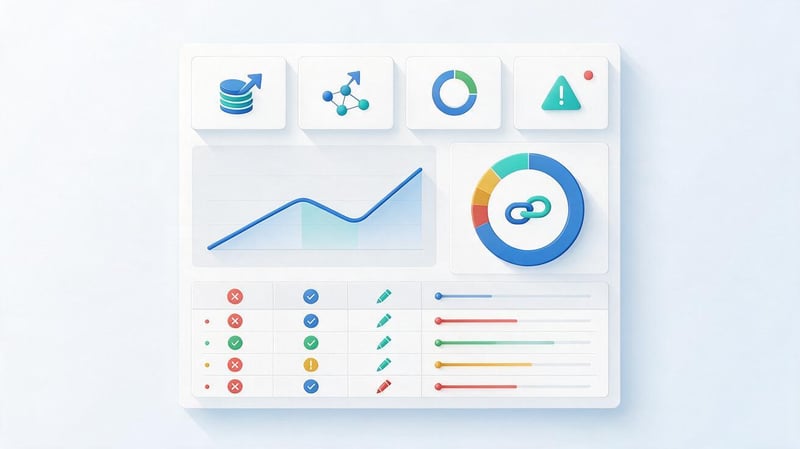
A good report should show the current status of the link profile and specific actions to address any issues identified. It's best to maintain it in Google Sheets or Excel, dividing the data into topical tabs. It's best to place the main summary at the beginning so the site owner can immediately see the results of the check.
The document should include the audit period, data sources, the number of links and domains identified, donor evaluation results, anchor text, and trends. Additional tabs can be provided for lost placements, problematic URLs, and comparisons with competitors.
The practical part of the report is presented in a separate table:
| Problem | Confirmation | Recommendation | Priority |
|---|---|---|---|
| Links lead to 404 page | The HTTP response of the target URL has been verified | Restore the page or set up a relevant 301 | High |
| Lost mention in industry publication | The link is missing from the current publication. | Check the reason and contact the editors | Medium |
| Repeated commercial anchors detected | Several identical placements on different domains | Check the origin and revise future anchors | Medium |
| A suspicious donor network | Common templates, irrelevant publications | Conduct a manual check and establish the source of links | High with confirmed risk |
| Not enough links to important sections | Comparison of target URLs and competitors | Prepare a plan for thematic publications | Planned |
The table contains demonstration examples. A real report should include URLs, dates, specific indicators, and links to evidence that allows for double-checking of findings.
Finally, draw up a work plan for the immediate future and assign responsibilities. Some corrections will need to be delegated to the developer, others to a link building or content specialist. Conduct the next check using the same methodology to ensure a fair comparison.
What are the most common mistakes made during link auditing?
One common mistake is to evaluate the quality of a donor site solely by Domain Rating or a similar metric. While these metrics are useful for comparison, they don't take into account all the specifics of a publication and don't directly reflect Google's assessment. It's important to look at the content and origin of a specific link.
The second problem is related to the incorrect calculation of link volume. If a single domain generates thousands of sitewide backlinks, the resulting number of backlinks can appear impressive. Without separately accounting for unique domains, this metric can be misleading.
The following errors also occur during verification:
- Using a single service. Different databases detect different links, so some significant placements may be missing from the export.
- Ignoring the anchor list. Repetition of commercial phrasing sometimes indicates the artificial nature of the previous promotion.
- Lack of analysis of dynamics. Aggregate indicators do not explain sharp increases, massive losses and changes in profile structure.
- Copying competitors. Even a high-quality donor may be unsuitable for another project or target audience.
- Automatic link disavowal. Widespread use of Disavow without proven justification creates the risk of losing valuable link signals.
- Lack of a plan for corrections. A list of problems without priorities and responsibilities makes it difficult to implement audit results.
After the audit, ensure all important findings are supported by data, and that the next steps are indicated for each issue. If the audit identified questionable links but did not provide sufficient grounds for removal, it's best to schedule a follow-up review.
A link audit begins with data collection and ends with a list of verified recommendations. For an objective assessment, it's necessary to examine donors, anchor text, dynamics, competitor links, and the state of landing pages. Suspicious placements require manual review, and removal decisions should be based on confirmed risks.
If you need to check a large link profile and get a plan for further work, order a website link audit from Seo-Gen. We'll examine backlink sources, compare your profile with competitors, and prepare recommendations for any issues identified.


