How to conduct a website content audit?


A website gradually accumulates pages that lose rankings, no longer meet demand, overlap in subject matter, or continue to be indexed after product changes. Some content becomes outdated, others receive numerous impressions without clicks, and still others compete with neighboring URLs for identical queries.
A website content audit helps compile these pages into a single system and determine the next steps for each. After reviewing, it becomes clear what content should be retained, what should be updated, where content needs to be expanded, which pages should be merged, and which URLs are no longer useful for organic search.
What is a website content audit and why is it needed?
A website content audit is a systematic review of published pages for search visibility, content quality, relevance, structure, semantics, and user experience. This includes blog articles, services, categories, product pages, landing pages, FAQs, and other URLs used in search results.
During an audit, page data is compared with its actual results. The audit examines queries and positions, clicks, impressions, CTR, organic traffic, conversions, internal links, information relevance, and relevance to search intent. Each page is then assigned a specific action.
What tasks does content audit solve?
A content audit helps identify weak pages, outdated content, duplicates, and instances of query cannibalization. URLs that receive high impressions but have a low CTR, are losing organic traffic, or remain near the top 10 in Google for a long time without further growth require special attention.
The audit helps you identify pages with rapid growth potential, find gaps in the site's content, and revise internal linking. The audit also reveals where content no longer matches the intent, which articles can be merged, and which pages should be excluded from future SEO plans.
How is a content audit different from a regular SEO audit?
An SEO audit covers a website's technical condition, indexing, speed, redirects, structure, link profile, microdata, and other search engine optimization elements. A content audit takes a deeper look at the pages themselves, their semantics, intent, completeness, relevance, and search results.
Technical parameters also need to be taken into account. If a piece of content is blocked from indexing, has an incorrect canonical, or receives almost no internal links, evaluating the text alone won't tell the whole story. Therefore, indexing and internal structure data should be included alongside content metrics.
Answers to your questions
What is a website content audit?
A website content audit is a review of pages for search visibility, quality, relevance, intent, structure, and role within the project. For each URL, we analyze queries, traffic, content, internal links, and other metrics that influence further decisions.
After verification, a specific action is assigned to the page: keep, update, expand, merge, delete, redirect, or close from indexing. This format helps move immediately from analysis to implementation.
How often should a website content audit be conducted?
For a small site with infrequent changes, a full audit about once a year is usually sufficient. Projects with an active blog or a constantly growing directory benefit from an audit every six months.
Large online stores and media outlets may separately audit important sections quarterly. The frequency depends on how quickly new pages are added and how quickly information on a particular topic becomes outdated.
Is it possible to conduct a content audit yourself?
You can check a small website yourself using Google Search Console, GA4, a spreadsheet, or any convenient crawler. The key is to choose consistent evaluation criteria in advance and apply them to all URLs.
On large projects, complexity increases due to the number of pages, data volumes, and overlapping topics. In such cases, it's useful to automate exports and divide the review into separate, prioritized segments.
Which pages should be removed after the audit?
URLs with no search, link, user, or business value should be removed when the content no longer solves a specific problem. Before doing so, check queries, traffic, backlinks, internal linking, and potential replacements.
If a relevant new address exists, a 301 redirect is usually considered. If the page is needed by visitors but shouldn't appear in search results, noindex can be used under the correct technical scenario.
What tools are needed for content audit?
The basic set includes Google Search Console, Google Analytics 4, Google Sheets, and a crawler like Screaming Frog or Netpeak Spider. This is enough to collect URLs, search metrics, meta tags, and internal links.
Ahrefs, Semrush, SE Ranking, or Serpstat can be connected for additional competitor, semantic, and backlink analysis. The specific set of tools depends on the project size and the audit objectives.
How is a content audit different from an SEO audit?
An SEO audit examines a website's technical condition, indexation, speed, links, structure, and other factors. A content audit takes a deeper look at page content, search intent, semantics, relevance, cannibalization, and further actions for each URL.
Both checks overlap in terms of indexing, canonical, and internal links. These parameters must be taken into account, as a technical issue can limit the results even for well-prepared content.
When is it necessary to conduct a website content audit?

A content audit is especially useful for projects that have been running for several years and regularly create new pages. During this time, services, product offerings, search queries, user demands, and competitor structure change. Old materials continue to exist, although their content may no longer align with current search results.
Other reasons for an audit include a decline in organic traffic, prolonged stagnation in rankings, an increase in the number of pages without clicks, cannibalization, or the preparation of a new content plan. An audit should be conducted before the mass creation of new pages to prevent duplication of already closed intents.
How often should you conduct a content audit?
For a small website with infrequent updates, a full audit about once a year is usually sufficient. If a blog, catalog, or service section is actively developing, an audit should be conducted approximately every six months. Large online stores, media outlets, and portals can separately review important sections once a quarter.
The frequency depends on the speed of information updates. Financial, medical, technological, and legislative materials typically require more frequent checking. It's helpful to keep track of the last update date for each important page so you can plan updates in advance, rather than revisiting them only after traffic drops.
What to prepare before a content audit?
Before beginning the audit, it's important to define the purpose, data sources, and spreadsheet format. Without unified criteria, the audit quickly devolves into subjective text evaluation, where one page is considered weak due to its length, another due to traffic, and a third is assessed based on entirely different criteria.
For basic work, you'll need Google Search Console, Google Analytics 4, a crawler, and a spreadsheet. Additional SEO services are useful for semantic, competitor, and backlink analysis. For large sites, it's a good idea to define common statuses and decision-making rules in advance.
Determine the purpose of the audit
First, formulate a specific goal. This could be restoring lost organic traffic, finding pages to update, eliminating cannibalization, increasing CTR, or preparing the structure before creating new content.
The main goal should be supplemented with several verification criteria. For example, when searching for growth opportunities, you can simultaneously check outdated content, internal linking, and pages ranked eighth to twentieth. This approach helps you work with data consistently and avoid collecting metrics that are ultimately not used.
Collect a complete list of URLs

Checking only pages from the menu isn't enough. Old articles, archived landing pages, and orphaned pages may remain indexed, even though users can no longer access them through normal navigation. Therefore, the list of URLs is compiled from multiple sources.
Typically, XML Sitemaps, crawler data, Google Search Console, and CMS exports are used. The resulting lists are combined, cleared of technical duplicates, and categorized by page type. After such an inventory, it's easier to see the actual content sizes and overlaps between sections.
XML Sitemap
An XML sitemap displays the URLs a site submits to search engines for crawling. When the sitemap is broken down by page type, it's easy to extract articles, categories, products, or services separately and quickly create the basis for an audit table.
Don't rely solely on the sitemap, as old URLs may be missing from the sitemap and still be indexed by Google. It's also worth checking the sitemap for pages with redirects, errors, no-index, or other indicators that contradict the sitemap's purpose.
Website crawler
Screaming Frog, Netpeak Spider, or another crawler helps you collect URLs, Titles, Descriptions, H1-H6 tags, canonical tags, meta robots tags, status codes, and internal links. On a large site, this extraction is significantly faster than manual verification and immediately reveals common template issues.
When crawling, you can find pages with insufficient internal links, duplicate meta tags, and URLs that are too deep in the structure. This data should be analyzed along with search visibility, as poor page accessibility can sometimes explain the lack of a normal result.
Google Search Console
Google Search Console displays pages that already appear in search, as well as queries, clicks, impressions, CTR, and average rankings. URLs with high impressions, low CTR, lost clicks, or multiple pages in the same topic cluster are particularly interesting for auditing.
It's also worth identifying URLs that are no longer in the current sitemap but continue to receive impressions. Before deleting such pages, check their queries, backlinks, internal linking, and the availability of a suitable new address.
Website CMS
CMS exports help find materials that exist within the system but are poorly visible through search tools. They can store publication dates, authors, categories, drafts, archived pages, and other attributes useful for subsequent classification.
On older websites, this type of verification is especially useful, as some pages may have been removed from navigation due to template or structure changes. After combining the data, it's a good idea to assign each URL a page type, topic cluster, and working status.
What data needs to be collected for each page?

It's convenient to create a worksheet based on the “one URL per row” principle. It should contain search data, key technical parameters, content information, and the final decision. This allows you to filter the table by issue and quickly generate tasks for the editor or developer.
There's no need to migrate dozens of metrics without a clear purpose. It's better to retain the data that actually influences the decision on the page.
| Field | What to record |
|---|---|
| URL and type | Page address, category or type of material |
| Title and H1 | Main headings and relevance to the topic |
| Update date | When was the content last reviewed? |
| Indexing and canonical | Can a URL fully participate in search? |
| Main query | Cluster and search intent |
| Clicks, impressions, CTR | Results from Google Search Console |
| Average position | Current page visibility |
| Traffic and conversions | Analytics data |
| Internal links | Links to other pages of the site |
| Backlinks | Availability of external link value |
| Decision | Next action for the URL |
| Priority | The order of implementation of changes |
After filling in the main columns, it's helpful to add the reason for the decision, the date of the change, and the responsible specialist. These fields simplify implementation monitoring and help later link metric changes to specific tasks.
What data should I take from Google Search Console?
Search Console requires clicks, impressions, CTR, average position, search queries, and the dynamics of these metrics. These metrics show whether a page is receiving demand and how well it's leveraging its current search visibility. For example, a high impression volume with a low CTR requires separate snippet and intent analysis.
It's especially useful to highlight pages ranked between eighth and 20th, URLs with a noticeable drop in clicks, and pages that Google shows for the same queries simultaneously. The latter situation may indicate cannibalization, although the final decision is made after a manual review of the search results.
What data should I take from GA4?
GA4 shows what users do after landing on a website. Organic traffic, engagement, key events, and conversions are useful for the audit. These metrics are important for pages with little search traffic but where visitors regularly perform targeted actions.
Deleting content simply because of a small number of visits is dangerous. The page may be used for internal navigation, support a commercial section, or attract rare but valuable users. It's best to make the decision after comparing analytics, Search Console, links, and the role of URLs in the structure.
How to conduct a website content audit step by step?

It's more convenient to conduct a website content audit in a fixed sequence. First, all pages are collected, then data is added, the intent and content quality are checked, and then a decision and priority are assigned. This scheme reduces the number of random edits and helps ensure that different sections are assessed equally.
For a large project, the review can be conducted in stages, starting with the sections that have the most traffic or commercial value. However, the evaluation rules must remain consistent, otherwise the results of different stages will be difficult to compare.
Step 1: Take an inventory of your pages
The collected URLs should be categorized by type: articles, services, categories, products, landing pages, and other pages. Then, obvious technical duplicates are removed and the remaining URLs are grouped by topic. Even at this stage, materials that cover similar topics often become apparent.
It's best to complete the inventory before editing individual texts. Otherwise, you could waste time on a page that will later be merged with another or excluded from the index. A complete list provides an overview of the content structure and helps you see the connections between adjacent URLs.
Step 2: Check your pages' SEO metrics
For each URL, you need to collect clicks, impressions, CTR, positions, queries, and dynamics. It's best to compare the same periods and take seasonality into account. If the page was recently changed, the update date should be specified separately to avoid mixing up the metrics before and after the change.
At this stage, pages with traffic loss, high impressions, and rankings near the top ten are identified. These URLs are often suitable for priority rework, as they already have accumulated visibility and clear semantics.
Find pages with high growth potential
Quick growth points often include URLs in positions eighth to 20th, which receive steady impressions for relevant queries. For these, it's worth checking the title, response completeness, data freshness, subheading structure, and internal links.
Priority should be aligned with the page's value to the business. If two pieces of content have similar potential, it makes sense to update the one related to a key service, category, or user conversion path first.
Step 3: Check search intent compliance

A well-written page may rank poorly if its format doesn't align with user intent. You should examine search results for key queries and determine which pages Google shows most often: articles, categories, product pages, tools, or commercial landing pages.
Then you need to compare your page with this format and evaluate how quickly the page delivers the answer. If the user is looking for step-by-step instructions, a large theoretical block before the first action will hinder their comprehension. If the request has a commercial intent, a single informational article may not be enough.
Compare your page with your competitors in the top
When comparing competitors, consider the H2-H4 structure, topic completeness, tables, lists, FAQs, examples, and additional page elements. Repeated blocks across several strong competitors often reveal the questions users expect to see for a specific query.
Word count alone doesn't tell you much. It's more useful to determine which semantic blocks are present on most top-ranking pages and what your content lacks. Then, you can add the missing topics without copying someone else's structure.
Step 4: Check your content's SEO optimization
It's worth starting the check with queries for which the URL is already receiving impressions, and then comparing them with the target page semantics. This helps understand whether Google is correctly interpreting the topic and whether the content overlaps with adjacent pages.
Don't try to match keyword density to a universal percentage. Different topics require different terminology, and constantly repeating the same phrase detracts from readability. It's much more useful to check for topic completeness, word forms, related concepts, and the absence of obvious keyword spam.
Title and Description
The title should accurately reflect the topic, match the intent, and be distinct from the titles of adjacent pages. It's best to use the main query closer to the beginning if this wording is natural. Duplicate titles often indicate that the structure or distribution of semantics requires revision.
The description should briefly explain the page's content and help the user understand what they'll get after clicking the link. If the page receives a large number of impressions and has a low CTR, the snippet should be one of the first to be checked, taking into account the current position and search results.
H1-H6
The H1 heading should convey the main intent of the page in a clear manner. Subheadings H2-H4 are used to logically divide the content: major issues are covered at the top level, while details and specific actions are explored deeper.
When auditing, look for duplicate H1s, broken hierarchy, and sections that contain almost nothing. If the heading is followed by a single short sentence, it's best to merge that section with an adjacent one or expand on it.
Page semantics
Semantics should be compared with actual Search Console queries and the target cluster. If a page receives impressions for several closely related groups, it's important to determine whether they belong to the same intent. Sometimes it's worth separating themes, and sometimes it's more beneficial to combine two weak URLs.
Topical LSI keywords should appear naturally when fully exploring the topic. For content audits, these include search intent, Google Search Console, Google Analytics 4, page indexing, CTR, internal linking, canonical, query cannibalization, 301 redirects, and other related concepts.
Step 5: Assess the quality and relevance of the content

After analyzing the metrics, they move on to manually reviewing the content. They evaluate the completeness of the answer, the relevance of the facts, the expertise, readability, and its relevance to current search results. A page can maintain its momentum for a long time based on accumulated signals, even though its content is already inferior to more recent materials.
It's best to document the problem with specific wording: “the terms are outdated”, “there's no response regarding deadlines”, “the material overlaps with another page”, or “the structure doesn't match the intent”. Such a comment immediately explains to the editor what part needs to be changed.
Completeness of the answer
The content should address the user's primary query and any natural questions that arise along the way. Completeness can be verified using Search Console queries, competitor structure, search suggestions, and the user flow.
There's no need to expand the text with every possible topic. Unnecessary sections dilute the main intent and add unnecessary bulk. If the article is about a content audit, a detailed analysis of server settings will interfere with the main purpose of the material.
Relevance
You need to check prices, dates, terms, legal requirements, product specifications, screenshots, statistics, links, and service mentions. Materials about technology, finance, medicine, and tools with regularly changing interfaces become outdated the fastest.
It's a good idea to store the last update date in the spreadsheet. This way, the editor can see which pages haven't been updated in a while, and the SEO specialist can take the update into account when analyzing future trends.
Expertise
Expertise is best conveyed through specific criteria, real-world scenarios, proprietary data, and expert commentary. Users are more likely to trust the material when they understand why a specific action is recommended and the metrics underlying the decision.
Lead SEO specialist — Gennady
In my work, I don't base page decisions solely on the length of the text or current traffic. I first look at which queries the URL is already receiving impressions for, what positions it holds, whether it has any external or internal links, and whether it competes with another page on the site. Often, it's enough to update content with low traffic or merge it with a stronger page, rather than deleting it and losing accumulated signals.
Readability
Readability depends on paragraph structure, sentence length, clarity of terms, and logical transitions. Large blocks of text are difficult to scan even with good content, so it's best to break long sections into meaningful chunks.
Lists are needed for sequences of actions, while tables are convenient for comparing multiple options. Formatting should help you get the information you need quickly, so it's best to avoid adding decorative blocks that don't serve a practical purpose.
Step 6: Find duplicates and cannibalization
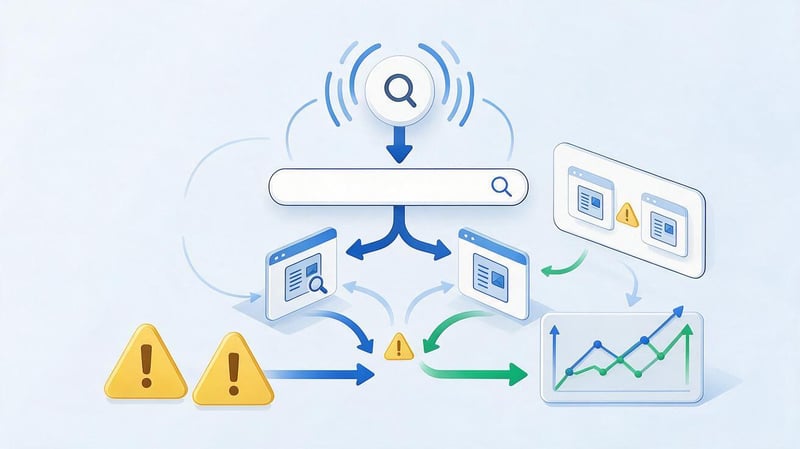
Duplicate content occurs when similar content is available at multiple URLs. Cannibalization occurs when different pages compete for the same search intent and Google periodically changes the URL it displays for a query.
You can troubleshoot the issue using Search Console, comparing Title and H1 tags, extracting queries, and position history. If multiple pages regularly rank for the same cluster, you should check the purpose of each one and determine whether the user truly needs separate URLs.
How to identify cannibalization?
In Search Console, you can select a query and view the pages that receive impressions for it. If several URLs constantly swap positions and meaningfully answer the same question, it's worth manually checking the intent and structure.
The mere fact that two pages appear for the same search query doesn't confirm a problem. Google may show different URLs for different shades of intent, so it's important to compare the content, queries, internal link anchors, and the actual search results.
What to do with competing pages?
If pages fulfill different user intents, they need to be more clearly differentiated by semantics, title, H1, content, and internal links. When the intent is virtually identical, materials are often combined into a single strong URL and a 301 redirect is set up from the old address.
Before merging, be sure to check the traffic, queries, and backlinks of both pages. The new content should retain useful information and semantics, and after the transfer, internal links should be updated to the final URL.
Step 7: Check internal linking
Internal links help search engines find pages and show thematic connections between content. During an audit, you need to determine how many relevant links an important URL receives, whether there are any orphan pages, and whether old content leads to deleted addresses.
Priority pages should ideally be linked to thematically related content using clear anchors. If a strong article is deeply embedded in the structure and barely gets any mention, editorial improvements alone may not be enough to achieve significant growth.
Step 8: Separate pages by next steps
After checking, each URL should be assigned a clear action. A limited set of statuses is more convenient than dozens of individual definitions, as the table is easier to filter and share between the SEO specialist, editor, and developer.
| Decision | When to use |
|---|---|
| Leave | The page is relevant, matches the intent and produces the desired result |
| Refresh | Information or individual blocks are outdated |
| Expand | The material does not address important user questions. |
| Combine | Multiple pages respond to the same intent |
| Delete | URLs have no search, link, or user value. |
| 301 Redirect | There is a suitable, up-to-date replacement for the old URL. |
| Noindex | The page is needed by users, but should not be included in search results. |
Before deleting, check queries, organic traffic, backlinks, conversions, and internal linking. If a relevant replacement exists, consider a 301 redirect and move internal links to the current address.
Step 9: Prioritize

Correcting pages simply by URL order is inconvenient. It's better to prioritize based on potential impact, implementation complexity, and the page's business value. Commercially important URLs, pages near the top 10, content with a high number of impressions, and cases of significant cannibalization usually come first.
The conditional diagram can be presented in the form of a table:
| Growth potential | Low difficulty | High difficulty |
|---|---|---|
| High | Quick edits | Major priority tasks |
| Average | Planned improvements | The second stage |
| Low | Minor fixes | Postpone |
This matrix helps you first select quick wins and then move on to larger-scale updates. Before starting work, it's a good idea to save the baseline metrics so that you can compare results across similar periods after implementation.
High priority
High priority is typically given to URLs in positions eighth to twentieth, pages with a high number of impressions, commercially important sections, and materials with a noticeable drop in organic traffic.
This also applies to cases where a single issue affects multiple pages, such as cannibalization of a large cluster. Before making any edits, you should save the original clicks, impressions, CTR, and rankings for subsequent evaluation.
Medium priority
Medium priority pages include those with reasonable potential but low current demand or moderate business value. These could include informational articles with stable rankings or content that requires scheduled updates.
These pages are conveniently compiled into a separate editorial sprint. Regularly working on them reduces the amount of outdated content and helps maintain the site's quality without urgent, large-scale rework.
Low priority
URLs without significant search potential, urgent issues, or direct connections to important business objectives are given low priority. These can be left for a later stage and revisited after addressing key growth areas.
A low priority doesn't mean a page should be deleted. Before any deletion, check the backlinks, internal role, and potential user scenarios that aren't apparent from organic traffic alone.
Step 10: Make changes and measure the results
After implementation, the date of the change and the type of work performed should be recorded. Clicks, impressions, positions, CTR, organic traffic, and conversions should then be tracked. It's best to compare the same time periods, taking into account seasonality, changes in demand, and major website updates.
Don't jump to conclusions just a few days after publishing edits. Google needs time to recrawl and process the changes, and the page needs time to accumulate new data. If there's no improvement, you should re-check the intent, implementation quality, and technical condition of the URL.
Content audit tools

For a small website, a basic content audit can be performed using Search Console, GA4, a spreadsheet, and a crawler. Paid services speed up the analysis of queries, competitors, and backlinks, but they don't replace manual assessment of content and search intent.
It's best to choose tools based on a specific task. Search Console is needed for real site search data, GA4 shows user behavior, a crawler collects structure and technical parameters, and external SEO platforms provide additional information about competitors.
Free tools
Google Search Console provides clicks, impressions, queries, CTR, and average positions. Google Analytics 4 helps evaluate organic traffic, engagement, and conversions. Google Sheets is suitable for general spreadsheets, page filtering, and assigning next actions.
Google Search is useful for manually checking search results and intent. PageSpeed Insights can be enabled selectively if page issues are related to speed or mobile experience. For a regular content audit, checking Core Web Vitals for each URL individually is not necessary.
Crawlers
Screaming Frog and Netpeak Spider allow you to quickly collect URLs, Titles, Descriptions, H1-H6, canonicals, response codes, and internal links. On large projects, this significantly speeds up inventory and helps identify common template errors.
When setting up a crawl, consider robots.txt, URL parameters, subdomains, and JavaScript rendering. A partial crawl may hide some pages, so it's recommended to check crawl results against the sitemap, CMS, and Search Console.
SEO services
Ahrefs, Semrush, SE Ranking, and Serpstat are useful for analyzing competitors, semantics, visibility, and backlinks. They help you check the link value of an old page before deleting it and identify additional queries worth considering when updating the content.
The metrics of different services may differ due to their own databases and calculation methods. When analyzing your website, it's best to base your analysis on Search Console and internal analytics, and use data from third-party platforms for additional comparison.
Website Content Audit Checklist

A checklist is useful after the main review to ensure consistent evaluation of different sections and to avoid missing important parameters. It's especially useful when working with multiple specialists, who need to maintain a consistent process.
- Collect URLs from sitemap, crawler, Search Console and CMS.
- Determine the page type, cluster, and search intent.
- Check Title, Description, H1 and H2-H4 structure.
- Add clicks, impressions, CTR and average position.
- Check organic traffic, engagement, and conversions.
- Assess the relevance, completeness and expertise of the content.
- Find duplicates and potential query cannibalization.
- Check internal links and orphan pages.
- Consider backlinks before removing or merging.
- Assign an action and priority to each URL.
- Record the implementation date and the responsible specialist.
- Check the dynamics after re-indexing the page.
After completing the checklist, high-priority pages should be reviewed manually again. The data reveals the problem, but the final decision depends on the search results, the page's role in the structure, and its value to users.
Common mistakes when conducting a content audit
Most mistakes occur when decisions are based on a single metric. Text length, keyword count, or current traffic don't provide the full picture. A page may appear weak by one metric while still having strong links, conversions, or stable visibility for specific queries.
The second common problem is a lack of implementation. A large table of comments quickly becomes irrelevant if the rows lack a specific action, priority, and responsibility. Therefore, audit findings must be immediately translated into a coherent work plan.
Evaluate only the volume of text
The character count doesn't reflect the quality and comprehensiveness of the material. A short page may fully answer a simple query, while a long article may repeat similar ideas and make it difficult to find the information you need.
Length only makes sense when comparing pages with the same intent. If competitors address several important points that you don't, it's worth adding them. There's no need to artificially inflate the text to achieve an average character count.
Delete pages only because of lack of traffic

A URL without organic traffic may have backlinks, be part of the navigation, or support another important section. Before deleting, check Search Console, analytics, internal links, and your link profile.
If a page has truly lost its purpose, choose an appropriate scenario: a 301 redirect to a relevant replacement, noindex for the service URL, or deletion. Bulk page cleanup without such verification can lead to unnecessary losses.
Look only at keywords
The presence of keywords doesn't guarantee a match with search intent. A page may contain the correct semantics but answer a different question or use a format that's practically absent from the current search results.
During an audit, keywords should be associated with the structure, content, and type of page. Word forms and related terms usually emerge naturally if the content fully covers the topic and answers real user questions.
Analyze pages without comparing them to competitors
Internal metrics show the site's health, while competitors help understand current search engine requirements. Without such comparisons, you could miss blocks that have become standard for your intent or continue to develop a format that Google has almost stopped showing.
There's no need to copy a single leader. It's better to study several strong pages, find common patterns, and then test which ones are truly useful to your user.
Ignore cannibalization
If two URLs compete for the same cluster, improving each page separately may leave the problem in place. First, determine the role of the pages and decide whether to separate their intents or combine their content.
After the decision is made, meta tags, internal links, and semantic focus are adjusted. This type of check is especially useful for sites with an active blog, as similar topics were often written over the years by different authors.
Not monitoring the results after changes
Without benchmarks, it's impossible to know whether an update has been effective. Before implementation, you need to record clicks, impressions, positions, CTR, and conversions, and then compare comparable periods after re-indexing.
If the result hasn't changed or has worsened, it's worth checking the quality of the implementation, the intent, and the technical condition of the page. Adding new paragraphs without a clear hypothesis usually doesn't solve the underlying problem.
What should be the outcome of a content audit?

The result should be a worksheet that lists the data, problem, decision, priority, responsible specialist, and implementation date for each URL. This document is easy to share with the editor, SEO specialist, and developer without having to decipher each page.
The audit also reveals the overall structure of the content: which topics are covered well, where there are duplicates, which clusters require updating, and which pages have rapid growth potential. This data can be used to prepare a new content plan and allocate SEO tasks for the coming months.
How long does a content audit take?
The time frame depends on the number of URLs, data availability, and the depth of manual review. A small website with several dozen pages can be analyzed in a few business days if search and analytics data has already been collected.
A project with thousands of URLs requires automated inventory, segmentation, and step-by-step manual verification. The most time-consuming part is usually assessing the intent, competitors, and resolving questionable pages.
A content audit helps you understand which pages are worth developing, which materials have become outdated, and which URLs are interfering with each other in search results. Consistent verification through Search Console, GA4, a crawler, search results analysis, and manual content assessment provides a clear basis for further SEO work.
Start by collecting all URLs and data, then categorize pages by action and priority. If your site has hundreds of pieces of content and it's difficult to prioritize the work yourself, order a content audit from Seo-Gen – the team will prepare a list of issues, priorities, and specific tasks for each page.


