Website localization: what is it and how does it work?


The company launches a website in English, translates service descriptions, menus, and buttons, but foreign users rarely submit requests. The reason may lie in the small details familiar to other markets: unfamiliar wording, an inappropriate currency, an inconvenient order form, or a lack of pages for local search queries.
Website localization helps eliminate such issues even before a full launch in a foreign market. It covers the text, interface, commercial terms, technical settings, and search engine optimization. Let's explore how localization works, how it differs from translation, the necessary steps, and how to verify the results.
What is website localization?
Website localization is the adaptation of a web resource for users of a specific country, region, or language group. When preparing a new version, the audience's language, local formatting conventions, cultural specifics, website interaction methods, and search engine requirements are taken into account.
For example, a Ukrainian online store plans to sell products in Germany. For the German version, it will be necessary to prepare product descriptions, modify individual interface elements, check delivery terms, set up local payment methods, and select German-language search queries.
What does the word “localization” mean?
The term comes from the English word “localization” and refers to the adaptation of a product or information to the conditions of a specific region. In software development, the abbreviation l10n is used: there are ten characters between the first and last letters of the English word.
To explain localization in simple terms, imagine a typical online store launching in a new country. Customers should understand product names, payment methods, delivery terms, and system messages without further explanation.
Localization may involve a different set of elements depending on the product. For an informational blog, the language and content of posts are particularly important, while for an online store, these are supplemented by the catalog, shopping cart, pricing, and checkout.
What is language localization?
Language localization involves adapting texts and terminology to a specific audience. The translator takes into account usage patterns, accepted professional expressions, regional language variations, and the context in which the message will be seen.
For example, English is used in the UK, the US, Canada, and other countries. However, the spelling of individual words, product names, commercial terms, and everyday expressions may differ significantly.
For a service website, such distinctions are especially important in category names and search queries. Users should see familiar wording, and search engines should receive content that matches the needs of the target market's audience.
A website's language version typically includes translated pages, menus, buttons, notifications, and help materials. Full localization additionally requires review of the project's commercial and technical aspects.
What are the different levels of website localization?

The depth of adaptation depends on the company's goals, the size of the website, and the specifics of the target market. Sometimes, a business only needs to create a few information pages, while in other cases, it may require changes to the catalog structure, checkout logic, and user scenarios.
The level of localization indicates how thoroughly a product is adapted for a new audience. It's convenient to distinguish between basic, partial, and full localization options, although there's no generally accepted, mandatory classification with these labels.
Basic localization
Basic localization involves translating the most important texts and interface elements. Typically, this includes the homepage, key services, navigation, contact information, feedback forms, and messages that users see while interacting with the website.
This option is suitable for small information resources or projects that are testing the interest of a foreign audience. However, even a limited launch requires correct language URLs, internal links, and a clear language switcher.
If only individual pages are localized, visitors should be aware in advance which sections are available in the selected language. You can't create the impression of a fully-fledged foreign version when most of the interface remains in the original language.
Partial localization
Partial localization involves adapting individual business areas, product categories, or landing page groups. The company selects priority sections that meet demand in the new market and begins working with them.
For example, a hardware manufacturer might initially prepare a catalog of popular models, shipping information, and technical support pages. The remaining sections are translated gradually, after assessing interest from potential buyers.
With this approach, it's important to maintain a logical site structure and correctly link existing language versions. The language switcher should link to the corresponding page, if one exists, rather than automatically redirecting users to the homepage.
Full localization
Full localization covers website content, interface, commercial processes, search engine optimization, and technical settings. Automatic emails, personal account, payment system, documents, and other user-facing elements are also checked.
For an online store, this means preparing a localized catalog, shopping cart, delivery terms, payment methods, and customer support. For a SaaS platform, this will require adapting the user interface, registration, notifications, instructions, and pricing pages.
After launch, work continues: new materials, changes to terms, and functionality updates must appear promptly in the relevant language versions. Otherwise, discrepancies between sections will arise over time.
Answers to your questions
1. What is website localization in simple terms?
Website localization is the adaptation of a web resource for people who speak a different language or live in a specific country. This involves changing texts, individual interface elements, regional formats, and other details essential for user experience.
For a commercial website, additional checks are made on sales terms, payment methods, and search engine optimization. The scope of changes depends on the business objectives and the specifics of the target market.
2. How is localization different from translation?
Translation conveys the content of a text in another language while preserving the original meaning. Localization also takes into account the target market's terminology, user habits, commercial terms, and interface features.
For example, after translating an online store, product names will be clear to foreign customers. During localization, the catalog, delivery, currency, order forms, and page compliance with local search queries will also be checked.
3. What is the English term for localization?
The English term is “localization” (in British English often spelled “localisation”). For websites, the phrase “website localization” is used, as opposed to plain website translation.
In software development, the abbreviation l10n is also commonly used. It is used to denote the adaptation of a software product or digital interface to a specific language and region.
4. Is it possible to translate a website automatically?
Machine translation can be used to prepare drafts and speed up work with large volumes of pages. After processing, the text should be reviewed for accuracy, naturalness, and terminology consistency.
Editing is especially important for legal, medical, technical, and commercial materials. You'll also need to check meta tags, buttons, system messages, and interface elements that may have been incorrectly processed by the automated translation.
5. Is it possible to localize only individual pages of a website?
Yes, partial localization is suitable for companies starting out in a new market and want to test demand. Typically, these include key commercial pages, priority categories, and terms of service sections.
This approach requires maintaining clear navigation and accurate language links. Users should understand which materials are already available in their language and which are not yet translated.
6. Do I need to create a separate website for each language?
Creating a separate domain for each language is not necessary. Localized versions can be hosted in language folders, on subdomains, or on separate domains.
The choice depends on the technical architecture, the number of markets, and the company's objectives. Regardless of the structure, it is essential to ensure page accessibility, correct indexing, and consistent interlinking between language versions.
7. Does website localization affect SEO?
Localization helps create content that matches the needs of users in a specific language or region. Search rankings depend on page quality, competition, the site's technical condition, and other factors.
To promote your site, you need to collect local semantics, prepare meta tags, check hreflang and canonical, and then monitor indexing and organic traffic.
8. What is a website's localization level?
The level of localization indicates the depth of adaptation of a web resource for the target audience. Basic translation may include the translation of the main pages, while full localization covers all content, the interface, commercial terms, and technical aspects.
The appropriate volume is determined after analyzing the business and the requirements of the new market. For a small informational website, it is usually smaller than for an online store or a platform with personal accounts.
Localization and Translation: What's the Difference?

Translation and localization are closely related, so the terms are often used together. The difference lies in the scope of work and the tasks involved in preparing a website for a foreign audience.
Translation conveys the meaning of the source material in another language. Localization takes into account the context of its use: the characteristics of the target market, familiar terminology, user interface, commercial rules, and search engine demand.
What does a standard website translation include?
Website translation begins with the textual content of the pages. The specialist conveys the information in the target language, preserving the meaning of the source material and selecting expressions that are relevant to the product's topic.
Depending on the project, website translation can cover articles, product cards, service descriptions, menus, instructions, and help sections. For technical and medical materials, correct terminology and factual accuracy verification are particularly important.
A high-quality professional translation should read naturally and preserve the content of the original source. However, it alone does not resolve issues of local demand, commercial terms, or the technical organization of a multilingual website.
What does localization add to translation?
Translation localization begins with checking whether the prepared text fits the conditions of use in the selected country. Even a grammatically correct phrase may look unfamiliar to a local buyer or poorly match their search query.
Specialists analyze terminology, marketing materials, regional specifics, interface elements, and user flow. If necessary, they adjust sentence structure, examples, button labels, and the order of information presentation.
Localization in translation is especially noticeable in advertising, interfaces, and commercial texts. Here, the meaning of individual words depends on the situation, cultural context, and audience expectations, so a literal match to the source text is often insufficient.
An example of translation and localization of one text
Let's consider the hypothetical example of an online store entering the UK market. The original advertising message is targeted at a Ukrainian audience, uses the hryvnia currency, and mentions delivery within Ukraine.
A literal translation into English will still make sense, but a British buyer will see terms and conditions that are inappropriate. For a localized version, it's necessary to prepare a proposal with actual prices and available delivery.
| Option | Text |
|---|---|
| Original | Замовляйте товари для дому з доставкою по Україні. Безкоштовна доставка від 1500 грн. |
| Literal translation | Order home products with delivery across Ukraine. Free delivery on orders over UAH 1,500. |
| Localized example | Shop home essentials with delivery across the UK. Free delivery on qualifying orders. |
The third option specifies a different delivery area, and the free delivery clause is stated without a specific amount. This clause is only acceptable if the store actually serves the UK and offers the service.
Localization requires alignment with the actual capabilities of the business. A translator or marketer should not independently change prices, promise free shipping, or add terms and conditions the company does not provide.
Website Translation and Localization: A Comparison
| Criterion | Translation | Localization |
|---|---|---|
| Goal | Render content in another language | Adapt the website to a specific audience |
| Working with text | Translation and editing | Translation, editing and adaptation of wording |
| SEO | May include translation of meta tags | Involves separate work with local demand |
| Design | Usually preserved | Visual elements are changed as necessary |
| Regional formats | May remain original | Adapt to the market |
| Commercial terms | Transmitted according to the source text | Checked and displayed taking into account the market |
| Quality control | Linguistic | Linguistic, functional and technical |
The choice between translation and localization depends on the project's objectives. If the material is intended for informational purposes, a high-quality translation may be sufficient, but a commercial website typically requires more in-depth preparation.
Why do you need website localization?

Companies localize their websites when they begin working with international clients, expand their sales geography, or develop existing services in other languages. The main goal is to ensure that users can independently understand the offer and perform the desired action.
For businesses, the benefits include accessibility of information, ease of service, and the ability to attract visitors from new search markets. The results depend on product quality, competition, sales conditions, and future promotion.
Entering foreign markets
When entering a new market, a company must consider local needs, competitors, and purchasing decision-making processes. Even a sought-after product can be difficult to sell if the website uses unfamiliar terms or doesn't explain the terms of service.
Localization helps present products and services in a format understandable to the target audience. Users receive information about product availability, delivery times, payment options, and support options in their native language.
Before launching, it's a good idea to determine which sections are truly needed in the new market. Some services may not be available in the selected country, and certain product categories will require additional clarification or product range adaptation.
Improving user experience and trust
It's easier for visitors to navigate a website when menus, buttons, forms, and system messages are written in familiar language. Clear purchasing terms and conditions also reduce the number of questions that arise before placing an order.
The convenience of localization is especially noticeable at the final stages of interaction. If product cards are translated, but the shopping cart displays errors in another language, the customer may hesitate before paying.
Trust is enhanced by genuine contact information, transparent delivery and return policies, accessible communication methods, and accurate company information. Translated reviews without verified origin or fictitious local addresses should not be used.
Attracting organic traffic from other countries
For search engine optimization of each language version, local user queries must be taken into account. Even a properly translated commercial page may not match the words people type into Google.
For example, the names of financial products, medical procedures, or building materials may differ between countries. An SEO specialist analyzes local search results, creates a semantic core, and determines an appropriate page structure.
After publication, the search engine will need to detect new URLs, process the content, and select appropriate versions for users. The presence of translations alone does not guarantee ranking gains, so it is necessary to monitor technical settings and promotion results.
When is localization necessary and when is translation sufficient?
Standard translation is suitable for individual documents, reference materials, and publications that need to be made available in another language. The content must remain accurate and the terminology understandable to the intended reader.
For an online store, localization typically involves the catalog, payment methods, shipping, and e-commerce pages. SaaS platforms also require adaptation of the interface, system notifications, personal account, and documentation.
A corporate website may require a separate service structure, local examples, and contact information. The scope of work is determined after studying the product, audience, and the company's operating conditions in the selected market.
What does website content localization include?

Website content localization concerns the materials a user reads, views, or receives after interacting with a website. This includes commercial texts, articles, images, videos, interface messages, and automated notifications.
The entire user journey must be considered: from search results to contacting the company or completing a purchase. If individual steps remain in the original language, using the localized version becomes more difficult.
Localization of text and content
Localizing text involves checking terminology, style, examples, and information structure. For each page, it's necessary to determine its purpose and what information the audience in the new market expects.
Online stores take particular care in adapting category names, product specifications, and purchase terms. Service websites prioritize descriptions of offerings, answers to questions, benefits, and commercial restrictions.
Content localization also extends to blog articles, instructions, help pages, and documents. It's crucial to ensure that the information reflects the company's actual operating conditions and is updated promptly in all available versions.
Adaptation of marketing texts and terminology
Marketing language often uses wordplay, cultural associations, and emotional expressions. When translated literally, such messages can lose their meaning or create false expectations in local audiences.
To adapt marketing texts, first determine the core content of the offer: what product is being sold, who it's for, and what benefit the buyer receives. Then, choose a natural formulation in the target language.
Professional terminology requires special attention. If a company sells industrial equipment or medical services, an inaccurate translation can distort the product's characteristics and make it difficult to find.
Interface and navigation localization
The user interface contains numerous short messages that often go unnoticed when preparing a translation. These include button labels, form fields, filters, authorization errors, notifications, and personal account elements.
Interface localization begins with compiling a list of all displayed strings. Each message must retain a clear meaning, especially if it's related to payment, confirmation of actions, or the processing of personal data.
It's worth checking the language switcher, menu, and links between pages. The user should retain their selected language during navigation, and the absence of a translated page should be handled predictably.
Features of text length and writing direction
The same phrase can take up different amounts of space after translation. A short English button sometimes turns into a long German caption that doesn't fit in the allotted interface element.
When developing, consider increasing line lengths, text wrapping, and changing block sizes. The mobile version requires special testing, as there's significantly less available space on a smaller screen.
Arabic and some other languages use right-to-left (RTL) writing. Such projects require adapting the layout of elements, interface behavior, and individual visual components.
Localization of images, videos and graphics

Images containing text should be reviewed separately from the main page content. Text on advertising banners, infographics, and interface screenshots may remain in the original language after the article is translated.
Videos may require subtitle preparation, caption adaptation, and verification of the examples used. Images showing regional formats, currency, or outdated interface elements are updated as needed.
The cultural adaptation of visual materials depends on the market and the business's theme. Colors, symbols, and images are evaluated in their specific context, avoiding general assumptions about the preferences of all residents of a given country.
Adaptation of currencies, dates, addresses and units of measurement
Regional formats affect how users perceive prices, terms, and technical specifications. Websites must correctly display dates, times, decimal separators, local currencies, and units of measurement.
For example, different countries may use different methods for recording dates and addresses. When placing an order, these fields must be adapted to local postal codes, phone numbers, and administrative divisions.
Changing the currency in the interface does not automatically change the payment currency. Before launching, you should check the currency in which the transaction is processed, how the final price is calculated, and what terms are displayed to the buyer.
Localization of advertising and marketing campaigns
Advertising localization begins with audience research and analysis of local competitors' offerings. The advertising message must take into account product characteristics, familiar terminology, regional demand, and actual sales conditions.
For search advertising, query wording and landing page content are particularly important. If an ad promises a service in the local language, the corresponding page should contain a clear description of the offer and accessible ways for the user to get in touch.
Calls to action, geographic targeting, and pricing information are also checked. A single advertising campaign shouldn't be transferred between markets without verification, as demand, competition, and consumer expectations differ.
Legal and commercial adaptation
When localizing a commercial website, it's important to review the terms of sale and documents governing the company's relationship with users. Requirements for personal data processing, returns, warranties, and customer information may vary depending on the country.
For online stores, delivery terms, taxes, payment, and refund policies are important. SaaS platforms should also check their user agreements, subscription policies, and the availability of specific features.
Legal documents require review by a specialist familiar with the laws of the target market. Automatic translation of an existing privacy policy does not confirm its compliance with local requirements.
How to localize a website?

It's more convenient to divide the work into sequential stages, starting with market analysis and ending with reviewing the published pages. This order helps determine the project scope in advance and reduce the number of technical corrections after launch.
If a website already exists, it's important to first check its structure, CMS, and text storage methods. For new projects, it's advisable to consider multilingual support during development to avoid having to rework templates and functionality later.
Step 1: Research the market and target audience
Before localization, it's important to determine which countries and language groups the website is being developed for. A single language may be used in multiple markets, so sales geography and language preferences should be considered separately.
They study local competitors, search demand, commercial offers, and customer behavior patterns. For online stores, they also check the demand for their product range, available delivery and payment methods.
Based on the analysis results, a list of priority sections and localization requirements is compiled. This helps determine which pages the audience really needs and what features need to be prepared before launch.
Step 2: Choose the structure of the website's language versions
For localized pages, it's necessary to choose a consistent URL structure. Typically, separate national domains, subdomains, or language folders within the main website are used.
The choice depends on the number of markets, developer capabilities, brand characteristics, and support requirements. All options can be used for international SEO with proper technical implementation.
| Option | Example | Advantages | Restrictions |
|---|---|---|---|
| Separate domain | example.de | Explicit geo-referencing for the national domain | Separate costs and maintenance |
| Subdomain | de.example.com | Convenient separation of projects and infrastructure | Requires customization of individual sections |
| Folder | example.com/de/ | Convenient centralized management | A well-thought-out structure of the main site is necessary |
For projects with a shared CMS and multiple languages, using folders is often convenient. However, for independent regional divisions, a company may choose to use separate domains.
It's not recommended to build persistent language versions solely on URL parameters like ?lang=de. Search engines find it easier to process clear, individual URLs, and users find it easier to navigate between relevant pages.
Step 3. Build a semantic core for the new language and region
Before localizing a website, it's essential to research the target market's search queries. A literal translation of existing semantics doesn't reveal which phrases are popular among local users.
An SEO specialist analyzes Google search results, checks product name variations, determines search intent, and groups queries into pages. Some existing sections can be adapted, while others will require a separate structure.
For example, users in different countries may search for the same banking service using different names. Therefore, local semantics should be based on real queries, not on translator assumptions.
After clustering, a page map is created for each language version. This helps avoid unnecessary duplication and prepare internal linking in advance.
Step 4. Prepare and translate website content

Once the page structure is agreed upon, you can begin preparing the materials. This work requires up-to-date source texts, a list of terms, and product information, which cannot be changed without approval.
In large projects, terminology glossaries and translation memory are used. They help ensure consistent translations of recurring names, interface messages, and professional expressions.
How to translate a website without losing its meaning?
First, the source material is quality-checked and ambiguous wording is eliminated. If the text contains errors, inaccurate specifications, or outdated terms, the translation will retain these issues in the new version.
Next, a selection is made between manual translation, machine translation with editing, or a combined process. For medical, legal, and technical materials, additional substantive review is required.
After translation, a specialist compares the text with the original and evaluates the naturalness of the language. Particular attention is paid to service names, instructions, warnings, and commercial obligations.
How to adapt texts for local search queries?
SEO adaptation begins after analyzing local semantics and the content of competitors' pages. Headlines, keywords, and text structure should correspond to user queries, not the literal word order of the original version.
For example, in one market, a service may be searched for by its official name, while in another, a colloquial or professional term is more commonly used. Both options should be verified using actual search results.
When reworking pages, accurate product information is maintained and irrelevant local examples are removed. Changes to the commercial offer must be approved by the website owner.
Step 5: Localize visual elements and functionality
After preparing the texts, it's important to check how they appear in the website templates. Changing the length of headings, buttons, and captions can disrupt the layout of elements even with a completely accurate translation.
Forms, filters, the personal account, the shopping cart, and the checkout process are tested separately. On commercial websites, it's important to complete the entire user journey, including payment confirmation and automated emails.
All service strings should be stored in localizable settings or language dictionaries. If labels are hardcoded into the program code, each text change may require a separate edit by the developer.
Step 6: Set up SEO for language versions
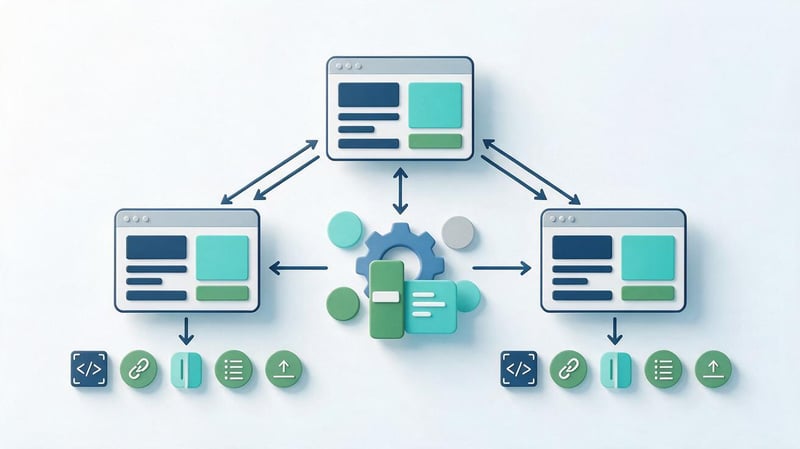
After creating localized pages, it's necessary to check the meta tags, titles, indexing, and links between language versions. Each URL should have its language, page purpose, and corresponding alternative URLs defined.
Particular attention is paid to hreflang, canonical, XML sitemap, and internal links. Errors in these settings can lead to incorrect language selection in search results or hinder page discovery.
It's a good idea to check technical parameters before publishing and again after launch. CMS settings and the actual HTML generated sometimes differ, so simply viewing the admin panel isn't enough.
Step 7: Test before publishing
Before releasing a new version to users, it's necessary to test its content and functionality. Testing is conducted using a pre-prepared list of pages and user scenarios.
Localization is considered complete when all required sections are available in the desired language, the main functions work, and search robots can retrieve the correct page content.
Linguistic testing
Linguistic verification covers grammar, terminology, style, and the translation's consistency with the original meaning. The specialist must evaluate the text within the context of the page, not just within a single document.
Short interface messages, where the meaning depends on the user's action, are especially carefully reviewed. For example, a single English command might require different translations for deleting a file, closing a window, or canceling an order.
If necessary, a native speaker or industry editor is brought in to help proofread the text. This helps identify wording that appears correct but is rarely used by the local audience.
Functional and technical testing
Functional testing includes buttons, forms, links, search, filters, and other interactive elements. Pages must be tested on both computers and mobile devices.
Technical testing covers server responses, redirects, resource availability, meta tags, and language switcher functionality. Separately, they check that the localized version returns the expected HTML and is not blocked from indexing.
Any errors found are recorded, along with the URL, language, and reproduction steps. After corrections, a re-check is performed to ensure the changes haven't disrupted other versions of the site.
Step 8. Launch the site and monitor the results
After publishing, you should check the accessibility of localized pages and submit up-to-date sitemaps to Google Search Console. It's a good idea to organize convenient data segmentation for individual language sections.
During the first few weeks, URL discovery, indexing, technical errors, and the appearance of impressions for local queries are monitored. Rankings can change gradually, so evaluating the results requires a sufficient observation period.
Consistency between language versions must be maintained. If the terms of service, pricing, or documentation on the source website change, the associated translations must be updated according to the agreed-upon process.
SEO website localization: what needs to be set up?

Multilingual SEO requires dedicated attention to search engine demand and the technical structure of each website version. Translated pages must be accessible at their own URLs, contain up-to-date information, and meet user needs.
For international projects, it's especially important to align local semantics, URL structure, meta tags, and indexing rules. Errors here can affect entire language sections at once, so it's advisable to check the settings using a mass scan.
Lead SEO specialist — Gennady
I always recommend starting website localization with an analysis of search demand in the target country. Users in different markets may search for the same product using completely different terms. Therefore, translating existing semantics is usually not enough to prepare a new version.
I also check the technical aspects separately. Each language version must have the correct URL, meta tags, internal links, and indexing settings. I pay special attention to hreflang and canonical, as errors in these elements can prevent Google from processing localized pages correctly.
I evaluate the quality of localization based on how well each version meets the needs of its audience. To do this, I check indexing, impressions, clicks, search queries, and conversions, and compare the results with the website's commercial goals.
Local keywords and search intent
Local keywords should be selected based on the country, language, and actual product or service names. Even if two markets share the same language, search volume and terminology may differ significantly.
Search intent indicates what problem a user is trying to solve with a query. Some people are looking for a definition of a concept, others are comparing options, and still others are ready to order a service or buy a product.
When localizing, it's important to check the types of pages that rank prominently in the selected search results. Based on this analysis, a section structure is formed, necessary blocks are identified, and queries are distributed among URLs.
Title, Description, and Headline Structure
Each language version requires its own Title, Description, and H1 heading. The wording should match search queries and page content while maintaining natural language.
Literal translations of meta tags can result in poor word order or the use of terms that are rarely encountered in the target region. Therefore, it's advisable to create metadata after analyzing local demand.
The H2 and H3 structure is also adapted to the page's content. If users in a specific market require additional information about delivery, certification, or terms of service, these should be disclosed in the appropriate sections.
Localized URLs and internal linking
Each language version must have a permanent URL that allows search engines to retrieve the corresponding content. For a three-language site, the structure might look like this:
- example.com/uk/services/ – Ukrainian version of the services page.
- example.com/ru/services/ – Russian version of the same section.
- example.com/en/services/ – English version with adapted content.
Readable, localized URLs are easy to navigate, although translating every word in a URL is not a requirement for indexing. The main goal is to ensure a unique and consistent structure without conflicting URL variations.
Internal linking should direct users to pages in the corresponding language. The language switcher should preferably link equivalent pages rather than redirecting users to the top of a different language section.
How does hreflang work?

The hreflang attribute helps Google identify alternative versions of a page for different languages and regions. It is used when equivalent content is available at multiple URLs.
For example, a single article might have Ukrainian, Russian, and English versions. Using hreflang, the website owner tells the search engine which URLs belong to the same set of alternative pages.
Language and regional codes
The hreflang specifies the language code, supplemented by the region code if necessary. For example, uk denotes Ukrainian, en denotes English, and en-GB denotes the UK version.
Region cannot be specified without language. Correct codes must also be used, as an invalid value may prevent the corresponding annotation from being processed.
The Russian version uses ru, while the Ukrainian version uses uk. The latter is especially important not to confuse with the United Kingdom, for which the regional code GB is used.
Two-way links and x-default
Each page must indicate its own URL and available equivalent language versions. Alternative pages must also include links back to each other, otherwise Google may ignore some of the annotations.
The x-default value can be used for a language selection page or a version intended for users without a suitable language match. This setting isn't necessary for every project and is chosen based on the site's structure.
Hreflang should be checked against the actual HTML, HTTP headers, or sitemap, depending on the implementation method. For a single set of pages, one correctly supported method of passing annotations is sufficient.
Canonical, robots, and sitemaps
Canonical helps search engines determine the preferred URL when pages have the same or similar content. For full translations into different languages, custom canonical URLs are typically used, and language alternatives are linked via hreflang.
Automatically designating the source page as canonical for all translations is not an option. This approach can interfere with the proper processing of language versions and defeat the purpose of promoting each page independently.
When checking, it is necessary to take into account several parameters:
- Canonical: Specifies the preferred address and is consistent with the chosen language version structure.
- Meta robots: does not contain an accidental noindex on pages intended for searching.
- XML Sitemap: Contains the current canonical URLs that should be included in indexing.
- Redirects: do not automatically redirect the robot to another language version without the ability to open the original address.
- GET parameters: do not create uncontrolled duplicates of localized pages.
Sitemaps and canonicals alone don't guarantee indexing. Google considers page accessibility, content, internal links, and other signals, so technical settings should be reviewed together.
Structured data in different languages

Structured data helps search engines obtain additional information about a page's content. An informational article might use Article or BlogPosting, while a BreadcrumbList might be used for section navigation.
Localized versions must include appropriate titles, descriptions, and URLs. If the inLanguage property is used, its value must match the actual language of the material.
Other Schema.org types may be used for organizations, products, and services when the page content truly complies with the chosen data structure. Fictitious reviews, ratings, or prices may not be added for the sake of search results.
Mobile version, speed and content availability
After translation, it's important to check how the localized text displays on mobile devices. Long names of menu items, buttons, and fields can disrupt the layout and make actions difficult.
You should also evaluate loading speed, images, scripts, and Core Web Vitals. When hosting multiple language versions on a single platform, changes to shared components may affect multiple sections at once.
For server-rendered sites, it's helpful to verify that the required content is available in the HTML response. If the text only loads after complex user interactions, it may be more difficult for search engines to find.
Technical SEO Localization Checklist
| Parameter | What to check | Typical mistake |
|---|---|---|
| URL | Permanent address of each version | Multiple addresses for one page |
| Title | Separate value in each language | Copied original title |
| Description | Matching content and intent | Machine translation without editing |
| H1 | Local formulation | Title in another language |
| Canonical | Preferred URL | Link of all translations to the original |
| Hreflang | Correct codes and return links | Lack of back annotation |
| Robots | Availability for indexing | Accidental noindex |
| Sitemap | Current landing pages | Old and non-canonical addresses |
| Interlinking | Transitions between required languages | Links to the wrong version |
| Schema.org | Consistency with visible data | Untranslated names |
| Mobile version | Correct display of elements | Cropped buttons and fields |
| Server response | Accessible HTML and correct status | Erroneous redirects and 404 pages |
For a final check, it's useful to scan language folders separately and compare the corresponding pages. This helps identify system errors that are difficult to spot when manually reviewing multiple URLs.
What website localization methods and services exist?

The localization method is chosen based on budget, project complexity, number of languages, and translation accuracy requirements. A small informational website can be developed with just an editor and translator, while a large platform may require a dedicated language management process.
In practice, professional editing, machine translation, and specialized localization services are often combined. Responsibility for the accuracy of the information and the quality of the published materials remains with the project team.
Manual translation and a professional team
Manual translation is suitable for materials that require precise wording, professional terminology, and the author's distinctive style. The translator can consider the context, clarify controversial expressions, and coordinate terminology with the client.
For larger projects, the team is complemented by an editor, an industry expert, an SEO specialist, and a tester. This division helps ensure the content is clearly understood, search engine friendly, and the interface works properly.
The main limitation of the manual approach is the time and cost of maintenance. If a site regularly publishes hundreds of new pages, it's necessary to organize the translation update process in advance.
Machine translation and artificial intelligence
Machine translation helps quickly prepare drafts of large volumes of text. Modern language models can also suggest wording adaptations, explain terminology, and help editors identify ambiguous expressions.
However, automatic translation requires verification, especially when it comes to financial terms, medical recommendations, and legal information. A single error in a term can change the meaning of instructions or a commercial proposal.
When working with AI, it's important to consider the confidentiality of source materials and data processing rules. Transferring internal documents to a third-party service must comply with company requirements and applicable agreements.
Localization services and translation management systems
Translation management systems, or TMSs, are used for regular work with multiple languages. These platforms help store source strings, distribute tasks, track changes, and maintain terminology consistency.
Well-known solutions include Crowdin, Lokalise, and Phrase. Their functionality, integration methods, and cost vary, so a specific localization service is selected after assessing the project's requirements.
CAT tools and translation memory are also used in translation processes. They help reuse proven wording, especially for common interface elements, documentation, and frequently updated materials.
How to choose the right method?
When choosing, consider the content volume, update frequency, number of project participants, and the impact of potential errors. For a short article, editorial review is usually sufficient, while a multilingual platform requires an organized publishing process.
| Method | Advantages | Restrictions | When it suits |
|---|---|---|---|
| Manual translation | Attention to meaning and style | More time for larger volumes | Complex and critical materials |
| Machine translation | Quick draft preparation | Accuracy check needed | Large arrays of typical text |
| AI with editing | Assistance in adaptation and preparation of options | Factual and terminological errors are possible. | Content projects with quality control |
| TMS and CAT | Managing translations and duplicate strings | Process customization required | Large multilingual websites |
The optimal solution often involves multiple workflows. For example, standard strings can be translated using automation, while commercial pages and legal documents can be handed over to specialists.
What are the most common mistakes made when localizing a website?

Localization errors occur in both page content and technical settings. Some are immediately noticeable to users, such as an untranslated button, while others are discovered only after analyzing indexing and search traffic.
The following situations should be checked especially carefully:
- Literal translation of search queries. In a new market, users may use different terms. The solution is to compile an independent semantic core and verify the search intent.
- Lack of a dedicated promotion strategy. Translated pages are left without a proper structure and interlinking. The solution is to prepare a map of localized URLs before publishing.
- Hreflang errors. Incorrect codes or missing return links prevent alternative versions from being processed. The solution is to check the full set of annotations.
- Incorrect canonical. All translations point to the same original URL. The solution is to align the canonical URLs with the actual structure of the language pages.
- Untranslated service elements. Forms, emails, and error messages remain in the original language. The solution is to review the entire user experience.
- Unsuitable advertising offers. The foreign version displays inappropriate currencies, delivery options, or terms. Solution: Coordinate the commercial data with the responsible manager.
- Lack of mobile validation. Translated captions don't fit into buttons and fields. The solution is to test standard pages on different screen sizes.
- Insufficient monitoring after launch. New pages get no impressions, and technical issues aren't detected in a timely manner. The solution is to set up monitoring in GSC and GA4.
A particular problem arises when the translation is updated only on the main page, while other sections continue to display the old terms. To prevent such discrepancies, it's helpful to link the source material publication process with the update tasks for other languages.
Timely proofreading helps reduce the number of re-edits. For large projects, it's worth maintaining a single list of errors, indicating the page, language, cause, and responsible specialist.
What determines the cost of website localization?

Localization costs depend on the volume of content, the number of languages, the complexity of functionality, and quality requirements. Translating a small corporate website and adapting a large online store require different workloads.
When calculating a budget, it's important to differentiate between linguistic, technical, and SEO tasks. This allows you to understand which costs are related to text preparation, and which are related to development and subsequent promotion.
Key cost factors:
- Number of languages and regions. Each market may require separate semantics, terminology verification, and tailored commercial terms.
- Website size. The more pages, products, and interface messages, the greater the volume of translation and editing work.
- Subject matter. Medical, financial, and technical materials require specialists with subject-matter knowledge.
- Design and functionality. Complex forms, personal accounts, and payment processes increase the volume of testing.
- SEO localization. Local demand analysis, structure preparation, and technical optimization are priced separately from standard translation.
- Updating content. Regular publication of new content requires ongoing maintenance of the language versions.
Before placing an order, it's a good idea to compile a list of pages and functions that need localization. This will allow the contractor to estimate the translation volume, any technical changes needed, and the review timeline.
It's best to compare quotes from different contractors based on the same scope of work. A low translation price may not include editing, meta tag adaptation, interface review, or technical testing.
How to check the effectiveness of website localization?
Localization results are assessed after the language version is available to users and search engines. For commercial projects, it's important to track not only traffic but also conversions, sales, and other targeted actions.
Metrics should be analyzed separately by country, language, and page group. This allows you to see which sections meet local demand and which require additional revision.
Indexing and search visibility
Google Search Console checks which localized URLs are detected and indexed. If pages aren't showing up in search results, it's necessary to examine URL availability, canonical, robots, and other technical settings.
Impressions, clicks, CTR, and search queries are analyzed separately. For convenience, you can use filtering by language folders or individual Search Console properties if your project structure requires it.
An increase in impressions doesn't always translate into an increase in clicks. In such cases, it's important to check the rankings, the relevance of the Title to keywords, and the content of the pages Google displays to users.
Organic traffic and conversions
GA4 lets you analyze visits to localized sections, user countries, and target events. For an online store, the primary actions would be adding items to carts and making purchases, while for a service website, the primary actions would be inquiries and requests.
Comparing results across different markets should be done with caution. Conversion rates are influenced by product price, brand awareness, competition, payment methods, and offer specifics.
It's useful to compare organic traffic with the commercial results of each language version. If traffic increases but conversions remain the same, it's necessary to separately check the traffic relevance and website usability.
Translation quality and user experience
User behavior helps identify issues that weren't detected during technical testing. For example, visitors may frequently return to the order form, misunderstand delivery terms, or abandon the page after receiving an error message.
Additional information can be obtained from support tickets, user testing results, and feedback from local clients. When analyzing, it's important to test specific scenarios rather than attributing every change in metrics to translation quality.
Localized pages require regular updates. As the product evolves, it's necessary to review the content, technical settings, and priority search queries.
Website localization helps create a clear and technically correct version of a website for a new audience. The quality of the result depends on the translation, adaptation of the content, interface, commercial terms, and search engine optimization.
When entering a foreign market, it's best to start with an analysis of demand and the structure of future pages. This approach helps determine the scope of work in advance and avoid common mistakes with translations, indexing, and internal links.
Planning to launch your website in another language? Contact Seo-Gen for an SEO audit and development of a localized version promotion strategy. We'll review the structure, technical settings, and search engine demand to determine any necessary changes before launch.


