Semantic HTML5: tags and SEO importance


Two pages may look identical but have different HTML structures. On one, the developer uses headings, navigation elements, sections, and links as intended. On the other, almost all content is contained within generic div containers, with some elements simulated using styles and JavaScript.
To the average visitor, the difference may be imperceptible. However, browsers, screen readers, and search engines process HTML documents based on their structure. Properly selected elements help determine where the main text is located, which links provide navigation, and how the sections of the page are related.
HTML5 semantic markup helps developers convey the purpose of elements directly in the HTML code. This approach simplifies website maintenance, improves interface accessibility, and reduces the likelihood of certain technical errors that affect SEO.
We'll explore the main semantic HTML tags, the rules for their use, and creating markup based on a layout. We'll also examine the BEM methodology, compare HTML code variations, and demonstrate how to validate a finished page.
What is semantic markup?
Semantic markup is a method of creating HTML pages in which elements are selected based on the meaning and purpose of the content. Headings are designated with the appropriate h1–h6 tag, navigation is placed in the nav tag, the main content is in the main tag, and standalone publication can be formatted using the article tag.
When a developer selects an element, they consider the block's purpose, its relationship to adjacent sections, and its behavior in the browser. This ensures that the document's structure remains clear regardless of the CSS styles used, the element's placement, or screen size.
What does HTML5 semantics mean?
HTML5 semantics define the semantic role of document elements, which browsers and other programs can take into account when processing the page. Each HTML tag has its own purpose, as defined by the markup language standard.
For example, p denotes a paragraph, ul denotes an unordered list, nav denotes a navigation area, and button denotes an interactive element for performing an action. Properly chosen tags convey the structure of the content and help maintain the expected behavior of the interface.
When developing a page, HTML is responsible for the structure and content, CSS controls the design, and JavaScript adds the necessary interactive behavior. Separating these tasks simplifies project maintenance and allows for design changes without constantly changing the HTML markup.
Semantic HTML exists not only thanks to the new HTML5 elements. Headings, paragraphs, links, lists, and tables were introduced much earlier and also serve a specific semantic purpose.
How are semantic elements different from regular HTML containers?
The div and span tags are used to group elements and individual text fragments when there is no specific semantic purpose. They are suitable for creating decorative containers, grids, wrappers, and elements that require additional styling.
Let's consider two options for designating the main page title:
<div class="page-title">
  Semantic HTML5 markup
</div>

<h1 class="page-title">
  Semantic HTML5 markup
</h1>
With identical CSS styles, both elements can look exactly the same. However, h1 has the semantics of a first-level heading and contributes to the document structure, while div remains a universal container.
Using div in itself isn't considered a semantic markup error. The problem arises when generic containers replace elements for which HTML already provides appropriate semantics and standard behavior.
Semantic properties and semantic components
The semantic properties of an HTML element relate to its purpose and the rules for its use within a document. For example, a button supports standard keyboard interaction, while an a element with an href attribute denotes a link to another resource or page fragment.
With component-based development, the same interface block is often used in different sections of a website. Semantic components maintain a consistent HTML structure regardless of where they are placed and what styles are applied.
Let's imagine a publication card containing an image, title, short description, and a link to the article. It can be implemented as a standalone article, with the link to the full publication implemented via a standard <a> element.
The component's semantics depend on the context. A card that presents standalone content might be suitable for an article, while a simple decorative block with the same visual elements might use a div.
Answers to your questions
What is semantic markup in simple terms?
Semantic markup is a method of creating HTML pages in which each element is used according to its intended purpose. For example, a heading is formatted using h1–h6, navigation using nav, and the main content using main.
This approach helps convey the semantic structure of the content directly in the HTML code. This makes it easier for developers to maintain the site, and browsers and assistive technologies receive clear information about the purpose of elements.
What tags are considered semantic in HTML5?
HTML5 structural semantic tags include header, nav, main, article, section, aside, and footer. The figure and figcaption elements are used for illustrations, and the time element is suitable for indicating dates or times.
Many other HTML elements are also semantic, including headings, paragraphs, links, lists, and buttons. The correct choice depends on the block's content, its purpose, and the allowed nesting of elements.
Does semantic markup affect a website's ranking in Google?
A proper semantic structure helps define headings, navigation elements, and the main content of a page. However, using specific HTML tags alone does not guarantee improved rankings or a page's appearance in search results.
SEO requires consideration of content quality, page accessibility, indexing, internal links, and technical website settings. Semantic markup is part of high-quality development and helps mitigate specific technical issues.
Is it possible to use div in semantic markup?
Using div in semantic markup is acceptable because this element is designed for universal grouping of content. It's suitable for decorative containers, grids, additional wrappers, and other blocks without a specific semantic purpose.
The problem arises when a div replaces a heading, link, button, or other element with appropriate HTML semantics. In such cases, it's preferable to use a native tag and control its appearance via CSS.
What is the difference between a section and an article?
The article element is designed for stand-alone content that maintains meaning beyond its surrounding content. For example, it can be used for a blog post, a news item, a user review, or a stand-alone message.
The section tag designates the thematic part of a document and helps divide the material into logical blocks. An article may contain several such sections, each with headings dedicated to specific topics.
Which is better for SEO: semantic HTML or Schema.org micro-markup?
Semantic HTML and Schema.org address different needs in the technical development of a website. HTML elements define the document's structure, while structured data helps describe specific entities in a machine-readable format.
For a high-quality page, both approaches can be used as long as they align with the document's content and purpose. However, structured data must be correct, and its use does not guarantee special search features in Google.
How is BEM different from semantic HTML markup?
The BEM methodology describes rules for organizing interface components and naming CSS classes. It helps separate blocks, their elements, and modifiers, which is especially useful when developing large websites.
Semantic HTML defines the purpose of document elements, including headings, links, navigation, and standalone content. Both approaches can be used together, preserving the semantic structure of HTML and the predictable organization of CSS.
How to check the correctness of semantic markup?
The check begins with an analysis of the HTML structure, including headings, navigation, main content, and acceptable nesting of elements. Nu Html Checker is convenient for finding technical errors, and Chrome DevTools is useful for examining the resulting DOM.
Additionally, it's worth checking accessibility using Lighthouse and Axe, as well as testing keyboard navigation. If the site is being promoted in Google, it's necessary to separately check content accessibility and page indexing using Search Console.
Basic semantic tags of HTML5

Semantic tags help identify key areas of a page, standalone content, thematic sections, and interaction elements. These designations make it easier for developers to understand the document structure, even when opening the website's source code for the first time.
HTML contains structural, text, and interactive elements with specific purposes. Correct layout requires consideration of their content, nesting limits, and standard browser capabilities.
| HTML tag | Purpose | Example of use |
|---|---|---|
| header | Introductory part of a page or section | Website header, article title |
| nav | Main or local navigation | Menu, breadcrumbs |
| main | The main content of the document | Central area of the page |
| article | Standalone content | Article, news, review |
| section | Thematic section | Section of the article with a title |
| aside | Additional content | Related publications |
| footer | Final information | Site footer, author information |
| figure | Standalone illustrative content | Image, diagram |
| figcaption | Caption to the content of the figure | Description of the illustration |
| time | Date or time | Date of publication of the article |
| mark | Highlighting a fragment in context | The word found in the text |
| details | Expandable Content | Additional information |
| summary | Label of the expandable block | Additional section title |
The choice of a specific HTML tag is determined by the content of the block. However, none of the listed elements should be used solely for their supposed search engine ranking benefits.
Page structural tags
The header element typically contains introductory information, a logo, a heading, or navigation elements. It can be used for the overall website header, as well as within an individual article or other standalone section.
The nav tag denotes a navigation area and is suitable for main menus, breadcrumbs, and other significant groups of links. If there are multiple navigation areas, it is advisable to differentiate them with accessible labels, such as using aria-label.
The main element contains the primary information directly related to the current page. For a typical document, it is recommended to use a single, visible main element, excluding any repeating header, global menu, or footer.
The aside and footer tags help define additional and final areas. The aside tag can be placed anywhere in the layout, while the footer tag can be used for the entire page or within a standalone publication.
The difference between an article and a section

The article and section tags are often confused because both can contain headings, text blocks, and nested elements. The correct choice depends on the independence of the content and its relationship to the surrounding content.
The article element is suitable for content that maintains its meaning separately from the rest of the page. The section tag is used for a thematic section of a document and helps organize large pieces of material into logically related sections.
For example, an entire blog post could be contained within an article element, with sections on benefits, issues, and testing tools contained within separate sections. This nesting matches the purpose of both elements.
When to use article?
The article element is suitable for a news story, a blog post, a user review, or a standalone forum post. The key requirement is that the content can be considered a standalone piece of content with its own meaning.
On a category page, multiple publication cards can be represented by separate article elements. Each card contains a title, a short description, and a link to the full article, thus maintaining its own distinct meaning.
There's no need to place any information block within the article. A simple service description, a decorative benefit card, or a separate form item may not have the necessary independence.
When to use section?
The section tag is used when a document contains a topic-specific section of content. For example, an article on semantic markup might have separate sections devoted to HTML tags, interface accessibility, and the BEM methodology.
Typically, such a section has its own heading explaining its contents. If the element is created solely for column layout or CSS styling, a universal div container is more appropriate.
Sections may be nested when the logical structure of the material requires it. However, an excessive number of nested sections complicates the source code reading and is rarely of practical use.
Tags for text and its logical structure
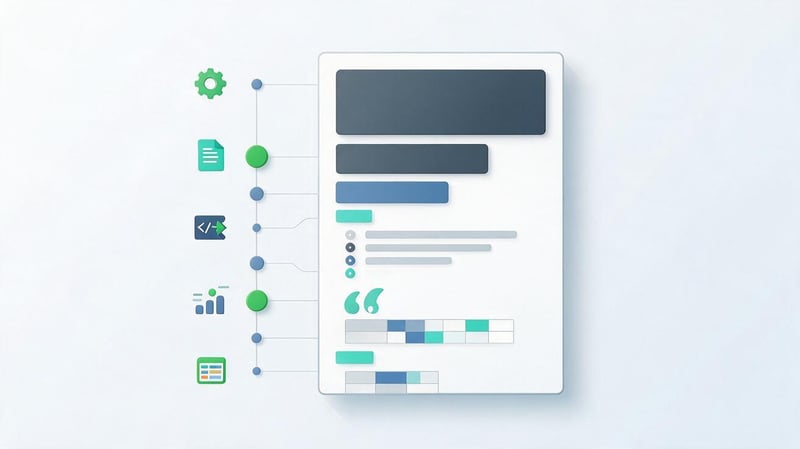
Text elements help define headings, paragraphs, lists, quotes, and other content fragments. Using appropriate tags preserves the logical organization of information and maintains standard browser features.
Headings h1–h6 define section levels, and the p element denotes a separate paragraph. For unordered lists, use ul together with li, and for sequences where order is important, use ol.
The strong and em tags convey semantic importance or emphasis, while b and i are used for other types of text emphasis. The visual appearance of these elements can be modified via CSS, regardless of their semantics.
Quotes are formatted using blockquotes, and tabular data is placed in table, thead, tbody, tr, th, and td elements. Tables should not be used solely to create a page grid, as CSS Grid and Flexbox are used for block layout.
Semantic elements of forms and interactive blocks
Links, buttons, and form fields should retain their standard purpose. For example, an a element with an href attribute is used for navigation, while a button is suitable for submitting a form, opening a menu, or performing another action.
If a developer replaces a link with a regular container with an onclick handler, they must implement many familiar browser features themselves. This includes keyboard interaction, behavior when opening a new tab, and proper navigation handling.
Form fields should be linked to captions via labels, and thematically related elements can be combined via fieldsets and legends. This approach helps visitors understand the purpose of fields and interact with the interface through assistive technologies.
For navigation, the following option is preferred:
<a href="/services/seo/">
  SEO website promotion
</a>
Using a button instead of a link in this case would change the element's purpose. When designing an interface, it's important to choose an HTML tag before customizing its appearance.
How to correctly construct the semantic structure of an HTML document?
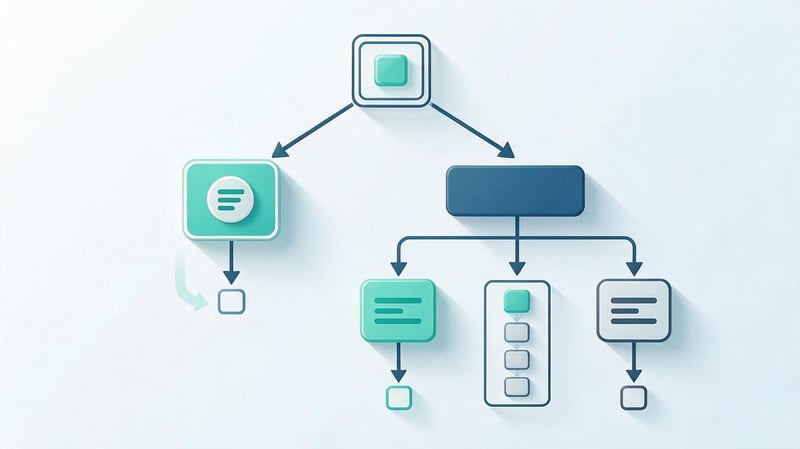
Work on the semantic structure begins with defining the main areas of the page and the relationships between them. The developer identifies the header, navigation, main content, standalone materials, and additional information blocks.
After this, appropriate HTML elements are selected and the heading hierarchy is formed. CSS styling is applied, taking into account the existing structure, so that visual changes do not disrupt the logical organization of the document.
HTML5 structure from header to footer
A typical informational page contains a general website header, navigation area, main content, and a footer. Additional elements depend on the document's purpose and may include related publications, illustrations, or forms.
Below is an example of the semantic structure of an HTML document with the main page elements:
<!doctype html>
<html lang="en">
<head>
  <meta charset="utf-8">
  <meta name="viewport"
        content="width=device-width, initial-scale=1">
  <title>Semantic HTML5 Layout</title>
</head>
<body>
  <header>
    <nav aria-label="Main Navigation">
      <a href="/">Home</a>
      <a href="/blog/">Blog</a>
    </nav>
  </header>

  <main>
    <article>
      <header>
        <h1>Semantic HTML5 Markup</h1>
        <p>Basic principles of HTML markup</p>
      </header>

      <section>
        <h2>Basic semantic tags</h2>
        <p>Description of the document structure.</p>
      </section>

      <footer>
        <p>Author: website editors</p>
      </footer>
    </article>
  </main>

  <footer>
    <p>Site Information</p>
  </footer>
</body>
</html>
This example uses two header and two footer elements because one applies to the entire page, while the other applies to a specific post. This usage is consistent with their intended purpose.
Heading hierarchy H1–H4
Headings help readers quickly find relevant sections and understand the relationships between them. The heading level should reflect the section's position in the document structure, regardless of the chosen font size.
For a typical article, it's convenient to use one main H1, H2 headings for major sections, H3 headings for subsections, and H4 headings for more detailed topics. However, having multiple H1 headings doesn't necessarily violate Google's guidelines or automatically reduce rankings.
An example of a sequential heading structure:
H1 Semantic HTML5 Markup

  H2 Basic semantic tags

    H3 Structural elements

      H4 Article Element

      H4 Section Element

    H3 Text elements

  H2 HTML Markup Check

    H3 HTML validator

    H3 Accessibility Check
Don't choose H3 simply because its standard font size visually suits the design. CSS properties are used to control typography, and the logical levels of headings should remain consistent.
Correct nesting of semantic elements
HTML allows certain nesting options for elements, depending on their purpose and content category. For example, li list items must be contained within a corresponding list, and table rows must be placed within a valid table structure.
If nesting is incorrect, the browser sometimes automatically corrects the DOM tree, causing the resulting structure to differ from the source code. Such changes can impact the operation of CSS selectors, JavaScript, and assistive technologies.
Interactive elements require special attention, as buttons cannot be arbitrarily nested within other buttons. During development, the validity of each element's content must be verified against the HTML documentation.
An HTML validator is useful for diagnostics, as it detects many nesting errors. However, the absence of validator errors does not guarantee that the developer has selected elements with the correct semantic purpose.
Semantic HTML5 markup using a website page as an example
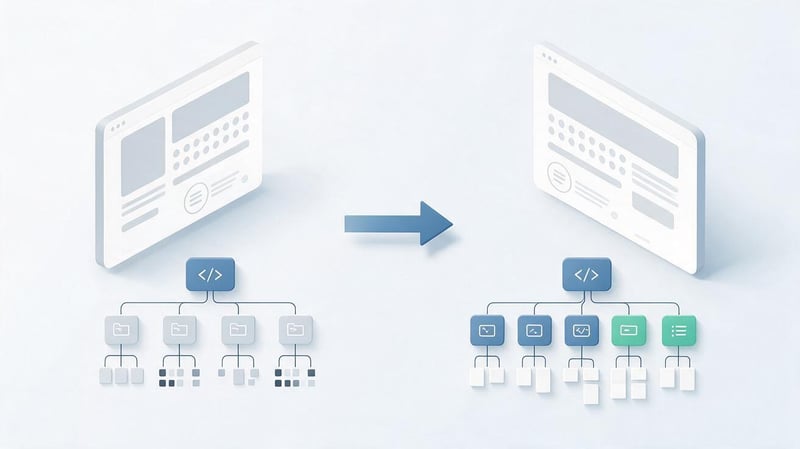
A practical example helps us understand how semantic markup influences document organization. For comparison, let's take a publication card with a title, description, and a link to the full article.
In both versions, the visitor sees the same layout after applying CSS. The differences lie in the purpose of the HTML elements, the way navigation is implemented, and the accessibility of the information for assistive technologies.
An example of typical HTML markup
In the first example, the developer uses only generic containers and simulates a heading using a class. Navigation to the post is implemented using JavaScript, and the visual button is implemented using a regular div.
<div class="card">
  <div class="card-title">
    How Semantic HTML Works
  </div>

  <div class="card-description">
    Basic rules of HTML markup.
  </div>

  <div
    class="card-link"
    onclick="location.href='/blog/html/'"
  >
    Read the article
  </div>
</div>
This code might work with a mouse and JavaScript enabled, but it creates additional problems. The heading isn't marked with an appropriate HTML element, and the navigation isn't represented by a standard link.
The developer would have to separately implement keyboard controls, expected link behavior, and an accessible title for the interactive element. Even after these fixes, a regular <a href> would still be a more suitable solution.
An example of correct semantic markup
For the same card, you can use “article”, a real title, and a regular HTML link. This makes the structure clearer, and the main actions work according to standard browser behavior.
<article class="card">
  <h2 class="card-title">
    How Semantic HTML Works
  </h2>

  <p class="card-description">
    Basic rules of HTML markup.
  </p>

  <a
    class="card-link"
    href="/blog/html/"
  >
    Read the article
  </a>
</article>
The article tag is appropriate for a card of a standalone publication, and the h2 tag denotes its title within the list of materials. If such a card is located in a different context, the heading level may need to be adjusted.
The link retains standard browser behavior and can be processed by search engines as a regular HTML link. For additional styling, the developer uses CSS classes without changing the semantic purpose of the elements.
Comparison of semantic and non-semantic markup
Semantic elements help organize a document, but they don't replace other development quality requirements. Even well-chosen tags won't fix missing content, JavaScript errors, or poor navigation.
The comparison shows the differences between a page built primarily on generic containers and a page with appropriate semantic elements.
| Criterion | Non-semantic markup | Semantic markup |
|---|---|---|
| Structure | General-purpose containers | Elements by purpose |
| Headings | May be imitated with CSS | Logical levels H1–H6 |
| Navigation | Non-standard handlers | Links with href |
| Accessibility | Additional settings are often needed | Native semantics are used |
| Support | The purpose of the blocks is less obvious | The code is easier to interpret |
| Styling | CSS controls the styling | CSS also controls styling |
| SEO | Depends on implementation | The structure is more clearly defined in HTML |
When comparing, it's important to consider the specific code, not the number of tags used. A page with a large number of section and article tags may be less user-friendly if the elements are applied without understanding their purpose.
Creating semantic markup based on the layout

Developing a page based on a mockup begins with analyzing the content and behavior of interface blocks. In Figma, the designer displays element placement, sizes, margins, and visual states, but these properties do not automatically determine HTML semantics.
Before implementation, it's necessary to understand the purpose of each block and determine which elements constitute independent content. After this, the developer selects the HTML structure, organizes the components, and begins designing the responsive version.
Analysis of visual blocks of the layout
First, the layout is divided into key areas: header, menu, main content, additional materials, and footer. Then, the content of each area is examined, including headings, images, links, and interactive elements.
A single visual container doesn't necessarily correspond to a single section element, as some blocks exist solely to arrange elements. For example, wrapping two columns is often conveniently implemented using a div with CSS Grid.
The analysis also takes into account repeating components found across different website pages. It's advisable to design post cards, search forms, and navigation blocks so that their HTML structure remains consistent.
At this stage, it's helpful to create a document outline and define the heading hierarchy. This preparation reduces the number of edits needed after adding CSS and JavaScript.
Selecting HTML elements for each block
After analyzing the layout, the developer selects HTML tags based on the intended purpose of the content. For example, the main menu is formatted as nav, a standalone publication as article, and an interactive button as button.
If the block is intended solely for design purposes, a universal container remains a suitable option. However, avoid turning each visually distinct rectangle into a separate semantic section.
Cards that respond entirely to clicks require special attention. For such components, it's essential to choose the correct link structure and avoid unacceptable nesting of interactive elements.
Once the semantic structure is established, the developer adds CSS classes and necessary attributes. Even with subsequent design changes, the purpose of most HTML elements can remain the same.
Adapting markup for mobile devices

Responsive design adjusts the layout and design of elements based on screen width. It uses media queries, flexible dimensions, CSS Grid, and Flexbox to achieve this, preserving the logical flow of content.
When adapting to mobile, it's especially important to consider document reading order. If elements are visually reordered using CSS, keyboard and screen reader users can continue to interact with them in their original DOM order.
The mobile drop-down menu must remain accessible from the keyboard, and the open button must be clearly labeled. When the menu's state changes, the corresponding accessibility attributes must be updated correctly.
A properly prepared HTML structure simplifies work across multiple screens and reduces the need for duplicate content. However, the mobile version still requires separate quality control.
Checking the finished page after layout
The check begins with the HTML document's structure and the elements' suitability for their intended purpose. Headings, links, forms, images, and the keyboard accessibility of key actions are then assessed.
For client-side rendered websites, it's important to compare the initial HTML and the DOM separately after JavaScript execution. This helps identify issues where the main text appears only after additional steps or is affected by loading errors.
The recommended verification sequence includes several stages:
- Open the page and check if the main content is present in the HTML or after the expected rendering.
- Check the structure of H1–H4 and the correspondence of headings to the content of sections.
- Check links, buttons, forms, and the keyboard accessibility of key elements.
- Find nesting errors and validate the document using an HTML validator.
- Compare mobile and desktop versions, including reading order and navigation.
After technical verification, the page should be opened in a real browser to ensure that the changes have not disrupted the design. For multilingual sites, the lang attribute and the content of each language version are additionally checked.
BEM Methodology in HTML Layout

One problem that's particularly common when developing large websites is that CSS classes can conflict between components. Names like “title”, “item”, or “active” can be used in different places, causing changes to one style to accidentally affect other elements.
The BEM methodology helps organize code through independent blocks, their elements, and modifiers. It is used in conjunction with semantic HTML and addresses issues of class naming, component reuse, and interface maintenance.
What is BEM?
BEM stands for Block, Element, Modifier. The methodology describes a way to organize interface components and class naming conventions that make the purpose of each CSS selector clearer.
For example, the article-card__title class indicates that the title element belongs to the article-card block. This makes it easier for the developer to determine the scope of styles, locate the component in the project, and make changes without accidentally affecting adjacent blocks.
BEM doesn't require the use of special HTML tags and doesn't define the meaning of a document. A single block can contain article, h2, p, a, and other semantic elements.
This methodology isn't considered a standalone Google ranking factor. Its advantages lie in code organization, component consistency, and ease of development.
Three main components of BEM
Each component in BEM is named based on its independence, its relationship to other elements, and its possible states. This approach helps maintain clear naming conventions as the interface expands.
The methodology is based on three entities, each of which performs a specific task. Let's look at them using the example of publication cards and navigation elements.
Block – independent block
Block denotes a standalone component that can be used in different parts of a website. For example, a menu, search form, and article card can exist independently of a specific page template.
A block's name should describe its purpose so that the developer understands the content without learning all the CSS rules. Tying it to a specific position or color usually makes the name less usable.
Example of a standalone block:
<article class="article-card">
  <h2>Publication Title</h2>
  <p>Brief description of the material.</p>
</article>
In this case, article-card defines the component, and the HTML article tag conveys the meaning of the content. If the card is moved to another section of the site, its CSS class can remain the same.
Element – part of a block
An element denotes a component of a block that logically belongs to it and is not typically used independently. Its name is formed by placing a double underscore after the parent block's name.
For example, article-card__title denotes the card's title, and article-card__description denotes its description. These names help distinguish elements with the same purpose in different components.
Example:
<article class="article-card">
  <h2 class="article-card__title">
    Semantic HTML
  </h2>

  <p class="article-card__description">
    Understanding the basic HTML elements.
  </p>
</article>
According to BEM rules, class chains like block__element__subelement should not be created. Even if HTML elements are nested, their names can refer to the same source block.
Modifier – a state or variant of a block
A modifier describes a change to a component's appearance, state, or behavior. For example, one post card might have the standard design, while another might be highlighted as a featured article.
In classic BEM notation, a modifier is separated by a single underscore. An example of such a class is article-card_featured, which is used in conjunction with the main block class.
<article
  class="article-card article-card_featured"
>
  <h2 class="article-card__title">
    Recommended publication
  </h2>
</article>
There's a common alternative notation with a double hyphen, such as article-card--featured. Both variants are common in projects, but within a single codebase, it's best to stick to a consistent naming scheme.
Example of HTML layout using BEM methodology
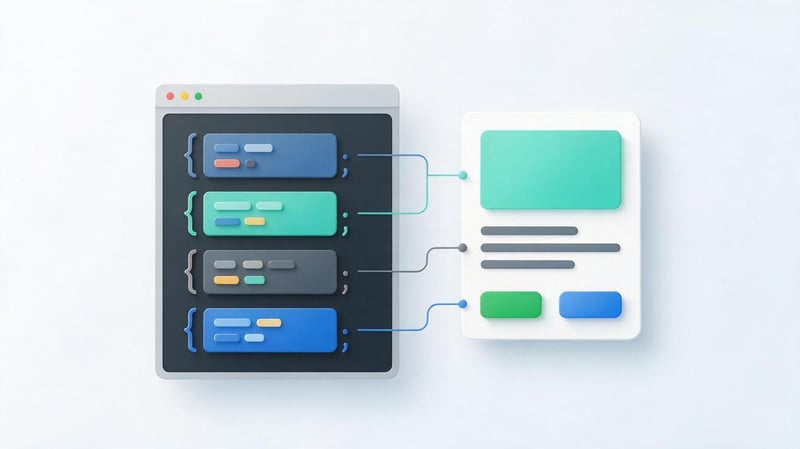
Let's look at a publication card, which contains a title, description, and a link to the article. The HTML uses semantic elements, and the classes are organized according to the BEM methodology.
<article class="article-card">
  <header class="article-card__header">
    <h2 class="article-card__title">
      Semantic HTML5 markup
    </h2>
  </header>

  <p class="article-card__description">
    Basic rules of HTML markup
    and page organization.
  </p>

  <a
    class="article-card__link"
    href="/blog/semantic-html/"
  >
    Read the publication
  </a>
</article>
CSS styles a component using classes and is independent of its placement within a specific template. Design system variables can be used to customize colors instead of individual values repeated across components.
.article-card {
  display: flex;
  flex-direction: column;
  gap: 1rem;
  padding: 1.5rem;
  background: var(--surface-primary);
  border: 1px solid var(--border-default);
  border-radius: var(--radius-card);
}

.article-card__title {
  margin: 0;
  color: var(--text-primary);
  font-size: 1.5rem;
}

.article-card__description {
  margin: 0;
  color: var(--text-secondary);
  line-height: 1.6;
}

.article-card__link {
  align-self: flex-start;
  color: var(--link-primary);
}
In this example, CSS classes describe the elements' membership in the card, while HTML preserves the semantic structure of the content. To use the code in a real project, you need to define the appropriate design system variables.
Benefits of using BEM
The BEM methodology is especially useful when developing websites with a large number of repetitive components. It helps maintain order in CSS and facilitates changes when multiple developers are working on a project.
The main advantages of BEM are related to code organization and predictability:
- Clear class names. Using a selector, you can determine whether an element belongs to a specific component and find the required styles more quickly.
- Fewer conflicts. Classes of different blocks have their own names, making accidental intersection of CSS rules less likely.
- Reuse. One component can be placed in several templates without necessarily rewriting its internal structure.
- Convenient support. The developer quickly understands the relationships between blocks, elements, and design options.
- Simple change of states. Modifiers help describe component variations without creating multiple unrelated classes.
- Coordinated teamwork. Common naming conventions reduce the number of ambiguous decisions when designing an interface.
At the same time, BEM requires adherence to the chosen rules and a reasonable separation of components. Creating a separate block for each small element or adding modifiers unnecessarily can also lead to complex class structures.
How is BEM different from semantic markup?
Semantic markup and BEM are applied at various levels of interface development. HTML elements denote the meaning of the content, while BEM helps organize classes and relationships between components.
It is convenient to consider the difference through the purpose of each technology:
| Criterion | Semantic HTML | BEM |
|---|---|---|
| The main task | Describe the content structure | Organize components and classes |
| Basis | HTML elements | Naming CSS classes |
| Example | article, nav, main | card, card__title |
| Accessibility | Uses element semantics | Does not directly determine accessibility |
| SEO | Helps convey the structure of a document | There is no direct SEO effect |
| Support | Clear HTML structure | Predictable CSS organization |
Both approaches can be used in a single component without conflict. For example, a standalone publication is formatted using article, its title is designated by h2, and its appearance is controlled by the article-card and article-card__title classes.
How does semantic markup affect SEO?
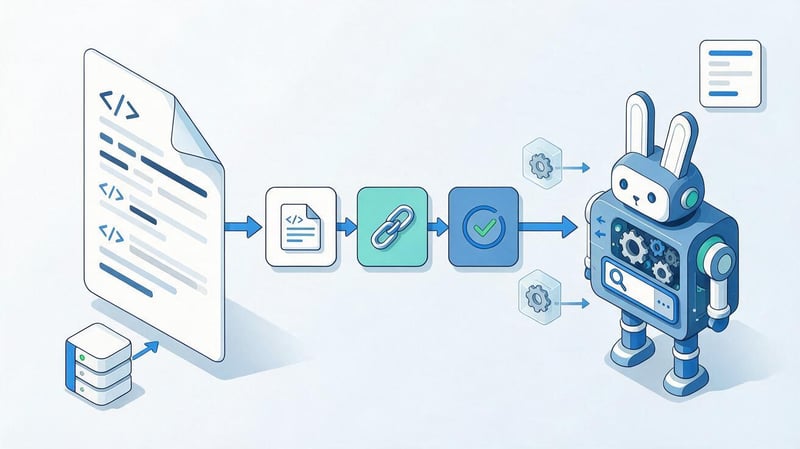
The semantic structure of HTML helps search engines process page content and determine the purpose of individual elements. Correct headings, links, and logical text layout reduce ambiguity when analyzing a document.
However, using semantic tags does not guarantee high rankings and does not replace other technical optimization efforts. Page content, URL accessibility, internal linking, rendering quality, and relevance to search intent are also important for SEO.
Understanding page structure by search engines
A search robot receives an HTML document and processes its contents, taking into account text, links, headings, and other elements. When a page's structure is organized consistently, the main sections and the relationships between them are indicated directly in the markup.
Headings H1–H6 help describe the thematic hierarchy of the content, while links convey information about available navigation. Google's algorithms are capable of analyzing pages with different HTML variants and do not require the use of all semantic elements.
Semantic markup is especially useful on large pages containing multiple, independent pieces of content, navigation blocks, and additional sections. Proper organization of these elements simplifies technical auditing and document maintenance.
For search engine optimization, the overall implementation is crucial. If the main content is missing, blocked from crawling, or unavailable via URL, using an article or section tag alone won't fix the problem.
Content crawling and indexing
During crawling, Googlebot retrieves the page, detects links, and processes the available content. For standard navigation, it is recommended to use a elements with the correct href attribute, since this format supports the usual URL discovery mechanism.
Links implemented solely through JavaScript handlers on arbitrary containers can create additional challenges when discovering links. Therefore, true HTML links remain the preferred option for navigation and internal linking.
Page content must also be accessible during HTML processing and subsequent rendering. On sites with SSR, the main text can already be present in the initial server response, reducing its dependency on client-side script execution.
However, the presence of text in HTML does not automatically ensure a page is indexed. Indexing depends on URL accessibility, robots rules, canonical URLs, content quality, and other factors that must be carefully checked.
Semantic HTML markup and SEO markup
The term “SEO markup” is often used for various technical solutions, although they each perform independent tasks. Semantic elements describe the content of a document, meta tags convey specific information about the page, and structured data provides additional machine-readable information.
For example, Schema.org is used to describe certain entities, such as articles, organizations, products, and breadcrumbs. Data can be transmitted via JSON-LD, which is typically placed in a separate script element.
| Technology | Purpose |
|---|---|
| Semantic HTML | Structure and meaning of elements |
| Title | HTML document title |
| Meta Description | Brief description of the page |
| Canonical | Specifying a preferred URL |
| Hreflang | Relationship between language and regional versions |
| Schema.org | Description of structured entities |
| JSON-LD | Structured data representation format |
The presence of structured data doesn't eliminate the need for high-quality HTML. For example, Article markup won't fix broken links, and canonical tags won't replace the structure of headings and main content.
Different tasks require the use of appropriate optimization mechanisms. The information in structured data must correspond to the visible content of the page.
The relationship between semantic markup and user experience
Visitors interact with a page in a variety of ways: using a mouse, keyboard, touchscreen, or screen readers. Properly selected HTML elements help maintain the expected interface behavior across different interaction modes.
For example, a regular link supports standard browser actions, while a button can receive keyboard focus and perform a predefined action. This predictability reduces user error.
A logical heading structure also helps navigate longer materials and find the sections you need. However, page usability depends on the design, text quality, speed, and other interface characteristics.
Semantic markup does not automatically improve Core Web Vitals. Display speed and stability should be assessed separately, taking into account resource loading, JavaScript execution, and design features.
Lead SEO specialist — Gennady
In my work, I regularly check not only meta tags and content, but also how the page is structured at the HTML level. A website may look flawless on the surface, but when you examine the code, you'll find headings formatted as regular blocks, links without hrefs, and illogical nesting of elements.
I don't view semantic markup as a standalone way to improve Google rankings. Its purpose is to ensure the document structure is correct and understandable. When the main content, navigation, headings, and interactive elements are implemented correctly, it's easier to conduct an SEO audit, identify technical errors, and maintain the site as it evolves.
Semantic markup and website accessibility

Website accessibility means ensuring that its content is usable by people with different perceptions and interaction styles. Semantic elements help browsers and assistive technologies understand the structure of a document without having to guess the purpose of visual blocks.
Proper HTML markup simplifies the implementation of an accessible interface, but it does not guarantee its compliance with WCAG requirements. Additionally, it is necessary to check keyboard navigation, contrast, control labels, and the behavior of dynamic components.
How does semantic HTML help screen readers?
Screen readers convert interface information into speech or other accessible representations. They use HTML semantics and the accessibility tree to identify headings, links, forms, navigation areas, and other elements.
When headings are formatted with h1–h6 tags, the user can navigate between them and get an overview of the page's content. Similarly, nav and main help distinguish between the navigation area and the main body of the document.
If a visually large heading is implemented using a regular div, it doesn't automatically acquire the appropriate semantics. A screen reader user might not notice such a block when navigating through headings.
A logical sequence of elements, clear link names, and proper keyboard navigation are also important for user-friendly operation. These features should be tested directly on the finished interface.
HTML and ARIA attributes
ARIA attributes help convey additional information about the purpose, state, and behavior of interface elements. For example, aria-expanded can indicate the state of a drop-down menu, while aria-label can provide an accessible label for an element.
Native HTML elements already have defined semantics and standard interaction rules. Therefore, a standard button is often more convenient than a div that has been manually assigned the button role and additional keyboard handling.
Incorrect use of ARIA can degrade a page's accessibility, even if the developer has added many special attributes. Roles that change an element's built-in semantics should be used with particular caution.
Before adding ARIA, it's a good idea to check whether a suitable HTML tag already exists for a specific task. In many cases, the right element and standard attributes are sufficient to create a clear interface.
Accessible images, forms, and navigation
For informative images, provide meaningful alternative text in the alt attribute. It should convey the image's meaningful information and not automatically repeat the surrounding paragraph or keywords.
Decorative images may use an empty alt attribute to prevent screen readers from announcing unnecessary information. However, the image's purpose should be determined by its role in the specific content.
Form fields should have clear labels associated with the corresponding controls. This is achieved using labels, and, if necessary, by combining related fields into a fieldset with a common legend.
Navigation should be keyboard-friendly, and interactive elements should have a visible focus state. For multilingual pages, it's also important to correctly indicate the document language using the lang attribute.
Common Semantic Markup Mistakes

HTML markup errors occur both during custom development and when using ready-made templates and components. Some of them have minimal impact on the page's appearance and therefore go unnoticed until technical review.
Most often, problems arise from incorrect element selection, broken nesting, and attempts to use HTML to control layout. Let's look at common situations and how to fix them.
Using div instead of appropriate semantic elements
One common mistake is creating almost the entire page using divs, including headings, menus, and interactive elements. While this structure may work visually, the purpose of important blocks remains less clear.
When fixing the issue, it's important to consistently determine which containers actually require semantic elements. The primary navigation can be formatted as “nav”, the main content as “main”, and a standalone article as “article”.
However, replacing every div with a section would also be a mistake. Universal containers are suitable for decorative wrappers, grids, and grouping elements when additional semantics are lacking.
When selecting tags, focus on the content and HTML rules. The number of semantic elements is not a standalone indicator of markup quality.
Violation of the logic of headings
Headings are sometimes chosen based on their appearance rather than their position in the document structure. For example, a developer might use H3 for the main section because its font size better suits the layout.
Another problem arises when headings are imitated using div or span elements, while visual styling is accomplished solely through CSS. With this approach, the semantic hierarchy of the content may not correspond to the HTML structure.
The correction begins with defining the main page heading and the sequence of thematic sections. Then, each heading is assigned an appropriate level, and visual parameters are defined separately.
A missing heading level doesn't always mean technically invalid HTML, but it can make the document's structure difficult to understand. Therefore, for general informational pages, it's best to stick to a consistent hierarchy.
Incorrect use of section, article, and nav
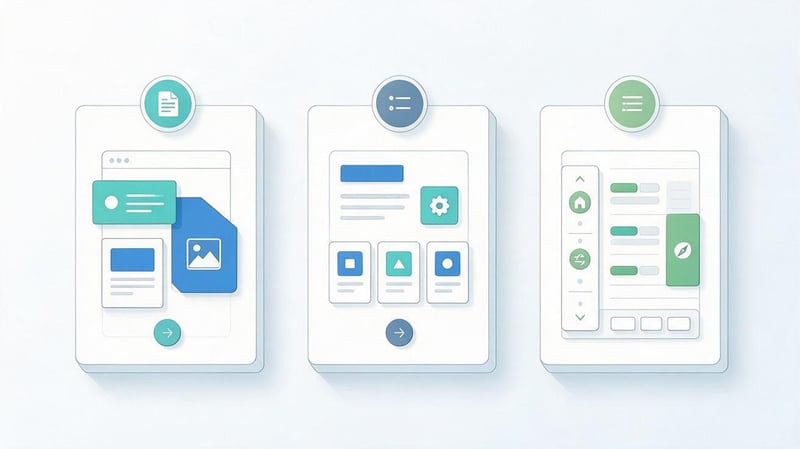
The section tag is sometimes used for any visual wrapper, even when the block doesn't form an independent thematic section. In such cases, the universal div container usually better suits the element's purpose.
A similar situation arises with the article element when it's used to mark a standalone button, form field, or decorative card without any independent content. The element should be chosen with consideration for the ability to perceive the content separately from the surrounding page.
The nav tag is intended for significant navigation areas, so there's no need to include every group of links within it. For example, a simple list of links to documents within an article doesn't always require a separate navigation element.
To correct such markup, you should determine the meaning of each block and check its compliance with the HTML documentation. After changing the tags, you should ensure that the CSS and JavaScript continue to function correctly.
Incorrect markup of lists, links, and buttons
Lists are often created using paragraphs and decorative symbols instead of the ul, ol, and li elements. While such a list may look correct visually, its structure will not be recognized as a typical HTML list.
Link errors occur when a developer uses a JavaScript handler on an arbitrary element instead of a href. This complicates standard browser interaction and can interfere with link discovery by search engines.
Buttons should also be used appropriately, especially within forms and dynamic interfaces. If a button performs an action, it's best to use a button, while for simple navigation, a link is better.
After fixing the issue, check keyboard controls, focus states, and element behavior without additional user interaction. Links created or modified using JavaScript require special attention.
Redundant semantics and inappropriate ARIA attributes
Redundant semantics arise when a developer adds special tags without regard for the content. For example, each small container is styled with a section, even though most of these blocks are used only for grid and styling purposes.
Excessively complex nesting makes a document difficult to understand and can create problems when maintaining components. However, adding more semantic tags doesn't necessarily mean the page is more accessible or easier for search engines to understand.
A similar problem arises with excessive use of ARIA, especially when attributes repeat or modify existing native semantics. Sometimes, replacing the generic container with a suitable HTML element is sufficient.
To fix this, simplify the structure, remove unnecessary roles, and check the behavior of key elements. The quality of the markup is determined by the correct purpose of the elements and their interactions, not by the complexity of the HTML code.
How to check the semantic markup of a website?

Semantic markup testing involves analyzing the source HTML, the DOM structure after rendering, and the behavior of interactive elements. There is no single tool that automatically evaluates all these aspects.
Therefore, developers combine HTML validators, browser tools, accessibility checks, and manual testing. For SEO, they also evaluate the accessibility of the main content and the correctness of links.
Checking HTML with Nu Html Checker
Nu Html Checker checks HTML documents for compliance with many standard requirements and helps find syntax errors. For example, it can detect invalid element nesting, duplicate IDs, and other markup issues.
To check, just open Nu Html Checker, enter the page address, or paste the HTML code. After analysis, the tool will display error messages and warnings that need to be addressed.
However, the validator can't always determine whether a tag matches the semantic purpose of a specific block. For example, a formally valid structure may remain inconvenient for users if the developer has poorly organized navigation.
Therefore, the test results should be considered in conjunction with an analysis of the page content. Correcting technical errors must be accompanied by testing the actual behavior of the interface.
Checking the structure using Chrome DevTools
Chrome DevTools helps you examine the page's final DOM structure and identify element nesting issues. Developer tools are typically accessed by pressing F12 or by accessing the browser's context menu.
In the Elements tab, you can inspect tags, attributes, CSS classes, and the placement of blocks within the document. This is especially useful for pages whose structure changes after JavaScript execution.
When analyzing, pay attention to the main element, headings, navigation areas, and interactive components. Additionally, you can check the accessibility tree and accessible control names.
Results should be compared to the original HTML when a site uses server-side rendering or dynamic content generation. This approach helps identify differences between the initial server response and the final page.
Checking accessibility through Lighthouse and axe
Lighthouse performs automatic accessibility checks and helps detect certain interface issues. For example, the tool can highlight missing accessible element labels, form markup errors, and other violations.
The axe extension also analyzes page accessibility and displays detected issues with additional explanations. Both tools are useful for regular technical testing and post-development change control.
However, automated tests are unable to assess all aspects of user interaction. For example, they may fail to detect an inconvenient sequence of actions or a situation where the link text technically exists but is not clear enough.
Therefore, after automatic analysis, it's advisable to manually test the interface, including keyboard navigation and the functionality of drop-down components. For complex websites, it's also useful to additionally test scenarios with screen readers.
Checking a page using Google Search Console
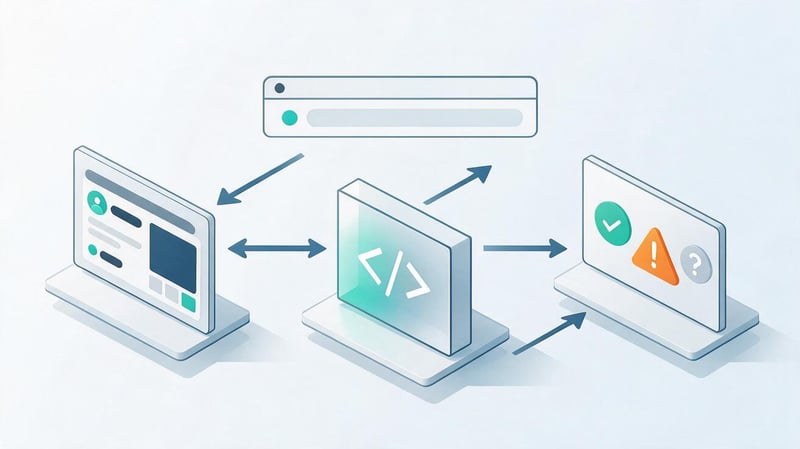
Google Search Console helps you check how Google handles a specific URL and what information is available about its indexing. The URL inspection tool displays crawl data, selected canonical, and available page rendering results.
If necessary, you can use the published version checker and examine the resulting page information. This helps detect situations where the main content is unavailable to Google or rendering is not working correctly.
However, Search Console doesn't check the correctness of semantic tags and doesn't replace the HTML validator. Separate tools are required to analyze the structure of headings, lists, buttons, and other elements.
If a page isn't indexed, it's important to thoroughly check the reasons: URL accessibility, robots, meta tags, canonical tags, internal links, and content quality. The presence of semantic markup alone doesn't resolve indexing issues.
Checklist for Correct Semantic Markup
Before publishing a page, it's helpful to conduct a final check of the main elements of the HTML document. This checklist helps identify common errors and establish development quality requirements.
It's recommended to check both the original HTML and the page after JavaScript execution. For the mobile version, the sequence of elements and the accessibility of key actions are also assessed.
| What to check | Expected result |
|---|---|
| Main H1 | Matches the page topic |
| Headings H2–H4 | Form a logical structure |
| The main element | Indicates the main content |
| Article elements | Contain standalone content |
| Section elements | Used for thematic sections |
| Navigation nav | Indicates significant groups of links |
| Links | Have a correct href |
| Buttons | Perform actions as intended |
| Lists | Use ul, ol, and li |
| Images | Have appropriate alt |
| Form fields | Associated with clear captions |
| The lang attribute | Matches the document language |
| Nesting | Complies with HTML rules |
| Keyboard control | Basic actions are available |
| Mobile version | Maintains a clear reading order |
| Rendering | The main text is available after loading |
| CSS classes | Have a consistent structure |
| HTML validity | No significant validation errors |
After making any changes, you should re-test the page in a browser, as structural changes may affect styles and JavaScript. Shared components used across multiple site templates should be tested especially carefully.
Semantic markup helps organize HTML documents correctly, preserve the logical structure of the content, and simplify website maintenance. For search engine optimization, correct headings, accessible links, clear navigation, and the absence of errors that interfere with page processing are especially important.
When developing, it's best to first define the semantic structure, then select the HTML elements, and only then customize the design. The BEM methodology helps organize CSS classes and reuse components while preserving their semantics.
If your website already has issues with page structure, indexing, or internal links, start with a technical SEO audit. Seo-Gen specialists will check the content accessibility, HTML markup, and any errors that need fixing.
More information about working with architecture and search semantics can be found on the page “Semantics and website structure”.


