SEO URL optimization and site hierarchy


A page address seems like a minor technical detail until a site grows to include hundreds of categories, services, products, articles, and filters. If URLs aren't created with a unified system, duplicates, long folder chains, case variations, unnecessary parameters, and pages that require multiple hops for search engines to reach will gradually emerge.
SEO URL optimization begins with the website architecture. First, determine which sections are needed, how they are interconnected, and which pages should receive organic traffic. Then, select a unified URL format, rules for slugs, parameters, language versions, canonicals, and redirects. This approach reduces the risk of technical duplication and simplifies future website development.
What is SEO URL hierarchy and why is it needed?
An SEO hierarchy shows how page URLs relate to the logical structure of a website. For example, an online store might have a homepage, a catalog, a laptop category, and a separate product page. URLs can be organized as a sequential chain of catalogs, but the site structure itself is defined more broadly: by the menu, breadcrumbs, internal links, category pages, and actual click depth.
Search engines care about which pages are related and how easy they are to reach. Therefore, a long URL with multiple folders doesn't in itself make a page deep, and a short URL doesn't guarantee good accessibility. A page might be located at /product-1/, but hidden on the fourth level of navigation.
What parts does a URL consist of?
Let's take the address https://example.com/catalog/notebooks/gaming/?sort=price#models. It includes the https protocol, the example.com domain, the /catalog/notebooks/gaming/ path, the sort=price GET parameter, and the #models fragment. The last semantic element of the path is often called a slug. In this example, that element is “gaming”.
Each part performs a separate function. The domain defines the site, the path points to a specific document, and parameters can change sorting, filtering, or other page states. A fragment links to a specific location within the document and typically doesn't create a new indexed page. When designing URLs, it's important to understand the purpose of each element and avoid adding technical segments without a reason.
How does URL structure differ from website structure?
URL structure describes the format of addresses, while site architecture shows the relationships between pages. These concepts are related, but not identical. The URL /catalog/notebooks/gaming/model-x/ appears as four consecutive levels, although the product card can be accessed from the main menu via a category and one additional click.
The opposite situation is also possible. The /model-x/ page has a short URL, but links to it are only found within several nested filters. In this case, URL depth remains minimal, while click depth increases. During an SEO audit, both metrics are considered separately, because reducing the number of folders in the URL doesn't solve the problem of poor internal navigation.
What is a semantic URL?
A semantic URL describes the page's content in understandable terms. This type of address is easier for users, webmasters, and search engines to read. Compare /product?id=17358 and /notebooks/macbook-air/. The latter immediately reveals the page's topic, while the former contains only a technical identifier.
SEO-friendly URLs are typically lowercase, words are separated by hyphens, and unnecessary service elements are removed. A semantic URL is not converted into a keyword string. The address should remain stable and understandable after text updates, meta tag changes, or semantic core expansion.
Answers to your questions
What URL is considered SEO friendly?
An SEO-friendly URL clearly describes the page's content and follows a consistent sitewide standard. It typically uses lowercase, hyphens between words, and a stable slug without unnecessary identifiers. Such a URL is easier to manually verify, use in internal links, and maintain after CMS updates.
However, URL quality cannot be assessed separately from the page itself. Even a clean URL won't correct duplicates, incorrect canonicals, or missing internal links. Therefore, a technical check must cover the full range of signals related to document indexing.
Does page nesting level affect SEO?
Depth affects how easily search engines and users find a page within a website. If an important document is only accessible through a long chain of navigation links, it receives fewer internal links and may be crawled less frequently. Therefore, it's useful to control the page's nesting level when designing the architecture.
The number of folders in a URL doesn't equal click depth. A page with a long URL may be accessible directly from the main menu, while a short URL may be located deep within a directory. When auditing, you should check click depth and internal links, not just slashes.
Should I add the category to the product URL?
There's no mandatory requirement. While a category in the path helps visually demonstrate the structure, it creates additional complications if a product belongs to multiple sections or is moved between them over time. In such projects, a stable, independent product address may be more convenient.
If a category is included in the URL, one primary version of the page should be defined. You can't create a separate URL for a single product for each category without clear canonicalization. Before choosing a model, consider the catalog structure and future assortment growth.
Is it possible to use Cyrillic in URLs?
Cyrillic URLs can be indexed, so there's no ban on this format. The choice depends on the technical platform, the site's language, and the existing structure. For a new project, it's important to define a unified rule in advance and apply it to all templates.
If an existing website uses transliteration and receives organic traffic, a mass change of URLs to Cyrillic usually requires separate justification. Any change to an indexed URL involves redirects, updating internal links, and re-crawling pages.
Should I change old URLs to shorter ones?
A URL shortening alone is rarely sufficient reason to migrate. If the old URL works correctly, is indexed, and doesn't interfere with the structure's development, it can be retained. The longer a page exists, the more links and technical connections can be linked to the current URL.
Changing a URL is recommended in the event of a systemic issue: duplicates, incorrect language architecture, uncontrolled parameters, or a transition to a new structure. In this case, prepare a redirect map in advance and update all internal signals.
What level of nesting is considered optimal?
There's no fixed number for all websites. For a small corporate project, most priority pages are typically located close to the homepage, while a large catalog naturally has more levels. Ease of navigation and the number of clicks to important documents should be assessed.
If a commercial page is accessible through a menu, categories, and relevant internal links, an additional URL segment doesn't automatically create an SEO problem. The situation is much worse when a document formally exists, but can only be found through internal search.
Which is better to use in a URL – a hyphen or an underscore?
For new URLs, it's best to use a hyphen and adhere to this standard in all templates. This method is widely used to separate words and is easy for humans to read. Mixing different methods within a single structure is not recommended, as it complicates URL control.
On an existing website, old URLs with underscores don't necessarily need to be completely replaced. If they're working and indexed, the potential benefit of a cosmetic migration may be smaller than the technical costs and risk of redirect errors.
Should URLs with GET parameters be closed from indexing?
The decision depends on the purpose of the parameter. Sorting, UTM parameters, and many technical options typically don't require a separate indexed page. A commercially useful filter with search demand, unique content, and a stable URL can be used as a standalone landing page.
Therefore, the general rule of “closing all parameters” is too crude. First, you need to classify URL types, determine canonical versions, and check which combinations actually have search value.
How to design a hierarchical website structure?
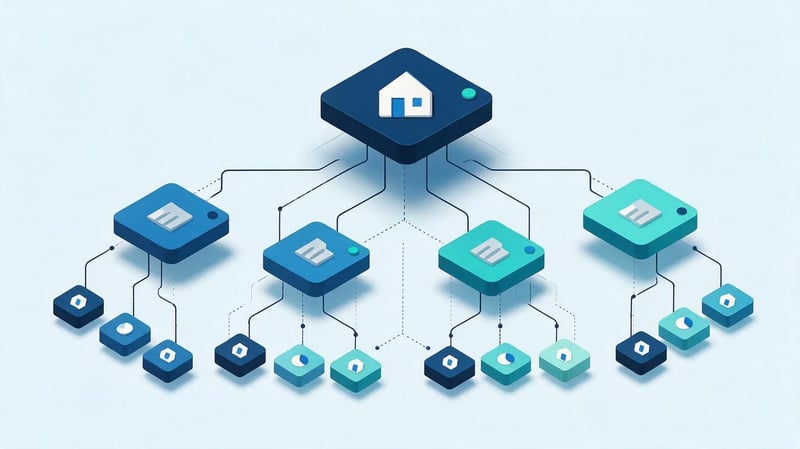
The hierarchical structure of a website is built from general sections to more specific pages. For an online store, this might be a path from the catalog to the category and product; for a service website, from a category to a specific service; for a blog, from the main section to a thematic section and article. This scheme helps define the relationships between documents in advance.
Before developing URLs, it's helpful to create a site tree. This maps out future sections, parent pages, child pages, target queries, and the expected nesting level. This gives the developer a clear architecture, and the SEO specialist can check for unnecessary levels, intersecting pages, and sections with no search demand.
Example of a simple diagram:
Home
├── Services
│   ├── SEO
│   │   ├── SEO audit
│   │   └── SEO consulting
│   └── PPC
├── Tools
│   ├── URL Check
│   └── Sitemap Generator
└── Blog
    ├── SEO
    └── PPC
Hierarchical structure of website creation work
The hierarchical structure of website development begins with collecting semantics and defining search intent. Queries are grouped by meaning, after which it becomes clear where a separate category, service, article, product selection, or information page is needed. The clusters are then distributed throughout the future website tree.
The next step is identifying parent and child documents. After this, the menu, breadcrumbs, and internal linking are designed. URLs are formed based on the existing logical framework. Finally, canonical, hreflang, sitemap.xml, and indexing rules are configured. Before launch, the site undergoes a full crawl to detect 404 errors, redirects, duplicates, and pages without internal links.
Which pages are level one?
The first level typically includes the main sections, which are accessed directly from the home page or main menu. For a commercial website, these sections might include services, a catalog, pricing, projects, and a blog. For an online store, the first level often consists of major product lines or a general catalog page.
The number of sections is determined by the site's content and demand, not by the desire to add more keywords to the URL. If a separate folder doesn't correspond to a real section and doesn't aid navigation, there's no need to create one just for the sake of the URL. Each additional level should have a clear purpose within the structure.
Home page
The homepage is located at the root of the domain and is considered level zero. It provides users with access to the site's main areas, while internal links distribute attention among the most important sections. The homepage is typically the starting point for click depth calculations, although some pages may be accessible through other navigation elements.
Additional directories are not added to the homepage URL. The primary address must match the selected domain version, protocol, and trailing slash. All alternatives, such as HTTP, a different subdomain, or an incorrect trailing slash version, must be redirected to a single canonical address.
Main sections
First-level sections are best formatted with short, consistent URLs: /services/, /catalog/, /blog/, /tools/. The folder name should reflect the section's content and remain meaningful even as the site expands. A slug that's too narrow may need to be changed when adding new areas, so it's best to plan the structure in advance.
If a section exists solely as a technical layer and doesn't contain a useful page, it's worth checking whether it's useful to users and search engines. In some projects, direct service URLs are sufficient, while in others, a full-fledged category page facilitates navigation, interlinking, and working with a separate search cluster.
Which pages are classified as level two and level three?
The second level typically contains subsections, categories, and individual service areas. The third level is used for more specific entities if such granularity aligns with the project structure. For example, the path /services/seo/audit/ represents the SEO area and the individual audit service, while /catalog/notebooks/gaming/ represents the category and its subcategory.
The additional segment should convey a real connection between pages. If a folder exists solely to make a longer URL, it complicates migrations and maintenance. For each new level, it's useful to check search demand, the presence of its own content, its place in the menu, and internal links to child documents.
How to determine the nesting level of a page?
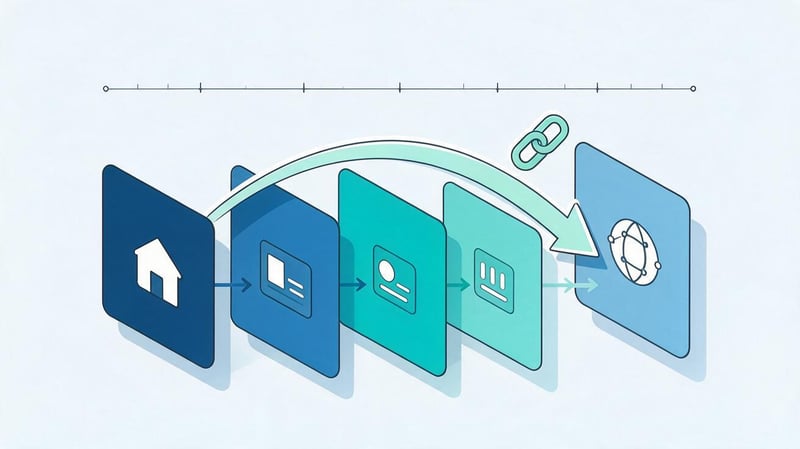
A page's nesting level is often mistakenly determined by the number of slashes in the URL. This calculation reveals the structure of the path, but it doesn't tell you how many clicks a user or Googlebot will need to make. For SEO, it's more important to consider URL depth and click depth simultaneously.
The page's nesting level is assessed based on how the document fits into the overall architecture. If a commercial page is located far from the main sections, isn't linked to categories, and receives only one internal link, a short URL won't improve the situation. The goal is to ensure that important documents are located in a clear navigation chain.
URL depth and click depth – what’s the difference?
URL depth indicates the number of semantic segments in a path. The URL /catalog/notebooks/gaming/ is deeper than /notebooks/, based on the URL string alone. Click depth answers a different question: how many clicks are required from the homepage or other major hub to the landing page.
Let's imagine a product with the URL /product-x/. If the link to it is only within a category, subcategory, and another filter, the crawler will need several hops. Meanwhile, an article with the URL /blog/seo/url-structure/ can be opened directly from the new content section on the homepage. Therefore, page depth and path length are considered separately.
How many levels of nesting are allowed?
There's no universal limit on the number of levels. The “no more than three slashes” rule is too strict for large stores, marketplaces, knowledge bases, and multilingual websites. Sometimes, a long path accurately reflects the architecture and doesn't create technical issues.
You should evaluate the accessibility of important pages, the absence of endless chains, and the clarity of the structure. If a commercial document can only be found after five consecutive clicks, it's worth reviewing the internal links. If a long URL is still accessible from the menu, category, and related pages, the length of the URL alone is not a reason to migrate.
How to reduce the depth of important pages?
First, they identify pages that should receive more internal weight and be discovered more quickly by search engines. These are typically key services, categories, prioritized product selections, and articles that support commercial pages. Then, they check how many internal clicks are required to access them.
Links from the main menu, hubs, categories, breadcrumbs, and topic blocks help reduce click depth. Internal linking should be meaningful: links should be placed where the user can actually continue their journey. Simply adding dozens of links to the footer creates noise and is no substitute for proper information architecture.
How to build a semantic URL?
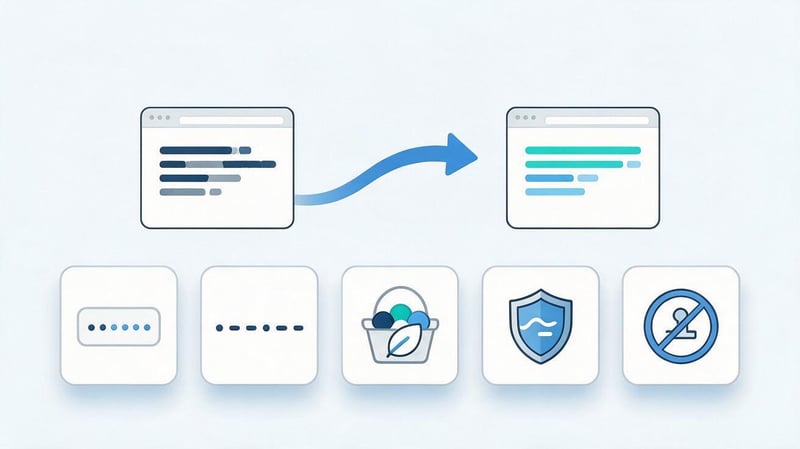
SEO URL optimization requires a unified set of rules for the entire project. The developer must know in advance which case to use, how to separate words, what to do with categories, how to format language versions, and whether parameters are allowed. This ensures that new pages are created according to a common framework, rather than receiving random URLs based on a specific template.
A good address retains its meaning without unnecessary details. It doesn't depend on the publication date, advertising campaign, or temporary promotional title if these elements aren't essential to the page's content. Stability is especially important for documents that are planned to be promoted over several years and that gradually accumulate external and internal links.
Should you use keywords in your URL?
A keyword can be used when it naturally describes the content. For an SEO audit page, the address /seo-audit/ is clear without any additional elements. Adding multiple variations of the same query, such as /seo-audit-proverka-saita-seo-analiz/, is unnecessary because such a slug is less readable and harder to maintain.
The phrase in the URL should correspond to the main topic of the page, while the extended semantics are revealed in the Title, H1, body text, and subheadings. SEO URL optimization doesn't require moving the entire query cluster to the slug. If the page's topic only partially changes, a stable URL is often more beneficial than another name change.
How long should a URL be?
There's no need to adhere to a fixed SEO limit of 70, 75, or 100 characters. A short URL is easier to read, copy, check in reports, and use in technical rules, so it's best to remove unnecessary elements. However, shortening a clear path at the expense of structural logic is also unnecessary.
When auditing a long URL, it's important to examine why it's this long. If the length is due to repeating categories, identifiers, dates, and service parameters, the structure should be simplified. If the path reflects the actual architecture of a large site, the string length itself doesn't indicate a technical error.
Hyphen or underscore?
A hyphen is typically used to separate words. The address /seo-url-structure/ is more familiar than /seo_url_structure/ and follows the common format for human-readable URLs. The main rule is to choose one standard and not create different versions for new sections.
If an old website has been using underscores for years and the pages receive organic traffic, a wholesale replacement just for the sake of hyphens is rarely justified. Such a migration will require 301 redirects, internal link updates, sitemaps, and technical monitoring. The changes should provide practical benefits, not just cosmetic ones.
Use upper or lower case?
It's safer to create URLs in lowercase. Some servers may treat /SEO/ and /seo/ as different addresses, leading to duplicates or errors when manually creating links. Consistent lowercase simplifies the developer's work and reduces the number of accidental variations.
If the system accepts a URL with capital letters, it should be converted to the primary version. This rule should preferably be implemented at the CMS or server level so that the editor doesn't have to manually check the case. Internal links, canonicals, and sitemaps should all use the same final URL.
Cyrillic, Latin or transliteration?
Search engines are capable of handling Cyrillic addresses, so the Cyrillic alphabet itself isn't an error. A unified approach is more important for a project. Some websites use the Latin alphabet, others use transliteration, and still others create localized URLs for each language. The choice depends on the CMS, the current structure, and multilingual requirements.
Mixing multiple approaches within a single group of pages is undesirable. If the Ukrainian version uses /uk/poshukova-optymizatsiya/, and the Russian version uses /ru/seo-optimizaciya/, this should be a conscious rule. When changing the language model, check the hreflang, canonical, and all internal links between the versions.
How to build a hierarchy online?

Before development, it's convenient to organize the site tree into a separate diagram. This way, the SEO specialist, developer, designer, and content manager can see the same structure and discuss specific pages. If you need to build a hierarchy online, a tool that displays parent-child relationships and adds data for each URL is sufficient.
For a small project, a table or mind map is suitable. A large online store might find it more convenient to use a table with filters, page types, indexing statuses, and category relationships. The format is secondary: the diagram should help manage the architecture and avoid losing pages during development.
What data needs to be entered into the diagram?
For each page, record the title, document type, parent section, proposed URL, and primary search cluster. It's helpful to immediately add the nesting level, index/noindex status, canonical URL, language, and relationship to other versions of the page. This table helps identify technical conflicts before layout.
If you need to create an online hierarchy for an existing site, the schema also includes the current URL, the new URL, and the action type: keep, move via 301, merge, or delete. For migration, a separate field with a redirect map significantly reduces the risk of losing old URLs and external links.
Where can I create a hierarchy online?
For simple diagrams, mind maps and online diagramming services are suitable. They're great for showing section branches and discussing future navigation with the team. Google Sheets or another spreadsheet is better suited for larger projects that require sorting thousands of URLs, adding semantics, canonical tags, and implementation statuses.
There are also sitemap planners and crawler visualizations that help create an online hierarchy based on an existing website. Screaming Frog or a similar crawler is useful for SEO audits: it shows internal links, crawl levels, response codes, and orphan pages when connecting additional URL sources.
How to check the finished structure?
First, ensure that each indexed page has a clear place in the tree. If a document doesn't belong to any section and doesn't receive internal links, its role should be reconsidered. Pages created for the same intent are checked separately: they may compete with each other and complicate the architecture.
After this, they look at technical signals. The page should have a valid response status, a proper canonical, a sitemap location if needed, and working internal links. It's helpful to crawl the future structure in a test environment before release to catch errors before Googlebot notices them.
How to set up URLs for different page types?

The same rule can't be automatically applied to services, articles, products, and filters. Each page type has its own role and lifecycle. An article can be located in a thematic section of a blog, a product can retain an independent URL after being moved between categories, and a regional page can contain a geographic segment.
Before creating templates, you need to define the rules for each type. It's best to systematically define these rules in a CMS so that the editor fills in the slug and the structure is generated predictably. This reduces manual errors and helps maintain consistency after template updates.
URL for services
Services typically use short URLs that reflect their purpose and specific service. For example, /services/seo/ could be a section, while /services/seo/audit/ could be a separate landing page. If the general services section isn't needed as an indexable document, the architecture can be flatter.
Avoid adding promotional terms like “best”, “cheap”, or multiple geographic markers to URLs without a valid reason. A semantic URL should remain clear even after changes to the offer and text. Commercial clarifications are best explained in the content, meta tags, and on individual landing pages.
URL for the blog
Two common models are suitable for blogs: /blog/article-name/ and /blog/category/article-name/. The first is simpler and more stable when moving content between categories. The second visually indicates thematic affiliation and can be convenient for large editorial projects.
It's recommended to apply the chosen model to all new publications. If an existing blog already uses a flat structure, switching to a nested structure just to include a category in the URL is usually unnecessary. Thematic connections between articles can be demonstrated through breadcrumbs, categories, and internal links.
URLs of categories and products of the online store
It's convenient to organize categories hierarchically: /catalog/notebooks/, /catalog/notebooks/gaming/. A product can have a URL within the category or a separate stable path, such as /product/macbook-air/. Both options are applicable if the site structure and canonical URLs are configured consistently.
An independent product URL is convenient when a product can be found in multiple categories simultaneously. This eliminates the need to create different URLs for the same product or change the URL after moving it between sections. If a category is included in the path, the CMS should ensure a single master version of the document.
URLs of regional pages
Regional landing pages are created when a business has real local search intent and specific information for a specific city or region. The address can look like /seo/kyiv/ or /kyiv/seo/. The choice depends on the overall architecture and whether the primary layer is service or geography.
Don't generate dozens of identical city pages just to replace the name of a town. Each indexed version should have its own value: terms, contact information, service area, local case studies, or other relevant content. The URL reflects the structure but does not replace the content.
URL of a multilingual website
For language versions, it's convenient to use separate directories: /uk/, /ru/, /en/. This layout clearly separates documents and allows them to be linked via hreflang. Each page version receives its own URL, Title, Description, H1, and localized content.
Canonical typically points to the current language page if it is a separate indexed version. Hreflang links equivalents between languages. If the slug is localized, ensure that all links use the current URLs and do not create intermediate redirects between language versions.
How to work with GET parameters, filters, and sorting?
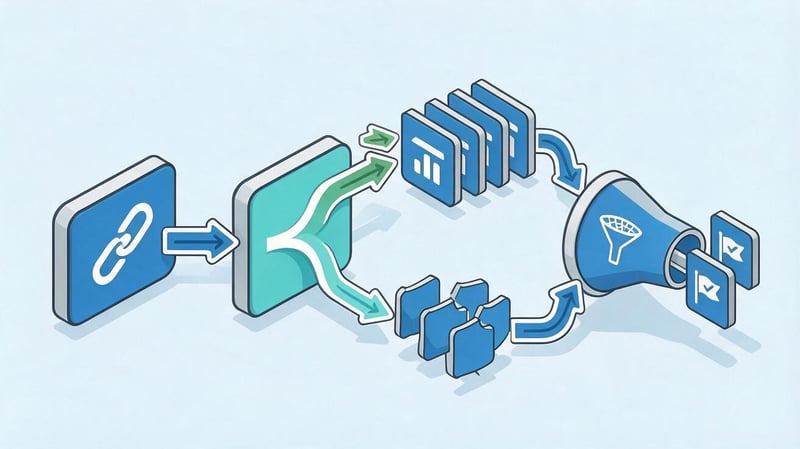
GET parameters are common in online stores, search engines, filters, analytics, and sorting interfaces. Their presence alone doesn't indicate an SEO problem. Errors arise when each parameter creates a separate indexable URL with the same content or generates a virtually infinite number of combinations.
A rule must be defined for each parameter type. Some URLs can participate in search engine optimization, while others should remain technical. Pagination, sorting, feature filters, UTM parameters, and internal search parameters are checked separately.
When are GET parameters normal?
Parameters are useful when they control interface state or pass data to the application. For example, ?sort=price might change the order of products, and ?page=2 might open the next section of the list. Such URLs are technically possible as long as their processing doesn't disrupt indexing.
The problem arises when there's no general rule. If the same set of products is available through dozens of sorting options, the search engine receives multiple URLs for similar documents. In this case, it's necessary to determine the canonical URL and properly configure internal links to the primary version.
When do parameters create duplicates?
A typical example is /notebooks/, /notebooks/?sort=price, and /notebooks/?utm_source=google. If the page content differs only in the order of products or the advertising tag, there's usually no reason to create separate search documents. Such variations can waste crawling resources and confuse technical reports.
Duplicates also arise due to different parameter orders, duplicate filters, and technical session identifiers. During an audit, it's important to collect all variations, compare the content, and select the primary version. Then, canonicals, links, and sitemaps are brought into a consistent state.
How to work with filters?
Faceted navigation is useful for users, but it can generate thousands of combinations of color, brand, size, and other characteristics. Some of these combinations may correspond to real commercial demand, so completely excluding all filters from SEO is not necessary.
Indexable filters are selected based on the semantics and quality of the landing page. They require a stable URL, unique meta tags, and useful content. Other combinations are treated as technical ones. The rule must take into account canonicals, internal links, and crawling to prevent Google from wasting resources on endless variations.
Canonical, sitemap, and internal links in the URL structure
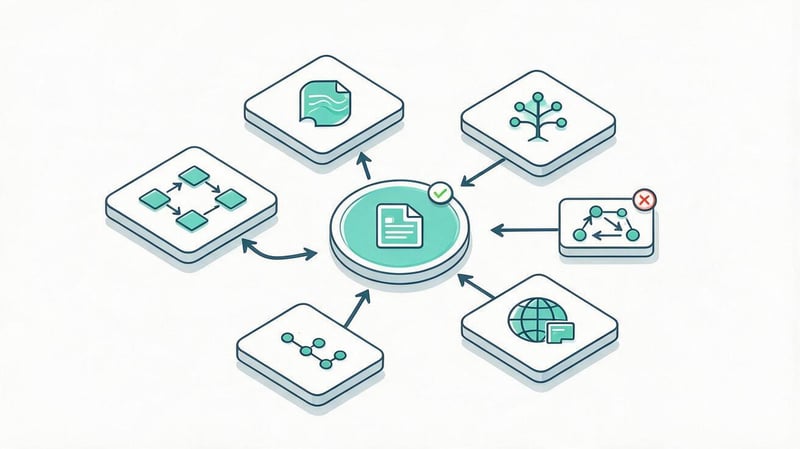
A page's address works in conjunction with other technical signals. If internal links point to one URL, the canonical indicates a second, and the sitemap contains a third, the search engine must independently select the primary version. The more consistently the signals are configured, the easier it is to maintain indexing.
It's advisable to define a single primary URL for each indexed page. This primary URL is used in menus, content links, BreadcrumbList, XML sitemaps, and language links. If multiple technical variations exist, they should be handled in a consistent and understandable manner.
How to choose a canonical URL?
A canonical URL is the version of a page that a site considers the primary one among several similar URLs. A standalone indexable page typically uses a self-canonical. If technical parameters create duplicates, the canonical may point to the base version without parameters.
Canonical shouldn't be used as a blanket solution for any structure. If the old URL has been completely replaced by a new one, a 301 redirect is usually necessary. If pages have different content and need to be indexed separately, combining them with a single canonical isn't an option. The decision depends on the relationships between the documents.
What URLs should be added to sitemap.xml?
The sitemap.xml file includes canonical indexed URLs that the site wants search engines to crawl. Avoid adding 404 URLs, redirect URLs, duplicates, technical parameters, and noindex pages. Otherwise, the sitemap will conflict with other signals.
After migration, the sitemap should be updated simultaneously with the internal links. If the new site is already live at the new addresses, the old URLs shouldn't remain in the XML sitemap for months. Regularly checking the sitemap in Google Search Console helps detect status errors and indexing issues.
Why should internal links point directly to the final URL?
If a menu or article links to an old URL that then redirects the user via a 301 redirect, the site creates an extra step. A large number of such links creates additional requests, makes it more difficult to analyze the structure, and makes it easier to create long redirect chains.
After changing the URL, internal linking should be updated. Links should point directly to the final URL with a 200 status. The same URL should be used in the canonical and sitemap. For large migrations, it's convenient to automate the check using a crawler and the redirecting internal links report.
What to do with the final slash in a URL?
The addresses /seo and /seo/ can technically be considered different URLs. On one server, they are automatically merged, but on another, they can open two identical pages. Therefore, the project needs a unified trailing slash standard, enshrined at the routing and internal link generation level.
If the primary version ends with a slash, the version without it should be permanently redirected to it. If the opposite principle is chosen, the redirect is configured in the opposite direction. Don't leave both versions with a 200 status and hope that canonicalization will completely solve the problem.
Internal links, sitemap.xml, hreflang, and BreadcrumbList should use the primary format. Automatic checking after CMS updates is especially helpful: new templates sometimes generate links without slashes, even if the main site uses the opposite standard.
Is it worth changing the URL of an already working website?
A fancy new URL alone rarely justifies migrating a page that's been indexed and receiving traffic for a long time. When changing a URL, the search engine has to process the new document, the redirect, and updated internal signals. This also creates additional work for the website team.
First, you need to identify the problem with the current URL. If it's stable, unique, indexes correctly, and doesn't interfere with scaling, it can be kept. SEO optimization of an existing website's URL requires a more careful approach than designing URLs for a new domain.
Lead SEO specialist — Gennady
I don't start URL optimization with a wholesale renaming of URLs. I first check the semantics, page tree, and internal links, and only then determine the URL format. If a page receives organic traffic and its URL is technically sound, changing it just for a prettier slug is usually not worth it. A stable URL with proper canonicals and interlinking is more valuable than a cosmetic migration for no real reason.
When is changing a URL justified?
Changing the address is justified when the current structure interferes with indexing, creates a large number of duplicates, or prevents the site from developing normally. This could be due to switching to a new CMS, merging domains, changing the language architecture, fixing systemically incorrect parameters, or completely reworking the catalog.
Each case must be assessed individually. Massive changes to transliteration, case, or folder names for the sake of a cleaner appearance rarely provide sufficient benefit. The more indexed pages are involved in the migration, the more important the mapping and post-release monitoring are.
How to safely move pages to new URLs?
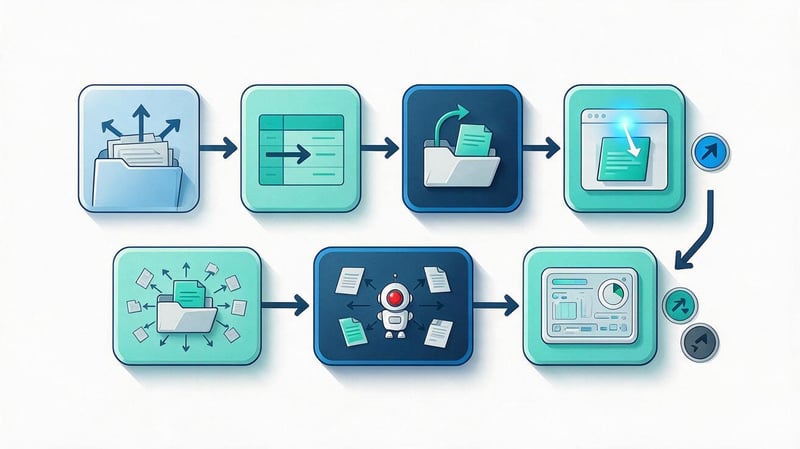
The migration begins with a complete list of old indexed URLs. These are collected from the crawler, sitemap, Google Search Console, analytics, and the database. Then, a new destination page is determined for each old URL. You can't rely solely on the site's current links, as some old documents may no longer be in the navigation.
After preparing the redirect map, the response statuses, canonical, hreflang, sitemap, and internal links are tested in a test environment. It's best to conduct the release as a single technical operation to prevent old and new signals from remaining mixed for an extended period.
Map old URL to new URL
For each old URL, the final relevant page is specified. If the content is preserved, a one-to-one match is usually achieved. If several documents are combined, they can be redirected to the new shared material, but only if the search intent and content match.
You can't automatically redirect all deleted URLs to the homepage. Such a redirect offers little help to the user and makes it difficult to understand the structure. If there's no suitable replacement, it's sometimes more appropriate to return a 404 or 410 rather than create an artificial match with an irrelevant section.
Set up 301 redirects
For a permanent redirect, use 301. The redirect should point directly to the final address, without the A → B → C chain. Before launching, it's helpful to automatically check the map to detect loops, redirects to 404 pages, and overlapping rules.
After the release, old URLs may continue to receive traffic from search results, external links, and bookmarks. Therefore, redirects should not be removed immediately after the index update. They are retained for a long time and periodically verified using logs and analytics data.
Update internal links
A 301 is needed for old external URLs and saved bookmarks, but the site's internal links should immediately point to the new URLs. This applies to menus, cards, articles, breadcrumbs, related content blocks, and links within templates.
After migration, the crawler should show a minimal number of internal redirect links. If the system continues to generate old URLs en masse, the cause should be corrected in the template or data, rather than leaving the redirect as a permanent internal layer.
Update canonical, sitemap, and hreflang
After the migration, the canonical should point to the new primary URL. Old URLs are also replaced with new ones in the sitemap.xml. On a multilingual site, every hreflang is checked, as a single outdated link can send a search engine crawler through a redirect or to a now-deleted document.
Additionally, it's worth checking your structured data. BreadcrumbList, Article, Product, and other Schema.org types may contain URLs directly. If the markup remains outdated, the site's technical signals become inconsistent even if regular links work correctly.
Check the site after the migration
After publishing, a full crawl is performed. The report checks for 200, 301, and 404 statuses, redirect chains, canonical, noindex, page depth, and internal links. The number of indexed URLs before and after the migration is also compared.
Google Search Console is used to monitor the crawling and indexing of new pages. Drastic changes don't always appear on the first day, so monitoring continues after the release. If a system error is detected, it's best to fix it immediately before the search engine processes a large number of incorrect URLs.
What are some common mistakes when optimizing URLs for SEO?

Most problems arise from the lack of a unified standard. One template creates URLs with a slash, another without, editors use different casing, filters generate parameters, and old URLs remain in internal links. Individually, each error seems minor, but on a large site, they add up to thousands of technical variations.
The entire chain needs to be checked: URL generation, response status, canonical, sitemap, internal links, and actual indexability. The table below shows typical situations and safe fixes.
| Error | Why does the problem occur? | What to do |
|---|---|---|
| URL is too complex | The address includes technical catalogs and repeating segments | Remove elements that do not reflect the actual structure |
| Multiple URLs for one document | Parameters, letter case, or different paths create duplicates | Select a primary URL and set up canonical or 301 |
| Uppercase and lowercase versions | CMS accepts multiple case variants | Use lowercase and a single redirect rule |
| Underscore | The structure was created without a common standard. | Use hyphens for new URLs without mass migration of old pages |
| Slug spam | They are trying to add the entire query cluster to the address | Keep a short, meaningful page name |
| Uncontrolled filters | Each combination of characteristics receives a URL | Separate valuable SEO filters from technical options |
| Changing URLs without 301 | The old document is deleted after migration. | Prepare a map of matches and permanent redirects |
| Old internal links | Templates continue to use the old addresses | Update links directly to final URLs |
| Two versions with a slash | The server returns /page and /page/ with status 200 | Select a single trailing slash and set up a redirect |
| Inconsistent canonical and hreflang | Technical tags were updated separately from the URL | Synchronize all signals after migration |
After fixing the errors, you need to re-crawl. This test confirms that the changes actually work in the browser and on the server level, and not just that they look correct in the CMS settings.
SEO URL Hierarchy Checklist

Before launching a new section or after changing the architecture, it's helpful to run through a unified checklist. It helps identify discrepancies between the structure, addresses, and technical signals. It's best to perform this check on a test environment and then repeat it on the live site after publication.
Main control points:
- Each indexed page has a defined type, parent section, and location in the overall architecture.
- Important pages are accessible via regular HTML links and do not rely solely on a search form or JavaScript script.
- The URL briefly describes the content and does not contain unnecessary technical segments.
- The directories in the address correspond to real sections and are not created just for the sake of a keyword.
- For new pages, lowercase is used consistently.
- Words in a slug are separated in the same way, without mixing hyphens and underscores.
- For trailing slash, one standard is chosen, which is applied in all templates.
- GET parameters and faceted navigation do not create uncontrolled indexed duplicates.
- The canonical URL corresponds to the primary version of the document and is used consistently.
- Sitemap.xml contains only working canonical pages intended for indexing.
- Hreflang links real language version URLs without intermediate redirects.
- Internal links lead directly to final pages with a status of 200.
- The site lacks important orphan pages without proper internal linking.
- After migration, old addresses are correctly matched via 301 redirect.
- After implementation, a full crawl was performed and response codes, canonical, links, and indexability were checked.
It's convenient to add such a checklist to your development process. This way, URL requirements are monitored during the creation of each new page, and technical debt doesn't accumulate until the next major SEO audit.
A website's hierarchy begins with semantics, page types, and relationships between sections. URLs capture this logic in addresses, but search engines also require clear internal relationships, accessible navigation, and consistent canonicals, sitemaps, and hreflang. Therefore, shortening or renaming a slug without reviewing the entire architecture rarely solves a systemic problem.
On a new site, it's best to define URL rules before developing templates. On an existing project, crawl the site first, collect indexable pages, and evaluate the impact of changes. This approach preserves stable URLs where they work and fixes only those areas that hinder indexing or further scaling.
If your website structure has grown, with duplicates, complex filters, or inconsistent URLs, order a technical SEO audit from Seo-Gen. We'll check the architecture, nesting levels, canonicals, redirects, and internal linking, and then prepare a ready-made specification for the developer to fix.


