SEO basics for beginners


A website may look neat, load quickly, and provide detailed information about its services, yet still receive almost no traffic from Google. Often, the reason is that the search engine has a poor understanding of the page's content, is unable to locate some of the content, or considers other sites more suitable for user queries.
SEO basics help you address these issues and build a consistent website development process. To get started, it's important to understand how Google finds pages, what factors influence their visibility, and what mistakes prevent organic traffic.
In this guide, we'll cover the basic principles of SEO, technical optimization, keyword selection, content creation, and link building. Using specific examples, we'll show you how to independently audit your website, prioritize your tasks, and evaluate the results of your changes.
What is SEO and why is website search engine optimization necessary?
SEO (Search Engine Optimization) is a website optimization process aimed at improving its visibility in organic search engine results. It encompasses page content, technical settings, structure, navigation, and external signals that help Google discover and understand content.
Let's say a company installs air conditioners in Kyiv. Potential customers search for “air conditioner installation Kyiv”, “how much does air conditioner installation cost”, or “how to choose an air conditioner for an apartment”. If the website has relevant pages that are technically accessible and useful enough, the company has the opportunity to generate traffic from search results.
Visitors come with different needs: some are comparing equipment, others are researching prices, and still others are ready to submit a request. Therefore, the basics of website SEO include understanding your audience, preparing relevant pages, and regularly monitoring their effectiveness.
How does SEO work in Google?
Google uses automated systems that discover pages, process their content, and tailor results to search queries. This work begins long before a user sees it in search results.
This process can be roughly divided into three stages: crawling, indexing, and ranking. Each stage has its own technical and substantive requirements that must be taken into account during promotion.
Site crawling by search robots
The Googlebot crawler discovers pages using links, previously known URLs, and other sources, including XML sitemaps. After discovering a URL, the crawler can send a request to the server and retrieve an HTML document along with the necessary resources.
For example, if a new article is accessible from a blog section, it's easier for search engines to discover it through an internal link. If the material exists only at a direct URL and isn't referenced anywhere, it may take longer to discover.
When checking a website, you need to consider server availability, the correctness of internal links, and the limitations of the robots.txt file. However, the mere fact that a page is detected doesn't mean Google will add it to the index.
Page indexing
After crawling, Google analyzes the document's content, titles, images, links, and other accessible elements. Based on this data, the search engine decides whether the page is suitable for indexing and which version is considered the primary one.
Indexing is affected by technical limitations, duplicate content, content quality, and page resource availability. For example, a document with a noindex directive is typically excluded from search results after the robot processes the corresponding directive.
You can check the status of a specific URL using the Page Inspection tool in Google Search Console. It displays information about indexing, the selected canonical version, and potential issues.
Search results ranking
When a user enters a query, Google selects documents that best meet their needs. The ranking takes into account various signals, including page content, relevance to the query, search features, and other document characteristics.
A user searching for “how to choose a children's bike” expects to see recommendations on size, age, and safety. A page with a single suggestion to buy a bike may be less relevant than a detailed guide with helpful explanations.
Rankings can change even without any website edits, as search engines update, new content appears, and competition shifts. Therefore, SEO requires periodic review of results and adjustments to decisions.
How the search works:
| Stage | Google's action | The website owner's task |
|---|---|---|
| Crawling | Detects a URL and gets the content | Ensure accessibility of pages and links |
| Indexing | Analyzes the content and determines the main document | Eliminate blockages, duplicates and technical errors |
| Ranking | Selects documents based on the user's request | Create relevant and useful content |
| Click | Shows the result that the user can navigate to | Prepare a clear title and page content |
This sequence helps you prioritize correctly. If an important page is unavailable for indexing, changing its title or purchasing external links won't solve the underlying problem.
What benefits does SEO provide to a business?
The main advantage of search engine optimization is the ability to attract visitors who are independently searching for specific products, services, or information. This traffic can lead to inquiries, orders, requests, and other useful actions on the website.
For example, a dental clinic might receive visits based on queries about cavity treatment, the cost of professional cleanings, and orthodontic consultations. A separate page could be created for each service, describing the terms of service, and answering patients' questions.
An additional benefit comes from the cumulative impact of this work. Optimized pages can continue to attract visitors after publication, although they still need to be maintained and kept up-to-date.
However, expenses remain: specialists, content, development, analytics, and sometimes external placements are required. Organic traffic doesn't require paying search engines for every organic click, but SEO promotion itself is associated with costs and doesn't guarantee a certain number of clients.
Answers to your questions
What is SEO in simple terms?
SEO is work on a website that helps search engines find, understand, and display its pages for relevant queries. This includes technical settings, useful content, a clear structure, and link management.
For example, a store can create separate categories for different product groups and fix indexing errors. These changes give its pages a better chance in organic search, although specific positions are not guaranteed.
Where to start learning SEO basics?
First, understand how Google crawls, indexes, and ranks pages, as all subsequent optimization depends on these processes. Then, study user search intent, basic meta tags, and website structure principles.
For practice, connect to Google Search Console and check several of your own pages. This will help you connect theory with real technical data and understand which issues need to be addressed first.
Is it possible to promote a website on Google yourself?
Yes, a small website owner can handle some SEO work themselves: improving the text, structure, headings, and internal linking. This will require learning basic tools and regularly monitoring the results.
If a project contains thousands of pages or complex technical features, the amount of work will be significantly greater. In such cases, it's useful to engage specialists for auditing, indexing setup, and mass change control.
How long does it take to see the first SEO results?
Search engine processing of changes can take anywhere from a few hours to several months, depending on the nature of the edits and the specifics of the site. Furthermore, the detection of technical improvements is not always accompanied by an immediate ranking boost.
Competitive commercial queries typically require extensive work on content, structure, and other SEO areas. Results are best assessed based on the dynamics of comparable periods and the performance of specific pages.
How is SEO different from contextual advertising?
Contextual advertising allows ads to appear in ad placements while meeting the advertising system's terms and budget. SEO is aimed at improving a website's presence in organic search results.
Both approaches can attract interested visitors, but differ in the traffic acquisition mechanisms and cost planning. For businesses, the choice depends on goals, competition, resources, and the required customer acquisition speed.
Should you add keywords to every title?
No, headings should primarily clearly define the contents of the sections and help the reader navigate the material. The main query is appropriate in H1 if it's relevant to the topic, and additional wording can be distributed naturally.
Mechanically repeating the same phrase across multiple H2 and H3 headings usually hinders readability. It's much more useful to use subheadings to expand on specific issues, characteristics, and stages of the work.
What tools are needed for SEO website optimization?
Google Search Console, Google Analytics 4, and PageSpeed Insights are suitable for initial analysis. They help study search visibility, user actions, and page loading characteristics.
Additional SEO services can be connected as needed for competitor analysis, semantic analysis, and link profile verification. The choice of tools depends on the site's size and the tasks that cannot be fully accomplished manually.
What is more important for SEO – content or technical optimization?
Both areas impact a website's ability to attract organic traffic, as they handle different aspects of its work. Technical optimization helps search engines process pages, while content determines their relevance to user needs.
If a document is blocked from indexing, high-quality text alone won't eliminate the restriction. Similarly, a functioning server and a properly configured sitemap.xml won't compensate for the lack of useful information on the page.
Basic principles of SEO website promotion

The basic principles of SEO define what a website should be like so that its content is accessible to search engines and meets user expectations. They apply to small corporate websites, online stores, blogs, and large information projects.
It's a mistake to begin promotion solely by changing meta tags or adding external links. Before doing so, you need to check the resource's technical condition, understand the audience's needs, and determine which pages are capable of responding to search queries.
Matching user search intent
Search intent indicates the problem a person intends to solve with a query. Users can seek an explanation, compare options, find out the cost, or choose a company to order a service from.
Let's consider two queries: “what is an inverter air conditioner” and “buy an inverter air conditioner”. The former requires informational material explaining the operating principle, while the latter typically requires a product catalog with specifications, prices, and purchase terms.
To accurately determine intent, you need to examine the pages already listed in search results. If most results contain product cards and filters, a simple informational article may not sufficiently meet user expectations.
Useful and reliable content
High-quality content answers the question posed, provides verifiable information, and helps visitors make a decision. For commercial pages, up-to-date prices, specifications, terms of service, delivery dates, and other information that interests buyers are especially helpful.
In medical matters, additional caution is required: information about procedures, contraindications, and treatments should be verified by a specialist. In financial materials, it is important to ensure that terms, conditions, restrictions, and mandatory warnings are up-to-date.
When preparing an article, it's helpful to compare it with existing search results and identify what users might be missing. These could include specific examples, clear instructions, tables, or answers to questions that competitors cover superficially.
Technical accessibility of the site
Even detailed content won't be able to fully participate in search if the robot doesn't retrieve its content or encounters indexing limitations. Therefore, technical SEO optimization begins with checking the availability of important URLs.
Typical issues include erroneous redirects, 404 and 5xx server responses, accidental noindex, incorrect canonicals, and broken internal links. On large sites, filters, URL parameters, and numerous duplicate pages create additional complications.
After technical changes, you should re-check the actual server response and HTML content. Relying solely on the admin panel settings isn't sufficient, as the final page may be generated with different values.
Convenience for visitors
Users should be able to easily find the information they need, read content, and navigate between website sections. Navigation, clear headings, a correct mobile version, and predictable behavior of elements help achieve these goals.
For example, a visitor opens a service page on a smartphone and wants to know the price. If the price is hidden in an inconvenient table and the application form is obscured by an ad, interacting with the site will be more difficult.
Real-world user scenarios should be tested: searching for a service, viewing features, navigating to contact information, and submitting a request. For a commercial website, usability is especially important, as a technically successful click from Google doesn't necessarily mean winning a customer.
Continuous improvement of results
Search engine optimization results depend on the site's condition, competitive environment, and changes in search engines. Therefore, it's helpful to regularly monitor metrics, update content, and address issues as they arise.
The work is typically structured in a repeatable cycle: data validation, root cause identification, change preparation, implementation, and results monitoring. This makes it easier to understand which actions have yielded a beneficial effect and which require further verification.
Lead SEO specialist — Gennady
When I start working on a new website, I first check which pages are accessible to Google and which of them are actually indexed. Sometimes a site already contains good content and describes its services in detail, but some URLs are blocked from indexing, have incorrect canonical addresses, or are not linked to other sections.
After eliminating technical obstacles, I analyze search queries and page structure. Every important service should have a suitable landing page, and informational materials should answer specific audience questions.
This procedure helps avoid unnecessary work. There's no point in expanding a page's link profile if it can't be indexed correctly, or creating multiple identical content for queries with the same search intent.
What types of SEO optimization exist?

SEO work is typically divided into on-page, technical, off-page, and local optimization. This division helps distribute tasks among the copywriter, SEO specialist, developer, and business owner.
These areas are closely related, so most projects require work on several of them simultaneously. For example, creating a new category for an online store affects the site structure, content, technical settings, and internal links.
On-Page SEO
Internal optimization covers individual page elements: text, title, description, H1-H4, images, and internal links. Its goal is to ensure that the page content is relevant to the chosen topic and understandable to the visitor.
For example, the “Office Chairs” category should contain suitable products, specifications, filters, and purchase information. Headings help clarify the content, and links lead to related categories and additional materials.
The work begins with identifying the primary search intent, followed by checking the page's content and structure. Keyword usage should remain natural and consistent with the meaning of each section.
Technical SEO
The technical area is responsible for ensuring the website functions correctly from the perspective of search engines and users. This includes server responses, indexing, redirects, canonical URLs, speed, mobile version, and JavaScript processing.
For a small website, it's enough to start by checking the most important pages and fixing critical errors. Large online stores also need to monitor filters, sorting, pagination, and numerous URLs with parameters.
It's best to check the possible consequences of technical changes in advance. An error in the master template or server rules can affect hundreds of pages simultaneously.
Off-Page SEO
Off-page optimization covers mentions of a website outside its own domain. The most well-known approach is link building, which involves acquiring links from other resources that can aid in page discovery and contribute to the evaluation of their importance.
A large number of links alone doesn't guarantee ranking gains. The source's topic, audience, publication context, and the absence of signs of manipulative linking are all important.
Expert research, industry materials, publications in specialized media, and useful services offer good opportunities for natural citations. When choosing a platform, consider the real value it provides to readers, rather than relying solely on SEO tool metrics.
Local SEO
Local SEO is used by companies that operate in specific cities, districts, or serve customers in a specific area. These businesses include clinics, restaurants, repair shops, auto repair shops, and brick-and-mortar stores.
For local promotion, it's helpful to maintain up-to-date company information, properly format your Google Business Profile, and create comprehensive, geo-referenced service pages. Addresses, phone numbers, and business hours should reflect actual information.
Creating dozens of virtually identical city pages without any independent value is not a good idea. If a company truly serves multiple cities, the page content should reflect the specific needs of the local audience and their specific business operations.
| Area | Main work | Example task |
|---|---|---|
| On-Page SEO | Content and page elements | Service Page Optimization |
| Technical SEO | Indexing and technical settings | Fixing an erroneous canonical |
| Off-Page SEO | External references and links | Publication of industry research |
| Local SEO | Business visibility in the region | Optimizing your company profile and local page |
For a novice website owner, it's helpful to first master on-page optimization and basic technical testing. After that, it's easier to understand which off-page and local actions are best suited to the specific project's goals.
Where to start SEO website optimization?

For beginners, it's best to learn the basics of SEO optimization on a specific website, where you can test real pages and see the impact of changes. A small corporate website, blog, or online store with a limited number of categories is a good starting point.
Before setting up tools, it's important to determine why your business needs search traffic. This will help you distinguish technical metrics from the results that actually impact conversions and sales.
Defining goals and target audience
SEO goals should be aligned with business objectives and potential customer queries. For an online store, this could be sales in priority categories; for a clinic, it could be appointment bookings; for an informational project, it could be coverage of specific topics.
For example, a home appliance repair company would benefit more from receiving inquiries about refrigerator repairs in their city than from random clicks on general refrigerator queries. Both types of content can be present on the website, but the promotion priorities will differ.
Describe your main customer groups, the problems they're trying to solve, and the information they need before contacting you. This will help you identify queries and pages that need improvement.
Analysis of the current state of the site
Before optimization, check which sections exist, which pages receive search traffic, and where technical issues are occurring. It's helpful to compile a list of important URLs, group them by type, and assess their current status.
Pay special attention to pages that are already receiving impressions but are not getting enough clicks or are poorly aligned with search intent. Sometimes, improving existing content is more valuable than publishing several new articles.
Also, check the navigation structure, duplicate pages, and the quality of commercial information. The results of this initial analysis will serve as a starting point for further evaluation of the site's performance.
Connecting Google Search Console and Google Analytics 4
Google Search Console shows how a site appears in Google Search: which queries pages appear for, how many clicks they receive, and any indexing issues detected. The tool also helps inspect individual URLs and monitor XML sitemap processing.
Google Analytics 4 is used to analyze visits and user actions after the click. It allows you to study traffic sources, pages visited, and key events, including submitting an application or placing an order.
To obtain useful data, you need to properly verify ownership of the property and set up tracking of important actions. Installed counters alone won't provide a complete picture without properly configured events and conversions.
Prioritizing SEO Work
After the initial review, tasks should be prioritized based on importance and potential impact on the site. Critical indexing restrictions and inaccessible commercial pages usually require faster fixes than minor wording changes.
Next, you can move on to structure, semantics, content, and internal linking. For each change, it's helpful to indicate the person responsible, the deadline, and the method for verifying the results.
This approach reduces the likelihood of redoing work. For example, there's no point in thoroughly optimizing the text of a page that you plan to delete or merge with another one in a week.
Step 1. How to conduct a basic SEO audit yourself?

An SEO audit helps identify errors that hinder a website's performance and promotion. It's best to start with important pages and then expand the analysis to include categories, articles, and technical URLs.
For a small project, some checks can be performed manually using a browser and free Google tools. For larger sites, it's more convenient to use crawlers that collect information on multiple URLs and identify recurring issues.
How to check page indexing?
Open Google Search Console and use the URL inspection tool. Enter the full page address to see if Google knows about it, whether there are any restrictions, and which canonical URL the search engine has chosen.
You can also check individual documents using the site:example.com operator. This is useful for roughly assessing a site's presence in search results, but it doesn't provide a complete and accurate list of indexed pages.
If an important page is missing from the index, check its accessibility, robots directives, canonical, content, and internal links. Don't repeatedly submit the URL for indexing while the possible cause of the issue remains unfixed.
Checking for technical errors
A technical audit includes an analysis of server responses, redirects, duplicate URLs, and search engine crawler restrictions. Errors often arise after a website migration, structural changes, or content management system updates.
To test, it's helpful to compile a list of important pages and compare expected behavior with actual behavior. Mass settings that apply to an entire section should be analyzed especially carefully.
Server response codes
An HTTP status code indicates the result of a request to a server. For example, 200 indicates successful document retrieval, 301 indicates a permanent redirect, 404 indicates a missing resource, and 5xx responses are related to server errors.
For search engine optimization, it's essential to ensure that important pages return the expected response and don't undergo lengthy redirect chains. Removed URLs should be handled appropriately: redirected to a suitable replacement or returned with the correct code for the missing page.
If a site displays an error message, but the server responds with a 200 status code, the search engine may be misinterpreting the document. Therefore, you should check the HTTP response, not just the page's appearance in the browser.
Duplicate pages and canonical URLs
Duplicates occur when the same or nearly identical content is available at multiple URLs. For example, a single category may be accessed with sorting options, different URL variants, or additional service values.
The rel="canonical" tag helps indicate the preferred URL for a page, but search engines treat it as a signal rather than a definitive command. When completely moving a URL, a 301 redirect is typically used if the old URL should no longer be opened on its own.
It's important to align canonical URLs, internal links, and sitemap.xml. When different elements point to different versions of a document, it's more difficult for search engines to determine the preferred URL.
Checking robots.txt and meta robots
The robots.txt file regulates crawl permissions for individual paths by robots that adhere to its rules. It is not intended to guarantee the removal of documents from search results.
The noindex directive in the meta robots or X-Robots-Tag HTTP header tells supporting robots that a document should not be shown in search results. To process such a directive, Google typically needs to be able to crawl the corresponding URL.
A common error occurs when an important page is simultaneously blocked in robots.txt and attempts are made to exclude it from the index via noindex. These situations require separate verification, as the search engine robot may not be able to access the directive.
Checking the mobile version and speed
Check important pages in PageSpeed Insights and a standard mobile browser. The tool helps identify loading issues and displays diagnostic metrics, but lab results may differ from the experience of real visitors.
Pay attention to heavy images, blocking scripts, unstable element placement, and poor navigation. Also, check whether you can read the text, open the menu, and submit a request from a smartphone.
| What to check | Tool | Possible action |
|---|---|---|
| Indexing important pages | Search Console | Find and fix the cause of exclusion |
| HTTP codes and redirects | SEO crawler | Fix errors and redirect chains |
| Canonical and robots | HTML check, crawler | Align directives with page purpose |
| Sitemap.xml | Search Console | Update the list of canonical URLs |
| Loading speed | PageSpeed Insights | Optimize images and scripts |
| Mobile version | Smartphone browser | Fix navigation and block display |
After the audit, create a list of errors with specific URLs and expected fixes. It will be easier for the developer to complete the task if an example URL and the correct result are provided next to the issue.
Step 2. How to compile a semantic core for SEO?
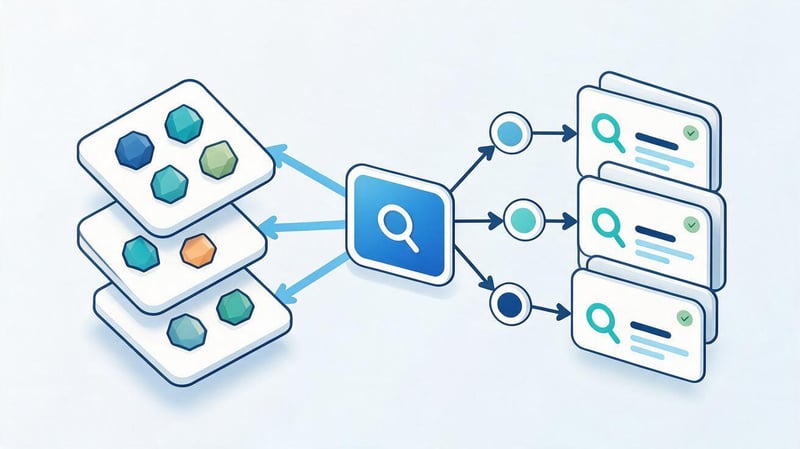
The semantic core helps determine which queries the target audience uses and which pages need to be prepared to process them. The quality of the grouping determines the website structure and the distribution of topics among individual documents.
For example, one section of an online store might focus on office chairs, while informational content might address questions about choosing a chair for long-term work. Proper distribution reduces the risk of creating multiple pages with the same purpose.
What is a semantic core?
A semantic core is a set of search queries related to a website's topic, products, services, and informational materials. Queries are collected, verified, and grouped based on user needs.
For a bicycle store, the core keywords might include phrases like “mountain bike”, “buy a kids' bike”, “teen bike”, and “how to choose bike size”. These keywords relate to the same topic but suggest different types of pages.
When collecting semantic keywords, don't rely solely on search volume. A low-frequency query can sometimes more accurately reflect a user's willingness to contact a company or choose a specific product.
Where to look for keywords?
To start, study search queries in Google Search Console if your site is already receiving impressions. This resource helps you discover the actual phrases that Google uses to link pages to user interests.
Additionally, use Google Keyword Planner, search suggestions, related queries, and specialized SEO services. Competitors also help you understand which topics and page types are in demand in your chosen niche.
The collected phrases should be cleared of irrelevant variants and categorized into semantic groups. Automatically adding all identified keywords to the texts is not recommended.
How to determine search intent?
Search intent is determined by the content of the query and the types of results Google displays to the user. When analyzing search results, it's important to consider the wording, context, and actual search results.
A single topic can encompass multiple intents, so identical words don't always represent the same need. For example, a search query about product specifications could lead to an article, review, or sales page, depending on the specific wording.
Informational queries
An informational query occurs when a person wants an explanation, instructions, or comparison. Examples: “what is SEO”, “how to choose a laptop”, and “why isn't my website indexed in Google?”
Guides, reference materials, FAQs, and comparison articles are suitable for such queries. The content should help you understand the topic without having to immediately contact the seller or fill out a form.
Informational traffic can be useful for a business in the early stages of a customer's experience with a service. However, not every visitor to such an article is ready to make a purchase.
Commercial and transactional queries
Commercial queries are related to choosing a product, service, or provider. People can compare prices, features, service terms, and offers from different companies.
Transactional language often reflects the intent to perform a specific action, such as “order an SEO audit” or “buy an office chair”. Such queries typically require pages with a clear offer, terms, and contact information.
A sales page should contain the information needed before making a purchase or order. If a user is looking for a price for a service, the lack of a price or explanation of how it's calculated can make it difficult to choose.
Navigational queries
A navigational query is used when a person needs a specific website, brand, section, or service. For example, a user might search for a company name along with the words “personal account” or “contacts”.
Such queries often lead to the homepage, official section, or a specific website feature. Clear navigation, accessible URLs, and up-to-date company information are essential for a proper presentation.
When analyzing semantics, navigation phrases should be separated from general queries about products and services. This helps to more accurately assess the effectiveness of promotion and the structure of search demand.
How to group keywords by pages?
Query clustering helps determine which phrases belong on a single page and which require a separate document. The key criteria are query meaning, user intent, and similarity of search results.
For example, “SEO basics” and “SEO fundamentals” can be covered in a single guide, as users expect similar content. A search query like “order SEO promotion” requires a separate page describing the service.
| Query | Intent | Suitable page |
|---|---|---|
| SEO Basics | Informational | A Beginner's Guide |
| SEO website audit | Mixed | Service page or detailed guide |
| Order an SEO audit | Transactional | Commercial page |
| How to check indexing | Informational | Step-by-step instructions |
| SEO promotion of an online store | Commercial | Relevant service page |
After grouping, assign a core set of queries to each landing page. This approach helps avoid situations where multiple site content competes for the same search intent.
Step 3: How to Create a Proper Website Structure for SEO?

A website's structure determines how its sections are connected and how easily users navigate between content. A clear hierarchy also helps search engines discover pages through internal links.
When designing, consider the actual product range, services, and needs of your audience. Too many sections complicate navigation, while overly general categories can prevent users from quickly finding the information they need.
Logical hierarchy of sections
A good structure groups related pages and shows their subordination to each other. For example, an online store might have a home page, product categories, subcategories, and individual product pages.
For an electronics store, a logical flow would be: “Home → Laptops → Gaming Laptops → Specific Model”. The user understands their location and can navigate back to a broader category.
There's no need to create a separate section for every minor keyword combination. A new page is justified when a group of queries has a distinct intent and sufficient content.
Friendly URLs
Human-readable URLs help you understand which section a page belongs to. For example, the address /services/seo-audit/ is clearer than a random string of characters or a complex parameter string.
Addresses should be consistent, stable, and consistent with the chosen site structure. When changing an existing URL, check internal links and set up proper redirects if the old address is replaced by a new one.
Don't change working URLs just to add a keyword. Such changes can create additional technical challenges and require monitoring of page crawls.
Navigation and breadcrumbs
The main menu should help users quickly find important sections, while breadcrumbs show their position in the hierarchy. This type of navigation is especially useful for online stores and large information websites.
For example, on a single service page, you can show a path from the home page through the service area to the current content. Each intermediate element can be linked to the corresponding section if needed.
Navigation links should lead to accessible and relevant pages. After changing the structure, check the menu, breadcrumbs, and links within the content.
Structure of a multilingual website
A multilingual website requires separate URLs for each language version and independent content for each language. Translating button names without adapting the commercial terms, terminology, and search queries doesn't ensure full localization.
Hreflang attributes help Google identify alternative language and regional versions of pages. Canonicals should be consistent with the chosen indexing strategy and should not unnecessarily force all full translations to a single language.
For the Ukrainian and Russian segments, it's necessary to prepare separate Title, Description, H1, and page texts. After implementation, check the language switches, server response, hreflang, and the accessibility of both versions.
Step 4: On-Page SEO Basics

Once the website structure and semantic core are prepared, you can move on to optimizing individual documents. At this stage, meta tags, headings, content, images, and inter-page links are checked.
The basics of website SEO assume that each important page meets a specific user need. Therefore, changes should begin with an analysis of its purpose and then move on to individual elements.
Optimization of Title, Description and H1
Title defines the name of the HTML document and can be used by Google when forming the search result title. H1 denotes the main heading of the visible content, and Description provides a brief description of the page.
These elements should reflect the actual content and help people understand the document's purpose. Google may generate the title or snippet text itself, so the specified wording may not always be displayed literally.
An example of a poorly optimized page
Let's say a company offers washing machine repair in Kyiv. A poorly written title might look like this: “Washing machine repair Kyiv, machine repair Kyiv, washing machine repair Kyiv”.
Such a title repeats identical words, is difficult to read, and provides little useful information to the user. If the description is built on the same principle, the quality of the page's presentation is further reduced.
Another common mistake is using the same Title and H1 tags for different services. This makes it difficult to distinguish the purpose of documents, especially when their content is similar.
An example of correct optimization
For the same service, you could create a Title: “Washing Machine Repair in Kyiv – On-site Technician”. In the H1, simply specify “Washing Machine Repair in Kyiv” if the wording accurately matches the service.
The description may contain information about diagnostics, available repairs, the procedure for contacting the service, and on-site visit conditions. Specific timeframes or prices should only be specified if the information is confirmed.
The main requirement is consistency between the title and the page content. Don't promise a free visit in the search engine description if the company doesn't provide such a service.
The Basics of SEO Copywriting

SEO copywriting involves creating texts that address audience needs and take into account search engine optimization (SEO) requirements. The author must understand the topic, the purpose of the page, and the information the reader expects.
For informational content, explanations, examples, and step-by-step actions are helpful. For a commercial page, priority is given to service characteristics, ordering conditions, offer benefits, and information the customer needs before getting in touch.
How to use keywords correctly?
Keyword phrases should be distributed throughout the text according to the meaning of the sections. The main query is usually appropriate in the H1, Title, the beginning of the article, and those sections of the article that directly address the topic.
Additional wording can be used in subheadings and content if it sounds natural. For example, raw keyword phrases like “seo optimization basics” and “seo optimization basics for beginners” are best worked into the text in their grammatically correct form.
Google is capable of associating a page with queries that are phrased differently than individual sentences in the text. Therefore, there's no need to artificially repeat a single phrase for the sake of density.
How to structure SEO text?
Headings H2, H3, and H4 help develop the topic sequentially and divide the material into semantic parts. Each new section should answer a separate question or explain a specific stage of the work.
It's more convenient to divide long explanations into several paragraphs, and present comparative information in tables. Lists are useful when you need to show the steps, conditions, or sets of characteristics that the reader will check.
Headings shouldn't be created solely to accommodate additional keywords. If two subsections repeat the same idea, it's better to combine them and develop the content sequentially.
How to make content useful for the reader?
Before writing the material, determine what task the user should accomplish after reading it. For example, instructions for checking indexing should include the name of the tool, the sequence of actions, and an explanation of the possible results.
Good content addresses common pitfalls and the limitations of proposed solutions. If a recommendation applies only to online stores or large websites, this should be explained directly in the relevant section.
Usefulness also depends on the relevance of the information. Following changes to search tools, legislation, or terms of service, old materials should be reviewed and updated.
Image optimization
Images help explain complex processes, showcase products, and demonstrate work results. When preparing graphics, consider quality, file size, adaptability, and the illustration's relevance to the page content.
The alt attribute should convey the meaning of the image if it contains useful information. For example, for a report screenshot, you might write “Google Search Console report with impressions and clicks for search queries”.
Avoid filling the alt text with repeated keywords or listing services. Decorative images that don't convey information on their own may use a blank alt text, in accordance with accessibility guidelines.
Internal linking
Internal links help visitors find related content and provide search engines with additional ways to discover pages. Good interlinking is built around the topic and user needs.
For example, from an article on optimization basics, it makes sense to link to materials on the semantic core, technical audit, indexing, and link building. The link text should clearly describe the content of the page the link leads to.
Links should be placed where they help expand on the topic or move on to the next action. Adding identical anchors en masse for the sake of quantity creates unnecessary clutter on the content.
Step 5. Basics of Technical SEO Website Optimization

Technical optimization helps search engines correctly process a website and helps users access its pages. This is especially important after a project launch, URL change, migration to a new engine, or a major structural update.
For a beginner, mastering the basic indexing mechanisms and learning to spot critical errors is sufficient. Complex changes to server rules, JavaScript rendering, and mass redirects are best performed after thoroughly testing the potential consequences.
Setting up robots.txt and sitemap.xml
Robots.txt and sitemap.xml serve different purposes, although both files are used when a website interacts with search engines. The former defines crawling rules, while the latter helps convey information about important URLs.
Files must match the actual site structure and comply with the chosen indexing strategy. After changing the settings, you should check their accessibility and correct processing.
What is robots.txt for?
Robots.txt is located in the root area of a website and contains access rules for search robots. It can be used to restrict crawling of certain paths, such as technical sections that shouldn't be crawled regularly.
When setting up, keep in mind that disabling crawling does not guarantee the URL will be excluded from search results. If the goal is to specifically remove a page from search results, an appropriate indexing control mechanism should be used.
Accidental rules that close all pages or main directories are especially dangerous. After moving a test site to a production domain, such restrictions must be re-checked.
Why do you need an XML sitemap?
A sitemap.xml contains URLs that the resource owner considers important for discovery and indexing. The sitemap helps search engines find documents, especially if the site is large or its structure has recently changed.
It's recommended to include canonical pages that should be included in search results in the sitemap. Avoid adding deliberate 404s, redirects, and URLs excluded from indexing based on the chosen strategy.
You can submit a sitemap through Google Search Console, after which you should check its processing. Having a URL in your sitemap.xml file alone does not guarantee that the page will be indexed.
Removing duplicates and setting up redirects
Duplicates can appear due to filter and sorting parameters, different URLs for the same page, and CMS configuration issues. Their presence requires analysis, as not all similar URLs are a technical error.
When a page permanently moves to a new address, a permanent 301 redirect is typically used. If multiple accessible URLs display the same content and should remain accessible, canonical can be used.
Before making mass changes, create a table of old and target URLs. After implementation, check for looping redirects, redirect chains, and links to deleted pages.
Loading Speed and Core Web Vitals

Core Web Vitals include the LCP, INP, and CLS metrics, which describe distinct aspects of the user experience. LCP relates to the display of primary content, INP characterizes the responsiveness of the interface, and CLS measures the unexpected displacement of elements.
Page speed and stability are affected by images, the server, JavaScript, styles, and third-party scripts. For example, a large banner without specified dimensions can cause text shifting during loading.
For diagnostics, use PageSpeed Insights and real-user reports when available. Improving individual metrics is beneficial for visitors, but achieving the highest score in the tool alone does not guarantee high search rankings.
Adaptation for mobile devices
Google primarily uses the mobile version of content when indexing, so important information should be accessible to smartphone users. Service pages, categories, product cards, and forms should be checked separately.
On mobile devices, issues often arise with small fonts, horizontal scrolling, awkward controls, and large images. In addition to the appearance, it's important to check that the website's features actually work.
If some text or links are missing from the mobile version, this may impact the completeness of the content available to search engines. Therefore, adaptability should be checked simultaneously with technical indexing.
Schema.org Structured Data
Structured data helps search engines more accurately understand the type of page and the information it contains. Article or BlogPosting are suitable for publications, and BreadcrumbList is suitable for breadcrumb navigation, if the relevant elements are present.
JSON-LD is often used and is added to the page code. The markup data must match the visible content and not contain fictitious ratings, reviews, or prices.
Google tools, including the Rich Results Test, are available for verification. Correct microdata can make a page eligible for certain rich results, but it doesn't guarantee their appearance in search results.
Checking JavaScript content
Some websites generate a significant portion of their content using JavaScript after the initial HTML load. Google can handle JavaScript, but runtime errors and unavailable resources can make it difficult to detect text and links.
Check whether important elements are visible in the rendered version of the page, as well as accessible during a regular visit to the site. Pay particular attention to headings, body text, category links, and product cards.
For complex client-side rendering, server-side rendering or other technical solutions that align with the site's architecture can be considered. The implementation method should be chosen based on the actual problems, not just the technology's name.
Step 6. Basics of Off-Page SEO

External links and mentions help spread the word about a website and can influence its search rankings. However, the effectiveness of external optimization depends on the quality of the sources, the context of the publication, and the overall promotion strategy.
It's best to begin link building after addressing major technical issues and creating useful landing pages. External placements should lead to content that meets the expectations of the target audience.
What are backlinks and why are they needed?
A backlink leads from another website to a specific page on your resource. For example, an industry publication might link to a company study, or a niche blog might link to a detailed guide.
Search engines use links among other signals to discover and evaluate documents. However, the impact of a single link depends on many factors and cannot be assessed solely by the number of placements.
Links can also drive visitors directly from a publication, regardless of search rankings. Therefore, it's useful to evaluate their relevance and the source's actual audience.
How to evaluate the quality of donor sites?
When choosing a donor, consider the website's topic, language, region, traffic, and the quality of the content. For Ukrainian businesses, the local audience and the site's relevance to the target market may be important.
Additional SEO service metrics help compare sources, but they don't replace a full-fledged audit. The DR and DA metrics are provided by third-party tools and are not considered direct Google ranking indicators.
It's worth examining the content the resource publishes, how natural the external links look, and whether the platform matches your website's theme. Too many similar promotional posts can indicate risks.
What methods of getting links should I use?
Useful external links can be generated through research, expert commentary, industry publications, and interesting materials. For example, a company might prepare a market overview or a guide based on its own professional experience.
Another option is to collaborate with specialized publications and organizations that are genuinely interested in your topic. For paid placements, be sure to adhere to search engine rules regarding paid links.
A good link strategy includes a variety of sources and natural anchor text. Avoid directing all external links to a single page with the same commercial anchor phrase.
What linking methods can be harmful?
Risks are created by schemes aimed at artificially changing search rankings: mass link spam, automatic placements, and site networks used to manipulate links.
Offers to purchase hundreds of links in a short period of time without analyzing the subject matter and quality of the sites should be carefully considered. A large number of placements does not compensate for a lack of relevance and useful content.
If a site has suspicious backlinks, it's important to first investigate their origin and nature. Massively disavowing all weak links via Disavow without understanding the problem is not recommended.
Step 7. How to evaluate the effectiveness of SEO promotion?
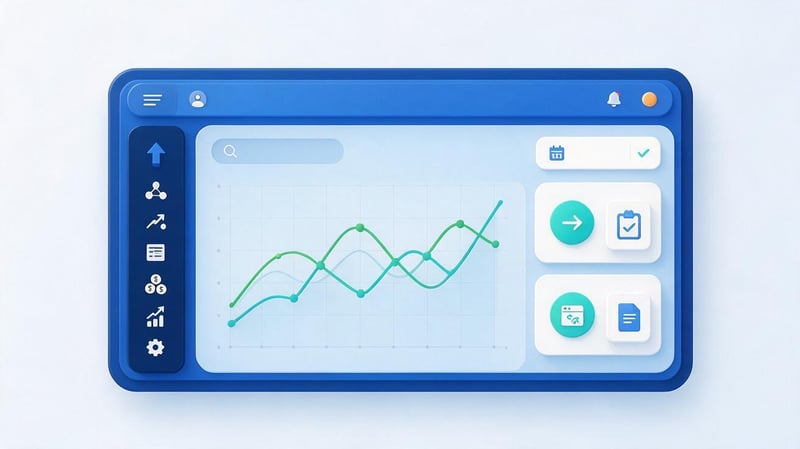
SEO promotion should be assessed based on changes occurring with the website and its visitors. Rankings and clicks help understand search visibility, but commercial projects also need data on inquiries, orders, and other target actions.
For accurate analysis, it's important to select a comparison period, take seasonality into account, and record any changes made. This will make it easier to identify possible reasons for increases or decreases in performance.
What metrics to track?
Key search visibility metrics include impressions, clicks, CTR, and average position in Google Search Console. These help determine which queries a website appears for in search results and how often users visit its pages.
To evaluate commercial results, it's useful to additionally analyze organic sessions, key events, conversions, and applications. For example, an increase in traffic to an information section may not be accompanied by an increase in service requests.
These metrics should be considered together and in consideration of the page's purpose. Success criteria for a blog and an online store can differ significantly.
How to work with Google Search Console?
Open the performance report and select the period, page, or query group of interest. Compare the number of impressions, clicks, CTR, and average position with the previous comparable period.
Let's say a page frequently appears for the search query “professional teeth cleaning” but receives few clicks. You should examine its actual snippet, rankings, relevance to the query, and competitive results before changing its meta tags.
You should also check indexing reports and the status of individual URLs after implementation. This helps you spot technical issues that regular traffic statistics don't always reveal in a timely manner.
How to use Google Analytics 4?
Google Analytics 4 lets you analyze organic search visits and user actions on your website. To do this, you need to set up data collection and identify events that align with your business objectives.
For example, for a service page, it's useful to track form submissions, confirmed bookings, or other significant interactions. For an online store, purchases, revenue, and checkout metrics are important.
When evaluating data, consider attribution settings, user consent, and possible measurement limitations. Figures in GA4 and Search Console may differ because the tools use different calculation methods.
| Metric | Where to look | What it shows | Possible action |
|---|---|---|---|
| Impressions | Search Console | Frequency of appearance in results | Analyze queries and visibility |
| Clicks | Search Console | Clicks from Google Search | Compare pages and periods |
| CTR | Search Console | Click-to-Impression Ratio | Check snippet and intent |
| Average position | Search Console | Average position by impressions | Analyze the dynamics of queries |
| Organic sessions | GA4 | Visits from organic search | Check landing pages |
| Conversions | GA4 | Recorded target actions | Improve forms and user scenarios |
How long does it take to see SEO results?

The timeframe depends on the nature of the changes, the site's condition, competition, and the search engine's processing speed. Google indicates that some changes may be reflected within a few hours, while others may take weeks or months.
Technical fixes can sometimes be verified relatively quickly after a second crawl. Increasing visibility for competitive commercial queries may require significantly more time.
Promises of guaranteed top rankings within a certain number of days should be assessed with caution. It's better to agree on an action plan, monitoring metrics, and a period for regular performance analysis.
For regular work, it's enough to prepare a simple report with key metrics and a list of completed tasks. This will help you track changes without constantly switching between multiple tools.
What are the most common mistakes SEO beginners make?
At the initial stage, website owners often focus on individual recommendations without considering the overall workflow. For example, they change the titles of hundreds of pages at once without checking their content and indexability.
Some errors are due to outdated concepts about search algorithms. Therefore, before widely implementing a new recommendation, its purpose, relevance, and potential consequences should be verified.
Excessive repetition of keywords
Repeating identical keywords reduces readability and can violate search engine rules if used to manipulate rankings. It's difficult for users to comprehend text where every sentence contains the same constructions.
For example, the phrase “SEO basics for beginner SEOs” seems artificial if it's constantly repeated in regular paragraphs. It's much more useful to outline the topic once and then explain the individual steps in detail.
A fixed keyword density isn't a universal requirement for Google. It's better to evaluate the semantic completeness of the content and remove repetitions that interfere with normal reading.
Creating pages without taking search intent into account
Sometimes, a website creates separate content for similar queries, even though users expect the same answer. As a result, pages begin to duplicate content and can compete with each other in search results.
The opposite situation occurs when an informational article attempts to cover a query about buying a service. The reader expects the price, terms, and a way to order, but receives a lengthy explanation of general principles.
Before creating a page, you should study the search results and determine its purpose. This reduces the likelihood of unnecessary publications and helps distribute the semantic core correctly.
Ignoring technical problems

Indexing errors, incorrect redirects, and broken internal links can limit the visibility of even well-designed pages. Such issues are especially common after a website migration or structural changes.
Validation requires actual server responses, Google Search Console data, and crawl results. Viewing pages in a browser alone is not enough, as some limitations are invisible to the user.
After making corrections, it's important to verify that the changes actually work on the live site. Testing only in the admin panel doesn't confirm the correctness of the final HTML.
Using outdated SEO methods
Outdated techniques include attempts to promote pages through meta keywords, artificially inflating the text volume, and mass placement of low-quality links. Such actions are no substitute for maintaining the site's content and technical condition.
Google doesn't use the keywords meta tag to rank web pages. There's also no universal word count that automatically qualifies content for high rankings.
Recommendations should be verified against current documentation and the actual project objectives. Be especially wary of advice that promises quick results with a single setting.
SEO evaluation based on positions only
A high ranking for a specific keyword doesn't always lead to significant commercial results. For example, an informational article may attract many visitors who aren't yet interested in ordering a service.
For businesses, it's useful to correlate visibility with inquiries, sales, and the quality of incoming requests. At the same time, informational content is also valuable, as it introduces users to the company and helps explain complex topics.
| Error | Possible consequence | Solution |
|---|---|---|
| Keyword stuffing | Unnatural text and the risk of rule violations | Remove repetitions, improve content |
| Intent mismatch | The page does not meet expectations | Change format and content |
| Accidental noindex | The page is excluded from search | Correct indexing settings |
| Duplicate URLs | Ambiguity about which page is the main one | Set up canonical or redirect |
| Link spam | Risks to the link profile | Review your placement strategy |
| Evaluation of positions only | Incomplete picture of the result | Add conversions and business metrics |
It's best to fix errors sequentially, starting with those affecting the most important pages. After each significant change, it's a good idea to save the implementation date and the results of the re-check.
A step-by-step SEO plan for the first 30 days

For a novice website owner, it's helpful to divide the initial work into several stages to avoid trying to change the content, structure, and technical settings all at once. This plan helps you master the basics of SEO and gain initial data for further optimization.
During the first month, you can perform an audit, prepare your semantics, fix some errors, and optimize priority pages. An increase in rankings and traffic during this period is not guaranteed, as search engines need time to process the changes.
Week 1 – Audit and Analytics Setup
Start by verifying your site in Google Search Console and ensuring Google Analytics 4 is installed correctly. Then, compile a list of important pages, including your homepage, key services, categories, and content.
Check indexing, HTTP codes, canonical, robots.txt, sitemap.xml, and the mobile version. Record any issues found and determine which require developer intervention.
By the end of the week, it's a good idea to have a list of technical tasks and initial search visibility metrics. This information will be needed for comparison after implementing changes.
Week 2 – Semantics and Structure
Collect queries for key products, services, and information topics. Study search results, determine intent, and group related queries.
Compare the resulting groups with existing website pages. If some queries don't have a matching page, determine whether a new document is truly needed.
The end result of the week should be a semantics table with target URLs and priorities. This can be used to plan the optimization of existing pages and the creation of new content.
Week 3 – Optimizing Priority Pages
Select several pages that have commercial value or are already receiving search impressions. Check their Title, Description, H1, content, and relevance to audience queries.
Improve any missing information, add useful examples, and check internal links. If the page is about a service, ensure users can learn about the terms and conditions and submit a request.
There's no need to rewrite the entire site at once if the root cause of the issues hasn't yet been identified. It's more convenient to implement changes in controlled groups and maintain a history of their implementation.
Week 4 – Implementation Check
Re-crawl the modified pages and check server responses, meta tags, and indexing directives. Ensure internal links point to the correct URLs and that updates are available on the live site.
Record the dates of the changes and begin monitoring the metrics in Search Console and GA4. If the search engine hasn't processed some pages yet, continue monitoring them without jumping to conclusions.
| Period | Main tasks | Result of the work |
|---|---|---|
| Week 1 | Audit, Search Console, GA4 | List of errors and baseline indicators |
| Week 2 | Semantics, search results analysis, structure | Map of queries and landing pages |
| Week 3 | Meta tags, content, interlinking | Optimized priority pages |
| Week 4 | Re-crawl and monitoring | Confirmed implementations and monitoring plan |
At the end of the month, review your to-do list and determine your next priorities. For a small website, this might be new commercial pages, while for a larger project, it might be fixing system technical issues.
Is it possible to do SEO on your own without a specialist?

Many basic tasks are within the reach of a website owner without extensive technical knowledge. To get started, it's enough to learn how to check indexing, understand search queries, edit page content, and use basic Google reports.
However, some changes require development experience and an understanding of search engines. Errors in redirects, canonical URLs, or indexing rules can affect large sections of the site.
What tasks can you actually complete on your own?
A small project owner can prepare service descriptions, improve navigation, collect key queries, and plan out informational materials. It's also helpful to ensure contact information, product specifications, and terms and conditions are up-to-date.
After familiarizing yourself with Search Console, you can check search impressions, indexing status, and the dynamics of individual pages. Many content management systems allow you to edit the Title, Description, and headings without touching the code.
Before making technical edits, it's a good idea to save a backup and ensure the settings you've selected apply to the desired page. It's safer to coordinate bulk changes with the developer.
When is the best time to contact an SEO specialist?
Specialist assistance is especially helpful in the event of a significant drop in organic traffic, widespread indexing errors, or site migration to a new domain. Additional expertise is required for online stores with a large number of URLs and projects with complex multilingual structures.
An SEO specialist can conduct an audit, compare search demand with existing pages, and prepare a consistent technical specification. The developer will implement the necessary changes, and the results should be monitored on the published version of the website.
For companies in highly competitive niches, strategy, regular analytics, and resource planning are also essential. Independent work remains possible, but its scope may exceed the business owner's available time.
How to choose an SEO contractor?
Before starting cooperation, clarify what work will be performed, who is responsible for implementation, and what metrics will be used to evaluate results. The contractor should clearly explain any issues identified and propose verifiable actions.
It's helpful to ask for examples of technical specifications, reports, and completed projects that are relevant in topic or scale. Also, clarify how the company handles content, links, and developer-side changes.
Guarantees of a specific position for a specific query don't reflect the actual operating conditions of search engines. It's preferable to choose a clear plan, transparent reporting, and agreed-upon performance metrics.
SEO fundamentals include understanding search engines, technical website audits, semantic analysis, page optimization, link building, and performance evaluation. You should start by ensuring key documents are accessible, and then gradually improve the structure and content.
For initial steps, simply connect to Google Search Console, check the indexing of your main pages, and identify the queries that potential customers use to search for your products or services. Further work is best managed according to a plan with clear objectives and regular implementation monitoring.
Need help with website SEO optimization? Order an SEO audit from Seo-Gen. We'll check for technical errors, structure, content, and search visibility, then prepare a list of specific tasks to promote your project.


