DIY website SEO: a step-by-step guide


Self-promoting a website begins with understanding what exactly is preventing your pages from receiving impressions, clicks, and leads from Google. Writing dozens of articles, changing titles, and buying links without properly verifying your site will result in some of your efforts being wasted. First, you need to understand the project's initial state, identify technical limitations, and identify pages that can attract search traffic.
Self-service SEO is suitable for owners of small corporate websites, services, blogs, and online stores, provided they are prepared to work with data regularly. To get started, you'll need Google Search Console, Google Analytics 4, a semantics spreadsheet, a technical audit service, and a speed testing tool. Then, the work can be broken down into manageable steps and completed sequentially.
The main difficulty with independent promotion isn't related to individual settings, but to the correct order of actions. SEO audits, semantic core, site structure, content, internal linking, and link profile are interconnected. A mistake at one stage often reduces the results of subsequent work.
Is it possible to promote a website in Google on your own?
Self-promoting a website is possible, especially when the project is small, the structure is clear, and the competition in the topic is moderate. The website owner can check indexing, collect search queries, prepare meta tags, improve content, set up internal links, and monitor performance in Google Search Console. For many projects, this is enough to fix basic errors and start receiving more organic traffic.
Results depend on the domain age, site health, competitor strength, number of landing pages, and the speed of implementation. Website SEO requires regular work, as after initial optimization, you need to analyze data, update pages, and check for new technical issues.
For work it is advisable to prepare a set of tools in advance:
- Google Search Console to check indexing, queries, impressions, clicks, and technical notifications.
- Google Analytics 4 for analyzing organic traffic, user behavior, and conversions.
- PageSpeed Insights to check your page speed and Core Web Vitals metrics.
- Ahrefs, Serpstat, Semrush or a similar service for analyzing competitors, semantics and backlinks.
- A crawler for checking URLs, meta tags, response codes, canonicals, and internal links.
These services don't perform SEO automatically. They provide data that helps you make decisions and monitor the results after making changes.
Answers to your questions
Is it possible to promote a website in Google on your own?
Basic SEO for a small website can be done independently if you have the time for technical auditing, semantic analysis, and regular data analysis. The owner can set up indexing, optimize key pages, improve interlinking, and track changes through Google Search Console.
Complexity increases with the size of the project. Online stores, multilingual sites, and post-migration projects require more technical expertise, so some tasks are often delegated to an SEO specialist and developer.
Where to start with independent SEO website promotion?
Start by recording current metrics and conducting a technical audit. Check indexing, robots.txt, sitemap.xml, canonical, response codes, duplicate pages, and the availability of primary landing URLs.
After technical verification, compile a semantic core and distribute the clusters across pages. Then you can move on to structure, meta tags, content, internal links, and external optimization.
Is it possible to promote a website yourself for free?
Some work can be done without direct costs using Google Search Console, GA4, PageSpeed Insights, and free limits from other services. Independent website promotion in search engines is free only in financial terms, as the work still requires time.
As a project grows, costs may arise for development, professional SEO tools, content, and hosting on third-party sites. These costs should be assessed based on priority and potential impact on the business.
How to conduct an SEO audit of a website yourself?
Check indexing, robots.txt, sitemap.xml, canonical, response codes, redirects, 404 errors, internal links, mobile version, speed, and key meta tags. Then, match the issues found with your priority pages.
An automatic crawler report is not a substitute for analysis. Each critical error should be tested on a real URL to determine whether it impacts the search robot, the user, or both.
Is it possible to promote an online store on your own?
Promoting an online store independently is possible, but a catalog requires special attention to categories, products, filters, pagination, and URL parameters. A template error can create thousands of duplicates, so technical oversight is especially important here.
Start with key categories and a small set of templates. After testing the results, successful solutions can be scaled to other sections of the store.
Do I need to buy links for self-promotion?
Starting your own website promotion by purchasing links is usually not necessary. First, you need to check the technical condition, structure, content, and internal linking of your target pages.
Once the groundwork is in place, you can obtain links through expert publications, outreach, industry resources, partners, and crowd marketing. Evaluate the quality of the platform, its topic, and the naturalness of placement.
Are SEO guidelines from 2016 still relevant?
Basic principles such as technical accessibility of pages, a clear structure, and high-quality content have been preserved. However, the tool interfaces, approaches to mobile versions, duplicate handling, links, and search content have changed significantly.
It's best to use the old manual only to understand basic terms. Specific technical recommendations should be verified against the current documentation and current search results.
Where to start SEO website promotion on your own?

It's best to start your own website SEO by documenting the current state of the project. Before making any changes, track key metrics: organic traffic, clicks and impressions, average rankings, indexed pages, and leads and sales from search. Without a baseline, it's difficult to understand which actions have yielded results after several months.
After this, a technical audit is conducted, semantics are collected, the structure is verified, and only then does the optimization of specific pages begin. This procedure reduces the risk of a copywriter writing new content for a URL that is blocked from indexing, has an incorrect canonical, or competes with another page on the site.
It's easier to manage DIY search promotion with a unified plan. For each task, specify the URL, problem, priority, responsible person, implementation date, and the metric to be checked after the change.
Define promotion goals
The goal of “ranking higher in Google” is too broad for effective implementation. For one business, the priority might be increasing leads from commercial queries, for another, increasing organic blog traffic might be crucial, while for an online store, expanding category visibility and increasing search sales might be more important.
Separate your metrics into search and business metrics. The former includes website rankings, impressions, clicks, the number of indexed landing pages, and website visibility. The latter includes calls, inquiries, registrations, purchases, revenue, and the cost per acquired customer.
Example of a basic set of KPIs:
| Indicator | What to track |
|---|---|
| Organic traffic | Users and sessions from search engines |
| Impressions | How many times pages appeared in search results |
| Clicks | Clicks from Google organic search results |
| Conversions | Leads, calls, purchases and registrations |
| Visibility | Number of queries and their rankings |
| Indexing | Number of landing pages available to Google |
Rankings are useful for diagnostic purposes, but apart from clicks and conversions, they don't tell us much about SEO's impact on a business. A page can rank higher for low-frequency queries and have little impact on sales.
Connect analytics systems
Before you begin, connect Google Search Console and Google Analytics 4. Search Console shows real search queries, landing pages, impressions, clicks, and some indexing issues. GA4 helps connect organic traffic to user actions after landing on your site.
Set up key conversions: form submissions, phone calls, order placement, registration, or other target actions. For online stores, additionally check e-commerce data transfer, including product views, adding to cart, and purchases.
Save your baseline metrics in a separate spreadsheet. After three or six months, you can compare similar periods and see which pages experienced growth, which queries generated new clicks, and where organic traffic began to generate more conversions.
Step 1. How to conduct an SEO audit of a website yourself?

A website SEO audit can begin with checking which URLs are accessible to search engines and which pages Google actually indexes. Then, technical settings, duplicates, response codes, canonical URLs, mobile version, loading speed, and internal links are checked. This approach helps quickly identify errors that hinder further optimization.
A convenient way to independently audit your website is to use a table with columns for “URL”, “Error”, “Priority”, “Resolution”, and “Status”. Fix issues affecting the entire site or large sections first, then move on to individual pages. Checking a single Title tag when there are thousands of erroneous URLs is rarely the most urgent task.
Check the website indexing
Start with Google Search Console reports and the URL Inspection tool. Compare the number of landing pages on your site with the number of URLs Google considers indexable. A discrepancy doesn't necessarily indicate an error, as some service pages, filters, and duplicates may be intentionally hidden.
Separately check important commercial URLs, categories, services, and articles that should receive search traffic. If a landing page you need is excluded from the index, investigate the cause: disallowed in meta robots, duplicate content, incorrect canonical, redirect, server error, or Google's decision not to index the page.
The site:domain.com query is suitable for a quick manual check, but it doesn't replace Search Console data. For a more comprehensive diagnosis, refer to Google reports and a specific URL check.
Check robots.txt and meta robots
The robots.txt file controls how search bots crawl URLs. Check to make sure you haven't accidentally closed any important sections, images, scripts, or pages that should be included in search results. Pay particular attention to these rules after moving your site, launching a new version, or changing its structure.
Meta robots operate at the page level and may contain a noindex directive. If such a URL is already indexed, disabling crawling via robots.txt alone is not enough to properly remove the page, as the search engine robot needs to access the document and see the corresponding directive.
After any changes, check several URLs manually. An error in a single general rule can affect hundreds or thousands of pages simultaneously.
Check your sitemap.xml
The sitemap.xml should contain indexable canonical URLs that you want Google to see. Avoid adding 404 pages, redirects, technical parameters, or documents closed via noindex. The sitemap should help search engines find relevant pages.
For large projects, sitemaps are divided into several files by page type or section. An online store may have separate sitemaps for categories, products, articles, and images if this structure simplifies management.
After updating, submit your sitemap.xml via Google Search Console and periodically check for processing errors. Having a URL in the sitemap doesn't guarantee indexing, so always compare your sitemap data with Google's actual reports.
Find duplicate pages

The same or nearly identical content is often available at multiple URLs. Common reasons include HTTP and HTTPS, www and non-www versions, trailing slashes, GET parameters, sorting, filters, advertising campaign tags, and CMS features.
First, select the primary version of each URL. The remaining versions must be correctly redirected, canonicalized, or blocked from indexing, depending on the cause of the duplicate. There is no one-size-fits-all solution for all page types.
Pay special attention to online stores. Faceted navigation can generate thousands of filter combinations, although real search demand only exists for a small fraction of such pages.
Check canonical
The rel="canonical" tag tells search engines which URL to consider preferable among similar pages. On a regular indexed page, a self-canonical is most often used, which points to its own URL.
Check that the canonical doesn't point to a 404, redirect, closed page, or irrelevant URL. Incorrect canonical URLs can occur after domain changes, directory migrations, mass template creation, and improper filter settings.
Canonical remains a signal to search engines, not a guaranteed command. Therefore, duplicate removal is best based on a consistent system of redirects, internal links, sitemaps, and canonical URLs.
Check server response codes
Landing pages should correctly return a 200 status code, permanent redirects typically work via a 301, and remote URLs without a suitable replacement return a 404 or 410. Massive response code errors impair site crawling and create problems for users.
Separately, find internal links to redirects and non-existent pages. If menus, cards, articles, or breadcrumbs lead through a redirect chain, it's best to immediately replace the internal link with the final address.
Long redirect chains should be shortened. After a mass URL change, check the old URLs, new landing pages, and all internal links that may have retained the previous path.
Check the mobile version and speed
Most websites should work equally well on smartphones and computers. Check for responsiveness, legibility of text, buttons, forms, menus, images, and elements that may extend beyond the screen. Test key commercial scenarios separately on a real phone.
PageSpeed Insights helps you identify performance issues and Core Web Vitals metrics. Common causes of slowdowns include large images, large amounts of JavaScript, third-party scripts, unstable layout, and a slow server.
PageSpeed assessment shouldn't be an end in itself. Fixes are meaningful when they speed up the user's actual interaction with the page and eliminate the technical causes of poor performance.
Step 2. Build a semantic core

A semantic core shows what tasks users are trying to solve through search. Without it, a website's structure is built blindly, and new pages often begin to compete with each other. It's best to collect semantic core data before writing large-scale texts and creating new sections.
Consider search volume, search intent, search results, and the topic's commercial value. High search volume alone doesn't make a query useful for business, as a broad keyword may attract an audience that isn't yet ready to buy.
Search engine optimization (SEO) on your website becomes clearer when each cluster is pre-assigned a specific landing page.
Where to look for keywords?
Start with Google Search Console if your site is already receiving impressions. Here you can find queries that rank pages on the second or third page of search results, as well as phrases with high impressions and low CTR. This data is especially useful when refining existing content.
To expand your keywords, use Google Keyword Planner, search suggestions, related queries, and professional services. Ahrefs, Serpstat, and Semrush help you find competitors' queries, evaluate search volume, and analyze pages that are already receiving traffic.
Don't limit yourself to just one service. Different databases estimate demand differently, so it's best to make a final decision after checking the search results and actual search intent.
How to analyze competitors' keywords?
Find websites that consistently rank high for your specific keyword group. Business and SEO competitors may differ, so focusing solely on familiar companies in your niche isn't enough.
Look at which competitors' pages rank, which keyword groups drive traffic, how the Title, H1, H2, and H3 sections are structured, and which blocks are used on the page. Separately record tables, FAQs, calculators, reviews, forms, prices, terms, and internal linking.
The purpose of this analysis is to identify search results patterns and missing elements on your own website. Copying a competitor's text, structure, or meta tags usually results in a weak page with no unique value.
How to cluster queries?
Clustering combines search queries with similar user intent. If Google shows nearly identical results for two phrases, they can often be promoted with a single URL. When search results differ significantly, it makes more sense to separate the queries.
For example, the queries “do-it-yourself website SEO” and “do-it-yourself website promotion” lead to the same informational goal. The query “order SEO promotion” has a commercial intent and should lead to a service page, not an educational article.
For complex semantics, it's helpful to create a “cluster - URL - page type - primary query - secondary queries” map. This scheme helps avoid cannibalization and identifies gaps in the structure early.
Step 3: Build the Right Website Structure

The website structure should reflect the product range, services, and search engine demand. Users should quickly understand where the desired section is, and Googlebot should navigate between related pages through regular internal links. Deeply hidden URLs are usually more difficult to find and maintain.
For an online store, the basic hierarchy is often built through categories, subcategories, and product cards. A corporate website only needs separate pages for services, product areas, industries, or cities where they have distinct intent and sufficient unique content.
It's best to keep friendly URLs short and clear. Frequent address changes after indexing require redirects and additional monitoring, so it's a good idea to plan the structure in advance.
When should you create a separate landing page?
A separate landing page is needed when a group of queries reflects a distinct need and the search results support this format. For example, queries for a specific service, product category, or city may require different landing URLs if users expect different content.
Don't create dozens of nearly identical pages just to swap out keywords. If the content, offer, and intent are all the same, these URLs will compete with each other and complicate further optimization.
Before creating a new page, check the search results, current structure, and existing content. Sometimes, a desired cluster can already be addressed by reworking a strong page without launching an additional URL.
How to make the structure understandable to Google and the user?
Main sections should be accessible through menus, categories, breadcrumbs, and contextual internal links. An orphan page, one that has no internal links, may exist in the sitemap, but its role within the site remains unclear.
BreadcrumbList helps describe hierarchy using Schema.org markup if the data in JSON-LD matches what the user sees. Breadcrumbs simultaneously provide convenient navigation and additional internal relationships.
Check the nesting depth of important URLs. High-priority commercial pages shouldn't be hidden behind a long five- or six-level navigation chain.
Step 4: Perform on-site SEO optimization

Internal website optimization includes meta tags, headings, content, images, internal links, and technical elements of a specific page. It's easier to perform this work after the semantics have been distributed, so that each landing page has a clear set of queries and its own role.
Before editing, review the current URL metrics. If the page already receives many clicks and ranks well, make changes carefully, preserving the strongest parts of the content and monitoring the results after publishing.
When performing bulk optimization, focus on pages with high business priority and real growth potential first.
Optimize your Title and Description
The title should briefly describe the page and match the search intent. The primary keyword can be placed closer to the beginning if it reads naturally. Unique titles are especially important for service pages, category pages, and other key landing URLs.
The description helps create a clear description of the page for the user. Google can replace it with its own fragment of text, so the purpose of the description is to accurately convey the content, rather than mechanically repeat semantics.
Don't duplicate a single template across hundreds of different pages without variables. If your CMS generates meta tags automatically, check the resulting HTML and the quality of the wording on real URLs.
Make one clear H1
The H1 should immediately establish the main topic of the page. Its wording may differ from the Title, although both elements typically work around the same search intent. On an informational page, the title should promise the exact answer the user will receive next.
Subheadings (H2, H3, and H4) help organize the material into meaningful blocks. Proper hierarchy makes long texts easier to read, makes the content predictable, and helps develop related topics logically.
Don't turn every paragraph into a new heading. Each subheading should contain a complete semantic block with a full explanation of the topic.
Optimize your content
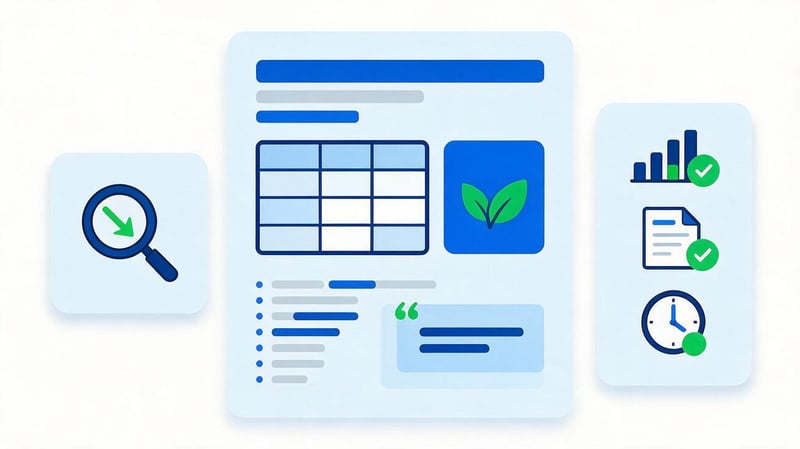
Good SEO text answers a user's query without lengthy introductory remarks or repetition. A commercial page requires terms, benefits, pricing (or a clear way to obtain them), deadlines, geography, proof of expertise, and answers to pre-order questions.
Informational materials should provide consistent instructions, examples, and explanations. Tables, real data, screenshots, and specific actions are usually more useful than additional paragraphs with general definitions.
Expert content requires fact-checking, timeliness, and authorship. For topics where trust is particularly critical, include the expert, the date of the update, and sources of data if they help the user verify the information.
How to use keywords without spamming?
The main query should appear where it naturally fits the context. Word forms, synonyms, and thematic terms help expand on the topic, so there's no need to repeat the same phrase in every paragraph.
The phrases “do-it-yourself website SEO optimization”, “do-it-yourself website promotion”, and “do-it-yourself SEO” describe similar intents. It's best to distribute them between headings and body copy, maintaining natural English.
Use keyword density only as a diagnostic indicator. If a sentence seems artificial for the sake of an additional keyword, it's best to rewrite it and preserve the meaning.
Optimize images
Images should load quickly and maintain adequate quality. Reduce unnecessary file sizes before uploading, use appropriate modern formats, and set realistic width and height dimensions to reduce page shifting during loading.
The alt attribute is needed when the image is meaningful. The description should explain the image to the user and search engine, rather than just a bunch of keywords. Decorative images typically don't require separate SEO.
Lazy loading is suitable for images below the fold, but the main visual element of the above-the-fold page shouldn't be thoughtlessly deferred. After making these changes, check the page on mobile devices and its loading speed using PageSpeed Insights.
Set up internal linking
Internal linking connects pages on the same topic and helps users navigate between materials. An article on DIY SEO can logically lead to detailed materials on technical audits, Google Search Console, link building, or semantic keyword research.
A link's anchor text should explain where the user will be taken after clicking. Constant phrases like “read here” provide less context than a short, topic-specific description of the linked page.
Check for orphaned pages and URLs with a single internal link. For large sites, automatic interlinking blocks can significantly simplify site structure maintenance if they are built according to clear thematic rules.
Step 5: Improve Technical SEO
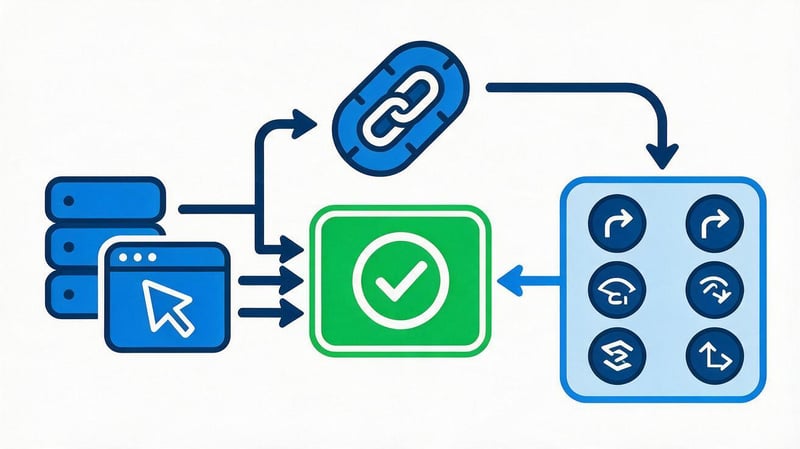
Technical optimization begins after an audit of identified issues. Priority is given to errors affecting indexing, site crawling, accessibility of key pages, and user experience. Cosmetic issues should be addressed after critical issues are resolved.
Independent SEO optimization requires checking the final result in a browser and through search tools. If the developer has changed redirects, canonicals, or meta robots, it's not enough to mark the task as completed in the table: you need to open the actual URL and check the server response, HTML, and page behavior.
For large sites, it's a good idea to repeat the technical scan after each major release.
Eliminate broken links and unnecessary redirects
Internal links with 404 errors impair navigation and waste search engine crawler resources on useless transitions. Find such links using a crawler and replace them with a valid URL if a relevant page exists.
If the URL is permanently moved, set up a direct 301 redirect to the appropriate page. Avoid creating chains of old URL – intermediate URL – new URL when you can immediately redirect the user to the final URL.
After replacing a large number of links, rescan your site. This helps find errors in templates, menus, and old articles that are easy to miss during a manual check.
Set up canonical URLs
For each indexed page, define a preferred URL. Self-canonicalizing regular landing URLs reduces the risk of accidental discrepancies between page versions and simplifies structure control.
Pay special attention to sorting parameters, filters, pagination, and advertising campaign URLs. The canonical URL should correspond to the actual logic of the content and not be used as a universal fix for any duplicate issue.
Align your canonical with your sitemap, internal links, and redirects. When different signals point to different URLs, search engines are forced to choose the primary option.
Check HTTPS
All working pages of the site should open over HTTPS, without mixed content or unnecessary HTTP transitions. Check images, scripts, CSS, and other resources that may have retained old absolute links.
The HTTP version of a domain must correctly redirect the user to the primary HTTPS address. The same rule applies to the agreed-upon www or non-www version you've chosen for your site.
After setting up, check your canonical, sitemap.xml, and internal links. They should use the same primary protocol and domain version.
Optimize loading speed
Start with the heaviest pages and templates that receive organic traffic. Compress images, remove unnecessary scripts, check fonts, third-party widgets, caching, and server response times.
Core Web Vitals help identify issues with core content loading, interaction latency, and layout shifts. It's helpful to review both PageSpeed Insights lab results and real-user field data, when available.
After optimization, compare the metrics before and after the changes. The speed improvements should preserve the site's functionality, forms, analytics, and commercial elements.
Check Schema.org microdata
Use Schema.org types that match your actual content. Organization or LocalBusiness are suitable for a company, BreadcrumbList is used for navigation, Article or BlogPosting is used for an article, and a product card can contain Product.
Don't add Review and AggregateRating without real reviews and verified ratings. The price in the Product must be transmitted as a number, separate from the currency, otherwise automatic data processing may not work correctly.
After implementation, check it with a JSON-LD validator to ensure the data matches the page text. The microdata markup should not contain hidden features that the user won't see on the website.
Step 6: Create content based on search demand
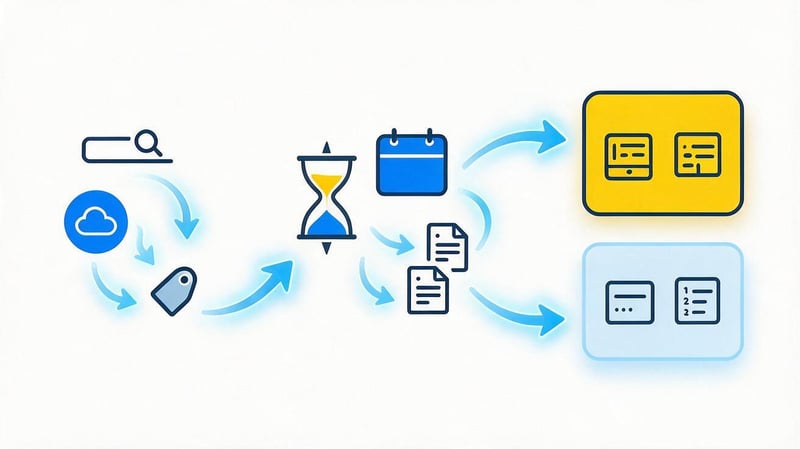
It's best to build a content plan based on semantics and gaps in the current structure. First, close the pages that directly impact sales, then expand the information coverage and create materials for earlier selection stages.
Don't publish articles just for the sake of regularity. One strong piece of content that meets real search demand can be more valuable than dozens of superficial publications without a clear intent.
Each new URL must have a task, a target cluster, and a place in the internal linking.
Which pages should I create first?
First, optimize the main categories, services, and product pages that are related to your business's revenue. If such URLs are missing or don't match the intent, your blog won't compensate for a weak commercial structure.
After the sales pages, you can expand the blog, help section, and long-tail semantics. Priority is given to topics that are product-related and naturally lead the user to the next step.
Before creating each new page, check to see if a suitable URL already exists. Sometimes expanding existing content can help avoid duplication and achieve results faster.
How to Blog for SEO?
A blog should answer potential clients' questions and address informational needs related to services or products. Instructions, comparisons, analysis of mistakes, research, checklists, and expert responses are helpful.
Articles should link to related commercial pages where the user has a logical path to the page. Such links help build thematic clusters and strengthen the site's internal structure.
Regularly analyze Search Console. Queries with impressions but low CTR, new user searches, and the growth of specific topics provide insights for updating existing content.
How to update old content?
Check dates, prices, instructions, links, service interfaces, and recommendations for any that may be out of date. Old material can often be improved faster than creating a new URL on the same topic.
Review the page's queries in Search Console and the current search results. If users start asking additional questions, add answers to the existing structure if they match the original intent.
After a significant update, save the change date and monitor the dynamics of impressions, clicks, and rankings. This helps you understand which types of updates are actually driving growth.
Step 7. Perform off-page optimization of your website yourself

Off-page website optimization begins after the main landing pages are ready to receive traffic. Links to a weak, technically problematic, or empty page rarely compensate for its shortcomings.
It's best to develop a link profile gradually. The donor's topic, page quality, real audience, language, region, and natural placement are usually more beneficial than simply chasing the number of domains.
At the same time, monitor brand mentions, expert publications, and links from competitors who are gaining visibility for the same queries.
Why does a website need external links?
Backlinks help search engines find pages and see connections between resources. For businesses, additional publications can generate traffic, brand mentions, and new audiences, regardless of the direct impact on rankings.
The quality of a link profile depends on context. A link from a relevant article on a live website usually looks more natural than hundreds of identical anchors on random sites.
Don't evaluate donors solely by DR or any other arbitrary score. Consider traffic, visibility, topic, content quality, and audience authenticity.
How to get links yourself?
Start with platforms where mentioning your company is logical: industry directories, partners, specialized media, associations, industry blogs, and expert publications. For local businesses, relevant regional sources are useful.
Outreach is built through a direct approach to the editor or site owner. The proposal should contain a clear topic, benefit to the audience, and a format that suits the specific site.
Before posting, check the future page and link conditions. If a platform publishes hundreds of irrelevant materials with no audience, such a publication rarely deserves priority.
How to do crowd marketing on your own?
DIY crowd marketing requires participating in topical discussions where users genuinely ask questions related to your product or experience. First, provide a helpful answer and only then add a link if it helps further the conversation.
Forums, communities, and question sites can drive traffic even without SEO. The real value comes where the discussion is active, the audience matches the business, and the answer stays useful without the promotional part.
Mass automated comments quickly turn into spam. These posts are difficult to control, damage your reputation, and create an unnatural link profile.
What links can be harmful?
The risk is increased by massive links from irrelevant sites, pages without real content, automated directories, and identical commercial anchors. A sudden increase in links that is in no way related to the popularity of the brand or content appears particularly suspicious.
When working independently, distribute anchors naturally. Use brand, URL, neutral phrases, partial matches, and precise commercial anchors only where they truly read naturally.
If questionable links are detected, first assess their impact and origin. Don't delete your entire old link profile just because a service has flagged some domains as toxic.
Is it possible to promote a website for free on your own?
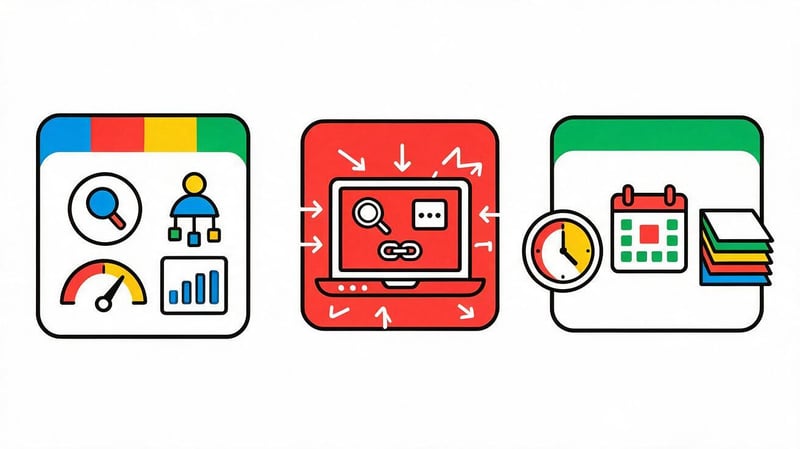
Free website promotion is possible if the owner does the bulk of the work themselves and uses free tools. You can set up Search Console, check indexing, optimize text, fix internal links, and perform outreach yourself.
In this case, expenses are replaced by working time. Collecting semantics, technical audits, content writing, and negotiating with platforms all require hours of work, so "free" here means no direct payments to contractors.
Some tasks may later require a budget: development, paid SEO services, professional texts, design, server improvements, or publications on high-quality sites.
To start, you can use:
- Google Search Console for queries, pages, and indexing.
- Google Analytics 4 for traffic and conversions.
- PageSpeed Insights for speed and Core Web Vitals.
- Free crawler and SEO service limits for small projects.
- Google Keyword Planner and search suggestions for expanding semantics.
This set is suitable for basic work. As a site grows, the need to automate checks and analyze more data usually arises.
How to promote an online store on your own?
Promoting an online store independently requires more attention to the technical aspects, as a catalog quickly generates thousands of URLs. Categories, product cards, filters, sorting, pagination, and parameters can generate duplicates and waste crawl budget.
First, determine which types of pages should receive organic traffic. Then, configure indexing rules, canonical, sitemap, and internal linking so Google sees your priority categories and products.
It's best to start your own SEO promotion of an online store website with a few key sections and then scale your solutions to the entire catalog.
Optimize categories and subcategories
The category should address the commercial search query and help the user choose a product. Add a clear H1, title, filters, product selection, specifications, purchase terms, and a short, helpful text where the user really needs it.
Create subcategories for specific search queries. If users search for a specific type of product and Google displays specific competitor categories, that URL can receive its own landing page.
Ensure that products aren't buried deep in the catalog without internal links. Categories, menus, breadcrumbs, and related blocks should maintain a logical structure.
Work with filters and faceted navigation
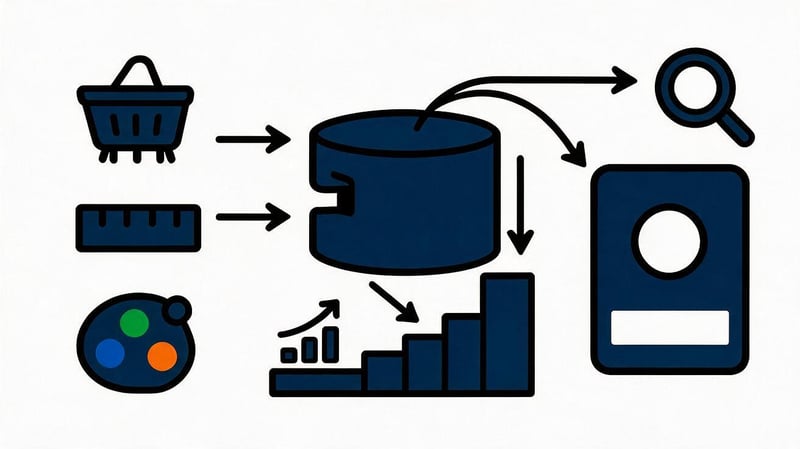
Faceted navigation helps users quickly select products, but it can technically create a huge number of URL combinations. Indexing all combinations of color, size, brand, price, and sorting is usually unnecessary.
Select filters with real search demand and create controlled landing pages for them. Other combinations should be processed according to your CMS rules, taking into account canonical, meta robots, and crawlability.
Check GET parameters and how they are included in internal links. A template error can turn a small catalog into millions of URLs accessible to search engines.
Optimize product cards
The product card should contain the exact name, specifications, price, availability, images, delivery terms, and information that helps customers make a decision. Manufacturer descriptions should be supplemented with your own information if the same text is used in dozens of stores.
You can add a Product schema for suitable pages. Price is passed separately from currency, and Review and AggregateRating are used only if there are real reviews and ratings.
Link products to categories, similar products, and related items. This interlinking helps users continue their search and reduces the number of isolated products.
Monitor out-of-stock items
A temporarily out-of-stock item doesn't always need to be deleted or immediately redirected to a 404 error. If the item returns to stock, the page can be saved, display its availability, and offer alternatives.
A permanently discontinued product requires a separate solution. If a direct equivalent or updated model exists, a relevant 301 redirect is possible, but if there's no suitable replacement, a proper 404 is usually more accurate than a redirect to the homepage.
Don't mass-redirect all deleted products to a category. This approach degrades the user experience and obscures actual catalog changes.
Watch for pagination, duplicates, and URL parameters
Pagination should remain accessible to users and search engines where products are found. Ensure that catalog pages do not create cyclical or infinite combinations of parameters.
Sorting by price, popularity, and other characteristics typically doesn't require its own indexing. Internal links and canonical URLs should support the chosen catalog logic.
After every change to filters or templates, rescan your site. On online stores, a technical error can quickly spread to thousands of pages.
How to promote a company website on your own?

For a corporate website, the foundation is service pages and proof that the company actually delivers the services it claims to. Carefully consider contact information, company information, specialists, case studies, terms of cooperation, and real customer reviews.
If your business operates in a specific region, connect to a Google Business Profile and ensure that your name, address, phone number, and business hours match across your primary sites. Local SEO is especially important for clinics, service companies, restaurants, and offline businesses.
Creating separate city pages is worthwhile if there's real work in the region, search demand, and unique content. Copies of a single page with a different city name look weak to users and create duplicate content.
How do you know if DIY SEO is working?
Results are assessed based on the dynamics of several indicators over the same periods. Growth in individual positions may look positive, but a business needs clicks, targeted traffic, and conversions. Therefore, Search Console data should be compared with GA4 and internal sales analytics.
Compare groups of pages, not just the entire site. A new blog can increase traffic while commercial categories continue to decline, so the overall chart can sometimes mask the problem.
Example worksheet:
| Indicator | Before SEO | In 3 months | In 6 months |
|---|---|---|---|
| Organic clicks | 3,200 | 3,750 | 4,600 |
| Impressions | 180,000 | 214,000 | 276,000 |
| Indexable target URLs | 320 | 347 | 365 |
| Leads from search | 38 | 46 | 61 |
The figures in the example are approximate. For a realistic report, compare the same periods and take seasonality into account.
Positions
Rankings help identify the rise and fall of individual clusters. It's better to track groups of queries by pages, categories, and business lines to pinpoint the problem more accurately than the overall average.
Don't draw conclusions based on a single day. Search results change, personalization, and user location also influence manual verification, so it's more convenient to monitor trends over several weeks.
A drop in ranking should be compared with clicks, impressions, and changes to the page itself. Sometimes the average ranking decreases after expanding the semantics, even though total search traffic increases.
Organic traffic

Organic traffic shows how many users came from search engines. Compare it to the previous period and the same period last year if your business is seasonal.
Distinguish between branded and non-branded searches if your data and tools allow it. An increase in searches for a company name may be due to advertising, PR, or offline activity and does not always reflect SEO results.
Additionally, analyze landing pages. This will show you which sections actually generated growth and which URLs lost traffic.
Impressions and Clicks in Google Search Console
Impressions reflect a page's presence in search results, while clicks reflect actual click-throughs. If impressions are growing faster than clicks, check your rankings, keywords, title, description, and whether the page meets user expectations.
CTR can't be assessed without context, including the search position and query type. For branded search results, it typically differs from informational queries, so setting the same benchmark for all pages is misleading.
Separately study queries with a high number of impressions in positions near the first page. Such clusters often provide clear opportunities for growth after improving the page.
Number of indexed landing pages
Increasing the number of indexed URLs is only beneficial when the right pages are indexed. If Google begins indexing filters, parameters, and duplicates en masse, the increase in the number of documents becomes a problem.
Make a list of the main URL types and determine the expected status for each. Categories, services, articles, and cards can be indexed, but service pages, technical results, and unnecessary filter combinations usually require a different approach.
Periodically compare CMS, sitemap.xml, and Google Search Console data. Discrepancies help you identify systemic errors before they significantly impact traffic.
Leads and sales from organic search
SEO should support business objectives, so track calls, forms, purchases, registrations, and other targeted actions. For an online store, it's useful to monitor organic revenue, average order value, and the contribution of categories to sales.
Verify the accuracy of your analytics before drawing conclusions. Missing UTMs, incorrect events, or consent-mode failures can distort your data more than actual traffic changes.
If traffic is growing without conversions, analyze the intent of queries, the quality of landing pages, and the user's path after clicking through from Google.
Common mistakes in self-promotion of a website

Independent website promotion is often hindered by an incorrect sequence of work. The owner buys links, publishes articles, and changes meta tags, even though key categories are blocked from indexing or several URLs compete for the same cluster.
The second common problem stems from trying to implement every recommendation from SEO services. Automatic audits reveal symptoms, but the priority of the task should be determined based on the impact on search traffic and business.
The most common errors are:
- Buying a large number of links before technical audit and landing page preparation.
- Creating several almost identical URLs by permuting the same keywords.
- Copying the structure and text of competitors without your own expertise and data.
- Overspamming Title, H1 and main text with identical search phrases.
- Indexing of sorting, technical parameters and useless filter combinations.
- Lack of internal linking between important thematic pages.
- Evaluation of the result a few days after the publication of the changes.
- Bulk purchasing of cheap links with identical commercial anchors.
- Changing dozens of factors simultaneously without recording baseline metrics.
After fixing the error, recheck the page and wait for enough data to accumulate. SEO requires consistency, as chaotic changes make it difficult to understand the reasons for growth or decline.
Lead SEO specialist — Gennady
When promoting my site independently, I start with a site diagnostic and then move on to the text and links. If Google isn't crawling the relevant pages well, there are duplicates in the index, or multiple URLs are competing for the same query, adding additional content increases the workload. First, I record the initial metrics, check the indexing and technical aspects, and then match semantic clusters with specific pages. After that, I can gradually refine the content, interlinking, and external links.
What has changed in SEO compared to the old guidelines in 2026?
Searches for self-guided SEO are common in 2026, but outdated instructions are still common, as search results still contain old articles, courses, and PDF guides. Some basic principles remain useful: a clear structure, relevant content, internal links, and technically accessible pages are still essential.
Many old techniques are literally no longer usable. Mechanical keyword repetition, mass directory submissions, haphazard link buying, and the creation of dozens of similar pages provide far less benefit and can degrade the quality of a project.
The importance of the mobile version, technical cleanliness, user intent, expertise, and the quality of a specific page has grown significantly. At the same time, AI search and new search results formats have emerged, so ten-year-old guidelines should be viewed as historical material rather than a ready-made checklist.
Should you optimize your website for AI search?
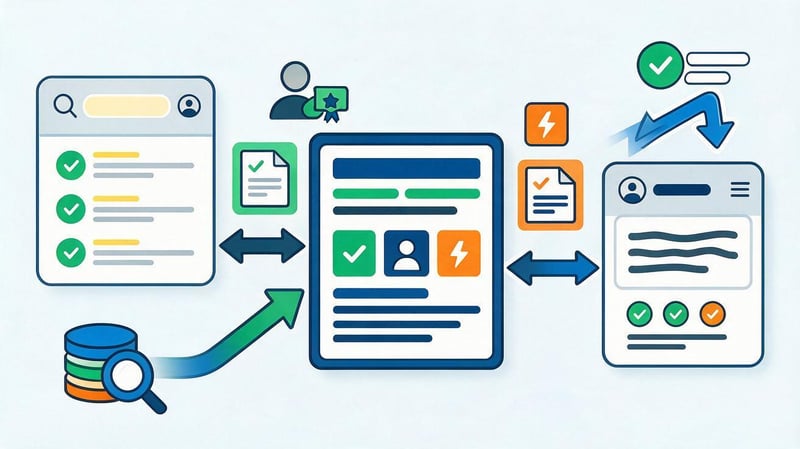
AI search uses content already available on the internet, so the base remains familiar: pages should be crawlable, contain accurate information, and clearly answer user questions. Structured headings, clear definitions, and specific data facilitate processing.
Original experience, expert commentary, proprietary research, real-world examples, and the relevance of information are given additional value. E-E-A-T cannot be reduced to a single technical parameter, but transparent authorship and verifiable expertise help users evaluate the source.
GEO and work with AI answers are wisely added to a regular SEO strategy after basic technical optimization. If a site is poorly indexed or contains weak pages, separate “AI optimization” won't fix the problem.
When is DIY SEO no longer enough?
Self-service SEO works well as long as the scope of work remains manageable. On a site with just a few dozen pages, the owner can manually check meta tags, interlinking, and basic errors, but on a large catalog, this type of work quickly becomes a separate, full-fledged process.
Specialist assistance is especially helpful when dealing with domain migrations, international SEO, multilingualism, sudden traffic drops, complex indexing issues, and large numbers of template pages. In such projects, an error in a single rule can simultaneously affect thousands of URLs.
It's also worth seeking an audit if systematic work has been underway for several months, but landing pages aren't showing the expected growth. An external analysis helps validate hypotheses and identify issues the team has become oblivious to.
Checklist for self-promotion of a website
Use the checklist as a workflow, not as a one-time check before launch. After major website changes, certain steps may need to be repeated, especially technical audits, indexing, and internal links.
| Stage | What to check | Tool |
|---|---|---|
| Analytics | Traffic, conversions, baseline metrics | GA4, Search Console |
| Technical audit | Response codes, duplicates, canonical, robots | Crawler, Search Console |
| Indexing | Target URLs and exclusion reasons | Search Console |
| Semantics | Clusters, frequency, intent | Keyword Planner, Ahrefs, Serpstat |
| Structure | Categories, services, URL depth | Crawler, manual analysis |
| Meta tags | Title, Description, H1 | Crawler |
| Content | Completeness of answer, relevance, E-E-A-T | Manual analysis |
| Interlinking | Orphan pages and anchors | Crawler |
| Speed | Core Web Vitals and Heavy Elements | PageSpeed Insights |
| Links | Donors, anchors, new mentions | Ahrefs, Serpstat |
| Monitoring | Clicks, impressions, positions and leads | Search Console, GA4 |
After completing the checklist, move on to re-analyzing the data. Self-optimization of a website works best as a continuous cycle: testing, implementation, measuring the results, and further adjustments.
An example of a graph showing the dynamics of organic clicks
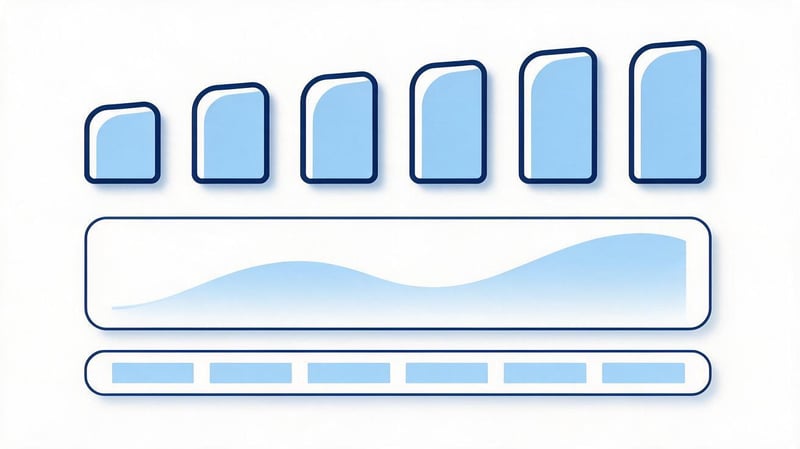
It's convenient to create such a graph based on Google Search Console data after the project begins. For a real project, use consistent periods and exclude situations where seasonality or advertising activity significantly alter demand.
| Period | Organic clicks | Growth relative to the first month |
|---|---|---|
| Month 1 | 3,200 | 0% |
| Month 2 | 3,350 | +4.7% |
| Month 3 | 3,750 | +17.2% |
| Month 4 | 4,050 | +26.6% |
| Month 5 | 4,300 | +34.4% |
| Month 6 | 4,600 | +43.8% |
The figures provided here are only an example of how to format the report. In a working project, it's a good idea to mark the dates of major changes next to the graph to compare the dynamics with technical edits, content updates, and external placements.
How long does DIY SEO take?
There's no single timeframe for all websites, as the speed depends on the technical condition, competition, project age, and the scope of work. Minor changes can be reflected in search results relatively quickly, while sustainable growth for competitive queries usually requires systematic work over several months.
Results should be assessed based on the dynamics of similar periods. Clicks, impressions, conversions, and visibility provide a more useful picture than randomly manually checking a single position.
Self-promotion of a website begins with an audit and consistent data management. Check indexing and technical errors, collect semantics, match queries to pages, improve the structure and content, set up internal links, and then move on to external optimization.
Don't try to fix your entire site in one day. Choose priority pages, record baseline metrics, and implement changes in stages to see the impact of each decision.
If technical issues, semantics, or website structure prevent you from creating a clear action plan, start with an SEO audit from Seo-Gen. After the audit, you'll receive a list of issues and priorities that you can share with a developer, copywriter, or implement within your team.


