How to promote a website: step-by-step SEO optimization


A website begins to receive stable search traffic once its pages are understandable to search engines and meet user queries. This requires checking the technical condition of the project, collecting semantics, properly distributing queries across pages, preparing content, setting up internal linking, and gradually developing the link profile.
If you need to understand how to promote a website, it's best to start by assessing its current state. Purchasing links or mass-producing texts without prior analysis often leads to unnecessary expenses, query cannibalization, and the creation of pages that Google doesn't consider suitable for the desired search results.
SEO promotion consists of several interrelated areas. Search engine optimization includes work with indexing, site structure, titles, descriptions, headings, URLs, page load speed, content, internal links, and microdata. External optimization covers backlinks, brand mentions, publications on relevant sites, and other trust signals.
How does SEO website optimization work?
Search engines constantly scan available pages, add suitable documents to the index, and determine for which queries they can be shown to users. Search engines analyze text, links, document structure, technical settings, and a host of additional signals. Algorithms then compare the page with other documents that respond to the same search query.
Therefore, the answer to the question of how SEO optimization works can't be reduced to a few meta tags. A page's intent, content, technical condition, and format must match what a user expects from a search. If a person is searching for instructions, they need detailed informational material. For queries with the intent to buy or order a service, Google more often displays commercial landing pages.
On-page and off-page SEO optimization
On-page optimization encompasses everything that can be changed directly on the website. This includes architecture, content, meta tags, internal linking, page loading speed, duplicate content management, indexing, and technical accessibility. This work helps search engines correctly understand the content and purpose of each URL.
Off-site optimization involves signals from outside the website. Search engines see links from other resources, company mentions, publications in specialized media, and industry platforms. The quality of these signals depends on the source's topic, its actual audience, reputation, the context of the link, and the naturalness of the link profile.
What is internal optimization?
On-page SEO optimization begins with the technical accessibility of the page. Search engines must be able to access the correct URL, the server must return the correct response code, and canonical, meta robots, and sitemap.xml must be consistent. After that, the Title, Description, H1, URL, text, images, structured data, and internal links are checked.
Special attention is paid to page loading speed, mobile version, and Core Web Vitals. Users should be able to open the page without delay, see the main content, and perform the desired action. At the same time, it's important to monitor duplicates, URL parameters, filter pages, and redirect chains, which complicate site crawling.
What is external optimization?
Off-page optimization involves acquiring high-quality backlinks and mentions on resources related to the project's topic. For a commercial website, a few relevant publications with a real audience are more beneficial than a large number of links from random directories, networks, or pages with no search visibility.
Sources can include specialized media outlets, industry portals, partner sites, guest posts, outreach publications, and thematic discussions. The link anchor should look natural in the specific text. It's best to develop your link profile gradually, combining branded, non-anchored, commercial, and informational wording.
Answers to your questions
How to promote a website on your own?
Start by connecting to Google Search Console and checking the indexing of your main pages. Then, build a semantic core, distribute queries among existing URLs, and identify missing pages. After that, correct technical errors, meta tags, heading structure, and internal linking.
The next step is working with content and external links. Changes should be tracked by clicks, impressions, rankings, and conversions. If the site is large or contains complex filters, it's best to test any major technical changes on a test version first.
How to SEO optimize a website for Google?
First, make sure Google can crawl and index the desired pages. Check robots.txt, sitemap.xml, canonical, response codes, and internal links. Then, optimize the Title, Description, H1, URL, and content for actual search intent.
After internal review, the site's speed, mobile version, Core Web Vitals, and link profile are assessed. Going forward, the site needs to be regularly reviewed, as its structure, product range, competitors, and search demand change.
How to optimize a website for SEO from scratch?
Start by researching your niche and search results. Gather semantics, divide queries into clusters, and design your website structure based on these clusters. For each important cluster, determine the appropriate landing page type and its place in the overall hierarchy.
After launch, check indexing, sitemap.xml, meta tags, speed, and analytics. Then gradually add content, improve internal linking, and develop your link profile. This approach reduces the number of revisions after publication.
How to promote a WordPress website?
For WordPress, you need to check visibility settings, permalinks, sitemap.xml, and meta tags. An SEO plugin can help manage the title, description, canonical, and archive indexing, but its settings should be adapted to the structure of your specific website.
Monitor speed carefully, as a heavy theme and numerous plugins can significantly slow down pages. Use caching, optimize images, and remove extensions that are unnecessary for your project.
How to promote an online store in search engines?
Gather semantics by category, subcategory, brand, and product. Then determine which filters have independent search demand and can serve as indexable landing pages. Other combinations should be monitored to ensure they don't create a large amount of duplicate content.
Product cards should include current prices, availability, specifications, and purchase terms. For categories, product selection, clear filters, meta tags, and internal linking are important. Once technically prepared, you can gradually strengthen priority pages with external links.
How to check if a website is optimized correctly?
Check your site with a technical crawler and compare the results with Google Search Console. Important pages should have correct response codes, canonical URLs, unique meta tags, a single H1 tag, and internal links. You should also ensure that technical and duplicate pages are not accidentally indexed.
After this, evaluate search visibility, clicks, CTR, and conversions. If pages are indexed but don't receive impressions for target queries for a long time, you should re-evaluate the intent, content quality, and competitiveness of the selected cluster.
Is it possible to get a new website on the first page of Google?
A new website may rank on the first page for some queries, but specific rankings cannot be guaranteed in advance. The speed of growth depends on competition, the quality of the structure, content, links, technical condition, and how quickly search engines collect signals about the new resource.
It's best to start with realistic clusters and gradually expand your visibility. The initial data from Search Console will show which pages Google is already linking to relevant queries and where opportunities for further optimization are emerging.
What is more important for SEO – content or links?
Content and links serve different purposes. A page without relevant content poorly addresses a user's query, while good content on a competitive topic may require external signals to compete for higher rankings.
Priority depends on the project's status. If the site is technically weak and its pages don't convey its intent, internal optimization should be the first step. If the structure and content are already competitive, high-quality backlinks may be the next area of growth.
Where to start website promotion?

Before changing pages, it's important to understand the starting point. A new project is checked for search engine accessibility, structure, and the presence of key landing pages. For an existing site, additional analysis is performed on its current rankings, organic traffic, indexing, Google Search Console queries, and pages that are already receiving impressions.
It's more convenient to plan your work in stages, because an early error impacts the entire promotion. For example, high-quality text won't solve the problem of a page being blocked from indexing. Good links also won't fully help if multiple URLs are simultaneously competing for the same cluster of queries.
| Stage | What are we checking? | What do we get? |
|---|---|---|
| Analysis | competitors, current traffic, visibility, structure | list of problems and growth points |
| Semantics | queries, intent, frequency, results | query clusters |
| Structure | landing pages and their purpose | site page map |
| Technical SEO | indexing, duplicates, speed, redirects | technically clean foundation |
| Content | answer completeness, meta tags, headings | relevant pages |
| Links | donor profile and anchors | growth of external signals |
| Analytics | clicks, positions, conversions | data for the following edits |
This order helps determine the cause of the result after each change. If you completely overhaul the structure, text, URLs, and link profile at the same time, assessing the impact of a specific change will be significantly more difficult.
Define SEO goals
The SEO goal should be tied to the business's objectives. An online store typically seeks increased sales and organic traffic to product categories. A service company prioritizes leads from commercial queries. An information project may need to cover a wide range of topics and increase the number of pages receiving search traffic.
Rankings are useful as a diagnostic metric, but they don't fully reflect results. A page can rank highly for a low-frequency keyword and still receive almost no traffic. Therefore, clicks, impressions, CTR, site visibility, organic traffic, conversions, and the search channel's contribution to inquiries or sales are also assessed alongside rankings.
Analyze your competitors' websites

It's better to select competitors for SEO based on search results, not just brand recognition. If the same website regularly appears for the desired keyword clusters, its page structure and format are worth analyzing. Consider what types of documents Google shows at the top, how detailed the topic is, and what commercial elements appear on the pages.
Check the Title, Description, H1, H2 and H3 structure, content length and format, internal links, menus, categories, trust blocks, FAQs, tables, forms, prices, and CTAs. It's also helpful to study competitors' link profiles. The goal of the analysis is to find search results patterns, so copying the structure of one website rarely yields good results.
Conduct an initial SEO audit
A primary SEO audit determines whether a website can be crawled and indexed properly. It checks key response codes, page accessibility for robots, the presence of a sitemap.xml, robots.txt rules, canonical tags, meta robots tags, and the correctness of redirects. It also looks for duplicates, broken links, and pages without internal incoming links.
The next layer of testing concerns the quality of landing pages. It's important to determine whether the page matches its search intent, contains a primary H1, unique meta tags, and provides a sufficient answer to the user's query. They also check for speed, a mobile version, and elements that could interfere with viewing the main content.
Check the indexing of pages
Google Search Console is a convenient tool for checking indexing. The reports show which URLs have been added to the index, which have been excluded, and why Google decided not to index them. For individual pages, use URL Inspection, which allows you to view the version of the URL known to Google and request a recrawl after making corrections.
The site: operator is only suitable for a quick, rough check and does not replace Search Console data. If an important page is missing from the index, the response code, meta robots, robots.txt, canonical, internal links, and content are checked first. Bulk URL re-submission does not correct the technical reasons for the exclusion.
Check for technical errors
During a technical audit, you should look for URLs with 4xx and 5xx codes, unnecessary 301 chains, redirect loops, internal links to old addresses, and pages accessible via multiple URL variants. The HTTPS protocol, a single domain variant, the trailing slash, and GET parameter handling are also checked.
It's also important to align the sitemap.xml with the actual project structure. Avoid adding redirects, 404 errors, technical pages, and URLs that are blocked from indexing. The cleaner the structure, the easier it is for search engines to find relevant pages and understand which documents the site owner considers essential.
Check the speed and mobile version
Speed is assessed using PageSpeed Insights and Core Web Vitals data. Particular attention is paid to the loading of the main content, layout stability, and interface responsiveness to user interactions. Large images, heavy third-party scripts, excessive JavaScript, and a slow server often cause deterioration in performance.
The mobile version needs to be checked separately, as a significant portion of search traffic comes from smartphones. Text should be legible without zooming, buttons shouldn't overlap, and menus and forms should remain user-friendly. Google uses a mobile-first approach when evaluating pages.
How to build a semantic core for website promotion?
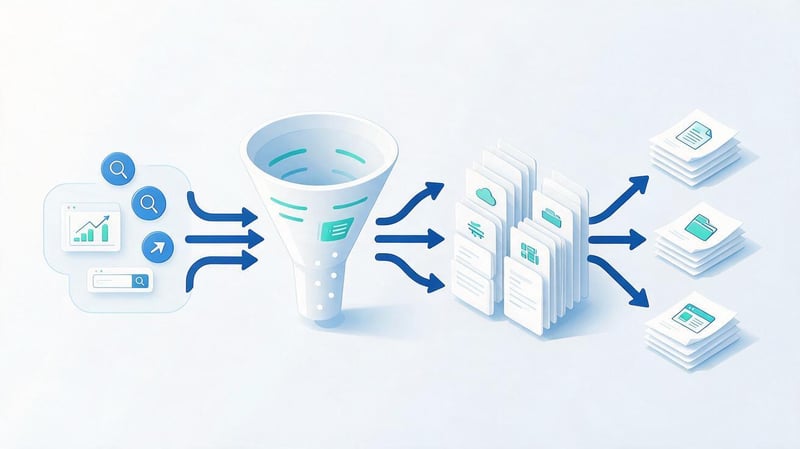
A semantic core shows what topics and tasks users associate with a website's products, services, or information. Without semantics, the structure is often built on the internal logic of the business, which differs from the language of actual demand. As a result, several different intents are combined on a single page or a multitude of nearly identical URLs are created.
Working with semantics involves searching for queries, removing irrelevant phrases, identifying search intent, and clustering. Clusters are then distributed across existing and future landing pages. This approach helps identify which sections need improvement and which pages are still missing.
Find search queries
You can start with Google Search Console if your site is already receiving impressions. It contains real search queries that Google uses to link pages to search results. Keyword Planner, Ahrefs, Serpstat, search suggestions, related keyword blocks, and competitor semantics are also used.
For each topic, it's useful to collect different keywords: commercial, informational, geo-specific, brand-specific, and clarifying. The semantic core should reflect real user needs, so it's best to remove random, high-frequency queries that aren't related to the product. The quality of the keyword set is more important than the total number of keywords.
Determine the search intent
Search intent indicates the result a person expects to receive after entering a query. An informational user is looking for an explanation, instructions, or comparison. A commercial query is related to choosing a company, service, or product. A transactional query indicates a willingness to take action, while a navigational query helps find a specific website or brand.
It's best to determine intent based on current Google search results. If a query is dominated by long articles, a standard service page may compete poorly. If the top search results include online store categories, the informational content will also be less relevant to the query. The page format should reflect the actual search results.
Cluster queries by page
Once collected, queries are grouped into groups that can be promoted by a single landing page. Clustering is done by looking at the meaning of phrases, common words, and overlapping search results. If Google regularly shows identical URLs for two queries, they can often be combined into a single cluster.
There's no need to create a separate URL for each word form. Queries like “how to optimize a website for Google”, “how to optimize your site for Google”, and similar variations can naturally be resolved into a single page. Separating them is only worthwhile when the search results and user intent differ significantly.
Expand your site structure
After clustering, it becomes clear which landing pages the project needs. For an online store, categories and subcategories are created, for services, separate areas are created, and for an information resource, articles and thematic hubs are created. The site structure should help users navigate consistently from a general section to more specific material.
Every important page should have a clear place in the hierarchy and internal links. The deeper a URL is hidden from the main page, the more difficult it is for users and search engines to find it. Therefore, semantics, structure, and internal linking are designed together, rather than as separate tasks.
How to SEO optimize a website page?

Optimizing a single page begins with defining its primary purpose. It's important to understand which search queries it should cover, the intent behind these queries, and which document formats rank highest. After that, check meta tags, titles, URLs, content, images, and internal links.
Don't try to fit all your project's queries onto a single page. Each landing page should address a specific set of user needs. This relevancy helps search engines more accurately associate URLs with queries and reduces the risk of cannibalization across multiple website pages.
Optimize your Title and Description
The title tells search engines the main topic of the page and is often used as the basis for the snippet title. It's best to place the primary keyword closer to the beginning if it's more natural to read. The title should be distinct from other pages on the site and relevant to the content of the specific URL.
The description describes the page's content and helps the user decide whether to click through from the search results. Google may replace it with its own snippet, so don't treat the description as a guaranteed snippet. It's better to briefly summarize the page's benefits without repeating the same keywords.
Set up H1, H2 and H3
A page needs one main H1 heading that briefly describes its topic. The remaining headings help organize the material into semantic sections. H2 headings are responsible for large blocks, while H3 and H4 headings address specific topics within these blocks. This hierarchy makes long materials easier to read.
Keywords can be used in headings as long as they are relevant to the section's content. A combination of several nearly identical keywords within a single H2 looks artificial and reduces readability. The heading should clearly explain to the user what answer they will receive in the following section of text.
Make a clear URL
It's best to keep URLs short, predictable, and relevant to the page's content. Users should have a rough idea of the address before clicking. Random identifiers, long strings of technical parameters, and duplicate directory levels complicate site maintenance and can create multiple versions of the same document.
Once published, it's best not to change the URL unless absolutely necessary. If a change is necessary, set up a 301 redirect from the old address to the new one and update internal links. When migrating in bulk, prepare a match map in advance to avoid losing accumulated signals and organic traffic.
How to SEO optimize text?

To optimize a text for SEO, you first need to identify the user's questions and present them in a convenient sequence. Keywords help connect the document to the semantics, but the text itself must remain useful without knowing the keyword list. The user comes looking for an answer, instructions, conditions, or comparisons.
Good SEO text optimization includes the main query, related terms, clear headings, specific explanations, and facts. For a commercial page, service characteristics, terms, prices, deadlines, guarantees, and a CTA are included. For an informational article, examples, a sequence of steps, and answers to related questions are needed.
Use keywords naturally
The primary keyword can be placed in the Title, H1, the beginning of the text, and one of the thematic sections. Additional keywords are distributed throughout the material where they help develop the topic. Word forms and normal word order are preferable to phrases that appear grammatically incorrect.
For example, the query “SEO how to promote a website” is best expressed naturally as “how to promote a website using SEO”. Search engines are adept at taking word forms and context into account, so there's no need to repeat awkward constructions verbatim. The semantic density should remain consistent with the chosen topic.
Expand the topic fully
The comprehensiveness of the material depends on the user's intent and search competition. If a user is looking for step-by-step instructions, the article should guide them from preparation and audit to monitoring the results. If the topic is related to a single technical setting, an unnecessary overview of all search engine optimization will only complicate the answer.
It's useful to compare the structure of several competitors and identify themes that are common to most strong pages. Then, check which important issues they're missing. This analysis helps you create content that covers the topic well, without copying someone else's text and structure.
Avoid over-optimization
Over-optimization occurs when a keyword is repeated significantly more often than normal speech requires. The text begins to sound mechanical, with repetitive phrases, unnatural headlines, and sentences written specifically for the search phrase. This makes it more difficult for users to read such material.
Don't strive for a given density at any cost. It's better to focus on topical coverage and word diversity. If a phrase already appears in the title, H1, and several paragraphs, another exact repetition may not add anything. When editing, it's helpful to remove repetitions that don't add any new meaning.
Add E-E-A-T features
For topics where the user values the source's credibility, it's worth highlighting the author, experience, date of update, and basis for the conclusions. Expertise is confirmed by practical examples, real data, clear authorship, and links to primary sources. These attributes are especially important in medical, financial, and legal fields.
Company information should also be accessible. Contact information, a team page, editorial policies, terms of service, and transparent data help users verify the source. E-E-A-T can't be added with a single technical tag, as trust depends on the content and reputation of the entire resource.
Lead SEO specialist — Gennady
I don't start website promotion by writing texts or buying links. First, I check which pages are already indexed, what queries they rank for, what types of pages Google ranks for competitors, and whether there are any technical limitations to growth. Only then does it make sense to expand the semantics, change the content, and build a link strategy. Otherwise, you could spend months promoting a page that doesn't initially match the search intent.
Optimize images
It's best to upload images at a size that matches their actual display on the page. A huge photo, scaled down solely using CSS, still sends the user unnecessary megabytes. WebP and AVIF formats help reduce file size without noticeably reducing quality.
For meaningful images, an ALT tag should be provided to describe the image and help understand the context when the image is unavailable. The width and height attributes reduce the risk of layout jumps. Lazy loading is suitable for images below the fold, and key elements above the fold are best loaded without unnecessary delay.
How to perform technical website optimization?

Technical optimization helps search engines consistently crawl relevant pages and avoid wasting resources on a large number of useless URLs. On a small website, errors can go unnoticed for a long time, but on a large online store, incorrect indexing of filters can create hundreds of thousands of page variations.
It's best to begin technical work with a full site scan and comparing the results with Google Search Console data. After that, issues are grouped by type and priority. First, fix errors that interfere with access and indexing of important pages, then move on to speed and architectural improvements.
Set up robots.txt and sitemap.xml
Robots.txt informs search engine bots which sections of a site are allowed or not allowed to be crawled. This file should be used with caution, as accidentally disabling an important directory can prevent access to important pages. Robots.txt should also not be considered a universal way to remove known URLs from search results.
Sitemap.xml helps search engines find priority URLs. It includes canonical indexed pages with the correct response codes. The sitemap should be updated along with the project structure and should not contain 404s, redirects, closed technical pages, or random GET parameters.
Remove duplicate pages
A single document may be accessible via multiple URLs due to parameters, case, slash-based and non-slash-based variants, protocols, or CMS features. Such duplicates blur internal signals and complicate indexing control. First, determine the primary variant of each page.
Duplicates are eliminated using redirects, canonical URLs, URL generation settings, and proper internal linking. The choice of method depends on the situation. If users don't need an alternative URL at all, a 301 redirect is most suitable. If different URLs are technically necessary, but the primary document is the same, canonical URLs can be used.
Set up canonical and redirects
Canonical indicates to search engines the preferred version among several closely related URLs. This is a recommendation, so Google may choose a different canonical URL if it receives conflicting signals. Internal links, sitemap.xml, and other technical settings must support the selected canonical version.
A 301 redirect is used when an old URL should permanently point to a new one. After the redirect, internal links should be replaced so that users and search engines immediately navigate to the final address. It's best to reduce chains of multiple consecutive redirects to a single redirect.
Fix broken pages and links
A 404 error is normal for a deleted URL that has no suitable replacement. The problem arises when a site continues to link to such URLs en masse or loses pages that previously received traffic and external links. Therefore, broken URLs should be considered in the context of the page's history and purpose.
If there's a fully functional equivalent for the deleted content, a 301 redirect can be used. If there's no replacement, a proper 404 or 410 response is usually more accurate than a redirect to an irrelevant homepage. Internal links to non-existent URLs should be removed or replaced with relevant ones.
Improve loading speed
Speed work begins with the heaviest elements of the first screen. These often include large images, web fonts, ad scripts, analytics systems, and interface JavaScript. Then, they check caching, file compression, server response, and the ability to lazy load resources that aren't immediately needed.
Core Web Vitals provide benchmarks for real-world user experience, so the PageSpeed lab score shouldn't be considered in isolation from field data. For a large project, it's useful to monitor metrics by template type: homepage, category, product page, article, and other high-volume pages.
Add structured data
Schema.org helps search engines more accurately interpret page entities and elements. You can use Organization or LocalBusiness for a company, BreadcrumbList for breadcrumbs, Article or BlogPosting for a publication, Product for a product, and other types that correspond to the actual content.
Microdata markup must match the information the user sees. You can't add fictitious ratings, reviews, prices, or product availability for the sake of a rich snippet. Even correct structured data doesn't guarantee special display in search results, since the final decision is made by the search engine.
How to set up internal linking correctly?

Internal linking helps distribute links between related pages and shows search engines the project's structure. Priority URLs should receive links from thematically related content, categories, and navigation blocks. Pages without internal incoming links are harder for users and search engines to find.
Breadcrumbs, in-text links, related articles, and logical navigation between categories are helpful. The anchor text should explain where the link leads. There's no need to use a single, precise commercial keyword across all links. A natural variety of wording better reflects the actual content.
For a large website, it's useful to regularly track click depth. Important pages generally shouldn't be located five or six clicks away from the main sections without a compelling reason. After changing the structure, the interlinking should be rescanned, as old links and lost pages often go undetected during manual inspection.
How to promote a website using external links?
Backlinks help search engines find pages and evaluate their connections to other resources. A link's value depends on context, the quality of the site, its subject matter, its location, and many other factors. Massive placement of identical anchor text on weak sites can create risks instead of the expected growth.
It's best to develop a link strategy after technical and content preparation. You need to identify priority pages, study competitor profiles, assess the number and types of donors, and then gradually acquire relevant publications. External links should point to pages that are ready to handle additional search demand.
What backlinks are good for SEO?
A good donor has a real audience, search visibility, and content related to the topic of the website being promoted. The link should be in a logical context. A post about banking products on a financial portal usually looks more natural than a link from a random article on a website with a different topic.
DR, DA, and other third-party metrics help compare sites, but they shouldn't be used as the sole filter. You should consider organic traffic, domain dynamics, content quality, the number of outbound links, and the relevance of a specific section.
Where to get links?
Industry media, guest posts, partner content, outreach, industry directories, and professional communities are suitable for most projects. Crowd marketing and forums can be helpful when a link appears within a live discussion and helps answer a user's question.
After publishing, it's worth checking whether the publication is crawlable and whether the link is still intact. It's helpful to keep a spreadsheet of donors, landing pages, anchors, costs, and dates. This history simplifies budget allocation and helps avoid repurchasing weak or already used sites.
Why can't you buy links without a strategy?
Random purchasing often leads to a skewed anchor list and the creation of a large number of irrelevant domains. This is especially risky when almost all links contain a single, precise commercial keyword. A natural profile typically includes the brand name, URL, generic wording, and various thematic anchors.
A strategy is also necessary for choosing landing pages. If all posts link only to the homepage, internal categories and services don't receive direct support. Before publishing, determine which URL is relevant to the content's topic and which anchor text is appropriate in a specific sentence.
How to promote a website on different CMS?

Search engine optimization principles vary little between CMSs, but the implementation method differs. On some platforms, canonical and sitemap.xml are generated automatically, while on others, the template needs to be extended or modified. Therefore, it's important to first check the capabilities of the specific system and the current project configuration.
Regardless of the CMS, the same tasks remain: indexability, logical URLs, unique meta tags, one main H1, a mobile version, speed, correct redirects, and internal linking. Plugins simplify setup, but they don't replace semantic and structure analysis.
How to promote a WordPress website?
If you need to understand how to promote a WordPress site, first check your site's visibility settings and permalink structure. Then, configure an SEO plugin for the Title, Description, Canonical, and Sitemap.xml. You should also decide which category, tag, author, and date archives are relevant to users and should be indexed.
A large number of plugins and a heavy theme can significantly slow down a website. Therefore, it's worth regularly checking WordPress with PageSpeed Insights, cleaning up unused extensions, and optimizing images. For content projects, categories, breadcrumbs, and internal linking between related posts are especially important.
How to promote a website on Tilda?
On Tilda, you can customize the Title, Description, H1, human-readable URLs, indexing, and basic page parameters. For each published URL, you should fill in its own metadata and ensure that the project's technical settings don't block the page from search engines.
When promoting a website on Tilda, you often have to pay closer attention to structure and speed, as some technical capabilities are platform-dependent. Before launching a large SEO project, it's worth checking whether the desired architecture, redirects, multilingual support, microdata, and other requirements can be implemented without unnecessary workarounds.
How to promote a Joomla website?
In Joomla, you need to check URL formation rules, redirects, and duplicates, which can occur due to components and different paths to the same content. Next, configure metadata, sitemap.xml, canonical, breadcrumbs, and indexing of system pages. Older projects require especially thorough technical review.
Joomla extensions can add their own URLs and parameters, so it's a good idea to rescan your site after installing new components. Performance also depends on the template, caching, PHP version, and third-party modules. When configured correctly, basic SEO principles work just as well as on other CMSs.
How to optimize and promote an online store?
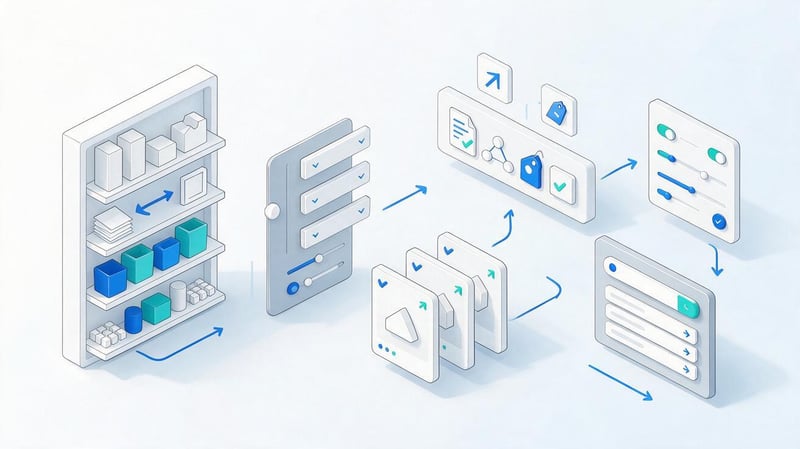
An online store typically contains many types of pages: categories, subcategories, product pages, filters, brands, search pages, and informational materials. The main goal is to index useful landing URLs and avoid creating thousands of combinations without independent search demand.
Semantics for the store are distributed among catalog levels. High-frequency general queries often correspond to main categories, while more specific characteristics can lead to subcategories or indexed filters. Product cards cover queries by model, brand, and specific product characteristics.
Optimize categories and subcategories
The category should reflect the commercial intent: display the product range, prices, filters, availability, and a convenient path to the products. Text can complement the page if it helps the user choose, but a huge information block before the products usually hinders the usability of the catalog.
The category title and H1 should correspond to its actual product range. Internal links between catalog levels help search engines understand the hierarchy. If a category is empty or contains a single, random product, it's best to address the product range issue first and then reinforce it with links and text.
Optimize product cards
The product card should contain the exact name, specifications, price, availability, images, delivery and payment terms. It's helpful to include unique information not included in the manufacturer's standard description, such as your own photos, instructions, answers to frequently asked questions, and real customer reviews.
Product microdata is suitable for products if the data on the page actually corresponds to the values transmitted. Price should be transmitted separately from currency, and availability should reflect the actual stock status. Discontinued models require a clear redirect strategy or maintaining the page if there is still demand for it.
Control filters and faceted navigation
Filters can generate a huge number of parameter combinations. Some of these URLs may be in high search demand and serve as standalone landing pages. Others create duplicates, nearly empty documents, and unnecessary crawling load. There's no single rule for all filters, so decisions are made based on semantics.
Before opening a filter for indexing, check the search volume, search results, product range, and the ability to set unique meta tags. It's best to exclude useless combinations from the search structure. However, user filtering should continue to work regardless of SEO settings.
Improve commercial factors
Users should quickly understand whether they can purchase a product and under what conditions. Therefore, commercial pages should include up-to-date pricing, availability, payment options, delivery times, return information, and clear contact information. Hidden terms and conditions increase the likelihood that users will return to the search results.
For service and expensive products, consultations, model comparisons, warranties, and answering questions are helpful. Genuine customer reviews enhance trust if their origin is clear. Fictitious ratings and reviews should not be used, as they are misleading and create problems with the authenticity of microdata.
How to promote a commercial website?

A commercial website must simultaneously meet search engine demand and provide information for decision-making. A single large text on a service page is not enough. Users typically want to see pricing or calculation methods, geographic locations, terms and conditions, the service provider's experience, project examples, and a clear way to contact them.
Each independent service area is best verified based on search results and semantics. If users search for it separately and Google shows separate competitor landing pages, creating a separate URL may be justified. Without a separate intent, fragmenting the structure can lead to cannibalization.
SEO for a commercial website is tied to conversion. Increased traffic is worthless if people can't find pricing, application forms, or terms and conditions. Therefore, after optimizing search visibility, it's important to monitor user behavior and improve pages that receive traffic but aren't converting it well into inquiries.
How to promote a website to the first page of Google?
To promote a website to the first page of Google, you first need to determine which URLs and content types already occupy the top positions for specific queries. Then, compare the technical condition, page completeness, link profile, and trust factors. The level of competition can vary by dozens of times for different queries.
It's impossible to guarantee a first-page ranking for any given keyword, as search results change and competitors continue to work on their websites. A realistic SEO strategy relies on keyword groups and overall visibility. A boost from a large number of relevant keywords is usually more informative than a single ranking for a given keyword.
What does the growth of positions depend on?
Domain status, landing page quality, intent alignment, technical accessibility, internal linking, and external signals all impact search performance. In competitive niches, the completeness of a site's structure also plays a role: a single, strong URL is difficult to rank against companies that systematically address dozens of related user tasks.
The initial state of the project plays a major role. A site with technical errors may initially grow after correcting its indexing and structure. For an already optimized resource, subsequent growth percentages often require in-depth work on content, product, links, and competitors' pages.
How long does SEO promotion take?

The timeframe depends on the site's age, competition, the number of technical issues, the volume of content, and the speed of implementing changes. On a young domain, the first stable results may appear more slowly than on a site that has been indexed for a while and already has links and a search history.
It's best to evaluate SEO in stages. First, monitor indexing and technical error correction, then growth in impressions and the number of queries, and finally clicks and conversions. Don't expect the same dynamics every month, as search demand, seasonality, and search results updates change.
How to check a website's SEO optimization?
An SEO audit should combine technical data, visibility, and business results. Looking only at rankings, you might miss a drop in CTR or a decline in the number of indexed pages. If you only evaluate overall traffic, a seasonal increase in demand might be mistaken for the result of optimization.
For monitoring, it's convenient to maintain a single set of metrics by month. This includes clicks, impressions, average position, number of organic landing pages, conversions, and technical errors. It's best to compare the data with the previous period and the same season last year, if the site's history allows it.
SEO results control chart
| Indicator | Level of control |
|---|---|
| Technical accessibility | 100% |
| Indexing | 100% |
| Impressions | 90% |
| Clicks | 80% |
| Positions | 70% |
| Conversions | 60% |
| Link signals | 50% |
This graph doesn't show an absolute ranking of factors. It illustrates the monitoring sequence: first, a page should be consistently crawled and indexed, then it makes sense to evaluate its visibility, clicks, and commercial results.
Check Google Search Console
Google Search Console displays queries, pages, clicks, impressions, CTR, and average positions. This data is useful for identifying URLs that are already showing up in search results but are receiving few clicks. Sometimes, refining the title and content is enough to better match user intent.
Indexing reports help you spot sudden changes in the number of accessible pages. After migrations, redesigns, and major URL changes, it's especially helpful to check them regularly. Errors should be assessed by type: the presence of excluded technical pages is usually normal, while the loss of important categories requires further investigation.
Analyze organic traffic and conversions
GA4 or another web analytics system helps you understand what happens after a user clicks through from search. You need to look not only at the number of sessions, but also at landing pages, key actions, inquiries, purchases, and other conversions. The same traffic volume can produce completely different business results.
For large websites, it's useful to group landing pages by type. Categories, product pages, articles, and service pages have different purposes and should be evaluated separately. This analysis helps identify areas where rankings and traffic are already strong, but the content or interface is poorly supporting conversions.
Control your positions
Positional monitoring is useful for monitoring priority keyword clusters. It's better to track keyword groups rather than selecting the five most attractive phrases. This way, changes in the visibility of one category will be noticeable even when individual keywords fluctuate temporarily.
Rankings should be compared with landing pages. If two URLs keep alternating for a single cluster, cannibalization or insufficient relevance may occur. In this situation, it's necessary to check the intent, internal links, content, and differences between competing pages.
Repeat the technical audit
A technical audit is necessary after major website changes and periodically during normal operation. New errors appear after CMS updates, template changes, filter enablement, domain transfers, redesigns, or bulk product uploads. Even a small edit can affect thousands of pages in a single template.
The project should be checked especially carefully after migration. Compare old and new URLs, redirects, canonical tags, meta tags, sitemap.xml, robots.txt, analytics codes, and internal links. After launch, it's useful to rescan the site using the external URL that the search engine robot actually uses.
Is it possible to promote a website on your own?

Self-promotion is possible if the project is small and the owner is willing to regularly work on analytics, content, and technical settings. Basic tasks can be mastered without a complex infrastructure: connect Search Console, check indexing, create semantics, improve pages, and set up interlinking.
Complexity increases with the size of the project. Online stores have filters, thousands of products, mass meta tag templates, and crawling issues. International projects require hreflang and proper language support. In such situations, the cost of a technical error increases.
What can you do yourself?
A website owner can independently check the main URLs in Search Console, review queries, correct obvious Title and H1 tags, add internal links, and update outdated content. They can also analyze their closest competitors and compile a list of topics that aren't currently on the site.
Before making any major technical changes, it's best to create a backup and test the rules on a small number of pages. This is especially true for redirects, canonicals, robots.txt, and indexing settings. One incorrect directive can affect an entire section of the project.
When do you need an SEO specialist?
An SEO specialist is needed when the problem is difficult to localize or the project is complex. Typical situations include: a sharp drop in organic traffic, migration, CMS change, thousands of filter pages, JavaScript rendering, multilingualism, cannibalization, and competitive commercial topics.
A specialist is also helpful when it comes to integrating semantics, content, development, and link strategy into a unified plan. Individual tasks can be performed by different people, but someone must oversee priorities and verify the implementation results. Without such coordination, certain tasks often conflict with each other.
Should you optimize your website for AI search?
AI search is already influencing the format of information retrieval, so when preparing content, it's important to consider the possibility of using individual fragments in system responses. The basic principles remain familiar: a clear structure, precise wording, direct answers, authorship, up-to-date facts, and trusted pages.
The terms GEO and AEO are commonly used to describe generative responses and answer engines. In practice, this means that the material should contain complete semantic units, definitions, facts, and clear connections between entities. Long introductory paragraphs before a specific answer are particularly problematic here.
Traditional SEO continues to play a major role because AI systems require accessible and understandable sources. Technical indexing, quality content, E-E-A-T, brand mentions, and structured data remain important. It's premature to consider a standalone “AI optimization” without a proper SEO foundation.
Common mistakes in SEO website promotion

One common mistake is starting with the most visible activity, such as link buying or mass article generation. If the site structure is poorly built, important pages are blocked from indexing, or multiple URLs are competing with each other, external strengthening won't solve the underlying problem.
The second group of errors stems from attempts to mechanically adapt to search keywords. This results in dozens of nearly identical pages, unnatural titles, and repeated phrases. This approach degrades content quality and complicates site management.
The most common problems are:
- Semantics are distributed between pages without checking search intent and actual Google results.
- New URLs are created for each word form, although the user only needs one full page.
- Links are purchased without analyzing the donor, topic, traffic, and current anchor list of the project.
- The mobile version is only superficially tested, although a significant portion of users come from smartphones.
- Technical changes are implemented en masse without testing, backups, or rescanning.
- The result is assessed only for a few positions, without analyzing clicks, conversions, and search visibility.
After fixing the error, you need to check the results in the browser and search analytics tools. The task isn't complete just because the developer changed the code or the copywriter published a new text.
If you need to systematically promote your website using SEO, start with analysis, then move on to semantics, structure, and technical optimization. After that, refine your landing pages, internal links, and external link profile. This sequence helps you see the reason for each change and avoid wasting budget on work that's being blocked by an earlier mistake.
SEO requires regular monitoring after implementation. Check indexing, search queries, clicks, CTR, rankings, and conversions, repeat the technical audit after major changes, and update pages that are starting to lose relevance. If you need a promotion strategy for a specific project, provide Seo-Gen with the website address and priority areas – the audit will show which tasks should be prioritized.


