Analysis of competitors' keywords and semantics


Your own semantic core rarely covers all the queries that can drive targeted search traffic to a site. Some topics can be found through Keyword Planner, Google suggestions, and Search Console, but a significant layer of semantics can only be discovered by studying sites that already rank in the desired niche.
Competitor keyword analysis reveals which queries are driving users to other sites, which URLs are gaining organic visibility, and which topics are missing from your structure. By cleaning and clustering this data, you can find new landing pages, expand existing content, and more accurately prioritize your SEO.
What is competitor keyword analysis?
Keyword analysis of a competitor's website begins with collecting the queries for which their domain or individual pages appear in organic search results. SEO services link search queries to URLs, rankings, search volume, estimated traffic, and other metrics, after which the data can be compared with your own website.
Within SEO teams, this work is sometimes called “competitor keyword analysis”, although the goal is much broader than simply downloading a list of keywords. It's important to understand why a particular page is gaining visibility, what intent the query relates to, what topics are combined in a single URL, and what structural elements help the site capture semantics.
What data can be obtained from competitors' semantics?
Competitors' semantics reveal much more than a list of keywords from a search engine database. Domain analysis allows you to see the relationship between queries, pages, and visibility, and then identify areas worth exploring for your own project.
Typically, the following data is included in the working export:
- search query, URL and current position of the page in the selected region;
- search volume of queries, demand dynamics and possible seasonality of the topic;
- estimated search traffic and overall site visibility for a group of phrases;
- competitors' pages that collect a large number of related queries;
- commercial queries, informational queries and mixed intent groups;
- intersection of semantics between several domains and queries your own website is missing.
After exporting, the data still requires manual verification. Third-party services calculate metrics based on their own databases, so the exact traffic figures for a third-party domain are known only to its owner.
How is semantic analysis different from copying other people's keywords?
A competitor's website's keywords can't be automatically transferred to your own semantic core. One domain may sell more products, operate in other cities, promote additional services, or have a large blog that your project doesn't need.
Each keyword group is analyzed by business, region, language, and search intent. If a competitor is receiving traffic for a product you don't offer, that phrase remains an analytical signal and doesn't become a content task.
Branded queries are evaluated separately. Other companies' names often take up a significant portion of the downloaded data and distort the overall picture, so they are usually separated into a separate segment or removed before clustering.
Answers to your questions
How to find out your competitors' keywords?
The fastest way is to enter your competitor's domain into an SEO service and open the organic search report. It typically shows the query, position, search volume, URL, and estimated visibility.
For more accurate results, select the desired region and language, then remove branded and irrelevant keywords. It's best to compare the resulting extract with several more direct competitors.
How to identify competitor's website keywords?
You can analyze the entire domain or a specific URL. The domain report is suitable for finding large thematic clusters, while analyzing a single page is convenient for comparing a specific service, category, or article.
Once the data is received, queries are sorted by position, search volume, and pages. Their intent is then checked, and only those groups that match your business are retained.
How to find competitors by keywords?
Enter a few key queries into Google and note the domains that appear regularly in the search results. Make sure to check for the same region, language, and device type if it's relevant to the project.
You can also use an SEO service that will find websites based on overlapping organic semantics. The final list should still be manually reviewed to remove aggregators and other types of resources.
How to collect competitors' semantics?
First, several relevant domains are selected, then their search queries are exported and the data is combined into a single table. After this, duplicates, brands, inappropriate regions, and queries with different intent are removed.
The cleaned database is clustered and compared with existing URLs. The new groups become candidates for individual landing pages or blog posts.
What is competitor keyword parsing?
Parsing is the automated collection of queries for which competing domains or pages are present in search results. Along with the keywords, you typically get rankings, URLs, search volume, and other available metrics.
This method is convenient when working with thousands of queries. After automatic collection, manual filtering is still required because the database contains irrelevant and ambiguous phrases.
How to find competitors' keywords in Yandex.Direct?
To do this, they use paid advertising analysis services that store ads, landing pages, and ad queries. This data helps them understand which commercial topics competitors are supporting with their advertising budgets.
For projects working with Google, similar data is analyzed in Google Ads and PPC services. It's best to keep advertising semantics separate from the organic SEO core.
Should you add all your competitors' keywords to your core?
No, a significant portion of the export may not be relevant to your website. Other brands, missing products, other regions, and inappropriate intent are usually excluded before clustering.
It's best to check each questionable cluster in search results. If a query can't be linked to a useful page and a real business offer, there's no point in adding it to the core.
How do I find keywords that my competitors rank for but my site doesn't?
Use the Keyword Gap or Content Gap report and compare your domain with several competitors. The service will show you queries where other sites rank, but your domain is absent or significantly lower.
After exporting, manually check the priority groups. First, evaluate the commercial value and intent, then decide whether to refine the existing URL or create a new page.
Why analyze competitor keywords?

Analyzing competitors' keywords helps you understand demand in terms of existing search results. If several strong websites are creating separate pages on the same topic and gaining visibility for them, this pattern is worth testing for your own project.
The main benefit comes from comparing other people's semantics with your own structure. This reveals queries without matching pages, weak URLs, insufficiently covered topics, and clusters that weren't previously included in the semantic core.
Find missed search queries
The Keyword Gap shows keywords for which one or more competitors are present in search results, while your domain doesn't receive significant visibility. This report works well as a first filter before conducting a detailed analysis of new areas.
A missed query doesn't necessarily mean it needs a separate URL. First, check the search results, the type of ranking pages, and the search intent, after which the query is added to an existing cluster or allocated to a new group.
Phrases that appear across multiple direct SEO competitors are especially useful. Repetition reduces the likelihood that you're looking at a random topic specific to a single site.
Expand the semantic core
Competitor semantic mining complements traditional work with marker queries and search suggestions. Other domains often yield colloquial phrases, narrow product features, regional variations, and long queries that are difficult to generate manually.
After combining multiple exports, duplicates, irrelevant phrases, and queries with inappropriate intent are removed. The remaining semantics are linked to existing URLs or sent for clustering to find new landing pages.
This approach is especially useful in large niches. The broader the range or list of services, the higher the likelihood of missing certain demand groups when collecting semantic data from seed keywords alone.
Find ideas for new pages

You can see landing page types on your competitors that aren't included in your structure. These could be categories, subcategories, service pages, geographic pages, filters, comparisons, instructions, or articles tailored to specific information needs.
Before creating a URL, check whether a separate intent exists in Google. If the search results consistently show competitors' separate pages for a group of queries, it's time to consider creating a separate landing page on your own site.
For an online store, such a signal might be subcategories based on product purpose. For services, pages for individual procedures, client tasks, cities, or types of work are often found.
Understand the structure of websites from top search results
Competitor keyword analysis helps reconstruct the structure's logic, even if the site's menu only partially reveals it. The “query-URL-cluster” relationship reveals which topics competitors are grouping together and which are spread across separate pages.
It's helpful to look beyond the number of URLs. You should compare nesting, breadcrumbs, internal links, and repeating navigation elements to understand the role of each page within a section.
This work is especially useful before expanding a catalog or service section. First, a demand map is created, then the site structure is assigned pages for confirmed search intents.
Find topics for content
Competitors' informational pages highlight questions users ask before making a purchase or requesting a service. If such content consistently achieves visibility, it can be incorporated into your own content plan after validating its relevance.
It's worth evaluating more than just the article title. You need to look at which H2 and H3 headings are used, what questions are answered in the FAQ, and which commercial pages receive internal links from the article.
A good content cluster helps meet informational needs and pass internal weight to service pages. To achieve this, blog topics are linked to commercial URLs using logical links, without artificially repeating anchor text.
How to identify real SEO competitors?
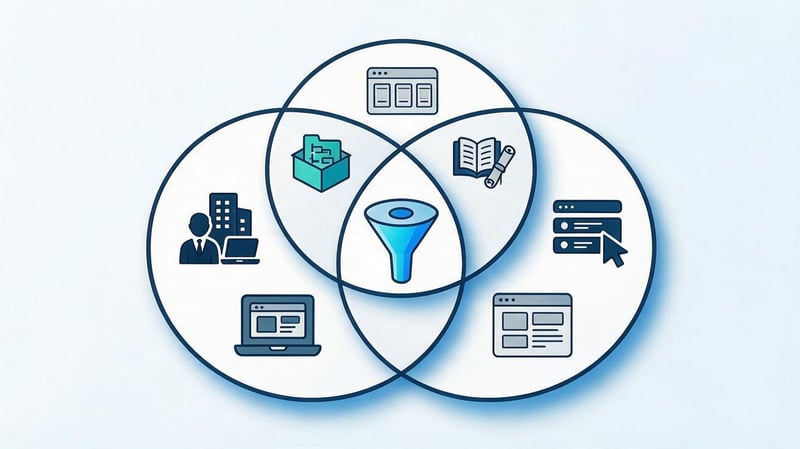
Business and SEO competitors often only partially overlap. A company may operate in the same niche but have almost no organic presence, while an information portal or large marketplace will rank for hundreds of relevant queries.
Semantic analysis requires sites that regularly appear in Google across target clusters. These sites may differ for commercial, informational, and local queries, so a single, universal competitor list is rarely suitable for the entire project.
Finding competitors through Google
Start with a few keywords that accurately describe key products, services, or information topics. Check the search results for the relevant region and language, otherwise your domain list will be biased.
Record websites that appear in search results for different queries. Then, categorize them by type: direct companies, marketplaces, directories, information resources, and services.
After the initial collection, it is worth checking:
- how many target queries intersect with each domain;
- what types of pages most often compete with your URLs;
- to what extent do the products, services, region and target audience match;
- whether the site is consistently present in search results across several related clusters.
After this check, a working group of domains remains for further analysis. Typically, a few relevant competitors provide a more useful picture than dozens of random sites from a single search result.
Searching for competitors by keywords using SEO services
SEO platforms can automatically find domains with significant semantic overlap. Simply enter your website, a separate URL, or a keyword search query and select the desired search engine.
Searching for competitors by keywords using the service is convenient for large projects where manually checking hundreds of queries is too time-consuming. After creating the automatic list, you still need to remove other types of sites, aggregators, and resources with an unsuitable commercial offer.
Competitor analysis by keywords becomes more accurate when the automatic report is compared with the actual SERP. The service's database shows the extent of overlap, and Google helps verify the actual intent and type of pages.
Why can't you analyze just one competitor?
One site might have a strong commercial section and a weak blog, while another might be good at driving traffic but have little category development. If you take just one domain, its specific features can easily be mistaken for a general niche standard.
Comparing multiple sites reveals recurring patterns. When three or four competitors use a similar structure, create separate pages for a single cluster, and achieve rankings for them, this pattern merits separate scrutiny.
Multiple sources also reduce reliance on random queries. A combined sample better reveals topics that are common in a niche and likely to generate targeted organic traffic.
How to conduct keyword analysis of a competitor's website?
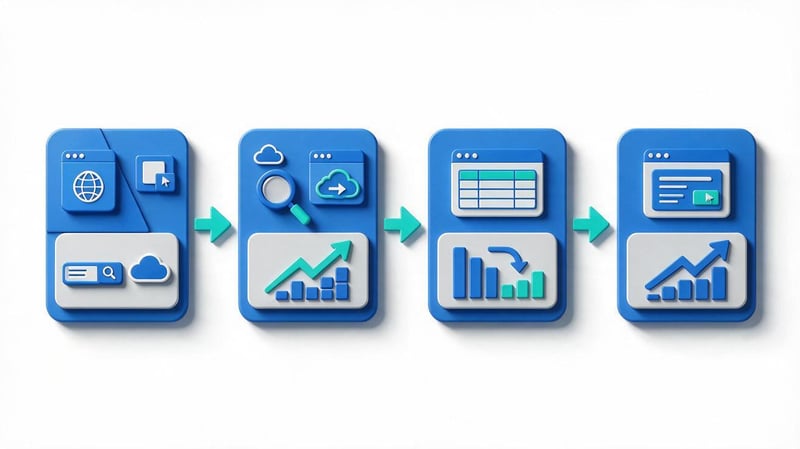
It's more convenient to analyze a competitor's website keywords in stages to avoid ending up with a huge spreadsheet without a clear purpose. First, select the object of analysis, then export the queries, look for gaps with your own website, and only then move on to the pages and structure.
This approach saves time on cleanup. Instead of working through the entire domain database, you can quickly identify groups with real potential and focus on them.
Step 1: Enter your competitor's domain or URL
A domain is used for general analysis. This report shows the semantics of the entire site and is suitable for finding new sections, large clusters, and leading pages.
A separate URL is needed when comparing specific landing pages. For example, a service's own page is on page two of Google, while a competitor consistently ranks high for the same set of queries.
When analyzing a competitor's website for keywords, it's best to start with the domain and then drill down to the top URLs. This way, you can see the overall demand structure while still being able to drill down to specific pages.
Step 2: Export your competitor's website keywords
The spreadsheet should include the query, URL, position, search volume, region, search engine, and available traffic estimates. If additional data is available, it's useful to save the CPC, position dynamics, and search results elements.
If the goal is to identify keywords on a competitor's website for a single section, filter the URLs in advance. This approach reduces the amount of junk and facilitates subsequent clustering.
After exporting, don't rush to delete low-frequency keywords. They often clarify intent, highlight additional product features, and help understand why several similar queries lead to different pages.
Step 3: Find queries that aren't on your site
The next step is comparing the semantics of two or more domains. The keyword gap divides queries into common, missed, and unique ones, after which each group can be analyzed separately.
The query “find out competitors' keywords” typically implies precisely this goal. The user needs a list of topics where the competitor is already gaining visibility, while their own website is either absent or ranks poorly.
It is convenient to work with the found groups by priority:
| Query group | Relative priority |
|---|---|
| Missed commercial queries | 100% |
| Weak existing pages | 80% |
| New informational clusters | 60% |
| Unique topics of one competitor | 30% |
The percentages indicate the relative priority of groups during initial processing, not a traffic or conversion forecast. The specific order depends on the project's goals, the state of the current pages, and the commercial value of the identified semantics.
Common queries
Common queries reveal areas of direct competition. If both sites rank in the same group, you can compare rankings, page types, content completeness, meta tags, and internal linking.
Pay special attention to queries where your URL is already near the first page. Sometimes, growth can be achieved by refining existing content without creating a new document.
Such groups are also useful for checking for cannibalization. If several of your own pages are competing for the same intent, the structure and internal signals should be reviewed.
Missed queries
Missed keywords are the most interesting part of competitive analysis. They reveal topics where demand has already been confirmed by search results, but the website itself doesn't yet have a prominent page or visibility.
First, they check the business's relevance, then the SERP, and only then decide whether a new URL is needed or the existing one should be improved. A separate page is justified when the search intent and the composition of the results differ significantly.
High search volume alone doesn't make a query a priority. A narrower, less-demanded keyword can sometimes be more effective if it closely matches the service and is close to the purchase.
Unique queries of one competitor
Unique queries can reveal interesting directions, but require careful review. They often include branded phrases, old pages, irrelevant products, or topics from a major blog.
First, determine whether the query is related to your offer. Then, review the search results and ensure the page type matches the project structure.
If a topic is found only on one competitor and isn't supported by other domains, it's best to keep it in a separate list for further analysis. This reduces the risk of creating pages for random demand.
Step 4: Analyze your competitor's top pages
After working with queries, move on to the URLs that receive maximum visibility across relevant groups. These pages show which topics the competitor has successfully combined and which content elements support ranking.
For each page, it's worth checking the Title, H1, H2-H3 structure, the amount of useful content, tables, FAQs, internal links, and content type. Separately, look at which sections link to this URL and where it transfers internal authority.
Meta tags alone don't explain high rankings. They need to be analyzed alongside the intent, page structure, topic coverage, and overall site architecture.
How to collect competitors' semantics?

It's best to collect competitor semantics across several relevant domains. A single source only reveals a portion of demand, while a combined database helps identify repeating clusters and compare different approaches to structure.
Before you begin, set the analysis boundaries: region, language, page type, and desired sections. These restrictions significantly reduce the amount of manual cleaning required later.
Combine the semantics of several sites
Data from different competitors is compiled into a single table, and the source of each query is recorded. Identical phrases are then combined, and the number of domains where each line appears is counted.
The more relevant competitors rank for a query, the more useful it is to check it manually. Repeated searches indicate consistent interest in the niche, although the final decision still depends on intent.
It's convenient to add separate columns for your URL, current position, and status. This way, the table immediately shows where the page exists, where it needs improvement, and where a new document should be considered.
Parse your competitors' keywords
Competitor keyword parsing is necessary when large volumes of data are involved and manual collection is too time-consuming. Specialized services retrieve queries from their own databases and associate them with domains, URLs, and rankings.
A competitor keyword parser is especially useful for large catalogs and broad topics. It helps collect thousands of keywords, but the quality of the resulting core still depends on human filtering and verification.
Competitor keyword selection should be done in separate groups. It's best to analyze commercial pages, blogs, categories, and geographic sections separately to avoid mixing queries with different intents in a single set.
What data should be exported?
The minimum table should include the query, search volume, position, URL, source, and region. For complex projects, add the search engine, verification date, CPC, and expected intent type.
It's also useful to save SERP features if the service provides them. Maps, images, videos, product blocks, or rich answers can all impact the expected CTR and format of the future page.
After exporting, it's best to save the original data separately. The working copy can be filtered and modified without risking losing the original information if re-analysis is needed later.
Clean up collected queries
First, technical duplicates are removed and the data is standardized. Then, third-party brands, inappropriate regions, missing products, irrelevant services, and obvious information noise are filtered out.
Semantic filtering requires manual review of ambiguous phrases. A short query can have multiple meanings, so it's best to make a decision after reviewing the search results.
After cleaning, it's advisable to leave the deletion reason in a separate column. This approach is useful when re-checking the core and helps avoid situations where the same irrelevant group is back in work through another export.
Check the intent
Search intent indicates the result a user expects to receive after entering a query. For a basic classification, it's sufficient to distinguish between informational, commercial, transactional, and navigational groups.
The best source of verification is actual search results. If Google shows articles, don't automatically assign the query to the service page just because a commercial keyword appears.
User intent also helps differentiate similar phrases. Two queries may contain the same product, but one leads to a category, and the other to instructions or comparisons.
How to cluster competitors' semantics?

After cleaning, you're left with a set of queries that need to be distributed across future and existing pages. Clustering queries reduces the risk of cannibalization and helps you understand how many URLs are actually needed to cover demand.
Query groups are formed based on the meaning, intent, and composition of the search results. Search frequency is used as an additional metric, but it does not determine the architecture on its own.
Grouping queries by intent
First, queries are sorted by the expected page type. Phrases with a clear intent to order a service are typically routed to the commercial cluster, while questions and instructions are routed to the informational cluster.
Within each type, semantic differences are additionally checked. For example, a query about the price of a service and a query about the technology used for its implementation may belong to the same landing page if the search results return the same pages.
If the results differ significantly, it's best to separate the groups. This solution reduces the risk of creating an overloaded page that attempts to simultaneously address several independent needs.
Grouping by intersection of search results
SERP-based clustering compares URLs that rank for different queries. The more matching pages appear in the top rankings, the higher the likelihood of shared intent.
The method works well for ambiguous phrases where semantic similarity doesn't provide a clear answer. Search results show how Google already interprets queries and what types of documents it considers relevant.
It's advisable to manually test automatic clustering on priority groups. The algorithm speeds up the process, but the website's commercial logic, product range, and actual services remain separate constraints.
How do you know if you need a separate URL?
A separate landing page is worth considering when queries have distinct intent and search results show a different set of documents. Competitors who consistently rank individual URLs for this group provide additional support.
The new page must also have a real subject. If the company doesn't offer a specific service or product group, creating a document just for the keyword is pointless.
When intent matches, it's best to consolidate queries into a single URL. This approach helps concentrate relevance and internal weight, rather than creating multiple weak pages with nearly identical content.
How to find competitors' keywords in Yandex.Direct?

The query “how to find competitors' keywords in Yandex.Direct” refers to paid advertising analysis. This involves studying the advertising phrases, ads, landing pages, and sales pitches that companies use to attract paid traffic.
PPC data shouldn't be directly mixed with organic rankings. Advertisers can buy clicks on queries for which their site has almost no SEO visibility, so such phrases are analyzed as a separate source.
For Google-focused projects, a similar task is accomplished through Google Ads and competitive PPC analytics services. It's helpful to look at recurring ads, offers, landing pages, and keyword categories that competitors regularly use.
Advertising semantics can suggest commercial phrases with high demand. After this, the query is checked in organic search results and a decision is made whether it is suitable for an SEO page or remains limited to contextual advertising.
What tools should I use to analyze competitors' semantics?
You can use several services for analysis because their databases, interfaces, and calculation metrics differ. One tool is more convenient for keyword gap analysis, another more quickly reveals leading pages, and a third is useful for checking demand and seasonality.
There's no need to subscribe to every platform at once. For most tasks, one primary SEO service, Google Search Console for your own website, and an additional source of search volume or trends are sufficient.
| Tool | Domain analysis | Keyword Gap | URL analysis | Frequency | PPC data | Export |
|---|---|---|---|---|---|---|
| Serpstat | Yes | Yes | Yes | Yes | Yes | Yes |
| SE Ranking | Yes | Yes | Yes | Yes | Yes | Yes |
| Ahrefs | Yes | Yes | Yes | Yes | Partially | Yes |
| Semrush | Yes | Yes | Yes | Yes | Yes | Yes |
| Google Keyword Planner | No | No | Limited | Yes | Yes | Yes |
| Google Search Console | Just your own website | No | Yes | Own impressions | No | Yes |
| Google Trends | No | No | No | Relative trend | No | Limited |
Plan features and limitations change periodically, so before launching a major analysis, it's worth checking the current capabilities of your chosen service. For SEO, reports on organic queries, competitors, URLs, and domain overlap are most often needed.
Google Keyword Planner is useful for additional demand verification, and Google Trends helps assess seasonality. Search Console is used for your own project and shows real impressions, clicks, and rankings for queries where the site already appears in Google.
How to Use Competitor Semantics for SEO

After collecting and clustering, the most useful part of the work begins: translating the table into specific website changes. Each group should have a clear status: existing page, revision, new landing page, article, or rejection.
Without this step, even a good export remains just a collection of data. SEO tasks only arise after linking semantics to structure, content, and internal links.
Lead SEO specialist — Gennady
I never transfer a competitor's semantics entirely into my core. Large extracts almost always contain other brands, irrelevant categories, different intent, and queries for pages that the project shouldn't have. First, I compare several competitors, find overlaps and missed queries, then check the results, and only then cluster the semantics. The value of competitive analysis for me is determined by the number of useful growth points that I've managed to turn into specific pages and tasks.
Expanding the site structure
The new cluster is first compared to the existing architecture. If there is no suitable URL and the SERP confirms a separate intent, the queries become the basis for creating a landing page.
For a large website, it's convenient to maintain a “cluster - URL - page type - status” map. This helps the developer, SEO specialist, and copywriter work within a single structure without duplicating tasks.
After publication, the new page is included in the internal linking and sitemap. Canonical, indexability, breadcrumbs, and links from the parent section are also checked.
Optimization of existing pages
If a suitable URL already exists, first evaluate its current semantics using Google Search Console and a third-party service. Then, add any missing subtopics, adjust the heading structure, and check the meta tags.
There's no need to mechanically insert every phrase you find into the text. The page should cover the topic in natural language, with word forms and related terms distributed naturally.
Sometimes the problem lies outside the content. Weak internal linking, deep nesting, or an incorrect canonical can limit the visibility of even a well-written page.
Creating a content plan
Competitors' informational queries are conveniently collected separately from the commercial core. Once clustered, they become the topics for articles, instructions, comparisons, and answers to user questions.
It's best to build a content plan around thematic groups related to the site's services or categories. This way, publications function as part of the overall structure and support commercial landing pages with internal links.
Before creating content, it's worth checking your competitors' top pages and SERPs. This check reveals the expected content format, the depth of topic coverage, and the questions users are already seeing in the search results.
Internal linking
New pages should receive links from thematically related sections. Anchors should be chosen based on the meaning of the sentence, without constantly repeating the same exact keyword.
Informational content may link to a service, category, or related guide. A sales page, in turn, may link to detailed instructions if they help the user make a decision.
Good internal linking reduces the depth of important URLs and helps search engines find new documents faster. At the same time, it makes it easier for users to navigate between related selection steps.
Which competitor queries should you not add to your semantic core?
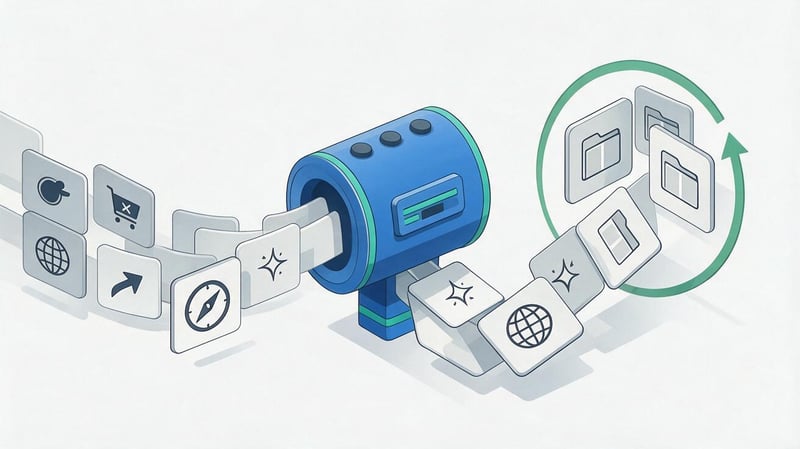
Some of the extracted data should be removed before clustering. Table size is not an indicator of quality, so several thousand irrelevant phrases only increase the time required for further processing.
First, they exclude queries that don't match the site's actual offering. Then, they check the site's geography, language, and intent to ensure the core doesn't include pages the business won't be able to properly serve.
Most commonly removed:
- other brands, if the project does not create comparison pages or does not officially work with these brands;
- missing goods, procedures and services that the company does not plan to offer;
- queries from another region if the geography of the business is limited to a specific market;
- navigation phrases related to other companies and personal accounts;
- topics with a different search intent that cannot be logically covered by the existing website format;
- overly broad informational queries without connection to the product or the company's expertise.
After cleaning, the core is usually significantly reduced. The remaining queries are easier to cluster, evaluate based on their potential, and associate with specific pages.
Common Mistakes in Competitor Semantics Analysis
The most common mistake starts with exporting a large domain without restrictions. Tens of thousands of queries end up in the table, after which the team wastes time on data that doesn't initially align with the project.
The second problem is the lack of search results verification. Automatic reports speed up the process, but it's best to make a final decision on structure after viewing actual Google results.
Typical errors include:
- Copying the entire semantics of one domain without checking its relevance to the business.
- Analysis of only one competitor and transfer of its structure to your own website.
- Mixing regions and languages in one export without separate filters.
- Ignoring intent when distributing keys between pages.
- Combining SEO queries and paid advertising data into one report.
- Creating multiple URLs for almost identical search demand.
- Assessing potential only by frequency without checking SERP and conversion.
- Skipping analysis of internal links and the current structure of your own website.
After fixing these errors, the table becomes shorter but more useful. It retains queries that can be linked to a specific URL and a real SEO goal.
Competitor Keyword Analysis Checklist

It's convenient to work in a single sequence, especially if the analysis is repeated for different sections of a large website. This checklist helps ensure you don't miss cleaning, intent checking, and matching queries to existing pages.
The basic order looks like this:
- Identify the main marker queries for the desired section and region.
- Find real SEO competitors through Google and specialized services.
- Export organic queries for several relevant domains.
- Combine the databases and save the source of each keyword.
- Compare the data with your site and find the keyword gap.
- Remove duplicates, other brands, garbage and inappropriate regions.
- Check the frequency of queries and their search intent.
- Perform semantic core cleaning before clustering.
- Divide queries into clusters based on meaning and SERP intersection.
- Match clusters to existing landing pages.
- Create a list of new URLs and content refinement tasks.
- Set up internal links between new and existing materials.
After completing the checklist, it's a good idea to save the original export and the working version separately. This simplifies re-analysis in a few months and helps identify new growth areas without completely rebuilding the project.
Competitor keyword analysis helps identify demand that your own semantic core may have missed. The workflow consists of selecting real SEO competitors, extracting queries, finding gaps, cleaning the data, checking intent, and then clustering.
The main result of this work is a specific list of actions for the site. Some clusters enhance existing pages, others become new landing pages or blog posts, and irrelevant queries are removed even before content is prepared.
If you need to find missing semantics, restructure a section, or understand which competitor pages are taking search demand, Seo-Gen conducts a competitive analysis and translates the data into ready-made SEO tasks for your website.


