How to compile a website's semantic core?


A semantic core helps us understand what people search for on Google, what words they use to describe a product, service, or problem, and what pages they expect to see in search results. Collecting queries without a system would result in a large, difficult-to-manage table. Therefore, semantic core collection always ends with cleaning, intent determination, clustering, and assigning groups to pages.
Below, we'll discuss how to build a semantic core for a new or existing website, where to find keywords, how to evaluate search volume, and how to combine phrases. We'll also cover online stores, blogs, SEO, and advertising campaigns, as well as ways to build a semantic core for free or using professional services.
What is a semantic core and why does a website need it?
A semantic core is a structured set of search queries related to the website's topic and reflecting the audience's search demand. In the working file, queries are typically supplemented with search volume, search intent, cluster, landing page, page type, and priority. This format helps connect Google data with the actual project structure.
Semantics helps us identify which categories, services, and informational materials are in demand by users. Based on groups of queries, we create a website structure, select topics for the content plan, optimize the title, description, and headings, plan internal linking, and check whether the existing page meets search engine expectations.
What words are called keywords?
Keyword phrases are words and phrases that convey the topic of a search query and help understand the user's needs. For example, in the query “buy an office chair in Kyiv”, the key semantic elements are “buy”, “office chair”, and the geographic location “Kyiv”. Together, they define the commercial intent and the intended search region.
A search query is a specific phrase a user enters into Google. A keyword can be part of such a phrase, and marker queries are used as base phrases to further expand the semantics. For example, the marker “office chairs” can yield dozens of queries based on brand, material, purpose, price, characteristics, and geography.
What types of search queries are included in the semantic core?
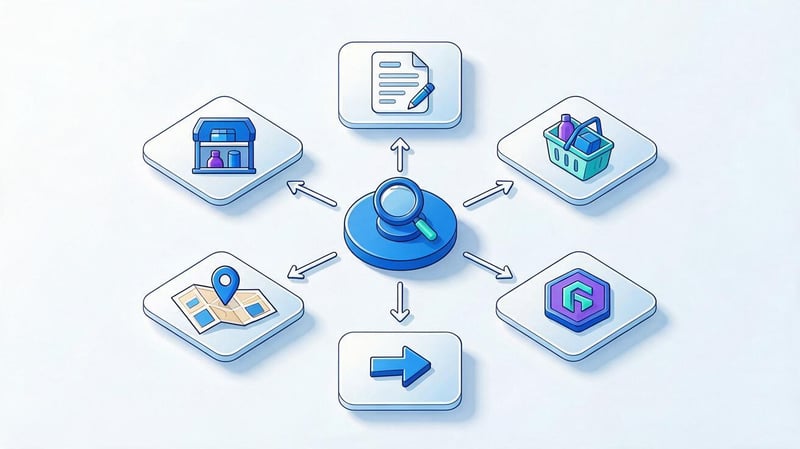
Queries differ based on the user's intent. Informational intent means a person wants an answer or instructions. Commercial intent is associated with choosing a service or product, transactional queries indicate a willingness to take action, and navigational queries help find a specific website, company, or section.
Branded queries, local demand, and geographic phrases are also identified. A single core can contain dozens of keyword types, but they can't be automatically combined simply because of similar words. If Google displays different types of pages for two queries, they often require separate clusters and different target URLs.
What does the semantic core of a website look like?
The completed semantic core is conveniently stored in a table, where each row contains a separate query and associated data. The minimum set of columns depends on the project, but for SEO, query volume, intent, cluster, landing page, page type, and promotion priority are typically needed.
This format helps quickly understand which queries are already assigned to existing URLs, where new landing pages are needed, and which clusters remain uncovered. A website's semantic core can contain hundreds or tens of thousands of lines, so a clear file structure is especially important for large projects.
| Query | Search volume | Intent | Cluster | Landing page | Page type | Priority |
|---|---|---|---|---|---|---|
| office chairs | 2400 | commercial | office chairs | /office-chairs/ | category | high |
| buy an office chair | 1300 | transactional | office chairs | /office-chairs/ | category | high |
| chair for working from home | 720 | commercial | chairs for the home | /home-office-chairs/ | category | medium |
| How to choose an office chair | 590 | informational | choosing a chair | /blog/kak-vybrat-kreslo/ | article | medium |
Example of a semantic core
Let's say an online store sells office furniture. After collecting keywords, a single file will contain phrases like “office chairs”, “computer chairs”, “executive chair”, “how to choose a chair for work”, and dozens of additional phrases. Despite the common theme, all these queries can't be combined into a single page.
Commercial groups are divided into categories and filters, while informational questions are used for articles. After clustering, it becomes clear which URLs the site needs and which pages already exist. Therefore, the query “what does the semantic core look like” is most easily explained through a table, where the semantics are already linked to the project structure.
Answers to your questions
What is a semantic core and how to create it?
A semantic core is a structured list of search queries related to a website's topic. To create it, basic queries are first collected, then expanded using Google, SEO services, competitors, and Search Console, and then irrelevant phrases are removed.
Next, queries are checked for frequency and intent, grouped into clusters, and distributed across target pages. The resulting core contains not only keywords but also data that helps them be used in website structure and SEO.
How to build a semantic core for free?
You can use Google search suggestions, related queries, Google Keyword Planner, Google Trends, and Google Search Console for free data collection. Data can be easily combined and cleaned in Google Sheets at no additional cost.
The main limitation of the free approach is the amount of manual work required. For a small website, building a semantic core for free is entirely feasible, but processing tens of thousands of queries without specialized services will take significantly longer.
How to quickly build a semantic core?
The fastest way is to first generate marker queries, then download competitors' semantics, add Keyword Planner and Search Console, merge the lists, and perform automatic clustering. This approach reduces the manual processing of large tables.
After automation, be sure to check the main clusters in Google search results. Pay particular attention to commercial pages, mixed-intent queries, and groups for which the service suggests multiple possible landing pages.
What does a finished website semantic core look like?
Typically, this is a table where each query is represented by its search volume, intent, cluster, target URL, page type, and priority. Keyword source, position, region, language, and implementation status can also be stored.
This table should make it clear which pages already exist, which need to be created, and which queries are relevant to each. If the file only contains a list of phrases without grouping, it's too early to consider it a ready-to-use working core.
How to add a semantic core to a website?
There's usually no dedicated function for uploading a semantic core to a website. The results are implemented through the structure, creation of new pages, Title, Description, H1, subheadings, text, and internal linking.
Therefore, the question of “how to add a semantic core to a website” is best viewed as a process of distributing clusters by URL. After implementation, pages are checked in Google Search Console and monitored for which queries they begin to receive impressions.
How to find out the semantic core of a competitor's website?
For analysis, we use Ahrefs, Serpstat, Semrush, and manual page checks in Google. These services show the queries for which a domain or individual URL ranks and also help find keywords your site doesn't yet have.
It's impossible to completely reconstruct a competitor's internal file because it may contain queries that haven't yet been promoted or haven't been included in service databases. Therefore, it's more accurate to talk about collecting a competitor's visible semantics.
Is it possible to build a semantic core using only ChatGPT?
ChatGPT can be used to search for ideas, synonyms, questions, and initial classification. It also helps process large lists more quickly and suggest thematic groups for further review.
Actual search volume, rankings, current SERPs, and search demand must be obtained from Google and SEO tools. Without this data, it's impossible to reliably determine query priorities and verify whether the proposed grouping matches the current search results.
How does a semantic core for SEO differ from a core for advertising?
For SEO, queries are linked to website structure, organic pages, and long-term promotion. In advertising campaigns, keywords are grouped around ads, bids, negative keywords, and landing pages, taking conversions into account.
Some queries can be used simultaneously in SEO and Google Ads, but the resulting working files usually differ. Advertising requires more rapid adjustments based on actual search phrases and campaign performance.
What should you prepare before collecting a semantic core?

Before collecting semantic keywords, you need to understand the business itself. It's helpful to list the main areas of activity, products, services, regions of operation, website languages, target audience characteristics, and products that can actually be purchased or ordered. Such a list helps immediately eliminate queries that seem relevant but are irrelevant to the company's offering.
For an existing website, additionally check the current structure, URLs, categories, landing pages, and Google Search Console data. For a new project, it's useful to look at several competitors' search results beforehand. This way, keywords are built around real demand, and the future structure isn't limited to section names from the company's internal catalog.
How to define basic marker queries?
Marker queries are short, basic phrases that are easy to expand upon. They are derived from the names of services, categories, product groups, customer problems, professional terms, and colloquial expressions. For dentistry, markers might include “dental implants”, “braces”, “cavity treatment”, and “pediatric dentist”.
Each marker is then expanded with characteristics, price, geography, interrogative phrases, and additional clarifications. From “dental implantation”, queries such as “dental implantation price”, “dental implantation Kyiv”, “how much does a dental implant cost”, and other options emerge. This approach helps collect search queries systematically and avoid relying on a single source.
How to view the semantic core of an existing website?
Google doesn't provide a ready-made file with a website's internal semantic core. If you need to determine a website's semantic core, it is reconstructed using actual queries, pages, and data from third-party services. The most useful source for your own project is Google Search Console, which shows the phrases for which pages are already receiving impressions and clicks.
To collect keywords from a competitor's website, use Ahrefs, Serpstat, or Semrush, and then check the actual pages in the SERP. This analysis helps gather keywords from the site and identify topics the competitor is already covering. It's impossible to fully understand the site's semantic core, as the company's internal working file remains closed.
How to Build a Semantic Core: A Step-by-Step Guide
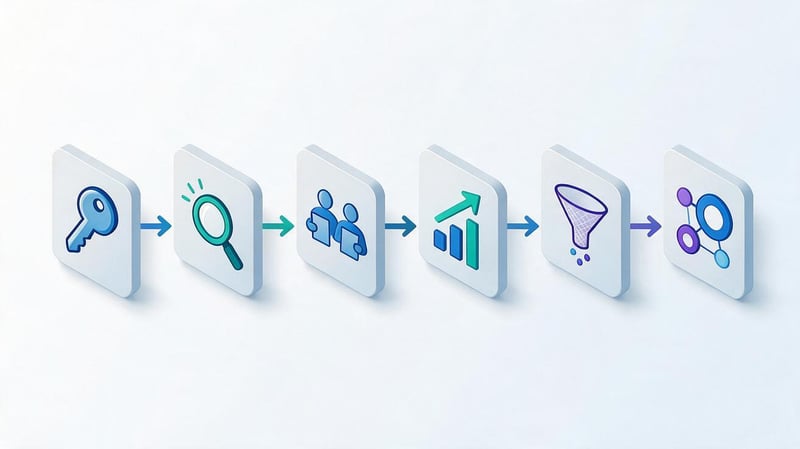
It's best to collect keywords in stages to prevent queries from different sources from being mixed without proper control. First, create basic queries, then expand them using Google, SEO services, and website data. After combining the list, check for search volume, intent, relevance, and search results.
This sequence is suitable for those looking to properly assemble a semantic core for a website and obtain a working structure instead of a set of phrases. In large projects, some operations are automated, but the final verification of search intent and landing pages still requires manual work.
Step 1: Collect a list of marker queries
Start with your core business areas and create a list of basic queries without trying to maximize volume right away. For an online store, this could be categories and product groups; for a service business, it could be services; for a blog, it could be key thematic areas. At this initial stage, a few dozen markers are sufficient.
Check whether your customers themselves use such wording. A product's internal name can sometimes differ significantly from how it's actually searched for in Google. If you want to understand how to create a semantic core for your website, first match your business language with your user's language before moving on to mass expansion.
Step 2: Expand your semantics through Google
Google provides several sources for expanding the core list: search suggestions, related queries, user question boxes, and Keyword Planner. Together, they help you see actual wording, refinements, geography, characteristics, and information needs.
If the task sounds like “how to collect semantics in Google” or “how to collect semantics for Google”, it's convenient to start with these sources. It's also helpful to keep a source marker next to the found phrase to make it easier to clean up and group a large list later.
Google Search Suggestions
Google search suggestions appear as you type and reflect popular continuations of your search phrase. A single marker can be expanded to include question words, city, price, feature, model, purpose, or other qualifying information. Suggestions are especially useful for long-tail queries.
For a large list, manually collecting search suggestions online would take time, so specialized parsers or SEO services are used. Automation speeds up the collection, but the resulting extract is always verified. Suggestions may include third-party brands, outdated cities, and queries that don't align with the company's product.
“People also ask” blocks and related queries
Question blocks help you see what topics users are asking about next to the main query. These wordings are useful for informational pages, FAQs, article structure, and content plans. They also show what additional topics Google associates with the main entity or service.
Related queries at the bottom of the search results help expand the marker with synonyms and adjacent phrases. They shouldn't be automatically transferred to the core. Each group should be checked for relevance and determine whether it matches the product, promotion region, and target audience.
Google Keyword Planner
Google Keyword Planner helps generate keyword ideas and estimate search demand. In the settings, you need to specify the appropriate country and search language; otherwise, search volume will reflect a different market. For projects in Ukraine, the region should be specified separately for each task, especially if the business operates only in a specific city.
The tool is useful for analyzing search volume and comparing similar phrases. However, demand ranges in the free mode can be wide. Therefore, for large SEO projects, Keyword Planner is often supplemented with data from Ahrefs, Serpstat, Semrush, and other sources.
Step 3: Collect real queries from Google Search Console
Google Search Console displays search queries for which an existing website has previously appeared in search results. Here you can find phrases that weren't in the original core, see pages with a high number of impressions, and identify queries that rank near the first page of Google.
Pay special attention to keywords with positions between 5 and 20, queries with high impressions and low CTR, and pages ranking for unexpected topics. This data helps expand the semantic core based on the actual site visibility and identify new growth opportunities.
Step 4: Collect competitor keywords
SEO competitors are websites that regularly appear in Google searches for the same queries. These aren't always the same as a business's direct competitors. For example, a commercial company might compete in search results with a media outlet, marketplace, directory, or large niche portal.
To gather competitors' semantics, check several websites using Ahrefs, Serpstat, or Semrush and compare their keywords. It's more useful to look for overlaps between multiple domains than to copy a single competitor's export. Afterward, manually check the queries and remove any that don't match your site.
Step 5: Collect search suggestions and long queries
Long queries often contain a more specific user need. Instead of the general phrase “laptop”, a person might search for “laptop for designers under 40,000 UAH” or “which laptop to choose for graphics work”. Such wording provides a precise understanding of the user's task and helps create narrow clusters.
To expand your search, use phrases like “how”, “where”, “how much”, “what”, “price”, “buy”, “for whom”, as well as characteristics and geography. Long-tail queries may have low search volume individually, but collectively they generate significant search demand and clearly reveal the audience's real needs.
Step 6: Combine queries from all sources
After collecting data from Google, Search Console, SEO services, and competitors, it's transferred to a single spreadsheet. At this stage, it's helpful to keep separate columns for source, initial marker, and search volume. This way, when cleaning, it'll be clear where a specific phrase originated.
First, complete duplicates, technical garbage, extra spaces, and clearly irrelevant entries are removed. Similar queries are best left in place for now. A single word difference can sometimes change the intent, so the final decision is made after analyzing the search results and clustering.
Step 7: Check the frequency

Search volume shows how often users search for a specific phrase during a given period in a given region. It's best to use a single data source for comparing keywords, as different services calculate metrics using different methods. Mixing numbers from multiple systems can distort priorities.
Queries are often categorized as high-frequency, mid-frequency, and low-frequency, but there's no universal boundary between them. In one niche, 500 searches per month may be considered high demand, while in another, it's low demand. Therefore, high-frequency, mid-frequency, and low-frequency keywords should be defined relative to the specific topic and market.
Step 8. Determine the search intent
Search intent shows what result a user expects to see for a query. To check, open the SERP and see which pages occupy the top positions: articles, categories, services, product pages, services, homepages, videos, or local results.
If Google returns different types of pages for two similar keywords, combining them into a single cluster is risky. For example, the query “semantic core” may have informational intent, while “order semantic core compilation” may have a commercial intent. Lexical similarity here doesn't mean the same user task.
Step 9. Clean up the semantic core
After checking search volume and intent, phrases that don't match the business, geography, or website content are removed. Third-party brands are also removed if the strategy doesn't include such queries, as are non-existent services, random informational topics, and phrases with inappropriate search results.
Semantic cleanup reduces the amount of subsequent work and helps distribute queries more accurately. With a large core, you can use filters and automatic rules, but it's better to manually check for questionable keywords. An error during the cleanup step can delete a useful cluster, which would have to be rebuilt later.
How to work with stop words?
Stop words help identify irrelevant phrases en masse. For example, an online store selling new products might flag queries containing the words “used”, “repair”, or “instructions” if these terms aren't relevant. Negative keywords serve a similar purpose in advertising.
Automatic removal should be used with caution. The same word can have different meanings in different queries, so it's worth testing the exclusion list against real examples. First, filter candidates by stop word, then review the lines, and only then remove them from the working file.
How to cluster a semantic core?
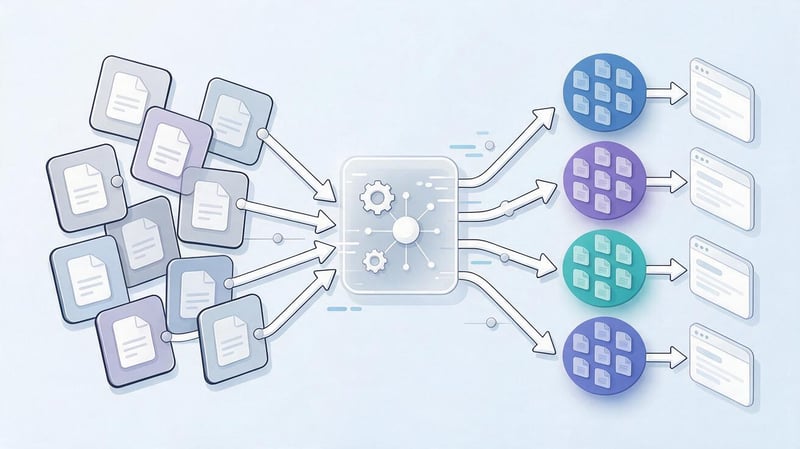
Query clustering is used to combine keywords that can be promoted on a single page. After this process, a large core is transformed into a clear set of groups: separate clusters for categories, services, articles, filters, and other page types. Each group receives its own target URL.
If a user is looking to properly create a website's semantic core, clustering should be a mandatory part of the process. Without it, it's difficult to understand how many pages will be needed, which sections overlap in meaning, and where cannibalization of queries between multiple URLs may occur.
What is a cluster?
A cluster is a group of search queries with similar intent and similar results that can be fully covered by a single page. For example, the queries “buy office chair”, “office chair price”, and “office chair online store” can often belong to the same category.
However, superficial similarity of words doesn't guarantee a common cluster. The phrases “how to choose an office chair” and “buy an office chair” relate to the same topic but require different types of content. The former is better suited for an article, while the latter is more suited for a commercial category with a selection and purchase options.
How to group queries by search results?
SERP-based clustering compares Google results for different queries. If identical URLs are regularly repeated at the top of the results, the search engine perceives similar intent. The greater the overlap, the higher the likelihood that the phrases can be promoted on the same page.
A fixed overlap percentage isn't suitable for all projects. In commercial niches, clustering requirements may be stricter than in informational niches. It's best to make decisions based on the page type, business, and search results, and manually review any questionable clusters.
Lead SEO specialist — Gennady
I evaluate the completed semantic core through the 'query-intent-cluster-target page' relationship. If, after collecting several thousand keywords, it's unclear which URL should correspond to each group, the work isn't yet complete. Automatic clustering saves time, but I always manually recheck any questionable groups using Google search results.
Manual and automatic clustering
Manual clustering is suitable for small cores and complex niches where business logic heavily influences the website structure. A specialist reviews queries, compares results, and independently defines groups. This method is more time-consuming, but it effectively takes into account the specifics of the project.
Automatic clustering is convenient for tens of thousands of keywords. The service compares SERPs and distributes phrases into groups, after which a specialist verifies the results. For large projects, a combined approach is optimal: automatic initial grouping and manual verification of priority clusters.
What errors occur during clustering?
A common mistake is to combine queries based solely on keyword matching. This results in a single page receiving informational, commercial, and transactional keywords simultaneously. Another problem arises when related queries are unnecessarily split across multiple URLs, causing the pages to compete with each other.
There are also clusters that are too broad, where a single page physically cannot fully address all needs. The opposite situation occurs when multiple, nearly identical landing pages are created. Before final distribution, it's worth checking the intent, search results, and actual value of each new page.
How to distribute the semantic core across website pages?

After clustering, each set of queries is assigned a landing page. For some groups, a suitable URL already exists; for others, a new category, service, article, or other landing page must be created. At this stage, semantics are linked to the site architecture.
It's helpful to store URLs next to the cluster and its priority in a spreadsheet. This way, the SEO specialist, copywriter, and developer all see the same picture. This file helps plan implementations, control duplicates, and gradually expand the structure without creating pages haphazardly.
Queries for existing pages
First, check which clusters are already covered by your current URLs. For each page, evaluate its relevance, rankings, content, meta tags, and queries from Google Search Console. Sometimes a page is already getting impressions for the desired cluster, but requires further development rather than creating a new URL.
Check for keyword cannibalization separately. If several pages rank for the same keyword group and constantly swap positions, you need to identify the primary URL and revise the structure. In some cases, interlinking and content adjustments are sufficient; in others, merging pages or redistributing intent will be necessary.
Requests for new pages
If no suitable URL exists, the cluster becomes the basis for a new page. Commercial demand may require a separate category, service, filter, or landing page. Informational queries often lead to an article, instruction, comparison, or answer to a specific user question.
Before creating a page, check whether the SERP supports the chosen format. If Google primarily shows categories for a query, an article is unlikely to be the optimal result type. This check helps avoid pages created solely for keywords and not matching the search intent.
How to build a website structure based on semantics?
The workflow is as follows: semantics → clusters → pages → sections → internal linking. First, demand is collected, then it is grouped by intent, URLs are assigned, and only then is the section hierarchy designed. This order is especially useful for a new website.
For an online store, clusters help define categories, subcategories, and filters. For a service website, they show which services require separate pages. Informational groups go to the blog and are linked to commercial sections if such a connection matches the user's interest.
How to use a semantic core on a website?

The semantic core isn't uploaded to Google as a separate file or added to a CMS as a dedicated SEO document. It's used as a working map for the structure, pages, meta tags, content, and interlinking. Therefore, the query “how to add a semantic core to a website” usually refers to the implementation of the analysis results.
If you need to understand how to use a website's semantic core, start with a table of clusters and target URLs. For each URL, determine the primary intent, main query, additional wording, page content, and internal links. After publishing, the results are checked using rankings, visibility, and Search Console data.
Using Semantics in SEO
For each page, a main keyword and a group of related keywords are selected. The main keyword is used to prepare the Title, H1, and text structure, while additional keywords are distributed among subheadings and content. Exact phrases do not need to be inserted into every sentence.
Semantics also helps evaluate page relevance, identify missing sections, and select internal link anchors. With proper query distribution, each landing page has a clear search task, and the site structure better matches how users search for products, services, and information.
Using semantics for a content plan
Information clusters can be conveniently transformed into article topics. For example, the “office chairs” category could be the basis for articles on choosing a chair, adjusting its height, proper fit, and comparing different designs. Each topic should have its own search intent.
It's better to build a content plan by keyword clusters rather than by individual words. This way, several related queries are addressed in a single, powerful piece, and articles don't compete with each other. When planning, consider seasonality, search volume, commercial value, and the content's connection to the site's main pages.
Using semantics in internal linking
Clusters help us understand which pages are thematically related and where it makes sense to place internal links. An informational article can link to a category or service if the user is ready to make a choice after reading it. A category, in turn, can link to a helpful guide on a complex topic.
It's best to choose anchors naturally and avoid repeating the same keyword across all links. Internal linking should help users navigate between related content while simultaneously demonstrating the relationships between pages to search engines.
How to quickly build a semantic core?

If time is tight, some steps can be automated. A quick workflow looks like this: collect marker queries, download competitors' keywords, supplement them with Google Keyword Planner and Search Console, merge the data, remove duplicates, check search volume, and run automated clustering.
After automatic processing, you need to manually review the priority groups and SERPs. Completely trusting the algorithm is risky, especially in niches with mixed intent. Therefore, queries like “how to quickly build a semantic core” and “how to build a semantic core quickly” suggest reducing manual work, not relinquishing control.
Process flow diagram:
Markers → Google → Competitors → Search Console → Cleanup → Search Volume → Intent → Clustering → URL → Priority
This sequence is suitable for most SEO projects. On larger sites, individual stages can be performed in parallel, but the logic remains the same: first obtain the data, then organize it into a structure that can be implemented.
Is it possible to build a semantic core using AI?
AI helps expand marker queries, search for synonyms, suggest user questions, and pre-classify large sets of phrases. It's also useful when working with tables, when you need to quickly categorize queries by topic or prepare rough markup.
However, AI does not replace real search engine data. Search volume, search results, rankings, and competitors' current semantics should be verified through Google and SEO services. Therefore, it makes sense to use AI as a supporting layer between data collection and manual verification.
How to build a semantic core for free and online?
You can collect semantic data for free by combining several available sources. For a new website, Google search suggestions, related queries, Google Trends, and Keyword Planner are suitable. For an existing project, Google Search Console, which displays real queries and pages, is also useful.
The resulting data is conveniently stored in Google Sheets, where you can remove duplicates, filter words, and manually group queries. The free method takes more time and yields less competitive data, but for a small project, this set is often sufficient to create a basic semantic core.
If your goal is to build a semantic core online for free, limit the topics and number of markers in advance. Manually processing tens of thousands of queries quickly becomes unprofitable. For a large website, a paid service pays for itself through faster collection, competitor verification, and clustering.
What tools to use to build a semantic core?
It's best to choose a tool based on a specific task. Google Search Console is only useful for a site that's already receiving impressions, Keyword Planner is suitable for assessing demand, and Ahrefs, Serpstat, and Semrush help analyze competitors and expand your keyword set.
No service provides a perfect, ready-made core in a single click. A practical set usually consists of several sources, as each one displays its own portion of the data. The larger the project, the more useful it is to compare results and maintain a single working file.
| Tool | The main task | New website | Existing website | Free access |
|---|---|---|---|---|
| Google Keyword Planner | ideas and demand | Yes | Yes | partially |
| Google Search Console | real site queries | No | Yes | Yes |
| Google Trends | dynamics and seasonality | Yes | Yes | Yes |
| Ahrefs | competitors and keywords | Yes | Yes | limited |
| Serpstat | semantics and competitor analysis | Yes | Yes | limited |
| Semrush | keywords and competitors | Yes | Yes | limited |
| suggestions and SERPs | Yes | Yes | Yes |
For a small project, you can start with Google and spreadsheets. An online store with thousands of pages will require a more in-depth competitor analysis, bulk query validation, and automated clustering. Therefore, the answer to the question “what to use to build a semantic core” depends primarily on the site's size and the amount of data.
How to build a semantic core for different types of tasks?
The same collection methodology isn't suitable for all projects. An online store requires extensive commercial semantics across categories and characteristics, a blog requires information clusters, and an advertising campaign requires more stringent work with conversion intent and negative keywords.
Therefore, queries such as “how to form a semantic core”, “how to create a semantic core”, or “how to write a semantic core” should always be considered in the context of a specific task. The general steps remain the same, but the structure of the final file and prioritization rules differ.
Semantic core for an online store
To build a semantic core for an online store, you need to cover categories, subcategories, brands, product characteristics, purposes, and commercial modifiers. Filters are analyzed separately, as some combinations may have their own demand and relevant search results.
Not every filter should be converted into an indexed page. If there's no demand or the SERP doesn't support a particular intent, mass URL creation increases the number of weak pages. Therefore, the question of “how to create a semantic core for an online store” is closely related to managing the indexed structure.
Semantic core for a blog
For a blog, the core is formed by informational queries, questions, instructions, comparisons, and long-tail phrases. To understand how to create a blog's semantic core, first identify major thematic areas, then collect queries within each area and categorize them by intent.
Articles should cover independent clusters and be logically linked. If several topics constantly overlap in the SERPs, it's best to combine them into one larger piece. If the results vary, it's worth creating separate articles and connecting them with internal links.
Semantic core for SEO
To build a semantic core for SEO, simply obtaining a list of keywords with search volume is not enough. Each group must be associated with a specific URL, page type, and priority. The semantic core is then used for on-page optimization, structure, and ranking control.
For an existing website, current visibility and pages already receiving traffic are additionally considered. This helps maintain strong URLs and avoid creating unnecessary duplicates. As a result, the semantic core becomes a working SEO roadmap and is implemented in a prioritized manner.
Semantic core for contextual advertising
To build a semantic core for contextual advertising, a stronger focus is needed on commercial and transactional demand. Queries are grouped so that the ad and landing page precisely match the user's intent. Negative keywords and unwanted topics are collected separately.
Semantics for advertising are typically updated based on actual search queries and campaign performance. Some phrases may be useful for SEO, but the advertising core often contains narrower groups associated with specific ads, offers, and targeted actions.
How are SEO semantics different from Google Ads semantics?
In SEO, queries are distributed across pages based on organic search results and the long-term structure of the site. In Google Ads, keywords are associated with ad groups, ads, and landing pages. Here, cost per click, conversion rate, and negative keyword lists have a greater impact.
| Criterion | SEO | Google Ads |
|---|---|---|
| The main goal | organic visibility | advertising clicks and conversions |
| Main grouping | by intent and URL | by ads and landing pages |
| Search volume | important for priority | is evaluated together with price and conversion |
| Negative keywords | used for cleaning | are actively used in campaigns |
| SERP Check | mandatory | useful for understanding competition |
If you need to understand how to create a semantic core for Yandex.Direct, the basic logic remains similar: collect commercial queries, remove irrelevant phrases, divide them into groups, and link them to ads and landing pages.
How to expand the semantic core?

The semantic core should be updated as new data becomes available. For an existing website, Google Search Console queries are the primary source. It's also helpful to periodically analyze competitors, search suggestions, new products and services, geographic areas, and seasonality.
Expanding your semantics is necessary after launching new sections and changing your product line. If a company adds a new service, the old core no longer reflects all demand. The same applies to new terms, technologies, and phrases that gradually become part of the audience's vocabulary.
Another source is questions from sales, support, and customers. If the same phrase appears regularly in emails and phone calls, it's worth checking it using search tools. This way, the semantics begin to reflect the audience's real questions, not just data from external services.
How often should the semantic core be updated?
There's no universal update deadline. For a stable, small website, the core can remain relevant for a long time, but a large online store with a changing product range requires constant updates. A review should be conducted after significant changes in structure, products, services, or geography.
New queries in Search Console, changes in search results, and decreased visibility of individual clusters also trigger updates. If Google begins showing a different type of page for a query, the old semantic distribution may no longer match the intent.
When performing regular SEO work, it's more convenient to update individual priority sections rather than the entire file at once. This approach reduces the amount of checking and helps implement changes more quickly. As a result, the working core remains connected to the current state of the site and actual demand.
Common mistakes when collecting a semantic core
Errors most often occur when keyword collection devolves into mechanically extracting keywords. A large file size alone doesn't indicate quality. The usefulness of semantic keywords is determined by how accurately queries match the business, intent, and actual pages.
Some problems can be detected even before clustering. If the table contains many third-party brands, inappropriate cities, duplicate wording, or queries for non-existent services, further processing will only increase the amount of unnecessary work.
The most common errors are:
- Collect only high-frequency queries and ignore specific low-frequency formulations with a clear intent.
- Use one service as the sole source and do not check Google Search Console and search results data.
- Combine informational and commercial keywords on the same page due to similar words.
- Copying a competitor's semantics without checking the product range, geography, services, and business model of your own project.
- Remove all low-frequency queries, even though some of them may generate targeted demand and conversions.
- Creating multiple pages for the same intent will result in URL cannibalization and competition.
- Trying to use every phrase in the text verbatim, degrading the readability and naturalness of the material.
After cleaning, it's worth re-examining the large clusters and checking whether the page type matches them. This final check takes less time than subsequently correcting the site structure after indexing dozens of erroneous URLs.
Checklist: How to Properly Build a Semantic Core
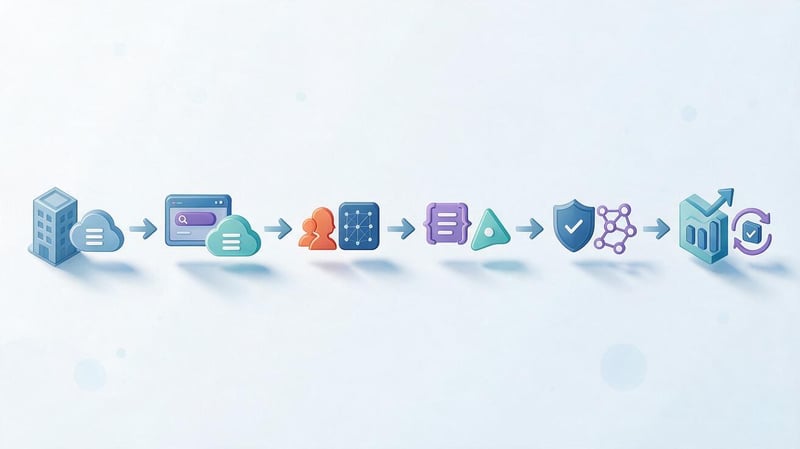
If you need to quickly check the core's readiness, go through the entire process from the initial list to URL distribution. Each stage should have a clear result: basic markers, expanded export, cleaned list, clusters, and a landing page map.
The working checklist looks like this:
- Create a list of products, services, categories, and main thematic areas of the site.
- Prepare basic marker queries and check the wording through Google.
- Expand your list using Keyword Planner, suggestions, and related queries.
- Add Google Search Console data if your site is already receiving impressions.
- Collect competitors' keywords using Ahrefs, Serpstat, or Semrush.
- Combine exports, remove duplicates and technical garbage.
- Check the frequency, promotion region, and search language.
- Determine the search intent and page type for each group.
- Clear irrelevant queries and check stop words.
- Perform query clustering based on SERP.
- Assign existing or new landing pages to clusters.
- Set priorities and update the working file periodically.
After this, the semantic core can be used for website structure, copywriting tasks, page optimization, and internal linking. If even large clusters lack a target URL, the file still requires further refinement.
A good semantic core begins with collecting queries but is completed only after intent verification, clustering, and page distribution. Such a file reveals real search demand and helps make concrete decisions about structure, content, and SEO.
If the core is being built for a large website or a competitive niche, it makes sense to create it together with a URL map and implementation priorities. In Seo-Gen, this work can be integrated into SEO promotion, so that semantics are immediately integrated into the site structure, content objectives, and page optimization.


