The best services for collecting semantic cores


Manually sorting through hundreds of search queries is no longer necessary to build a semantic core. Specialized services find related keywords, analyze competitors, help check search volume, and prepare a list of queries for website promotion. However, the capabilities of these tools vary significantly, so choosing the right program depends on the specific task.
Some services work with Google search suggestions, while others use proprietary keyword databases or data from advertising platforms. Some solutions are designed for mass parsing, semantic cleaning, and clustering. We'll examine free and paid tools, compare their capabilities, and show you how to organize automatic semantic core collection without unnecessary manual work.
Why do we need semantic core collection services?
A semantic core is a structured set of search queries that users use to find website pages. It is used in category design, landing page creation, content preparation, and internal linking. A high-quality core takes into account the actual needs of the audience, as well as the specifics of search results.
Semantic core collection services reduce the time required to obtain initial data and help identify queries that are difficult to find manually. Search query analysis software can perform one or more tasks: finding new phrases, checking demand, analyzing competitors, cleaning up lists, and grouping semantics.
Search and automatic selection of keywords
Automatic keyword selection typically begins with a few keywords that describe products, services, or the website's main theme. For example, for an online furniture store, the keywords might be “sofa”, “corner sofa”, “bed”, and “dining table”. Based on these, the program finds additional wording, product characteristics, and refinements.
Automatic website keyword selection is especially useful when working with large catalogs. Manually identifying every combination of product name, material, size, color, or purpose is difficult. A website keyword selection service helps identify such combinations and prepare an initial list for subsequent analysis.
Special attention is paid to long-tail queries—long search phrases with specific details. For example, “corner sofa with storage” describes a buyer's need much more accurately than the general search term “sofa”. Such phrases help find topics for product categories, filters, and informational materials.
Analysis of search frequency and demand
Search volume shows how often users search for a specific phrase in a given search engine. When analyzing, consider the country, region, period, and specific data source. One service may show an estimate of average monthly demand, while another may show ad impression statistics or its own calculated metric.
Keyword analysis services help compare search phrases by popularity and prioritize keywords. However, search volume cannot be considered separately from search intent, competition, and the business value of a keyword. A popular keyword doesn't always generate more targeted visitors than a few narrow commercial queries.
Additionally, seasonality of demand and changes in user interest are checked. For example, the number of searches for air conditioners typically depends on the time of year, while demand for specific appliance models may change after the introduction of new products. Historical data, Google Trends, and other analytical sources are used for such tasks.
Competitor keyword analysis
Competitor analysis helps you discover which queries are already driving users to websites of companies in the same niche. Some SEO platforms display predicted domain keywords, the positions of individual URLs, and the pages with the most significant organic visibility. This information is used when expanding your own semantic core.
It's useful to compare multiple competitors simultaneously and identify overlapping thematic groups. If a certain search term is used by multiple websites, it's worth checking its demand and whether it matches your own services. You can also identify topics that competitors have covered with separate landing pages.
However, a keyword selection service from a competitor's website does not guarantee a complete list of their search traffic. External platforms rely on their own databases and calculated metrics. The queries received must be further verified, as some may relate to someone else's product range, other regions, or other informational topics.
Cleaning and grouping semantics
After mass semantic data collection, duplicates, irrelevant phrases, and queries with different search intents typically appear in the table. Before creating the site structure, the list is cleaned, metrics are checked, and it is divided into thematic areas. Filters, stop words, and clustering tools are used for automatic processing.
Keyword grouping helps determine which queries can be promoted on a single page, while others require separate URLs. For example, queries about the cost of a service logically belong on a sales page, while questions about doing the work yourself often require informational content.
Automatic clustering speeds up the initial distribution of queries, but the results must be manually verified. Particular attention is paid to groups with different intents, location-dependent queries, and similar phrases for which Google displays significantly different search results.
Answers to your questions
Which services are best for collecting a semantic core?
The choice depends on the project's objectives and the required data volume. Google Keyword Planner can be used to find new keywords, Google Search Console to analyze your own search traffic, and Serpstat, Ahrefs, or Semrush to research competitors. Specialized programs and parsers are suitable for bulk processing.
If you need to group already collected queries, you should choose a separate clustering service. For example, Seo-Gen helps perform initial grouping by common words and check semantic correspondence. When choosing any tool, consider the region, language, available features, and usage limitations.
Is it possible to automatically build a semantic core for free?
Yes, certain stages of semantic data collection can be completed using free tools. Google Keyword Planner helps find search ideas, Search Console displays queries from the current site, and Google Trends is suitable for seasonality research. Search suggestions can also be used as a source of additional keywords.
Limitations arise when performing bulk processing, obtaining individual SEO metrics, and working with large lists. Furthermore, automatic collection requires subsequent cleaning and verification. Therefore, for a small project, the free package may be sufficient, but for a larger site, additional paid solutions are more convenient.
What service is equivalent to Yandex Wordstat for Google?
Google Keyword Planner is most often used for keyword research and demand assessment. It provides search ideas and estimates of average monthly demand. You can also connect Google Trends for seasonality analysis and Search Console to study your own website's search queries.
There's no complete functional equivalent to Wordstat with an identical calculation methodology. Third-party platforms, including Serpstat and Ahrefs, use their own databases and metrics. Therefore, when switching to a new tool, be aware of the differences in data sources and avoid directly comparing search volumes from different systems.
What can replace the Key Collector?
If you need to collect search queries in bulk, consider Rush Analytics and other specialized automation services. For competitor research and search volume analysis, consider Serpstat, Ahrefs, and certain Topvisor tools. The specific choice depends on the required set of operations.
Before replacing Key Collector, it's a good idea to determine which features were used in your previous workflow. This could include suggestion parsing, working with search volume, duplicate removal, filtering, or semantic grouping. This will make it easier to choose the right program and avoid spending money on unnecessary modules.
How is a keyword parser different from a clustering service?
A keyword parser collects search phrases from a specific source, such as search suggestions or an available query database. Its primary purpose is to generate a list of possible phrases for a given topic. After collection, the data typically requires a search volume check and removing irrelevant phrases.
A clustering service works with a prepared list of queries and helps categorize them into groups. This can be done using common words, semantic similarities, or overlapping search results. Typically, both types of tools are used sequentially: first, they collect semantics, then group them for future pages.
Is it possible to collect keywords from a competitor's website?
Yes, some SEO platforms allow you to get predicted search queries for which a competing domain or page is found in Google. This is done using organic visibility analysis tools and keyword databases. The results help identify additional commercial areas and content topics.
However, third-party service data may be incomplete, especially for small websites and narrow queries. It's also important to distinguish between organic semantic analysis and simply extracting text from an HTML page. The extracted keywords should be verified by region, search volume, and relevance to your own offer.
Is manual verification necessary after automatic clustering?
Yes, the results of automatic grouping should be verified before creating a website structure. The algorithm may combine phrases with different search intents or divide similar queries into several groups. This is especially common when working with ambiguous words and broad thematic areas.
During the audit, a specialist evaluates search intent, search results composition, and the relevance of queries to the future landing page. Ungrouped phrases and questionable clusters are reviewed separately. This audit helps reduce the risk of duplicate pages and semantic distribution errors.
How often should the semantic core be updated?
The frequency of updates depends on the website's subject matter and changes in search engine demand. Online stores with constantly changing product offerings typically revise their keywords more frequently than small corporate websites with a stable list of services. The emergence of new business areas also prompts updates.
It's useful to periodically analyze Search Console data, ranking changes, and new competitor queries. If additional topic groups appear or seasonal demand changes significantly, the core is supplemented and the page map is adjusted. A complete rebuild isn't always necessary, as updating individual sections is often sufficient.
Comparison of the best services and tools for collecting semantics

There are dozens of programs and online platforms for managing search queries on the market. Some are designed for professionals who regularly process large amounts of data, while others are suitable for owners of smaller websites. Therefore, it's more convenient to compare services based on the tasks they perform, information sources, and usage limitations.
Semantic core collection tools also vary in pricing models. Free solutions typically have limitations in functionality or the amount of available data. Professional platforms offer additional reports, bulk processing, and integrations, but their use may require a subscription or individual payment.
| Service | Main purpose | Free access | Working with Google | Clustering |
|---|---|---|---|---|
| Seo-Gen Keyword Clustering Tool | Grouping a ready-made list of queries | The terms of use are specified in the tool | SERP is checked separately | Yes, by common words and hints |
| Google Keyword Planner | Selection of queries and demand assessment | Through Google Ads, subject to access conditions | Yes | There is no full-fledged SEO clustering |
| Google Search Console | Analyzing your own website's queries | Yes | Yes | No |
| Google Trends | Dynamics of interest and seasonality | Yes | Yes | No |
| Serpstat | Semantics, competitors, SEO analysis | Limited access depends on the terms of service | Yes | Yes |
| Ahrefs | Keywords, competitors, links | Basic functions are paid | Yes | There is no separate universal replacement for SERP clusterer |
| Semrush | Keyword research and competitor analysis | Limited access | Yes | Grouping and working with lists |
| Keyword Tool | Collecting search suggestions | Some features are available for free | Yes | No |
| Ubersuggest | Keywords and SEO Analysis | Limited access | Yes | There is no full-fledged SEO clustering |
| Key Collector | Bulk collection and processing of queries | Paid program | Depends on connected sources | Grouping and processing |
| Rush Analytics | Parsing and processing semantics | Conditions depend on the plan | Yes, for supported tasks | Yes |
| Topvisor | Keywords, positions and grouping | Payment depends on operations | Yes | Yes |
| Bukvarix | Searching for queries in a ready-made database | There are limited access options | Check database coverage | No |
| Keys.so | Analysis of competitors and their semantics | Basic functions are paid | Check available databases and regions | Auxiliary grouping |
The table lists the main use cases. The exact feature set depends on the current plan, regional coverage, and available data sources. Before purchasing a subscription, it is advisable to test the tool on a small sample of real-world queries for your project.
If you need a service to build a semantic core from scratch, first select a source of search phrases. Once the list is compiled, cleansing and clustering tools are used. For a small website, several separate free solutions are sometimes more convenient than a large, all-in-one platform.
Free Keyword Research Tools

Free keyword research tools are suitable for initial topic research, testing individual queries, and working with small websites. They help you create a list of keywords, assess audience interest, and discover additional search terms. However, these solutions vary in their capabilities for bulk data collection and export.
For Google, the most commonly used tools are Keyword Planner, Search Console, Trends, and search suggestions. It's helpful to combine these sources, as each provides a different perspective. When working with competitors or a new site for which statistics are not yet available, additional SEO platforms may be necessary.
Google Keyword Planner
Google Keyword Planner is a free tool included with Google Ads designed for keyword research and campaign planning. It helps you find related search queries, estimate average monthly demand, and compare keyword variations. For SEO, this data is used to create a keyword core and prioritize keywords.
To select keywords, the user enters several markers or specifies the URL of a page related to the desired topic. After selecting the country and language, the service displays available search ideas. Results can be filtered by search volume, query content, and other metrics.
For Ukrainian projects, regional settings and query language are particularly important. If a website is promoted in Ukrainian and Russian, it's advisable to collect and verify semantics separately. This helps identify differences in wording and avoid mechanically translating keywords.
Benefits of Google Keyword Planner
The planner's main advantage is that it generates search ideas directly from Google's advertising system. The research includes topical phrases and estimated demand indicators. The tool helps you quickly check which variations of product or service names people are using in searches.
To get started, simply prepare a few keyword queries and specify the desired region. For example, a home renovation company could compare demand for different types of renovations, job descriptions, and sales details. The resulting keywords are then distributed across service pages and informational materials.
Another advantage is the ability to use a URL as a starting point for generating search ideas. This is useful when researching a specific product or service category. However, this selection should not be taken as an exact list of organic queries for which the selected page ranks.
Limitations of Google Keyword Planner
Google Keyword Planner is focused on advertising purposes, so its metrics shouldn't be used directly as a forecast for organic traffic. Average monthly search volume may be displayed as ranges, and the available detail depends on your advertising account. Complete Google Ads setup may also be required to use the basic features.
The planner doesn't replace a full-fledged search results analysis and doesn't reveal all the reasons why pages occupy certain positions. It also doesn't distribute ready-made queries across landing pages based on their search intent.
Therefore, it's best to use a website keyword selection program in conjunction with competitive analysis and subsequent clustering. For complex niches, it will be necessary to additionally study search results pages, assess the commercial potential of queries, and consider search results characteristics.
Google Search Console
Google Search Console helps you analyze real search queries that generated impressions and clicks on your website's pages in Google. The performance report provides metrics for clicks, impressions, CTR, and average position. Data can be analyzed by individual URLs, countries, devices, and time periods.
The tool is especially useful for expanding the semantics of an existing website. For example, an article may rank for queries not included in its original SEO specifications. These phrases suggest which topics should be explored in more detail and which related topics can be added to the content plan.
Please note that Search Console hides some rare queries and limits the number of rows displayed. Furthermore, the service only displays information about your own resource, access to which is verified. For a full analysis of other domains, you will need other tools.
Google Trends
Google Trends shows changes in user interest in search topics and queries over a selected period. The service helps study seasonality, compare multiple search terms, and identify related topics. For content projects, this data is useful for timing publications and planning seasonal pages.
For example, demand for winter tires, air conditioners, or travel destinations fluctuates significantly throughout the year. Google Trends helps you identify periods of increased interest and compare trends across regions. The graph reflects relative popularity, normalized on a scale from 0 to 100.
The value 100 on the graph doesn't represent 100 search queries. It represents the maximum relative popularity within the selected comparison parameters. To estimate the absolute volume of demand, you should use additional sources, including Keyword Planner.
Google Search Suggestions
Search suggestions appear when a user begins typing a query in the Google search bar. They show possible continuations of the phrase and help identify long search queries. Combining keywords with product names, characteristics, and question words is helpful for gathering semantic information.
For example, when searching for “buy a bicycle”, you can explore options by purpose, size, age, or specific model. This approach helps uncover queries that aren't always obvious during initial topic analysis. These suggestions are especially useful when preparing FAQs and informational materials.
For mass processing, there are dedicated semantic mining tools that automate the generation of suggestions. However, the presence of a phrase in autocomplete does not confirm its specific frequency. After obtaining the list, queries need to be cleaned and verified in a suitable search database.
Paid services for collecting and analyzing keywords
Paid services are typically chosen when you need to regularly process large lists of queries, research competitors, and obtain additional SEO metrics. These platforms provide their own search phrase databases, filtering tools, and domain reports. Some also support automated grouping and export of results.
Before purchasing a subscription, it's advisable to check data availability for the desired region. A large international database does not guarantee equally detailed coverage of all countries and languages. For projects in Ukraine, this issue is especially important when researching local commercial queries.
Serpstat
Serpstat is an SEO platform for keyword research, competitor analysis, and website visibility management. The service helps you find related queries, compare domains, and study the pages where competitors appear in search results. Additional semantic analysis tools are available for large-scale work.
When selecting queries, you can consider search demand, competition, and other available metrics. The resulting phrases are filtered by topic, after which separate lists are created for different sections of the website. This is convenient for online stores, corporate resources, and projects with a large number of services.
Serpstat clustering deserves special attention. The platform uses intersections of search results to group queries based on which pages Google displays for different keywords. This approach is useful for planning the structure and distribution of semantics.
Keyword research in Serpstat
Work begins with a marker query or domain analysis, after which the specialist receives available search phrase options. Reports allow you to explore related phrases, demand indicators, and competitive pages. Individual queries are added to a worklist for further processing.
For example, when researching the dental services niche, a specialist might collect queries on caries treatment, professional hygiene, and implants. The resulting phrases are then categorized by area, region, and type of user needs. This helps determine in advance which pages will be needed on the website.
Serpstat's keyword database depends on the selected country and search engine. Therefore, before bulk export, it's important to check the available regions and the completeness of the data for a specific topic. New services with low search demand may require additional semantic sources.
Keyword clustering in Serpstat
Semantic core clustering in Serpstat is based on URL intersection analysis in search results. The user uploads a prepared list of queries, selects a search engine, country, and additional parameters. The service then compares the results and distributes the phrases into clusters.
The settings allow for different levels of connection strength and cluster types. Stricter settings typically result in the formation of small, highly similar clusters. More lenient settings can group more queries together, but require careful review of the resulting structure.
After processing, the specialist reviews the group composition, unsorted phrases, and connection strength metrics. If necessary, queries are transferred between clusters, and the results are exported for further processing. This is especially useful when preparing large SEO structures, where it's important to align semantics with search results.
Ahrefs Keywords Explorer
Ahrefs Keywords Explorer is designed for researching search queries and assessing organic search opportunities. It displays keywords, estimated search volume, difficulty metrics, and additional search results information. It's used for analyzing new niches, finding content topics, and conducting competitive research.
Ahrefs lets you explore queries for which specific competitors are visible and compare search results pages. When choosing keywords, it's helpful to pay attention to the document type in Google results. If the search results primarily consist of product pages, an informational article may not be the appropriate format.
Keyword Difficulty and Search Volume are calculated using the platform's methodology. They help compare queries within a single data source, but they don't provide a guaranteed ranking or traffic forecast. The final decision should take into account the quality of competing pages, the link profile, and user intent.
Semrush
Semrush offers tools for keyword, competitor, and search engine research. One of its core modules is the Keyword Magic Tool, which helps expand target queries and find thematically related phrases. Results can be filtered by various metrics and saved for future reference.
The platform is suitable for analyzing large thematic areas and international projects. For example, a company with multiple language versions of its website can research different markets separately, compare the popularity of search terms, and identify additional content topics.
List management features help organize collected queries, but automatic grouping should be distinguished from full-fledged clustering based on search results overlap. Before choosing a plan, check which reports are available for a specific country and the number of operations included in the subscription.
Keyword Tool
Keyword Tool specializes in generating search suggestions and expanding initial queries. The service is suitable for searching long phrases, user questions, and additional product name variations. In addition to Google, the platform supports various search engines depending on the selected mode.
To use, simply specify the source word, language, and supported region. After processing, the user receives a list of related suggestions that can be used to expand the semantics. This is convenient for preparing informational materials and searching for specific product queries.
The free mode can display key insights without a full set of additional metrics. Access to search volume, competitive metrics, and bulk processing is subject to the terms of the paid plan. Therefore, before using Keyword Tool as your primary data source, it's important to check the available limits and export capabilities.
Ubersuggest
Ubersuggest is used for keyword research, studying related phrases, and preliminary competitor analysis. The service offers search demand research tools and separate SEO difficulty metrics. For a small website owner, this set of tools may be sufficient for the initial stages of working with semantics.
The user enters a marker query or studies available domain information, then selects relevant phrases. The phrases found can be used to create landing pages, blog posts, and expand existing sections. For complex projects, it's advisable to compare the results with other sources.
Free access has limitations, and the range of paid features may vary. Before purchasing, please check the number of available queries, regional coverage, and export methods. It's especially important to ensure the service provides sufficient data for the country in which you're promoting your website.
Keyword parsers and programs
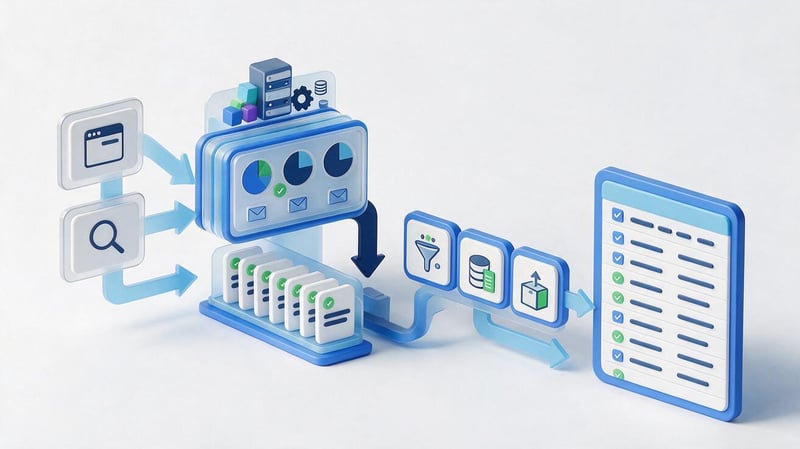
Semantic core collection programs differ from traditional online services in their operating methods and automation capabilities. Some are installed on a computer, utilize connected sources, and allow for sequential operations on large lists. Others operate through a browser and process requests on the service's end.
A keyword parser is designed to retrieve search phrases from specific sources. These may include suggestions, advertising tools, available databases, or website pages. The capabilities of a specific parser depend on the source used, access restrictions, and program settings.
Key Collector
Key Collector is a program for collecting keywords and processing semantics, widely used in SEO projects. It supports various scenarios for obtaining search phrases, working with metrics, filtering, and list grouping. Specific sources and collection methods depend on the settings and existing integrations.
The program is suitable for specialists who regularly process large volumes of queries. For example, after mass collection, you can highlight phrases containing specific words, remove duplicates, apply negative keywords, and create separate groups for website pages.
The main challenges relate to setting up sources, technical limitations, and workflow organization. Some scenarios are historically focused on Yandex services, so for Google-specific projects, it's important to check the compatibility of the required sources in advance. A key collector alternative is selected based on the operations that need to be preserved.
Rush Analytics
Rush Analytics offers tools for automating specific SEO tasks, including collecting search queries and working with the semantic core. The service is designed for bulk data processing and is suitable for specialists who regularly research large subject areas. Available sources and limits should be verified against the current terms.
One use case is expanding the initial query list and then clustering it. After obtaining the semantics, the specialist removes irrelevant phrases, selects a region, and prepares groups for future pages. This process is convenient when creating the structure of a large catalog or service website.
When evaluating a service, consider processing costs, supported search engines, and the ability to export results. If a project consists of several dozen queries, complex automation may prove excessive. For larger lists, the benefits of batch processing become more noticeable.
Topvisor
Topvisor offers tools for keyword management, position tracking, and search results analysis. The system lets you store project semantics, explore new queries, and work with available search metrics. Additional features help group keywords and link them to target pages.
The service is convenient when collecting semantic data is linked to regular SEO monitoring. For example, after distributing queries across landing pages, you can track ranking changes and check how well the selected URLs match the target keywords.
Before using Topvisor, you should familiarize yourself with the billing model for individual operations and the availability of the required sources. For large-scale projects, costs depend on the number of requests, checks, and additional tasks. Therefore, it's best to calculate the cost based on the expected volume of work, not just the availability of individual features.
Free keyword parsers
Free keyword parsers are suitable for generating small lists of search suggestions and testing specific areas. These solutions typically have limitations on the number of operations, processing speed, or available sources. Some programs require installation and additional configuration, while web services work directly in the browser.
When choosing a free tool, check where it gets its data from and whether it saves the results in a convenient format. If the service only provides search suggestions, the resulting phrases will need to be further verified for frequency and relevance. Also, be aware of search engine restrictions on automated searches.
A free keyword parser can handle a small, one-time task, but ongoing, high-volume work often requires additional features. This is especially true for projects with multiple languages, dozens of categories, and regularly updated product offerings.
How does an online parser differ from a computer program?
The online keyword parser runs in the browser, so the user typically doesn't need to install any additional software. Most operations are performed on the service side, and the results can be accessed through the interface or exported to a file. This format is convenient for one-time research and collaborative work.
A local keyword parsing program is installed on a computer and can use connected sources, custom settings, and additional processing modules. In some cases, the user is responsible for access configuration, query restrictions, and data security.
The choice depends on the project's requirements. Cloud services are convenient for regular work across multiple devices, while local programs are suitable for professionals who require a specific set of settings and full control over the process. In both cases, it's important to check data security, export options, and the terms of use of the sources.
Is it possible to build a large semantic core for free?
A large semantic core can be built in stages, using free sources and manual data processing. First, prepare marker queries, then expand the list using Google Keyword Planner and search suggestions. For an existing website, Search Console data is also used.
The main difficulty lies in processing the resulting phrases. With several thousand queries, manual cleaning, frequency checking, and grouping take a significant amount of time. Free tools may limit the number of operations or fail to provide the necessary metrics.
Therefore, before starting work, it's helpful to assess the project's scope and available resources. For a small niche, a simple set of tools is sufficient, while for large-scale data collection, paid automation can reduce data preparation time. The final quality of the core, however, requires specialist review.
Keyword databases and competitor semantic analysis

A ready-made keyword database contains search phrases collected by the service from available sources and stored for further analysis. These databases help quickly generate initial semantics and explore thematic areas. Their completeness depends on the region, update time, and data collection methodology.
A topic-specific keyword database is especially useful when launching a new project, when you don't yet have your own search statistics. However, ready-made lists shouldn't be used without verification. They contain outdated queries, third-party brands, inappropriate geographic specifications, and wording with different search intents.
Bukvarix and Keys.so
Bukvarix is used to search for keywords in an existing database and expand the initial semantics. The service helps discover additional phrases and obtain initial data for further filtering. Its capabilities should be assessed taking into account the available regional coverage and the relevance of the database.
Keys.so is focused on search semantics and competitor research. It allows you to explore available data on domains and pages, identify overlapping queries, and analyze the structure of competing websites. These reports help SEO specialists identify missing thematic groups.
When using both tools, it's important to consider the specifics of the data sources. If a project is promoting in Ukrainian Google search results, it's not enough to simply obtain a large list of queries from a database primarily focused on a different market. The collected semantics should be further verified by region and demand.
How to collect keywords from a competitor's website?
To begin, they select websites that genuinely compete with the project for the desired products, services, or information topics. Then, they analyze their key sections and identify pages that match the target search intent. SEO platforms with domain visibility data and individual URLs are used for this analysis.
After extracting queries, it's useful to compare several competing pages, remove irrelevant phrases, and group overlapping ones. For example, if competing companies have separate pages for a specific type of service, it's worth examining search demand and the terms of your own offering.
A website keyword parser can perform another task: extracting words, titles, and text directly from an HTML document. This data helps analyze the page's content, but it doesn't automatically reveal its actual Google ranking. Researching organic semantics requires relevant search databases.
How to use a topic-based keyword database?
Working with the topic database begins with selecting a category that matches the company's activities. The resulting list is then divided into commercial and informational queries, with irrelevant brands and geographic specifications excluded. After cleaning, the search volume is checked and the remaining phrases are categorized into semantic groups.
For example, for a building materials store, the database might contain queries about purchasing products, their characteristics, how to use them, and comparing manufacturers. Commercial language is appropriate for a catalog, while instructions and tips are best distributed among informational materials.
Don't create a separate landing page for each keyword in your existing database. First, determine the search intent and compare results for related queries. This helps avoid duplicate pages and internal competition between URLs on the same site.
What can I use instead of Yandex Wordstat and Key Collector?
When working with search semantics for Google, specialists often look for alternatives to Yandex-focused tools. Popular queries include “Wordstat alternative”, “Yandex Wordstat alternative”, and “Key Collector alternative”. When choosing a replacement, it's important to consider the data source and the specific task performed by the previous program.
Yandex Wordstat displays Yandex query statistics, so its metrics cannot be directly transferred to Google. Similar limitations arise when using parsers and databases that primarily work with Russian search engines. For Ukrainian projects, the research is typically based on data from Google and platforms with relevant regional coverage.
What Wordstat alternative should I use for Google?
The closest option is Google Keyword Planner. It helps you select search phrases and assess demand within Google's advertising system. For additional analysis, use Google Trends, which shows interest trends, and Google Search Console, which provides data on your own website's queries.
If you need to study competitors' semantics or get an expanded keyword database, you can connect to Serpstat, Ahrefs, or Semrush. These platforms provide additional SEO metrics and search engine analysis tools.
When choosing a Wordstat alternative, consider the differences in calculation methods. Data from advertising platforms, search analytics, and third-party SEO services can differ significantly. When comparing queries, it's best to use a single primary source and check any disputed metrics separately.
What are the alternatives to Key Collector?
An alternative to Key Collector should be chosen based on your usual workflow. If the program was used for bulk parsing and query cleaning, Rush Analytics and other specialized solutions are worth considering. For competitor and search metric research, Serpstat or Ahrefs may be suitable.
If you need to regularly check rankings and work with the semantics of a single project, consider Topvisor. If you need a simple keyword search tool, Google Keyword Planner and a separate tool for grouping results are sometimes sufficient.
A single service may not fully replace all of Key Collector's features. Therefore, before switching, it's helpful to create a list of necessary operations: query sources, frequency, filtering, stop words, clustering, and export. This approach helps avoid paying for features you don't use.
What to choose for a Ukrainian website?
For a Ukrainian website, Google support, a suitable regional database, and correct support for both Ukrainian and Russian are of paramount importance. Search terms may differ across different language versions, so mechanically translating a ready-made list is no substitute for dedicated semantic research.
At the initial stage, it's convenient to use Google Keyword Planner and Search Console if the site is already receiving search impressions. For competitive research, you can connect Serpstat or another platform with suitable data for Ukraine. Google Trends is useful for checking seasonality and regional differences.
After collecting queries, it's a good idea to create separate groups for the language versions of your pages. This will simplify the creation of a proper structure, meta tags, and internal linking. If necessary, clusters are additionally verified against Google search results for the target region.
How to automate the collection of a website's semantic core?
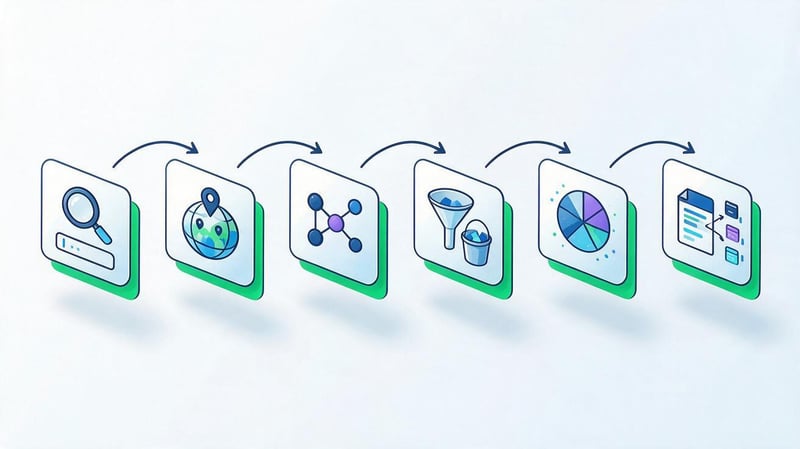
Automated semantic data collection begins with a sequential division of the work into distinct stages. First, the topic and search terms are defined, then the list of queries is expanded, metrics are checked, and irrelevant phrases are removed. After this, clustering is performed and groups are distributed among the website pages.
Automatic semantic core compilation helps reduce the number of repetitive operations, especially when working with large catalogs and multi-page resources. However, the quality of the final structure depends on the source data and the correct interpretation of the results. Let's look at a practical sequence of actions using a commercial website as an example.
Why does automatic clustering need to be checked manually?
Automatic algorithms compare queries based on certain criteria, but the same term can be used in different search situations. For example, the phrases “car repair price” and “DIY car repair” relate to the same topic but suggest different types of pages. Mechanically combining them can lead to an incorrect structure.
During manual review, a specialist evaluates search intent, search results, and the relevance of queries to the offered service. If Google primarily displays different document types for two keywords, they may require separate content.
It's also useful to check queries that don't fit into any group. These may include narrow commercial topics or standalone informational topics. It's not a good idea to delete such phrases without analysis, as they can sometimes reveal new promotion opportunities.
Example of query distribution by URL
Let's consider a hypothetical example of a dental clinic website. After collecting and cleaning the semantics, the specialist received several groups of queries about cavity treatment, professional cleaning, and service costs. Each group needs to be matched to the appropriate page.
| Search query | Intent | Cluster | Recommended page |
|---|---|---|---|
| caries treatment | Commercial | Treatment of caries | /services/caries/ |
| caries treatment price | Commercial | Treatment of caries | /services/caries/ |
| cost of caries treatment | Commercial | Treatment of caries | /services/caries/ |
| symptoms of caries | Informational | Symptoms of dental caries | /blog/caries-symptoms/ |
| How is caries treated? | Informational | Caries Treatment – Article | /blog/how-caries-is-treated/ |
| professional teeth cleaning | Commercial | Dental hygiene | /services/cleaning/ |
| teeth cleaning price | Commercial | Dental hygiene | /services/cleaning/ |
| how often to get teeth professionally cleaned | Informational | Dental care | /blog/teeth-cleaning-frequency/ |
| dental implantation | Commercial | Implantation | /services/implants/ |
| Dental implantation cost | Commercial | Implantation | /services/implants/ |
This example shows a preliminary intent distribution. The final decision is made after reviewing the search results, as Google may associate certain informational queries with commercial pages or other content.
It's also a good idea to store search volume, page priority, language, and optimization status in the spreadsheet. This structure simplifies SEO specifications, meta tag writing, and internal linking planning.
Step 1. Define the topic and create a list of marker queries
To begin, a list of the company's main products, services, and product areas is compiled. Each area is described with several short queries that users can enter into Google. The list includes common names, industry terms, and customer-friendly wording.
For example, for a dental clinic, the keywords might be “cavity treatment”, “teeth cleaning”, “implantation”, and “braces”. Procedure names, treatment types, and commercial details are collected separately. This approach helps prevent confusion between different services before expanding the semantics.
At this stage, there's no need to try to collect thousands of variants. It's enough to create clear groups of marker queries and check their relevance to the actual services offered by the business. The more precise the initial categories, the less time it will take to remove irrelevant results.
Step 2: Select your search engine, language, and region
Before mass collection, it's necessary to determine which search engine and market the website is being promoted in. For a Ukrainian project, Google and the corresponding region are most often chosen. For local promotion, the city or region is also considered, if the tool supports these settings.
The search language should be chosen based on actual users and the website's language versions. For example, Russian- and Ukrainian-language wordings for the same service may have different popularity. Therefore, it's more convenient to collect them separately and then compare them during the structure planning stage.
Regional settings are especially important for medical services, repairs, delivery, and other local services. The same query may yield different search results in Kyiv, Dnipro, or Lviv. These differences must be taken into account when further distributing semantics.
Step 3: Automatically select additional keywords
After preparing the markers, automatic keyword selection is launched using the selected sources. For initial research, you can use Google Keyword Planner, search suggestions, and available query databases. Additionally, competitors' semantics are obtained and related topics are checked.
For example, the search query “cavity treatment” can be expanded to include details about cost, treatment methods, symptoms, and dental restoration. Some of these queries are suitable for a service's sales page, while others require informational materials. During the collection process, these can be saved in a general list with individual notes.
A semantic core creation program should support clear export or further processing of results. If the tool doesn't allow for easy extraction of phrases, working with a large list becomes more difficult. Therefore, it's worth checking in advance whether the CSV, XLSX, or other compatible data transfer format is suitable.
Step 4: Check search volume and clean up the results
After combining data from various sources, the list is purged of duplicate and irrelevant queries. At this stage, it's useful to check search volume, region, language, and primary search intent. Phrases with inappropriate brands, foreign cities, and services not found on the website are excluded from the working core.
When cleaning, negative keywords, filters, and checking for duplicate word forms are used. However, automatic rules should be applied carefully to avoid missing useful queries. For example, the word “free” may be irrelevant for a commercial service but appropriate for an informational article.
After processing, it's convenient to save a separate file containing the original data and the cleaned-up version of the semantics. This will allow you to revisit deleted phrases if necessary and compare results from different sources. For large projects, it's also useful to record the date the metrics were received.
Step 5: Group semantics using Seo-Gen's Keyword Clustering Tool
After clearing the list, you can proceed to online keyword clustering in Seo-Gen. The tool works with pre-prepared search phrases and helps divide them into groups based on common words. A specialist checks additional semantic similarity hints before finally merging the queries.
To get started, simply prepare a list of keywords, with or without frequency. The data can be pasted directly into the interface or uploaded as a CSV, XLSX, or TXT file. Then, if necessary, define thematic stems, edit stop words, and add dictionary matches.
The sequence of work is as follows:
- Prepare the initial data. Remove obvious duplicates and save search phrases in a convenient format, adding frequency if necessary.
- Load semantics. Paste the keys into the tool field or select a file with a prepared list of queries.
- Set up grouping. Add topic stems, check stop words, and provide dictionary matches where necessary.
- Process the core. Run the processing and view the resulting groups, keywords, and individual queries.
- Check the results. Assess search intent, explore controversial groups, and compare Google results if necessary.
- Export data. Copy the result or save it as CSV for further distribution of queries across pages.
The tool is convenient for initial lexical grouping and preparing semantics for manual SEO verification. It does not automatically retrieve search queries from Google and does not replace separate clustering based on URL intersections in search results. Therefore, pre-defined groups are used as the basis for further work on the site structure.
Step 6. Distribute clusters between website pages
After cluster validation, keyword mapping is performed—matching groups of search queries with specific website pages. For each group, the primary query, search intent, and appropriate document type are determined. Then, a check is made to see if a page already exists on the website that meets the corresponding need.
If a relevant URL exists, it is included in the semantic map, and the content is updated if necessary. A new page is created when a suitable document for a particular cluster is missing. This approach helps avoid unnecessary page growth.
When distributing keywords, they consider commercial queries, informational topics, and location-specific wording. For an online store, this could be categories and product cards; for a service website, individual landing pages; and for a blog, articles, instructions, and thematic collections.
How to choose a service for collecting a semantic core?

The choice of service depends on the site's size, the number of queries, the budget, and the frequency of SEO work. A small project usually only needs a few sources of search ideas and a simple grouping method. A large online store may require bulk exports, automation, and regular data updates.
It's also important to determine what tasks the specialist can handle independently. If you only need automated keyword selection, there's no need to pay for a full suite of technical audit and link analysis features. However, if a company regularly researches competitors and monitors rankings, a comprehensive platform may be more convenient.
For a small website or landing page
For a small website, it's important to collect queries that match the company's products or services as closely as possible. A limited list of keywords, demand testing, and analysis of a few competing pages are usually sufficient. A large volume of low-relevance keywords only complicates further work.
At the initial stage, you can use Google Keyword Planner and search suggestions, and if you have statistics, you can add Search Console. After cleaning, it's convenient to group keywords manually or using a separate online tool.
Particular attention should be paid to the landing page type. A landing page isn't always suitable for promoting a large number of different services or search intents. If the collected semantics cover separate areas, expanding the site structure may be necessary.
For an online store
Online stores typically work with a large number of categories, products, and characteristics. Therefore, the software for collecting the website's semantic core must support bulk query processing and easy data export. For large catalogs, filters by brand, size, material, and other product parameters are essential.
First, they collect keywords for the main categories, then expand them with commercial refinements. After testing demand, they determine which filters and subcategories have independent search potential. However, there's no need to create an indexed page for each combination of characteristics.
Automation is especially useful when regularly updating product ranges. If new brands or product groups appear in the store, the semantics need to be supplemented and aligned with the existing structure. Tools that support large tables and reprocess data are convenient for this.
For a blog or informational site
For an informational website, user questions, thematically related queries, and long-tail phrases are especially important. Such phrases help create a content plan and explore topics of interest to the audience. The main task is to distribute queries among future articles.
When collecting keywords, it's helpful to examine Google search suggestions, Search Console, and competitors' content. Queries are then grouped by specific questions and checked to see if multiple phrases can be covered in a single publication.
Don't create a separate article for every related phrase. For example, the questions “how to build a semantic core” and “how to create a website semantic core” can often be covered in a single article. The final decision depends on the actual search results and the depth of the chosen topic.
For SEO agencies and large projects
SEO agencies regularly work with multiple websites, different regions, and large semantic cores. Therefore, bulk processing, project history, API availability, and collaboration capabilities are paramount. Predictable costs for recurring operations are also important.
When choosing a platform, it's helpful to check how data export, storage, and multilingual support are organized. Limits on the number of requests and update frequency of metrics deserve special attention. These parameters can significantly impact your workflow.
Large projects also require semantic quality control after automated processing. Therefore, it's convenient to save the original exports, cleaned lists, clustering results, and query distribution map. This helps track changes and reuse research results.
What criteria should I consider before paying for a service?
Before purchasing a paid tool, it's a good idea to test it on real queries for your project. To do this, you can prepare a small set of markers, several competitive domains, and a task list. Then, compare the resulting data, interface usability, and usage limitations.
Main selection criteria:
- Data sources. Check whether the service uses Google, search suggestions, its own databases, or other sources.
- Regional coverage. Make sure the required countries, cities and language versions are available.
- Volume of processing. Compare limits on the number of requests, bulk operations, and result export.
- Clustering. Check which grouping method is used and whether the results can be modified manually.
- Data export. Clarify support for CSV, XLSX, and other formats required for further work.
- Price. Calculate costs based on frequency of use, number of projects and additional operations.
- Ease of use. Evaluate filtering, list saving, action history, and collaborative processing capabilities.
After comparing the criteria, it becomes clearer whether a comprehensive semantic core service is needed or whether a few specialized solutions are sufficient. For one-off tasks, a simple set of tools is often sufficient, while ongoing, high-volume work requires more advanced automation.
Typical errors in automatic semantic collection

Automatic semantic core creation reduces the amount of technical work, but the results depend on the quality of the initial queries and processing settings. Even a large list of search phrases can be useless if it doesn't match the website's topic or the actual needs of users.
Errors most often appear when selecting sources, checking search volume, and grouping queries. Their consequences become apparent after page creation, when individual URLs begin competing with each other or don't match search results. Therefore, it's advisable to conduct quality control before developing the structure.
Using only one keyword source
A single source rarely covers all search terms that could be useful for website promotion. Google Keyword Planner displays search ideas using its own methodology, Search Console contains statistics from an existing resource, and third-party platforms use separate databases.
If you limit yourself to one service, some queries may go unnoticed. This is especially true for narrow commercial terms, new products, and user questions. To expand your semantics, it's helpful to compare multiple relevant sources.
However, the number of services alone does not determine the quality of the result. It is important to choose sources that truly complement each other and provide relevant data. After combining the lists, duplicate removal is mandatory.
Selecting queries based solely on frequency
High search volume indicates demand, but it doesn't guarantee the commercial value of a particular query. For example, an informational phrase may attract many visitors who don't intend to purchase a product or order a service. Therefore, intent must be taken into account when evaluating semantics.
For commercial pages, more specific queries with clarifications on product, service, price, or location are often useful. Such wording helps to more accurately identify user needs and create a suitable landing page.
It's best to prioritize queries based on demand, competition, business fit, and the current website structure. Seasonality and potential changes in interest should be carefully considered. This approach helps plan your work without focusing solely on the most popular keywords.
Combining different search intents
Similar queries may require completely different page content. For example, “buy an air conditioner” suggests product selection, while “how to choose an air conditioner” is more often associated with information search. Combining such phrases into a single commercial cluster can reduce the page's relevance.
When clustering, it's important to check the composition of Google search results. If some queries primarily display product categories, while others display instructions and reviews, it's better to separate the groups. This helps more accurately determine the format of future content.
Broad and ambiguous queries should be analyzed especially carefully. They may relate to multiple business areas or different stages of the product selection process. In such cases, it's helpful to examine actual search results and qualifying keywords.
Eliminating manual cluster checking
A keyword clustering service can group phrases by common words, semantic similarity, or search results overlap. Each method has its own limitations. Therefore, automatic clustering should be considered a preliminary result that requires verification.
For example, similar word forms are usually easily grouped together, but the same service name can be used in different contexts. The algorithm doesn't always accurately account for all the commercial specifics of a particular business.
After processing, it's useful to review boundary groups, individual queries, and potential duplicates. If a cluster combines several independent services, it should be split. If similar queries end up in different groups, it's worth checking whether they can be combined.
Using outdated databases or inappropriate region
Search queries change along with product ranges, seasonality, and user behavior. Therefore, old databases may contain outdated wording or fail to reflect the emergence of new services. This risk is especially noticeable for dynamic niches.
Regional differences also affect the quality of semantics. A query popular in one country may be virtually unused in another. When promoting a local business, it's essential to ensure the selected data is relevant to the target region.
For multilingual websites, it's helpful to organize semantics by language and regularly review key groups. This helps maintain an up-to-date structure and promptly identify new search needs.
Semantic core collection services help find search queries, analyze demand, and prepare data for SEO. Tools should be selected based on specific tasks: phrase collection, competitor research, keyword frequency checking, cleansing, or clustering.
For small projects, Google Keyword Planner and a few additional tools are sufficient. Larger websites may require paid platforms with bulk processing and advanced reporting. In both cases, the collected queries need to be verified by intent and distributed among the appropriate pages.
Have you already collected keywords for your website? Use Keyword Clustering Tool by Seo-Gen to perform the initial semantic grouping, validate the resulting clusters, and prepare queries for distribution across pages.


