Google Maps reviews: how to work with reviews


Before visiting a restaurant, making a dentist appointment, or choosing a car service, people often check Google Maps reviews. These can help them understand how well a company meets deadlines, how employees communicate with customers, and what happens when problems arise. Even a few detailed comments can influence the decision of someone previously unfamiliar with the company.
For businesses, reviews on Google Maps provide an opportunity to receive feedback, respond to complaints, and build a strong reputation. We'll explore how to organize review collection, handle negative reviews, improve your company's rating using approved methods, and resolve common publishing issues.
What are Google Maps reviews and how do they work?
Google Maps reviews are user ratings and comments about businesses, organizations, and places listed on Google Maps. Users can rate a business on a five-star scale, describe their experience, and add photos or videos. Other users see this information when viewing the business's profile.
Reviews are linked to a business's Google Business Profile and appear on Google Search and Maps. Businesses can read comments, respond to them, and report policy violations if their profile is verified and the relevant features are enabled.
Where are Google reviews for a business displayed?
Reviews are available directly on the business's Google Maps page. Users can see the average rating, the number of published ratings, and individual comments. When opening the reviews section, they can explore service details, view photos of visitors, and see responses from company representatives.
Information also appears in Google Search when people search for a business by name or browse local results. For example, when searching for “dentistry near me”, users can compare several clinics by location, hours, and ratings. Reviews of locations help clarify details not included in the official business description.
How is a company's rating formed on Google?
A company's average rating is calculated based on published user star ratings. For example, if an organization has received four five-star ratings and one three-star rating, the average rating is 4.6. This average rating may change as new ratings are added.
Google uses published ratings to calculate its ratings, but sometimes there's a delay in updating them. Therefore, after a new review, the star count in the business profile may not change immediately. Moderation also affects the rating display: ratings removed for policy violations are no longer counted.
For smaller companies, each new rating usually has a more significant impact on the average. If there are already several hundred reviews, changing the rating will require significantly more new ratings.
Answers to your questions
Can I leave a review on Google Maps without a Google account?
To post a review, you must sign in to your Google account. Your email address doesn't have to be a Gmail one, as Google allows you to create accounts using other email services.
You can read available ratings and comments without logging in, but publishing your own review requires an account. Before submitting, please check your profile name, which will be visible to other users.
Can I leave a review on Google Maps anonymously?
Google Maps doesn't allow for the standard anonymous posting of reviews without displaying the author's profile. When posting a comment, other users can see the username and available profile information.
Avoid including your own confidential information or the personal data of others in the text. If the review relates to medical, financial, or other sensitive circumstances, it's best to describe the situation without revealing unnecessary information.
Why isn't my Google review visible to other users?
This could be due to moderation, a delay in display, or the post being removed for violating the rules. If the review is missing, check the account you're using, the correct organization, and the status of the comment in your profile.
Don't repeatedly post the same text in an attempt to bypass verification. First, familiarize yourself with Google's guidelines and ensure your comment is based on real experience.
How quickly does Google publish reviews?
Google doesn't set a single guaranteed review publication time. Some comments appear quickly, while others undergo additional review and may be delayed.
If a post has been missing for several days, it's worth checking its content and ensuring it complies with the service's rules. A long delay in itself doesn't prove that the review has been permanently removed or rejected.
Is it possible to delete a negative review about a company?
A company can report a negative review to Google if it violates its user content policies. However, simple dissatisfaction with service or a critical review does not give the owner the right to demand the post's removal.
If the review is the user's own, they have the right to edit or delete it through their profile settings. The company must resolve genuine complaints regardless of whether the customer changes their rating.
How do I see all my reviews on Google Maps?
On your computer, open Google Maps and go to the “Your contributions” section, then select the list of reviews. Here you can view previously posted comments, edit them, and delete them if necessary.
In the Google Maps app, the relevant section is located in the user profile. The button layout varies depending on the app version and the device's operating system.
Is it possible to improve Google Maps ranking with paid reviews?
Purchasing reviews and offering rewards for ratings are prohibited by Google policies. Such posts may be removed, and companies risk profile restrictions and loss of customer trust.
To improve your rating, you should work on improving the quality of your service and regularly invite real customers to leave honest feedback. The result depends on the ratings received and the existing number of reviews.
Is it possible to reply to reviews from a phone?
A company representative can manage reviews from their phone if they have the necessary access rights to their verified profile. To do this, open the company's management page through the supported Google interface and navigate to the published comments.
Before sending, review the content of your response, especially if the client provides personal information or describes a conflict. For complex requests, it's helpful to prepare the text in advance and coordinate it with the responsible employee.
How to embed Google Maps reviews on your website?
The easiest way is to add a link to the organization's original Google Maps page. If you want to display individual comments directly on the page, consider a third-party widget with an authorized data source.
Before installation, check technical compatibility, ensure information is up-to-date, and comply with the terms of use. You should also ensure that the integration doesn't slow down page loading and functions correctly on smartphones.
Do keywords in reviews affect a company's ranking?
Google considers various business information when determining local search results, including the number of reviews and ratings. However, Google does not publicly disclose the precise influence of individual words in user comments.
Asking clients to specifically add service names, areas, or search phrases for the sake of promotion is not recommended. It's much more beneficial to maintain accurate profile information, receive genuine reviews, and improve your service.
What does a Google Maps review consist of?
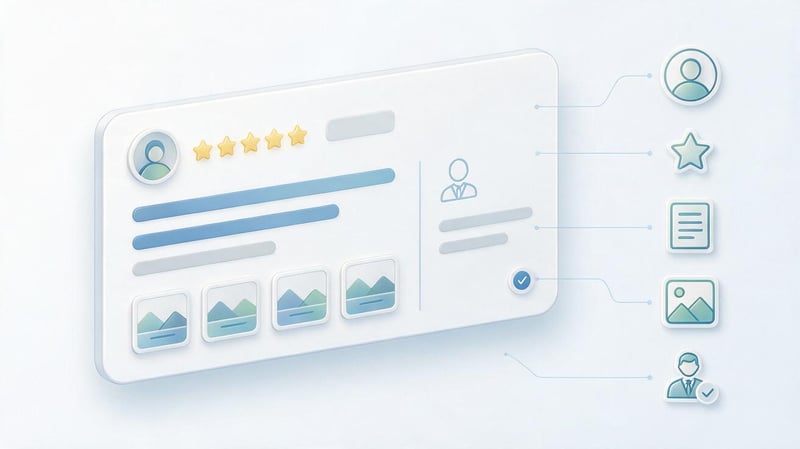
The main element of a review is a rating from one to five stars. Users can also write a comment and attach photos or videos, if available. The author's information and date are displayed next to the post, and the company's official response may appear below.
A text review is useful because it explains the reason for the rating. For example, four stars without an explanation says almost nothing about the quality of service. If a customer describes the wait, the staff, and the condition of the premises, it's easier for a future customer to understand whether the establishment is right for them.
Google customer reviews can only contain star ratings, without any additional content. Published comments must reflect actual customer experiences and adhere to the platform's policies.
Why are Google Maps reviews important for businesses?
Users rarely make decisions based solely on the name of a business. They compare offers, examine photos, check prices, and check the experiences of other visitors. Google Maps reviews help you get a feel for the service even before your first visit.
For business owners, comments show which aspects of the service satisfy customers and which regularly generate complaints. This information is useful for reputation management, improving service, and monitoring employee performance.
How do reviews influence customer trust and company choice?
Let's imagine two coffee shops located on the same street. The first has a high rating, but the most recent comments were posted a long time ago, and the management doesn't respond to comments. The second has a slightly lower rating, but customers regularly share their impressions, and the establishment's representatives respond to questions in detail.
When choosing the second coffee shop, people can feel more confident because they see recent reviews and the business's clear responses. Comments with specific details, such as wait times, product quality, adherence to appointments, or delivery options, are especially helpful.
A company's reputation is built on real customer experiences and the public response to them. One negative comment alone doesn't determine the audience's attitude, especially if the organization has addressed the situation and offered a well-reasoned solution.
How do reviews affect local SEO and Google Maps rankings?
Google officially identifies three main factors for local ranking: relevance, distance, and prominence. When assessing prominence, the search engine considers various business information, including links, mentions, number of reviews, and user ratings.
More reviews and positive ratings can help improve local visibility. However, a company's specific placement in search results depends on a combination of factors, including the user's location and the relevance of the profile to the search query.
Google Maps SEO should include a complete business profile, correct categories, an up-to-date schedule, photos, and quality control. Artificially injecting keywords into customer comments does not guarantee results and may violate the platform's policies.
Lead SEO specialist — Gennady
I consider Google Maps reviews as part of local SEO and regularly check them along with the business profile. I'm interested in the number of ratings, the date of the most recent posts, the content of complaints, and how helpful the business is in responding to its customers.
If your profile has a good rating, but the last reviews were several months ago, I recommend setting up regular feedback collection. However, buying ratings or asking customers to include specific keywords is not allowed. It's more reliable to establish a clear process for communicating with customers, correcting any issues identified, and monitoring the quality of your profile information.
What review metrics should you track?
To assess the situation, it's useful to track the number of published comments and the change in the average rating over a given period. Additionally, it's worth considering new negative reviews, the speed of employee responses, and recurring causes of customer dissatisfaction.
Such data allows us to distinguish isolated incidents from systemic problems. For example, if several customers independently complain about long wait times, management should review the organization's operations rather than limiting itself to issuing standard apologies.
| Indicator | What does it show? | How to use |
|---|---|---|
| Average rating | Overall rating of the company | Monitor the dynamics |
| Number of reviews | Volume of published feedback | Compare periods |
| New reviews | Customer activity | Monitor regularity |
| Negative assessments | Service issues | Determine the causes of complaints |
| Response time | The company's response speed | Monitor the work of those responsible |
| Repeated comments | Systemic weaknesses | Plan corrections |
It's best to compare metrics by month, saving data for previous periods. For a chain of establishments, it's useful to maintain separate statistics for each location, as the reasons for complaints can vary significantly.
How to get more reviews on Google Maps?

To collect feedback regularly, simply create a convenient way to access your company profile and determine when to reach out to the customer. The request should be voluntary and neutral, without requiring a high rating or a specific text.
Google allows genuine customers to share their experiences via a link or QR code. However, it prohibits rewarding users for publishing, editing, or deleting reviews, or selectively reaching out to only those who were satisfied with the service.
When is the best time to ask a client to leave a review?
The most appropriate moment is after the customer has received the product or used the service and can evaluate it. For example, a café customer might be asked to share their impressions after the service is complete, or an online store customer might be asked to share their impressions after receiving their order.
For services with long-term results, the timing of the request may vary. After the equipment is repaired, it's reasonable to allow the customer to check that it works, and after a larger project is completed, wait for the results to be handed over to the client.
The request should be made calmly and without pressure. The client has the right to refuse, give any rating, or describe the shortcomings in detail, even if the employee was expecting positive feedback.
What feedback collection methods work for businesses?
Companies use face-to-face communication, messaging, email, printed materials, and CRM. The choice depends on how they typically interact with customers and what communication channels are already in use.
It's better to implement a single, clear process than to launch multiple email campaigns simultaneously without proper control. For example, a beauty salon might only need a neutral message after a customer's visit, while a car repair shop might prefer a link in the order completion notification.
Personal request after service
The administrator may invite the visitor to share their impressions after the service is complete. The wording should be clear and allow the visitor to choose: “If you have a few minutes, please share your impressions of our service on Google Maps. We appreciate receiving honest feedback”.
This request can be used in a dentist's office, beauty salon, cafe, or service center. The employee doesn't need to monitor the customer's rating, ask to see their phone screen, or insist on posting on the spot.
SMS, email, and instant messengers
After an order, a company can send a short thank-you message with a direct link. For example: “Thank you for using our service. If you'd like to share your experience, please leave a review for the company on Google Maps: [link]. We value your feedback”.
For email, a slightly more detailed message mentioning the completed order is appropriate. When sending, please ensure the client's consent to communication, applicable personal data processing rules, and the ability to opt out of future communications.
QR codes, NFC, and printed materials
A QR code is conveniently placed on a receipt, information desk, product packaging, or near the cash register. After scanning, the user is directed to the review form, eliminating the need to manually search for the business among similar names.
An NFC tag performs a similar function, but opens a link when a compatible smartphone is held near the tag. Before use, check the correct link, the size of the printed code, and its placement on a stand or other surface.
Automatic requests via CRM
CRM helps send consistent, accurate requests to customers after completing an order or service. For example, after a request is closed, the system forwards a message to the selected communication channel if the company has the necessary consent from the recipient.
When setting up automation, don't separate satisfied customers from dissatisfied ones by sending them different invitations to publish. Collecting honest reviews should remain available to all genuine customers, regardless of their perceived rating.
How to get a direct link to Google reviews?
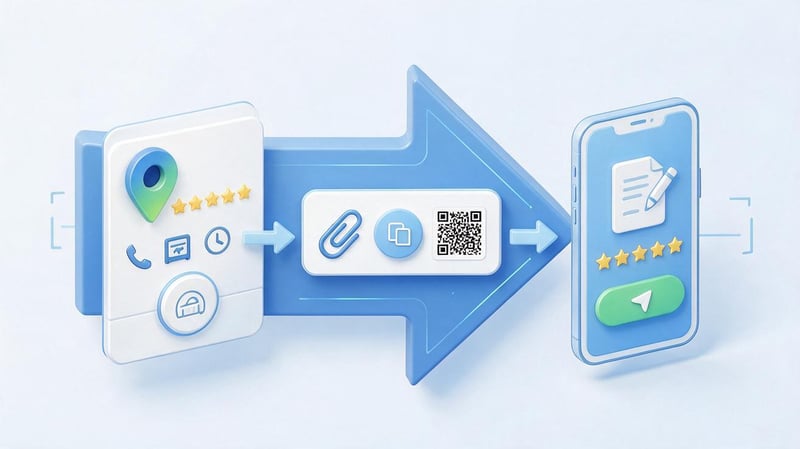
A direct link shortens the path from invitation to publication. A company can place it in emails, SMS, messengers, and on its own website, as long as it complies with the rules of the relevant channels.
To get a link through your company profile, follow these steps:
- Open Google Search and sign in to the account that manages your verified organization profile.
- Find your business profile and go to the reviews section.
- Select the option to get more reviews, usually labeled “Get More Reviews”.
- Copy the provided link or save the QR code for future use.
- Check the link in a regular browser and make sure that the link opens the desired organization.
According to Google instructions, you can generate a QR code using your computer's browser. It's best to save the generated link in a work document or CRM so that employees use a single, verified address.
Which feedback collection method should I choose?
The appropriate channel depends on the frequency of purchases, the service format, and the customer's habits. For brick-and-mortar stores, personal messages and QR codes are useful, while for online stores, messages after the goods have been received are usually more convenient.
| Method | Where to use | Advantage | Limitation |
|---|---|---|---|
| Personal request | Cafes, clinics, salons | Direct contact | The client may be in a hurry |
| SMS | Delivery, services | Quick transition | Contact and suitable legal status for the mailing required |
| Online stores, B2B | Convenient automation | The letter may remain unread. | |
| QR code | Shops, restaurants | No manual search required | Scanning required |
| NFC | Service counters | Convenient link opening | Need a compatible phone |
| CRM | Companies with a flow of orders | Control over sends | System configuration required |
After implementation, you should monitor how many customers receive invitations and how many new reviews appear in the card. These metrics help evaluate the usability of the process, but do not provide grounds for requiring customers to post comments.
How to leave a review on Google Maps?
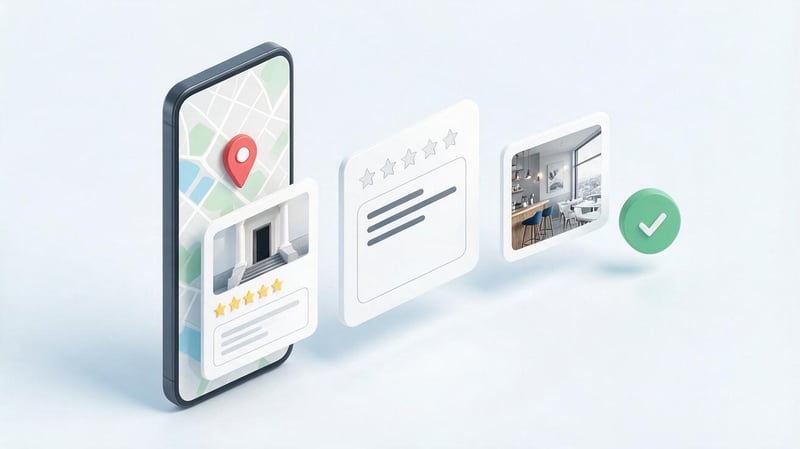
Users can write a review of a business directly on Google Maps after logging in to their Google account. When posting, it's recommended to describe your experience, provide specific details, and avoid details unrelated to your visit to the business.
A review doesn't necessarily have to be positive or include photos. It's enough to objectively evaluate your interactions with the company and adhere to the user-generated content guidelines.
How do I write a review on Google Maps from a computer?
Open Google Maps in your browser and sign in to your Google account. Search for the business you need by name or address, check its location, and open the business information card.
Then, go to reviews, select the comment option, rate it, and describe your experience. After reviewing the text, click the publish button. If the appropriate features are available, you can attach photos or other permitted materials to your review.
Before submitting, please ensure you've selected the correct organization. This is especially important for chain establishments where several branches share the same name but operate at different addresses.
How to leave a review on Google Maps from a phone?
On your smartphone, open the Google Maps app and find the business you visited. Go to its card, open the reviews section, and select “Add a rating”. The interface may vary slightly depending on your device and app version.
Next, give a star rating, write a comment, and add photos if necessary. Before publishing, review the content of your post to ensure it's relevant to the location you've chosen.
These instructions are suitable for both Android and iPhone, although the location of individual buttons may vary. If the post is unavailable, check your authorization, app updates, and review posting restrictions for the organization you've selected.
Where can I find my reviews on Google Maps?
To view your own posts, open Google Maps using the account you used to leave comments. On a computer, go to the menu, then open the “Your contributions” section and select “Reviews”. This displays ratings and comments associated with your profile.
On your phone, open your user profile using the Google Maps app and navigate to your published reviews. Depending on your app version, this section may be located within the profile menu or under the “Add” subsection.
If my reviews on Google Maps aren't listed, first check the account you're using. Users who switch between work and personal profiles sometimes search for a post in an account other than the one where it was created.
How to respond to reviews on Google Maps?

A public response helps the client understand the company's position and see what actions were taken following their request. Furthermore, the content of the response is read by future customers, so even complex situations should be addressed calmly and to the point.
The company can thank the author, clarify the circumstances, acknowledge the error, or explain the service rules. Responding requires access to the organization's verified profile and the appropriate management rights.
How do I respond to a review on behalf of my company?
Open your Google business profile using an account with the necessary permissions. Go to the “View Reviews” section, find the relevant post, and click “Reply”. In the field that appears, write your message and submit it for publication.
Google reviews responses for compliance with platform policies. This usually happens fairly quickly, but in some cases, review can take significantly longer. Once approved, the text appears under the review on behalf of the company.
If a customer edits a review after receiving a response, this doesn't mean the company can control its rating. The profile owner only controls their own responses, which can be edited or deleted if necessary.
How to respond to positive reviews correctly?
A thank-you should reflect the content of the customer's message. For example, if a visitor noted the receptionist's attentiveness and adherence to appointment times, the company might thank them specifically for these observations.
Sample response: “Thank you for sharing your experience with our salon. We're glad your appointment was on time and the receptionist was helpful in choosing your treatment. We'll pass your kind words along to the team”.
When someone leaves only five stars, a short, friendly message is sufficient. There's no need to add a long description of the service, promotional promises, or the same text under every positive review.
How to respond to negative customer reviews?
A negative review should first be carefully read and compared with available information about the order or service. A public response should help clarify the situation, not turn into a dispute between the company and the customer.
Before publishing, it's helpful to determine whether a comment contains a specific complaint, emotional grievance, or information the organization cannot yet confirm. This will determine the content of the response and subsequent actions by employees.
Constructive complaint about the service
If a customer reports a specific issue, such as a missed appointment or an order error, acknowledge their concerns and offer a clear resolution. Don't promise compensation until the company has investigated the situation and agreed on further action.
Example: “Thank you for letting us know about the service delay. We're sorry you had to wait longer than expected. We'll check your appointment and would appreciate it if you could contact the administrator for further details”.
An emotional review without details
A comment like “Terrible service, I won't be back” doesn't contain enough information to verify. The company could express regret for the customer's experience and request that they confirm the date of their visit through an official communication channel.
Example: “We're sorry you had this experience. We'd like to look into what happened and understand what exactly caused your dissatisfaction. Please contact our support team, including the date of your request”.
Publicly demanding an explanation or accusing the author of bias is not advisable. A calm response demonstrates to other users that the company is willing to consider complaints, even if the comment is emotionally charged.
A review of a company the author allegedly did not interact with
Sometimes an organization receives a complaint that can't be matched with internal data. However, the absence of a record in the CRM doesn't prove that the complainant never contacted the company. The order could have been placed under a different name or through a third-party platform.
In such cases, it's best to respond neutrally: “Thank you for your feedback. We haven't yet been able to determine which ticket this situation relates to. Please contact our support team with additional information so we can investigate”.
If there is reason to believe a post is fake or violates Google's policies, the company may file a complaint. The mere assumption that the author was never a customer does not guarantee the comment will be removed.
What mistakes do companies make when responding?
A common problem is the same thank-you messages that employees copy and paste under every post. Equally damaging are aggressive responses to complaints, public discussion of personal information, and promises to rectify the situation without follow-up.
Another mistake involves trying to use replies as a platform for search engine optimization. Listing services, districts, and cities in each message looks unnatural and distracts from the content of the message.
| Situation | Bad answer | Correct answer |
|---|---|---|
| The client praised the service | “Thank you for your feedback” under each post | “Thank you for recognizing the work of our administrator”. |
| Complaint about delay | “That never happens here”. | “We'll check the circumstances of the delay and clarify the situation”. |
| Not enough details | “You are definitely not our client”. | “Please clarify the date of your request for verification”. |
| Complaint about quality | “Everyone else is happy” | “We want to understand the comments and propose a solution”. |
After a public response, the complaint must be processed internally. If the problem is confirmed, the manager should address the underlying cause, otherwise similar comments will recur.
How do I delete a review on Google Maps?
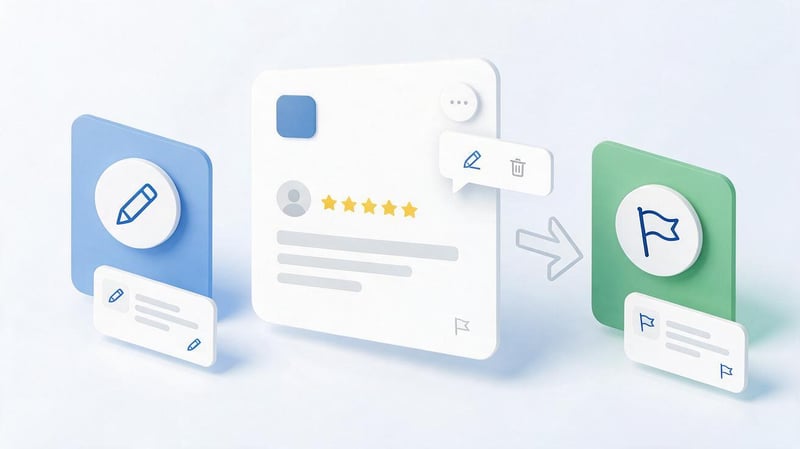
Whether a comment can be removed depends on who owns the published comment. Authors manage their own reviews, while companies can report someone else's post if they believe it violates Google's policies.
A low rating and distasteful content are not sufficient grounds for removal. Negative reviews about genuine customer experiences can remain on a business's profile, even if the business owner disagrees with them.
How do I delete or edit my review on Google Maps?
Users can edit their published rating, add comments, or delete their own review entirely. To do this, log in to your Google account, open Maps, and go to the previously published reviews section.
On a computer, use the “Your contributions” menu to access reviews. Next to the desired post, open the menu with three dots and select “Edit” or “Delete”.
On a smartphone, the sequence is similar: open your profile, find the list of published reviews, and select the desired action. After editing, the publication date may be displayed as the last modified date.
Can a company remove a negative customer review?
Business owners don't have the ability to delete other people's comments at their own discretion. If a customer genuinely used the service and described an unpleasant experience without violating the rules, their post may remain visible to other users.
The company reserves the right to respond to comments, propose a solution, or contact the author through an authorized communication channel. However, it is not permitted to request a rating change in exchange for money, a discount, a free service, or other benefits.
If a comment contains prohibited content, there is a complaints procedure. The decision to enforce the rules is made by Google, not by an organization representative or third-party contractor.
What reviews can I complain about?
Spam, fictitious reviews, conflicts of interest, insults, and other violations of the user content policy may be grounds for a complaint. For example, a series of similar posts from accounts that don't describe actual interactions with the company may raise suspicion.
Moreover, the accusation of violation must be based on the content and circumstances of the publication. A critical review with a low rating is not banned simply because the organization's owner considers it unfair.
Before applying, please read Google's user-generated content policies. They help distinguish acceptable negative feedback from posts that violate platform requirements.
How do I submit a complaint about a review?
Open the company's profile and find the post that allegedly violates the rules. Select the report option from the relevant review menu, then select the appropriate violation category and submit your request.
Once submitted, you should monitor the decision through Google's complaint management tools. If the post does violate policy, Google may remove it from your organization's profile.
It's a good idea to save a link to the review and record the reason for the request in the company's internal system. This will help keep track of any disputes, especially if the organization is managed by several employees.
What should I do if Google refuses to remove it?
First, check whether the published comment actually violates a specific rule. If the complaint was rejected and the grounds for removal remain, you can use Google's appeals mechanism, if available, to resolve the issue.
Resubmitting identical requests without new arguments doesn't guarantee a different outcome. It's better to prepare facts that help establish the nature of the violation and verify the official status of the review.
While the review remains published, it's helpful for the company to respond calmly and to the point. This will help future customers understand the company's position, even if the controversial comment cannot be removed.
Why isn't my review showing or being published on Google Maps?
Users sometimes notice that a submitted comment doesn't appear on their organization's profile or disappears after a while. This may be due to moderation, policy violations, technical delays, or profile restrictions.
If Google reviews for a business have stopped appearing, you first need to determine the extent of the problem. Whether it's a single post missing, several comments over a certain period, or an entire review section, the reasons could vary.
How does Google review moderation work?
Google reviews user posts using automated systems and other monitoring mechanisms. Their purpose is to identify spam, inaccurate ratings, prohibited content, and suspicious activity that may indicate rating manipulation.
Verification can sometimes delay a comment's display for several days. Google doesn't disclose all the indicators it uses to identify suspicious activity, so third-party recommendations about specific IP addresses, account age, or required number of photos cannot be considered official guidelines.
If a post is based on real-world experience and complies with policy, its chances of passing review are higher. However, even a valid comment is not guaranteed to be published.
Why does Google remove previously published reviews?
Reviews may disappear if signs of spam, artificial activity, or other prohibited content are detected. The system also checks posts after they are initially posted, so a previously visible comment may be removed later.
This may be due to atypical publishing patterns, conflicts of interest, or content violations. Google also reports possible delays in displaying reviews after merging multiple company profiles.
It's impossible to reliably attribute every deletion to a single specific factor, such as VPN use or a short text. Unless the service provides a precise reason, such explanations remain speculative.
What to do if the real review is missing?
If a client reports that their post has disappeared, ask them to check the review in their own account and ensure it was posted to the correct organization. It's also worth checking to see if their profile information has been changed or if any profiles have been merged.
If necessary, you can contact Google's help on missing reviews. It describes common reasons for delays and disappearance of user comments.
If a review is truly deleted for violating the rules, it may not be possible to restore it by simply re-posting it. Companies should not ask customers to repeatedly post the same text to bypass moderation.
Why can't I add photos or videos to my review?
The issue with attaching content may be related to the app version, file format, internet connection, or device permissions. First, update Google Maps, check access to photos, and try again on a stable connection.
If you're unable to add a video to your review, check whether this feature is available in the current interface and whether the file complies with Google's technical restrictions. Publishing options may vary depending on the type of content, device, and applicable policies.
Do not upload images containing other people's personal information or materials that violate the platform's guidelines. Photos must be of the actual location or service received.
How to improve your business ranking on Google Maps?
Improving your rating begins with analyzing your current ratings and the reasons for customer dissatisfaction. If users regularly complain about the same issues, increasing the number of review invitations won't address the underlying cause.
It's helpful for companies to simultaneously improve their service, manage customer inquiries, and encourage all real customers to share their experiences. This process doesn't guarantee a specific number of stars, but it does help them receive relevant feedback.
How to calculate a company's current rating?
The average rating is determined by summing all stars, divided by the number of ratings. For example, if a company received ten five-star ratings and ten three-star ratings, the average rating would be four stars.
If ten more five-star ratings were published after this, the average would increase to approximately 4.33. This example illustrates why it's more difficult for a company with a large number of published ratings to quickly change the average.
A spreadsheet is convenient for calculations, but keep in mind that Google calculates the displayed rating itself. Changes to the public metric may occur with a delay.
How to improve your rating without buying reviews?
Start with recurring complaints: employee lateness, long wait times, incorrect orders, or inconvenient appointments. It's a good idea to assign each issue to the responsible employee and check whether the quality of service has improved after the corrections.
The next step is to organize neutral invitations to leave feedback after real interactions. Feedback should be collected from a variety of clients, without pre-selecting them based on expected positive feedback.
Additionally, it's worth checking that your schedule, address, contact information, and other profile information are up-to-date. A discrepancy between the promises on your profile and the actual terms of service often leads to dissatisfaction.
How many reviews does it take to improve your ranking?
There's no universal number of reviews that will guarantee a company's rating increase. The result depends on the current average rating, the number of reviews already published, and the value of new reviews.
For example, a single five-star rating may be enough to significantly change the average rating for a small number of reviews. For a company with several hundred reviews, the impact of a single post will be significantly less.
It's better to plan your work around the regularity of feedback and problem resolution, rather than by promising a certain number of five-star ratings. Purchasing comments to achieve a set number violates Google's policies.
Is it possible to buy reviews on Google Maps?
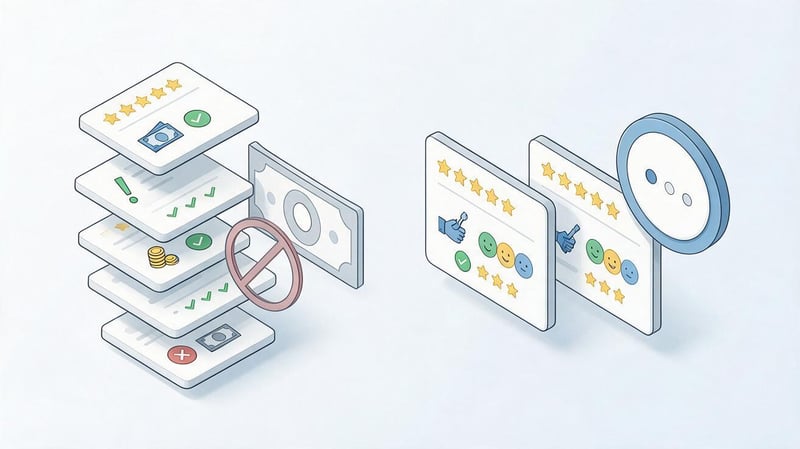
There are offers online to post positive comments for a fixed fee or to write Google Maps reviews for a fee. These services often promise a quick rating boost, but they violate the platform's requirements if the ratings are artificially created or published for a fee.
Google requires reviews to reflect the real user experience. Companies are prohibited from paying for posts, offering incentives for changing ratings, or incentivizing the removal of negative comments.
Why is paying for reviews on Google Maps against the rules?
Paying for publication affects the independence of the review, even if the author promises to write an accurate text. The user receives a financial benefit for the mere act of posting, so such a review can no longer be considered completely voluntary.
The same principle applies to discounts, gifts, free services, and other benefits. Even asking for an “honest review” in exchange for a bonus violates Google's guidelines, as the reward is tied to the publication.
Offering compensation to a customer for changing or removing a negative rating is also prohibited. Resolving a genuine issue with an order is acceptable, but resolving a complaint cannot be dependent on the author's actions on Google Maps.
What are the dangers of Google review manipulation?
Artificial ratings may be removed after verification, and company profiles may be restricted for policy violations. Furthermore, purchased reviews often contain general statements and poorly reflect the actual service features.
Potential clients may notice unnatural content, especially if a large number of similar posts appear within a short period of time. This creates additional reputational risks for the business.
Trying to compensate for poor service with inflated ratings doesn't solve the problem that leads customers to leave negative reviews. It's far more beneficial to investigate the causes of complaints and change internal processes.
What methods of receiving feedback are allowed?
Google allows you to invite real customers to share their experiences without pressure or financial compensation. The company can provide a link, a QR code, or a message through an appropriate communication channel.
| Action | Admissibility |
|---|---|
| Ask the customer to leave an honest review | Allowed |
| Place a QR code in the store | Allowed |
| Send link after service | Allowed |
| Offer a discount for publishing | Forbidden |
| Buy five-star ratings | Forbidden |
| Ask only for satisfied customers | Forbidden |
| Require specific keywords | Forbidden |
| Pay to change a negative review | Forbidden |
| Create reviews from fictitious customers | Forbidden |
Before launching a new feedback collection program, it is recommended to check the current Google rules. They apply to various forms of artificial stimulation and manipulation of assessments.
How to add Google Maps reviews to your website?
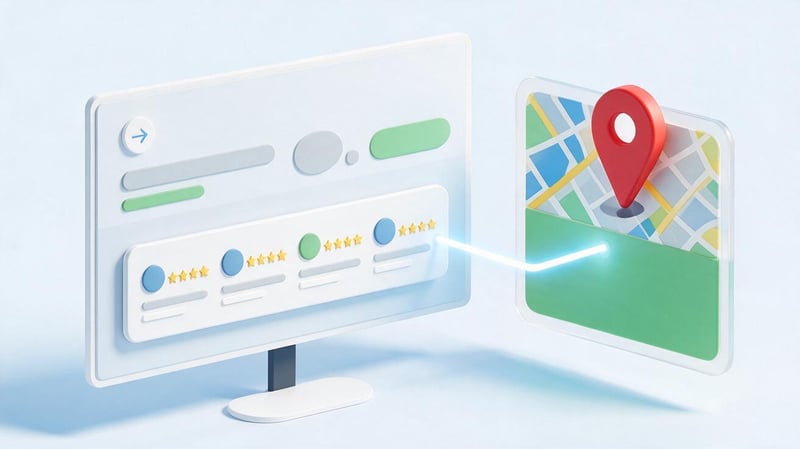
Reviews from Google Maps can be displayed on your website through special integrations, third-party widgets, or links to original publications. This block is often placed next to contact information, company information, or service descriptions.
Before connecting, please check the data source, the service's terms of use, and ensure it displays correctly on mobile devices. It's especially important that the ratings displayed correspond to actual publications and don't mislead visitors.
Why display Google reviews on your own website?
Visitors can more easily assess a company's reputation when real customer reviews are available alongside the service description. For example, a dental clinic's page might include a link to its Google Maps profile so visitors can explore patient reviews themselves.
However, the widget doesn't guarantee improved search rankings or enhanced snippets with stars. Google separately regulates the use of structured review data and limits the display of ratings that organizations post about themselves.
It's best to provide visitors with the option to go directly to the original source. This helps them check the relevance of comments and access the full rating history.
What review display methods are available?
The simplest option is to add a simple link to the company's Google Maps page. Users can then open the page and see the company's current ratings, photos, and responses.
Another option is to use a third-party widget that receives feedback through approved integration mechanisms. When choosing, it's important to check update support, licensing terms, source availability, and mobile display quality.
Manually posting individual quotes is also permitted, subject to applicable rights and terms of use. However, passing off edited text as a verbatim review or obscuring the context in such a way as to alter the original meaning of the publication is prohibited.
How to install the Google Reviews widget on your website?
First, choose a tool that supports connecting a Google Business Profile or an authorized data source. Check how frequently comments are updated, whether the original review can be accessed, and how the service processes user information.
Then, connect the desired organization, customize the block's design, and place the provided code on the website page. Ready-made modules may exist for WordPress and OpenCart, but integration with a custom CMS depends on the template structure and available components.
After installation, test the widget on your computer and smartphone, test the links, and evaluate the impact of the widget loading on page speed. If an external service is temporarily unavailable, the rest of the site should continue to function normally.
What's the difference between Google Maps reviews and Google Customer Reviews?
Google Maps reviews are linked to business listings and places users find through Google Search and Maps. They can be posted by Google account holders who have relevant experiences with the business.
Google Customer Reviews is a separate Merchant Center program for online stores. It collects purchase feedback through survey invitations that can be sent to customers after completing an order.
Google Customer Reviews ratings can be used in Google's shopping infrastructure and on your store's website through the provided integrations. Therefore, when choosing a tool, it's important to clarify in advance which reviews it integrates and where they will be displayed.
How to organize review monitoring on Google Maps?
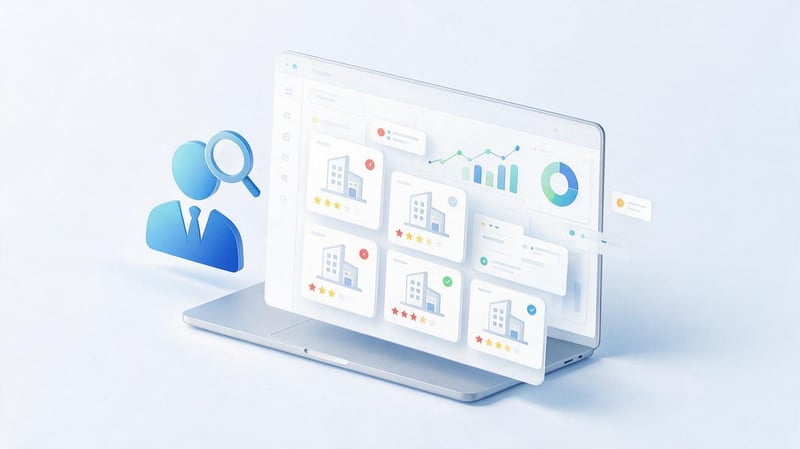
Regular monitoring helps quickly spot complaints, respond to questions, and identify recurring issues. Even small businesses benefit from identifying a responsible employee to ensure comments are addressed during vacations or staff changes.
For companies with multiple branches, it's best to set up a separate system for each location. This will allow you to see where service delays are occurring, which employees are receiving commendations, and which issues require managerial intervention.
Who should be responsible for customer reviews?
In a small company, the owner or administrator may be responsible for review management. In larger organizations, responsibilities are typically divided among customer support, marketing, and department heads.
It's important to establish a procedure for handling complex requests in advance. For example, the administrator responds to simple thanks, but forwards complaints about the quality of medical services to the responsible specialist without publicly disclosing the patient's personal information.
Employees should understand what promises they are entitled to make to clients and when approval is required. This reduces the risk of conflict and helps maintain a consistent communication style.
What tools should I use for monitoring?
The primary source of information is a company's Google Business Profile. Through it, you can read reviews, post responses, and track inquiries, if these features are available for your organization.
Notifications, CRM, and specialized review monitoring services are also used. These help collect data across multiple locations, assign responsible parties, and maintain a history of review processes.
Before connecting a third-party solution, check its access rights, data storage conditions, and integration capabilities. Automatically generating draft responses can save time, but it's best to review disputed requests manually.
How to evaluate the effectiveness of feedback management?
Key metrics include the number of new publications, average rating dynamics, the proportion of reviews with replies, and the average response time. It's also helpful to track the types of complaints and the number of confirmed issues addressed.
Example of a table for monthly monitoring:
| Indicator | Previous month | Current month |
|---|---|---|
| Average rating | According to Google | According to Google |
| New reviews | Actual quantity | Actual quantity |
| Negative ratings | Actual quantity | Actual quantity |
| Percentage of reviews with replies | Actual percentage | Actual percentage |
| Average response time | Actual time | Actual time |
| Recurring complaints | Main reasons | Main reasons |
Such statistics are useful for making management decisions. If the average rating is increasing, but complaints about a specific service continue to appear, the reasons should be analyzed separately from the company's overall rating.
Google Maps Review Management Checklist
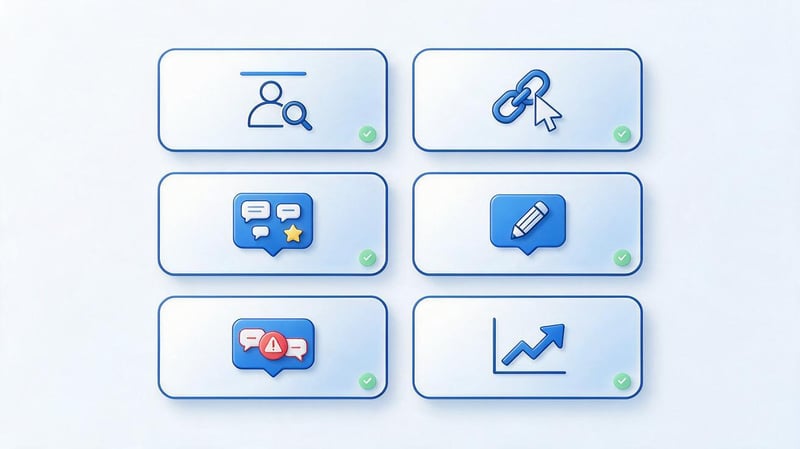
It's more convenient to organize the collection and processing of comments as a recurring workflow. The client receives the service, optionally leaves a review, the company receives a notification, reviews the content, and takes action if necessary.
To control, use the following checklist:
- Check your company profile. Make sure the organization is verified, the address is up-to-date, and employees have the necessary permissions.
- Prepare a link to the reviews. Copy the official address and test it on different devices.
- Choose invitation channels. Use personal messages, QR codes, or messages tailored to your service needs.
- Don't select customers based on satisfaction level. The opportunity to leave an honest review should be available to all genuine customers.
- Assign a responsible employee. Determine who reviews new publications and to whom complex requests are forwarded.
- Respond to the point. Thank them for specific comments, address complaints, and avoid repetitive advertising language.
- Review reports of violations. If necessary, file complaints through Google's official tools.
- Monitor rating changes. Compare data over different periods and consider the number of published ratings.
- Correct recurring issues. Pass valid concerns to the employees responsible for the relevant processes.
- Conduct monthly reviews. Analyze new reviews, response times, and changes in service quality.
Once implemented, it's sufficient to regularly update statistics and check the completion of assigned tasks. If employees see the actual results of processing requests, feedback management becomes more consistent and understandable.
Google Maps reviews help people choose businesses, and businesses receive feedback and promptly resolve issues. To ensure consistent performance, it's essential to maintain an up-to-date business profile, facilitate the publication of honest reviews, respond to inquiries, and ensure compliance with Google's policies.
If a company wants to improve local visibility and streamline its Google Business Profile, Seo-Gen specialists can help you audit your profile, check technical and reputational factors, and develop a local SEO plan.
Book a consultation with Seo-Gen to determine which changes to your company profile and review management should be implemented first.


