Best services for SEO competitor analysis


A website may receive few clicks from Google, even though articles are published, categories are populated, and there are almost no technical errors. To understand the reasons, it's helpful to look at which pages rank highest for your queries, what topics they cover, and where they receive links. For this purpose, competitor analysis services are used: some collect search queries, others evaluate traffic, and still others help study advertising and website structure.
The choice depends on the task and the market. An online store in Ukraine requires Google data on product categories and filter pages, while a local service requires search results for a specific city. We'll explore the main SEO tools, free options, SpyWords alternatives, and methods for verifying results. We'll also look at advertising and social media services, as well as their data limitations.
Why do you need competitor analysis services?
Search results show who a website is competing with for user attention for specific queries. A direct business competitor may not appear in Google at all, but an information portal or aggregator will regularly rank high. Therefore, it's best to compile a list of competitors based on actual search results and then analyze them using competitive analysis tools.
Such research is conducted before launching a project, expanding a catalog, updating content, and revising an SEO strategy. It's most useful to compare similar types of pages: category to category, service to service, article to article.
What information can you get about a competitor's website?
The first layer is search metrics: website visibility, queries, estimated rankings, and pages that regularly appear in search results. SEO platforms build these reports using their own databases, so the figures vary across providers. For a narrow niche, it's useful to manually double-check the most valuable queries, specifying the desired country and search language.
The second layer is the website's structure and promotion. A crawler will show available URLs, meta tags, titles, and internal links; a link analyzer will show referring domains and anchor text; and a PPC service will show some of the ads and queries. Using this data, you can determine which sections your competitors are developing more actively and where your own website has noticeable gaps.
How does competitive analysis help improve SEO?
Let's imagine a plumbing store with a general category for faucets, but no separate pages for kitchen and bathroom. Two competitors gain visibility for these groups of queries because they have created appropriate catalog sections. Comparing the semantics will reveal missed clusters, and studying the structure will reveal logical locations for new pages and how to link them to the general category.
A similar approach works with services, articles, and links. If a competitor has a detailed page with terms, prices, and answers to questions, while we have a short description without specifics, the next step becomes clear. By analyzing links, we can find industry platforms that regularly publish expert materials and check whether they are suitable for placement.
What indicators are most important for comparison?
The number of keywords indicates the breadth of search engine coverage, but by itself says little about the value of traffic. A thousand informational queries may generate fewer leads than ten commercial ones, where visitors are searching for a specific service. Therefore, alongside the number of queries, it's important to consider rankings, search intent, landing page type, and its relevance to the company's offering.
Visibility is a calculated indicator of a website's presence in search results; traffic estimation is a model of expected clicks, not a visitor counter. Each platform has its own methodology, so it's more accurate to compare domains within a single service and a single regional database.
Answers to your questions
What are the best services for SEO competitor analysis?
Serpstat, Semrush, and SE Ranking are useful for comparing semantics and search competitors, while Ahrefs is a good choice for a detailed backlink analysis. Their capabilities overlap, so choose based on regional databases and the reports your project regularly requires. If your primary goal is to understand the structure of someone else's website, consider adding Screaming Frog or Netpeak Spider.
When choosing, check several familiar domains and specific queries, not just the feature list on the plan page. A good tool should help answer practical questions: which pages to improve, what to create, and where to look for the causes of performance lag.
Is it possible to analyze a competitor's website for free?
Yes, basic research is available without a subscription. You can study Google search results, page structure, public offerings, indexed content, seasonal topics in Google Trends, and individual technical metrics through PageSpeed Insights. For smaller sites, free crawler modes with URL restrictions are useful.
However, obtaining full semantics, visibility history, and expanded export without restrictions is usually more difficult. Free reports from paid SEO platforms are subject to their terms of access. For an initial assessment of a niche, it's best to create a shortlist of competitors and tasks, and then decide whether a paid subscription is worth it.
What's the difference between Semrush and Serpstat for competitor analysis?
Both platforms work with organic queries, domain overlap, and search advertising data in supported databases. Semrush includes Keyword Gap with Missing, Weak, and Untapped groups, while Serpstat offers Competitors and Keyword Gap reports. The specific data depth, interface, limits, and pricing plans may vary depending on the chosen product.
For a Ukrainian project, compare results for identical Google queries using a single regional database. Check which domains and pages are visible in reports, whether there's a change history, and how easy it is to export. The winner will be the service that most fully and easily converts the required information into tasks for your website.
What free alternative to SpyWords can I use?
To view available search ads, start with the Google Ads Transparency Center, and to find SEO competitors, manually check search results and limited search platform reports. If you need to check the technical structure, the free versions of Screaming Frog or Netpeak Spider are suitable. These tools cover different parts of the work, so you shouldn't count on a single free replacement for SpyWords.
If you need to compare organic keywords for multiple domains at once, check the available terms in Serpstat, Semrush, or SE Ranking. Before you begin, check whether the desired country and search engine are supported.
What tools show competitors' keywords?
Lists of estimated organic queries and their rankings can be found in Serpstat, Semrush, Ahrefs, and SE Ranking. These reports typically include domains, competing pages, and search engine filters. Some low-frequency keywords may be missing, and visibility metrics are calculated using the specific service's methodology.
To get a useful list, first select a country and topic, then select commercially or informationally relevant queries. Compare them with the pages that already exist on your site and check them manually in Google. After that, you can decide where a new URL is needed and where an improvement to the existing content is sufficient.
How can I find out what kind of advertising my competitors are running?
For public viewing of Google ads, the Google Ads Transparency Center is suitable: there you can search for advertisers and specify the region and period. For researching search queries and competing advertising domains, paid reports from Semrush, Serpstat, and SE Ranking are useful in those databases where the relevant features are available.
Keep in mind that third-party platforms don't display full internal advertising account statistics. Actual costs, cost per lead, and audience composition are typically kept confidential. It's more reliable to analyze visible ads, offers, and landing pages, recording the date of each observation.
Is Popsters suitable for SEO website analysis?
Popsters is useful for researching posts of competing pages on social media, including formats, reactions, activity, and individual engagement metrics. This can suggest blog topics and audience questions, especially if a company publishes a lot of expert content. However, this data doesn't show a site's Google ranking or its organic queries.
For SEO, the resulting ideas need to be separately tested against search results, query volume, and user intent. A popular social media post may not have consistent search demand, while a reference topic users need sometimes receives few engagements.
Is it possible to find out the exact traffic of someone else's website?
Accurate metrics for another website are only available with legal access to its own analytics systems or reliable statistics published by the owner. Similarweb and other external platforms provide estimates based on their own data and calculations. Such figures should be interpreted with particular caution for smaller projects, where there may be few signals for modeling.
For comparative research, it's more useful to look at the relative scale and changes in metrics over the same period. If the service shows an increase in a competitor's estimated traffic, check which pages and queries may have contributed to it.
How often should you analyze SEO competitors?
Basic research is useful before launching a website, expanding sections, and revising the promotion strategy. Key positions and significant changes in search results can be observed more frequently, and an in-depth comparison of the structure, content, and link profile can be performed as needed.
Establish clear triggers for re-analysis: a sustained decline in important pages, the emergence of a new competitor, a change in product range, or the launch of a new product line. Record dates, queries, regions, and data sources to ensure accurate comparisons. The study should conclude with a decision that the team can test after implementation.
How to choose a tool for analyzing competitors' websites?
Don't start by buying the most expensive plan. First, write down the questions you need answers to: who's outranking you in Google, what pages are missing, where competitors are placing links, or what ads are shown to potential customers. After that, it will become clearer which competitor analysis service will address your primary needs, and which features will remain unused.
The second filter is data availability for the target market. The tool can display international domains in detail while still omitting regional queries for a small Ukrainian company. For local SEO, database quality is often more important than the number of interface modules.
Main selection criteria
Check whether the service includes a Google database for Ukraine, whether you can select the desired region, and how comprehensively the tool covers your topic. Then evaluate the reports: competitor list, semantic overlaps, leading pages, positions, links, table export, and change history. A user-friendly interface saves time, but it won't fix a lack of data.
Compare the limitations of the free plan and the subscription: the number of queries per day, report depth, number of projects, access to history, and the ability to save exports. Limited access is sufficient for a one-time audit, but for an agency with multiple clients, regular metric updates are more useful.
What is the difference between general-purpose and specialized tools?
Serpstat, Semrush, Ahrefs, and SE Ranking all address multiple objectives, although their strengths and available reports differ. Similarweb is more often used to study traffic and traffic sources, while Screaming Frog and Netpeak Spider are used to check a site's public technical structure. Popsters analyzes social media posts and therefore won't replace an organic ranking tracking service.
Sometimes a single, all-in-one product and a free crawler are enough, while other times two paid tools with different data are needed. For example, an SEO specialist might research semantics in Serpstat and then check the page structure using Screaming Frog.
Why is it important to consider geography and search engine?
The same search query may return different websites in Kyiv and Warsaw, and Russian and Ukrainian search results rarely overlap completely. For businesses operating in Ukraine, they first select the relevant Google database and content language, then compare pages that serve the same demand.
Checking geography is especially important for services that have historically focused on Russian search or Yandex data. Their reports may be useful for a specific market but offer little insight into visibility in Google Ukraine.
| Task | Suitable type of tool | Examples |
|---|---|---|
| Find competitors' queries and pages | SEO platform with a regional database | Serpstat, Semrush, SE Ranking |
| Compare backlinks | Link analyzer | Ahrefs, Semrush, Serpstat |
| Check public meta tags and URLs | Technical crawler | Screaming Frog, Netpeak Spider |
| Evaluate traffic channels | External traffic analytics | Similarweb |
| Explore ads | PPC reports and advertising libraries | Semrush, Google Ads Transparency Center |
| Compare social media posts | Social media analytics | Popsters |
Best services for SEO competitor analysis

Below is a selection of competitor analysis programs with different specializations. For each, we'll discuss which reports are useful, how to use them in practice, and where the tool's capabilities end. Function names may change after interface updates, so the menu paths should be taken as a guide only.
This comparison deliberately has no universal winner. A good choice depends on the site's size, geography, team composition, and the questions the reports aim to answer. For a technical audit, crawl depth is more important, while for content planning, the accuracy of regional semantics is more important.
Lead SEO specialist — Gennady
When I analyze competitors, I first look at which pages rank for the keywords I'm interested in. Then I compare their content, structure, and internal links with our own site. The number of keywords alone doesn't tell much; the most useful result of the research is a list of specific changes the team can implement.
Serpstat – competitor, semantic, and visibility analysis
Serpstat shows competing domains based on common organic queries, visibility and traffic scores, keywords, pages, and link metrics. In the site analysis section, it's convenient to start with a general overview and then drill down to specific queries. If you're interested in Serpstat and competitor analysis for a single cluster, it's helpful to compare relevant pages rather than the entire domain.
Keyword Gap is especially useful for your content plan: the report highlights queries for which competitors are already present in Google, while your site is either not yet present or ranks poorly. By selecting a regional database, you can eliminate a significant portion of irrelevant queries.
How to find competitors and missed keywords in Serpstat?
First, open Site Analysis and enter the domain you plan to promote, then select a regional database. In the Competitors report, find sites with significant overlap in organic queries. Don't transfer the entire list to the analysis: directories, aggregators, and reference sites sometimes overlap with your site only on common information topics.
Then open Keyword Gap, enter your domain and several relevant competitors, select the same region, and compare the Missing and Weak groups. The first group will include queries for which your competitors have rankings but your domain doesn't; the second group will include topics where you can try to improve your rankings.
Semrush – Comprehensive SEO Competitor Analysis

Semrush is used to analyze organic rankings, queries, pages, links, and search ads. Organic Research lets you study a domain and its presence in Google, and Keyword Gap helps you compare the semantic profiles of multiple websites.
For the Semrush Competitor Analysis task, it's useful to separate two types of comparison: organic search and paid ads. Domains may compete for SEO queries but not overlap in Google Ads because they promote different products. Mixing these reports can easily turn your content plan into a list of random commercial keywords without the desired search intent.
How to compare keywords across multiple websites in Semrush?
Open Keyword Gap, put your domain first, and add up to four competitors. Then select Organic Keywords and the desired country. The report will show common queries and overlapping groups. The Missing tab helps you see topics where all selected competitors rank, but your site is missing; Untapped covers queries from at least one competitor.
Don't download the entire table without filtering. First, exclude third-party brands, irrelevant products, and informational topics that don't support the project's goals. Then, sort the remaining keywords by intent and check which competitor URLs are ranking in each cluster.
Ahrefs – Keyword and Link Profile Research
Ahrefs helps you study organic queries, top pages, and backlinks from competing domains. Site Explorer makes it easy to start by assessing the search structure and then drill down to specific URLs and donor domains.
Competitive Analysis features Link Intersect, a comparison of donors that link to competitors but aren't found on your website. This report is suitable for finding relevant publications, industry directories, and platforms for expert content. However, each identified placement should be evaluated individually: the same list of donors doesn't guarantee the same results for different projects.
Which competitor backlinks are worth studying?
Start with domains that regularly link to several comparable players in your niche. Look at what content they publish, the context in which the links are placed, and whether the platform's audience matches yours. Then evaluate the region, language, signs of real traffic, website reputation, and the quality of the page where the link is located.
Check the anchor text and landing page separately: identical commercial anchors on dozens of platforms create an unnecessary artificiality. If a competitor received a link from an industry review, it's more useful to offer the editors your own expert commentary than to try to replicate the same structure.
SE Ranking – Monitoring Competitors and Search Engine Positions
SE Ranking is suitable for comparing keywords, organic and paid competitors, web pages, and search ranking changes. In Competitive Research, you can enter a domain, select a country, and see which URLs are visible in search results.
It's useful for an agency to combine a one-time study with regular monitoring of the agreed-upon keyword list. This allows them to see which positions are improving, where new competitors are emerging, and which pages require review after content updates. This is especially relevant for large catalogs, where changes to the structure and interlinking affect multiple sections at once.
Similarweb – traffic and source analysis
Similarweb is used to understand the approximate scale of a website and its audience distribution across channels. Depending on access, you can study traffic estimates, user geography, and the share of search, direct, social, and other traffic.
Let's imagine two stores with similar organic visibility. The first has a significant audience coming from branded searches, while the second has significant direct and referral traffic. This difference suggests additional channels worth exploring, but without the competitor's own data, it's impossible to accurately determine the reasons for each click.
Lead SEO specialist — Gennady
I use my competitor's estimated traffic as a benchmark, not their Google Analytics report. If the two platforms' metrics diverge, I first check the region, pages, and search queries. I prioritize our site based on our own clicks, impressions, and lead results.
Screaming Frog SEO Spider – Technical Research of a Competitor's Website
Screaming Frog SEO Spider – a desktop program for crawling accessible website pages. It collects URLs, response codes, meta tags, headers, internal links, and other technical parameters.
After crawling, you can select the section of interest and see which categories are related, how pagination is structured, and which URLs use certain headings. The program identifies technical features of a public website but does not report its actual organic traffic or closed analytics data. Some information also depends on crawl settings and the availability of JavaScript content.
Netpeak Spider – Analysis of Structure and Technical Parameters
Netpeak Spider solves technical crawling tasks: it checks public URLs, response codes, redirects, meta tags, canonical URLs, headers, and internal links. For competitive research, it's useful to compare similar sections of websites rather than mechanically launching a deep crawl of each domain.
For example, you can compare sections of online stores with similar product ranges and check whether your competitor has separate landing pages for important product groups. It's also worth examining how these pages relate to categories, filters, and articles.
| Service | Main task | SEO | Advertising | Links | Free option |
|---|---|---|---|---|---|
| Serpstat | Queries, competitors, visibility | Yes | PPC reports | Yes | Access conditions depend on the plan |
| Semrush | Semantics, positions, advertising | Yes | Yes | Yes | Limitations and trial offers |
| Ahrefs | Queries and link profile | Yes | Individual studies | Yes | There are limited tools |
| SE Ranking | Research and monitoring | Yes | Paid Search Reports | Yes | Trial access conditions |
| Similarweb | Evaluation of traffic and channels | Search analytics | Traffic channels | Not the main profile | Limited viewing |
| Screaming Frog | Technical crawling | Technical data | No | Internal links | Up to 500 URLs per crawl |
| Netpeak Spider | Technical crawling | Technical data | No | Internal links | Up to 500 URLs in Free |
Free services for competitor analysis
You can start researching without a subscription: manually check search results, examine the structure of several websites, and compare available ads. Free competitor analysis services are useful when you're just getting to know a niche, when you don't yet know what data you'll need regularly. However, bypassing the limitations of paid databases with a single free program is usually impossible.
A smart start is to use Google, Google Trends, public ad libraries, and a technical crawler with a limited crawl capacity. Some commercial platforms also offer trial versions or standalone free tools.
What tools can I use without a paid subscription?
Run several important Google searches and note websites that regularly appear in search results for your services. Compare results for the same region, language, and device type; personalization and location can influence page order.
Google Trends helps compare relative interest in topics and seasonal changes in demand. Its scale is standardized, so a value of 100 does not represent 100 search queries or 100 visitors. PageSpeed Insights will show performance data for the available page, if available, and lab test results.
What can you learn from Google Search Console and Google Analytics 4?
Google Search Console shows impressions, clicks, queries, and pages of your verified site in Google. This data is especially useful after competitive research: you can see which queries you already rank for and which pages are receiving impressions but not enough clicks.
Google Analytics 4 helps evaluate your own website's visitor behavior, acquisition channels, and target actions with the correct event setup. By comparing this data with competitor insights, you can determine which areas of development are most important for your business.
What are the limitations of free tools?
Most often, limitations relate to the number of reports, history depth, the number of exportable queries, and available regions. In one product, you can open several queries per day, but you can't download the table; in another, only a portion of organic positions is visible.
Free reports are especially easy to misinterpret when comparing small websites. If the service doesn't show a domain, this doesn't necessarily mean there are no visits or search rankings. This could be due to insufficient data, a narrow geographic scope, or specific data collection methods. Such cases are verified by manually searching for target queries and viewing available pages.
SpyWords Alternatives for Competitor Analysis

SpyWords is often sought after by users looking to analyze search queries and contextual advertising on competing websites. However, the choice of a replacement depends on the specific task: some need ads, others need organic semantic intersections, and still others need Google reports for a specific country. Therefore, SpyWords alternatives should be compared based on data and geography, not just similar table layouts.
For a Ukrainian project, it's especially important to check Google Ukraine support in advance. A service that collects extensive statistics for another region won't answer the question of why a site is inferior to local competitors in Kyiv or Dnipro.
What problems does SpyWords solve?
SpyWords provides data on competing domains, search semantics, and detected contextual advertising in supported databases. These reports allow you to search for overlapping queries, examine advertising wording, and evaluate competitors' search activity.
The service is focused on working with search results data, and ad units should not be confused with the full campaign history in the advertising account. For example, according to SpyWords, competitor analysis covers Google and Yandex search ads, but not their entire media inventory. This is important when evaluating the performance of a company that spends the majority of its budget on video or banners.
What are the alternatives to SpyWords?
For organic semantic and search advertising analysis, consider Serpstat, Semrush, and SE Ranking. All three platforms offer competitive domain research, but the PPC detail, available regions, and terms of use vary.
If you're interested in advertising activity, compare ad history, coverage of the desired search engine base, and the ability to view landing pages. Semrush and Serpstat provide PPC reports, and SE Ranking includes paid search research in supported countries. Google's advertising library is worth using in addition, as it answers a different set of questions.
| Solution | Organic queries | Search advertising | Feature of choice |
|---|---|---|---|
| SpyWords | Yes, in supported databases | Yes, search | Check region and search engine |
| Semrush | Yes | Yes | Domain comparison and advertising research |
| Serpstat | Yes | Yes | Regional SEO databases and keyword intersections |
| SE Ranking | Yes | Yes | Combining research and monitoring |
| Google Ads Transparency Center | No | Public ads | View creatives without full semantics |
Is there a free alternative to SpyWords?
A completely free alternative to SpyWords, with all its reports on organic, advertising, and historical performance for each region, cannot be guaranteed. Certain tasks are performed free of charge: Google displays current search competition, the Google Ads Transparency Center displays available public ads, and the free modes of SEO services provide limited domain information.
If your goal is to view ads from a specific company, start with the ad library and check the country they're being shown in. If you're looking for competitor keywords, you'll need to use a service with a suitable search database and check the free access limits.
Services for tracking competitors' advertising

Checking advertising activity helps understand which products and services competitors are promoting, which offers they're using, and where their ads are leading. This layer is especially useful when a company actively uses both organic search and contextual advertising. However, assessing advertising reach alone doesn't explain how many leads a competitor is receiving or whether their campaign is profitable.
Public ad libraries and paid PPC reports are used for monitoring. The former show available ads from specific advertisers, while the latter help identify related keywords and competitive domains based on collected search data.
How to view a competitor's search ads?
In Google Ads Transparency Center you can search for an advertiser by name or website, and then refine the region and display period. This is a convenient starting point for viewing available advertising materials and comparing offer wording. However, the library does not provide a complete list of search keywords, bids, and the company's actual costs for each query.
In Semrush, open Advertising Research and examine discovered ad queries, competing domains, ad copies, and landing pages. PPC reports from Serpstat and SE Ranking, available in their databases, partially cover similar tasks.
What advertising strategy metrics are worth comparing?
Look at the products, benefits, deadlines, and restrictions the company lists in its ad headlines and descriptions. Then, open the landing pages and check whether the ad's promise matches the actual website content. The difference between the ad and the landing page often explains why even active promotion doesn't always result in a user-friendly user journey.
It's useful to compare the frequency of different offers, new wording, and the direction of clicks: to the general catalog, a specific category, or a specific promotion. For each observation, record the date, region, and data source. This will help you distinguish consistent strategy changes from one-off ads that randomly appeared in the search results.
Services for analyzing competitors on social media

Competitors' social media behavior helps you understand which posts generate discussion and which topics maintain brand interest. This data can provide ideas for a website's information section, but post reactions can't be directly equated with search demand. SEO and SMM use different signals, so they need to be monitored separately.
Social media competitor analysis services help compare publishing activity, content formats, and available engagement metrics. These reports are of secondary importance for search engine optimization (SEO), providing insights and audience questions that can then be verified through search queries and Google results.
Popsters – Competitor Analysis and Content Performance
Popsters collects statistics on posts from available social media pages and helps you compare which posts receive the most engagement. You can explore formats, topics, posting times, and engagement metrics across supported platforms.
Let's say two clinics publish advice on seasonal prevention. On one page, short explanations from a doctor are discussed more often; on the other, Q&A collections. This observation will be helpful when choosing blog topics, but before preparing an SEO article, you need to check for search demand and whether the medical wording matches actual expert recommendations.
What metrics can be compared using Popsters?
It's usually useful to look at the number of posts for a given period, average and total engagement, successful formats, and the distribution of activity by day. When comparing pages of different sizes, the number of reactions alone is insufficient: a larger account almost always has an advantage in absolute numbers.
For example, a series of short videos may attract more views, while detailed cards may generate more saves and discussions. For a blog, these are two different signals: the first concerns the presentation format, while the second may suggest persistent audience questions. These should be used as ideas for further testing in Google, not as a ready-made list of search queries.
How to analyze competitors' advertising on social media?
To view available ads on Facebook and Instagram, you can use Meta Ad Library, selecting a country and advertiser. The library helps you explore ad images, text, and active offers within available categories. However, it doesn't reveal all targeting settings, actual conversions, or customer acquisition costs.
Save ad samples along with the view date, link, and advertiser name. Then compare the messages with the landing pages: is the promised discount supported, are the deadlines clear, and is there a form and contact information.
How to conduct SEO competitor analysis using services?
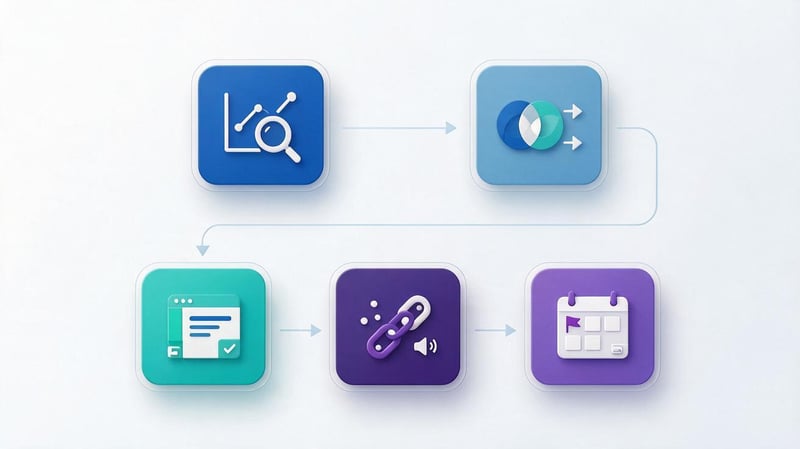
The analysis will be more useful if the workflow and result format are determined in advance. Even a good competitor analysis program produces more data than is needed for a single decision, so priority promotion areas should be selected first. Then, comparable metrics are collected and translated into a list of tasks for the website.
A spreadsheet is a convenient way to record the original query, competing URLs, search intent, page differences, and the intended action. This format is suitable for both a small company and an SEO agency with multiple projects. It also helps you return to the research after several months and check for changes.
Step 1: Identify Search Competitors
Collect several key commercial and informational queries for your niche, then check Google results in the target region. Note domains that regularly appear for similar groups of queries. Separately mark stores, service companies, aggregators, directories, and informational sites: compare them directly only with their different purposes in mind.
Then, open Serpstat, Semrush, or SE Ranking to view competing domains based on their semantic overlap. Compare the automated list with the manual results and narrow down to a few of the most relevant resources. For local businesses, check city-specific results, as a national database may not reflect the full search landscape near the customer.
Step 2: Compare keywords and page structure
Extract common queries and “Missing”, “Weak”, or similar groups from your chosen tool, then remove third-party brands and irrelevant topics. Separate the remaining keywords by search intent: purchase, service request, comparing options, informational query. Then determine which page should answer each cluster and whether your site has a corresponding URL.
Compare the structure of competing sections: categories, subcategories, filters, service pages, and informational materials. If several competitors have useful landing pages for the same consistent intent, this is a good reason to evaluate the need for a similar section.
Step 3: Analyze content and internal optimization
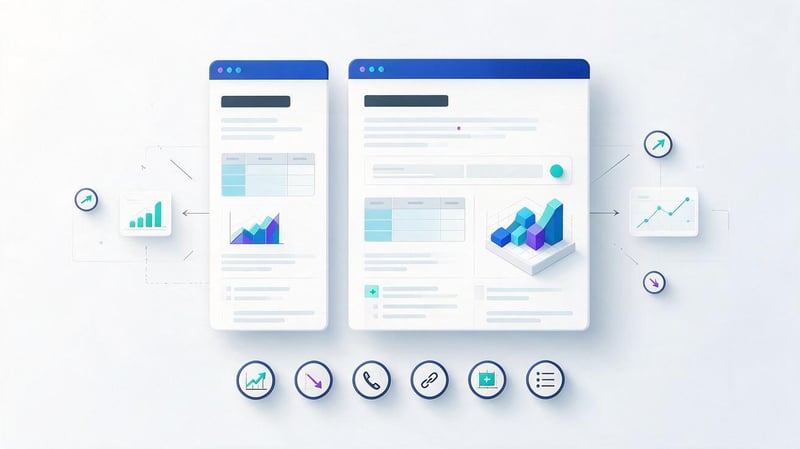
Open several pages competing for the same cluster and compare the Title, H1-H3, main blocks, prices, terms, tables, FAQs, and trust elements. For technical details, use Screaming Frog or Netpeak Spider: they will help you see meta tags, response codes, and internal links. It's best to evaluate content completeness manually, comparing the material with real user questions.
Pay attention to where important answers are located and how easy it is for people to complete the desired action. Sometimes, a competitor outperforms you thanks to a more relevant product range, clear terms and conditions, or a dedicated page for the desired service.
Step 4: Research backlinks and advertising
Open the link report for several competitors and find sites that publish relevant materials, reviews, or expert commentary. Check the language, region, audience, and quality of the referring pages, and then compile a shortlist of potentially suitable resources. Don't copy the entire link profile: a large set almost always includes irrelevant and questionable placements.
Review available ads and landing pages for important services or categories. Note the actual offers, terms, and arguments your competitors are using in their communications.
Step 5: Prepare an action plan
Translate the research results into specific tasks: create a section, merge duplicate pages, improve the service description, add clear terms, fix links, or check for a technical error. For each, specify the target URL, the reason for the change, and the expected verification method. Without this, even a detailed report quickly turns into an archive of spreadsheets that no one returns to.
Prioritize based on demand, commercial value, effort, and the site's readiness for change. For example, fixing an incorrect canonical tag in an important category may be more urgent than a new article with limited search potential. After implementation, monitor indexing, rankings, impressions, clicks, and target actions, saving the original values for comparison.
| What to check | Where to look | What decision to make |
|---|---|---|
| Missed queries | Keyword Gap in Semrush or Serpstat | Create the desired cluster or enhance an existing page |
| Leading Pages | Organic Reports and Google | Compare blocks, intent, and internal links |
| Meta Tags and URLs | Screaming Frog, Netpeak Spider | Fix duplicates, redirects and structure errors |
| Backlinks | Ahrefs and other link reports | Select relevant sites after verification |
| Advertisements and offers | Google Ads Transparency Center, PPC reports | Compare offers and landing pages |
| Actual results | Own GSC and GA4 | Assess changes in search and target actions |
Common Mistakes When Using Competitive Analysis Tools

Even a premium subscription doesn't guarantee accurate conclusions if you mix different regions, compare incomparable pages, or take a forecast as fact. Errors often arise when interpreting results: a specialist sees a large number of queries and automatically assumes that the site is stronger. Meanwhile, the relevance of topics, actual services, and user intent may differ.
Before discussing recommendations, it's helpful to write down where the figures are derived and what their limitations are. If one service estimates traffic higher than another, it's a good time to compare methods rather than look for the single, correct number. Below are three mistakes that particularly often hinder the development of a working SEO strategy.
Why can't you blindly trust traffic estimates?
A third-party service doesn't see a full report of visits to another website unless the owner has granted access. It uses its own keyword databases, position monitoring, and predicted traffic models. Because of this, the indicator may differ significantly from the actual statistics, especially for smaller or highly regional projects.
Compare data within a single tool, selected period, and region. If your goal is to understand which areas are growing, compare the performance of several competitors and check their pages in search results. Evaluate your own results using Google Search Console and GA4, and use your competitors' performance charts as an additional reference.
Why copying your competitors' strategy doesn't guarantee results?
Websites vary in product selection, prices, operating time, link history, technical architecture, and audience trust levels. A page that ranks well for a large retailer may not be suitable for a small, local service. Even identical headlines and text lengths don't eliminate differences in offerings, ordering ease, or catalog completeness.
Therefore, it's best to conclude a competitive analysis with the question: what change specifically benefits our customers? If a competitor has a convenient sizing chart, and your store's customers also regularly check their measurements, this idea is worth considering. However, if someone else's section covers a service the company doesn't provide, copying it will create false expectations.
Why doesn't one service cover all tasks?
Search engines study visibility and queries, crawlers check technical parameters, and ad libraries display available ads. Each source covers its own portion of public data and applies its own limitations. The same website may have significant organic visibility but be virtually absent from external traffic reports due to a lack of signals.
To avoid overloading the process, choose a primary source for each task and check any questionable findings separately. You don't need to subscribe to all the services listed: sometimes, one SEO product, a free crawler, and manual Google verification are enough.
To research search competitors, start with Google and a tool that covers the relevant regional semantics well. Then, if necessary, add link analysis, a technical crawler, or a check of advertising and social media. The key is to associate each identified metric with a specific page and a clear action.
If you want to understand which sections of your website are inferior to competitors and which corrections will bring the greatest practical benefit, order an SEO audit at Seo-Gen. We'll check your website's technical condition, search engine structure, and competitive pages, and compile the results into a clear action plan for your team.


