How to structure a website: a step-by-step guide


It's best to think through the website structure before designing, laying out, and adding content. At this stage, you determine which sections the project will need, what queries individual landing pages will receive, how users will navigate between them, and which URLs search engines should find.
Adding pages without a common structure can lead to duplicates, overly similar sections, orphan pages, and confusing navigation. Let's look at how to create a website structure yourself, tie it to semantics, and create a clear structure for SEO specialists, designers, and developers.
What is website structure?
A website's structure shows what pages exist on the project, how they are grouped, and how they are interconnected. It's most often represented as a tree: the home page is at the top, followed by the main sections, categories, subcategories, services, products, or blog content.
Website architecture impacts several processes at once. It makes it easier for users to find the information they need, search engines find URLs faster, and the project team understands where to add new pages. The website structure, menu, URL structure, and sitemap.xml all represent different project elements.
For example, a simple diagram might look like this:
Home
├── Services
│   ├── SEO promotion
│   ├── Contextual advertising
│   └── Website development
├── Cases
├── Blog
└── Contacts
The menu shows the user part of this architecture. The URL structure describes the page addresses, and the XML sitemap provides the search engine with a list of crawlable URLs.
What is the name of the first page of the website?
The first page of a website is usually called the homepage. It opens at the primary domain address and links the key sections of the project. From here, users can access services, products, informational materials, contact information, and other important pages.
However, the homepage doesn't have to be optimized for every significant business query. For example, a query like “SEO promotion for an online store” would more logically be targeted with a dedicated service page that details the terms, stages, and relevant case studies.
What are the names of the website pages?
Page names depend on their purpose. A commercial website typically has a home page, service pages, categories, subcategories, product cards, contacts, company information, pricing, and supporting sections. A blog typically includes categories, articles, author pages, and topic-specific collections.
For SEO, it's more convenient to define a page by its function and then assign it a descriptive name. For example, “SEO Promotion” could be the main service page, “E-commerce SEO” could be a more focused landing page, and “How SEO Works” could be an informational article.
What is the information on a website called?
Everything a website offers its visitors as information is called content. It includes text, images, tables, videos, instructions, product specifications, answers to questions, documents, and other materials that the user receives on the page.
When deciding how to create website content, you first need to determine the purpose of a specific URL. A service page requires one set of blocks, a blog article another, and a product card should contain specifications, photos, purchase terms, and other information useful for making a choice.
Answers to your questions
How to create a website structure from scratch?
First, determine the project type, core services, or categories, and audience objectives. Then, create a semantic core, cluster queries, and assign these groups to future landing pages.
After this, create a hierarchy, assign URLs, think through internal links, and transfer the results into a table or visual page tree. Before development, check for duplicates and missed search intent.
How to view the site structure?
For a quick check, you can examine the main menu, footer, breadcrumbs, and sitemap.xml. These elements show the main sections and some of the links between pages.
For a complete analysis, it's best to use an SEO crawler. It will show URLs, page depth, internal links, response codes, canonical values, and other parameters that can't be assessed through the menu alone.
How to draw a website structure?
First, prepare a list of pages and organize them into levels. Then, transfer the data into a tree, where each child page is located under its parent section.
XMind, Draw.io, Miro, FigJam, and similar services are suitable for the diagram. If the structure is large and contains a lot of SEO data, it's more convenient to simultaneously maintain it in Google Sheets or Excel.
What is the name of the first page of the website?
The first page of a website is called the homepage. It typically opens at the domain's root address and contains links to the main commercial and informational sections.
The homepage links the site's major sections, but individual search queries can lead directly to categories, services, products, or articles. Therefore, the entire SEO structure shouldn't be built around promoting a single homepage.
What is the information on a website called?
Information placed on website pages is called content. It includes text, images, videos, tables, specifications, documents, FAQs, and other materials that are placed on pages.
Content should be relevant to the purpose of a specific URL. An informational article answers a question, a product card helps choose a product, and a commercial landing page explains the service and terms of use.
Is it possible to optimize the website structure yourself?
You can check a small website yourself if you have a list of URLs, a semantic core, and the ability to scan internal links. It's a good idea to start with duplicates, page depth, navigation, and query distribution.
When migrating a large site or making mass URL changes, the risk is higher. Redirects, canonical URLs, indexing rules, filters, and accumulated search signals from old pages must be taken into account.
How does site structure differ from sitemap.xml?
The structure describes the actual page hierarchy and the relationships between them. It includes categories, nesting, internal linking, and user flows.
A sitemap.xml is a technical file containing a list of URLs for search engines. The presence of a page in such a file does not mean that it is properly integrated into the website's internal architecture.
How many levels should a website structure have?
There's no universal number of levels. A small service website might get by with two or three levels, while a large online store will require a significantly more complex hierarchy.
It's better to monitor the actual user and search engine path. Key pages should be found through clear internal links, without a long sequence of meaningless transitions.
Why is proper website structure necessary?
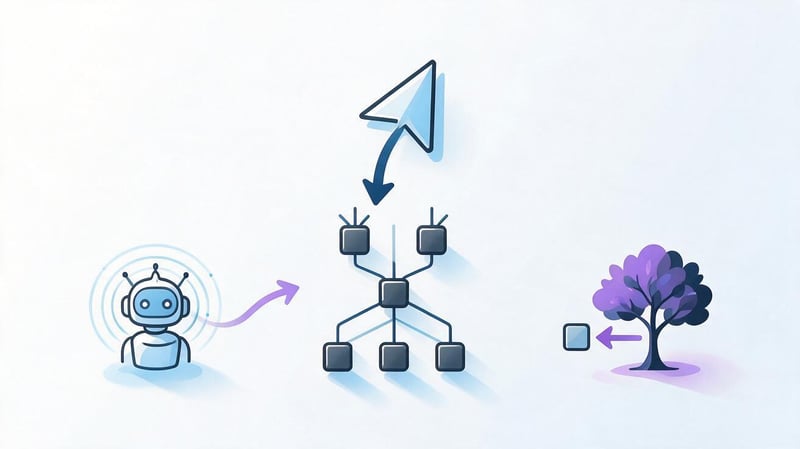
A good structure helps organize information into clear sections and define the purpose of each page in advance. This helps users navigate the site more quickly, and search engines more easily understand the relationships between categories, services, articles, and other URLs.
The structure also simplifies project development. When a new direction emerges, the team understands which section to add it to, which existing pages to link to it, and whether a separate landing page is needed for the new search intent.
Structure for users
Users typically come to a website with a specific goal in mind and want to quickly find the section they need. If the category logic is clear, they don't have to open multiple pages in a row or return to the home page after each action.
The website's user-friendly navigation is built around familiar scenarios. In an online store, users move from category to subcategory and product, while on a service website, they can move from a general direction to a specific service, pricing, case studies, and contact form.
Structure for SEO
Search engines navigate between URLs via internal links, so the architecture is directly related to website crawling. Pages that are deeply located and receive few internal links are more difficult to detect and properly link to other sections.
The structure helps distribute search queries across landing pages. If multiple URLs address the same user need, there's a risk of query cannibalization. If the desired page isn't available, the site may lose relevant search demand.
Structure for website scaling
When designing an architecture, it's helpful to allow for growth. An online store can expand its catalog, a clinic can add a new service, and an agency can create separate pages for additional services or regions.
When the page tree is prepared in advance, new sections can be added without a chaotic site reorganization. Their parent page, nesting level, URL format, page template, and basic internal linking options are already clear.
What types of website structure are there?
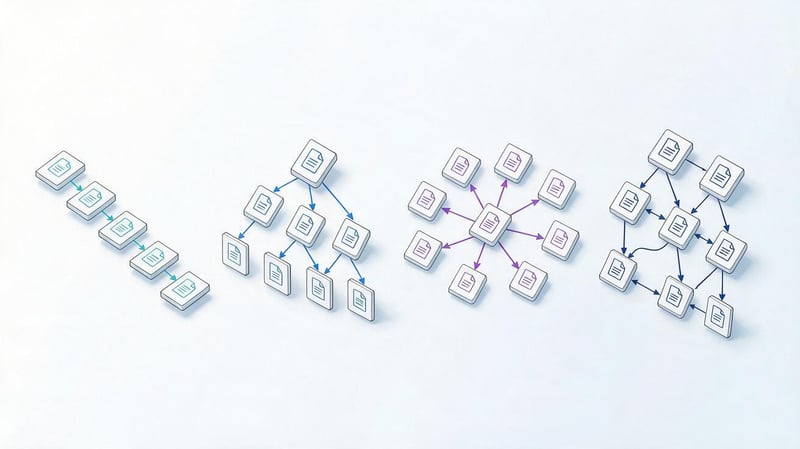
There's no single scheme that's suitable for every project. The choice depends on the number of pages, user needs, product range, search demand, and how frequently the project will expand.
In practice, linear, hierarchical, network, and hybrid models are most common. Large websites rarely adhere entirely to one model, so the structure may combine a category tree with dense thematic interlinking.
Linear structure
In a linear model, the user moves sequentially from one screen or step to the next. The flow is simple: page 1 → page 2 → page 3. This approach is common in surveys, short presentations, step-by-step forms, and standalone landing pages.
For a large informational website or online store, this scheme is inconvenient because the user must navigate a predetermined flow. The more pages there are, the more difficult it is to maintain a clear path between different topics and sections.
Hierarchical or tree structure
A tree structure suits most commercial and informational websites. At the top level is the home page, followed by the main sections, categories, subcategories, and more specific pages.
For example, an online store's structure might be built along the lines of “Home → Catalog → Laptops → Gaming Laptops → Product Card”. This site hierarchy is user-friendly and scalable if categories are organized according to actual demand.
Silo structure and thematic clusters
The Silo structure groups pages by topic and strengthens the connections within each topic. A hub page can link to several more focused materials, which additionally link to each other where the connection is truly useful to the reader.
A similar logic is used in the Pillar-Cluster model. For example, the main page about SEO is linked to articles about the semantic core, technical optimization, internal links, and competitor analysis. Such thematic connections simplify navigation and make the architecture more understandable.
Network structure
The network model is built on a large number of cross-links between related pages. It is typical for encyclopedias, large blogs, knowledge bases, and websites where materials are related to several topics.
Internal linking is especially important here. If links are added without a system, it becomes difficult for users to understand the underlying hierarchy. Therefore, even with a network model, it's helpful to maintain categories, breadcrumbs, and clear hub pages.
Hybrid structure
A hybrid structure combines hierarchy with cross-thematic connections. This approach is often used in online stores, marketplaces, service websites, and large information projects.
The catalog can have a clear category tree, and blog articles can additionally link to products, services, and related content. This maintains a clear site layout and provides users with more convenient routes between related pages.
How to create a website structure step by step?
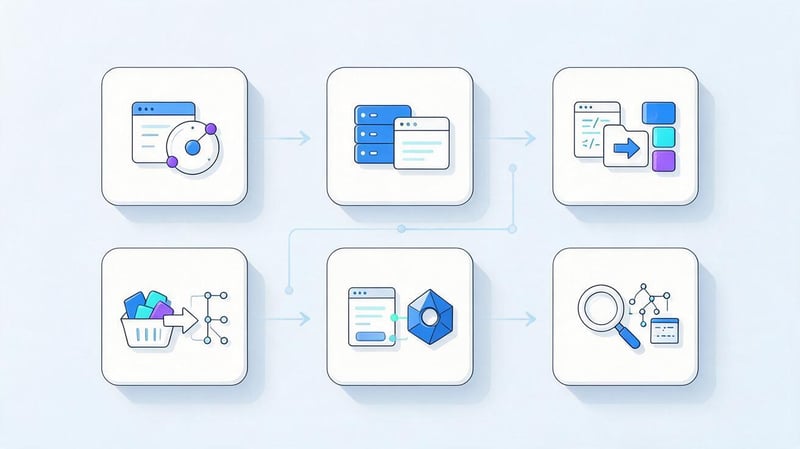
It's best to begin work before creating the design and content. First, determine the set of pages and their purpose, then build the hierarchy, and think through the URLs, internal links, and navigation elements.
Trying to create a layout first and then incorporate semantics into it often leads to rework. A proper sequence creates a clear outline even before the developer begins creating page templates.
Step 1: Determine your goals and website type
Before creating a structure, you need to understand the project's goals. An online store needs a product catalog, a service website needs commercial landing pages, and a blog needs categories, articles, and convenient links between materials.
You also need to consider your audience and key user scenarios. If a visitor is looking for a specific service, the path to it should be short. If the choice is complex, the structure can include categories, comparisons, instructions, filters, and additional information pages.
Step 2: Analyze your competitors' structures
For analysis, select several websites that regularly appear in search results for the project's key queries. Look for recurring sections, categories, services, filters, articles, FAQs, pricing pages, and other elements.
Don't copy your competitor's entire tree. It's more useful to understand which pages are common to most sites, which topics are isolated to specific URLs, and where competitors are meeting search demand better than your project.
How to view a competitor's website structure?
You can start with the main menu, footer, and breadcrumbs. They highlight the main sections and help you understand the relationships between pages. It's also worth opening the sitemap.xml if the file is publicly available.
For a more comprehensive analysis, use the site:domain.com search operator, SEO crawlers, and organic search analysis services. This approach helps gain a deeper understanding of the site's structure and identify pages not included in the main navigation.
Step 3. Build a semantic core
The semantic core reveals the topics and needs within a niche. Queries are collected by products, services, user problems, regions, brands, and information topics.
At this stage, there's no need to create a separate page for each phrase. First, the most complete semantics are collected, then the queries are cleaned and grouped by meaning, intent, and similarity in search results.
Step 4: Cluster Search Queries
Clustering queries helps determine which phrases can be promoted on a single page. Simply matching keywords isn't enough, as two similar queries may have different search intent.
For example, “SEO website promotion” is usually associated with a commercial service, while “what is SEO” requires informational content. Splitting or combining queries should be done after checking the search results and the types of pages Google displays to users.
Step 5: Distribute clusters across pages
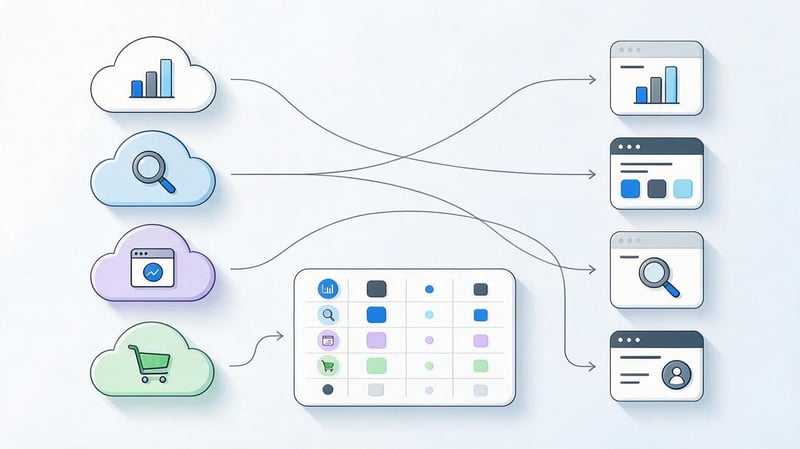
After clustering, each significant cluster is assigned a target landing page. At this stage, it becomes clear which URLs already exist, which need to be created, and which pages are competing with each other.
The worksheet might look like this:
| Cluster | Page type | Page title | URL |
|---|---|---|---|
| SEO promotion | Service | SEO website promotion | /seo/ |
| Store SEO | Service | Online store SEO | /seo/ecommerce/ |
| What is SEO? | Article | What is SEO? | /blog/what-is-seo/ |
One cluster doesn't always equal one keyword. The main goal of distribution is to assign a specific search need to the appropriate page and avoid creating unnecessary duplicates.
How to name website pages correctly?
The title should immediately explain the page's content to the user. Categories like “Solutions”, “Products”, or “Features” are only acceptable if the audience truly understands what the section contains.
For search landing pages, it's helpful to consider demand wording, but the title shouldn't be a string of keywords. A straightforward phrase like “SEO promotion for online stores” is clearer than an artificial construct with several similar queries in a row.
Step 6: Create a section hierarchy
Pages are now organized into levels. The homepage is at the top, followed by key areas, followed by more specific categories, services, products, or informational materials.
Page depth is determined by the number of clicks from the source page, while URL depth is the number of folders in the URL. These metrics may vary. The page /services/seo/local/ can be just two clicks from the homepage with proper interlinking.
Step 7: Add Required Service Pages
In addition to search landing pages, a website typically needs contact information, company information, privacy policy, terms of use, a 404 page, and other service sections.
The set of pages depends on the project. An online store might need delivery, payment, returns, and warranties; a clinic might need pages for doctors and documents; and a B2B company might need case studies, pricing, job openings, and contact forms.
Step 8. How to draw a website structure?
Once the page list is ready, it's convenient to transfer it to a visual diagram. A simple map helps you see levels, parent sections, and overly deep branches before you begin development.
For example:
Home
├── Services
│   ├── SEO
│   │   ├── Online store SEO
│   │   └── Local SEO
│   ├── PPC
│   └── Website development
├── Cases
├── Prices
├── Blog
└── Contacts
This layout is easy to discuss with the team, but a URL worksheet is still necessary. It's easier to store semantics, page statuses, template types, and technical comments.
How to draw a website structure?
For a small project, Google Sheets or Excel is sufficient. A spreadsheet is well-suited for storing URLs, levels, query clusters, preparation status, and other operational data.
For a visual tree, you can use XMind, MindMeister, Draw.io, FigJam, Miro, or Canva. The specific service only affects your team's convenience, so it's best to choose one based on your usual workflow.
Step 9. How to describe the site structure to the developer?

It's more convenient to give the developer a table where each row corresponds to a separate page. It should indicate the parent section, title, page type, future URL, whether indexing is required, and the template used.
Additionally, you can store the main query cluster, development status, and functionality comments. This description of the site structure reduces misunderstandings between the SEO specialist, designer, copywriter, and developer.
Example:
| Level | Parent | Page | Type | URL | Indexing |
|---|---|---|---|---|---|
| 1 | - | Home | Home | / | Yes |
| 2 | Home | SEO | Service | /seo/ | Yes |
| 3 | SEO | Local SEO | Service | /seo/local/ | Yes |
| 2 | Home | Contacts | Service | /contacts/ | Yes |
Step 10: Think about the URL
The page address should be clear, stable, and short enough. Hyphens are typically used to separate words, and unnecessary technical parameters are avoided in indexed URLs.
For example, the address /seo/ecommerce/ is easier to read and maintain than /page?id=458&category=12. However, there's no point in constantly changing existing URLs for cosmetic reasons if the pages are already receiving traffic and links.
Step 11: Think about navigation
Navigation translates the logical structure into user-friendly interface elements. The main menu, breadcrumbs, footer, search, and filters should help navigate between sections without unnecessary backtracking.
Large catalogs require particular care. When the structure contains thousands of products or materials, a single main menu is no longer sufficient, so categories, filters, search, and thematic links are added.
Main menu
The main menu typically highlights key sections that are relevant to a significant portion of the audience. If you try to fit all the project pages there, navigation quickly becomes cluttered and unwieldy.
For nested sections, you can use drop-down menus, additional panels, or navigation through category pages. This ensures that the user can easily understand the item names without having to open each section to check the contents.
Breadcrumbs
Breadcrumbs show the current page's position within the hierarchy. The user sees parent sections and can quickly navigate up one or more levels.
Breadcrumbs also convey additional information about page relationships to search engines. BreadcrumbList markup can help more accurately describe this chain in structured data if the values match the actual navigation.
Footer
The footer is suitable for additional navigation, contact information, legal pages, and links to important sections. It's especially useful for pages that are essential to the user but shouldn't take up space in the main menu.
Avoid turning your footer into a long list of hundreds of SEO links. Links should have a clear purpose, and repeating a large list on every page rarely improves website usability.
Search and filters
Search is especially useful for large online stores, catalogs, media outlets, and knowledge bases. Users can immediately find a product, article, or service without having to navigate through several levels of categories.
Filters require separate technical configuration. Parameter combinations can create thousands of GET parameters and duplicate pages, so it's important to determine in advance which filters are indexed and which remain technical.
Step 12. Set up internal linking
Internal links connect pages to related content and help search engines crawl your site. They can be found in the main text, related service blocks, product recommendations, categories, and blog posts.
Particular attention should be paid to orphan pages. Such a URL exists and may be in the sitemap.xml, but no other pages link to it. For the user and search engine crawler, such a page appears isolated from the main architecture.
Lead SEO specialist — Gennady
I start designing the structure with search demand and intents, and then develop the menu and design after the pages have been allocated. If you draw the tree without semantics first, you often end up with duplicate landing pages, cannibalization, and orphaned pages. First, I cluster queries, assign a target URL to each cluster, then check the path to important pages, and only then do I pass the structure on to the team.
Step 13: Create an XML Sitemap
An XML sitemap contains a list of URLs that a site tells search engines to crawl. The file typically includes canonical indexed pages accessible with the correct response code.
A sitemap helps with URL discovery, but it doesn't replace internal linking or a proper site architecture. An HTML sitemap serves a different purpose: it's created for user navigation and contains standard links to project sections.
Step 14: Check the structure before launch
Before publishing, you need to ensure that the main search clusters have received suitable landing pages, and that the same queries are not distributed among several competing URLs.
Internal links, click depth levels, page URLs, canonicals, indexability, sitemap.xml, and orphaned pages are also checked. This type of check is less expensive than making massive architecture changes after the launch and indexing begins.
How to view the structure of an existing website?

If the site is already live, it's convenient to begin the analysis with a manual review of its sections, followed by a technical scan. A menu alone is usually insufficient, as some pages may only be found through internal links or in an XML sitemap.
A full audit should show the page tree, the depth of transitions, the distribution of internal links, indexed URLs, and areas where the architecture diverges from the logic of search demand.
Checking through the menu and internal links
Manual browsing is suitable for a small website. You need to open the main sections, navigate through the categories, check the breadcrumbs, and see how easy it is to navigate back to the parent pages.
This way, you can quickly spot illogical names, deeply buried branches, and hard-to-find sections. For a large project, manual review is insufficient, as hundreds of URLs will be beyond the scope of this analysis.
Checking via sitemap.xml
The sitemap.xml file helps obtain a list of pages that the website owner submits to search engines. It can be used to compare with the actual structure and find URLs missing from the internal navigation.
However, the file itself doesn't show how many internal links point to a page, how deep it is, or whether there's a logical path between sections. Therefore, sitemap.xml is best used in conjunction with crawling.
Checking via SEO crawler
An SEO crawler crawls a website similar to a search robot and collects URLs through internal links. Screaming Frog and other programs with similar logic can be used for analysis.
After crawling, they check page depth, response codes, canonical URLs, internal links, indexability, and redirects. Comparing the crawl results with the sitemap.xml also helps identify orphaned pages and technical URLs that were included in the sitemap by mistake.
How to properly optimize a website structure?
Optimizing an existing structure begins with an audit, not a wholesale URL change. It's important to determine which pages are receiving search traffic, where duplicates exist, which clusters are not covered, and which sections are too deep.
After this, a new schema and a table of mappings between old and new addresses are created. If URLs change, permanent redirects are prepared in advance, and internal links, canonicals, and XML Sitemaps are updated.
How to optimize a website yourself?
A small project can be tested without a complex infrastructure. First, it's worth collecting a list of indexed pages, comparing them with the semantic core, and identifying URLs that compete for the same queries.
Then you can go through the following checklist:
- combine pages that actually respond to the same search intent and create unnecessary competition;
- create missing landing pages for independent search query clusters;
- add internal links to important URLs that are deep in the structure or loosely connected to sections;
- check the URL structure, canonical, sitemap.xml and the availability of pages for indexing;
- find orphan pages and include them in appropriate user flows;
- Check the breadcrumbs and the clarity of category names for the average visitor.
After changes, the site should be rescanned and its metrics compared to its previous state. This approach helps optimize the site properly and avoid losing existing, valuable connections.
How do you know which page needs to be optimized and which one needs to be created?
The main guideline is search intent and the composition of search results. If different queries result in a nearly identical set of competitors' pages, they can often be combined into a single, strong landing page.
If search results differ significantly, users expect different answers. For example, a query about the cost of a service and an informational query with instructions may require different pages, even if both phrases contain the same keyword.
How does structure relate to content, templates, and website design?
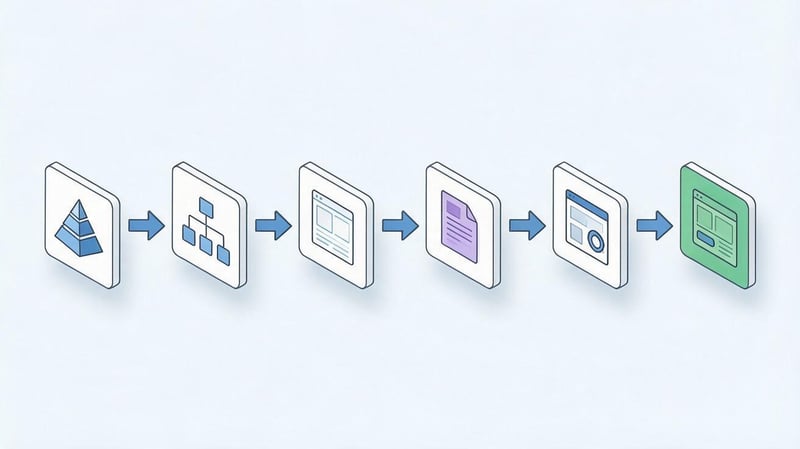
The structure defines the set of pages and their purposes, and therefore, subsequent work on the content and interface depends on it. When the purpose of each URL is clear, it's easier to decide which blocks the user needs and what data needs to be prepared.
The sequence can be represented as follows:
Semantics
   ↓
Clustering
   ↓
Pages
   ↓
Hierarchy
   ↓
Website prototype
   ↓
Content
   ↓
Design
   ↓
Development
This procedure reduces the number of revisions, because the designer is already working with a clear set of pages, and the copywriter knows the purpose of each material.
How is website content created?
Content begins with the page's purpose. If a user is looking for a service, they need terms, a process, reasons for choosing, answers to questions, and a clear next step. An informational article requires a consistent presentation of the topic and links to related materials.
When deciding how to make website content SEO-friendly, keywords are added after intent is assigned. First, the page should address a specific need, then the text, tables, and other elements are supplemented with relevant semantics.
How to make a website template?
A template defines a repeating structure for similar pages. For example, several services may use a common set of blocks, and product cards may use a uniform format for features, prices, photos, and purchase terms.
At the same time, page content must remain independent. A single page template does not mean identical text, title, description, or H1. SEO data, content, and additional blocks are selected for a specific URL and its queries.
How to design a website after creating the structure?
Once the page tree is approved, the designer can move on to prototypes and user flows. First, the layout of the main blocks, menus, transitions, and CTAs is determined, after which the visual design is developed.
When trying to decide on a website design before creating the architecture, layouts often have to be redone after adding categories and landing pages. A finished structure provides the designer with clear page types and meaningful connections between them.
Common mistakes when creating a website structure
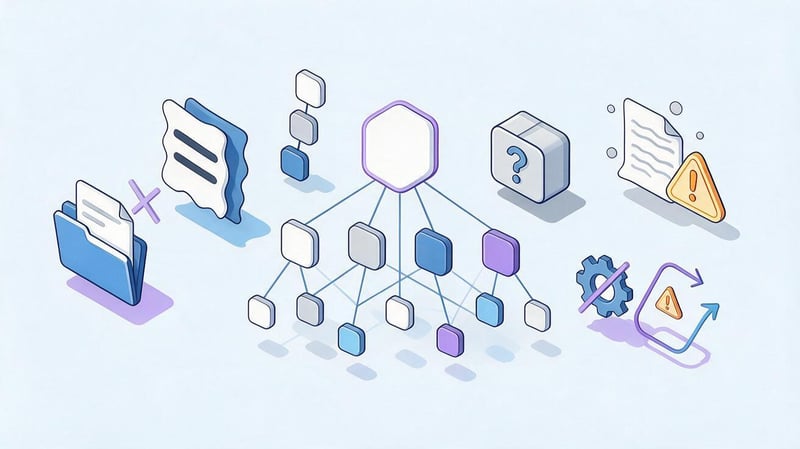
Architecture errors usually become apparent after a project grows, when multiple teams begin adding pages independently. The longer this pattern persists, the more difficult it becomes to fix URLs, redirects, internal links, and navigation.
Therefore, it's best to check for key risks before launch. For an existing website, first document its current state, and then change only those elements for which there's a clear reason.
Creating a structure without semantics
If categories are created solely based on the business owner's logic, real demand can be missed. Users sometimes search for a service or product differently than the company's internal definition.
Semantics helps verify such discrepancies. After clustering, it becomes clear which topics have independent demand and require a separate landing page, while which can be sufficiently covered within a general section.
A separate page for each similar request
There's no need to create a new URL for each synonym. Pages like “website promotion”, “SEO website promotion”, and “promote my website” can compete with each other if search results show the same intent.
It's best to group related queries into a single cluster and create a complete page. Separate URLs are created when the user's needs, the composition of search results, or the set of required information differ.
Nesting too deep
The more navigation required to reach an important page, the more difficult it is for users to discover it. This problem is especially noticeable in catalogs where categories have been created for years without revising the overall architecture.
Click depth can be reduced through hub pages, additional links, and hierarchy revisions. This doesn't require mechanically moving every URL closer to the domain root, as click depth and URL length represent different things.
Categories with unclear names
The category name should explain the content without further guesswork. Internal marketing jargon and overly general terms often prevent users from quickly selecting the desired section.
Before approving names, it's worth checking with search demand, product range, and audience terminology. A good name is both human-readable and accurately describes the group of nested pages.
Orphan pages
An orphan page exists on the site but doesn't receive regular internal links. It may be present in the sitemap.xml and even indexed, but users can't access it through normal navigation.
Such URLs are found by comparing crawler data, XML sitemaps, analytics, and search console. After verification, the page is either linked to the appropriate section, merged, closed, or deleted depending on its purpose.
Uncontrolled filters and GET parameters
Filters are useful for directory visitors, but each combination of parameters can create a separate URL. With a large number of characteristics, the number of such URLs grows rapidly.
Before launching, it's important to determine which combinations have independent search demand and can be indexed. Other technical options should be handled so they don't create endless duplicates and consume crawling resources.
Changing URLs without redirects
When rebuilding a website, old URLs are sometimes deleted and replaced with new ones without a redirect mapping table. As a result, users and search engines receive 404 errors, and the accumulated signals from the old pages are lost.
If a URL does need to be changed, the most relevant new address is selected for each valuable page and a 301 redirect is configured. After the move, internal links, canonical values, and sitemap.xml data are also updated.
Example of a service website structure
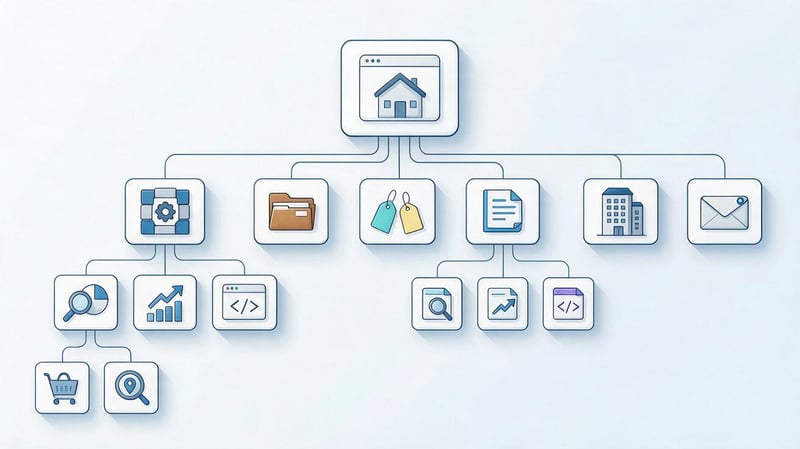
For an agency website, the structure may begin with several main commercial areas. Within each area, more specific services are located, and the blog addresses the informational needs and links to the corresponding commercial pages.
Example:
Home
├── Services
│   ├── SEO promotion
│   │   ├── Online store SEO
│   │   └── Local SEO
│   ├── Contextual advertising
│   └── Website development
├── Cases
├── Prices
├── Blog
│   ├── SEO
│   ├── Google Ads
│   └── Development
├── About the company
└── Contacts
This design provides separate landing pages for different services and maintains a clear hierarchy. When a new service area emerges, it can be added to the appropriate branch without rebuilding the entire project.
Checklist for proper website structure
Before launching, it's worth going through the entire structure and checking it with the eyes of the user, the search engine crawler, and the development team. Even a small table with checkpoints helps identify missed pages and unnecessary duplicates before indexing.
Please check the following points:
- for the main search intents, corresponding landing pages have been defined;
- the semantic core is distributed between URLs without obvious cannibalization;
- the main sections are accessible through clear navigation;
- important pages receive internal links and are not left orphans;
- categories and subcategories have user-friendly names;
- the depth of key commercial pages remains reasonable;
- URLs are readable and do not contain unnecessary technical parameters;
- breadcrumbs correspond to the actual hierarchy;
- filters do not create an uncontrolled number of indexed duplicates;
- canonical points to the correct main version of the page;
- sitemap.xml contains the required canonical URLs;
- Service pages have been added to the appropriate sections;
- when changing old URLs, permanent redirects are prepared;
- the structure allows for the addition of new services, products and articles;
- After launch, the site was rescanned.
If most issues need to be addressed after development, the architecture should be revisited comprehensively. For a small number of issues, targeted changes and a repeat technical review are sufficient.
Large stores, portals, and sites with a large number of filters will require a more detailed technical audit, as the structure there is linked to indexing rules, URL parameters, and automatic page creation.
If you need to understand how to properly structure a website, start with your audience's goals and search demand. Semantics help define future pages, clustering separates intent, and hierarchy, URLs, and internal linking tie existing sections together into a cohesive system.
Before design and development, document the structure in a spreadsheet, draw a page tree, and check for duplicates, page depth, orphan pages, and indexing rules. If you need to prepare an SEO structure for an existing or new website, provide Seo-Gen with a list of current URLs and key business areas – our specialists will analyze and prepare a page structure for further implementation.
More articles about SEO Promotion


