Online store website structure for SEO


An online store's structure determines how products are categorized, how customers find the products they need, and which pages are accessible to search engines. The catalog's organization determines ease of navigation, the coverage of commercial queries, and the ability to expand the product range without constant website redesign.
Imagine an electronics store where smartphones from different manufacturers are grouped together in a single section, filters create hundreds of identical pages, and some products are only available through search. This forces shoppers to spend a long time searching for the right model, and makes it harder for Google to discover and determine the purpose of individual pages.
A well-thought-out catalog architecture helps avoid such problems. We'll explore the main types of structure, the development process, examples for different niches, and technical requirements that should be considered before launching an online store.
What is the structure of an online store website?
The structure of an online store's website is a system of interconnected pages, categorized by product group, purpose, and nesting level. It determines which sections are located in the main menu, where subcategories are located, and how visitors navigate to a specific product.
Most online stores are based on a hierarchical model. The homepage leads to the main categories, which then expand their product range through subcategories, which then contain product cards. Additional links are created through filters, selections, breadcrumbs, and internal links.
However, the visual menu only shows the user part of the architecture. The full structure includes all significant URLs, their connections, indexing rules, and the distribution of search queries across pages.
How does the website structure differ from the organizational structure of a store?
A website's structure describes the layout of its pages and the user's navigation paths between them. An online store's organizational structure determines the distribution of responsibilities among the employees, departments, and contractors who support the business.
For example, the “Smartphones” category is part of the website architecture, and the purchasing department, which is responsible for the availability of these products, is part of the company's organizational chart. The content manager fills the catalog, the marketer is responsible for promotion, and the warehouse staff fills orders.
These areas are closely interrelated. When a store adds a new product group, purchasing coordinates the assortment, the SEO specialist determines the necessary pages, the developer configures the catalog, and the content manager places the products.
Confusion between website architecture and workflows often leads to problems when scaling a store. Therefore, it's advisable to assign rules for creating categories, changing URLs, and adding filters to specific responsible employees.
Answers to your questions
What should be the correct structure of an online store?
A proper online store structure should align with the product range, search demand, and typical product selection patterns. Customers need to understand the purpose of each section and be able to quickly navigate between categories, filters, and cards.
Accessible internal links, dedicated landing pages for independent commercial queries, and the absence of useless duplicates are also important for SEO. The structure should allow for the addition of new products without constantly changing existing URLs.
However, there is no universal model for all stores. Catalogs of clothing, building materials, and electronics will vary in the level of detail, product characteristics, and selection rules.
How many levels of nesting should there be in an online store?
The number of levels depends on the breadth and depth of the product range. A small, specialized store often needs only a homepage, a few categories, and product pages, while a large catalog may require additional subcategories.
The three-click rule can be used to evaluate navigational ease, but Google doesn't mandate a three-click limit. It's more important to ensure pages are accessible via regular links and to organize products logically.
If the buyer is forced to navigate through several nearly identical sections, the structure should be simplified. Additional levels are justified when they help select a product group and meet specific user needs.
How to create an online store structure from scratch?
Development begins with an analysis of the product range and core business areas. Next, they study search competitors, compile a semantic core, and group queries by intent to determine the necessary categories and landing pages.
The next step involves creating a catalog tree, designing filters, choosing a URL format, and thinking through internal linking. Rules for indexing, handling duplicates, and adding new products are also established.
Before launch, the structure is reviewed with the store owner and developer. It's a good idea to test several real-world product search scenarios and ensure that important pages are accessible from the homepage via consistent navigation.
Do I need to create separate pages for each filter?
Creating a separate indexed page for each combination of characteristics is usually unnecessary. Most technical filters help buyers refine their product selection, but they don't match independent search queries.
It makes sense to dedicate SEO landing pages to popular selections with a sufficient product range. For example, a dedicated page for running shoes from a specific brand can be useful if shoppers are genuinely looking for that product group.
For the remaining combinations, URL and crawling rules should be defined. This helps avoid a large number of empty, duplicate, and unhelpful pages, which complicate catalog maintenance.
Is it possible to change the structure of an existing online store?
Changing the architecture of an existing store is possible, but before doing so, it's necessary to audit the existing categories and URLs. Identify pages that receive organic traffic, have external links, and rank well for commercial queries.
After the analysis, a new scheme is developed, old and new URLs are compared, and a 301 redirect map is prepared. Internal links, breadcrumbs, sitemap.xml, and technical page settings also need to be updated.
After implementation, changes are verified through site crawling and Google Search Console. Removing sections en masse without assessing their impact can lead to a loss of valuable traffic, so it's best to implement changes according to an agreed-upon plan.
How does the structure of an online store differ from an organizational structure?
The website structure determines the arrangement of categories, subcategories, product pages, and other pages. Its primary purpose is to create clear navigation for customers and an accessible architecture for search engines.
A store's organizational structure describes employees, departments, and division of responsibilities. It may include purchasing, sales, content, warehouse, logistics, marketing, and technical support.
These structures are linked through catalog management processes. For example, the decision to add a category is made based on product range, search demand, and technical capabilities, and implementation is distributed among the responsible specialists.
What tools should I use to create an online store layout?
XMind and Miro are convenient for visual design. They help create a category tree, move sections, and discuss the structure with the team before starting website development.
Google Sheets is suitable for storing semantic maps, URL lists, category names, and technical requirements. The spreadsheet can also record parent sections, indexing status, and responsible staff.
To analyze a running store, use Screaming Frog and Google Search Console. Screaming Frog helps analyze internal links and page technical parameters, while Google Search Console displays information about the site's presence in Google search.
How to check if the new structure helps SEO?
Results should be assessed based on changes in the visibility of specific categories and product groups. In Google Search Console, you can compare impressions, clicks, and page positions for pages created or redesigned after the architecture change.
It's also important to check whether new sections are crawlable and indexable. If pages aren't appearing in search results, it's important to first rule out technical errors, internal link issues, and insufficient content.
Google Analytics 4 data on product views, conversions, and purchases provides additional insight. However, increases or decreases in these metrics should be considered in conjunction with seasonality, product range changes, and other factors.
What does an online store's SEO structure consist of?
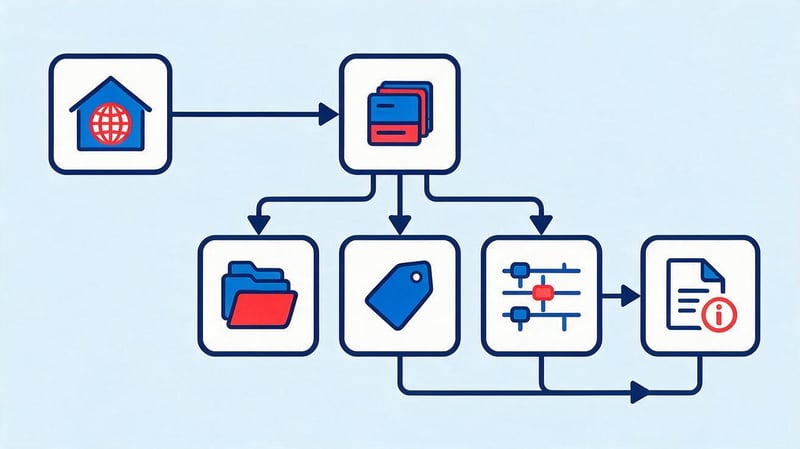
The SEO structure encompasses pages that address different customer needs and can attract organic traffic. For each group, it's necessary to determine its purpose, location in the catalog, and potential for inclusion in the search index.
The main elements of such a structure are:
- Home page introduces the visitor to the store, the main product range and current offers.
- Categories group products together based on a common feature, such as smartphones, refrigerators, sports shoes, or furniture.
- Subcategories specify the product group by purpose, type of product or other essential characteristics.
- Product cards contain information about a specific model, its characteristics, price, availability and purchase conditions.
- SEO filters create popular product selections by brand, size, material, or several characteristics.
- Information pages explain the terms of delivery, payment, returns, and warranties, and help the buyer make a decision.
Brand pages, themed collections, and blog articles are added to these elements. Their relevance is determined by the store's product range and search demand.
A good structure allows for the expansion of individual categories without changing the logic of the entire catalog. For example, after the introduction of a new product category, it can be integrated into the existing hierarchy while maintaining clear navigation and internal links.
Why is proper online store structure important for SEO and sales?
A well-structured online store helps organize products into clear groups, create pages for commercial queries, and maintain consistent navigation. This helps customers find the products they need faster, and search engines gain more insight into the relationships between sections.
The role of architecture becomes especially important as product range expands. When thousands of products appear in the catalog, the haphazard creation of categories and filters complicates site maintenance, leads to duplicate pages, and hinders indexing control.
How does structure help Google find and index pages?
Google discovers website pages by following links and using other URL sources, including XML sitemaps. Internal linking helps the search engine robot discover categories, subcategories, and product pages, and understand the relationships between them.
If an important category is accessible from the main menu and its child pages are linked via regular HTML links, it's easier for search engines to crawl the catalog consistently. Pages that are rarely linked to may be discovered less frequently or remain unknown to search engines.
Internal links also help Google evaluate the relative importance of sections. For example, a priority category might receive links from the homepage, related sections, and relevant informational materials.
However, detecting a URL does not necessarily mean it will be indexed. The search engine also evaluates the page's content, technical accessibility, duplicates, and other signals.
How does structure affect customer experience?
A customer typically comes to a store with a specific goal: finding a specific model, comparing options, or choosing a product with suitable characteristics. The catalog structure should support each of these scenarios without forcing the customer to browse through dozens of irrelevant pages.
In a clothing store, customers expect to see product categories categorized by type, purpose, and characteristics. If dresses, jackets, and trousers are all lumped together in one large category without convenient filters, finding the right item takes longer.
Clear section names, breadcrumbs, and a predictable menu help navigate even with a large selection. Shoppers can see where they are, return to the previous level, and navigate to similar product groups.
Usability is especially important on smartphones, where fewer catalog items are displayed at once. Therefore, mobile navigation should be designed alongside the main structure, rather than afterward.
How does structure affect online store conversion?
Structure influences the customer journey from the first visit to checkout. When products are logically grouped, it's easier for visitors to compare offers, select features, and find suitable models.
For example, a customer might be looking for running shoes in a specific size. If the catalog offers a separate athletic shoe category and convenient filters by purpose, size, and brand, they don't have to browse through everyday and hiking styles.
However, architecture alone doesn't guarantee an increase in orders. Conversion is also affected by pricing, product selection, availability, delivery, store trust, and ease of checkout.
Therefore, the quality of the structure should be assessed based on actual user actions. It's useful to analyze navigation between categories, filter use, product page views, adding to cart, and completed purchases.
What types of online store structures are there?
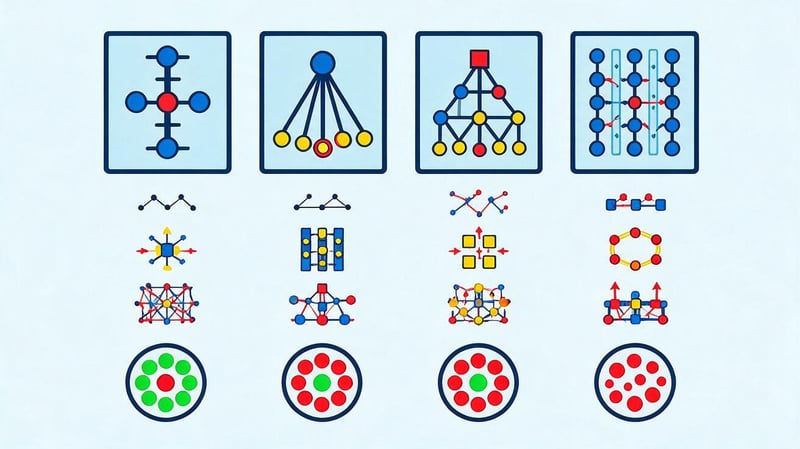
The choice of architecture depends on the number of products, the diversity of the assortment, and customer behavior. A small specialized store usually needs a few catalog levels, while a large marketplace requires a detailed hierarchy and filtering system.
In practice, linear, two-tier, multi-tier, and mixed models are used. Each is suitable for specific tasks, so the structure should be selected after analyzing the product range and search queries.
| Structure type | Features | Where it is applied | Restrictions |
|---|---|---|---|
| Linear | Sequential movement between pages | Small specialized catalogs | Inconvenient when expanding the range |
| Two-level | Main sections and products | Stores with a small number of product groups | It is difficult to detail large categories |
| Tree-like | Categories, subcategories and products | Most online stores | Requires a well-thought-out hierarchy |
| Mixed | Category tree with filters and selections | Shops with a wide range of products | Control over created URLs is needed |
For online stores with a significant product range, a tree-based architecture, supplemented with filters, is most suitable. This allows you to categorize products by key characteristics while simultaneously serving more specific search queries.
Linear and two-level structure
A linear structure involves sequential navigation between pages, with each subsequent section continuing the previous one. This approach is rarely used for a full-fledged product catalog, as shoppers typically need to choose between several options.
A more practical two-tier store structure is one where the main product sections are accessible from the main page, with product cards located within each section. For example, a specialized accessories store might have categories like “Cases”, “Cables”, “Chargers”, and “Screen Protectors”.
This model is easier to maintain if the product range is small and customers clearly understand the purpose of individual product groups. As the catalog expands, it becomes necessary to define more specific categories and add new levels.
If several hundred disparate products appear in a single category, the two-tiered structure may no longer meet customer needs. In this case, it's worth reconsidering the grouping and creating separate subcategories.
Tree or multi-level structure
The tree structure is built on the principle of sequential refinement of product groups. Broad categories are located at the top level, subcategories are located below, and specific products are presented at the final levels.
For example, a home appliance store might use the path “Home → Large Appliances → Washing Machines → Samsung Washing Machine”. If needed, a separate selection of washing machines with a specific load type could be added between the category and the card.
The main advantage of this system is the ability to systematically develop the product range. When a new product group appears, it can be included in the appropriate section and linked to existing pages.
At the same time, a multi-level structure requires control over the catalog depth. If a customer has to navigate through numerous intermediate pages to reach a popular product, it's advisable to simplify the navigation.
Mixed structure with filters and tags
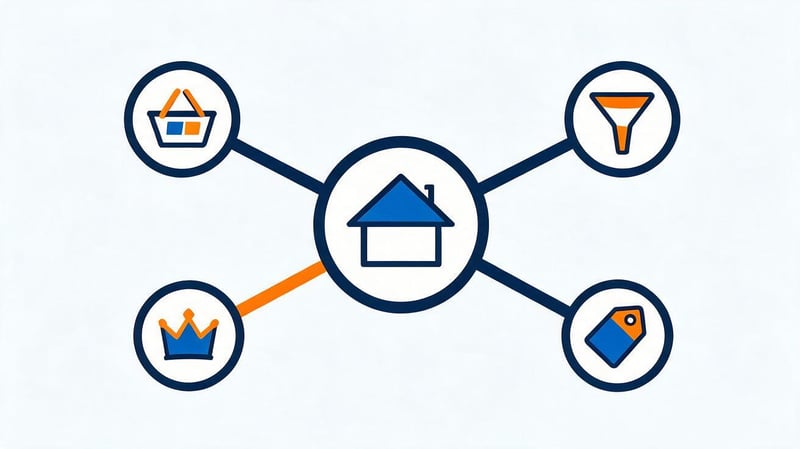
The hybrid architecture retains the core category tree but supplements it with collection, brand, and filter pages. This approach is especially useful when products can be grouped by several key attributes simultaneously.
For example, a Samsung smartphone with 256 GB of storage might be listed in the general smartphone category, a Samsung brand selection, and a separate page for devices with the desired storage capacity. Each of these pages potentially answers a separate commercial query.
However, creating a large number of combinations increases the number of URLs. If a store automatically publishes every combination of features, the catalog quickly becomes filled with empty, identical, or unhelpful pages.
Therefore, a mixed structure requires separate rules for indexed collections and technical filters. The decision to create a separate page should take into account demand, product range, and search results content.
When should a filter become a separate SEO page?
It makes sense to create a dedicated SEO page when a specific combination of characteristics matches a specific search query. Having a suitable product range, a clear page purpose, and the ability to provide useful choices to the buyer are essential.
For example, the search query “white women's sneakers” may warrant a dedicated landing page if the store offers a sufficient selection of models in the corresponding color and style. Such a selection should have a clear title, its own URL, and internal links.
The analysis takes into account the search query's volume, search results, competition with existing categories, and the stability of the product group. High search volume alone does not guarantee the need for a new page.
If Google primarily returns generic categories for a search, it's worth examining their content and offerings. Sometimes optimizing an existing section is sufficient rather than creating an additional URL.
When is it not necessary to create an additional category?
An additional category is typically not created if it duplicates the purpose of an existing section and contains virtually the same product range. Such pages can compete for the same queries, create semantic duplication, and complicate catalog maintenance.
For example, “Affordable Smartphones” and “Budget Smartphones” pages require separate review. If users expect the same selection of devices, it's smarter to choose one main section and use alternative wording within its content.
Also, be cautious with categories that contain only a few products that quickly disappear from sale. Without sustained demand and the ability to maintain inventory, a separate section may prove useless.
The final decision depends on the niche. Even a small category can be justified if it represents a distinct product group with specific commercial demand.
Basic elements of the structure of an online store website
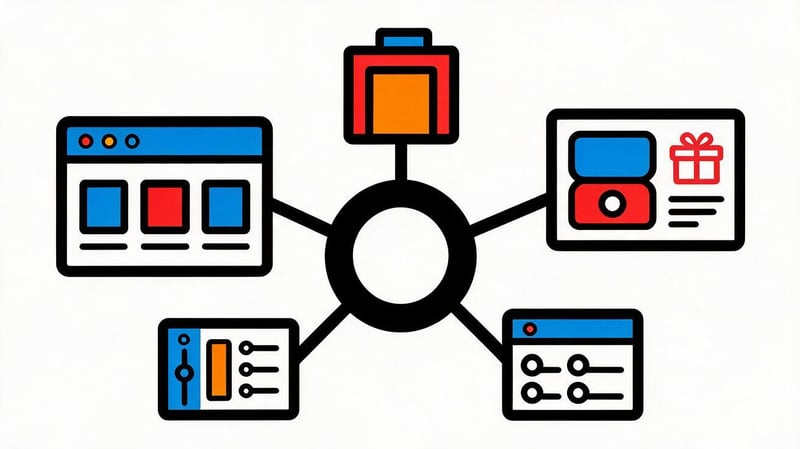
The complete store architecture includes commercial, informational, and service pages. Each group fulfills its own purpose, so it requires appropriate content, navigation, and technical settings.
Particular attention is paid to categories, filters, and product cards, as they typically form the bulk of the catalog. At the same time, service sections help customers understand the purchasing conditions and improve the user experience.
Home page and main sections of the catalog
The homepage introduces the store's product range and helps customers choose their next step. It typically includes links to key categories, popular products, current offers, and important purchase terms.
The homepage should give an idea of the store's specialization without having to sift through the entire catalog. If the company sells furniture, visitors should immediately see the main product lines: sofas, beds, wardrobes, tables, and other categories.
From an SEO perspective, the homepage often receives a significant portion of internal and external links. Therefore, placing links to priority categories helps convey information to search engines about their relative importance.
There's no need to clutter the homepage with hundreds of links. It's better to highlight the main product lines and provide easy access to the rest of the product range through the catalog menu.
Product categories and subcategories
Categories group products together that the buyer perceives as a single group. Subcategories further refine this group by purpose, product type, characteristics, or other essential features.
For example, in a furniture store, the main category “Tables” might contain subcategories such as “Dining Tables”, “Writing Tables”, and “Coffee Tables”. Each group addresses a specific need and helps the customer narrow their selection more quickly.
When developing a structure, it's important to consider the names used by actual customers. Internal designations from the warehouse management system are often unclear to visitors and poorly match search queries.
Besides the category name, the product range is important. The page should contain products that match its purpose, as well as the necessary elements for selecting and comparing models.
What is the correct name for the category?
The category name should clearly describe the products featured on the page and match the terms commonly used by shoppers. The selection process uses a semantic core, search suggestions, and an analysis of similar categories on competitors' websites.
For example, the name “Garment Care Equipment” is appropriate for a broad category encompassing irons and steamers. However, a separate category of steamers would more logically be called “Steamers”, since buyers typically search for such devices directly.
Avoid overly general headings like “Household Products” if they contain completely different product lines without clear divisions. Internal manufacturer designations that don't explain the product's purpose are also undesirable.
For each category, it's advisable to align the menu title, H1 keyword, and primary keyword group. Wording may vary slightly if it helps the user and maintains a clear meaning.
How to determine the nesting depth?
Nesting depth indicates how many levels separate a particular page from the main page in the catalog structure. The optimal number of levels depends on the product range, the number of product groups, and the user experience.
The common recommendation to place any product within three clicks can serve as a design guideline, but it's not a mandatory Google technical rule. It's far more important that pages be accessible via clear HTML links.
For example, a large building materials store might require several levels: “Building Materials → Flooring → Laminate → Moisture-Resistant Laminate”. This division is justified if each level helps navigate the product range.
It's best to remove unnecessary levels when they don't provide the buyer with useful choices. If an intermediate category contains only one subcategory, it's worth checking the necessity of such a structure.
Product cards
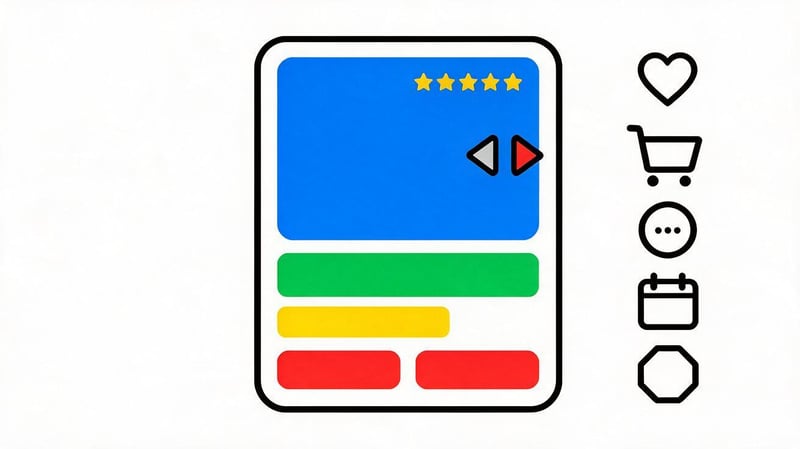
A product card should help visitors evaluate a specific model and make a purchasing decision. Key elements include the name, specifications, images, price, availability, options, and order acceptance terms.
It's best to formulate the title so that the buyer immediately understands the product type, manufacturer, and model. For example, for a smartphone, it's more useful to specify the brand, device name, and memory capacity than to use the general heading “Modern Mobile Phone”.
The product card should also be linked to relevant categories and similar products. This interlinking helps shoppers compare models and makes it easier for search engines to find product pages.
If a single product belongs to multiple categories, it's important to avoid creating uncontrolled duplicates of its product page. Typically, a stable primary product URL is used, accessible from different sections of the catalog.
Brand, tag, and SEO filter pages
Brand pages aggregate products from a specific manufacturer and respond to relevant commercial queries. For example, a tool store might have a dedicated page for Bosch power tools with links to drills, screwdrivers, and other products from the brand.
Tags and SEO filters help create additional product selections based on product attributes. These can include material, color, size, purpose, price range, and combinations of several attributes.
The distinction between them is often determined by the store's implementation. However, from an SEO perspective, it's more important to understand whether a particular collection has specific search demand and whether its content truly stands out from other pages.
Don't automatically open all filtering options for indexing. First, select promising landing pages, then configure their meta tags, URLs, content, and internal links.
Information and service pages
Information sections help customers understand the store's terms and conditions. These typically include delivery, payment, exchanges and returns, warranty, contact information, company information, and answers to frequently asked questions.
It's best to make these pages accessible from the main menu, footer, and relevant checkout steps. For example, it's useful to display delivery time information next to the product and further detail it in a separate section.
A blog can attract shoppers who are still choosing products and looking for recommendations. Articles about product selection should be linked to relevant categories so readers can navigate to the product range.
At the same time, informational materials must address specific issues. Creating numerous similar articles for the sake of additional links does not automatically improve the quality of the site's structure.
How to Develop an Online Store Structure for SEO: A Step-by-Step Guide
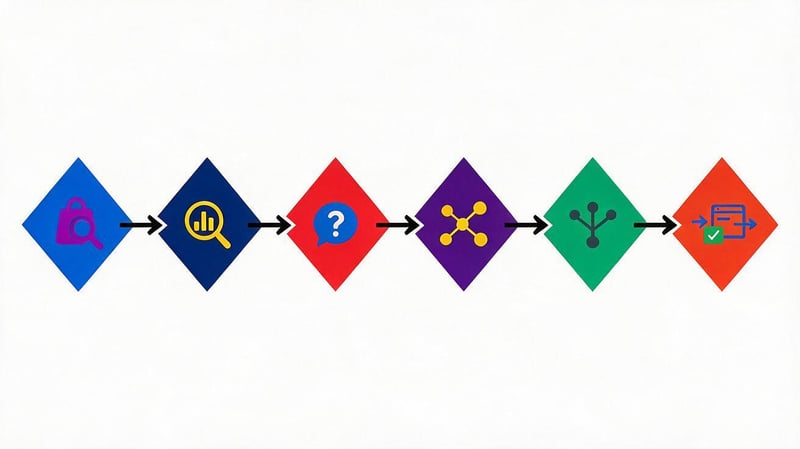
The structure is developed before the menu and page templates are finalized. At this stage, it's necessary to understand the product range, study search demand, distribute queries, and determine the purpose of future sections.
For an existing online store, the process begins with an audit of the current catalog. It's important to preserve useful pages, identify duplicates, and anticipate the consequences of address changes.
Step 1. Analyze the product range and business objectives
First, they compile a list of product groups and determine which areas the store plans to develop. They consider the number of models, seasonality, product availability, margins, and customer behavior patterns.
For example, a home appliance store might sell refrigerators, washing machines, vacuum cleaners, and small kitchen appliances. Within each category, it's important to highlight the features that truly help customers choose the right products.
It's helpful to separately identify priority commercial areas. If washing machines account for a significant portion of sales, this category may require a more detailed structure and additional landing pages.
The result of this stage is a list of product categories with key characteristics and proposed catalog levels. This document is used in query analysis and category design.
Step 2: Study your competitors in search results
Competitive analysis helps you understand which catalog organization options are already in use in your chosen niche. You should explore websites that rank prominently for key product queries and offer a comparable product range.
First, analyze menus, categories, subcategories, brand pages, and filters. It's also useful to look at which collections competitors have turned into standalone landing pages and how they've organized their interlinking.
For example, when researching shoe stores, you might discover distinct categories for running, hiking, and casual sneakers. However, just because a competitor has such a distinction doesn't mean it should be replicated in its entirety.
Each identified solution should be compared with your product range and search demand. The analysis results can be conveniently presented in a table with example sections, URLs, and notes on their applicability.
Step 3. Build a semantic core
The semantic core contains search queries that potential buyers use to search for products and information about them. For an online store, the primary focus is on commercial and product queries related to a specific product range.
When collecting semantic keywords, we use Google Keyword Planner, search suggestions, specialized SEO services, and Google Search Console data for the existing website. It's helpful to consider different product names, brands, models, and popular features.
For example, for the sneaker category, search queries might include “women's sneakers”, “running shoes”, “white sneakers”, “Nike sneakers”, and combinations of several. These queries have varying degrees of specificity.
After collecting keywords, irrelevant queries are removed and obvious spelling variations are combined. The semantics are then distributed among future pages based on search intent.
Step 4: Cluster keywords
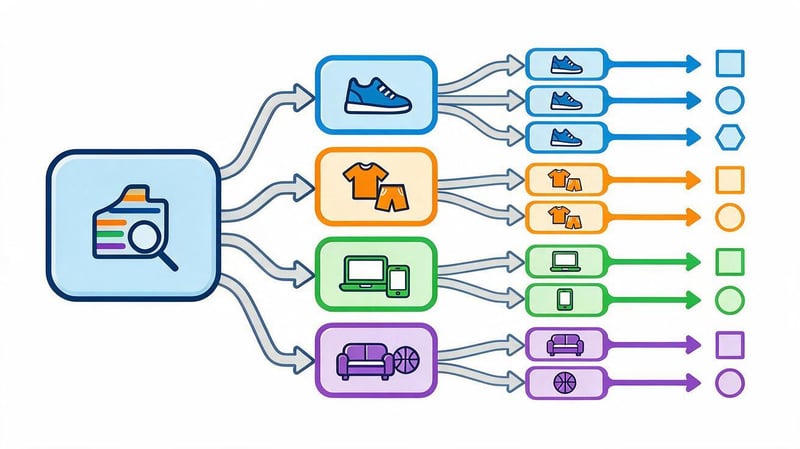
Query clustering helps determine which keywords should be served by a single page and which require separate sections. The main criterion is search intent, that is, the task the user is trying to solve.
For example, the queries “buy women's sneakers” and “women's sneakers price” typically fall under a general product category. The query “women's running shoes” already specifies the product's purpose and may require a separate selection.
When grouping, it's helpful to analyze search results. If Google shows nearly identical pages for several queries, this is an argument for combining the corresponding phrases into a single cluster.
For each cluster, the main topic, expected page type, and priority are recorded. The result is a semantic map, which can be used to construct a catalog tree.
How to separate queries for categories and filters?
Broad product queries are typically categorized into main categories. More specific search terms related to purpose, brand, or feature may be assigned to subcategories and SEO filters.
For example, the query “women's sneakers” would logically be directed to the general category, while “women's running shoes” would be considered as a separate subcategory. The phrase “white women's sneakers” could be used for an indexed selection by color.
However, classification depends on the specific market and product range. If a particular product type occupies a large segment of the business, a separate category may be more convenient than a filter.
The decision is made after comparing search demand, search results, and the number of suitable products. Each landing page created should offer a clear product selection.
How to avoid page competition for the same queries?
Competition between pages occurs when multiple URLs target the same search intent and offer similar content. For example, a store might simultaneously create categories called “Garden Hoses” and “Hoses for the Garden” with identical product selections.
In situations like these, Google has to choose between multiple pages on a single site. This sometimes leads to unstable impression distribution, although the mere presence of overlapping queries doesn't necessarily indicate a problem.
To reduce semantic duplication, each commercial cluster is assigned a primary landing page. Similar wording is used within a single section if they address the same customer need.
If pages already exist, check their traffic, links, product range, and rankings before merging. URLs should not be deleted or redirected without this check.
Step 5. Create a tree of categories and subcategories
After clustering, a catalog tree is created, in which each category occupies a specific position. Broad product groups are placed closer to the main page, while narrower categories are linked to the corresponding parent sections.
For example, the main category “Furniture” might contain a section called “Upholstered Furniture”, within which are sections called “Sofas” and “Armchairs”. If there's demand and sufficient inventory, sofas are further subdivided into corner, straight, and fold-out sofas.
For design, it's convenient to use XMind, Miro, or a regular spreadsheet. The schema should include page titles, parent categories, proposed URLs, and associated semantic clusters.
The finished catalog tree is tested from the buyer's perspective. It's important to ensure that the product is easy to find, the section names are clear, and that the same categories don't appear unnecessarily in multiple places.
Step 6: Design filters and SEO landing pages
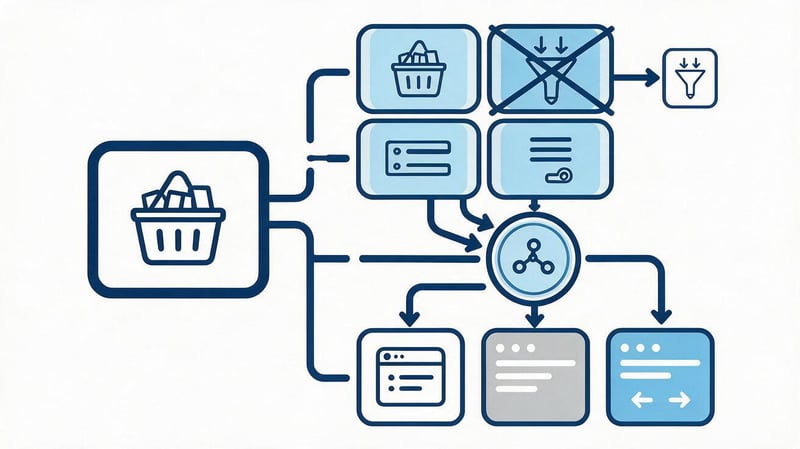
Filters help shoppers narrow their selection based on specific characteristics. For smartphones, these characteristics include manufacturer, memory size, screen size, color, and price.
Some filters are used purely for ease of selection. For example, sorting by price ascending usually doesn't require creating a separate indexed page.
Other combinations can respond to specific queries. If shoppers actively search for a specific brand and storage size, the corresponding selection can receive a permanent URL and its own SEO parameters.
At this stage, it's useful to create a table of permitted indexed filters. For the remaining combinations, it's necessary to define the technical behavior to avoid creating an uncontrollable number of URLs.
Step 7: Develop URLs and internal linking
Page addresses should be consistent, clear, and resilient to future catalog expansion. It's a good idea to define rules for transliteration, the use of hyphens, trailing slashes, and the formation of URLs for product pages in advance.
For example, the category of smartphones might have the address /smartfony/, and a selection of a specific brand might have the address /smartfony/samsung/.
A product page can be assigned an independent URL: /product/galaxy-a56/ or /smartfony/samsung/galaxy-a56/, if the store architecture allows for this model. Both approaches are acceptable for SEO:
| URL variant | Advantages | Drawbacks |
|---|---|---|
| /smartfony/samsung/galaxy-a56/ | Shows category and brand, logical hierarchy | When moving a product between categories, you may need to change the URL. |
| /product/galaxy-a56/ | A permanent address regardless of category; more convenient when placing a product in several sections | Doesn't show the product location in the catalog |
Google clearly states that it determines the structure of an online store primarily by internal links, and not by the nesting of URL folders.
Internal linking should connect main categories to subcategories, and subcategories to related products. Additional links can be placed in breadcrumbs, thematic collections, and blog articles.
It's important that key pages are accessible via standard HTML links. Navigation that only works after complex user interactions can create crawling issues.
Step 8. Agree on the structure and implement it on the website
Before implementation, the catalog tree is coordinated with the store owner, SEO specialist, developer, and staff responsible for product selection. This helps identify categories without products, questionable names, and technical limitations of the platform.
The developer is given a page map with URLs, template types, filtering and indexing rules. The content manager is provided with a list of sections, requirements for filling out product cards, and the distribution of products by category.
For a live store, a map of 301 redirects and a list of internal links that need to be updated are also prepared. Before making any large-scale changes, it's advisable to perform a backup and test the new structure in a test environment.
After launch, they check page accessibility, redirect accuracy, filter functionality, and the indexability of important URLs. The work doesn't end there: changes need to be tracked in analytics and adjusted as the product range expands.
Lead SEO specialist — Gennady
When I develop an online store's SEO structure, I start with an analysis of search demand and product range. For each category, I need to understand what queries it addresses, what products it will feature, and how it differs from adjacent sections. If two pages answer identical queries and display virtually the same product range, I first check whether both are truly necessary. Extra landing pages can create duplicates and complicate indexing, so each catalog expansion should have a clear rationale for both the customer and the business.
Online Store Structural Diagram: Examples for Different Niches
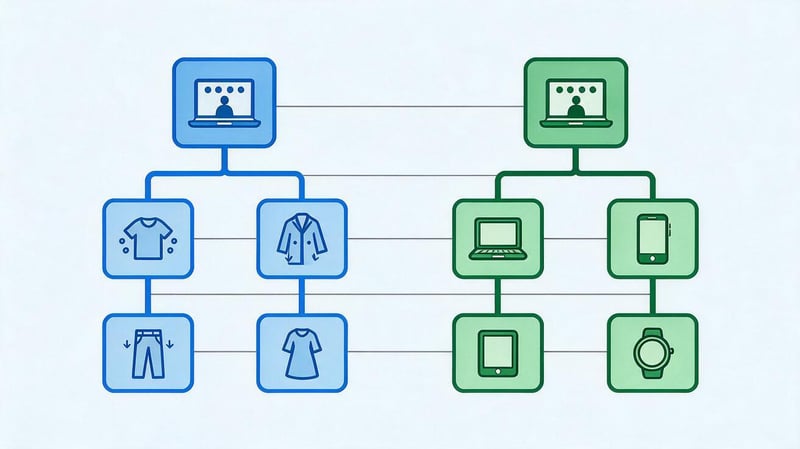
An online store structure chart helps you visualize the layout of sections before development begins. It's a convenient way to check the catalog depth, the relationships between product groups, and the potential for adding new product categories.
Below are examples of the structure of an online clothing and electronics store. They illustrate the principles of building a hierarchy, but specific categories and names should be clarified based on the product range and search queries of the chosen business.
An example of the structure of an online clothing store
For a clothing store, it's convenient to segment by target audience and product type. Within the main categories, you can differentiate by purpose, season, style, or other relevant characteristics.
Example of a catalog tree:
Home page
Women's clothing
- Dresses
- Summer
- Evening
- Everyday
- Trousers
- Classic
- Sports
- Wide.
- Jackets
- Demi-season
- Winter
Men's clothing
- T-shirts
- Basic
- Sports
- Jeans
- Straight
- Tapered
- Outerwear
- Jackets
- Coat
Shoes
- Women's shoes
- Sneakers
- Shoes
- Boots
- Men's shoes
- Sneakers
- Boots
- Sandals
This system allows shoppers to begin their search with a clear product group and gradually refine the selection. Size, color, material, and other characteristics are easily used in filters within the selected category.
If there's search demand, some filters can be turned into standalone SEO landing pages. For example, a “Women's White Sneakers” selection could receive a separate URL if it contains a sufficient selection and is distinct from the general category.
When designing, it's important to consider that a single product may be relevant to multiple product collections. Therefore, it's best to direct links from different sections to a consistent product page, maintaining a single primary URL.
Example of an electronics store structure
Electronics stores are typically structured around device types, manufacturers, and specifications. Customers can search for a specific model or browse devices based on price, performance, and intended use.
Example of catalog hierarchy:
Home page
Smartphones
- Samsung: models and available configurations.
- Apple iPhone: models and generations.
- Xiaomi: smartphones of various series.
Laptops
- Gaming laptops: models for gaming.
- Laptops for work: universal devices.
- Ultrabooks: compact and lightweight models.
Tablets
- Android tablets: devices from different manufacturers.
- Apple iPad: models and generations.
Within a smartphone category, buyers can choose memory size, screen size, color, and price range. Not every combination of features merits its own category, so most refinement should be accomplished through filters.
You can create separate landing pages for popular combinations. However, before doing so, you should check the search queries, product range, and intersections with existing categories.
The structure of an online electronics store must also accommodate the regular release of new models. A user-friendly architecture allows for the addition of devices without massively changing the URLs of existing pages.
Example of a catalog URL structure
Page addresses should reflect the accepted site logic and remain stable. It's important to agree on the URL format before adding content to the catalog, as subsequent address changes require redirects and internal link updates.
Example of address organization:
| Page type | URL example | Purpose |
|---|---|---|
| Home | / | The store's main areas of focus |
| Category | /smartfony/ | All smartphones |
| Subcategory | /smartfony/samsung/ | Samsung smartphones |
| SEO filter | /smartfony/samsung-256gb/ | A selection of devices with 256 GB of memory |
| Product card | /smartfony/samsung/galaxy-a56/ or /product/galaxy-a56/ | Specific model |
| Informational article | /blog/kak-vybrat-smartfon/ | Help with choosing |
This is a schematic diagram of an online store website that can be adapted to different CMSs. In a real project, URLs are created taking into account language versions, existing pages, and the platform's technical capabilities.
The URL path doesn't have to exactly follow the actual section hierarchy. Google takes into account internal links between pages, so easy navigation is more important for understanding the structure than the number of subfolders in the URL.
How to organize navigation and interlinking in an online store?
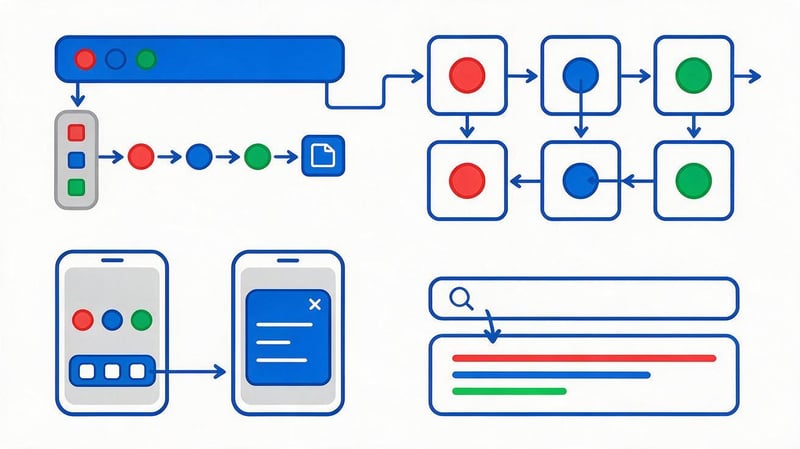
Navigation helps visitors navigate through catalog sections and find the products they need. It should be designed in conjunction with the page structure, as even well-designed semantics won't solve the problem of an inconvenient menu.
Internal linking is also essential for search engine crawling. Links enable categories, subcategories, product pages, and informational materials to form a cohesive system accessible to users and search engines.
Main menu and product catalog
The main menu should highlight key product lines without overloading them with smaller categories. A small store may only need a few clear options, while a large catalog may require a multi-level menu with grouped subcategories.
It's best to choose section names based on familiar terms for shoppers. If someone is looking for a refrigerator, the corresponding category should be readily apparent in the appliances section, eliminating the need to guess the store's internal names.
For large catalogs, it's convenient to use a mega menu that displays both main categories and popular subcategories. However, the number of links should be limited to what's necessary for clear selection.
On mobile devices, the menu should open correctly, maintain accessibility to subsections, and not interfere with product browsing. Navigation performance should be tested on real devices and across different screen sizes.
Breadcrumbs
Breadcrumbs show the current page's position in the navigation hierarchy. For example, for a Samsung smartphone, the path might look like this: “Home → Electronics → Smartphones → Samsung”.
The buyer can return to the category and continue comparing products without having to reopen the menu. This is especially convenient after going directly from Google to the product page for a specific model.
Breadcrumbs also create additional internal links between catalog levels. When used with BreadcrumbList markup, search engines receive structured information about the navigation path.
When a product falls into multiple categories, it's important to determine the breadcrumb layout principle in advance. It should be user-friendly and consistent with the store's internal architecture.
Internal links between categories and products
Interlinking helps shoppers find related product groups and expand their selection. For example, on a laptop page, you could include links to bags, mice, docking stations, and other compatible accessories.
Category pages provide useful links to popular subcategories and featured collections. Product cards can display similar models, alternatives, and related products.
The blog plays a special role. An article about choosing an office chair can link to a category of office chairs, while an article about choosing a mattress can link to the relevant section of the catalog.
Internal links should help users continue their search. Adding identical link blocks to every page without regard to the topic usually degrades the usability of the catalog.
Site search and mobile navigation
Internal search is especially useful for large stores, where customers frequently enter model names, part numbers, and specific specifications. It should take into account common query spellings and help find relevant products.
However, the search bar doesn't replace a full-fledged navigation structure. Googlebot typically doesn't enter queries into search forms, so important categories and cards should be accessible via regular links.
For the mobile version, it's advisable to provide a convenient catalog view, a prominent search button, and clear filter controls. The user should be able to return to their search results without losing their settings.
After implementation, it's helpful to analyze internal customer search queries. If the same product type is frequently searched for in the search bar, it's possible that the relevant category isn't prominent enough in the menu.
Technical SEO structure of an online store
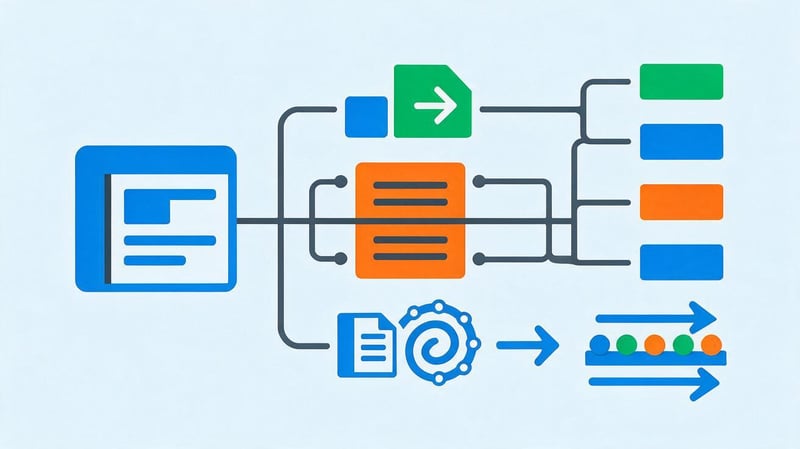
Technical settings determine which catalog pages are accessible to search engines, how duplicates are handled, and how Google discovers products. Errors in these areas can limit organic visibility even with good semantics.
Filters, sorting, and pagination pose particular challenges because they can generate a large number of URLs. For these elements, crawling, indexing, and primary page selection rules must be defined in advance.
Which catalog pages need to be indexed?
Pages that respond to standalone search queries and contain useful information are considered first for indexing. These typically include main categories, significant subcategories, product pages, and individual commercial selections.
For example, the “Washing Machines” category might cover a broad product demand, while the “Top-Loading Washing Machines” collection might address a more specific need. Both pages can be useful if they differ in product range and purpose.
Technical sorting URLs, random filter combinations, and internal search results often don't require independent indexing. A suitable crawling and indexing strategy is chosen for them.
Before shutting down pages, it's important to check whether they're receiving organic traffic and whether they contain necessary product links. Massive changes without an audit can lead to the loss of useful landing pages.
How to manage URLs for filters, sorting, and pagination?
Filters and pagination help shoppers navigate a large selection, but they also complicate the technical architecture. A single section can have dozens of parameters, creating different page versions.
To manage such URLs, it's necessary to distinguish between useful commercial collections and technical catalog states. Indexed pages should have independent purposes, while other combinations should be controlled by selected technical rules.
Indexing filters
Filters can create a huge number of combinations of characteristics. For example, a laptop category with filters by brand, memory, processor, screen size, and price can generate thousands of different URLs.
Opening all these pages for indexing is usually impractical. Many combinations will contain identical products, offer too narrow a selection, or lack independent search demand.
Therefore, an SEO specialist selects the necessary landing pages based on the semantic core. Permanent URLs, titles, meta tags, and internal links are configured for them.
Other combinations can remain available to users without creating additional indexed pages. The specific implementation depends on the platform, parameter behavior, and the chosen crawling strategy.
Category pagination
Pagination divides long product lists into multiple pages, helping shoppers browse the product range sequentially. For example, the first page of a category might contain 24 products, with the remaining models located at subsequent URLs.
You need to ensure that search engines can access the links between pages in the sequence. If subsequent products only appear after clicking a JavaScript-enabled button, check whether the search engine crawler can find the corresponding URLs.
Google recommends using separate URLs for pagination pages. Each page in the sequence should typically specify its own canonical, and blocking pages after the first one using noindex is not considered a universal solution.
The specific strategy depends on the catalog structure and the method of loading products. The main requirement is to maintain search engine access to important product cards located on subsequent pages.
Canonical, robots.txt and noindex
Canonical helps search engines determine the preferred URL among identical or very similar pages. For example, it can be used to select the primary version of a product page when there are multiple technical URLs.
The robots.txt file controls search engine bot access to specific addresses and URL groups. It can be used to restrict crawling of useless parameter combinations, but it doesn't guarantee that a blocked address won't be indexed.
The noindex meta tag tells search engines that a crawlable page should not be indexed. However, the crawler must be able to read this directive, so simultaneously blocking the URL in robots.txt may prevent it from being processed.
These mechanisms solve different problems and are not interchangeable. Filter, duplicate, and service page settings should be selected after a technical audit of a specific store.
Sitemap.xml and catalog page map
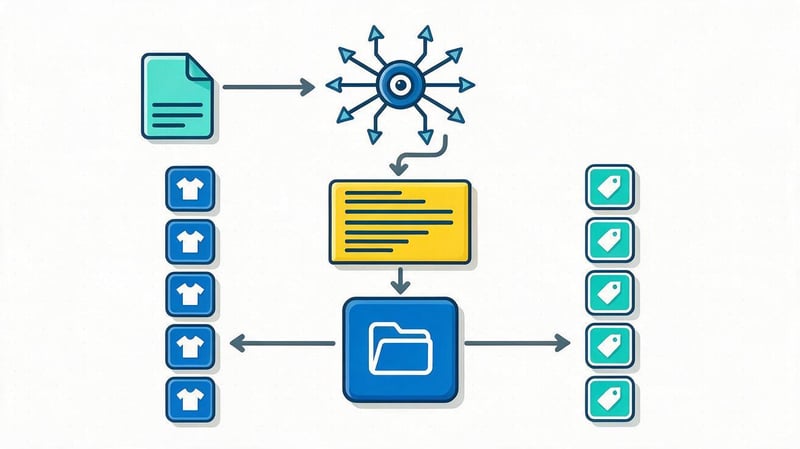
An XML sitemap contains a list of URLs that the store owner recommends for search engines to discover and crawl. It typically includes canonical indexed categories, product pages, and other important pages.
The sitemap should be updated after adding or removing important sections. It's advisable to avoid including addresses with errors, redirects, indexing restrictions, and technical URLs that shouldn't be included in search results.
An XML sitemap complements internal linking, but doesn't replace it. If a product card is only present in the XML sitemap and isn't accessible through navigation, it's time to review your catalog architecture.
For large stores, multiple sitemaps can be used, categorized by page type or other useful criteria. Their status and any errors are checked through Google Search Console.
Micro-markup of categories, products, and navigation
Structured data helps search engines more accurately determine the purpose of pages and product information. The BreadcrumbList, Product, and Offer types are particularly relevant for online stores.
BreadcrumbList describes the breadcrumb chain, and Product is used on individual product pages. Offer can be used to convey information about price, currency, availability, and other offer parameters.
For product cards, it's important to adhere to Google markup requirements and align the values with the visible page content. The price should be represented as a separate numeric value, and the currency should be represented by a code, such as UAH.
Don't automatically tag an entire category as a single Product for the sake of expanded results. Also, don't add fictitious reviews, ratings, or prices that don't correspond to the store's actual data.
Multilingual structure of the online store
A multilingual online store can use separate catalog versions for Ukrainian, Russian, and English. Each language version must have its own URLs, section names, headings, and meta tags.
However, the semantics of different languages don't always match. Customers may use different wording and product group names, so mechanical translation of the structure can create irrelevant pages.
Hreflang is used to link corresponding language versions. Each indexed page must also have a correct canonical, consistent with the chosen architecture and localization rules.
When adding a new category, make sure it's present in all intended language versions. It's also important to check the translations of breadcrumbs, filters, product specifications, and structured data.
Organizational structure and workflow of an online store
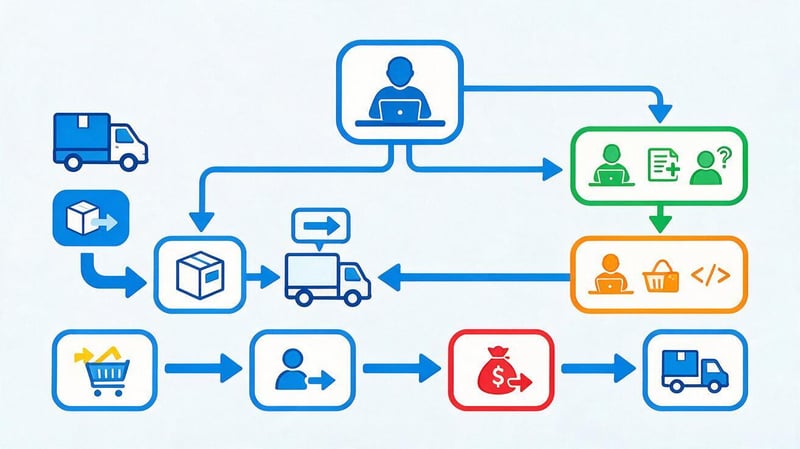
The organizational structure of an online store depends on the scale of the business, the number of products, and the order fulfillment method. A small store may operate with just a few employees, while a larger company distributes tasks among separate departments.
When developing a website, it's important to consider who will update the catalog, manage the product range, approve new categories, and be responsible for technical changes. Without clear responsibilities, even a well-designed architecture will gradually lose consistency.
Who is responsible for the operation of the online store?
In a small store, the owner often simultaneously manages purchasing, monitors orders, and makes decisions about website development. As the number of products and orders increases, responsibilities are distributed among specialists.
A typical organizational chart might include the following roles:
- Store Manager determines commercial priorities, budget and product range development directions.
- Purchasing Manager works with suppliers, monitors the availability of goods and the terms of purchase of products.
- Content Manager adds products, updates specifications, images, prices, and category descriptions.
- Sales Manager processes customer inquiries, clarifies orders, and provides product consultations.
- Warehouse and logistics are responsible for completing, transmitting orders and organizing delivery.
- SEO specialist and marketer work on search visibility, advertising and customer acquisition.
- Developer maintains the website's functionality, implements changes, and corrects technical errors.
In small teams, one employee can perform multiple functions. The key is to ensure that responsibility for the catalog and critical changes remains clear.
When expanding a business, it's especially helpful to separate website content from changes to its structure. Creating a new category requires approval if it affects the URL, indexing, and existing interlinking.
How does the online store work?
An online store's operations typically begin with product selection and interaction with suppliers. After receiving product information, employees update the catalog, checking specifications, prices, and availability.
Next, the buyer selects the product, places the order, and provides the required contact information. The system forwards the information to the responsible employees, after which the order is confirmed, packed, and shipped via the selected delivery method.
The process flow is as follows:
Supplier → Purchasing → Product Catalog → Customer Order → Payment → Warehouse → Delivery → Post-Purchase Service.
In practice, the sequence may differ depending on the business model. For example, with dropshipping, the supplier ships the goods, and the store is responsible for receiving the order and communicating with the customer.
Returns, order cancellations, availability changes, and specification updates must be separately considered. These processes impact the content of product cards and the availability of commercial offers on the website.
Who is responsible for changes to the site structure?
It's best to collaborate with the staff responsible for product selection, SEO, and technical aspects of the store when making changes to the catalog architecture. This approach helps avoid situations where a new section appears without products or duplicates an existing category.
An SEO specialist analyzes search queries, determines the page's purpose, and assesses the potential impact on organic traffic. The business owner confirms the commercial viability of the new direction and the availability of a suitable product range.
The developer is responsible for creating URLs, setting up templates, filters, internal links, and redirects. The content manager populates pages, checks product specifications, and maintains up-to-date information.
For regular changes, it's convenient to use a unified category registry. It records the section name, address, parent page, indexing status, and the responsible employee.
Common Mistakes When Creating an Online Store Structure
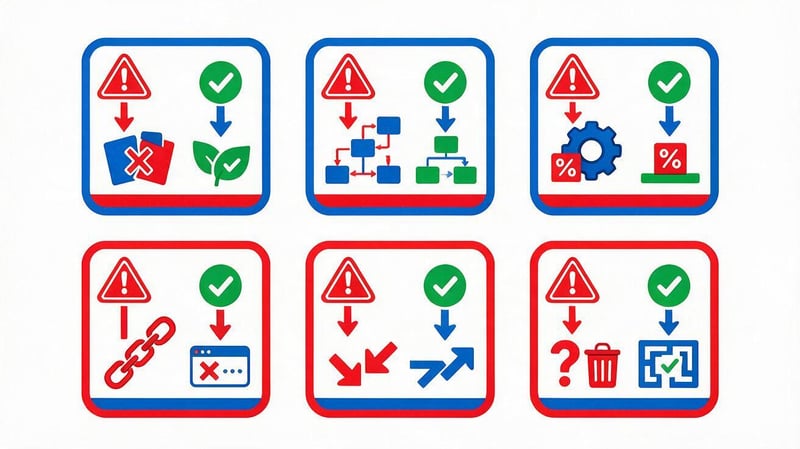
Catalog architecture errors often become apparent only after product range expansion. Initially, a store may function normally even with inconvenient product groupings, but later, duplicate pages, filter issues, and the need to massively change addresses appear.
Most of these situations are easier to prevent when designing the structure. This requires checking the semantics, page purpose, and technical rules before launching new sections.
| Error | Possible consequences | How to fix |
|---|---|---|
| Categories are created without demand analysis | Pages appear without matching queries | Check the semantics and range |
| One product has multiple URLs | Duplicate cards appear | Select the primary address and set up connections |
| Several categories cover the same intent | Pages compete for similar queries | Review clusters and URL assignments |
| Too many levels of nesting | It's harder for customers to find products | Simplify the tree and add direct links |
| The categories contain virtually no products. | Pages provide limited benefit | Review the product range grouping |
| Each filter creates an indexable URL | The number of low-value pages grows | Set up filtering and indexing rules |
| Important products are only available through search. | It's harder for a robot to detect cards | Add links from categories and listings |
| URLs change without 301 redirects | Old links lead to errors | Prepare a redirection map |
| The structure does not provide for expansion | New products have to be placed illogically | Establish additional product lines |
Semantic duplication, where different category names conceal virtually identical content, deserves special attention. For example, the “Kitchen Faucets” and “Faucets for the Kitchen” sections rarely require separate landing pages without additional differentiation.
Uncontrolled changes to existing URLs are also dangerous. If a category receives a new address, it's necessary to update internal links, set up a permanent redirect, and check how Google handles the new page.
To prevent such errors, it's helpful to periodically review your catalog tree. This is especially true after changing your product range, adding new brands, or implementing additional filters.
How to check the correctness of the online store structure?

Once the structure is developed, it's important to evaluate it from the perspective of both buyers and search engines. This review helps identify awkward navigation paths, technical limitations, and pages that don't serve their intended purpose.
It's advisable to conduct an audit before launching a store and after major catalog changes. For an existing website, the audit results should be compared with organic search data and user activity.
Checking the catalog logic and user friendliness
You can start with simple user scenarios. For example, asking someone to find a smartphone of a certain brand, choose a winter jacket in the right size, or compare several washing machine models.
During the audit, observe which sections the visitor opens, whether they understand the category names, and whether they can return to the previous level. If a product is only found through the search bar, it's worth reviewing its placement in the catalog.
It's also important to check for categories with identical names, confusing intermediate sections, and filters that don't help refine your product selection. It's also a good idea to test the mobile version separately.
Based on the audit results, a list of issues is compiled and fixes are prioritized. The most critical errors are usually those that prevent customers from finding popular product categories.
Checking SEO parameters
A technical audit of the structure can be performed using Screaming Frog, Google Search Console, and additional URL inspection tools. The main goal is to ensure that important pages are accessible, correctly linked, and do not have conflicting instructions for search engines.
As part of the inspection, the following parameters should be examined:
- HTTP statuses: Main categories and cards should open correctly, and deleted addresses should be processed according to the selected rules.
- Internal links: Important pages should be accessible through navigation, and links should not lead to random errors or unnecessary redirects.
- Canonical: Preferred addresses must comply with the actual structure and duplicate handling rules.
- Robots.txt and noindex: Technical limitations should not accidentally close important commercial pages.
- Sitemap.xml: The sitemap must contain current indexed URLs without unnecessary technical addresses.
- Hreflang: Language versions must link to each other correctly and match the content.
- Meta tags and H1: Pages of different categories should have clear headings without massive repetitions of meaning.
After checking, critical errors must be fixed and the site rescanned. Monitor the results especially carefully after moving categories, changing URLs, or launching a new filtering mechanism.
What metrics should be monitored after implementation?
After changing the structure, it's useful to track organic search metrics at the category and product group level. Overall store traffic can fluctuate due to seasonality, product range, and other factors, so it's important to analyze specific pages.
In Google Search Console, you can check impressions, clicks, CTR, average position, and available indexing data. To analyze customer behavior, use Google Analytics 4, where you can measure product views, adds to cart, and purchases.
It's also useful to monitor the number of useful indexed pages and crawl errors. However, an increase in the total number of URLs should not be considered a standalone indicator of successful SEO.
It's advisable to compare results over comparable periods, taking seasonality into account. If, after a catalog change, important categories lose impressions or become undiscoverable, it's necessary to check redirects, internal links, canonicals, and other technical parameters.
The structure of an online store should be designed based on product range, search queries, and real-world product selection scenarios. Categories should have a clear purpose, filters should help refine the product range, and internal links should ensure accessibility to important pages.
Before launching a catalog, it's necessary to check the URL, indexing rules, pagination, mobile navigation, and the ability to expand product categories. For a running store, any changes to the structure should be accompanied by a technical audit and redirect monitoring.
If your catalog contains duplicate categories, uncontrolled SEO filters, or pages that perform poorly in Google, Seo-Gen specialists will help you conduct an SEO audit, review your architecture, and prepare technical specifications for improvement. Schedule an online store SEO consultation to determine which sections require priority changes.
More articles about SEO Promotion


