How to create a website SEO structure based on semantics?


Website structure often begins with a menu: the owner lists services, the developer organizes them into sections, and the designer creates the navigation. This approach may seem convenient for a small project, but search demand remains outside the framework. As a result, some essential landing pages are missing, similar pages compete with each other, and important areas are buried deep within the site.
A semantic core provides a more precise basis for design. Queries reveal what users are searching for, what topics they share, where they expect a separate page, and where they perceive multiple phrases as a single query. After clustering, the semantic core is transformed into a list of future landing pages, and then into a clear site tree.
What is SEO website structure and why is it needed?
A website's SEO structure is a logical hierarchy of pages, sections, and the links between them, built taking into account search demand and user intent. It includes categories, subcategories, service pages, product cards, filters, articles, URLs, breadcrumbs, and internal linking. The structure of the website's information should help users quickly navigate from a general section to the desired offer.
This architecture helps search engines find indexable pages and understand their position relative to other documents. Users receive predictable navigation, and SEO specialists are able to distribute keywords without cannibalization. Therefore, the semantic core and website structure are usually designed together, especially before launching a new project or major expansion of an existing one.
How does the logical structure of a website differ from a menu?
The menu only shows part of the architecture the user sees in the navigation. The description of the logical structure of the site includes more elements: second- and third-level pages, filters, informational materials, orphan pages, pagination, technical URLs, and internal links. Some pages may not be in the main menu but still remain fully part of the search structure.
For example, an online store might display a “Laptops” category in its menu, but within its SEO structure, it might have landing pages for “gaming laptops”, “business laptops”, brand pages, and indexed combinations of features. These are accessible to users through the catalog and interlinking, while search engines see them as separate documents with their own intent.
How does website structure affect SEO?
Based on the structure, the search engine robot understands which pages are considered primary, how they are interconnected, and how deeply they are located. An important commercial page, accessible only after five or six clicks, typically receives fewer internal links and is less closely linked to the main sections. Therefore, the depth of the page's nesting is considered during the site's structure development and creation.
A website structure for SEO also reduces the risk of duplication. If similar queries are pre-grouped into a single cluster, they avoid the creation of multiple, nearly identical URLs. If the intent differs, separate landing pages can be created for each cluster and linked together. Thus, an SEO-friendly website structure maintains page relevance and simplifies future optimization.
Answers to your questions
How to create a website structure based on a semantic core?
First, search queries are collected and cleaned, then intent is determined and related phrases are grouped into clusters. Each cluster is assigned an existing or new landing page, after which the pages are categorized into sections and nesting levels.
The final layout is verified using real Google search results. If different queries lead to the same types of pages, they are often combined. If the SERPs differ significantly, separate landing pages are considered.
What should a website structure be for SEO?
It must be user-friendly, crawlable, and flexible enough to be expanded. Important commercial pages are placed at a reasonable depth, and each independent search intent is linked to a relevant landing page.
You also need to monitor internal links, breadcrumbs, orphaned pages, and duplicates. Even good semantics won't help if the desired URL is isolated from the main architecture.
Do I need to create a separate page for each keyword?
No, because multiple phrases often describe a single user intent. Such queries are combined into a cluster and promoted on a single page. The decision is verified based on the search results and the intersection of ranking URLs.
A dedicated page is needed if it has independent intent, its own search results, and sufficient content. Creating dozens of similar URLs under synonyms increases the risk of cannibalization and weak pages.
How to analyze the structure of an existing website?
The site is crawled with an SEO crawler, URLs are extracted from Search Console and sitemap.xml, and then the sources are compared. Nesting, internal links, orphaned pages, redirects, canonicals, indexing, and content overlap are checked.
After technical verification, existing URLs are compared with semantic clusters. This identifies which pages should be kept, which should be merged, and which new landing pages should be added.
What programs are suitable for creating a website structure?
Screaming Frog and Sitebulb are suitable for crawling, while Ahrefs and Serpstat are suitable for semantic and competitor analysis. Visual diagrams can be created in Microsoft Visio, XMind, Miro, or diagrams.net.
Creating a website structure in Microsoft Visio helps clearly communicate the hierarchy to the team, but the data for this diagram must be prepared in advance. Semantics, intent, and search engine analysis remain the foundation.
Is it possible to change the structure of an existing website?
Yes, but first you need to compare the old and new URLs. Pages with traffic, rankings, and external links shouldn't be deleted without analysis. If the address changes, a 301 redirect to the most relevant new page is usually created.
After migration, check internal links, sitemap.xml, canonicals, breadcrumbs, and indexing. For major changes, it's recommended to separately monitor the status of priority URLs in Search Console.
How to check if a separate landing page is needed?
Compare the results for the cluster's main queries. If Google shows the same documents, the queries can likely be combined on a single page. If the results and page types differ significantly, a separate landing page may be justified.
Additionally, they check search volume, commercial viability, and the ability to create unique content. The page should address a specific need, not exist solely for the sake of an additional keyword.
What should be the correct website structure?
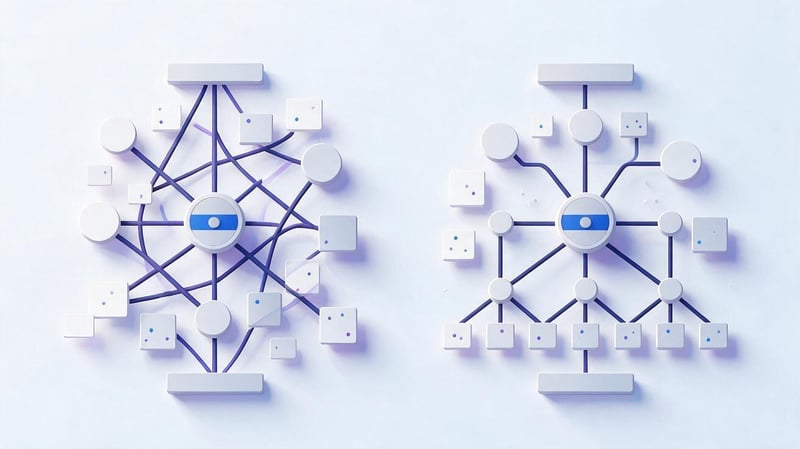
An effective website structure is built around the user's real needs. A user should understand where the desired service or product is located, and a search engine robot should be able to find important pages using internal links. Most commercial sections are conveniently placed at a shallow depth, but there is no fixed, universal number of levels for all projects.
When designing, consider the site's size, product range, geography, business type, and potential for future expansion. A small service website may only need two levels, while a large online store will require categories, subcategories, brands, and filters. The key is that each level has a clear function and is supported by content or search demand.
Logical hierarchy
The basic layout looks like this: the main page leads to a major section, the section to a subsection, and the subsection to a specific landing page. For example: “Home → SEO → SEO Audit → Technical Audit”. For a store, the same logic might look like “Catalog → Laptops → Gaming Laptops → ASUS”.
There's no need to create an extra level for the sake of a pretty layout. If an intermediate section with no independent meaning appears between the category and the landing page, the user gets an unnecessary click. This type of structure typically comes from the company's internal classification system, although this level doesn't contribute anything to search demand or visitors.
One search intent – one landing page
Related keywords don't automatically require separate URLs. Queries like “SEO website audit”, “website audit for SEO”, and “website review by an SEO specialist” may all relate to the same user intent. If Google shows similar results for them, it makes sense to group them together and promote them on a single page.
The opposite situation occurs when similar words conceal different needs. The query “SEO audit” implies a service, while “how to conduct an SEO audit” often leads to instructions. The semantic core of the website structure should account for this distinction. It helps separate commercial pages from informational ones and avoid forcing a single document to simultaneously address incompatible tasks.
Minimum depth of important pages
Priority pages should be linked to key sections and internal links. Users shouldn't have to navigate a long navigation chain to find a popular service, category, or product line. The deeper a document is located, the more difficult it is to maintain its visibility within the architecture of a large website.
At the same time, there's no need to reduce the nesting level at any cost. Categories and subcategories help categorize a large product range and create a clear path. It's not the number of levels alone that should be checked, but rather the logic of the navigation, the number of internal links, and the presence of orphan pages that aren't linked to by any indexed page on the site.
Possibility of expanding the structure
Good architecture anticipates new directions before they emerge. If a company plans to expand its services, regions, or product range, the structure should accommodate new landing pages without completely revising the URL. Expanding the site structure is especially important for online stores, catalogs, and projects with multiple cities.
For example, when launching a services section, it's best to define the general URL principle and parent categories in advance. Then, the new service is added to the existing section, receiving breadcrumbs and internal links. If the architecture is haphazardly assembled, each extension creates new exceptions, forcing you to change the navigation and reconfigure redirects.
How to analyze the current website structure?
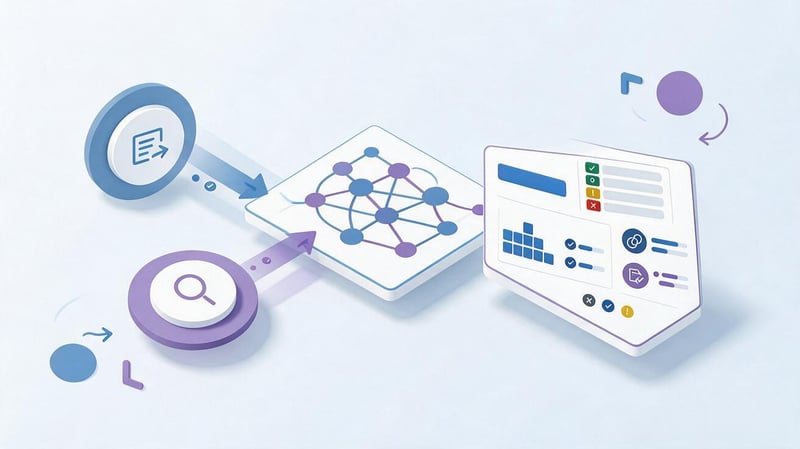
Before rebuilding an existing project, it's important to understand which pages are already indexed, receive traffic, and have external or internal links. Analysis of the site's structure and content begins with a complete list of URLs, then compares them with the menu, sitemap.xml, semantic core, and Google Search Console data.
After this, you can identify gaps and duplicates. Some clusters may have no landing page at all, while others are spread across multiple URLs. A site structure analysis program helps assemble the technical details, but the decision to merge or create pages is made after checking the intent and search results.
Manual analysis of website structure and content
Manual inspection begins with the main menu, categories, service pages, breadcrumbs, and URLs. It's helpful to follow the typical user's path from the main page to key commercial sections and record the number of clicks. At the same time, check for logical backlinks to parent categories.
Next, the structure is compared with the content. Similar pages are compared by purpose, keywords, and search results. If two URLs answer the same question and have virtually identical content, cannibalization should be checked. If a large cluster isn't represented by a separate page, it is added to the structure development plan.
Crawling the website structure
A website's structure is crawled using an SEO crawler, which follows internal links in much the same way as a search robot. This crawl reveals nesting levels, response codes, canonical tags, meta tags, indexing directives, and the number of incoming internal links. URLs with parameters, pagination, and redirects are also checked separately.
It makes sense to download a site structure crawler only from the official website of the chosen program's developer. For consistent performance, it's more important to correctly configure crawl and exclusion scopes than to utilize the maximum number of features. After crawling, the data should be compared with sitemap.xml and Search Console, as one source alone doesn't provide the full picture.
What tools should I use to analyze my website structure?
Screaming Frog or Sitebulb are often used as crawlers. They help you get a list of URLs, see page depth, internal links, 3xx and 4xx errors, canonical, and other technical data. Google Search Console shows which URLs are known to Google, receive impressions, and are included in search results.
Serpstat and Ahrefs are convenient for analyzing keywords and competitors' pages. A site structure analysis tool should be chosen for a specific task: a crawler examines the internal architecture, an SEO service helps analyze semantics, and a site structure drawing program is needed for visualizing the future tree.
How to research the structure of competitors' websites?
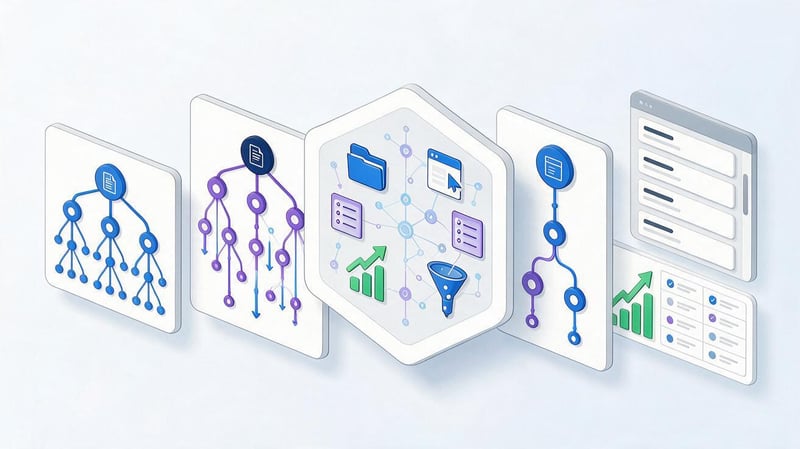
Competitors are studied after the initial semantic analysis to identify sections and landing pages that may have been missed. This doesn't just require opening the main menu. It's also helpful to look at indexed categories, URLs, filter pages, blogs, breadcrumbs, and queries for which individual competitor pages gain visibility.
This analysis helps validate your own demand classification. If several strong sites create a separate page for a single cluster, you need to check the results and understand the reason. You shouldn't copy the entire structure, as product ranges, regions, and business priorities differ. Competitors provide ideas, and the solution is supported by your own semantics.
How to find SEO competitors?
Business competitors and SEO competitors often don't align. A company might compete for a single customer offline, but rarely overlap with another brand in organic search results. For SEO, sites that consistently rank for relevant queries and have similar landing pages are more important.
They can be found manually by key clusters or through Ahrefs, Serpstat, and other services. Afterwards, the intersection of queries and the structure of sections are compared. This approach better answers the question of how to analyze a website's structure in a search context, as it relies on actual search results rather than a subjective list of companies.
What should you analyze on competitor sites?
For each competitor, it's worth checking their categories, subcategories, service pages, geo-pages, filters, blog, and URLs. Pay special attention to pages that receive traffic from a wide range of queries. These pages show which keywords Google is already clustering around a single document.
It's helpful to summarize the data in a table: competitor's page, main intent, document type, nesting, query example, and the corresponding section of your own website. This format helps separate useful ideas from random solutions. After testing several sites, common search results patterns begin to emerge that can be used as a basis for design.
Which sections of competitors cannot be copied automatically?
The presence of a category on several websites doesn't necessarily prove that your project needs it. The page could have been created due to internal product selection, an advertising campaign, an old structure, or regional specifics. Before creating your own alternative, check the search volume, intent, search results, and the feasibility of creating your own content.
Filters and geo-pages should be treated with particular caution. Mass-creation of such URLs without verified demand leads to a large number of weak documents. Building a website structure based on user feedback also requires verification: a survey helps understand the audience's logic, but search pages are further supported by semantics and SERPs.
How to create a semantic core for a website structure?
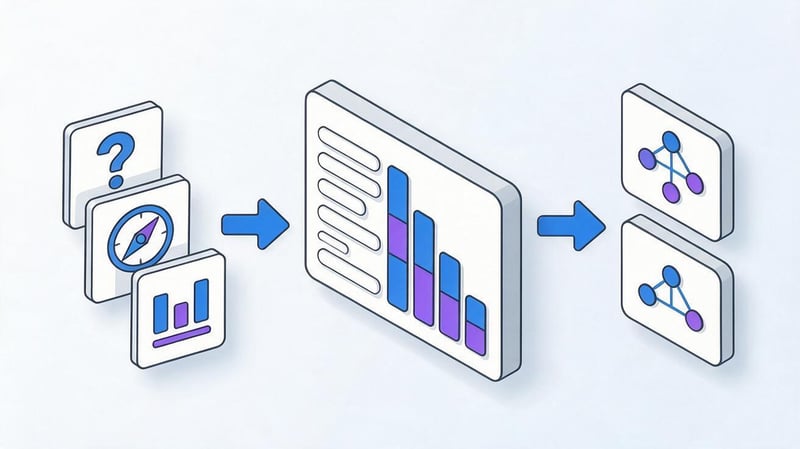
Collecting a semantic core for site architecture is different from building a simple keyword list. It's important to identify areas that will later become sections and pages. Start with marker queries for products, services, features, user problems, and geography, and then expand each group with additional keywords.
The resulting list is cleaned and logically aligned. Irrelevant queries, other regions, and random topics are removed. After this, the semantic core and site structure are linked through clustering: each group receives a future landing page or is linked to an existing URL.
Collecting basic queries
Marker queries are easiest to derive from the product range, service list, and terms used by customers. If a website sells laptops, the base areas might be the device type, purpose, brand, screen size, and other characteristics. For a service website, the sources are the services themselves, customer problems, and geographic specifications.
At this stage, don't try to immediately determine the final structure. The goal is to build a broad enough base and not miss any major topics. Once you've expanded and tested demand, it will become clear which markers require a separate section, and which will remain part of the landing page.
Expanding semantics
For expansion, use Google Keyword Planner, Google suggestions, related queries, Serpstat, Ahrefs, Semrush, and other sources. It's advisable to combine several databases, as they differ in completeness and the way they calculate search volume. All queries are then standardized and cleared of duplicates.
An online SEO site structure tool can speed up certain stages, but the finished architecture still needs to be manually reviewed. An automated tool doesn't know business priorities, the actual value of a page, or expansion plans. Therefore, the tool's data is used as a basis for decisions, rather than a complete site plan.
Semantics of competitors
Competitors' pages help identify queries that weren't included in the initial list. To do this, they compare domains or individual sections and extract keywords for which the competitor already ranks. Then, new queries are checked for relevance to their own products, services, and geography.
This type of analysis is especially useful for complex niches where clients use multiple names for the same service. A query may not appear in the company's documentation but still have stable demand. After adding new phrases, the semantics are cleaned again and submitted for clustering to prevent random wording from creating unnecessary pages.
Cleaning the semantic core
Irrelevant topics, foreign regions, wrong word meanings, and queries with inappropriate intent are removed from the core. Duplicates are merged, and suspicious phrases are manually checked in Google. A query with similar words can lead to a completely different type of results, so automatic cleaning is not enough.
For example, phrases about creating a website structure in Microsoft may refer to Microsoft Visio, and queries mentioning “64 bit” may actually have a software intent. Such words shouldn't be forced into an SEO page. Semantics are essential for accurately matching demand, so it's best to eliminate irrelevant tails before clustering.
How to create a website structure from a semantic core?
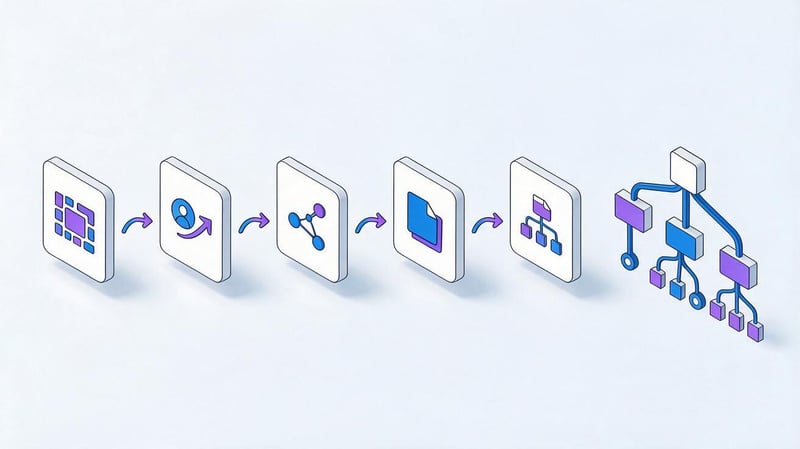
After cleaning, the main stage begins: converting queries into future pages. Each query is assigned an intent, then similar phrases are grouped into clusters. Clusters are then assigned a page type, an existing or new URL, and their position in the overall hierarchy.
The workflow looks like this:
query → intent → cluster → page type → URL → place in structure.
This scheme helps quickly validate questionable decisions. If a clear landing page can't be defined for a cluster or it can't be logically integrated into the site tree, it's worth re-examining the search results and the need for a separate URL.
Step 1. Determine the intent of queries
A commercial query demonstrates the intent to select a product or order a service. An informational query suggests an answer, instructions, or comparison. A navigational query is linked to a specific brand, service, or page. A single set of words may appear similar, yet the search intent will differ.
Intent is determined based on the query's wording and the actual Google search results. If company service pages dominate the results for a query, the cluster is typically classified as commercial. If the results include guides and articles, it's more appropriate to use the query in a blog post. This analysis protects the structure from pages that are pre-emptively inconsistent with the search results.
Step 2. Perform query clustering
Clustering combines queries that can be promoted on a single page. Mere keyword matching is not enough. Two phrases may look similar but yield different search results. Therefore, it's advisable to verify large and controversial groups using the SERP, especially before creating new commercial landing pages.
After grouping, each cluster receives a primary query and a set of additional phrases. The size of the cluster can vary: a single page can cover dozens of closely related keywords, while a narrow commercial intent may consist of just a few queries. The decision depends on the search results and the context.
Clustering by meaning
Semantic grouping is suitable for the initial processing of a large core. Queries are grouped by a common object, service, characteristic, or user problem. For example, phrases about technical SEO audits can be pre-grouped, and queries about audit costs can be checked separately.
This method helps quickly organize the list, but it's best not to base the final structure solely on word similarities. After grouping, you need to check for queries that may conceal different intents. This is especially true for services, online store filters, and geographic pages.
Clustering by search results
SERP clustering compares Google results for different queries. If identical pages regularly appear in the search results, the search engine perceives the phrases as related. The higher the overlap, the more grounds there are for combining queries on a single landing page.
If the results barely overlap, it's worth considering splitting the cluster. This approach is especially useful when deciding whether to create a separate page. Automatic services speed up comparisons, but it's advisable to manually review key commercial groups.
Step 3. Define a landing page for each cluster
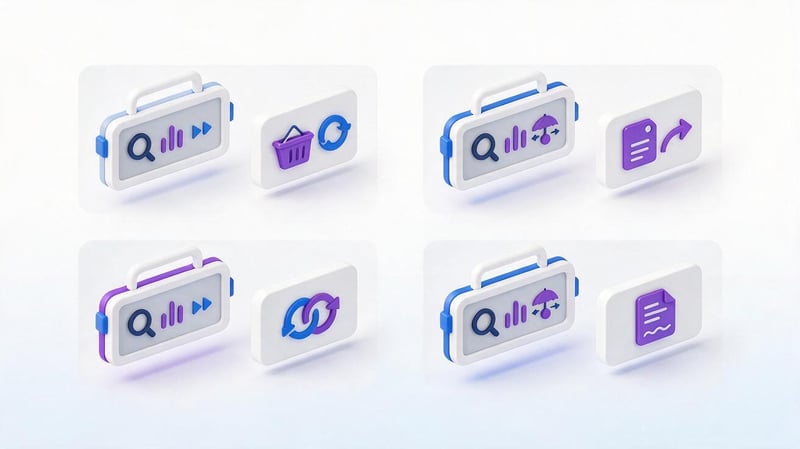
After clustering, each set of queries is assigned a URL. First, a check is made to see if a suitable page exists. If it matches the intent, the cluster is assigned to it. If no suitable document exists, a new landing page is created or added to the development plan.
It's convenient to use four statuses: existing page, new page, merge with another cluster, and keep for blog. This format reduces the number of controversial decisions and helps quickly see the scope of future work. Creating a site structure based on the semantic core becomes a clear technical process, rather than a subjective menu design.
Step 4. Convert clusters into a site tree
Once the landing page list is ready, the pages are divided into parent sections. Related services are grouped into a common thematic section, products into categories and subcategories, and informational materials into relevant sections. The path from the homepage to each important URL is then verified.
Example for services:
Home
→ SEO
→ → SEO promotion
→ → SEO audit
→ → → Technical SEO audit
→ → → Link audit
→ → Technical SEO
→ → Keyword research
This example demonstrates the principle of hierarchy, and the specific tree depends on the project's semantics. Developing a website structure based on semantics should maintain clear relationships between parent and child pages.
Step 5. Check the structure using real Google search results
The final schema should be verified with Google before development. The main queries for each disputed cluster are taken and the page types in the search results are compared. If the same URLs consistently appear for multiple phrases, certain pages may be redundant.
If search results are split, it's a sign to check the individual intent. This monitoring is especially useful before creating a large number of categories, geo-pages, and filters. How to properly structure a site for Google can't be determined by search volume alone: search results show how the system already groups user intent.
Lead SEO specialist — Gennady
I start designing the structure with search demand, not a ready-made company menu. First, I gather semantics, determine the intent, and look at the actual Google search results. If two queries lead to the same type of page, a single landing page is usually sufficient. If the results differ significantly, there's reason to check a separate URL.
How to distribute keywords across pages?
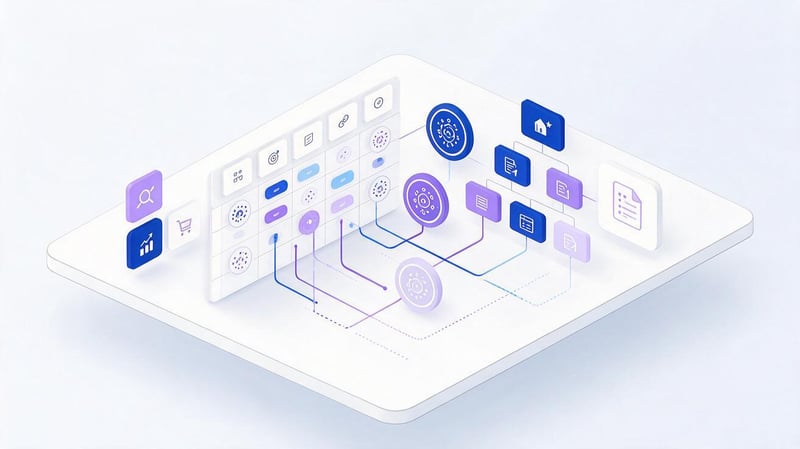
After clustering, all keywords should have a clear purpose. Commercial groups are distributed across categories, services, and other landing pages. Informational queries are directed to the blog or help section. Navigation phrases usually reinforce existing brand pages.
For monitoring, it's helpful to maintain a table. It shows which queries are already assigned to a URL, which require a new page, and where there are overlaps between documents.
| Cluster | Intent | Page type | URL example | Decision |
|---|---|---|---|---|
| SEO website audit | Commercial | Service | /seo-audit/ | Optimize |
| How to conduct an SEO audit | Informational | Article | /blog/kak-provesti-seo-audit/ | Create |
| Technical SEO audit | Commercial | Service | /technical-seo-audit/ | Check SERP |
| SEO audit price | Commercial | Service | /seo-audit/ | Combine |
This table helps you see the structure before development and agree on it with the team.
When to create a separate page?
A separate landing page is needed when a cluster has independent demand, differs in intent, and is confirmed by search results. An additional argument is the ability to create unique content: a service description, terms, prices, specifications, FAQs, and other information not found on the parent page.
If a new URL differs only in the title wording, creating it is usually not justified. The page should solve a specific user problem and occupy a clear place in the architecture. This approach reduces the risk of thin documents and internal competition.
When should queries be combined?
Close synonyms and different formulations of the same intent are combined into a common cluster. This decision is confirmed by the intersection of search results and the content of pages that are already ranking. For example, several variations of the query “semantic core compilation” can be promoted by a single detailed service or article.
Consolidation helps concentrate content and internal links on a single URL. The user receives a more complete page, and the site avoids wasting resources on multiple weak documents. However, queries with different intents cannot be combined simply because of the same keywords.
When is it best to use a query in an article?
Informational phrases asking questions like “how”, “why”, “what is it”, and “what should it be like” are more suitable for a blog. They reflect the research stage, when the user hasn't yet decided on a specific provider or product. Such material can be linked internally to the relevant service.
For example, the query “how to analyze website structure” naturally fits into a guide, while “website structure services” is closer to a sales page. This separation helps each page match its own demand phase and maintain a clear content structure.
How to build a website structure for services?
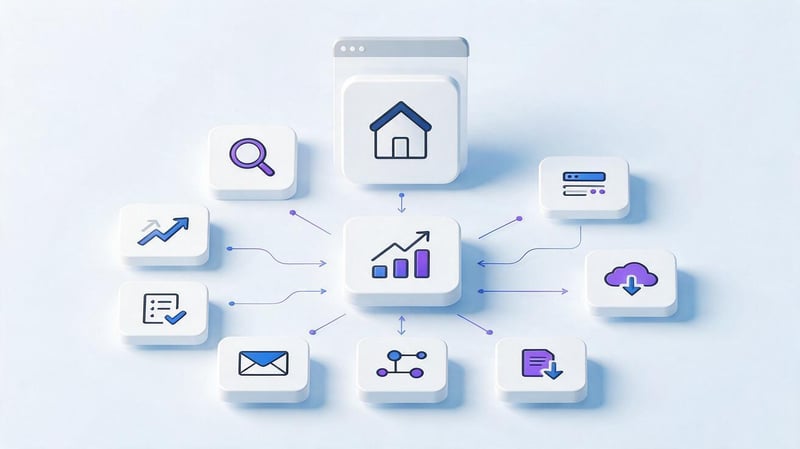
A service website structure typically begins with major service areas. Each area encompasses several independent services, and individual landing pages are created only based on demand and differences in intent. If a company operates in multiple cities, geographic pages are added after checking local search results.
Example:
Home
→ SEO
→ → SEO promotion
→ → SEO audit
→ → → Technical SEO audit
→ → → Link audit
→ → Technical SEO
→ → Keyword research
→ → Link building
Creating a service website structure shouldn't involve mechanically duplicating URLs. If users perceive several services as a single product, it's better to present them on a single, strong page. If queries lead to different results and require different conditions, separate landing pages will be clearer for both users and search engines.
How to build an online store structure?
In an online store, the architecture is closely linked to the product range. Key commercial queries are distributed across categories, subcategories, brands, and some filters. Product cards are located below in the hierarchy, and informational materials help answer user questions and lead them to the relevant sections of the catalog.
Scalability is especially important for a store. New products and features are constantly being added, so rules for creating categories and filters need to be defined in advance. Otherwise, the structure quickly grows to thousands of URLs, including duplicates, empty pages, and combinations with no search demand.
Categories and subcategories
Categories form the foundation of an online store's commercial structure. They are created for major product groups proven by demand. Subcategories refine the product range by type, purpose, or other criteria that users actually use in their searches.
If the classification is too granular, the buyer has to navigate unnecessary levels, and the pages receive few products and content. Overly broad categories create the opposite problem: queries with different intents compete within a single URL. Semantics helps find a workable level of detail.
Filters
A filter can be opened for indexing if a combination of characteristics has independent demand and forms a useful landing page. For example, a category by brand or purpose sometimes receives a significant volume of queries and differs from the general catalog page.
It's impossible to index all combinations. Color, size, brand, price, and dozens of other parameters can generate a huge number of technical URLs. Therefore, filter pages are checked based on demand, intent, and product range, while other combinations are limited by technical indexing rules.
Product cards
The product page occupies the bottom level of the catalog and responds to the most specific commercial query. It should be accessible from the relevant categories, have clear breadcrumbs, and a stable URL. When deleting a product, it's important to define URL processing rules in advance, depending on the availability of a similar product and the future return of the item.
Product pages don't replace categories. If a user searches for a group of products, the search results typically show catalogs rather than a single model. Therefore, the semantic structure should distinguish between general and specific search queries, ensuring that each page type serves its intended purpose.
Informational section
A blog addresses queries that aren't suited for a commercial landing page. Articles can explain product selection, specifications, model comparisons, and solutions to specific problems. It's appropriate to include internal links to categories and products in such materials, logically continuing the user's journey.
It's best to design the informational section in conjunction with the commercial core. This way, topics don't duplicate or compete with categories. The article answers the question, and the commercial page helps you choose or order the right solution.
What programs can I use to create a website structure?
The work usually requires several types of programs. Some collect queries and competitor data, others scan the existing website, a third group is needed for clustering, and a fourth helps draw the tree. It's more convenient to divide the creation of the website structure into these stages in a program than to search for a single service with all the functions.
When it comes to creating a Microsoft website structure, Microsoft Visio is most often used. It's suitable for diagrams and hierarchies, but doesn't analyze search demand. The SEO structure is first calculated based on semantics and then transferred to a visual diagram.
Programs for drawing website structure
Microsoft Visio, XMind, Miro, and diagrams.net are suitable for visual diagrams. They are convenient for showing parent and child pages, relationships between sections, and future nesting levels. This type of program makes website structure development more visual for the designer, developer, and client.
The diagram itself doesn't replace a spreadsheet with clusters and URLs. It's more convenient to first organize a large website in a spreadsheet, where you can filter thousands of rows, and then organize the main sections into a mind map. Therefore, an effective website structure uses Microsoft Visio or another editor as a way to visualize the SEO decisions already made.
Online services for creating a website structure
Creating a website structure online is convenient for team collaboration. Miro, diagrams.net, and similar services allow you to quickly change blocks, comment on the diagram, and show connections between sections. This format is suitable for coordinating the architecture with the designer and developer.
Properly creating an online website structure depends on the data you've prepared. Without semantics, even a neat diagram remains a guess. First, you need to define the landing pages and their purpose, then link them into a hierarchy, and only then transfer the result to a visual editor.
SEO tools for automatic analysis
Screaming Frog and Sitebulb are used to scan a completed project. Serpstat and Ahrefs help study the semantics and pages of competitors. Clustering tools compare queries and search results, and Search Console shows the status of your own URLs in Google.
Website structure analysis software only performs part of the work, so the results are collected from multiple sources. Automation is well suited for large data sets, but decisions about creating, merging, and deleting pages require validation of the intent and business logic.
How to document a website structure before handing it over to a developer?
The developer needs a document where each future page has a clear location, URL, and status. A mind map alone is insufficient, as it is difficult to store frequency, clusters, and technical comments. Therefore, the working structure is usually maintained in a table, and the visual diagram is used as a supplement.
The minimum set of fields can be designed as follows:
| URL | Page type | Parent section | Cluster | Main query | Intent | Status |
|---|---|---|---|---|---|---|
| /seo/ | Section | Home | SEO | SEO services | Commercial | New |
| /seo/audit/ | Service | /seo/ | SEO audit | SEO website audit | Commercial | New |
| /blog/seo-structure/ | Article | /blog/ | Site structure | How to create a website structure for SEO | Informational | New |
Such a document can be used as a basis for setting tasks for the developer, editor, and SEO specialist.
Table
The table is suitable for large projects because it easily sorts pages by type, status, section, and priority. It's also convenient for storing the primary keyword, additional keywords, search volume, current URL, and the future URL after the migration.
When redesigning, you can add columns with the old URL and redirect type. This structure then doubles as a migration map. This format reduces the risk of forgetting a page that already receives search traffic or external links.
Mind map
A mind map displays the hierarchy on a single screen and helps quickly identify overly deep branches. It's convenient to use in meetings with a developer or client when discussing section names and page relationships.
Storing large amounts of semantic data in a mind map is inconvenient, so the diagram should reference a working spreadsheet. A website structure drawing program solves the visual problem, while detailed SEO data remains in a separate document.
URL scheme
The URL should be designed in conjunction with the structure, but it doesn't have to repeat every menu level. The address should be stable, clear, and reasonably short. If a section may move within the navigation over time, excessively nested URLs will create additional difficulties during the migration.
For a new website, URL rules are established before development. For an existing one, current rankings and traffic are checked first. Changing a working URL just for the sake of visual appeal is not recommended unless there's a search or user-facing reason to do so.
What mistakes are made when creating a website's SEO structure?
Most problems arise when structure is created separately from semantics or when automated data is treated as a ready-made solution. As a result, the site ends up with extra pages, overlapping clusters, and complex navigation. Fixing these issues after launch usually takes more time than reviewing the schema during the design phase.
Below are some errors that you should check before handing your structure over to development:
- the menu is formed before the semantics are collected and is not checked against search demand;
- a separate URL is created for each formulation of the key query;
- clustering is carried out only by matching words without checking SERPs;
- the competitor's structure is copied along with unnecessary sections;
- important commercial pages are placed too deep;
- all filters are automatically opened for indexing;
- pages appear without internal incoming links;
- the architecture does not provide for new services or categories.
Once these errors are corrected, the structure becomes easier to maintain and more understandable for the team.
What to do with an existing website?
Rebuilding an existing website requires caution, as old URLs may retain rankings, external links, and indexing history. First, the new structure is compared with the current one. For each page, a decision is made: keep, update, merge, redirect, or delete.
Particular attention is paid to pages with high traffic and link equity. After implementation, internal links, sitemap.xml, canonical, breadcrumbs, and hreflang for multilingual versions are checked. Abrupt, mass URL changes without a transfer map create risks that can be avoided in advance.
Is it possible to change the website structure without losing rankings?
It's impossible to completely eliminate fluctuations after a major migration, but the risks can be significantly reduced. It's best to preserve valuable URLs unless the new section requires a mandatory address change. When a migration is necessary, the old page is redirected with a 301 redirect to the closest new document.
After launch, check response codes, internal links, and indexing. Old URLs should not be chained through multiple redirects. Sitemap.xml is updated to reflect the new structure, and key pages are additionally monitored in Google Search Console.
Do I need to change the URL when restructuring?
Changing menu logic doesn't require automatic URL changes. If the existing URL is understandable, indexed, and ranks well, it can be retained even after moving the page to a different navigation section. This is especially true for long-standing projects.
New URLs should be introduced when old addresses contain technical junk, conflict with the new system, or impede scaling. The decision is made after a risk analysis. While the site structure development example only illustrates the logic, a live project always requires verification of the current data.
Checklist for a ready-made SEO website structure

Before launching, it's helpful to review the structure again as both a user and a search engine. First, check whether the main clusters have received their landing pages, then evaluate the path from the main page to the commercial documents. After that, check the URLs, internal links, and technical elements.
| Check | Result |
|---|---|
| All major clusters received landing pages | Yes / No |
| There are no duplicate landing pages | Yes / No |
| The intent matches the page type | Yes / No |
| Important pages are linked internally | Yes / No |
| There is no unjustifiably deep nesting | Yes / No |
| There are no orphan pages | Yes / No |
| URLs are clear and stable | Yes / No |
| The structure allows for expansion | Yes / No |
| Breadcrumbs are configured | Yes / No |
| Sitemap.xml contains indexable URLs | Yes / No |
The design logic can be represented as a single sequence:
Semantics → cleaning → intent → clustering → landing pages → hierarchy → URL → interlinking → technical verification.
If a controversial cluster appears at one of the stages, it is better to return to the search results and check it before development.
An SEO structure begins with semantics and ends with a specific list of pages, URLs, and the connections between them. A good structure takes into account intent, actual search results, nesting depth, and the potential for further expansion. It helps you understand in advance which pages are truly necessary and which will create duplicates and internal competition.
If you're planning a new website or redesigning an existing one, start with a semantic core and a map of current URLs. After clustering, compile the future structure in a spreadsheet, check disputed groups against Google, and only then hand the schema over to the developer.


