Website structure: types, examples, and SEO requirements


Imagine an online store with thousands of products, but customers have to browse the entire catalog to find the right model. Or a company's website with ten different services described on a single page, but no access to detailed information. Both problems relate to page organization and navigation.
A proper website structure helps visitors find information and helps search engines discover pages and understand the relationships between them. It determines which sections are needed, how search queries are distributed, and where internal links should lead.
We'll explore the main types of structures, SEO requirements, and design processes. Using examples, we'll show you what a website tree looks like, how the architectures of an online store and a corporate website differ, what errors arise during development, and how to test existing sections.
What is website structure?
A website's structure is a system for organizing web pages, sections, and the links between them. It determines where information is located, how users navigate from one topic to another, and which pages are linked.
The most convenient way to visualize the structure is as a tree. The main page is at the top level, followed by sections, subsections, and individual materials, services, or products. Additional horizontal links may exist between pages.
A good website information structure takes into account page content, search queries, and visitor tasks. Therefore, design begins with understanding what information people expect to find and the most convenient path to it.
Internal and external structure of the site
A website's internal structure describes the organization of information and the relationships between pages. It indicates which sections are considered primary, where sub-sections are located, and how users can access the desired content.
A website's external structure refers to how the organization is presented to visitors. This includes the main menu, side navigation, breadcrumbs, block layout, and visual navigation.
For example, an online store might have a logical category tree, but the user sees it through a catalog menu, filters, and links to related products. If these elements are organized incorrectly, even the best-thought-out architecture can be inconvenient.
When designing, both levels must be considered. The structure determines the organization of the content, and the interface helps the visitor navigate this system without unnecessary interaction.
Logical and physical structure
A website's logical structure shows the relationships between materials, regardless of software features. A service page can belong to a specific category, even if its URL doesn't contain the name of the parent section.
The physical structure describes how files are stored and how the application operates. For example, a website's file structure might include folders containing images, templates, styles, and program code that don't correspond to public sections.
On WordPress, PHP, or another platform, pages can be generated dynamically from a database. Therefore, a website's HTML structure, its public URLs, and the location of its files on the server don't have to match.
For SEO, the most important factors are search engine-accessible URLs, document content, and real internal links. Rearranging server folders alone doesn't necessarily improve the information architecture.
How is a website structure different from a sitemap?
A website's structure describes the organization of its pages and the relationships between them. A sitemap represents this organization in a specific format, so its purpose depends on how the information is presented.
A visual diagram helps developers and SEO specialists visualize the site's section tree. An HTML sitemap is designed for visitor navigation, while an XML sitemap contains a list of URLs that search engines can use to find pages.
The sitemap.xml file is especially useful for large resources that regularly publish new content. However, the presence of a URL in this file does not guarantee its crawling or inclusion in Google's index.
Therefore, a sitemap should be considered in conjunction with internal linking. An important page should be accessible via standard links, have a clear location within the site's architecture, and contain information relevant to its purpose.
Answers to your questions
What is website structure in simple terms?
A website's structure is the order of its pages and the links between them, helping visitors find the information they need. It shows what sections exist, what categories individual materials belong to, and how to navigate from the homepage to a specific service or product.
It's convenient to represent the structure as a tree, where large sections are gradually divided into smaller ones. Additional internal links can connect pages in different branches if their content is thematically related.
For SEO, it's important that such an organization aligns with search intent and helps crawlers discover meaningful URLs. A well-designed architecture also simplifies future site development and the addition of new content.
What types of website structure are there?
The main structures are linear, hierarchical, network, and hybrid. Linear structures involve sequential transitions, hierarchical structures are constructed as a tree of sections, and network structures link materials with a large number of thematic links.
The hybrid model combines several approaches and is therefore often used on large websites. For example, an online store might have a hierarchical catalog, additional filters, and a network of links between products and informational materials.
Additionally, there are alphabetical, geographical, and chronological methods for organizing information. These are typically used within individual sections and help visitors choose a convenient navigation option.
What is the most universal website structure?
For most multi-page projects, a hierarchical structure with additional thematic links is a convenient foundation. It helps group information into categories and maintain a clear layout of individual pages.
However, the choice depends on the project's objectives. For example, a linear sequence is appropriate for a multi-step form, while a large knowledge base requires a developed network of transitions between related materials.
Versatility is also determined by expandability. If new categories and publications can be added without completely rebuilding the navigation, the chosen architecture is better suited for the long-term development of the resource.
How to create a website structure yourself?
First, identify the main focus of the site and the tasks of future visitors. Then, collect search queries, group them by meaning, and determine which topics require separate pages.
After this, categorize the pages, create a section tree, and think through internal links. The next step is to check URL names, nesting depth, and the absence of duplicate landing pages.
It's advisable to document the completed architecture in a table and visual diagram. These documents will help the developer correctly implement navigation and avoid accidental changes to the structure during subsequent content development.
How to draw a website diagram online?
To create a simple diagram, you can use diagrams.net, Miro, FigJam, or another diagramming editor. Start with the main page, then add the main sections and connect them to the corresponding subsections.
Place the final pages below: services, products, articles, or case studies. Additional thematic links can be marked with separate lines to prevent them from interfering with the main tree.
For a large project, it's helpful to maintain a URL spreadsheet in Google Sheets. This can be used to specify the page type, parent section, and search cluster, and the visual diagram can be used to discuss the overall architecture.
How many levels of nesting should a website have?
There's no universal number of levels, as websites vary in size and content. For a small corporate resource, two or three main levels are often sufficient, while a large directory may require additional subsections.
When evaluating, it's important to distinguish between URL depth and the number of clicks from the homepage. A document with a long URL may still be easily accessible via a menu or link from the parent section.
A good rule of thumb is to position important pages so users can find them without a lengthy search. However, the three-click rule shouldn't be taken as a mandatory Google requirement.
How to check a website's structure for errors?
The check uses technical crawling, internal link analysis, and Google Search Console data. The goal is to find pages with high page depth, missing inbound links, server response errors, and incorrect canonical URLs.
Categories with similar content and pages competing for the same search queries are checked separately. Such issues cannot be fully identified automatically, so the crawler's results are supplemented with manual analysis.
After the audit, a list of fixes is compiled with specific URLs and priorities. A rescan is then performed to ensure that the changes have indeed resolved the detected violations.
Is it possible to change the website structure without losing rankings?
Changing the structure with minimal risk is possible if you prepare a URL map in advance and maintain the availability of important pages. Before the migration, it's necessary to collect data on current URLs, organic traffic, external links, and indexing results.
When changing URLs, use relevant 301 redirects, update internal links, and check canonicals. Sitemaps, breadcrumbs, and language alternatives for pages should also be adjusted accordingly.
It's impossible to completely guarantee that your site's rankings will be maintained, as search engines must process the changes. Therefore, after launch, it's important to monitor technical errors, indexing, and search engine performance of the affected sections.
What does the website structure consist of?

Any multi-page resource consists of pages with different purposes. The homepage introduces the project to visitors, sections group related topics, and end pages detail specific products, services, or questions.
The main components of a website typically include:
- The main page, which presents the main directions and helps navigate to important sections.
- Website categories that group products, services, or materials together according to a clear characteristic.
- Subcategories that refine the selection within a larger thematic section.
- Landing pages designed for a specific service, product, or search intent.
- Product cards, articles, case studies, and other end pages with detailed information.
- Service sections with contacts, delivery terms, payment, and company information.
The presence of each element depends on the project's purpose. For example, a small law firm website may not require subcategories, while a large online store will require a multi-level catalog.
The website's composition should be determined based on the actual needs of users. If a new section doesn't help users find information and duplicates the content of an adjacent one, its design should be reconsidered.
How does website structure affect SEO?
Search engines evaluate individual pages, but they are located within a specific network of links. The architecture helps understand which materials relate to the same topic, which sections have child pages, and how easily a particular document is accessible.
For SEO, what matters is a page's relevance to search queries, content quality, and crawlability. Site structure helps organize these elements, although it alone doesn't guarantee high rankings.
Crawling and indexing pages
Googlebot discovers new URLs through links and other sources, including XML sitemaps. When pages are linked through clear navigation, the search engine robot can more easily find content and navigate to the next section.
Orphaned pages pose a particular problem. These are documents that have no accessible internal links, even though the URLs themselves may exist, be accessible in a browser, and even be present in the sitemap.
Let's say a company has published a new service but forgot to add it to the appropriate section. The page is accessible via a direct URL, but the average visitor might never even know it exists.
For internal navigation, it's recommended to use standard HTML links with the href attribute. Buttons that only work via JavaScript should be checked separately, as search engines need to detect the actual destination address.
Indexing also depends on page quality, robots directives, technical accessibility, and other factors. Even the right architecture doesn't guarantee that Google will include every published URL in its search.
Distribution of search queries across pages
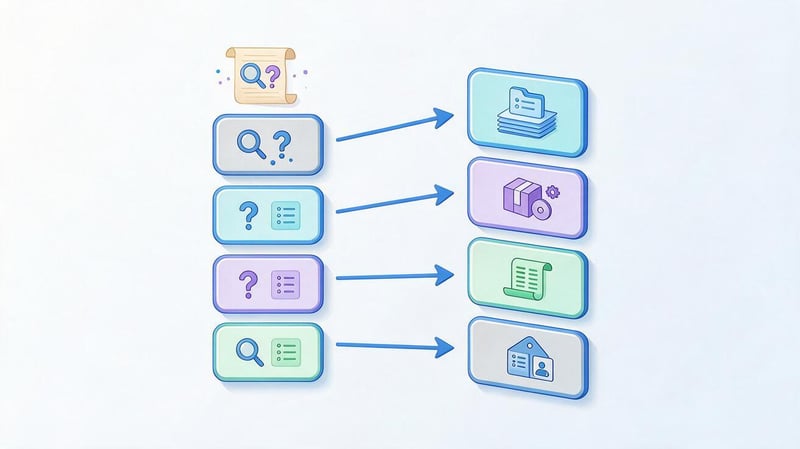
The website's semantic structure is built taking into account the information the user is searching for. For each group of related queries, a suitable page is determined that can provide a comprehensive answer.
For example, the queries “buy a gaming laptop” and “gaming laptop prices” may belong to the same catalog category. Meanwhile, the query “how to choose a gaming laptop” suggests informational material with recommendations on specifications.
If all these queries are directed to a single page, some search intent will remain insufficiently covered. The opposite situation occurs when a separate page with nearly identical content is created for each variant of the search query.
Both approaches can lead to landing page conflicts. Therefore, query allocation should be performed after analyzing search results, the content of future documents, and differences in user intent.
Internal linking and thematic connections
Internal linking connects website pages through contextual and navigational links. It helps visitors continue exploring a topic and navigate to related products, services, or content.
For example, an article about choosing an office computer might contain a link to a category of office laptops. The category page, in turn, might link to a selection guide and individual product pages.
This creates a thematic connection between informational and commercial pages. The link anchor should describe the destination page, and the number of clicks should be determined by their practical usefulness.
Don't add dozens of identical links just to boost your link equity. It's much more useful to link pages between which the user actually expects to find a link.
User behavior and conversions
Online store visitors typically begin their search with a category, then refine the features and move on to matching products. If the desired section is hidden deep or has an unclear name, some shoppers may abandon their search.
On commercial websites, a logical architecture reduces the number of unnecessary steps required to view a service, price, or submit a request. This is especially noticeable on mobile devices, where complex menus take up a lot of space.
You can evaluate the usability of the structure through user scenarios, analytics data, navigation between sections, and checkout results. These observations help identify issues that cannot be detected by the URL scheme alone.
However, certain behavioral metrics, such as bounce rate in analytics, cannot be automatically considered direct Google ranking factors. They are more useful for assessing website usability and identifying areas for improvement.
Lead SEO specialist — Gennady
In my practice, I often encounter websites with high-quality content but poorly organized pages for search queries. For example, a company might offer ten different services but describe them all on a single page. This makes it more difficult for search engines to determine which document best matches a specific user query.
I begin designing the structure with a demand analysis and semantic clustering, then determine the necessary sections, landing pages, and the connections between them. The number of URLs shouldn't increase just to cover additional keywords. Each new page should solve a distinct user problem and contain enough information to solve it.
What types of website structures are there?
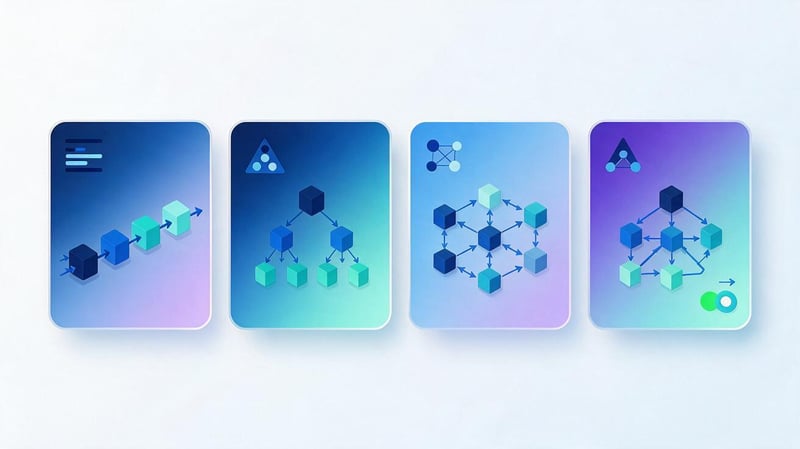
Websites vary in the number of pages, the nature of the information, and navigation patterns. Therefore, the structure of a small portfolio can differ significantly from that of a marketplace or news portal.
The main types of website structures are linear, hierarchical, network, and hybrid. In practice, they often complement each other, as different sections of a single resource may require different organizational methods.
Linear structure of the site
A linear website structure implies a sequential transition from one stage to the next. The user follows a predetermined route, and the number of alternative transitions is usually limited.
This principle is used in multi-step questionnaires, ordering processes, training programs, and interactive presentations. For example, a user first selects a service, then enters contact information, verifies the information, and confirms the request.
The main advantage of the linear model is the predictability of actions. The user sees a clear sequence of steps and is less likely to be distracted by sections unrelated to the current task.
However, for a large information resource, such an organization is inconvenient. If a visitor needs to navigate freely between dozens of topics, a sequential route will limit their information search.
A website's linear structure is often found within individual scenarios, rather than across the entire project architecture. Furthermore, consecutive landing page blocks on a single URL cannot automatically be considered separate web pages.
Hierarchical or tree-like structure of the site
The site's tree structure is built on the principle of subordination of sections. The home page is located at the first level, followed by the main categories, followed by more specific subsections and final documents.
This approach is suitable for online stores, corporate resources, and large-scale information projects. The user understands which category the desired topic falls into and can gradually refine their selection.
For example, in an electronics catalog, people first select computers, then laptops, and then move on to gaming models. Each level narrows the search scope and shows the visitor's position within the catalog.
The downside of a hierarchical model appears with excessive detail. If several intermediate categories are created for a single small group of products, navigation becomes more complex without providing any noticeable benefit.
Therefore, the tree should reflect the real differences between sections. Its depth is determined by the product range, semantics, and ease of navigation, rather than by a predetermined number of levels.
Example of a site tree
Let's consider a hypothetical electronics store, where products are categorized into several main categories. Each category has its own subsections, and product cards are organized within the corresponding groups.
Home
│
├── Catalog
│   ├── Laptops
│   │   ├── Gaming laptops
│   │   │   └── Product card
│   │   └── Office laptops
│   │       └── Product card
│   │
│   ├── Smartphones
│   │   ├── Android
│   │   └── iPhone
│   │
│   └── Monitors
│
├── Blog
│   ├── Reviews
│   └── Tips for choosing
│
├── Delivery and payment
└── Contacts
This scheme shows the logical relationship between pages and helps distribute search queries. Products can also be linked to multiple thematic categories without creating duplicate pages.
It's helpful to develop a site tree before writing text and setting up menus. This will help you see where necessary sections are missing and which pages might overlap.
Website network structure

The website's network structure allows for a large number of cross-links between thematically related pages. Visitors can navigate from one piece of content to another without necessarily returning to the parent section.
Many encyclopedias, knowledge bases, and information portals are organized this way. For example, an article on search engine optimization leads to materials on indexing, semantics, technical auditing, and internal linking.
This model is useful where topics are closely related and the user explores information gradually. It helps unlock additional materials and support navigation between related topics.
However, an excessive number of random links makes navigation difficult. If each document leads to dozens of unrelated materials, it becomes difficult for the visitor to determine the main direction of further search.
Therefore, the network model requires thematic logic. Internal links should be placed where they complement the content and help further explore the information.
Hybrid website structure
A hybrid website structure combines several page organization principles. Typically, the foundation is a hierarchical tree, with additional connections created through thematic interlinking, filters, and related content.
For example, an online store uses a product category tree but also offers selections by brand, characteristics, and purpose. In the information section, visitors navigate between articles within the same topic group.
This architecture is suitable for large resources where a single navigation method is not sufficient. It helps support a variety of search scenarios: from sequential category selection to direct navigation to a specific topic.
The main challenge lies in managing connections. You need to monitor which pages are open for indexing, how filters work, and whether duplicate content is being created.
A hybrid model is best designed based on a common section structure. Additional navigation elements should complement the main tree and maintain a clear path to each important page.
Additional ways to organize information
In addition to the basic models, websites use additional methods for grouping content. These can operate within sections or complement the main architecture, helping visitors find the content they need more quickly.
Alphabetical organization is suitable for dictionaries and reference books, chronological for publication archives, and geographical for catalogs with regional coverage. Thematic grouping is used in blogs and knowledge bases, where materials are grouped under a common theme.
Faceted navigation allows you to combine object characteristics. For example, a customer can select laptops of a specific brand, screen size, and RAM capacity, receiving a matching selection.
Managing URLs for such combinations requires special attention. When each parameter creates a new address, the number of accessible pages can quickly increase, so indexing rules should be carefully considered in advance.
The main differences between the models can be conveniently compared in the table.
| Type of structure | Organization principle | Where it is applied | Main limitation |
|---|---|---|---|
| Linear | Sequential transitions | Questionnaires, order processing, training scenarios | Not convenient for a large number of independent pages |
| Hierarchical | Sections and child pages | Online stores, corporate websites | Excessive depth may occur |
| Network | Thematic cross-references | Encyclopedias, blogs, knowledge bases | It's more difficult to control navigation |
| Hybrid | Combination of several models | Large catalogs, portals, marketplaces | Requires management of links and indexed URLs |
A hierarchical structure with additional thematic links often proves the most versatile. However, the final choice depends on the content composition, audience objectives, and future website development plans.
Site tree: how the catalog, categories, subcategories, filters, and products are related
An online store's structure is typically built around a catalog, where products are categorized and subcategorized. Filters, brand pages, special collections, and product cards are also used. All these elements should work together to allow customers to find the right offers in a variety of ways.
When designing, it's important to distinguish between permanent catalog pages and user-filtered results. Some URLs are intended for search engine optimization, while others exist solely for convenient product selection. Indexing every combination of parameters could increase the number of URLs hundreds of times without a corresponding increase in useful content.
An example of a complete online store tree
Let's consider a hypothetical electronics store. Its architecture uses main categories, nested sections, separate SEO landing pages for popular features, and standard filters that shouldn't create new indexed documents.
Home page
│
├── Product Catalog
│   │
│   ├── Laptops [Category]
│   │   │
│   │   ├── Gaming Laptops [Subcategory]
│   │   │   ├── ASUS Gaming Laptops [SEO page]
│   │   │   ├── Lenovo Gaming Laptops [SEO page]
│   │   │   └── Gaming Laptop Cards
│   │   │
│   │   ├── Office Laptops [Subcategory]
│   │   │   └── Office laptop cards
│   │   │
│   │   ├── Lenovo Laptops [SEO page]
│   │   ├── ASUS laptops [SEO page]
│   │   ├── Laptops with 16 GB RAM [SEO page]
│   │   │
│   │   ├── Category filters
│   │   │   ├── Brand: ASUS, Lenovo, HP
│   │   │   ├── RAM: 8, 16, 32 GB
│   │   │   ├── Diagonal: 14, 15.6, 17 inches
│   │   │   ├── Processor: Intel, AMD
│   │   │   ├── Price: from / to
│   │   │   └── Availability: in stock
│   │   │
│   │   └── Laptop cards
│   │
│   ├── Smartphones [Category]
│   │   ├── Android Smartphones [Subcategory]
│   │   ├── iPhone [Subcategory]
│   │   ├── Samsung Smartphones [SEO page]
│   │   ├── Smartphones up to 10,000 UAH [SEO page]
│   │   ├── Feature filters
│   │   └── Smartphone cards
│   │
│   ├── Monitors [Category]
│   │   ├── Gaming Monitors [Subcategory]
│   │   ├── Office Monitors [Subcategory]
│   │   ├── 27-inch Monitors [SEO page]
│   │   ├── Feature filters
│   │   └── Monitor cards
│   │
│   └── Accessories [Category]
│       ├── Mice
│       ├── Keyboards
│       ├── Headphones
│       └── Product cards
│
├── Brands
│   ├── ASUS [Brand Page]
│   ├── Lenovo [Brand Page]
│   └── Samsung [Brand Page]
│
├── Collections
│   ├── Products for work
│   ├── Products for gaming
│   └── Special offers
│
├── Blog
│   ├── Product Reviews
│   ├── Model comparisons
│   └── Tips for choosing
│
├── Delivery and payment
├── Warranty and returns
└── Contacts
In this diagram, SEO pages are shown as separate nodes for clarity. Technically, they can be generated by the same filtering system that operates within a category. For example, the “Lenovo Laptops” page can be accessed either through the catalog or by selecting a manufacturer in the filters.
A product page can also appear in multiple categories and collections. However, it's best to maintain a single primary URL to avoid creating duplicates of the same product at different URLs.
How are categories, subcategories and filters related?
A category groups products by a primary characteristic, such as “Laptops”. A subcategory specifies the product's purpose or type: “Gaming Laptops”, “Office Laptops”. A filter helps select products within these groups based on specific characteristics.
Let's say a visitor opens the laptops category and selects the Lenovo brand. The system displays only matching products, but doesn't necessarily create a new page for search engine indexing.
If the search query “Lenovo laptops” has its own commercial demand and the product range allows for a useful landing page, such a selection can be dedicated to a separate SEO landing page. It will receive a permanent URL, its own meta tags, H1 tags, and internal links.
| Structure element | Purpose | URL example | Indexing |
|---|---|---|---|
| Catalog | General section of goods | /catalog/ | As needed |
| Category | Product group | /catalog/noutbuki/ | Yes |
| Subcategory | A narrower product group | /catalog/noutbuki/igrovye/ | Yes |
| Brand SEO page | Selection by manufacturer | /catalog/noutbuki/lenovo/ | Yes, if there is demand and value |
| Feature SEO page | Selection of products by properties | /catalog/noutbuki/16-gb/ | Yes, if there is a justified need |
| Regular filter | Clarification of results | /catalog/noutbuki/?ram=16&cpu=intel | Usually no |
| Sorting | Changing the order of goods | /catalog/noutbuki/?sort=price | Usually no |
| Product card | Information about a specific product | /product/lenovo-model-123/ | Yes |
An SEO page's position in the tree determines its topic. However, this doesn't mean every combination of features must be displayed in the menu. Popular selections can be placed in a category as separate links, while other options remain within the filtering interface.
What filters should SEO pages create?
Filters that match specific groups of queries are suitable for search engine optimization. In an online electronics store, these might include manufacturer, device purpose, screen size, or specific characteristics.
Before creating an SEO page, it's necessary to check search demand, product range, competitors, and how the future document compares to existing categories. If there's no specific search intent, an indexed page may be redundant.
For example, in the laptop category, you can consider the following selections:
- Lenovo laptops are a separate commercial group by manufacturer, which may have a separate page.
- ASUS gaming laptops are a combination of purpose and brand, suitable for a separate landing page with confirmed demand.
- Laptops with 16GB of RAM is a feature that can be used in search queries.
- Laptops from 23,000 to 27,000 UAH – an arbitrary price range for which a standard filter is usually sufficient.
- Laptops with 16GB of RAM, a 15.6-inch screen, and an Intel processor are a narrow combination that shouldn't automatically be turned into a separate indexed page.
This approach helps cover useful commercial queries while limiting the number of technical URLs. The decision to create a page is made for a specific cluster, rather than for each available filter value.
How do filters work within the site tree?
Filters don't have to create additional levels of hierarchy. They're typically tied to a category or subcategory and modify the product list the visitor sees.
For example, a buyer opens “Gaming Laptops”, then selects the manufacturer ASUS and 16GB of RAM. All selected parameters belong to the same initial category, so there's no need to create a separate subfolder for each combination.
Schematically it looks like this:
Category: Laptops
│
├── Subcategory: Gaming Laptops
│   │
│   ├── SEO-selection: ASUS gaming laptops
│   │
│   ├── Filter: Manufacturer
│   │   ├── ASUS
│   │   ├── Lenovo
│   │   └── MSI
│   │
│   ├── Filter: RAM
│   │   ├── 8 GB
│   │   ├── 16 GB
│   │   └── 32 GB
│   │
│   ├── Filter: Diagonal
│   │   ├── 15.6 inches
│   │   └── 17 inches
│   │
│   └── Filtering result
│       ├── Product 1
│       ├── Product 2
│       └── Product 3
│
└── Other subcategories
Here, filters are presented as functional selection branches, not as mandatory child pages in the file or URL hierarchy. They modify the product selection while maintaining the context of the original category.
If a specific combination deserves a dedicated SEO landing page, it is assigned a permanent URL. By selecting the appropriate filters, users can be directed to this page, but this behavior must be anticipated in the catalog's logic.
How to organize URLs, canonical, and filter indexing?
Each fully-fledged SEO landing page should have a permanent URL and its own purpose. For example, the category /catalog/noutbuki/ and the page /catalog/noutbuki/lenovo/ can be indexed separately if their content answers different search queries.
For an indexed selection, specify a self-referencing canonical, create relevant Title and H1 tags, and add useful internal links. Such URLs can be included in the XML sitemap if the pages are intended for search and meet quality requirements.
Standard filter combinations should be processed using a separate strategy. For technical parameters that shouldn't be crawled, a robots.txt restriction or filtering without creating new crawlable URLs can be used. If an existing page needs to be removed from the index via noindex, the robot must be able to read this directive.
Canonicals for the primary category can be applied to duplicate variations, but they don't guarantee that extra URLs will be excluded from crawling. You also can't expect Google to recognize canonicals or noindexes on pages that are completely blocked in robots.txt.
Empty filter combinations and URLs with non-existent values require special attention. For meaningless or missing results, it's necessary to provide correct HTTP responses, avoiding creating an infinite URL space.
How to combine a catalog tree with internal linking?
A good online store structure should link categories, SEO-friendly selections, product pages, and informational materials. For example, the “Laptops” category could link to popular subcategories and in-demand selections by manufacturer.
From the article “How to Choose a Laptop for Work”, it makes sense to add links to office laptops and related product categories. Links to the parent category, compatible accessories, and other models would be helpful in the product page.
There's no need to place all links in the main menu. Key topics can be displayed in the catalog, additional collections within relevant categories, and related materials in thematic blocks.
Once this structure is created, it's important to check the accessibility of key URLs via regular HTML links. This will help search engine robots find pages and reduce the risk of unlinked documents appearing.
The final logic for constructing a tree with filters
When designing a catalog, the main product categories and subcategories are first defined, then the products are categorized and a list of filtering characteristics is created. After analyzing the semantic core, filter combinations are selected that merit dedicated SEO landing pages.
The remaining filters continue to work for convenient product selection without creating unnecessary indexed pages. This approach preserves a clear catalog architecture, helps control the number of URLs, and supports product range development without constantly rebuilding the tree.
Basic requirements for a proper website structure
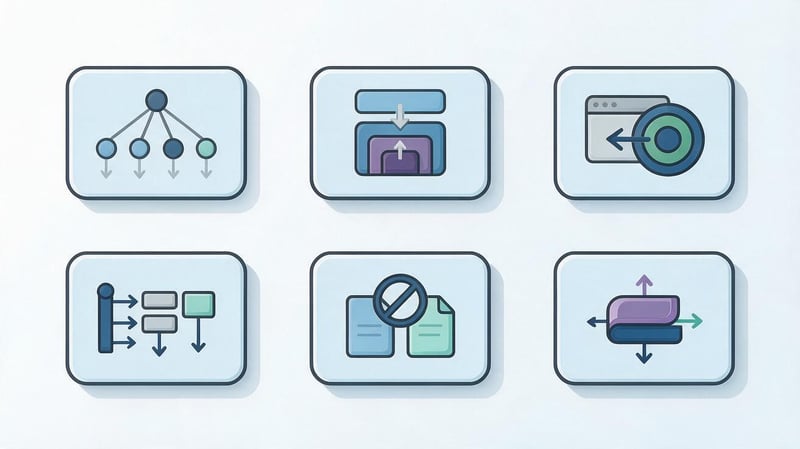
A proper website structure must simultaneously consider user needs and search engine crawling characteristics. Visitors must understand the layout of information, and search engines must be able to locate important pages through accessible links.
There's no one-size-fits-all design. However, there are several requirements that help avoid common issues with navigation, URLs, and search query distribution.
Logical and clear hierarchy
The logical structure of the website should meet the expectations of a user visiting the resource for the first time. Section names are chosen based on their content, and subpages are grouped according to truly common features.
For example, in a furniture store, it makes sense to separate the categories “Sofas”, “Beds”, and “Wardrobes”. If you use internal product collection names instead, it will be more difficult for an unfamiliar customer to find the right section.
On a corporate website, it's best to group services by area of activity. A visitor looking to set up contextual advertising should quickly find the appropriate page in the marketing services section.
The hierarchy should also take into account the project's development. New materials should preferably be added to existing thematic groups if their purpose aligns with the content of those sections.
When testing, it's helpful to follow the typical visitor's path. If the page layout can't be explained without understanding the company's internal organization, the architecture should be reconsidered.
Optimal nesting depth
Nesting depth shows the position of a page relative to the main levels of the structure. Click depth, which determines how many clicks it takes to reach a page from the homepage, is also assessed separately.
These metrics don't always match. A URL can contain multiple nested segments but still be accessible via a direct link from the main menu or an important category.
The common recommendation to place key pages within two to three clicks is useful as a practical guideline. However, Google doesn't set a universal rule that every page must be within this depth.
For a large catalog, additional levels are natural if they help organize the product range. More importantly, users shouldn't have to navigate through unnecessary intermediate sections or encounter dead-end pages.
Depth should be assessed in conjunction with internal links, page purpose, and page importance. Priority services and categories usually deserve a more prominent position in the navigation.
Clear URL structure
The page address should be stable, technically correct, and logically clear. A human-readable URL helps navigate the sections, although having a keyword in the address is no substitute for high-quality content.
For example, the address /services/seo-audit/ indicates that the service belongs to the corresponding section. A complex sequence of random parameters is usually less readable and maintainable.
When developing, it's advisable to pre-define rules for URL formation, case, transliteration, and trailing slashes. Different versions of the same URL should not open the same document without proper controls.
The link structure doesn't have to exactly replicate the physical location of files or the displayed menu. However, changing the addresses of already indexed pages requires special preparation and assessment of the potential consequences.
If URLs work correctly and correspond to the purpose of the pages, there is usually no need to change them solely for the sake of more beautiful nesting.
Navigation, menus, and breadcrumbs
The main menu should help visitors find the most important areas of the site. For larger projects, consider using additional navigation levels, drop-down categories, and links to popular subsections.
Breadcrumbs show a page's position in the hierarchy and help navigate back to parent sections. For example, the breadcrumb trail “Home → Laptops → Gaming Laptops” provides a clear path within the catalog.
On the mobile version of the website, access to important sections should be maintained, even if the menu design differs from the desktop version. Hiding navigation for the sake of a compact design should not make essential pages difficult to access.
Search engines benefit from standard, accessible links with clear anchors. Additionally, appropriate BreadcrumbList structured data can be used for breadcrumbs, as long as its data matches the visible navigation.
The menu should reflect the actual relationships between pages. If the logical tree and user navigation are inconsistent, navigating the resource becomes more difficult.
No duplicates or conflicting landing pages
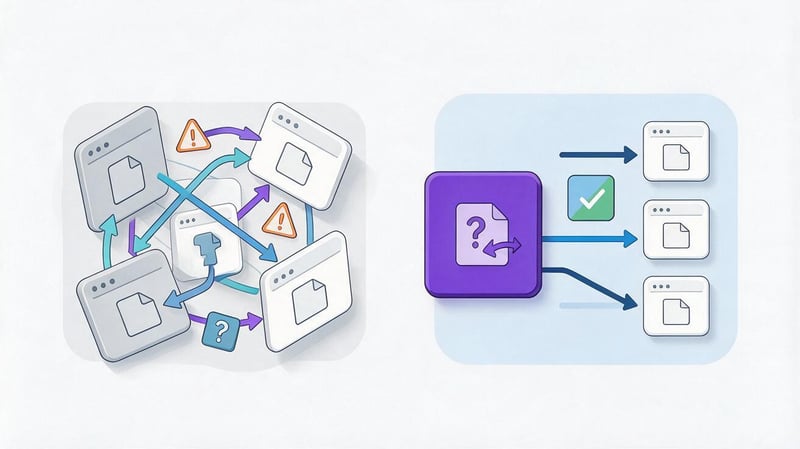
Duplicates occur when identical or nearly identical information is available at different URLs. This often occurs due to sorting parameters, filtering, multiple product paths, and technical URL variations.
A separate problem is competing landing pages that attempt to address the same search intent. For example, two sections with nearly identical product ranges may compete for the same set of queries.
Depending on the situation, content merging, redirects, canonical URLs, or internal structure modifications are used. The choice is determined by whether both URLs are relevant to visitors and whether their content should be included in search results.
Canonical helps indicate the preferred option among duplicate URLs, but search engines view it as a signal rather than an unconditional command. For permanently deleted or moved pages, a 301 redirect is often appropriate.
Before making changes, check internal links and the actual causes of duplicates. Otherwise, a technical fix may conceal the problem while keeping its source within the site.
Scalability of the structure
When developing the architecture, it's helpful to consider how the site will expand in a year or more. New services, product lines, information sections, and language versions shouldn't require a complete overhaul of the existing tree.
For example, if a store sells only laptops, you can start with a small category system. As the product range expands, the structure should allow for the addition of smartphones and monitors without changing the URLs of existing pages.
Flexibility is achieved through clear URL formation rules and uniform principles for content grouping. Developers must understand the criteria for creating a new section and when it's sufficient to add a page to an existing category.
Planning for the expansion of commercial catalogs is especially important. Massive creation of new landing pages without analyzing demand increases support costs and can lead to duplicate content.
Before launching, it's worth testing several possible development scenarios. If adding a new area disrupts the current hierarchy, the architecture needs to be refined.
Multilingual architecture
A multilingual website should have a clear page organization for each supported language. For example, the Russian and Ukrainian versions of the same service could be located at separate URLs, linked as language alternatives.
When designing, it's important to define rules for addresses, language switching, localized section names, and internal links. Visitors should remain in the selected language version during normal navigation.
Hreflang is used for relevant pages, and canonical URLs typically point to the preferred URL within their language version. Duplicate text between languages or incorrect links can create additional problems.
The structure of the Ukrainian section doesn't have to be a verbatim copy of the Russian version. Search demand, terminology, and common service names may differ, so it's best to analyze the semantics separately.
How to develop a website structure step by step?
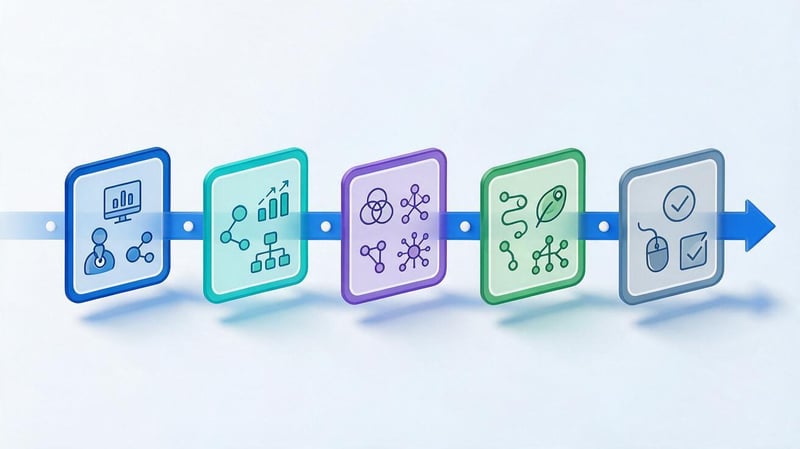
Building a website structure begins long before setting up menus and creating pages in the CMS. First, you need to define the project's objectives, study search engine demand, and determine which sections are truly necessary.
The practical result of the design is a visual tree and a table of future URLs. These documents help coordinate the architecture between the SEO specialist, designer, developer, and content specialist.
Step 1: Determine the website's goals and audience
It's important to start with the goals the website should achieve for the business and its visitors. An online store needs a clear catalog and ordering process, a corporate website needs a detailed presentation of its services, and an information project needs a user-friendly search system.
For each area, it's a good idea to define the primary user actions. For example, a client at a dental clinic might search for a specific procedure, treatment cost, information about the doctor, or the ability to schedule an appointment.
These scenarios influence the content of the homepage, the menu composition, and the need for individual sections. If visitors frequently search for prices, relevant information should be easily accessible from related services.
At this stage, priority business areas are also identified. These can be given more prominent placement in navigation, provided that such organization aligns with user needs.
The result is a list of key themes and user scenarios. This is used as source material for subsequent competitor and semantic analysis.
Step 2: Analyze competitor structures
Competitor analysis helps you see what types of pages search engines show for target queries. You need to examine website sections, category names, URL structure, navigation, and information distribution.
If a particular group of queries primarily results in product categories, creating an informational article may not be the right solution. Similarly, a commercial page rarely fully answers a query that requires detailed instructions.
During research, it's helpful to create a table of competitive pages and note key recurring solutions. Pay particular attention to individual landing pages, filters, breadcrumbs, and the structure of topic sections.
Copying your competitors' architecture without testing it is unacceptable. Companies have different product lines, geographies, content, and audience needs, so a single tree won't always be ideal.
The result of this stage is a list of useful structural solutions and potential gaps that should be taken into account when designing your own website.
Step 3. Build a semantic core
A semantic core is a set of search queries related to a website's topic, products, and services. It helps understand which pages users expect to see and which areas deserve dedicated coverage.
Queries are collected from search analytics, specialized SEO services, search suggestions, and the content of competitor pages. For an existing website, Google Search Console data on impressions and clicks is also used.
For example, an electronics store might identify demand for gaming laptops, office models, laptops of specific brands, and feature-based collections. These groups allow for the identification of potential future catalog areas.
When collecting keywords, it's important to consider search intent rather than relying solely on keyword frequency. A popular informational query doesn't necessarily require a sales page, even if it contains the name of the product being sold.
You can read more about the relationship between demand and architecture on the Seo-Gen page “Semantics and website structure”.
Step 4: Cluster search queries
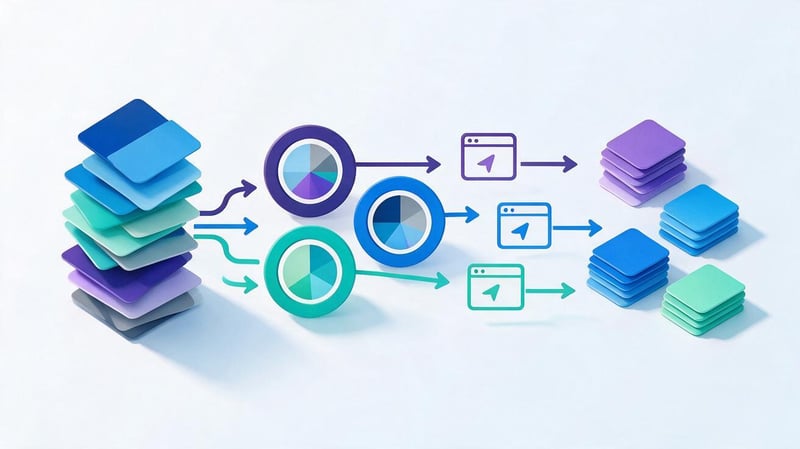
Query clustering combines similar phrases into groups for which a single relevant page can be prepared. This takes into account the query's meaning, search results, and expected content.
For example, the phrases “gaming laptops” and “buy a gaming laptop” can often belong to the same commercial category. The query “how to choose a gaming laptop” implies different content and usually requires a separate informational page.
After grouping, each cluster is assigned a document type: category, product card, service page, article, or special collection. Then, they check to see if there are multiple clusters with virtually identical purposes.
This forms the basis for the site's future SEO structure. It helps cover useful search areas without creating dozens of pages that differ only in the rearrangement of keywords.
High-quality clustering requires manual verification of disputed groups. Automated tools speed up the process, but they don't always correctly distinguish between commercial and informational intent.
Example of cluster distribution by URL
Let's say an online store is planning to expand its laptop section. After analyzing queries, we discovered distinct groups based on device purpose and specific combinations of popular features.
| Query cluster | Page type | URL example |
|---|---|---|
| Laptops | Main category | /catalog/noutbuki/ |
| Gaming laptops | Subcategory | /catalog/noutbuki/igrovye/ |
| Office laptops | Subcategory | /catalog/noutbuki/ofisnye/ |
| Laptops with 16 GB of RAM | SEO selection with confirmed demand | /catalog/noutbuki/16-gb/ |
| Sort by price | Catalog service state | /catalog/noutbuki/?sort=price |
The table shows the relationship between a semantic cluster and a page's purpose. The URLs are provided for illustrative purposes only, and the final decision depends on the actual product range and the results of the search results analysis.
A separate page for a feature should be created if there's independent demand, a suitable product range, and the ability to maintain useful content. Simply sorting products typically doesn't require an indexable landing page.
A table like this helps avoid situations where a single query is served by several nearly identical URLs, or where an important demand group doesn't have a suitable page at all.
Step 5. Create categories, subcategories, and landing pages
After clustering queries, you can move on to building a category tree. The main areas are placed at the top levels, while more specific groups are placed within the corresponding sections.
Each category should group objects by a clear characteristic. For example, for a clothing store, primary groups by product type are logical, while size, color, and material characteristics are usually more convenient for filtering.
When creating a new landing page, check for independent search demand and differences from existing documents. If two sections offer virtually identical products, separating them may be unnecessary.
Empty categories, seasonal collections, and pages with insufficient offers should also be considered. For some groups, it's better to use filters or temporary collections without creating permanent indexable URLs.
The result of this stage is a coordinated tree of sections indicating the purpose of each future page. This diagram becomes the basis for designing navigation and addresses.
Step 6: Draw a site diagram and set up navigation
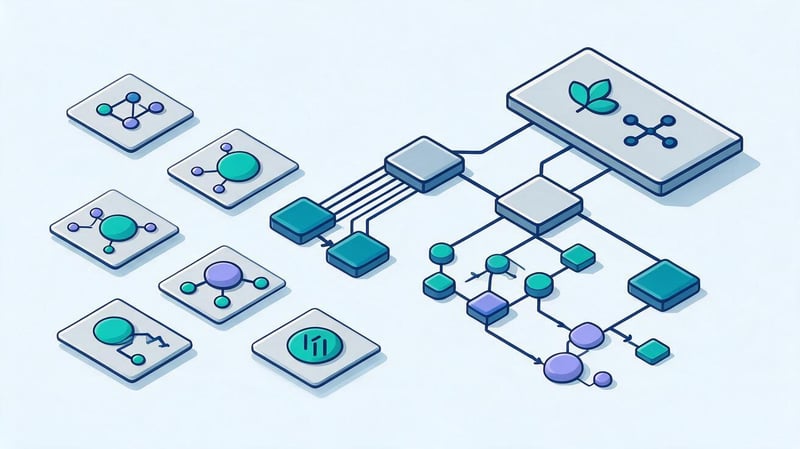
Visualizing a website's structure helps identify problems before development begins. The diagram should show the home page, key sections, subsections, and the relationships between individual documents.
For a small structure, a table or simple diagram is sufficient. A larger online store will need a more detailed map with categories, landing page types, and rules for creating additional collections.
After preparing the tree, determine which sections will be included in the main menu, where breadcrumbs are needed, and which materials will be linked with contextual links. Mobile navigation should be considered separately.
It's important to keep in mind that the menu doesn't necessarily have to display every existing URL. Priority sections receive prominent navigation, while less frequently accessed pages remain accessible through parent categories and internal links.
At this stage, it's useful to test several real-world user scenarios. If finding the desired service or product is difficult even in the diagram, the interface implementation is unlikely to solve the problem on its own.
Step 7: Design URLs and internal linking
Once the tree is approved, it's time to determine the URLs for future pages. Standard rules for naming, nesting, and handling technical URL variants are selected for them.
For example, you can use a consistent /services/service-name/ scheme for services, and separate, permanent URLs for product pages. However, the same product shouldn't be uncontrollably assigned duplicate pages when placed in different categories.
The next task is to create connections between sections. The parent category should link to its child categories, service pages can contain links to related areas, and informational materials can contain links to relevant company offers.
Anchors should be natural and specific. A “Delivery Terms” link is clearer than several identical links with the generic text “Learn More”.
To check, it's helpful to create an internal link map and identify which pages have no incoming links. Pay particular attention to commercially important sections and new publications.
Step 8. Check indexing and technical limitations
The final design stage involves testing how the structure will perform in terms of search engine crawling. Important pages should open at the correct URLs and be accessible via standard internal links.
Canonical rules, URL parameter processing, pagination, and XML sitemap generation must be defined. An appropriate indexing strategy must be selected in advance for service pages, filter results, and technical states.
They also check server responses, the behavior of non-existent addresses, and the absence of accidental redirects. For a multilingual site, they also check hreflang links between the corresponding language versions.
If the site is already live, the architecture is compared with the currently indexed URLs. Changing the structure without analyzing the old URLs can lead to 404 errors and the loss of accumulated search signals.
The prepared structure should contain clear rules for future expansion. This way, adding new services or products won't require resolving the same technical issues.
Examples of website structure for different projects
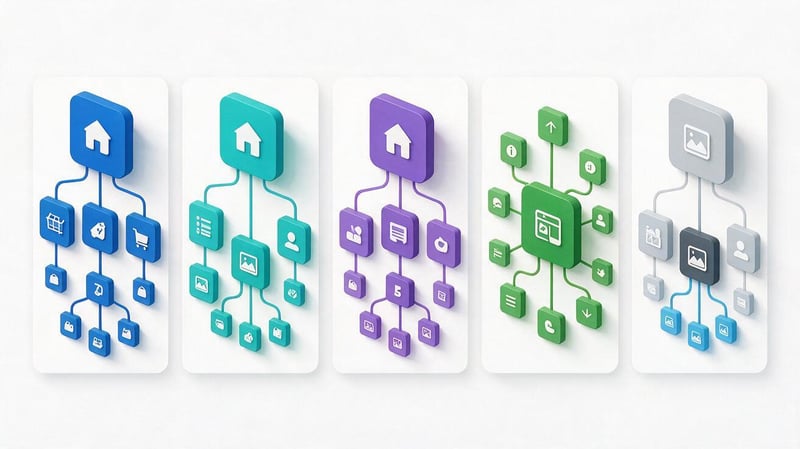
The architecture depends on the content the project publishes and how users search for information. Therefore, the same set of sections won't work for an online store, a service website, and an information portal.
When designing, it's important to consider the primary user scenario. A buyer needs to quickly select a product, a company client needs information about a service, and a blog reader needs to easily navigate between related content.
Structure of an online store
An online store's structure is typically built around a product catalog. The top level contains the main categories, followed by subcategories and collections, and the final documents are the product cards.
For example, a home appliance store might divide its product range into refrigerators, washing machines, and kitchen appliances. Within these main groups, more specific categories emerge based on intended use or truly significant characteristics.
Customers should be able to navigate between catalog levels and return to common sections. This can be achieved using menus, breadcrumbs, filters, and links to related products.
The catalog's SEO structure takes into account specific commercial queries, for which dedicated landing pages can be created. However, the number of such pages must be controlled to avoid duplication and the mass indexing of useless combinations.
Proper catalog organization is especially important for large stores. As the product range expands, the structure must maintain consistent URLs for key sections and support clear navigation.
Categories, filters, and SEO landing pages
A category groups products by a consistent characteristic, and a filter helps refine your selection within an existing group. For example, the “Laptops” section might contain filters by manufacturer, screen size, and RAM capacity.
Some combinations of features have their own search demand. In such cases, you can create dedicated SEO landing pages with a permanent URL, relevant product range, and useful information.
However, automatically opening all filter combinations for indexing typically creates a large number of technical URLs. Parameter combinations that produce identical or virtually empty results are especially dangerous.
Before launching filtering, you need to determine which catalog states should be indexed. For other options, manage crawling, canonicalization, and internal links based on the technical implementation.
Pagination and product card accessibility should be checked separately. Search engines should be able to find products even if they are located on subsequent pages of a larger category.
Structure of a corporate website
A corporate website typically includes a home page, key service areas, individual pages with product offerings, company information, case studies, and contact information. A blog, job openings, and industry-specific solutions are added if needed.
For SEO, it's especially important to properly distribute commercial queries across services. If a company specializes in website development and search engine optimization, these areas usually deserve their own landing pages.
Within each area, there may be more specific services. For example, the SEO section includes technical audits, semantic keyword research, on-page optimization, and content management.
It's helpful to supplement sales pages with case studies, examples of completed work, and related articles. These links help visitors evaluate the company's experience and understand the details of the service.
Regional pages are created when there's a real geographical focus on the offer. Simply replacing the city name in identical text rarely benefits visitors and can lead to content quality issues.
Structure of an information or news website

An information website organizes materials by topics, categories, and related issues. Readers should be able to find the desired publication through a category, search form, or by clicking on a link from another article.
For example, a medical information project might contain sections on diseases, diagnostics, prevention, and treatment methods. Within each section, articles are posted that answer specific audience questions.
Chronological organization is also important for news websites. Users often search for recent publications, so a convenient date-based archive can complement the main topic headings.
Avoid creating too many overlapping tags. If a single piece of content is simultaneously assigned to dozens of nearly identical tag pages, navigation issues and duplicate publication lists can arise.
When building the structure of an information website, it's important to define the main thematic areas and rules for posting new content. This helps maintain a logical architecture as the number of articles increases.
Structure of a single-page and multi-page website
A one-page website is suitable for projects with a small amount of information and one main contact scenario. This page can include a description of the offer, benefits, work samples, testimonials, terms and conditions, and a contact form.
Navigation is typically done by jumping to individual blocks of the page. This website page structure is convenient for compactly presenting a service, event, or specific product.
A multi-page resource is necessary when it's necessary to separately cover several areas, services, or thematic groups. For example, a company offering different types of repairs can create separate pages for each service.
At the same time, the division of information must correspond to actual search intent. If several pages repeat the same offer and differ only in their titles, their existence is difficult to justify.
The choice of format depends on the content, demand, and future business development. For a small project, a simple structure is sufficient, but expanding the range of services may require a transition to a multi-page architecture.
Portfolio site structure
A portfolio website showcases completed projects and helps potential clients evaluate the experience of a specialist or company. It typically contains a home page, a list of projects, individual case studies, a description of services, and contact information.
With a large number of projects, it's helpful to group them by category. For example, a web studio might display online stores, corporate websites, app interfaces, and design systems separately.
Each case should ideally be presented as a separate page with a description of the task, work performed, and the result. Such materials can be further linked to the relevant services.
If a portfolio consists solely of a gallery of images, it can be difficult for visitors to understand the content of the projects. Titles, explanations, and accessible text elements help clarify their purpose.
The portfolio structure should remain simple, even with a large number of projects. Excessive categories make it difficult to browse, so it's best to group projects by criteria that truly help clients choose a contractor.
How to create and visualize a site diagram?
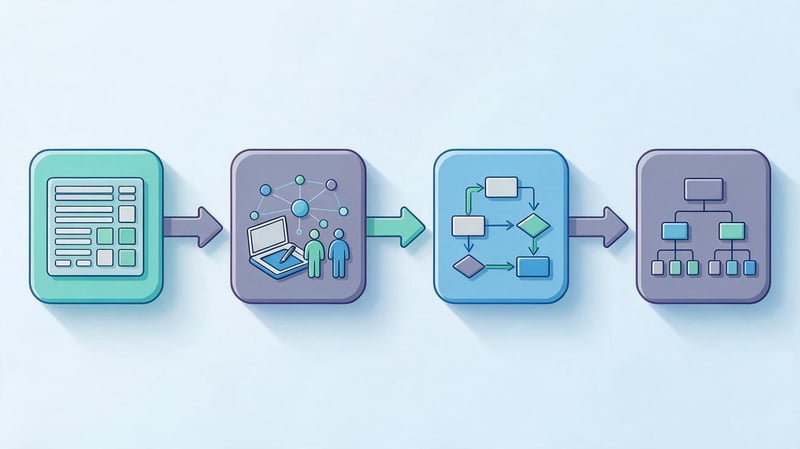
A visual diagram helps visualize the future architecture before developing pages and setting up navigation. It helps you agree on the number of sections, the relationships between them, and the placement of key landing pages.
You can draw a website structure using a spreadsheet, a diagram editor, or a mind mapping program. The choice depends on the size of the project and the level of detail needed to describe the relationships between pages.
What program should I use to draw a website structure?
For small projects, Google Sheets is sufficient, allowing you to create a list of URLs, assign nesting levels, and specify parent sections. This format is especially convenient for collaboration between an SEO specialist, editor, and developer.
If you need a visual diagram, XMind, Miro, FigJam, and diagrams.net are all good options. These programs help you organize sections into a tree, highlight additional connections, and discuss the architecture with your team.
| Tool | Main application | When is it convenient to use |
|---|---|---|
| Google Sheets | Table of pages and parameters | URL audit and semantic distribution |
| XMind | Mind map of structure | Quick creation of a section tree |
| Miro | Collaborative visualization | Discussing architecture with the team |
| FigJam | Schemes and user scenarios | Relationship of structure to prototyping |
| diagrams.net | Flowcharts and diagrams | Detailed display of connections |
Professional design often uses both views simultaneously. The visual diagram shows the overall architecture, while the table contains detailed information about the purpose of each page.
Before choosing a program, it's important to determine the format of the final document. If a developer needs to import hundreds of URLs, a beautiful diagram alone won't be enough.
What does a website flowchart look like?
A website flowchart represents pages or groups of pages as individual shapes connected by lines. Typically, the homepage is placed at the top, with the main sections and their subsections below.
You can use different notations for different page types. For example, categories can be shown as rectangles, articles as separate blocks, and additional thematic links as dotted lines.
The main requirement for a diagram is clarity. If a single diagram simultaneously displays thousands of products, filters, and technical states of the catalog, it will be virtually impossible to read.
Large projects are best broken down into several levels of detail. First, a general site structure is created, then catalogs, information sections, and dedicated landing pages are described separately.
A website flowchart can also show user actions, such as placing an order or submitting a form. These scenarios are useful for interface design, but they shouldn't be confused with URL hierarchy.
What result should be obtained after design?
Once the work is completed, it's advisable to have two agreed-upon documents: a visual tree and a page table. The former helps understand the overall architecture, while the latter is used for website development, content creation, and SEO testing.
In the table, for each URL, specify the page type, parent section, semantic cluster, and preparation status. If necessary, add the person responsible, the planned H1, and indexing requirements.
For an existing resource, it's useful to save old URLs and information about proposed changes. This way, you can prepare redirects before launching the new structure and ensure that important pages haven't disappeared.
It's also important to agree on rules for creating new categories and landing pages. Without such rules, even a well-designed architecture will gradually degenerate into a collection of disconnected sections.
The finished project should be clear to all participants without additional verbal explanations. If the purpose of a page cannot be determined from the table, its description needs to be clarified.
How to analyze the structure of an existing website?
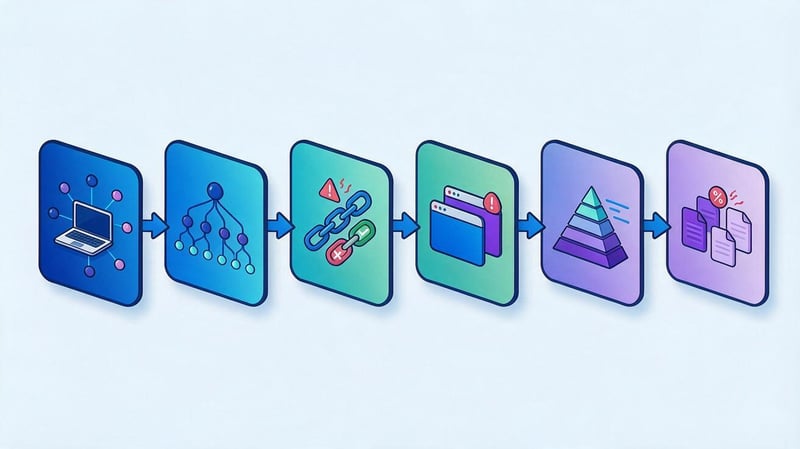
Analyzing a website's structure helps identify issues with navigation, page nesting, and internal links. This audit is especially useful before redesigning, migrating to a new CMS, or expanding the catalog.
The actual architecture, accessible to users and search engines, needs to be verified. The design that existed during development may no longer correspond to the resource's actual state.
How to view the site structure?
The easiest way to start checking is to examine the main menu, categories, and breadcrumbs. Then, review several typical routes from the homepage to services, products, or posts.
However, manual review doesn't reveal all existing URLs and internal links. For a more complete analysis, specialized crawlers are used to follow links and generate a list of discovered pages.
The resulting data allows us to identify nesting levels, internal link sources, redirect chains, and documents that cannot be found through normal navigation.
Additionally, they examine the XML sitemap and a list of known pages from other sources. Comparing this data helps identify URLs missing from the crawl results.
When analyzing large resources, consider the tool's limitations and crawl settings. If the crawler doesn't process JavaScript or doesn't access some pages, the results may be incomplete.
What tools should be used for auditing?
Screaming Frog SEO Spider helps you scan internal links, check response codes, meta tags, canonical tags, and other technical page characteristics. Exporting results allows you to group issues by type and identify recurring errors.
Sitebulb is also used for technical architecture analysis. It helps visualize connections, evaluate internal navigation, and explore pages with high page depth.
Google Search Console provides information about indexing, URLs known to Google, and search performance. However, it doesn't replace a full-fledged crawler and doesn't show all the internal connections of a site.
For a more accurate picture, data from multiple sources is combined. For example, URLs from sitemaps and GSC are compared with crawl results to identify documents without accessible internal links.
The choice of software depends on the size of the project and the audit objectives. It's important that the audit results can be communicated to the developer as a specific list of URLs and necessary corrections.
What errors does website structure analysis reveal?
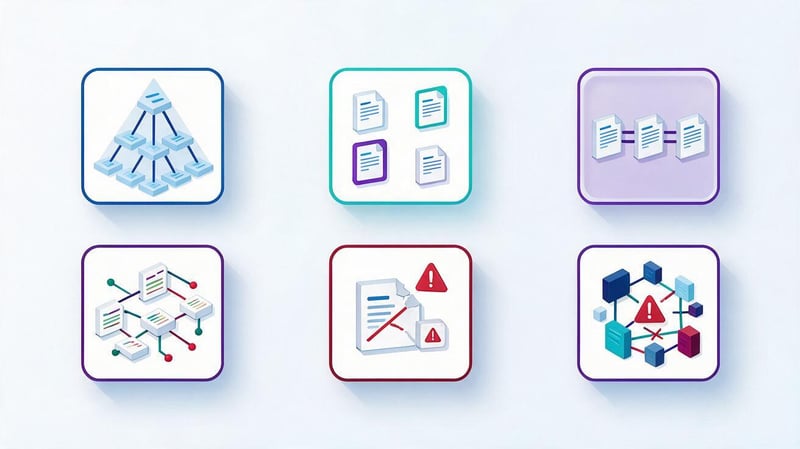
The audit helps identify pages with high click depth, incorrect redirects, and missing internal links. It also identifies technical duplicates, incorrect canonical URLs, and important URLs blocked from indexing.
Conflicting pages receive special attention. If several sections address virtually identical queries, the differences in their content and purpose should be checked.
Crawling also reveals links to non-existent documents, loops, and breadcrumb errors. These issues hinder navigation and can make it difficult to find useful content.
But the presence of a specific technical feature doesn't necessarily prove a mistake. For example, a long URL or an additional directory level may be justified if the architecture is clear to visitors.
Therefore, the tool's results should be assessed alongside page content and business objectives. Corrections should address real issues, not merely improve individual report metrics.
Example of website structure analysis
Let's say a company's website has a dedicated page for a popular service, but it's only accessible through several clicks. The homepage and main menu don't provide a direct path to the relevant service.
After crawling, the SEO specialist discovers high click depth and weak internal linking. A solution may be to add a logical link from the parent section without changing the existing URL.
| Problem | Potential SEO risk | Correction | Verification |
|---|---|---|---|
| The important page is located deep | It is more difficult to detect a document | Add relevant internal links | Rescan |
| There are orphan pages | There is no normal transition path | Link pages to topic sections | Checking incoming links |
| Multiple URLs display the same content | Duplicate addresses | Determine the canonical version | Checking canonical and indexing |
| Internal links lead to 404 | Navigation disruption | Update or remove erroneous transitions | Checking HTTP codes |
| Sections compete for queries | Unclear distribution of intent | Redistribute clusters and content | URL and query analysis in GSC |
After making corrections, you should repeat the scan and compare the results. It's also a good idea to monitor changes in impressions, clicks, and indexed URLs, especially if important commercial pages were affected.
The analysis should conclude with a list of specific, prioritized tasks. Without this, even a detailed technical report will not be useful enough for implementation.
How to change the website structure without losing SEO traffic?
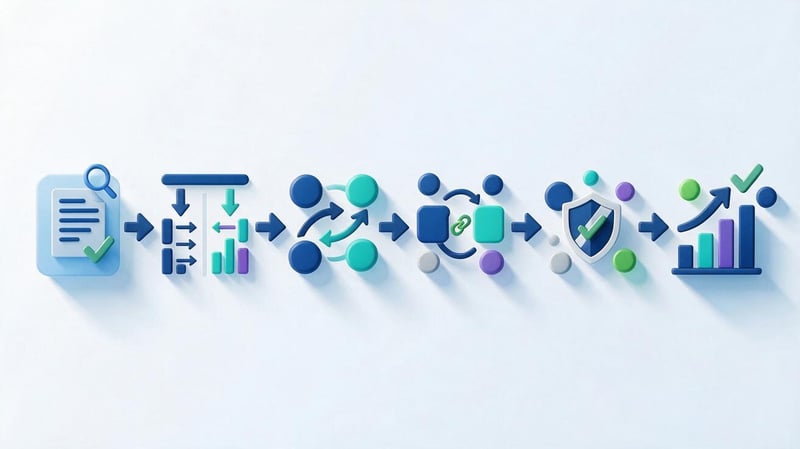
A website structure change may be necessary after expanding its product range, merging services, or migrating to a different platform. However, restructuring sections can affect already indexed URLs, internal links, and accumulated search visibility.
Therefore, work begins with an audit rather than a wholesale renaming of pages. Preserving existing URLs where possible is often safer than a complete URL update.
When is a structural change really needed?
Changes may be warranted if several categories overlap or if important services are impossible to find through the main navigation. Another reason is the emergence of new areas that don't fit into the existing tree.
For example, a small store has gradually expanded into a large catalog, but new products continue to be added to a few general categories. As a result, visitors are forced to browse an excessively large selection without convenient categorization.
Sometimes problems arise when merging websites, migrating to a new CMS, or changing product lines. In these cases, it's necessary to review page layouts and align the new architecture with existing content.
However, redesigning an interface doesn't always require changing URLs. You can update menus, breadcrumbs, and internal links while preserving the current URLs and structure of indexed documents.
Every change must be justified by a specific problem or task. Massive restructuring for the sake of a tidier-looking tree creates unnecessary technical risks.
How to prepare a map of old and new URLs?
Before making any changes, it's necessary to compile a complete list of active pages. For each address, it's a good idea to save information about indexing status, organic traffic, search queries, and external links.
Then, new addresses are selected for the old URLs that match the previous content and purpose. If the page remains relevant, it's best to ensure the link is directed to the most relevant document.
The migration map should include the source URL, the target URL, the change type, and the intended action. Addresses that remain unchanged or should return a 404 or 410 status after permanent removal are separately noted.
Don't automatically redirect all deleted pages to the homepage. This redirection often doesn't meet user expectations and may be considered irrelevant by search engines.
Before launching, it's helpful to check the map for duplicate targets, loops, and long redirect chains. This reduces the likelihood of technical errors after publishing the new structure.
How to set up 301 redirects and update links?
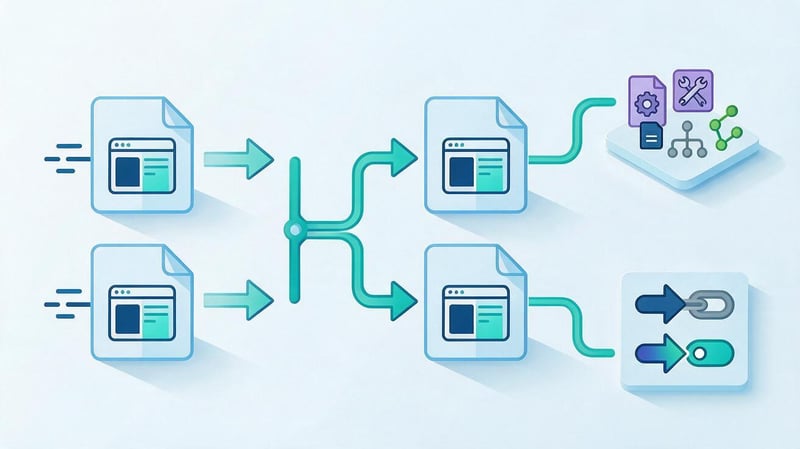
A 301 redirect is typically used for permanent page moves. This helps users and search engines find the new address instead of the old one if the content has indeed been moved.
After setup, you should update your internal links so they immediately point to the current URLs. Leaving links through multiple redirects is undesirable, as this creates additional requests and complicates technical support.
At the same time, update canonical tags, breadcrumbs, XML sitemaps, and hreflang if the changes affect multilingual pages. You should also check links in menus, articles, product pages, and other site elements.
Once implemented, old URLs should redirect users correctly, and new ones should return the expected HTTP codes. Important pages should be separately checked for content compliance and the absence of any accidental indexing restrictions.
Redirects don't guarantee complete retention of rankings. Therefore, the move should be accompanied by technical monitoring and search engine performance monitoring.
What to check after launching a new structure?
Immediately after publishing, rescan the site and check all URLs from the migration map. Pay particular attention to 404 errors, incorrect redirects, and pages that have become inaccessible accidentally.
Next, check the sitemap, canonical, internal links, and navigation. New pages should open correctly on mobile devices and have the intended links to parent sections.
In Google Search Console, it's useful to track indexing, impressions, clicks, and query changes for important URLs. Comparisons should be made taking into account seasonality and other factors that influence traffic.
After major changes, search engines may need time to re-crawl and process URLs. During this period, visibility fluctuations are possible, which should be analyzed for specific pages.
If a problem is detected, the technical implementation is checked first. Reverting to the old architecture without diagnosing the cause is usually inadvisable.
Common mistakes when building a website structure

Even a seemingly logical design can create problems after launch. Most often, errors arise due to incorrect query grouping, insufficient internal link checking, and a lack of common rules for creating pages.
Some violations are immediately noticeable to users, such as complex menus or unclear section names. Others are only discovered after a technical scan and indexing analysis.
| Error | Why does it arise? | How to fix |
|---|---|---|
| Excessive nesting depth | Too many intermediate sections created | Simplify navigation and add logical transitions |
| Unclear category names | The company's internal terminology is used | Name sections according to user-friendly features |
| Several pages with the same intent | Queries were distributed without clustering | Review page assignments and merge duplicates |
| Pages without internal links | No new content has been added to the navigation | Link them to the appropriate sections |
| Bulk indexing of filters | The rules for working with GET parameters are not defined | Select the desired SEO landing pages and limit unnecessary URLs |
| Empty categories | The structure was created before the product range was checked | Combine or remove sections without independent value |
| Changing URLs without redirects | The transfer was carried out without an address map | Set up relevant 301s and update internal links |
| Contradictions between the menu and the breadcrumbs | Navigation is formed according to different rules | Agree on the hierarchy representation |
Creating pages solely for the sake of additional keywords is considered a separate mistake. If a new URL repeats a neighboring category and doesn't offer the visitor a different set of useful information, its search value is questionable.
Another problem is an overreliance on external symmetry in the structure. Not every section requires the same number of subsections and the same nesting depth.
Fixes should be prioritized based on their impact on users and critical pages. It's best to start with errors that interfere with access to important services, products, and content.
A proper website structure is based on an understanding of user tasks, search demand, and the logic of information placement. A hierarchical structure with thematic interlinking is suitable for most projects, but the final architecture depends on the content and scale of the resource.
Before developing or modifying the structure, it's a good idea to prepare a section tree, distribute semantics by URL, and check for technical limitations. This will help avoid unnecessary pages, indexing issues, and awkward navigation.
If your existing architecture is hindering promotion or requires rework, order an analysis of website semantics and structure from Seo-Gen. We'll review query distribution, internal connections, and prepare specific recommendations for improving the structure.
More articles about SEO Promotion


