Silo and pillar/cluster site structure: how to choose an architecture?


When a website has dozens of pages, a simple menu is no longer sufficient for a clear SEO architecture. Some content relates to a general topic, others answer specific queries, and still others intersect with several sections. Without a clear system, orphan pages, intent duplicates, and sections that are barely connected gradually appear.
The Silo website structure helps organize content by topic and establish clear connections between pages. Content projects often use the Pillar/Cluster model alongside it, where the central page covers a broad topic, while individual content addresses more specific queries.
Both models solve similar problems, but handle internal links, nesting, and boundaries between topics differently. Therefore, it's best to choose a structure after analyzing semantics, search intent, current URLs, and actual user behavior.
What is Silo website structure?
A Silo structure is built around thematic groups, within which pages are linked by a common theme and a clear hierarchy. The term comes from the English word “silo”, meaning a separate storage area. In SEO, this analogy is used for sections, where each group is responsible for its own area.
The simplest model looks like this:
Home → Thematic Section → Subsection → Specific Page
For example, an SEO agency might have a separate section dedicated to search engine optimization. It contains pages on SEO audits, technical optimization, indexing, interlinking, and other related pages.
This website structure helps search engines quickly understand the relationships between documents. It's also easier for users to navigate from a general topic to a specific service or instruction if the navigation matches the logic of their task.
The SILO structure isn't limited to URL folders. Thematic connections are also created by internal links, breadcrumbs, related content blocks, section navigation, and query distribution across pages.
How does thematic SILO work?
Within a single thematic block, pages cover a common theme at varying levels of detail. For example, the “Technical SEO” section might include materials on indexing, canonical, robots.txt, XML Sitemap, redirects, and crawl errors.
In this architecture, the central page sets the topic of the section, and the child pages address specific search intents. They link back to the parent page and are linked together when necessary.
The schematic diagram looks like this:
SEO
├── Technical SEO
│ ├── Website indexing
│ ├── Canonical
│ ├── Robots.txt
│ └── XML Sitemap
├── Semantic core
└── Internal linking
There's no point in strictly prohibiting any links between adjacent topics. If an article about indexing explains the problem of query cannibalization, a link to the relevant material will be useful to the reader and will maintain a normal thematic connection.
Physical and virtual Silo structure
A Silo website's structure can be built using URLs directly or primarily through links between documents. In practice, these approaches are often combined, as URL structure and internal link structure serve different purposes.
When designing a new website, it's easier to agree on the site's semantics, categories, and URL format right away. On a live project, it's safer to first check the current indexing and traffic, as mass URL changes create additional risks.
Physical SILO
Physical SILO uses URL directories to display the page hierarchy. A document's address indicates which section it belongs to and what level it is located at.
For example:
/seo/
/seo/technical/
/seo/technical/indexation/
This format is convenient for large catalogs, online stores, and service websites with clear directions. The URL structure remains understandable to humans, developers, and SEO specialists.
Don't change working URLs just to make your nesting look more appealing. First, check organic traffic, backlinks, canonicals, existing redirects, and page rankings. Migration will require a 301 redirect map and post-launch indexing monitoring.
Virtual SILO
A virtual SILO is built through internal links without the need to restructure URLs. A page can have a short URL but remain part of a thematic section thanks to links, navigation, and breadcrumbs.
This model includes contextual internal links, blocks of related content, menus within a section, links from child pages to the parent page, and reverse navigation from the parent page.
A virtual approach is often more convenient for an existing website. It allows for architectural adjustments without a massive URL change and preserves accumulated search signals.
Answers to your questions
What is Silo website structure?
The Silo website structure divides pages into thematic groups and establishes a clear hierarchy within each section. Typically, there is a parent section, several child pages, and internal links between them.
This model helps organize large amounts of content and show relationships between documents. SILO can be built using URLs, internal linking, or a combination of both.
How is Silo different from a regular website structure?
A typical structure often describes only menus and nesting levels. SILO additionally takes into account the thematic proximity of pages, semantics, and internal relationships between documents.
Two pages can be on the same menu level but belong to different thematic groups. Therefore, for SILO, not only navigation but also content logic is important.
Which is better – Silo or Pillar/Cluster?
SILO is more suitable for projects with clearly defined categories and a stable hierarchy. Pillar/Cluster is easier to scale in areas where topics are constantly expanding and naturally overlap.
It's not necessary to choose a single approach for the entire site. Large sections can be organized as SILOs, and the informational materials within them can be linked via Pillar Pages and Cluster Content.
Are nested URLs required for Silo structure?
No, you can create a thematic group using a virtual SILO. In this case, pages retain short URLs, and connections between them are created through internal links, navigation, and breadcrumbs.
Hierarchical URLs are convenient for some directories, but they don't in themselves determine the quality of the structure. On an existing site, changing URLs without a compelling reason is usually unnecessary.
Is it possible to place links between different SILOs?
Yes, if the link logically complements the page's content and helps the user. Artificially prohibiting any cross-topic links can impair navigation.
The number of such transitions depends on the project. The main thing is that each link has a clear context and doesn't turn the page into a random list of URLs from different sections.
Is Silo structure suitable for an online store?
Yes, especially if the store has a large catalog with established product categories. SILO helps categorize the product range and link categories with relevant filters and informational materials.
Before implementation, check indexed filters and duplicate URLs. Otherwise, the new hierarchy may increase the number of similar pages instead of simplifying the structure.
Do I need to rework existing URLs for SILO?
No, you first need to evaluate your current pages, their traffic, external links, and indexing. In many cases, the structure can be improved without changing URLs through internal linking and navigation.
If migration is truly necessary, create a redirect map in advance and check each old URL after the migration. Massive URL changes without such control create unnecessary SEO risks.
How to check the correctness of the Silo structure?
Internal links, page depth, orphan pages, indexing, cannibalization, and document distribution by search intent should be checked. User navigation clarity is also assessed.
The technical part is conveniently checked with a crawler, and query and indexing data can be checked through Google Search Console. The structure is adjusted if important URLs remain isolated or multiple pages compete for the same intent.
What is a Pillar/Cluster structure?

A pillar/cluster is built around a large central page and a group of materials covering specific parts of a topic. The central document is called the pillar page, and the related materials are called cluster content.
For example, a page titled “Website SEO Promotion” could be a pillar page. From there, users can access separate materials on technical audits, semantic cores, internal links, content, indexing, and external promotion.
This approach typically softens the boundaries between sections. Pages are linked by meaning, and the content structure evolves along with search demand and new topics.
What is a Pillar Page?
A pillar page covers a broad topic and directs the user to more specific materials. It answers the main query, explains key parts of the topic, and contains links to documents that cover each section in more detail.
For example, a comprehensive article on technical SEO might briefly explain indexing, speed, mobile version, canonical, and redirects. A separate page with a more in-depth answer is created for each topic.
A pillar shouldn't compete with its child content for the same intent. Its purpose is to address a broad query and provide a clear path to more specific answers.
What is Cluster Content?
Cluster Content consists of individual pages, each of which addresses a separate user query. Material about setting up robots.txt may be included in the technical SEO cluster, but does not have to duplicate the content of the central page.
Before creating a new document, check the search results and determine whether the topic requires a separate page. If multiple queries have the same search intent and similar SERPs, it's often better to combine them.
This approach reduces the risk of cannibalization and helps create a thematic cluster around real demand, rather than around a random set of keywords.
How is Pillar/Cluster interlinking built?
In the basic model, a Pillar Page links to pages in a cluster, and each clustered content contains a link back to the central topic. Additionally, pages can link to each other when there is a useful semantic connection between them.
The connection graph can be represented as follows:
                  [Pillar Page]
                 / |  \
                / |   \
               ↓ ↓    ↓
        [Cluster A] [Cluster B] [Cluster C]
               ↘       ↑        ↙
                     thematic
                    connections
Such a graph is easier to expand with new materials. If a new search intent emerges, the new document is added to the existing cluster and linked to relevant pages.
How is Silo different from Pillar/Cluster?

Both models group content by meaning, but treat the boundaries of thematic sections differently. Classic SILO is more often built around hierarchy, while Pillar/Cluster focuses more on a network of related materials.
The difference is especially noticeable in large information projects. There, a single article can logically address several topics at once, so excessively strict isolation complicates internal linking.
| Criterion | Silo | Pillar/Cluster |
|---|---|---|
| Basic principle | Thematic grouping by sections | Thematic coverage around the central page |
| Main element | Thematic section | Pillar Page |
| URL structure | Often hierarchical | Can remain flat |
| Internal links | Mostly within one block | Pillar ↔ Cluster and logical connections between clusters |
| Flexibility | Average, depends on the strictness of the model | High when expanding content |
| Scaling | Requires control of categories and levels | New material is easier to connect to an existing topic |
| Typical projects | Catalogs, services, large sections | Blogs, media, expert projects |
| Main risk | Excessive page isolation | Pillar erosion and competition among similar documents |
Hard SILO implies stricter thematic boundaries and a limited number of transitions between individual sections. Soft SILO allows for more contextual links if they are helpful to the user and relevant to the topic of the material.
In modern projects, intermediate options are more common. The site architecture may remain hierarchical, but the content structure within sections is built through a topic cluster or content hub.
Which is better for SEO – Silo or Pillar/Cluster?
There's no one-size-fits-all solution for all websites. An online store with thousands of products, a site offering local services, and a large educational blog all require different levels of structure and different types of internal links.
Search engines value clear links between documents, page accessibility during crawling, and relevance to specific intent. Users should quickly understand where the desired section is located and where to go next.
The Silo structure is convenient where the business is naturally divided into major areas. The Pillar/Cluster structure is suitable for projects where topics overlap significantly and new information materials are constantly being created.
The mere presence of SILO does not guarantee a ranking boost. Results depend on the quality of documents, search query compliance, indexing, internal linking, link signals, and the technical condition of the website.
How does Silo structure affect SEO?
A well-thought-out architecture simplifies working with large sets of pages. Search engines can more easily find documents through internal links, and project owners can more easily control duplicates, depth, and query distribution.
The user experiences predictable navigation. They can start with a general category, navigate to a subcategory, and then open a specific service or instruction without having to return to the search.
Thematic relevance
When a group of pages consistently covers a single topic, search engines can more easily determine the context of each document. A single article receives links to its parent page and related materials instead of random links throughout the site.
Such an organization maintains topical relevance and helps systematically develop topical authority. The latter depends on the comprehensiveness of topical coverage, the quality of materials, reputational signals, and many other factors.
The essence and search intent should determine the structure more strongly than the formal frequency of keywords. Several related phrases may relate to different user tasks and require separate documents.
Crawling and indexing
A search engine crawls links and gradually discovers new URLs. If a page exists only in an XML sitemap and doesn't receive internal links, its place in the overall architecture remains weak.
Pages without incoming internal links are often called orphan pages. Such documents should be identified during a technical audit and either incorporated into the normal structure or removed, merged, or blocked from indexing for a valid reason.
For large projects, page depth, meta robots, server response code, canonical, and URL accessibility through the main navigation are also checked.
Distribution of internal link weight
Internal links transmit search signals between documents. Therefore, priority pages typically receive more meaningful links from thematically related sections of the site.
PageRank can't be manually distributed with precision down to a specific percentage. The practical challenge is different: important documents shouldn't be isolated, and secondary pages shouldn't receive more attention than primary categories.
Internal link anchors should also match the page's meaning. There's no need to repeat the same keyword dozens of times in the same form.
User navigation
A good SEO architecture aligns with a user's natural flow. Users open a general section, clarify a task, and gradually move on to a specific solution without unnecessary backtracking.
Website categories, subcategories, breadcrumbs, and blocks of related pages help with this. Clear navigation is especially important for mobile users, who see fewer interface elements at a time.
A poorly organized section creates dead ends. People finish reading an article but see no logical continuation and close the site, even though the information they need is already on a neighboring page.
When should you use Silo structure?

The Silo website structure is well suited for projects with existing, natural thematic verticals. Sections can be divided by service type, product category, medical specialty, or financial product group.
For an online store, laptops, smartphones, home appliances, and accessories can serve as separate silos. Within each area, its own categories, filters, and informational materials are created.
On a medical website, thematic sections might correspond to the doctors' specialties. In a financial project, logical groups would include loans, deposits, transfers, and bank cards.
Typical situations where this approach is useful include:
- the online store contains many categories and subcategories that have almost no overlap in purpose;
- the services website develops several independent directions with separate semantics;
- the information portal contains hundreds of materials, distributed according to stable themes;
- the marketplace requires a clear catalog hierarchy for users and search robots;
- a large corporate website contains several product or industry sections.
After categorizing topics, you need to check the actual search results. If search results show a different way of grouping queries, the structure should be based on the SERP, not the company's internal terminology.
When can a rigid SILO interfere?
Problems arise when the architecture is forced to conform to formal rules and the real relationships between pages are ignored. A useful transition between two topics is sometimes removed simply because the documents are in different SILOs.
On a large project, this complicates navigation. Users are forced to search for related content through the menu or search, even though a contextual link would solve the problem more quickly.
Another risk is related to existing URLs. Rebuilding the directory for a physical SILO could affect hundreds or thousands of URLs, requiring the migration of internal links and creating a long chain of technical work.
Typical problems include:
- too deep a hierarchy hides important pages behind a large number of transitions;
- artificial categories are created without independent demand and a clear user task;
- useful links between related topics are removed to maintain formal isolation;
- old URLs are changed unnecessarily, although they can be left and strengthened with virtual links;
- similar pages appear in different sections and begin to compete for the same queries.
After implementation, it's important to evaluate the actual results. If the new design complicates navigation or creates more duplication, it should be adjusted regardless of the theoretical model.
How to build a Silo website structure?
Work begins with semantics, not with drawing folders. First, you need to understand what tasks users are solving, what pages already exist, and which groups of queries require separate documents.
After this, a relationship map between topics is constructed. It should take into account commercial pages, informational content, categories, filters, and other indexed URLs.
Step 1: Collect semantics
The semantic core includes basic commercial queries, informational formulations, entity names, user problems, and additional clarifications.
One query doesn't mean one single page. First, they collect the most complete set of phrases possible, and then check which of them relate to the same intent.
For a large site, it's useful to immediately associate queries with existing URLs. This makes it easier to spot pages without semantics, competing documents, and topics that haven't yet been fully explored.
Step 2: Group queries by intent
Clustering queries helps us understand which phrases can be promoted on a single page. Search volume remains an additional metric, while the primary criterion is the type of response the user expects.
For example, the queries “SEO website audit” and “what's included in an SEO audit” are similar in terms of wording but can lead to different types of pages. The former often requires a service, while the latter allows for informational content.
SERP checking helps you see which documents Google considers suitable for a particular wording.
When to combine queries on one page?
Queries can be combined if the results significantly overlap, the user expects one type of answer, and the future page fully explains both formulations.
Synonyms, word forms, and closely related terms usually don't require separate URLs. Creating multiple, nearly identical documents increases the risk of internal competition.
After merging, you need to select the main focus of the page and distribute additional phrases throughout the text, headings, and auxiliary blocks without mechanical repetition.
When to create separate pages?
A separate URL is needed when queries reflect different user needs or search results display different document types. A commercial service and a detailed instruction manual often belong to the same subject cluster but require separate pages.
The same rule applies to location-specific pages, standalone product categories, and different stages of the user journey. The new document should have its own intent and a clear place in the architecture.
Before creating a page, it's helpful to check whether an existing URL already covers the same query. This check helps mitigate the risk of cannibalization in advance.
Step 3: Identify SILO's main pages
After clustering, a parent page is selected for each major topic. It should address a broad query and logically combine several more specific topics.
For example:
SEO
└── SEO audit
    └── Technical audit
        └── Indexing check
        └── Sitemap check
    └── Link audit
This schema shows the relationship between documents, but doesn't necessarily require repeating every level in the URL. The main goal is to help users and search engines understand the connections between pages.
Step 4: Design the URL
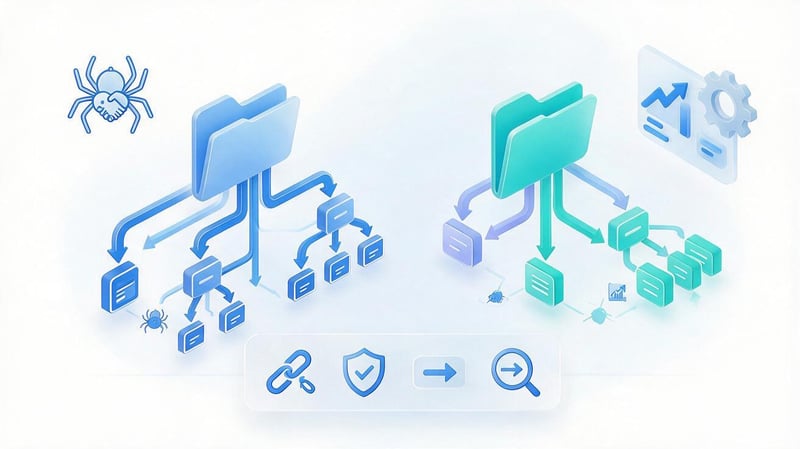
For a new project, you can immediately select a hierarchical structure:
/seo/audit/technical/
For a working website, a flatter version is acceptable:
/seo/technical-audit/
It is not recommended to create a structure without nesting:
/technical-seo-audit/
Both formats can work well as long as pages are clearly linked and don't create duplicates. The URL structure should remain short, predictable, and stable as sections expand.
Before changing existing URLs, check organic traffic, backlinks, redirects, and indexing. If there are no SEO reasons for migration, it's usually safer to keep the old URL.
Step 5: Set up internal linking
Each key page should receive links from thematically related documents. The parent page directs the user to its child pages, and the child documents return them to the broader topic.
A useful model includes several types of connections:
- the parent page leads to the main subsections and helps to open the desired direction;
- the child page contains a link to the parent topic and related materials;
- breadcrumbs show the current document's place in the overall site hierarchy;
- contextual links connect topics where the user needs further explanation;
- thematic blocks at the end of the material offer a logical continuation of reading.
After setting up, you need to check the anchors and the number of links. A template block of dozens of random URLs is no substitute for proper contextual linking.
Step 6: Check the page depth
Priority documents shouldn't be hidden behind a long navigation chain. The more complex the path from the main page or a major section, the higher the likelihood that the user won't reach the desired page.
There's no fixed number of clicks that automatically improves rankings. However, a reasonable depth facilitates navigation, technical monitoring, and site crawling.
For large projects, page depth is checked using Screaming Frog or Sitebulb. Special attention is paid to pages that have good search potential but receive few internal links.
Step 7: Check the structure after launch
After implementation, you need to check the accessibility of pages for search robots and ensure that the migration did not create technical errors.
Minimum control includes:
- response codes and absence of random 404 on target URLs;
- correct canonical without references to old or third-party pages;
- meta robots and robots.txt rules;
- redirects without long chains;
- internal links to current final URLs;
- no orphan pages or random duplicates;
- current XML Sitemap;
- proper breadcrumbs;
- absence of new cannibalization.
After technical verification, the data is compared with Google Search Console and Analytics. Changes in impressions, clicks, and queries help evaluate the effectiveness of the new architecture.
Lead SEO specialist — Gennady
I don't treat SILO as a rule that prohibits links between thematic sections. For me, the structure should demonstrate the relationships between pages and provide the user with a logical next step. If material from a neighboring cluster truly complements the topic, I'll link to it. On large projects, I often choose a hybrid: clear sections at the site level and looser pillar/cluster linking within the content.
How to build a Pillar/Cluster structure?

Pillar/Cluster starts with a broad topic that encompasses several independent search intents. Then, for each specific topic, separate content is created and linked to the central page.
This model is especially convenient for blogs and expert websites where content is constantly expanding. A new article gets a clear place in an existing cluster without rebuilding the entire section.
Select the main theme of the Pillar Page
A pillar theme should be broad enough to accommodate several standalone pieces of content. The central page should also have its own search intent, not exist solely for the sake of internal links.
For example, “Technical SEO” is suitable for a Pillar Page if the site has separate materials on indexing, redirects, speed, micro-markup, and duplicate management.
If a broad topic has no independent demand or completely duplicates one of the child pages, a separate Pillar may be redundant.
Identify child clusters
Cluster materials are selected based on semantics, SERPs, and real audience questions. Each document must provide a comprehensive answer to its topic.
There's no need to set a minimum number of articles in a cluster. One topic might only require five strong articles, while another might require dozens of individual documents.
When planning, it's helpful to consider the interrelationships between queries and future internal links. This helps you identify gaps in topic coverage in advance.
Create a content map
The map helps to link the topic, search intent, URL, and role of the document in the overall system.
| Pillar | Cluster | Intent | Landing page | Connection |
|---|---|---|---|---|
| Technical SEO | Indexing | Informational | /indexation/ | Cluster → Pillar |
| Technical SEO | Canonical | Informational | /canonical/ | Cluster → Pillar |
| Technical SEO | SEO audit | Commercial | /seo-audit/ | Thematic cross-link |
| Technical SEO | Robots.txt | Informational | /robots-txt/ | Cluster → Pillar |
This table is useful as the basis for an editorial plan. It shows which pages already exist, which need to be created, and where internal links should appear.
Link pages with internal links
Each cluster should have a clear connection to the central theme. The pillar page should provide access to all key materials, rather than linking to just a few of the most recent publications.
Links between adjacent clusters are added where the user can truly explore the topic further. For example, an article about indexing is naturally linked to materials about canonical and robots.txt.
This approach creates a coherent thematic graph and maintains ease of navigation as the site grows.
Is it possible to combine Silo and Pillar/Cluster?
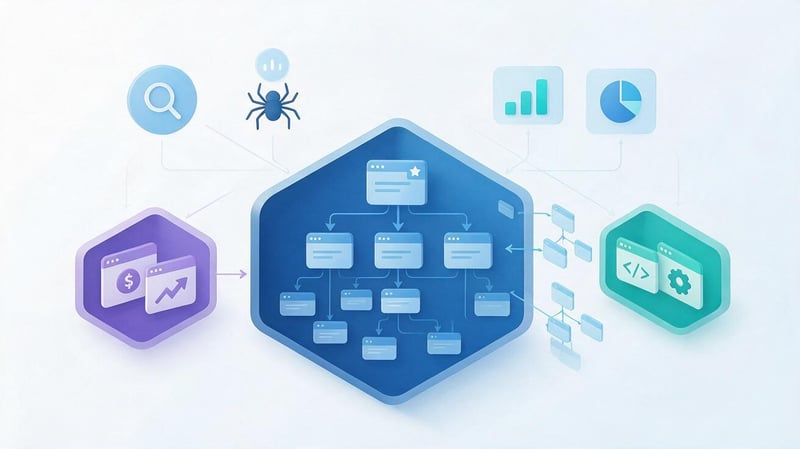
Yes, these models work well together. You can use SILO architecture at the main section level, and build pillar pages and topic clusters within each area.
For example, an agency's website is divided into SEO, PPC, development, and analytics. Each section has its own services and pages, and blog content within each area is linked via a pillar/cluster.
The diagram might look like this:
SEO
├── Services
│ ├── SEO audit
│ └── Website promotion
│
└── Pillar: Technical SEO
    ├── Indexation
    ├── Sitemap
    ├── Robots.txt
    ├── Canonical
    └── Redirects
This option preserves a clear SEO architecture and doesn't require artificially limiting useful links between content. The section can be expanded with new pages without completely overhauling the existing structure.
Examples of Silo and Pillar/Cluster structures
The practical design depends on the type of project. A store catalog typically requires a more pronounced hierarchy, while an information portal might be built around pillar pages and a network of related articles.
When designing, it's important to consider actual business categories, demand, and search results. A company's internal classification doesn't always align with how users formulate queries.
Example for an online store
For an electronics store, a SILO can be built around key product categories. Within the laptop section, gaming models, brands, and other subcategories appear.
For example:
Laptops
└── Gaming laptops
    ├── ASUS
    │ └── ASUS ROG
    ├── Lenovo
    └── Acer
Informational content can be connected through a separate thematic cluster. Articles like “How to Choose a Gaming Laptop”, “RTX 5060 and RTX 5070”, and “How Much RAM Do You Need for Gaming” provide additional entry points from search and link to relevant catalog categories.
The result is a seamless connection between commercial structure and informational content. Users can navigate from a guide to a product category, and from that category to material that will help them make a choice.
Example for a service website
An SEO agency's main SILO may be search engine promotion. Within it are audit, technical optimization, local SEO, and other specialized services.
For example:
SEO promotion
└── SEO audit
    └── Technical audit
        └── Indexation audit
At the same time, you can create a “Technical SEO” pillar page and link it to materials on indexing, redirects, micro-markup, canonical, and speed.
Thus, commercial pages maintain separate intent, while informational documents are collected into a thematic system and support the main services with internal links.
Example for an informational website
For a large information project, strict boundaries between SILOs often prove less convenient. A single topic may naturally intersect with several sections and require contextual links in different directions.
For example, the material on Core Web Vitals pertains to technical SEO, site speed, and user experience. Prohibiting links to related topics would be illogical.
In such a project, a content hub and pillar/cluster provide more freedom. The architecture, however, still preserves the main thematic sections, ensuring the site's structure is clear to the user.
Common mistakes when creating a Silo structure

Most problems arise not from the model itself, but from applying it too literally. People begin to draw up the structure before analyzing the semantics and actual search results.
The second group of errors is related to technical implementation. Even a good layout can become meaningless if duplicates, broken links, or pages without internal links appear after launch.
Mixing different intents
A single page is often targeted for both commercial and informational searches. As a result, the content becomes blurred and poorly aligned with the user's specific needs.
You should check the SERP and separate the topics if Google displays different types of documents. A commercial service can link to informational material and still be part of the overall cluster.
Creating categories that are too broad
A category that combines dozens of loosely related topics poorly explains the site's structure. Users have to figure out where to find the information they need.
It's better to create groups around clear entities and consistent themes. However, overly narrow categories with a single page rarely provide practical benefit.
Excessive nesting depth
Multiple levels create long paths to important documents. If a page requires five or six clicks from the main section, it's harder to find and maintain.
Depth should be assessed alongside menu structure, internal links, and the true importance of the URL. A formally shortened URL doesn't improve a document that's barely referenced anywhere.
Banning all links between SILOs
Rigid isolation can impair navigation and disrupt natural thematic connections. If a related page helps clarify the current issue, a link is usually justified.
It's better to evaluate the transition based on meaning and the user's needs. The standard rule of “link only within its own section” doesn't take into account real-world reading scenarios.
Page cannibalization
Similar documents within different sections may begin to compete for the same queries. This often occurs when a structure is built without a common semantic map.
Before creating a new URL, check your existing pages and their queries in Google Search Console. If the intent is the same, it may be better to merge the materials.
Pages without internal links
A page can be high-quality but remain virtually invisible within the site. If no one links to it, it's harder for search engines and users to understand its role.
Such URLs are found through a crawler, analytics data, and an internal link map. After verification, the page is included in the appropriate section or removed if it no longer makes sense.
Changing URLs without a 301 redirect map
When restructuring a site, old URLs are sometimes changed en masse, and proper redirects are often forgotten. This results in 404 errors, lost external links, and a degraded user experience.
Before migration, create a table of “old URL → new URL”. After migration, check response codes, redirect chains, canonicals, and internal links.
Creating categories without real search demand
A company's internal terminology can differ significantly from user usage. If a category is understood only by employees, search demand and navigational value may be low.
When designing, it's important to balance business logic with semantics and search results. Sometimes, it's better to combine two internal areas into a single, easily understandable user section.
Structure built only by query frequency
A high-frequency query doesn't always need to be higher in the hierarchy. Search volume indicates potential demand, but it doesn't explain the relationships between topics.
The structure should take into account the intent, page type, product logic, and user journey. Frequency helps prioritize content after proper grouping.
How to test the effectiveness of the new structure?

Results should be assessed based on a set of metrics, not a single change in rankings. After restructuring, the technical accessibility of documents is checked first, followed by search engine and user behavior.
Google Search Console, Google Analytics 4, crawlers, and search visibility analysis services are used for monitoring. If necessary, Ahrefs or Serpstat can be connected for additional link and query verification.
Key indicators:
- number of indexable and actually indexed target pages;
- crawl errors and unexpected server responses;
- depth of key URLs and number of incoming internal links;
- changes in impressions, clicks and average position for target queries;
- the emergence of new queries for cluster pages;
- cases of cannibalization between similar documents;
- organic traffic to sections and individual pages;
- transitions between related pages and target conversions.
It's best to repeat the check after the search engine has had time to re-crawl the modified pages. One-day fluctuations say almost nothing about the quality of the architecture.
The Silo structure helps organize a large website into clear thematic areas. It's especially convenient for catalogs, services, and projects where categories are already naturally separated.
Pillar/Cluster is better suited for the flexible development of expert content. The central page covers a broad topic, while clustered materials answer specific questions and are linked together.
In practice, a hybrid design is often convenient: the main sections are built using the SILO principle, and within them, a network of pillar pages and thematic content is developed. Before implementation, it's necessary to check the semantics, URLs, page depth, indexing, and internal links.
If your site structure has grown, duplicates have appeared, cannibalization has occurred, or important pages are located too deeply, start with an SEO architecture audit. This will reveal which sections should be merged, where new links are needed, and which URLs are best left unchanged.


