How to set up local SEO?


When someone searches for a dentist, restaurant, or car service, Google often displays nearby businesses on a map. Users immediately see addresses, phone numbers, hours, photos, and reviews, and can then get directions or call. This presence is especially valuable for businesses, as people are already looking for a specific service in a convenient location.
However, just being on Google Maps doesn't guarantee good visibility. Rankings are influenced by business information, location, reputation, website, and relevance to search queries. Let's look at how to set up local SEO, properly create a Google Business Profile, optimize website pages, and evaluate the results.
What is Local SEO?
Local SEO is search engine optimization for businesses based on queries related to a specific city, region, or user location. Its purpose is to help potential customers find a business on Google Search and Google Maps when they need specific products or services nearby.
For example, a user searches for “dentistry Dnipro”, “phone repair nearby”, or “restaurant in central Odesa”. Google determines local search intent and may display a listing of businesses with a map. Inclusion in this listing is influenced by the company's information, its geographic location, and other local ranking signals.
How is local SEO different from regular SEO?
Classic SEO covers queries for which user location may not be crucial. For example, an article about choosing a toothbrush can attract visitors from different cities. For the query “children's dentistry Kyiv”, geography becomes a key search condition.
Regional SEO takes into account the business's location, service area, and local competition. Therefore, in addition to website optimization, it's necessary to work on the company profile, reviews, directories, and the accuracy of contact information.
| Criterion | Classic SEO | Local SEO |
|---|---|---|
| Geography | Country or multiple markets | City, district, service area |
| Main result | Website visibility in search engines | Visibility of the website and company on the map |
| Typical queries | “how to choose an air conditioner” | “air conditioner installation Odesa” |
| Basic tools | Content, technical SEO, links | Website, Google Business Profile, reviews, local links |
| Competitors | Thematic sites and companies | Companies serving the same area |
| Target actions | Purchase, inquiry, registration | Call, route, appointment, visit |
These two approaches can complement each other. For example, a medical clinic might attract traffic through articles about diseases and simultaneously receive inquiries about doctors in a specific city.
What is a local business and who needs to promote it?
A local business is a company that accepts clients at a specific address or provides services in a specific service area. This category includes dental practices, medical centers, restaurants, hotels, stores, beauty salons, and repair shops.
Local business promotion is also suitable for organizations with mobile service. A plumber, electrician, or appliance repairman may work in several areas without a dedicated reception area. For such companies, accurately specifying their mobile service areas is especially important.
Businesses with multiple branches require special attention. Each branch may have a different address, hours, staff, and services, so the user needs information specific to the selected location.
What benefits does a local business get?
Local promotion helps a company appear in search results when a person is searching for a nearby provider. Users don't have to search for contact information on multiple websites if the basic information is already available on the business profile.
The most noticeable benefits are related to specific customer actions:
- Calls and inquiries. Users can contact the company directly from search results when they need to clarify prices or schedule an appointment.
- Route planning. Visitors can see the organization's location and evaluate how easy it is to get to it.
- Trust in the company. Up-to-date photos, reviews, and detailed descriptions of services help people make decisions.
- Local recognition. The company appears among the options considered by residents of the relevant area or city.
- Additional clicks. Users can go from Google Maps to the website, explore services, and submit inquiries.
Results depend on demand, competition, and the quality of the service itself. Even high rankings don't guarantee leads if a company is inconveniently located, offers unsuitable terms, or receives numerous negative reviews.
Answers to your questions
Is it possible to promote a business on Google Maps for free?
Yes, creating and managing a suitable Google Business Profile is free. Business owners can fill out the profile information themselves, add photos, respond to reviews, and update their service information.
However, promotion requires regular work, especially in highly competitive environments. If a company requires a technical website audit, the preparation of new pages, or specialist assistance, these tasks may incur additional costs.
How do I get on Google Maps if my business isn't there yet?
First, check to see if the business is listed in Google Maps by name and address. If the listing isn't found, you can add the business through a Google Business Profile and fill out its business information.
After creating your profile, Google will offer a method for verifying your management rights. The exact procedure depends on your business type and other circumstances, so please follow the instructions displayed in your account.
How to get to the top positions on Google Maps?
To increase visibility, you should check your categories, services, contact information, and ensure your profile matches your actual business activities. It's also helpful to develop your website, obtain genuine reviews, and maintain reliable information on external platforms.
Google takes into account relevance, distance, and prominence of an organization, so no one can promise a fixed ranking. Results may also vary depending on the user's location and specific search query.
Can I set up Google Maps for Business without a website?
Yes, an eligible business can have a Google Business Profile without a website. Users will be able to find basic information about the business, including available contacts, business hours, and photos.
At the same time, the website helps present services, prices, specialists, and terms of service in more detail. It can also attract organic traffic from search queries that aren't fully covered on the company profile.
Do I need to create a separate profile for each city?
No, having clients in multiple cities alone doesn't warrant creating separate profiles. Profiles must match the business's actual locations and comply with Google's current policies.
If an organization travels to customers from a single primary location, a service area profile is typically used. Additional profiles are permitted if they have separate, suitable locations and meet platform requirements.
How is Google Maps advertising different from local SEO?
Google Maps advertising uses predefined Google Ads formats and depends on campaign settings, budget, and the ad auction. It can increase your company's presence in paid search results.
Local SEO is aimed at improving organic visibility and the quality of business information. Purchasing ads does not guarantee a company's ranking among regular local results.
Do reviews affect a business's ranking on Google Maps?
Google considers reviews and positive ratings as signals of business prominence. Regular feedback also helps potential customers understand the quality of their service.
However, even a large number of reviews doesn't guarantee a top spot in search results. Rankings are still influenced by a company's relevance to the search query, distance, and other factors.
How to check how effective local SEO is?
To evaluate it, you need to compare search visibility, profile activity, website visits, and actual customer inquiries. Rankings for specific queries should be checked geographically, as results may vary by district.
Google Business Profile, Google Search Console, Google Analytics 4, and CRM are used for analysis. It's most useful to evaluate not just a single metric, but the dynamics of inquiries and sales over comparable periods.
How does Google generate local search results?
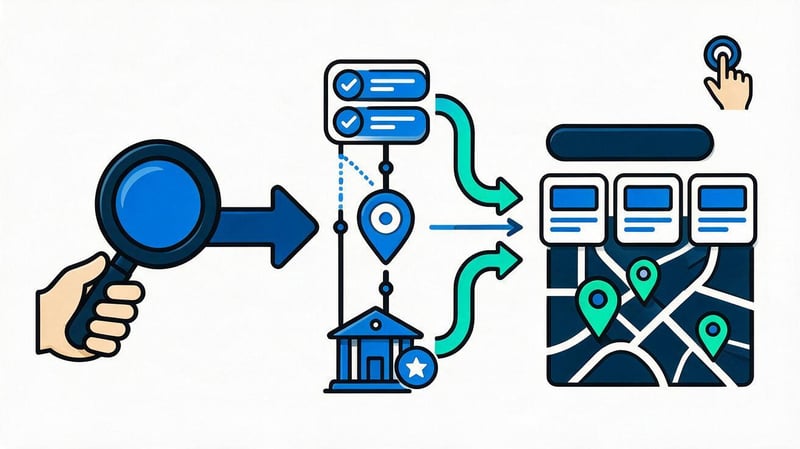
When Google recognizes a location-based query, it may display a listing of businesses with a map, regular organic results, and additional search elements. This listing is often called a Local Pack or Map Pack, and a group of three businesses is called a Local 3-Pack. Its composition depends on the query and the user's location.
Local search results vary even within a single city. Someone searching for a coffee shop near a train station may see different results than someone searching for the same thing in a residential area. Therefore, checking rankings solely from an SEO specialist's office isn't enough.
What factors influence Google Maps rankings?
Google identifies three main groups of local ranking factors: relevance, distance, and prominence. The algorithm considers them together, but the search engine does not disclose the exact weights of individual signals.
A single change, such as adding photos or increasing the number of keywords, can't guarantee a ranking boost. Optimization begins with accurate business information and gradually expands to include the website, reviews, and external citations.
Relevance
Relevance shows how well a company meets a user's needs. If someone is searching for laptop repair, Google should understand that the company actually provides such services and isn't solely focused on selling computer equipment.
To improve your match, you need to select the correct business category, list your actual services, and fill out your profile thoroughly. The service names on your website should also be relevant to what the company offers to clients.
Distance
Distance determines how far a business is from the user's location or the area specified in the search query. If the exact location is unknown, Google uses available information to approximate the search location.
This factor cannot be directly controlled through text optimization. Adding the names of dozens of cities to a company description doesn't move its physical location and doesn't guarantee search results for every region.
Prominence and reputation
Prominence reflects a company's presence and recognition both online and offline. Google may consider information from other websites, the quantity and quality of reviews, user ratings, and links to the company.
Building a reputation requires ongoing work. It's helpful to get feedback from real clients, respond to inquiries, and keep your information in regional directories up-to-date.
| Factor | What Google takes into account | What can a business do? |
|---|---|---|
| Relevance | Company's relevance to the query | Specify categories, services and descriptions |
| Distance | Proximity to the user | Specify the correct address or service area |
| Prominence | The company's reputation and presence | Work with reviews, website and mentions |
The factors are described in more detail in official Google help. When planning promotion, it is useful to evaluate each group separately, as the reasons for low visibility among neighboring companies can vary significantly.
Why does one business appear higher than another on Google Maps?
Let's say there are two dental clinics operating in the same district of Dnipro. The first has detailed information about its treatment options, maintains an up-to-date schedule, and regularly receives genuine reviews. The second clinic lacks some information about its services, and its contact phone number has long since changed.
All other things being equal, the first clinic is better positioned for local searches, as both the user and Google have more reliable information available. However, the final ranking also depends on distance, the prominence of both organizations, and the specific search query.
Therefore, it's important to check your rankings across multiple queries and geographic locations. Even a company with a well-designed profile may rank lower than its closest competitor for a user physically located near their office.
How to choose keywords for local SEO?
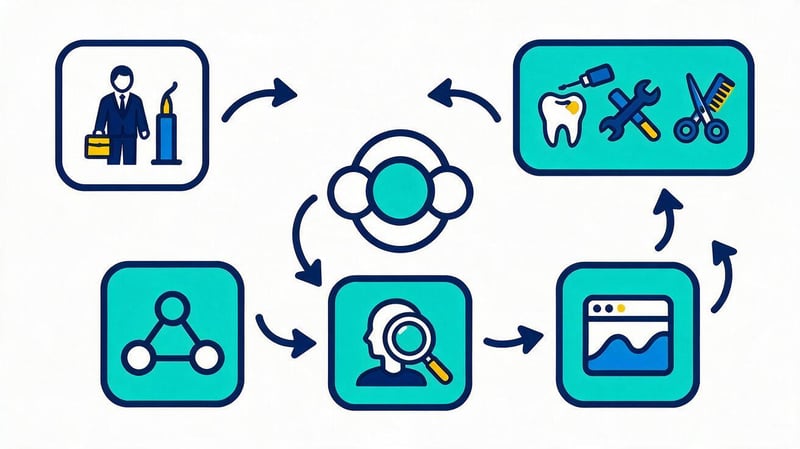
Local keyword research begins with a list of actual services a company offers to clients. Then, for each service, queries are selected that include city names, district names, and other geographic details. Queries without city information, which Google may consider local, are also analyzed separately.
The main mistake when collecting semantic keywords is creating a page for every combination of words. First, you need to determine the search intent, check the results, and determine which queries actually relate to the same service.
How to find local search queries?
To get started, it's enough to create a list of basic services and see how clients describe them. For example, a dentistry practice offers cavity treatment, professional teeth cleaning, implants, and pediatric services. Each specialty can have its own search group.
Then, geographic qualifiers are added to the service names. Options like “refrigerator repair Odesa”, “refrigerator technician in Odesa”, and “refrigerator repair at home” may have similar intent, but the final grouping should be verified using search results.
Google Keyword Planner, Google Search Console, Serpstat, and Ahrefs are used to collect and evaluate queries. It's helpful to consider the following categories when analyzing them:
- Queries with the city: “dentistry Dnipro”, “beauty salon Kyiv”, “air conditioning repair Odesa”.
- Queries with a district: “cafe in Podil”, “veterinary clinic in Obolon”.
- Queries near the user: “pharmacy nearby”, “service station near me”, “coffee shop nearby”.
- Queries with a service and a qualifier: “children's dentist Dnipro”, “iPhone screen replacement Kharkiv”.
- Queries without geography: “call a plumber,” “make an appointment with a dermatologist,” if Google shows local results.
After collecting the data, it's necessary to remove irrelevant queries. For example, someone searching for SEO courses in Odesa is looking for training, not services from a local business promotion agency.
How to group keywords by services and cities?
Clustering queries helps determine how many landing pages a website actually requires. Similar words are usually grouped together if search results show the same type of pages and the user is solving the same problem.
For example, “washing machine repair Kyiv” and “washing machine repair in Kyiv” can link to the same service page. Refrigerator repair requires a separate page, as the equipment, the nature of the work, and customer expectations vary.
Geography also needs to be verified separately. If a company serves several areas under the same conditions, a general page with clear travel information is sufficient. When operating conditions differ significantly, a separate page may be more useful.
How to distribute queries between a website and a Google Business Profile?
The company profile answers questions about location, contact information, schedule, available services, and reputation. The website provides detailed information about each service, including pricing, terms of service, and additional materials.
Semantic distribution should take into account the capabilities of both platforms. Commercial queries are more often addressed through service pages, while geographic information can be additionally present in the profile, contact section, and on the pages of physical branches.
| Query | Main intent | Suitable page |
|---|---|---|
| “dentistry Dnipro” | Choosing a clinic | The clinic's home or local page |
| “caries treatment Dnipro” | Search for a service | Caries treatment page |
| “dentistry in Peremoha” | Search for a company in the area | Real branch page |
| “dentistry nearby” | The nearest clinic | Google Business Profile and website |
| “how is caries treated” | Obtaining information | Blog article |
This structure helps prevent multiple pages on a single website from competing for the same queries. At the same time, the company profile and website support each other, providing users with information of varying levels of detail.
How do I add my business to Google Maps and set up a Google Business Profile?
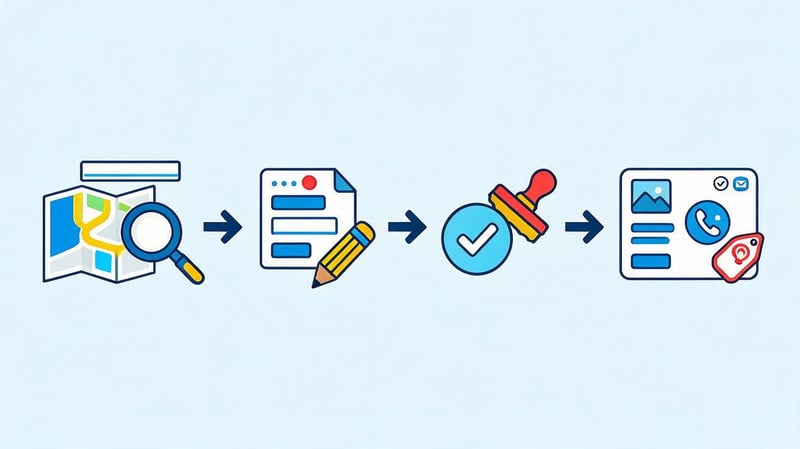
A Google Business Profile is a free business profile whose information can be displayed in Google Search and Google Maps. It allows owners to manage their contacts, business hours, categories, photos, and other business information.
Before creating a profile, you must check whether the business is eligible. According to Google rules, the profile is available to eligible organizations that receive clients in person or travel to their locations to provide services. A completely remote business without in-person interaction with clients usually does not meet these requirements.
How to check if a business profile already exists?
Open Google Maps and enter the business name along with the city or address. Check the search results, as company information may already exist through public sources or user activity.
If the profile exists, you need to verify who has permission to manage it. If the profile isn't yet assigned to an owner, Google prompts you to request management and verify business ownership.
Creating a second listing for the same location is not recommended. Duplicates can confuse customers, split information, and lead to additional checks by Google.
How to create and verify a company profile?
Creation begins with a Google account, which will be used by the owner or an authorized employee. To manage it, you can go to Google Business Profile page, find your organization or start adding a new one.
It's best to immediately assign responsibility to someone with access to business documents and the ability to verify management rights. If necessary, provide the agency with separate access rights, without sharing the main account password.
Creating a profile
First, provide the organization's actual name and select its primary activity category. If the company is called “Alfa Medical Center”, you can't include keywords like “best affordable clinic in Dnipro” in the name.
After selecting a category, Google will prompt you to enter available business information. The order of the screens may vary depending on your business type, country, and previously added information.
Specifying an address or service area
If a company accepts clients at its office, store, or clinic, a valid address must be provided. The location must correspond to a physical location where clients are accepted during the stated hours.
A service area is provided for mobile businesses. For example, a home appliance repair technician can service Kyiv and surrounding areas without having to provide a home address for clients to visit.
A virtual office without permanent staff and real customer service is not suitable for setting up a branch office. If a company operates from home and travels to clients, the address should usually be hidden in the profile.
Verifying management rights
Google independently determines available business verification methods. Depending on the circumstances, the system may offer video recording, video calls, email, phone, or other available options.
During verification, you may be required to show your sign, equipment, work premises, or proof of your business's management. Follow the instructions displayed directly on your profile.
After submitting your materials, you'll need to wait for Google's decision. Retrying your submission should only be done in accordance with Google's instructions, as verification isn't always completed immediately.
How to fill out a business profile correctly?
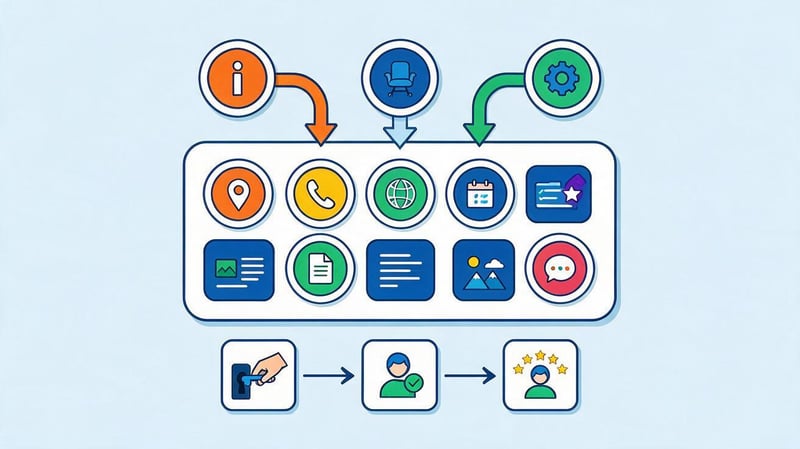
After confirmation, you must check all available profile fields. Even minor inaccuracies can create inconvenience: a client might arrive at the wrong address, call an old number, or select a service the organization no longer provides.
Company profile optimization should be based on real data available to clients and employees. It's best to check each field individually, especially if the organization has recently moved or changed its services.
Name and categories
The name should match the one the company operates under and is known to customers. It should not include unnecessary cities, services, or advertising phrases for the sake of promotion.
The primary category describes the main focus of the business. Additional categories can be used for other relevant areas, if they are listed in Google's available list.
For example, a medical clinic should select categories that match its services, rather than all available medical specialties. Proper classification helps search engines more accurately match companies to queries.
Contacts, website and opening hours
Provide a phone number where employees actually answer calls and a link to a current website. For organizations with multiple locations, it's advisable to use contact information specific to a specific location.
The schedule should be updated whenever there are changes, especially before public holidays. If the clinic closes earlier than usual, the client should be aware of this before traveling.
For clicks to your website, you can use a correctly tagged link with UTM parameters, if this method meets the service's current requirements. This will help you analyze visits related to your company profile separately.
Services, products and description
Add services that customers can actually order. For a car service center, this could include suspension diagnostics, oil changes, brake system repairs, and other readily available services.
The description should explain the company's specialization, service features, and actual advantages. Avoid overloading it with geographic queries or promises that cannot be backed up.
If your profile supports adding products, menus, or special service sections, fill in the appropriate fields. Availability of specific features depends on your business category and region.
Photos, videos, and panoramas
Photos help users evaluate a place before visiting. For a restaurant, photos of the dining room and dishes are helpful; for a clinic, photos of the entrance, offices, and equipment; for a store, photos of the façade and retail space.
Materials must be regularly checked and updated. If the entrance is from the courtyard, it's advisable to display it separately so that people can easily find the right door.
Panoramas on Google Maps can further familiarize visitors with a property. However, creating a panorama is not a requirement for local ranking and does not guarantee a higher ranking.
How do I check if my business is listed on Google Maps?
After confirmation, try searching for the organization by its exact name and address. Check that the location marker matches the actual location, that the phone number is displayed, and that the hours are listed correctly.
Then run several searches by category and main service. If the profile is found by name but doesn't show up among the top results for commercial queries, this doesn't necessarily indicate a configuration error.
Visibility depends on competition, search geography, and other signals. It's advisable to repeat the test from different locations across the city and record the results under identical conditions.
Google Business Profile Checklist:
- The company meets Google's placement requirements.
- There is no duplicate profile for the same location.
- The name matches the real name of the business.
- The main category corresponds to the activity.
- The address or service area is correct.
- A contact telephone number is available to clients.
- The site opens and leads to the appropriate page.
- The work schedule corresponds to the actual schedule.
- Current services and company information have been added.
- Actual photographs of the organization have been uploaded.
- The process for receiving and processing feedback has been configured.
- Responsible employees have correct access rights.
An audit should be conducted after a move, a change in schedule, or an expansion of services. For businesses with multiple locations, it's best to maintain a separate list for each location.
How to optimize a website for local promotion?
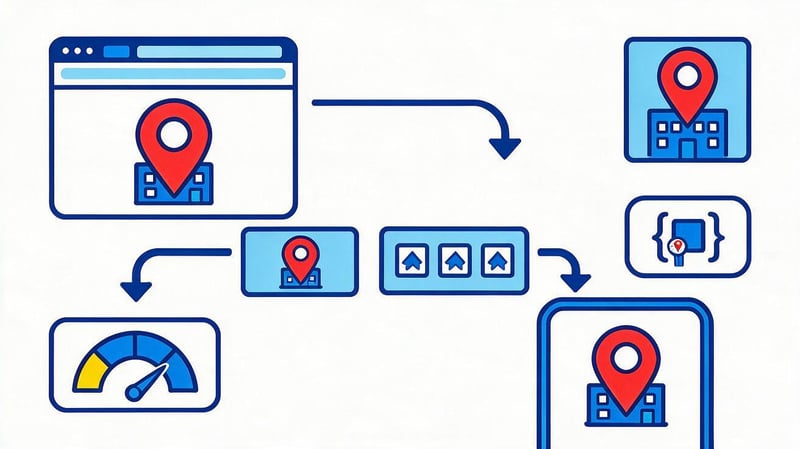
The website helps answer questions for which the business profile isn't sufficient. Users can learn about service costs, view photos of work, verify the specialists' qualifications, and schedule a convenient appointment.
Local website SEO includes page structure, content, meta tags, internal links, technical status, and company information. Special attention is paid to branch pages and geographic queries.
How to set up Title, Description and H1 for a local page?
In the Title, it's advisable to include the main service and the city name if the company actually operates in the stated location. The Description should explain the offer, and the H1 should match the main content of the page and the search query.
For a business operating in a single city, it's sufficient to optimize existing commercial pages based on geographic demand. For example, a dental clinic in Dnipro might use the following meta tags:
| Element | Example |
|---|---|
| Title | Caries treatment in Dnipro – dental clinic |
| Description | Dental caries treatment in Dnipro. Information on treatment methods, costs, doctors, and appointments. |
| H1 | Caries treatment in Dnipro |
| URL | /ru/services/lechenie-kariesa/ |
If a company has multiple branches in different cities, its SEO structure will differ. For example, a chain of clinics might see patients in Kyiv, Dnipro, and Odesa. In this case, it would be appropriate to create separate pages for the actual branches so that users can find the address, contact information, opening hours, and available services in their city.
For each such page, prepare your own Title, Description, and H1:
| City | Title | H1 |
|---|---|---|
| Kyiv | Medical clinic in Kyiv – name of the network | Medical clinic in Kyiv |
| Dnipro | Medical clinic in Dnipro – name of the network | Medical clinic in Dnipro |
| Odesa | Medical clinic in Odesa – name of the network | Medical clinic in Odesa |
The city name in the meta tags must correspond to the actual location of the branch. Each page must include individual information: address, phone number, opening hours, available services, photos, and visiting instructions.
This approach is applicable to any business with multiple locations. An online store with physical stores can create pages for its retail outlets, a car repair shop can create pages for its service stations, and a restaurant chain can create pages for its restaurants.
It's not necessary to create separate URLs for each service for every city. If a service is available across the entire network under the same conditions, a common page listing branches can be used. If prices, specialists, equipment, or service conditions vary, separate city pages for services may be appropriate.
It's helpful to place the city name naturally, without repeating it in every heading and paragraph. The main text should confirm the service's connection to the specific area and help visitors select the appropriate branch.
When are separate pages for cities and districts needed?
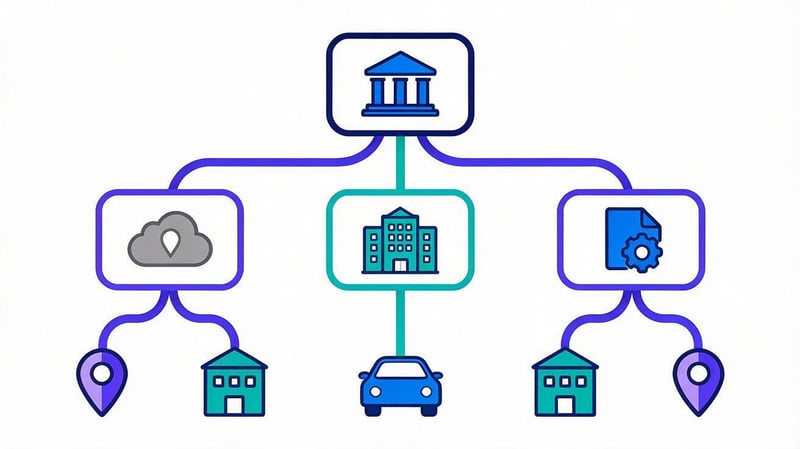
Separate local pages are especially relevant for companies with multiple operating branches. Each branch serves a specific area, so it's important for users to have information about the nearest branch, its services, and operating conditions.
For example, a chain of auto repair shops with branches in Kyiv, Odesa, and Kharkiv could create a separate page for each city. If there are several service stations in a city, additional pages for individual branches with their addresses and contact information could be created.
The site structure in this case may look like this:
| Page | URL example | Purpose |
|---|---|---|
| All branches | /ru/branches/ | General list of branches |
| Kyiv branches | /ru/branches/kyiv/ | Addresses and services in Kyiv |
| Odesa branches | /ru/branches/odesa/ | Addresses and services in Odesa |
| Kharkiv branches | /ru/branches/kharkiv/ | Addresses and services in Kharkiv |
| Specific branch | /ru/branches/kyiv/obolon/ | Contacts and information about the branch |
City pages aren't always necessary. If each city has a single branch, you can directly link users to the corresponding branch page without any additional navigation.
Local pages should feature factual information that differentiates branches: addresses, contact information, services, prices, schedules, photos, directions, and service features. A separate Google Business Profile can also be created for each physical location that meets Google's requirements.
When are separate pages not needed?
If a company provides services in several cities without physical branches, the solution depends on the service format. For example, an equipment repair company might travel to clients in neighboring towns from a single office.
In this case, separate pages can be useful if there are real differences in cost, turnaround time, service offerings, or terms and conditions. If there are no such differences, describing the service area on the general service page is sufficient.
Don't create dozens of identical landing pages, changing only the city names. Each indexed page should have independent value and answer the questions of customers in a specific region.
For a network with real branches, it's also necessary to set up internal linking between the company's main page, city pages, branches, and services. Each independent local page must have a correct canonical, and language versions must be linked using the appropriate hreflang.
The main criterion: a separate page is needed when it helps the user find a specific branch or obtain important information about the terms of service in the selected city.
Real branch page
For each existing branch, it's helpful to create a dedicated page with the exact address, contact information, hours, and list of services. If the branch employs specific specialists, they should also be featured.
You can also post photos of the premises, directions, and a booking form. The information must match the information in the branch's Google Business Profile.
On-site service page
For on-site services, it's most important to explain the service area and terms of service. For example, a technician may travel throughout the city but charge an additional fee for trips outside of a designated area.
The page should indicate the districts, arrival times, the list of work performed, and how to place a request. Creating fictitious addresses to confirm presence in each district is prohibited.
When is one block on an existing page enough?
If a company offers similar services in neighboring areas and doesn't have separate terms and conditions, a general section on geographic coverage is sometimes sufficient. This section can list the available areas and specify the specifics of the service.
This option is especially suitable for small companies that don't have anything to add to a separate, full-fledged page. Users get the information they need without having to navigate through multiple identical URLs.
| Situation | Solution | Reason |
|---|---|---|
| Two operating branches | Individual pages | Different addresses and conditions |
| City-wide on-site service | General service page | Single service area |
| Prices vary by region | Possibly individual pages | Commercial terms differ |
| One service in several areas | Geography block | No unique content |
| A branch with its own product range | Separate page | The user is searching for a specific branch |
Decisions shouldn't be based solely on keyword frequency. It's important to consider the commercial intent, the company's actual capabilities, and the amount of useful information on each page.
Lead SEO specialist — Gennady
In local SEO, I always separate two issues: where the company actually serves its clients and which cities people search for its services. These aren't always the same thing. If a business operates in five cities, it doesn't necessarily need to create five identical pages.
First, I check local demand and actual service differences: addresses, call-out times, prices, service availability, and delivery terms. Only then do I determine whether a separate page is needed or whether a section on an existing one is sufficient.
This approach helps avoid pages created solely for search queries and makes the information useful to the client.
How to avoid duplicates and doorway pages?
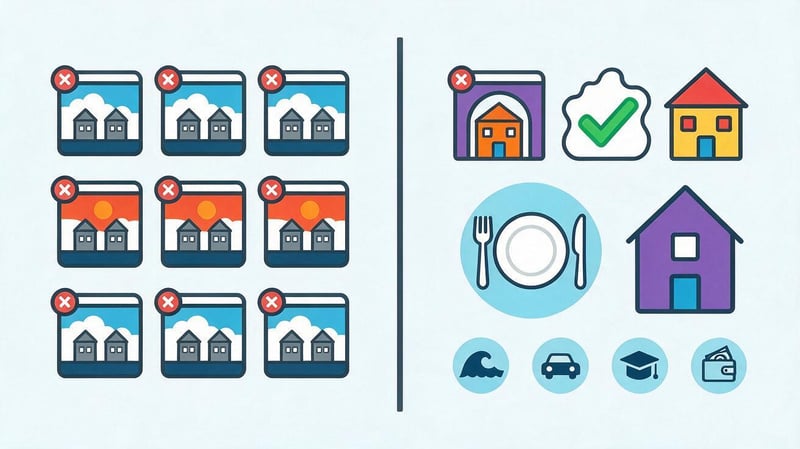
Doorway pages are created primarily to cover similar search queries and often lead users to the same offer without any independent value. In local SEO, the risk arises when publishing pages en masse where only the name of the city has been changed.
For example, ten identical texts for “washing machine repair in the city” don't explain the terms and conditions for each region. The user doesn't know the service cost, arrival time, or actual service area.
A good local page answers practical questions: what services are available, how much they cost, how quickly a technician will arrive, and what restrictions apply. If the answers are the same for all cities, it's worth reconsidering the need for separate URLs.
What technical settings are important for local SEO?
Technical errors can prevent even well-prepared content from being indexed. Therefore, before expanding the structure, it's important to check how the site opens on mobile devices, which URLs are accessible to search robots, and whether internal links are working properly.
Multilingual websites, pages with parameters, and sections that use multiple templates require special attention. Technical testing should cover actual service and branch pages, not just the homepage.
Mobile version and speed
A significant portion of local searches are conducted on smartphones, especially when people are away from home. Users should be able to easily press the call button, look up an address, get directions, or submit a request.
On the mobile version, check the readability of the text, the functionality of the menu, the speed of the main content, and the usability of the forms. Buttons should not obscure the map, and important contact information should be placed in an accessible area of the page.
Indexing and canonical addresses
Local pages must return a valid HTTP response and be indexable if they are intended for organic search. Meta robots, robots.txt, canonical, sitemap, and internal linking are checked.
Pay particular attention to duplicate URLs with parameters, different slash variations, and multiple URLs for the same page. Incorrect redirects and canonical links can lead to the page being excluded from search results.
LocalBusiness microdata
For a real local business's website, you can use Schema.org structured data with the appropriate LocalBusiness type. For a dental practice, restaurant, or other business, it's best to choose the most specific, acceptable subtype.
JSON-LD specifies reliable information: name, address, phone number, URL, business hours, and other applicable properties. The markup data must match the information the visitor sees on the page.
Before publishing, the code is checked through Rich Results Test. Fictitious reviews, ratings, and addresses cannot be added, and the mere presence of markup does not guarantee enhanced search results.
Multilingualism
For companies in Ukraine, the correct functioning of both the Ukrainian and Russian versions of their website is especially important. Each language page must have its own titles, meta tags, content, and URL corresponding to the selected language.
Hreflang helps Google identify language alternatives, and canonical URLs should point to the appropriate primary URL for the relevant page. Avoid pointing both language versions to the same page simply because the service is the same.
How to organize internal linking?
The internal link structure should help users navigate between related services and branches. For example, a dental clinic page can link to information on caries treatment, pediatric dentistry, pricing, and branch contact information.
On a service page, it's helpful to include links to actual branches where the service is provided. The branch page should highlight available treatment options and provide links to the relevant sections of the website.
Avoid placing hundreds of links with city names in your footer, especially if some pages exist solely for search queries. Interlinking should reflect the actual structure of your business.
How to get reviews and manage your reputation on Google Maps?
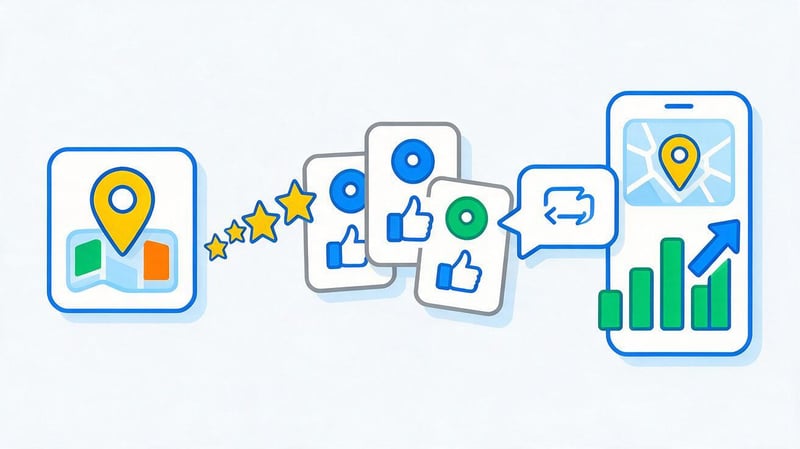
Reviews help potential customers evaluate the quality of service before contacting a company. Users often review recent comments, pay attention to the owner's responses, and compare ratings from several nearby businesses.
Google considers reviews and positive ratings as signals of business prominence. However, artificially inflating the number of ratings violates the platform's policies and may result in content removal or profile restrictions.
How to ask customers to leave real reviews?
It's best to contact the client after the service is complete, when they've already formed their own impressions. The company can send a link to their profile or offer a QR code that opens a form for submitting a review.
The request must remain neutral. Don't promise a discount for five stars, offer a reward for deleting a negative comment, or ask employees to publish fictitious stories.
To continuously collect feedback, it's helpful to assign a responsible employee and determine a convenient time to reach out to the client. The company should consider both positive and critical feedback.
How to respond to positive and negative reviews?
Responses demonstrate how a business communicates with visitors and responds to comments. The text should be tailored to the specific situation, without using the same templates for every comment.
Example of a response to a positive review:
“Thank you for telling us about your visit to our clinic. We're glad your appointment was convenient and the doctor explained the treatment plan in detail. We'll pass on your thanks to the specialist.”
Example of a response to a negative review:
“Thank you for letting us know about the delay. We're sorry you had to wait longer than your scheduled appointment. Please contact the administrator so we can verify the circumstances and discuss a solution.”
In medical and other sensitive matters, it's not acceptable to disclose a client's personal information in a public response. If the question requires verification of documents or records, it's best to continue the discussion through an official contact channel.
How to track reputation changes?
For evaluation, it's helpful to consider the dynamics of the number of reviews, the average rating, and the content of new comments. If visitors regularly complain about difficult booking, insufficient parking, or disrupted schedules, the problem may lie in how service is organized.
Response speed and repetition of similar comments are also worth monitoring. Correcting the real problem is often more beneficial than trying to increase the number of positive ratings.
It's a good idea to incorporate review checking into your regular workflow. Data should be analyzed separately for multiple branches, as service quality may vary across different locations.
How to use directories, local links and regional media?

Company information can appear on industry portals, local directories, regional media, and partner websites. Such publications help users learn about the business and find it beyond its own website.
When choosing a platform, it's important to evaluate its relevance to the topic, region, and audience. Mass submission of a site to random directories is no substitute for quality reputation and link building.
What is NAP and why is data consistency needed?
NAP stands for Name, Address, Phone—the company's name, address, and phone number. This information appears on a business's website, in its Google profile, and on third-party sites.
If one directory lists an old address and another lists a new one, a visitor may end up at the wrong address. Therefore, when moving or changing your phone number, it's important to update the primary sources through which customers find your business.
Data consistency is especially important for network organizations. Each branch must have its own correct contact information, and location information must be consistent with the information on the official website.
Where to post information about a local business?
Start with platforms that your potential customers actually use. For a restaurant, this could be restaurant directories and city directories; for a medical center, specialized medical resources; for a car service, automotive marketplaces.
Before adding a company, check the website's quality, the relevance of its sections, and the presence of similar organizations. It's important to understand whether the publication can generate real clicks or inquiries.
Regional communities and thematic platforms can also be useful if they allow the publication of company information. However, advertising messages must comply with community guidelines and the interests of the audience.
How to get local links?
Local link building often begins with simple business connections. A company might participate in a local event, prepare an expert commentary for a regional publication, or promote a joint project with partners.
For example, a medical center might provide a physician commentary to a local media outlet if the editorial team is preparing a story on disease prevention. Such a publication should contain expert information, and attribution to the company may be used where appropriate.
Donor quality is more important than link quantity. When choosing, consider the topic, regional traffic, site reputation, audience size, and link placement method.
How to set up advertising on Google Maps?
Google Maps advertising is launched through Google Ads and can complement a company's organic promotion. Users see ads in predefined formats when searching for businesses or interacting with the map.
Paid impressions should be separated from local SEO. Google doesn't sell organic ranking boosts, so an advertising budget doesn't guarantee promotion to the top spot among organic results.
What advertising formats are available on Google Maps?
Google supports several advertising options, including promoted placemarks and ads in Maps search results. Available formats depend on the campaign type, region, settings, and compliance with advertising requirements.
Ads can display location information, contact information, and directions. Specific formats appear when searching for businesses, viewing a map, or interacting with business profiles.
However, you can't set up ads exclusively for Google Maps. Suitable Google Ads campaigns can also be shown on other platforms supported by your advertising system settings.
How to link Google Business Profile to Google Ads?
First, ensure your company profile is managed by an authorized employee and contains up-to-date information. Then, open Google Ads and configure the profile connection using the available address resources.
The work order usually includes the following steps:
- Open the desired Google Ads account and check user rights.
- Find a section of resources related to organization addresses.
- Select the Google Business Profile connection method and the desired locations.
- Confirm the link between accounts if the system requests permission.
- Check the advertising campaign, display area, and available company information.
After setting up, you need to check the resource status and compliance with advertising rules. Connecting an address alone does not guarantee that a specific ad will be shown to every Google Maps user.
How to evaluate advertising results?
Campaigns should be evaluated based on commercial metrics, not just the number of ad views. For local businesses, it's useful to analyze calls, website clicks, inquiries, cost per conversion, and confirmed sales.
When comparing with organic promotion, it's important to consider advertising costs. A company may receive more inquiries during an active campaign, but to assess profitability, it's important to know how much it cost to acquire a customer.
Information on available advertising formats and requirements can be found at Google Ads Help.
How to measure local SEO effectiveness?

A company's position on Google Maps is useful for diagnostics, but by itself doesn't indicate commercial results. For a complete assessment, you need to understand how many users found the business, what actions they took, and how many of those interactions resulted in sales.
It's advisable to set up analytics before major changes. Then you can compare the business's performance before and after optimization, taking into account seasonality, advertising, and changes in demand.
What metrics to track?
Key KPIs depend on the type of business. For a restaurant, route planning and reservations may be especially important, while for an on-site equipment repair service, calls and website inquiries may be crucial.
When conducting regular checks, the following indicators should be taken into account:
- Local visibility. Which queries cause a company to appear in Google Maps results and how its ranking changes.
- Organic traffic. How many visitors come to service and branch pages from search results.
- Profile actions. How users interact with contacts, the website, and the route.
- Conversions. How many visitors submit inquiries, sign up, or make purchases.
- Reputation. How the number of reviews, average rating, and feedback content change.
- Commercial results. How many inquiries become actual customers and how much revenue they generate.
These data need to be analyzed together. For example, increasing the number of direction requests may be a positive result for a store, but much less so for a company with on-site service.
What tools to use?
Google Search Console helps track organic searches, impressions, clicks, and website landing pages. Google Analytics 4 is used to analyze visitor behavior, traffic sources, and configured conversion events.
Google Business Profile metrics allow you to explore available data on searches, profile views, and user actions. The set of metrics depends on the type of business and the service's capabilities.
To monitor geographic visibility, local position tracking tools are used, which check search results from different locations across the city. Additionally, it's worth using a CRM to link inquiries to actual transactions.
How do you know if local promotion is bringing in customers?
Let's assume that after optimization, a company appears more frequently for targeted queries, and the number of clicks to its service pages increases. These changes indicate improved visibility, but they don't necessarily translate into increased sales.
The next step is to evaluate the number of inquiries and their quality. If visitors fill out forms, call the numbers provided, and schedule services, you can assess the contribution of these channels to customer acquisition.
| KPI | Source | Frequency of verification |
|---|---|---|
| Organic clicks | Google Search Console | Weekly |
| Visits to service pages | Google Analytics 4 | Weekly |
| Local positions | Monitoring service | Weekly |
| Profile actions | Google Business Profile | Monthly |
| Inquiries and bookings | CRM, website analytics | Weekly |
| Reviews and ratings | Google Business Profile | Weekly |
| Sales and revenue | CRM, accounting system | Monthly |
For a fair comparison, consider similar periods and seasonal fluctuations in demand. If a company simultaneously launched an advertising campaign, its contribution should be analyzed separately from organic promotion.
What errors hinder promotion on Google Maps?

Local SEO issues are often related to incomplete company information, outdated contact information, and an incorrect website structure. Some errors primarily impact user experience, while others pose a risk of profile restrictions or hinder page indexing.
Attempts to artificially inflate the number of branches, reviews, and regional pages are particularly dangerous. Such actions may create the short-term appearance of activity, but do not provide visitors with reliable information about the business.
| Error | Possible consequences | Solution |
|---|---|---|
| Unverified profile | Limited control and visibility | Complete the available Google verification |
| Incorrect category | Poor match to queries | Specify the business specialization |
| Fictitious address | Risk of profile limitation | Use real data |
| Outdated phone | Lost inquiries | Update contacts |
| Incorrect schedule | Unsuccessful visits and complaints | Check the schedule regularly |
| Purchased reviews | Review removal and penalties | Work with real clients |
| Identical city pages | Low-value content and duplicates | Review the structure |
| Inconvenient mobile version | Loss of potential inquiries | Fix the interface |
| Erroneous canonical | Excluding a desired page from search | Check canonical URLs |
| Lack of analytics | It is impossible to evaluate the result | Set up goals and reports |
When problems are discovered, the first step is to fix the errors that prevent users from contacting the company. Then, they move on to improving the website structure, optimizing content, and developing the external presence.
A step-by-step local SEO plan for the first 30 days
It's helpful to divide the first month into four stages to consistently prepare your profile, website, and analytics. This order helps avoid situations where a company starts buying ads or links even though their profile contains the wrong phone number.
This plan is suitable for initial work organization. Google Business Profile verification, page development, and technical fixes may take longer depending on the project's status.
Week 1: audit and preparation
First, you need to check your existing profile, physical addresses, and contact information. Then, research your competitors, identify your core services, and collect local search queries.
Based on the audit results, a list of errors affecting inquiries and indexing is compiled. Initial visibility metrics and the number of inquiries are recorded separately for future comparison.
Week 2: setting up Google Business Profile
In the second stage, they create or take control of an existing company profile. If necessary, they undergo verification and verify compliance with Google requirements.
After obtaining the necessary permissions, they fill in categories, contacts, services, schedule, and other available information. They then add real photos and check that the company information is displayed correctly to users.
Week 3: website optimization
The third week is dedicated to service pages, meta tags, and the technical condition of the site. They check the mobile version, indexability, internal links, and content compliance with search queries.
If a business has physical branches, they prepare or update corresponding pages. For mobile services, they detail the areas of operation and terms of service, avoiding creating unnecessary regional copies.
Week 4: reviews, mentions, and analytics
The final stage involves collecting customer feedback and checking important external directories. If necessary, outdated addresses and phone numbers on third-party sites are corrected.
Then, the analytics are verified for accuracy, a report is compiled, and tasks for the next month are determined. A significant portion of the basic adjustments can be completed within 30 days, but sustainable changes in local visibility are assessed over a longer period.
How long does local SEO take?
Initial profile setup and basic information corrections can often be completed within a few weeks. However, company verification and technical changes may require additional time.
Further results depend on competition, the site's condition, demand, and the quality of the work performed. Therefore, it's best to estimate the timeframe after the audit and gradually refine it based on actual data.
Local SEO starts with accurate company information and a thorough understanding of the geography of its operations. A well-completed Google Business Profile, useful service pages, genuine reviews, and proper technical settings help customers find and engage with your business.
If your company requires systematic local SEO, Seo-Gen specialists will conduct a website and Google Business Profile audit and develop a strategy and optimization plan. Review our SEO services and terms of service to determine the appropriate scope of work for your business.


