ASO (App Store Optimization): what is it and how does it work?


ASO (App Store Optimization) is the optimization of mobile apps to increase their visibility in the App Store and Google Play. It helps users find apps using relevant search queries and increases the likelihood of installing them after viewing the app's product page.
ASO includes keyword selection, metadata management, page design, competitor analysis, localization, and testing of changes. Results are assessed by tracking positions, impressions, views, and organic installs.
Let's explore how app store algorithms work, how optimization differs for iOS and Android, where to start with promotion, and what metrics help evaluate results.
What is ASO and why is it needed?
ASO is a set of tasks around a mobile app's store listing aimed at making it more discoverable for the target audience. Users enter a search query into the store search, see relevant results, compare offers, and select the app that best suits their needs.
For example, a person searches for an expense tracking app. The results may include dozens of financial services with similar features. Their rankings depend on various signals, and the user decides whether to install them based on the app's name, icon, screenshots, ratings, and description.
Mobile app ASO encompasses both stages: ensuring the product appears in relevant search results and making it appealing to users. Even a well-designed app can receive few organic installs if its product card poorly reflects its capabilities.
What tasks does ASO solve in mobile marketing?
The main goal of ASO is to help an app get more relevant impressions and installs through stores. To do this, specialists study search demand, assess competition, and determine which app store elements require changes.
Work is being carried out in several directions:
- Search visibility. Increasing the number of queries for which the application appears in App Store or Google Play search results.
- Keyword positions. Improving the app's presence for queries that match its actual functionality.
- Organic installations. Attracting users through search and other free sources within stores.
- Conversion to installation. Improving the listing so that more interested users proceed to download.
- Entering new markets. Adaptation of metadata and visual materials to languages, countries, and local demand.
In mobile marketing, ASO helps target users who are already interested in a specific feature. For example, a search query like “document scanner” typically indicates a specific need, so matching an app to a user's expectations is especially important.
However, increased rankings do not guarantee increased installs. If the keyword is incorrectly targeted or the card design is untrustworthy, additional impressions may not yield significant results.
Who needs ASO optimization and when?
It's worth planning your app's ASO before publishing. During the pre-production stage, you can research demand, choose a name, write a description, and determine which benefits should be highlighted in the initial screenshots.
For an existing product, optimization is especially important when the app receives almost no search installs, is losing rankings, or is showing low conversion rates. Another reason to review the product profile is the launch of new features that change the product's capabilities.
ASO is used by developers of mobile games, financial services, online stores, educational platforms, health apps, and other digital products. The approach depends on audience behavior and how users formulate their needs.
For a new app, the initial goal may be to gain visibility for specific, thematic queries. For an established brand, it's more common to need to find additional demand categories, improve conversion, and develop localized versions of the app's profile.
Answers to your questions
What is ASO in simple terms?
ASO is app optimization for search and user acquisition in the App Store and Google Play. Specialists select keywords, adjust metadata, and improve the app's icon and screenshots to ensure your app appears more frequently for relevant search queries.
ASO is a consistent approach to search visibility and conversion rates. For example, if a user is searching for a document scanning app, optimization helps the appropriate product appear in search results and explain its features.
ASO can be performed both before and after the initial publication. However, it's important to regularly evaluate rankings, views, and installs, as competition and user demand change.
What is the difference between ASO and SEO?
ASO is aimed at promoting mobile apps within the App Store and Google Play, while SEO is aimed at increasing website visibility in search engines. Both approaches utilize keyword research, competitor analysis, and search demand assessment.
The main difference lies in the available optimization elements. For a website, a specialist works with content, structure, links, and technical indexing, while for an app, they focus on store card metadata, graphics, ratings, and other store factors.
ASO and SEO can be used simultaneously. For example, an app website can attract users from Google and direct them to the install page in the relevant app store.
Is it possible to perform ASO of an app on your own?
An app owner can perform basic ASO optimization on their own if they have access to the developer's dashboard and understand the product's features. A good place to start is by studying search results and competitors' profiles.
Next, you need to collect suitable queries, check store restrictions, and prepare the title, description, and screenshots. After publishing the changes, you should monitor the available metrics in App Store Connect or Google Play Console.
For in-depth semantic analysis, multi-country support, and regular testing, additional tools may be required. The complexity depends on the competition, the number of localizations, and the app's scale.
How to check your app's ASO?
To check ASO, you need to examine metadata, search rankings, product page design, and available install statistics. A good place to start is with the product name and description: they should match the product's features and store restrictions.
Next, you need to determine which queries the app already appears for in search results and how relevant these queries are. Specialized ASO services are often used for detailed position monitoring.
It's also important to check card views and install conversion rates. If rankings are good but installs are low, consider checking how well the app matches search intent and visual design.
What is the difference between ASO for Android and ASO for iOS?
ASO for Android and iOS differs in the available text fields and their use in search. The App Store offers a Title, Subtitle, and a dedicated Keywords field.
Google Play doesn't have a separate keyword field. Search engine optimization is performed through the title, short description, and full description, adhering to length restrictions and text quality requirements.
Testing tools and analytical data also vary. Therefore, it's advisable to prepare separate metadata sets for the same app on each platform and independently evaluate the results on each platform.
What's more important for ASO: keywords or screenshots?
Keywords and screenshots serve different purposes. Semantics help the app appear for relevant search queries, while visuals explain the product's features and influence the install decision.
If your app is barely visible in search results, it's important to check its title, metadata, and keyword relevance. If visibility is already there but conversion remains weak, more attention should be paid to the icon, images, and card content.
Priority depends on data. Without analyzing impressions, views, and installs, it's impossible to reliably determine which element requires change first.
Is it possible to promote mobile games using ASO?
ASO is applied to mobile games on the App Store and Google Play using the same basic principles as other apps. However, search queries and visual design must be tailored to the specific needs of the gaming audience.
It's helpful to consider the game's genre, core mechanics, graphics style, and user preferences. Screenshots and videos should ideally show actual gameplay so users understand what to expect after installation.
If a game is released in multiple countries, the title, descriptions, and graphic captions will need to be localized. Results should be verified by search rankings, card views, and installs.
Do I need to update ASO after publishing my app?
ASO needs to be regularly reviewed as the app evolves, competitors update their product pages, and user search queries change. Initial metadata setup does not guarantee long-term rankings.
After publishing, it's helpful to monitor visibility, rankings, conversions, and performance for specific queries. If new features have been added, consider them when preparing the description and visuals.
The frequency of changes depends on the data collected. If the indicators are stable, there's no need to constantly change the card, but regular monitoring helps identify problems and new growth opportunities early.
How does ASO work in the App Store and Google Play?

The user opens the app store and enters a search query. The store generates results based on app relevance and other ranking signals, after which the user selects the appropriate product.
ASO influences various stages of this process. Text optimization helps explain to algorithms which queries the app is suitable for. Visual elements and on-page information help users evaluate the product's features before installing it.
In simplified terms, the process looks like this:
Search → Show app → View card → Install → Use app
Each stage presents its own limitations. An app may fail to appear for the desired search query, receive impressions without conversions, or attract users who don't complete the installation.
Therefore, ASO results are assessed using several metrics. If you only track rankings, it's easy to miss issues that arise after an app appears in search results.
How are apps indexed and ranked?
Indexing means that the store takes into account available information about the app and can display it for relevant queries. Metadata, categories, and other product information are used to determine relevance.
In the App Store, the title, subtitle, and dedicated keyword field are of particular importance. On Google Play, search engine optimization focuses on the title, short description, and full description, as there is no dedicated Keywords field.
Additional signals related to product quality and demand may be considered during ranking. Apple and Google do not disclose the exact weighting of these factors, so claims about the guaranteed influence of a particular metric should be taken with caution.
For example, frequent repetition of a keyword in the Google Play description doesn't guarantee a high ranking. The algorithm needs to determine the app's relevance to the search query, and the user needs to understand why they should install the suggested product.
In ASO search research, specialists analyze queries, competition, and actual ranking changes. This approach helps validate working hypotheses using data, rather than trying to guess at the algorithm's design.
What is ASO traffic and where does it come from?
ASO traffic refers to visits and installs an app receives due to its presence and listing design in stores. This term most often refers to organic traffic from App Store and Google Play search.
However, the user can discover the application in several ways:
- Search within the store. A person enters a name, category, or specific task and selects an application from the results.
- Recommendations and selections. The user notices the app in a thematic section, recommendations, or editorial selection.
- Follow an external link. The visitor lands on the card from a search engine, article, developer's website, or other source.
- Paid promotion. The user comes from an advertisement placed in the store or outside of it.
Sources must be separated during analysis. For example, an increase in overall organic traffic may be due to an app being featured in a major collection, even though its search rankings remain unchanged.
If you need to determine exactly what ASO traffic was generated by search engine optimization, you should separately study the Search source and installation dynamics using the platform's available data.
How does ASO affect conversion to installs?
Conversion shows what percentage of users completed the desired action after interacting with the app. Card analysis typically compares installs with corresponding views or impressions, taking into account the specific platform's methodology.
Let's assume a task planning app receives 10,000 impressions, 1,000 card views, and 250 installs. The conversion rate from card views to installs in this hypothetical example is 25%.
Now let's imagine that after changing the metadata, impressions increased, but the number of installs remained almost unchanged. This could be due to less relevant search queries or poor card design.
In this case, it's important to check whether the app meets audience expectations. If the queries are relevant, it's worth examining the icon, initial screenshots, feature descriptions, and user reviews.
Lead SEO specialist — Gennady
When I analyze ASO results, I look beyond just app rankings. A high search ranking alone doesn't necessarily mean successful promotion. It's important to understand the search queries that lead to app discovery, how many users click through to its profile, and what percentage of those users ultimately install the app.
If impressions are increasing but installs remain the same, I first check the relevance of search queries and card conversions. This helps determine whether I need to change the semantics or focus on visual optimization.
How is ASO different from SEO and paid app advertising?

ASO and SEO use similar principles for managing search demand. In both cases, specialists analyze queries, study competitors, optimize product information, and monitor visibility in search results.
The difference is primarily related to the platform. SEO focuses on website promotion in search engines, while ASO focuses on mobile app store listings and the internal mechanisms of the App Store and Google Play.
Paid advertising serves a separate purpose: attracting users through ad placements. It can work in conjunction with ASO, especially when an app is launched or entering a new country.
ASO and SEO: Similarities and Differences
Search engine optimization for websites and apps shares a common foundation: understanding audience needs and delivering a tailored result. However, the available elements and ranking rules vary significantly.
For a website, a specialist can work with page structure, internal links, technical indexing, and a large amount of content. The application card has a limited set of fields, so each requires more precise use.
| Criterion | SEO | ASO |
|---|---|---|
| Platform | Google and other search engines | App Store and Google Play |
| Optimization object | Website and individual pages | Mobile application and its card |
| Keywords | Content, headings, meta tags | Title, descriptions, special fields |
| Visual elements | Images, website interface | Icon, screenshots, video |
| Technical part | Indexing, canonical, speed, URL structure | Publishing settings and store metadata |
| Main conversion | Inquiry, purchase, registration | Installing the application |
| Analytics | Search Console, GA4, and other services | App Store Connect, Google Play Console, ASO services |
App Indexing deserves special attention – a mechanism through which the content of supported applications can be linked to Google search and opened via relevant links.
This mechanism is related to SEO and technical integration of the app, but it solves a different problem. Optimizing the store page requires its own research into queries, metadata, and install metrics.
How does ASO interact with paid mobile marketing?
ASO marketing is often used in conjunction with advertising campaigns. An app can receive installs from Apple Ads, Google Ads, and other sources, and its card remains an important part of the user's download journey.
Let's say an ad has led an interested user to the app page. If the first screenshots don't show the promised feature, the user may close the page, even if the ad has caught their attention.
Therefore, before launching an ad, it's helpful to check the visual design and how the description matches the app's actual features. This is especially important for products where users compare several similar offers.
ASO mobile marketing also analyzes the intersection of paid and organic demand. Increased awareness following an advertising campaign can increase the number of branded search queries, but this effect must be confirmed by analytics.
For accurate evaluation, paid installs, organic search, and other sources should be considered separately. Mixing channels makes it difficult to understand which changes actually improved the app's performance.
What elements does ASO optimization consist of?

Working on an app card involves several interconnected areas. Some elements help the store define the product's theme, while others influence how users perceive the card.
In practice, specialists separate text and visual optimization, and also work separately on reviews, ratings, and localization. After publishing changes, the results are verified based on search rankings, views, and installs.
Priority depends on the current state of the product. If the app is rarely shown for relevant queries, it's worth examining the semantics first. If there are already impressions but few installs, it's necessary to check the card's conversion rate.
Text ASO optimization
Text optimization begins with studying the queries users enter into the store's search engine. A specialist determines which words describe the app's key features and what wording potential users use.
Next, the app's metadata is prepared. The set of fields differs for the App Store and Google Play, so the same text strategy isn't always suitable for both platforms.
The name should help users recognize the product and understand its purpose. Descriptions should explain features, limitations, and benefits, and keywords should be assigned based on the specific store's requirements.
When choosing wording, it's important to maintain natural language. Text consisting of repeated search phrases is less user-friendly and may violate publication guidelines.
Keyword selection and competitor research
Building a semantic core begins with defining the app's functions and audience goals. For a language learning service, suitable queries might include “learn English”, “English vocabulary”, “grammar exercises”, and other similar phrases.
Then, they analyze competitors who are already appearing for these queries. They examine their titles, descriptions, categories, visual design, and rankings to understand what audience needs they meet.
When evaluating queries, several characteristics are taken into account:
- Relevance. How closely the query matches the application's functions and user expectations.
- Popularity. How often do users search for a similar feature in the selected store and region?
- Competition. How difficult is it to gain visibility among existing apps?
- Search intent. What specific task does the user expect to solve after installation?
The collected words are grouped by meaning and priority. For a new product, it makes sense to consider narrow queries where competition may be lower but the user's need is clearly expressed.
ASO competitive research needs to be repeated as the product evolves. Competitors update their metadata, new apps appear, and audience search preferences gradually change.
Optimizing the title, subtitle, and description
The app name should be short, recognizable, and understandable to the target audience. If the brand is little known, it's acceptable to add a feature clarification as long as it complies with the store's guidelines and fits within the established limit.
An app's subtitle in the App Store helps convey the product's main purpose. On Google Play, a similar task is served by the short description that the user sees in the app card.
It's best to base a full description around the app's actual capabilities. First, state the primary benefit, then explain the key features, terms of use, and any other useful information that might help you make a choice.
For example, for an expense tracking app, it's more useful to talk about spending categories, budgets, and reports than to repeat the phrase “best finance app” several times.
In ASO optimization, it's important to consider the placement of each field within the platform's search engine. Keywords added to the App Store description should not be considered an equivalent replacement for the dedicated Keywords field.
Visual ASO optimization
Visual optimization is responsible for how an app appears in search results and on its own page. Users often evaluate a product before reading the detailed description.
The first impression is formed by the icon, name, rating, and available graphics. After clicking on the card, users examine screenshots, pay attention to the interface, and compare the stated features with their expectations.
Good design helps users quickly understand the app's purpose. However, visual promises must match the actual functionality; otherwise, installs can be followed by disappointment and negative reviews.
Icon, screenshots, and video
An app icon should remain recognizable at a small size. Excessively small details, long text, and complex images can be difficult to read in search results.
It's best to build screenshots around specific user tasks. For a grocery delivery app, you could show product search, order placement, delivery time selection, and status tracking.
When preparing graphic materials, it is useful to follow several rules:
- In the first screenshots, show the features that are most important to the target audience.
- Use short, clear captions that match the screen content.
- Show the actual interface of the application without creating false expectations.
- Adapt images and captions to the language of the selected country.
- Test the perception of graphics on real mobile devices.
Video can help apps with complex interfaces or strong visual components. For mobile games, it's especially helpful to show actual gameplay rather than relying on promotional illustrations.
After preparing design options, it's a good idea to conduct A/B testing. This helps gauge user reaction and avoid choosing graphics solely based on the team's personal preferences.
User ratings and reviews
An app's rating influences first impressions and helps users evaluate other people's experiences. If several products offer similar features, reviews can be a valuable tool in making a choice.
When reviewing reviews, it's important to analyze recurring comments. Complaints about registration, unstable operation, payments, or the lack of advertised features can point to issues that can't be fixed by editing the profile.
The developer can respond to reviews, clarify the circumstances of errors, and communicate the fixes made. This type of communication helps users understand that their feedback is being taken into account.
To obtain new ratings, use the stores' built-in mechanisms and choose the right time to request them. For example, prompting users to rate an app after successfully completing a task is usually more appropriate than notifying them immediately after the first launch.
Buying ratings, publishing fake reviews, and artificially inflating ratings create the risk of violating platform rules. Sustainable reputation improvement is primarily dependent on product quality and user engagement.
Application localization
Localization is essential for apps that serve audiences in multiple countries or language groups. Users in different regions may refer to identical functions differently, so a literal translation of metadata is often insufficient.
For example, terminology for financial, educational, and transportation apps varies significantly across markets. For each locale, it's helpful to research search queries, competitive search results, and common feature names.
App localization includes translating the app's name and descriptions, adapting screenshots, captions, and, if necessary, video footage. It's also important to check whether the information provided matches the actual availability of features in the selected region.
When preparing different language versions, it's important to consider the specific platform's rules. The App Store and Google Play handle localized metadata and its availability to users differently.
After publication, it's advisable to evaluate the results of each country separately. Overall positive trends may mask poor visibility or low conversion rates for individual localizations.
What is the difference between ASO for the App Store and Google Play?

The App Store and Google Play have different metadata fields, publishing settings, and experimentation capabilities. Therefore, Apple ASO and Android app optimization require separate solutions, even if the product performs the same functions on both platforms.
The differences are especially noticeable when working with text. The App Store has a dedicated Keywords field, while Google Play places relevant phrases in the title and description.
Analytical metrics and rules for preparing graphic materials also differ. Before beginning optimization, it's necessary to check the requirements of each platform and maintain separate change histories for iOS and Android.
ASO for the iOS App Store
iOS ASO focuses on the app's title, subtitle, and keywords field in the text section. These elements help Apple determine the app's relevance to search queries.
The card also contains a description, icon, screenshots, videos, and other product information. These materials help users evaluate the app before installing it.
It's important for product owners to consider the limited space available in search metadata. Repeating the same words in different fields can take up space that could be used for additional, relevant wording.
ASO for the App Store also includes working with locales and available product page variations. Features and wording should be selected based on the specific needs of the app.
Title, Subtitle, and Keywords
Apple sets limits on the length of primary text fields. When preparing metadata, consider the character limit for each element, not the word count.
| App Store field | Maximum length | Purpose |
|---|---|---|
| App Name | 30 characters | Name and basic information about the application |
| Subtitle | 30 characters | Brief clarification of features or benefits |
| Keywords | 100 characters | Search words and phrases |
| Description | 4000 characters | Detailed description of features |
| Promotional Text | 170 characters | Current news and offers |
In the Keywords field, words are typically separated by commas. Apple recommends avoiding repetition, irrelevant wording, and names of other apps unless you have the proper rights to use them.
The description influences product understanding and can be used by web search engines. However, it should not be considered the primary source of keywords for internal App Store search.
Promotional Text can be updated separately from a new app version, but this text does not affect search rankings in the App Store.
For additional scenarios, Apple provides Custom Product Pages, including the ability to link relevant search queries. Detailed requirements for core metadata are available in Apple Developer documentation.
ASO for Google Play on Android
Google Play's ASO is built around the title, short description, full description, and visuals. Unlike the App Store, developers don't get a separate field for the Keywords list.
For Google Play, it's important to use relevant vocabulary directly in the text fields. At the same time, the description must remain clear, and repetition of search phrases must not interfere with reading.
Android ASO also includes working with locales, categories, ratings, and visuals. Google Play offers testing tools for card variants to help evaluate changes before their widespread implementation.
When preparing ASO for Google Play, it's helpful to consider the connection between the app title and description and its primary function. Irrelevant search queries can bring in users with mismatched expectations, even if the app card receives additional impressions.
Application name and description
Google Play has length limits for titles and descriptions. Before publishing, please review each text, as exceeding the maximum length will prevent the card from being filled out correctly.
| Google Play field | Maximum length | Purpose |
|---|---|---|
| App Name | 30 characters | Application name |
| Short Description | 80 characters | Brief information about the purpose and functions |
| Full Description | 4000 characters | Detailed product description |
| Keywords | There is no separate field | Keywords are used in available text fields. |
A short description should explain the app's primary purpose. A full description should highlight additional features, use cases, and product limitations.
When optimizing Google Play apps, it's best to avoid repeating keywords that aren't relevant to the content. Google warns that irrelevant and excessive use of keywords may violate platform policies.
The package name is the technical identifier of an Android app. It should not be considered a full replacement for search metadata or used as a guaranteed way to improve rankings.
The current restrictions are published in Google Play Console Help.
Comparison chart of the App Store and Google Play
When planning ASO for two platforms, it's helpful to determine in advance which elements can be developed jointly and which require separate work. Common elements may include audience research, product positioning, and some of the visual concept.
However, metadata must be adapted to each platform's rules. Directly copying text from the App Store to Google Play typically doesn't account for the differences in available fields.
| Element | App Store | Google Play |
|---|---|---|
| Name | Up to 30 characters | Up to 30 characters |
| Additional short field | Subtitle, up to 30 characters | Short Description, up to 80 characters |
| Individual Keywords | Yes | No |
| Full description | Up to 4000 characters | Up to 4000 characters |
| Localization | Localized metadata | Localized cards |
| Visual tests | Product Page Optimization | Store Listing Experiments |
| Analytics | App Store Connect | Google Play Console |
For the App Store, it's especially important to carefully distribute keywords across available search fields. For Google Play, it's crucial to carefully craft descriptions and explain the app's purpose in natural language.
Both platforms support design testing, but the capabilities and conditions of the experiments differ. Therefore, test results should be evaluated within the respective store.
How to perform ASO optimization of an app step by step?
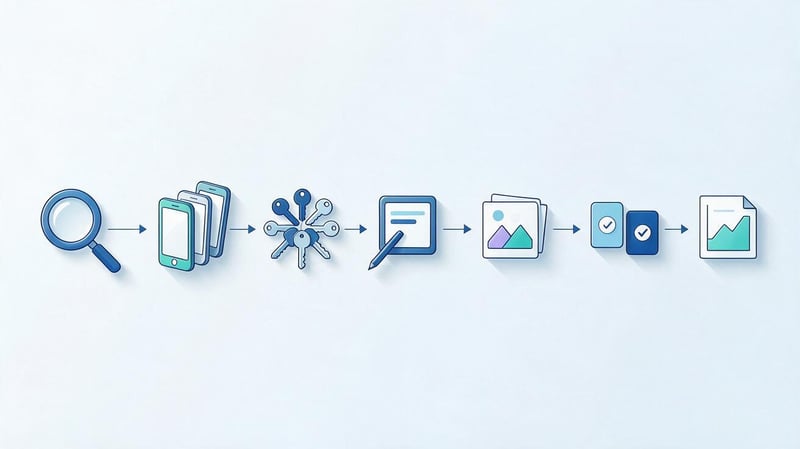
It's convenient to divide ASO work into sequential stages. This approach helps understand the app's initial state, prioritize changes, and evaluate their results after publication.
For an existing product, the first step will be an audit, while for a new one, it will involve market research and preparation of initial metadata. In both cases, data on competitors, search queries, and audience needs is essential.
Below is a basic ASO optimization workflow that can be adapted for a mobile game, service, or other application.
Step 1: Conduct an ASO audit
An ASO audit begins with a review of the existing card and available analytics. The specialist examines the title, descriptions, visual elements, localizations, ratings, and user reviews.
If the app has already been published, keyword rankings, impressions, views, and installs are additionally collected. This data allows us to document the product's state before any changes.
Based on the audit's findings, a list of issues is compiled. For example, an app might use overly broad keywords, have outdated screenshots, or lack localization for an important country.
It's a good idea to associate each issue with a specific metric. This helps prioritize work and avoid changes that are difficult to evaluate after publication.
Step 2: Research your competitors
Competitor research is conducted using search queries that match the app's core features. Direct competitors should be considered products that solve similar problems for the same audience.
The analysis compares titles, metadata, visual design, ratings, and available features. It's also helpful to review user reviews to identify common expectations and complaints.
Particular attention is paid to apps that regularly appear in response to high-priority searches. Their cards help identify common ways to describe features and communicate benefits.
However, you shouldn't copy competitors' metadata without checking. Even similar apps can differ in features, payment models, and target audiences, so you should evaluate the queries yourself.
Step 3. Build a semantic core
The semantic core includes queries that users can use to search for an app in the store. It is formed based on product features, search suggestions, competitive data, and specialized ASO tools.
Once collected, queries are categorized into thematic groups. For a workout app, these might include home workouts, exercises for specific muscle groups, personalized plans, and performance tracking.
Next, they evaluate popularity, competition, and the relevance of search queries to the product. They must identify phrases that truly describe the app's available features.
Priority queries are used to prepare metadata. The remaining semantics are retained for further analysis, localization, and subsequent optimization iterations.
Step 4: Prepare text metadata
At this stage, the selected queries are distributed among the available card fields. For the App Store, the title, subtitle, and keywords are prepared, while for Google Play, the title and descriptions are prepared.
When preparing the text, it's important to adhere to store restrictions and information accuracy requirements. The user should understand the app's purpose without having to learn complex technical terms.
It's best to keep the title short and recognizable. The description should highlight the features that directly help people solve their problems.
Once prepared, metadata is checked for repetitions, irrelevant words, and consistency with the actual product. Texts for multiple languages should be adapted separately.
Step 5: Optimize visual elements
Visual optimization begins with an assessment of the current icon, screenshots, and videos. It's important to determine how quickly users understand the app's key features.
Then, design options are developed based on the target audience. For example, for a language learning app, the initial screenshots might show the lesson format, exercises, and progress tracking system.
It's best to create each variant based on a specific hypothesis. If users don't fully understand the product's purpose, consider using a more specific caption or a different screenshot order.
Before publishing, ensure that the images match the app interface and the store's technical requirements. Visual promises should not mislead the user.
Step 6: Conduct A/B testing
A/B testing helps compare different card variations based on user behavior. Typically, icons, screenshots, image order, or other elements available for experimentation are tested.
Before launching a test, formulate a hypothesis and select an outcome metric. For example, you can test whether conversion will increase after replacing the first screenshot with an image featuring a specific feature.
The App Store uses Product Page Optimization for visual experiments. Google Play offers Store Listing Experiments, which allow you to test graphic and supported text elements.
The duration of the experiment depends on the traffic volume and accumulated data. Don't end the test just because one variant temporarily received more installs.
After the experiment, the results are evaluated and a decision is made about implementation. If the data is insufficient, the hypothesis can be revised or retested under suitable conditions.
Step 7. Monitor positions and repeat optimization
After publishing new metadata, it's important to monitor changes in rankings, impressions, and installs. For accurate comparisons, it's best to consider the same countries, devices, sources, and comparable periods.
Results may vary between queries. Some rankings improve, while others remain the same or decline, so it's important to analyze individual semantic groups.
When monitoring regularly, it's helpful to record the dates of changes. This allows you to correlate metric trends with card updates, advertising campaigns, and changes to the app itself.
The next ASO iteration is determined based on the results of the previous one. If search visibility has improved but conversion remains weak, further work should be focused on keyword matching and page design.
How to check the effectiveness of ASO?
ASO effectiveness is assessed based on changes that occur after app optimization. The primary sources of information are store analytics, search ranking data, and install tracking tools.
Before starting work, it's helpful to record baseline metrics. Without them, it's difficult to understand whether changes in results are due to new metadata or other events.
It's important to consider seasonality, advertising campaigns, new releases, and competitor activity. These factors can influence search visibility and user behavior simultaneously with ASO.
What metrics should you track?
The set of metrics depends on the app's current goals. For a new product, appearances for relevant search queries and initial organic installs are important, while for an existing product, visibility and conversion dynamics are key.
The main metrics can be conveniently combined into one table:
| Metrics | What does it show? | What is it used for? |
|---|---|---|
| Keyword Rankings | App positions by search queries | Assessing changes in visibility |
| Search Visibility | Application presence in search | Semantic coverage analysis |
| Impressions | Number of impressions | Assessing app discovery |
| Product Page Views | Card views | Analysis of product interest |
| Conversion Rate | Share of target actions | Checking the effectiveness of the card |
| Organic Downloads | Organic installations | Evaluation of promotion results |
| Ratings & Reviews | Ratings and reviews | Product perception analysis |
| Retention | User retention | Assessing the quality of the attracted audience |
The names and calculation methods of indicators may differ between analytical systems. Therefore, before comparing, it is necessary to verify that the data refers to the same actions and sources.
For example, search installs and total app installs shouldn't be considered the same metric. Similarly, impression conversions can't be directly compared to card view conversions.
To evaluate ASO, it's useful to analyze not just a single number, but a sequence of metrics: visibility, views, installs, and subsequent product use.
How long does it take for ASO to produce results?
The time it takes to see results depends on competition, the state of the app, the volume of search demand, and the nature of the changes. For different products, similar actions may lead to different dynamics.
After updating text metadata, stores need time to process the information. A specialist can then track ranking changes and compare them with the original data.
Visual experiments depend on the number of users participating in the testing. If an app receives few views, more observations will be needed to obtain statistically conclusive results.
Therefore, promises to bring any app to the top within a fixed number of days are unfounded. Performance should be assessed based on agreed-upon metrics and actual changes.
A practical approach involves planning several ASO iterations. After each, the team receives data that helps refine future actions.
What tools do ASO specialists use?
ASO analysis is performed using official developer dashboards and third-party research services. These services address different needs, so the choice of tool depends on the app's scale and available budget.
Main categories of tools:
- App Store Connect. iOS app analytics, metadata management, localizations, and available experiments.
- Google Play Console. Android app management, installation analysis, card analysis, reviews, and testing results.
- ASOdesk. Keyword research, rank tracking and competitor analysis.
- ASOMobile. Semantic selection, search visibility study, and application monitoring.
- AppTweak. Analysis of queries, competitors and search engine optimization indicators.
- Sensor Tower. Research of the mobile market, application categories and competitive environment.
- AppFollow. Working with user reviews, ratings, and app analytics.
For a small project, you can start with official developer dashboards and basic search results research. Specialized services are especially useful when working with a large number of keywords and multiple countries.
It's important to note that external tools may use their own estimates of query popularity and visibility. Their metrics don't always match store data, so the calculation methodology should be taken into account during analysis.
What are the most common mistakes made in ASO?
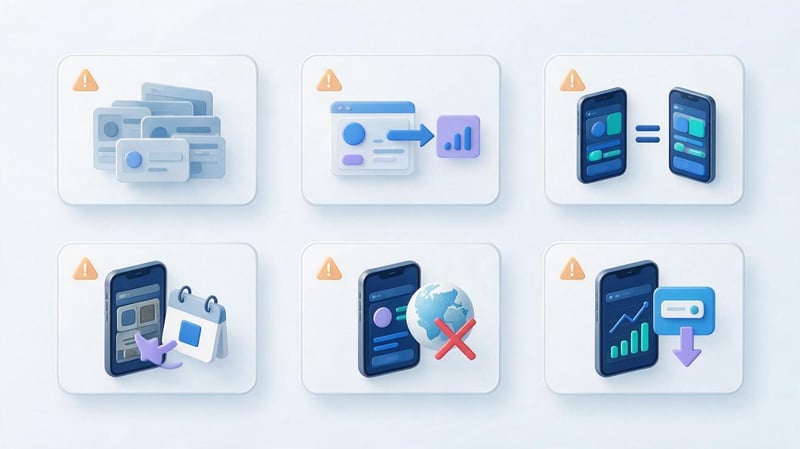
ASO errors often arise from attempts to increase impressions without assessing the app's relevance to the search query. As a result, the app card appears to users who don't need the features offered.
Another common problem is the lack of analytics after changes are published. The team updates text and screenshots, but doesn't record the baseline metrics and can't evaluate the results.
In practice, the following mistakes should be avoided:
- Using irrelevant keywords. A popular query is useless if the application does not solve the corresponding problem and does not meet the user's expectations.
- Copying competitors' metadata. Other people's names and descriptions may not correspond to the product's functionality, and some wording may violate trademark rights.
- Same texts for iOS and Android. The App Store and Google Play use different fields, so mechanically transferring descriptions limits optimization options.
- Poor card design. An unclear icon, outdated screenshots, and a lack of key features in the initial images can reduce user interest.
- Lack of localization. Direct translation without researching local demand results in the use of wording that the audience rarely uses when searching.
- Evaluation of results solely based on positions. Ranking highly for a low-demand query may have little or no impact on installs.
- Excessive repetition of keywords. Spamming reduces the readability of the text and may violate app store requirements.
- Boosting installations and reviews. Artificial actions violate platform rules and create the risk of restrictions for the application.
To prevent such errors, it's essential to define optimization goals in advance, maintain a history of changes, and regularly monitor metrics. It's advisable to test individual hypotheses before large-scale implementation.
It's also helpful to consider changes to the product itself. If an update introduces new features or changes the usage model, the card should be revised to ensure the information remains current.
ASO checklist before publishing an app
Before submitting an app to the store, it's important to review both the text and visual elements. This helps identify errors before the app is released to the general public.
For a live app, such a checklist is useful before a major update. Changes to the app's name, localizations, and initial screenshots should be checked especially carefully.
| Element | What needs to be checked |
|---|---|
| Semantic core | Relevant queries have been collected and priorities have been determined |
| Application name | Clear, correct, meets the limits |
| Subtitle or Short Description | Reveals the purpose of the product |
| Full description | Contains real features without spam |
| Keywords in the App Store | No unnecessary repetitions or irrelevant words |
| Localization | Texts and images match the audience's language |
| Icon | It is clearly visible and reflects the character of the product |
| Screenshots | Show the main functions and the current interface |
| Video | Complies with the product and store requirements |
| Rating and reviews | Feedback work has been configured |
| Analytics | Data are available to evaluate the results |
| Change history | The original metrics and publication date are recorded |
| Platform Rules | The card meets Apple or Google requirements |
After reviewing, it's a good idea to view the card through the eyes of a new user. It should be clear what problem the app solves, what key features are available, and why the product matches the search query.
It's also helpful to prepare a list of metrics to track after publication. Then, the results of the first period can be used for the next ASO iteration.
ASO helps a mobile app gain visibility in the App Store and Google Play, attract relevant users, and improve install conversion. This requires researching search queries, using metadata correctly, working with graphics, and verifying results after publication.
Optimization should begin with an audit and evaluation of search demand. Subsequent changes should be data-driven so the team understands which actions actually influence installs.
If your app needs systematic work with organic promotion, check out the service ASO optimization from Seo-Gen. We'll examine your current page, search visibility, and competitors to determine your top promotion priorities.


