Mobile app advertising channels


A user might see an app ad in Google search, the Facebook feed, a short TikTok video, or directly in the App Store. Each channel attracts audiences with different interests and readiness to install the product. Therefore, the number of downloads alone tells little about the effectiveness of an advertising campaign.
To ensure mobile app advertising is profitable, you need to consider acquisition costs, user behavior after installation, and revenue from their actions. Let's look at the main advertising platforms, their setup features, and selection criteria for different app categories.
What are the different channels for advertising mobile apps?
To attract users, they use search advertising, social media, mobile advertising networks, and platforms within app stores. These sources differ in ad formats, available audiences, traffic purchasing mechanisms, and analytics capabilities.
Organic promotion through ASO, website search engine optimization, and publications in relevant communities is a separate area. This helps generate installs without paying for each advertising interaction, although content preparation and optimization also require resources.
Search advertising and app store promotion
Search advertising is suitable for apps that solve a problem the user already knows. For example, a person might be looking for an app for tracking expenses, learning English, or planning travel. An advertiser can attract them when interest in the product has already been established.
To address this demand, Google Ads and Apple Ads are used. The former platform covers several Google advertising surfaces, including search and Google Play, while the latter enables ads to be displayed directly in the App Store.
When choosing a channel, consider the operating system, ad availability in the target country, and audience behavior. Android and iOS users may respond differently to ads, use different payment methods, and generate different revenue.
Search placements are especially useful for apps with a clear purpose. A new product whose category is still relatively unknown to the audience will require additional advertising explaining its features.
Promoting a mobile app on social media
Promoting a mobile app on social media helps generate interest even before a specific search query appears. Users might first learn about the service by watching a demonstration of a feature in a short video or a recommendation from a community member.
For paid promotion, they use Facebook and Instagram through Meta Ads, TikTok Ads, and other regional advertising platforms. The choice depends on the country, audience age, product topic, and available advertising tools.
Social media is especially convenient for apps whose benefits are easy to demonstrate visually. Demonstrating photo editing, a workout, gameplay, or ordering a delivery often explains the product more quickly than a detailed text description.
However, engaging with advertising doesn't guarantee installation. Users must navigate to the app's page, understand its purpose, and be given a compelling reason to download it.
Advertising within other mobile apps
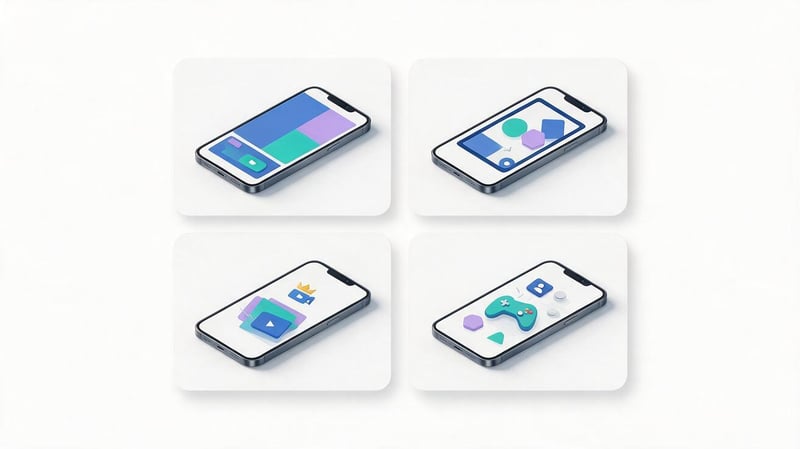
In-app advertising is displayed directly within mobile games, services, and other apps. Ads are purchased through advertising networks or technology platforms that connect advertisers with advertising platform owners.
There are several common formats used in this type of advertising:
- Banners. Small image ads are placed in separate advertising areas of the interface and are suitable for broad audience reach.
- Interstitial. Full-screen ads appear between logical user actions, such as after completing a game level.
- Rewarded video. The user voluntarily watches the video and receives the reward provided by the application.
- Native ads. Advertisements are adapted to the design of the advertising platform, while maintaining the necessary advertising content markings.
- Playable ads. Interactive ads allow you to try out a small portion of the gameplay before installing it.
When choosing a network, consider available countries, platform composition, the ability to exclude low-quality sources, and mobile attribution support.
In-app advertising can generate significant installs, but its results depend on the quality of the specific advertising inventory. Therefore, it's important to evaluate the actions of acquired users, not just the number of impressions and clicks.
| Channel | Audience | Main formats | Target | Advantages | Restrictions |
|---|---|---|---|---|---|
| Google Ads | Google service users | Text, images, video | Installs, events, user re-engagement | Wide coverage and automation | Dependence on signal quality |
| Meta Ads | Facebook and Instagram audiences | Videos, Images, Stories, Reels | Installs and actions | Flexible creatives and audiences | Limitations of measurement and targeting |
| TikTok Ads | Short video audience | Vertical videos, Spark Ads | Installs and engagement | Visual demonstration of the product | High demands on creatives |
| Apple Ads | App Store users | App Page Based Ads | iOS app installs | Contact with an interested audience | Limited by the Apple ecosystem |
| VK Advertising | Audience of available VK platforms | Images, videos, app ads | Installs and actions | Regional advertising inventory | Geographic restrictions |
| In-app networks | Mobile app users | Banners, videos, interactive | Installs and target events | Additional coverage | Risk of poor quality traffic |
Answers to your questions
Which advertising channel is best for promoting a mobile app?
The choice depends on the app category, operating system, target audience, and advertising objective. For a product with stable search demand, you can test Google Ads or Apple Ads, while for an app with visual features, you can test Meta Ads and TikTok Ads.
It's important to compare channels based on the quality of acquired users, cost per target action, and retention. It's best to make a final choice after running test campaigns with accurate analytics.
For international products, platform availability in each country must also be considered. One advertising source may perform well in a particular market but underperform in another.
How to promote a mobile app on Facebook?
To launch ads, Meta Ads Manager is used with the corresponding app promotion objective. The advertiser connects the product, sets up event delivery, selects the audience and budget, and uploads advertising materials.
It's best to start promoting a mobile app on Facebook with several creatives that showcase different product benefits. After launch, you should evaluate installs, registrations, and other target events.
If analytics provide sufficiently accurate data, campaigns can be optimized for in-app actions. This helps take into account the quality of acquired users when allocating advertising costs.
How to advertise an app through Google AdWords?
Google AdWords is the former name for Google Ads, so new campaigns must be created in the platform's modern interface. App campaigns, with their available optimization options, are used for mobile app promotion.
The advertiser selects the app, geography, budget, target event, and uploads ad assets. Google automatically distributes impressions across available ad surfaces.
Promoting mobile apps through AdWords, as it was previously understood, no longer aligns with the current setup process. When working, refer to the current Google Ads guidelines and the capabilities of your specific account.
Is it possible to promote a mobile app on VKontakte?
App advertising on available VK platforms is launched through the modern VK Advertising dashboard. It provides settings for advertising campaigns, audiences, budgets, and promotional materials within the platform's available capabilities.
Promoting a mobile app on VKontakte may be relevant for products with a suitable regional audience. However, access restrictions, user geography, and applicable regulations must be taken into account.
For apps targeting Ukraine, VK shouldn't be the primary acquisition channel. In such cases, it's wiser to consider international platforms available in the target country.
Does myTarget work for mobile app advertising?
The separate, legacy myTarget advertising account is no longer used for creating new campaigns. Following a gradual transition, advertising tools have been transferred to VK Advertising.
Therefore, promoting mobile apps through myTarget in the old interface should not be considered a viable option. Similarly, instructions recommending creating new campaigns through the old MyTarget account are outdated.
If the advertiser has saved data from previous placements, it can be used to analyze historical results. New campaigns must be configured within the current advertising platform.
How much does mobile app advertising cost?
Cost depends on the country, app category, competition, ad platform, and the selected optimization event. Costs are also affected by the quality of creatives, store page conversion, and audience behavior.
For planning, you can use the estimated CPI or CPA multiplied by the desired number of installs or actions. However, the forecast should be revised once your own campaign data becomes available.
There's no single cost per install for all apps and markets. Even within a single platform, the cost of acquisition can vary significantly between two products in the same category.
Which is more effective for an app: Google Ads or Facebook Ads?
Google Ads is suitable for reaching audiences through Google services and automated app promotion campaigns. Meta Ads offers opportunities to engage users through Facebook, Instagram, and available Meta ad placements.
Differences arise in advertising formats, audience composition, and optimization methods. For example, an app with clear search demand may receive high-quality installs through Google, while a visually appealing product may receive higher-quality installs through social media.
Platforms should be compared using the same business metrics and comparable periods. Install costs without assessing registrations, purchases, and retention don't provide a complete picture of effectiveness.
How do you know if app advertising is paying off?
To evaluate ROI, you need to compare advertising costs with the revenue generated by acquired users. Depending on your business model, you can use ROAS, customer acquisition cost, and lifetime value (LTV).
If users purchase a subscription or make regular orders, it's important to consider revenue over the relevant period. A short assessment immediately after installation may not reflect the audience's long-term value.
Commissions, production costs, and other expenses associated with user service must also be taken into account. A positive ROAS alone does not guarantee the profitability of an advertising campaign.
How does mobile app promotion work on Facebook and Instagram?
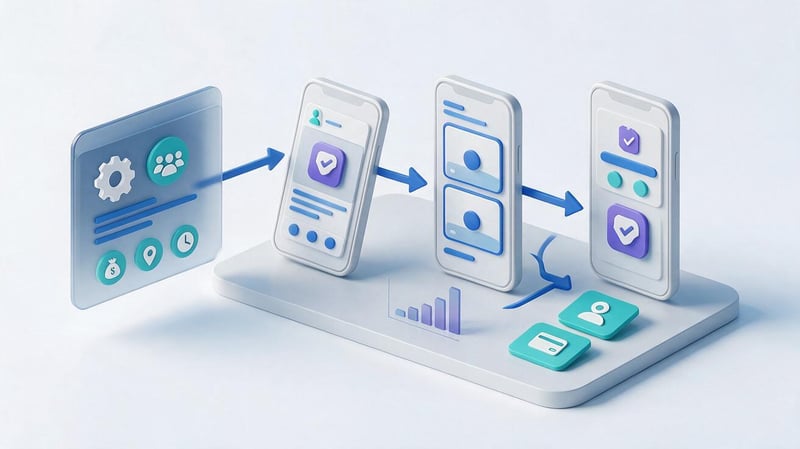
Mobile app promotion on Facebook and Instagram is organized through the Meta Ads advertising platform. It helps find potential users using available signals, display ads to them, and optimize campaigns for specific actions.
App advertising differs from regular post promotion. It requires properly linking the advertising account to the mobile product, transmitting event data, and tracking user actions after installation.
What features does Meta Ads provide for app advertising?
Meta Ads supports app promotion campaigns. They can target installs or enabled in-app events, provided the relevant analytics are configured and provide the necessary signals.
For example, a delivery app might track the first order, an educational service might track the start of a trial lesson, and a financial instrument might track the completion of registration. Such events allow us to assess how well the acquired audience aligns with the business objective.
The advertiser controls the budget, geography, available audience settings, and ads. Some decisions about impressions and budget allocation are made by the platform's algorithm, using user response data.
Optimization capabilities depend on the operating system, privacy policy, data volume, and integration settings. Therefore, the same campaign on Android and iOS may not yield comparable results.
How to set up mobile app advertising on Facebook?
Before launching, you must ensure that the app is published, opens correctly from the ad, and is transmitting the required events. If analytics are not working correctly, optimization may take into account incomplete or incorrect data.
The preparation and launch sequence usually looks like this:
- Connect the application. Specify the product and set up the necessary links between the application, advertising account, and event source.
- Select an advertising objective. To attract new users, use app promotion with a suitable optimization event.
- Set up your audience. Determine countries, age limits, and other available parameters without overly narrowing the scope.
- Set a budget. Allow for costs for initial testing and data collection for optimization.
- Prepare ads. Use multiple images or videos to showcase the product in different ways.
- Launch a campaign. After checking the moderation and technical settings, monitor the installations and subsequent actions.
After launch, don't change all the parameters daily. Frequent changes make it difficult to understand which decisions improved results and which increased the cost of acquisition.
First, you need to collect sufficient data and compare audiences with similar target actions. Then you can adjust creatives, budget, and campaign settings.
Setting up a target audience and targeting
Selecting an audience begins with understanding who the app will truly benefit from. For example, a service for monitoring children's expenses might appeal to parents, while a time tracking program might appeal to entrepreneurs and project-based professionals.
Meta Ads supports broad audience settings, specific allowed attributes, custom segments, and lookalike audiences. Availability of specific options depends on the region, advertising objective, data sources, and current platform limitations.
For a new product, it makes sense to compare several approaches. A broad audience can give the algorithm more scope to find interested users, while a specific segment allows you to test a specific marketing hypothesis.
Don't exclude large groups of people based solely on assumptions. Decisions are best made after analyzing conversions, cost per action, and user retention.
Creating ads for Facebook and Instagram
The ad should quickly explain the task the app solves and what the user will receive after installation. It's best to show the actual interface, a sequence of actions, or a specific result of the program's execution.
Short vertical videos, static images, screenshares, and user-generated content are suitable for apps. For example, an ad for a task planner could be built around creating a project, setting deadlines, and receiving reminders.
It's best to tie each creative to a single core audience need. If an ad simultaneously highlights a dozen features, it will be more difficult for the user to understand the product's key benefit.
The text, image, and app page must be consistent. Promising a feature that isn't available after installation or requires an unspecified payment can lead to abandonment and negative reviews.
How to evaluate the effectiveness of app advertising on Facebook?
Promotion of mobile applications on Facebook should be assessed based on the sequence of user actions: viewing an ad, clicking through, installing, first opening, registration, and a useful action within the product.
Click-through rate (CTR) shows what percentage of impressions resulted in a click-through. However, a high click-through rate may be accompanied by low app page conversion or a lack of subsequent engagement.
The evaluation uses cost per install (CPI), cost per action (CPA), user retention, and revenue from acquired audiences. If the app is monetized by subscription, the transition from the trial period to payment is also tracked.
It's recommended to compare Meta Ads results with mobile analytics data. Different systems may account for installs and conversions using different rules, so any discrepancies should be analyzed taking into account attribution windows and measurement limitations.
How to promote a mobile app through Google Ads?
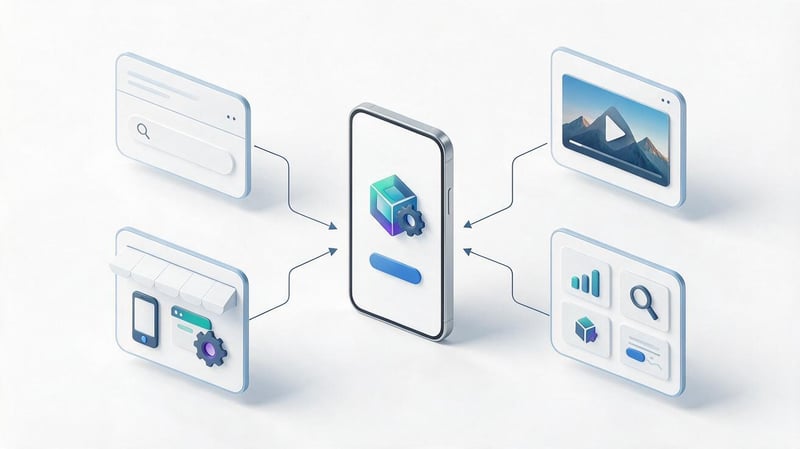
Google Ads is used to attract Android and iOS users through Google's advertising infrastructure. The platform was previously known as Google AdWords, so search queries for mobile app promotion in Google AdWords refer to modern Google Ads campaigns.
When launching, it's important to select the appropriate objective and transmit user action data. The platform automatically selects combinations of advertising materials and placements based on the chosen optimization strategy.
What are Google App Campaigns?
Google App Campaigns are a type of advertising campaign for promoting mobile apps across various Google surfaces. Advertisers enter product information, text, images, videos, budget, and target actions, and the system generates ads for available placements.
This approach helps reach audiences without manually creating separate campaigns for each ad network. However, automation doesn't eliminate the need to monitor acquisition costs and user behavior.
Google Ads offers install, re-engagement, and pre-registration campaigns. The latter option is designed for eligible apps and games on Google Play prior to their release.
The choice of campaign depends on the product's stage of development. A new app needs to attract users, while a service with an existing audience may benefit from returning users to unfinished tasks.
App Install Campaigns
App install campaigns are designed to attract users who are likely to download an app from the store. The advertiser selects the product, geography, budget, and available bidding strategy.
Install optimization is useful in the initial stages, when you need to assess audience interest and test your advertising materials. However, a large number of downloads doesn't necessarily mean users will continue using the service.
For example, an entertainment app might attract low-cost installs but lose most of its audience immediately after the first launch. To assess this result, it's necessary to monitor user activity several days after acquisition.
As data accumulates, it's time to analyze significant events. This helps determine which advertising sources are driving audiences that align with the product's goals.
In-app campaigns
To optimize for in-app actions, it's necessary to configure the correct events. These events can include registration, order placement, purchase, subscription, or completion of a specific stage of use.
Google Ads uses available signals to find users who are most likely to perform a selected action. The accuracy of optimization depends on the volume of events, the correctness of integration, and measurement limitations.
Don't choose an extremely rare event just because it has the highest commercial value. If there are almost no purchases, the system may not have enough data to consistently learn.
To start, you can use a more frequent but meaningful action. For example, completing a registration is sometimes more effective than completing a purchase if subsequent analytics confirm the connection between registrations and future revenue.
User re-engagement campaigns
App engagement campaigns are designed to re-engage users who have already installed an app. They are suitable for services with repeat purchases, subscriptions, regular usage, or uncompleted actions.
For example, an online store might remind a user about items in their cart, while an educational app might remind them to continue a course. The advertising message should take into account available data about previous interactions with the product.
Deep links—links that open a specific app screen—are useful for such campaigns. They reduce the number of steps between clicking the ad and the target feature.
Re-engagement availability depends on the platform, tracking settings, audience size, and Google Ads requirements. Before launching, ensure that links and event transmission are working correctly.
Where are Google Ads mobile app ads shown?
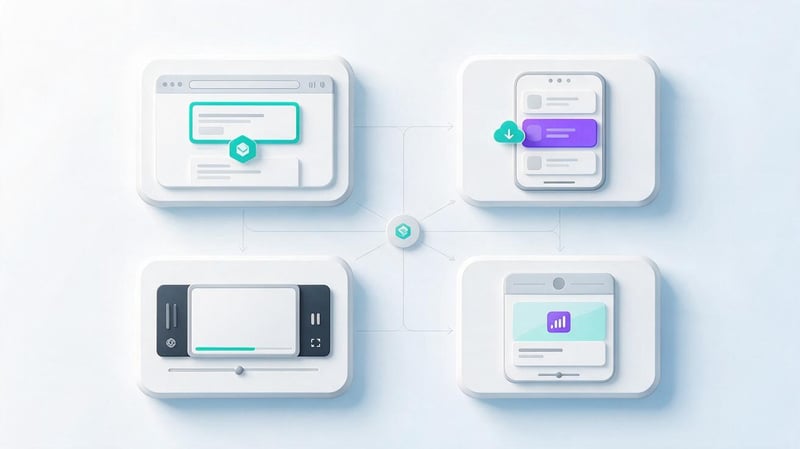
App campaign ads can appear on Google Search, Google Play, YouTube, Discover, and the Display Network. The specific placements depend on the campaign type, inventory availability, and automatic impression distribution.
In search, an ad can interest someone already researching a specific task. On YouTube, a video helps showcase an app to a user who hasn't previously searched for a similar product.
On Google Play, ads are placed alongside other apps, so the quality and design of the product page are particularly important. On the Display Network, ads can appear on websites and within mobile apps.
Advertisers don't have full manual control over every impression of a standard app campaign. Therefore, special attention must be paid to the quality of source materials, optimization goals, and analysis of results using available reports.
How to prepare and launch a Google Ads advertising campaign?
Before launch, the app must be available in the appropriate store, and target events must be correctly configured. It's a good idea to test the installation process, first launch, and key actions on real devices beforehand.
After preparation, it is necessary to perform several sequential settings:
- Create an app promotion campaign. Select the appropriate goal in Google Ads and specify the desired operating system.
- Add an application. Find a product in the store or provide a link to its page.
- Select geography. Identify countries and languages that are relevant to the app's localization and advertising materials.
- Set a budget. Set the average daily budget and optimization strategy for the selected event.
- Upload promotional materials. Prepare several texts, images and videos in suitable formats.
- Check tracking. Ensure that the advertising system receives correct data on available conversions.
- Publish a campaign. After launch, track spending dynamics and the quality of the attracted audience.
It's best to use a variety of approaches for advertising materials. One video might demonstrate a solution to a problem, another the sequence of using an app, and a third a specific useful feature.
Promoting a mobile app through AdWords, as Google Ads is sometimes still called, requires regular work with events and creatives. Budget settings alone are not enough to ensure consistent results.
What errors occur when promoting apps through Google Ads?
One common mistake is launching a campaign without properly transmitting events. In this case, the advertiser may see installs but not understand how many users registered, made a purchase, or returned to the app.
Another problem arises from a lack of diversity in advertising materials. If all ads repeat the same interface screen, the system has a harder time selecting the appropriate option for different audiences.
Results are also affected by too frequent budget and strategy changes. Algorithms require time and a sufficient number of signals to adapt impressions to the chosen objective.
The differences between Android and iOS should be taken into account separately. It's impossible to automatically transfer findings from one operating system to the other, as conversion measurement methods and audience behavior may differ.
How to promote mobile apps via Telegram?
Telegram can be used to attract mobile app users through themed channels, sponsored posts, and the official Telegram Ads platform. This channel is especially attractive for services related to finance, education, technology, travel, and everyday services.
For the Ukrainian market, Telegram advertising allows you to reach your audience through local and relevant communities. For example, a personal finance app can be promoted in financial literacy channels, while a delivery service can be promoted in urban communities. When choosing placements, consider the channel's theme, subscriber geography, and audience quality.
How does mobile app advertising work in Telegram Ads?
Telegram Ads is the messenger's official advertising platform, allowing users to place sponsored messages in public channels. Advertisers select suitable platforms, create ads, and set a budget. Payment is calculated on a cost-per-thousand (CPM) basis.
The official Telegram Ads interface has restrictions on advertising links: standard ads link to Telegram channels and bots. Therefore, promoting a mobile app through such advertising requires a separate user experience, such as a dedicated channel with useful materials and links to the app.
Before launching, be sure to consider the current advertising account rules and available placement formats. For direct install acquisition, it's more convenient to use ad placements in channels that support a link to the App Store or Google Play.
How to advertise an app in thematic Telegram channels?
Ads in Telegram channels can be purchased directly from platform owners or through placement services. This format allows you to create a full-fledged publication with an app description, images, videos, and an installation link.
When choosing a channel, there are several characteristics to consider:
- Community topic. The audience should be interested in the issues that the app helps solve.
- Geography of subscribers. For the Ukrainian market, it is important to select channels with a suitable regional audience.
- Publication coverage. The average number of views helps to estimate the potential volume of advertising exposure.
- Audience engagement. Reactions, discussions, and viewership dynamics help you evaluate subscriber activity.
- Placement cost. The price must be compared with the expected clicks, installations and target actions.
The ad should explain the specific benefit of the app. For example, for an expense tracking app, you could show the user adding a purchase, categorizing expenses, and viewing a monthly report.
It's a good idea to develop separate advertising messages for different types of communities. In the financial channel, you can focus on budget control, while in the entrepreneurial community, you can focus on tracking business expenses. This approach helps you determine which audiences respond best to your product.
How to evaluate the effectiveness of app promotion via Telegram?
To evaluate ad placements, it's necessary to track clicks, installs, and user actions within the app. It's recommended to assign a separate trackable link compatible with the selected mobile attribution system to each Telegram channel.
You can use AppsFlyer, Adjust, or another MMP platform for analysis. This helps correlate ad spend with app installs, registrations, purchases, and repeat usage. However, the ability to attribute a specific install to an ad click depends on attribution settings and operating system limitations.
The key metrics will be cost per install (CPI), cost per action (CPA), and user retention. It's also useful to compare the results of different channels by audience, topic, and ad format.
For example, a city Telegram channel may generate more clicks than a niche community, but a lower share of registrations. In this case, it's important to compare the cost of acquiring an active user, not just the number of clicks on the ad link.
What other advertising channels are suitable for mobile apps?
In addition to Google Ads, Facebook, and VK, apps are promoted through TikTok, Apple Ads, mobile ad networks, and content creator integrations. These sources help expand reach and test different user acquisition methods.
When choosing an additional channel, it's important to consider the stage of user demand. Some platforms are better suited for showcasing a new idea, while others help attract people already searching for a similar app.
TikTok Ads for Mobile App Promotion
TikTok Ads are suitable for apps whose benefits can be quickly showcased in vertical videos. A short video can help explain game mechanics, demonstrate image processing, or demonstrate how to use the service.
TikTok Ads Manager features the App Promotion advertising objective. Depending on the available settings, the campaign can target installs, in-app events, or user re-engagement.
The beginning of a video is especially important. The user should quickly understand how they benefit from the app and why they should continue watching.
For testing, you can prepare several demonstrations of a single feature. For example, you can demonstrate a problem before using the app, the actual process, and the result a user gets after performing the action.
When evaluating TikTok Ads, it's important to consider not only video views and clicks, but also subsequent audience behavior. High video engagement doesn't always translate into high-quality installs.
Apple Ads to attract iOS users
Apple Ads allows you to promote apps directly in the App Store. Until April 2025, the advertising platform was called Apple Search Ads, but the name was changed due to the expansion of advertising placements.
One of the main areas of focus is advertising in App Store search results. This helps attract users who enter queries related to the app's purpose or a specific need.
Keyword selection and assessment of competitive queries are crucial for search campaigns. Advertisers can target both thematic and brand-related keywords, taking into account the platform's available settings.
The design of an app page directly impacts results. If the ad matches the search query but the screenshots don't explain the product well, the user may abandon the installation.
Apple Ads is especially useful for apps with clear search demand. However, Apple ecosystem limitations must be taken into account when distributing budgets between iOS and Android.
Mobile advertising networks and programmatic
Mobile ad networks help buy impressions within third-party apps and on other available advertising platforms. Well-known technology platforms include AppLovin, Unity LevelPlay, and Google's mobile ad inventory solutions.
When working with such tools, it's important to consider the differences between ad networks, mediation platforms, and buying systems. Not every mobile advertising platform offers advertisers the same way to launch campaigns.
Programmatic buying involves the automated purchase of ad impressions based on preset conditions. Depending on the platform, advertisers can manage audiences, bids, inventory types, and available restrictions.
The main risk is related to traffic quality. A large number of inexpensive installs may be accompanied by low retention, suspicious events, or actions unrelated to genuine interest in the product.
Before scaling, it's important to evaluate install sources and utilize available anti-fraud mechanisms. Support for mobile measurement and the ability to transmit necessary events to the advertising system are also essential.
Advertising with bloggers and in thematic communities
Bloggers' advertising integrations are suitable for apps whose benefits can be demonstrated through personal experience. For example, an educational channel creator might demonstrate exam preparation using a specific app.
Unlike a standard ad, integration is often built around the author's familiar content format. However, the material must retain advertising labeling and comply with platform and legal requirements.
When choosing a creator, it's helpful to analyze the channel's topic, audience composition, engagement, and previous integrations. Subscriber count doesn't indicate how many people will be interested in a specific product.
Results can be tracked through customized links, promo codes, and available attribution tools. However, some installs may occur later or through independent app searches.
Thematic communities are also suitable for testing interest in a product. Particularly useful are platforms where the audience discusses the problem the app helps solve.
What do you need to prepare before launching app advertising?
An advertising campaign can attract interested users, but the results depend on the app's readiness. Registration errors, a confusing interface, and a poorly designed store page can reduce conversion rates even with high-quality traffic.
Before allocating a budget, it's important to analyze the user journey from the ad to the first action. Additionally, it's worth preparing analytics and advertising materials for different audiences.
Optimizing your app page on the App Store and Google Play
ASO optimization helps improve your app's presentation in stores and increase its visibility for relevant search queries. It includes working with the app's title, description, keywords (where applicable), graphics, and localization.
For paid promotion, app page conversion is especially important. Users should quickly understand the product's purpose, its key features, and its advantages over other solutions.
It's best to base screenshots on real-world use cases. For example, instead of a general promise of convenience, it's better to show task creation, receiving a notification, and viewing completed actions.
Reviews and ratings also influence app perception. They should be addressed through product improvement, responding to requests, and appropriate feedback methods, without buying ratings or artificially inflating ratings.
Organic installs can complement ad traffic, but they should be accounted for separately. This helps more accurately assess the impact of advertising campaigns and the dynamics of an app's presence in the store.
Setting up analytics and event tracking
Mobile analytics is essential for understanding what happens after an app is installed. Firebase, AppsFlyer, Adjust, and other solutions that support the necessary integrations are used to collect and transmit events.
Before launching, it's important to identify key events along the user journey. Typically, these include first open, registration, setup completion, target action, purchase, and repeat visits.
Data transfer can be accomplished using an app SDK, server integration, or a combination of both. The specific implementation is chosen based on the technical architecture, privacy policy, and advertising system requirements.
It's important to avoid duplicate events. For example, if a single purchase is transferred simultaneously through multiple methods without proper deduplication, the metrics may be inflated.
When working with affiliate advertising systems, postback notifications and other data exchange mechanisms are used. These should be tested before committing to large-scale advertising expenditures.
Preparation of advertising creatives and the landing scenario
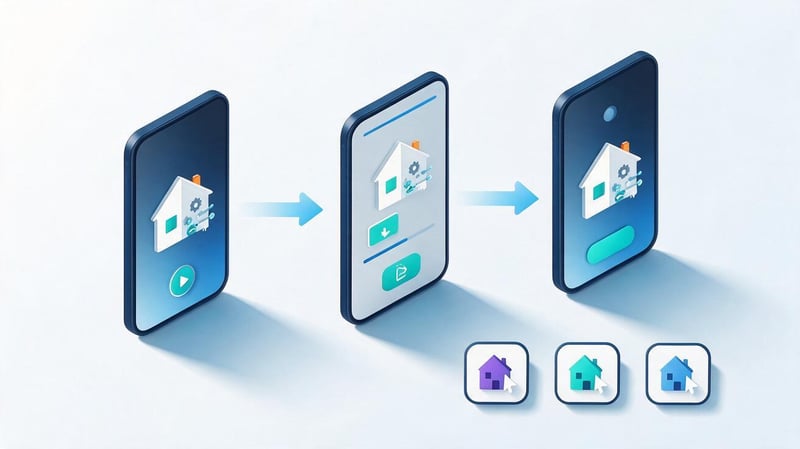
The creative should be relevant to the audience and demonstrate the specific problem the app solves. The same product can be presented in different ways depending on user needs.
For example, a language learning app could be promoted through short daily lessons, travel preparation, or conversation skills training. Each option would target a specific user interest.
It's important to prepare several advertising materials with different emphases. For video ads, it's helpful to test the opening seconds, the ease of use of the interface, and the presence of a compelling user scenario.
After clicking the ad, the user should be redirected to the corresponding app page. If a deep link or deferred deep link is used, it must be tested on supported devices.
The first app launch requires special attention. Lengthy registration, unexpected permission requests, and a lack of a clear next step can undermine the overall effectiveness of the advertising campaign.
How to choose an effective mobile app advertising channel?
Choosing a channel starts with audience research, not just comparing popular advertising platforms. You need to understand what problem the app solves, where potential users are located, and what actions generate revenue for the product.
After this, you can compare advertising platforms by format, testing cost, and measurement capabilities. For most products, it makes sense to start with a few of the most suitable channels rather than spreading the budget across all available sources.
Selecting an advertising platform based on your target audience
Different app categories require different acquisition methods. For example, a banking user might be searching for a specific financial feature, while interest in a new mobile game might be sparked by watching a demo video.
When choosing a platform, consider age restrictions, geography, operating system, and product use cases. It's also important to understand how easy it is to explain its benefits through advertising materials.
Examples of channel selection for different application categories:
| Application category | Potential channels | What is important to show |
|---|---|---|
| Mobile games | TikTok Ads, Google Ads, in-app networks | Gameplay and main mechanics |
| Education | Google Ads, Meta Ads, Apple Ads | Class format and learning outcomes |
| Financial services | Google Ads, Apple Ads, Meta Ads | Useful features, terms and conditions, and trust |
| Delivery | Google Ads, Meta Ads, TikTok Ads | Range, ease of ordering and availability |
| Productivity | Apple Ads, Google Ads, thematic authors | Solving a specific work problem |
| Health and Fitness | Meta Ads, TikTok Ads, Google Ads | Real-world features, activities, and progress tracking |
This table shows possible testing directions, not guaranteed effectiveness. A final decision should be made after analyzing the target audience and the results of initial campaigns.
For example, one educational app might attract users better through search queries, while another might do better through video demonstrations of lessons. The differences between products within a single category can be significant.
Selecting a channel based on your advertising budget and goals
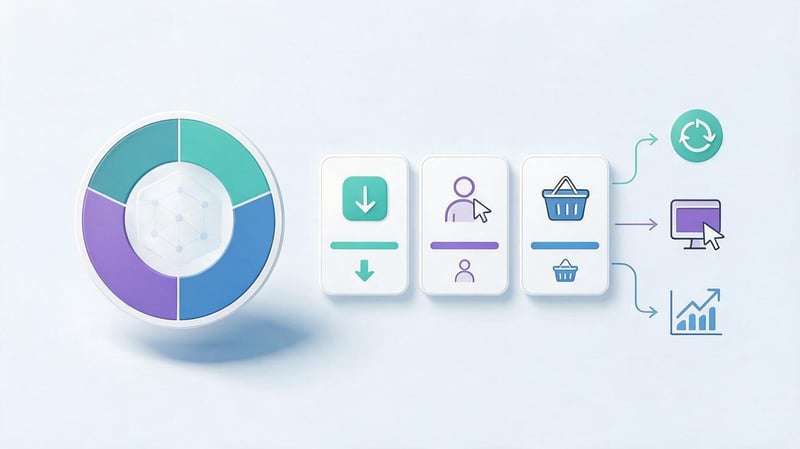
The budget size influences the number of hypotheses that can be tested simultaneously. With a small budget, it's better to focus on a limited number of channels and obtain sufficient data for comparison.
If your goal is initial installs, you can start with campaigns focused on acquiring new users. For an app with an existing audience, repeat purchases, subscriptions, or returning users may be more attractive.
It's important to determine the acceptable cost of the target action in advance. For example, for a paid service, it's important to consider revenue per customer, the cost of maintenance, and the expected duration of use.
The testing budget should be separate from the scaling budget. First, the advertiser tests which audience, ad, and event combinations are working, and then increases spending on confirmed hypotheses.
It's also important to consider the advertising platform's algorithm training requirements. A budget that's too small for a rare target event may not provide sufficient data for objective comparison.
Comparison of advertising platforms by effectiveness
Comparing platforms solely by cost per click or install is inaccurate. Different advertising channels attract users at different stages of the product journey, so their results can vary significantly.
For evaluation, it's useful to compare acquisition costs and audience quality under identical conditions. For example, compare purchases by new users over the same period and according to agreed-upon attribution rules.
Lead SEO specialist — Gennady
When choosing mobile app advertising channels, I don't focus solely on cost per install. A low CPI doesn't necessarily mean the ads are bringing results. First, I evaluate the audience and the acquisition scenario, then analyze registrations, initial target actions, retention, and purchases.
Sometimes a more expensive channel yields significantly more valuable users. Therefore, I base my budget scaling decisions on the quality of the audience attracted and the app's economics, not on the number of downloads.
| Platform | Type of demand | Suitable format | Main KPI | What to check |
|---|---|---|---|---|
| Google Ads | Existing and potential | Search, videos, images | CPI, CPA, ROAS | Events and traffic quality |
| Meta Ads | Interests and potential demand | Videos, images, Reels | CPA, retention, ROAS | Audiences and creatives |
| TikTok Ads | Potential demand | Vertical videos | CPI, CPA, retention | Engagement and follow-up |
| Apple Ads | Search within the App Store | Store ads | CPT, CPI, CPA | Keywords and page conversion |
| VK Advertising | Regional demand | Videos, images | CPI, CPA | Geography and accessibility |
| In-app networks | Demand within mobile apps | Videos, banners, playable | CPI, CPA, retention | Platforms and antifraud |
| Bloggers | Interest of the author's audience | Reviews, integrations | Installs, CPA, engagement | Audience quality and attribution |
How to launch and optimize mobile app advertising?
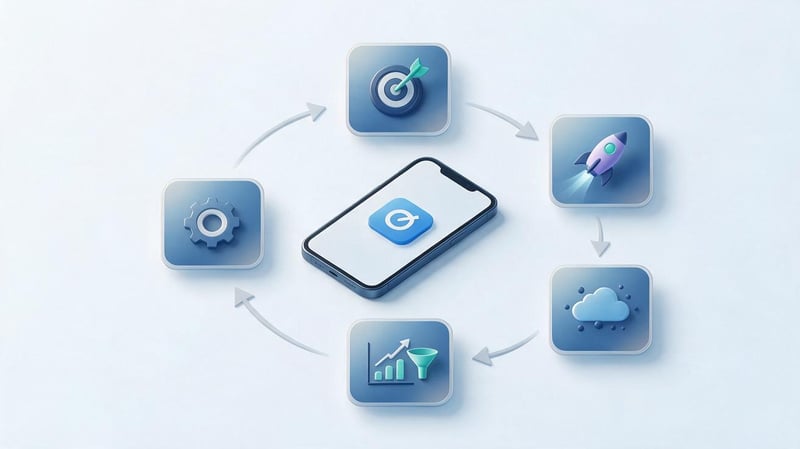
Launching an ad requires a consistent process, from target selection to user behavior analysis. Without such preparation, a significant portion of your budget can be wasted on installs that won't deliver the expected benefit.
Optimization begins with accurate analytics and clear success criteria. After that, the advertiser tests audiences and creatives, compares results, and gradually adjusts campaign settings.
Setting goals and benchmarks
Before launching, you need to select the primary action by which the results will be measured. For one app, this might be an install, for another, a registration, and for a third, a subscription purchase.
The goal should be consistent with the current stage of the product's development. If the app has just launched in the store, you may first need to evaluate page conversion and the initial user experience.
For an existing service, the priority may shift to the cost of acquiring a paying customer and retention. In this case, the number of installs becomes a supporting metric.
It is useful to formulate a sequence of measurable actions:
Ad impression → click → install → first open → registration → target action → repeat use.
At each stage, the number of users and the percentage of conversions to the next action should be taken into account. This allows you to determine where audiences are being lost and what part of the advertising process needs to be improved.
For example, a high CTR with a low install conversion rate may indicate a mismatch between the ad and the store page. A high install conversion rate with low activation requires an examination of the app itself.
Setting a test budget
The test budget should be calculated based on the estimated cost of the target action and the amount of data required to evaluate the hypothesis. There is no universal amount for all apps, as costs vary by market, category, and ad auction.
For initial planning, you can use a simple formula:
Test budget = estimated CPI x planned number of installs.
Let's say an advertiser estimates the cost per install at 40 UAH and wants to get 300 installs. Then the estimated budget would be 12,000 UAH. This is a mathematical example, not a market rate for a specific advertising platform.
However, installs aren't always the ultimate goal. If an app is monetized through purchases, the expected conversion rate from installs to purchases must also be taken into account.
It's helpful to plan with multiple scenarios: optimistic, baseline, and conservative. This helps determine in advance the cost threshold at which testing needs to be reconsidered.
Testing audiences, creatives, and hypotheses
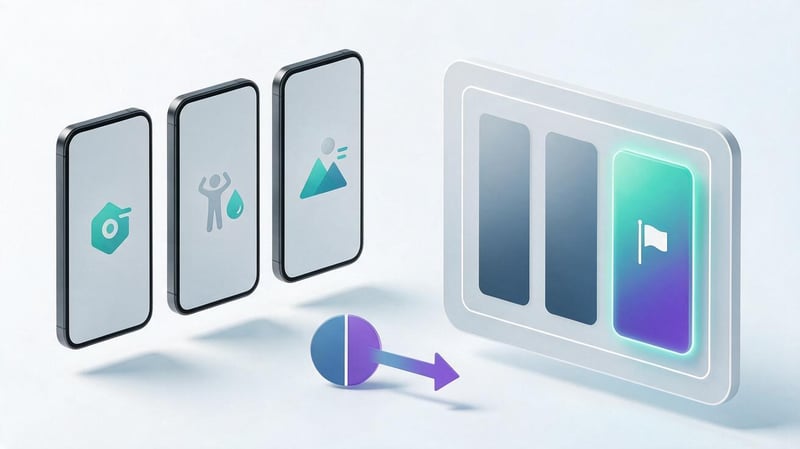
A/B testing allows you to compare different advertising solutions under comparable conditions. You can test messages, images, videos, audiences, and individual app page elements.
It's best to change one primary variable per test. If you change the audience, budget, and creative simultaneously, it will be difficult to understand which action influenced the results.
As an example, you can test three advertising approaches for an expense tracking app:
- Control of everyday purchases. The ad shows how to quickly add expenses and view transaction history.
- Budget planning. The video demonstrates the distribution of money by category and control of the available balance.
- Analysis of financial habits. The ad shows a monthly expense report and helps you understand where your money is going.
All three ads promote the same product but address different user needs. They can be compared based on registration costs and subsequent activity.
A winner should be chosen after sufficient data has been collected. A short observation period and random fluctuations in the data may lead to an incorrect decision.
Scaling effective advertising channels
Scaling up an advertising campaign should be done after confirming the quality of acquired users. If a channel generates installs at an acceptable cost, but the audience quickly abandons the app, increasing costs could exacerbate the problem.
Before scaling, you need to evaluate the cost per action, retention, and revenue from acquired users. It's advisable to analyze several consecutive periods to rule out random success.
It's best to increase your budget gradually, monitoring changes in your cost of acquisition. A sudden expansion of your reach can lead to reaching less engaged audiences and lower conversion rates.
It's also important to update your advertising materials. Using the same creative for a long time can make your audience less responsive to the repeated ad.
Seasonality, competition, and changes in the advertising auction should be taken into account separately. A campaign that performed well one month won't necessarily maintain its previous performance after increasing the budget.
How to measure the effectiveness of mobile app advertising channels?
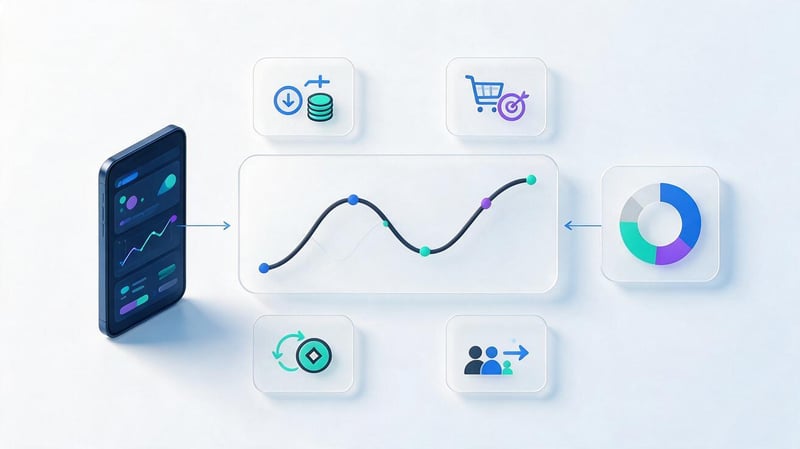
To evaluate advertising, it's necessary to consider several levels of metrics: ad interactions, installs, in-app actions, and revenue. Each level helps understand a specific part of the user journey.
A single metric is insufficient for a comprehensive analysis. For example, a decrease in cost per install may be accompanied by a decline in retention, while an increase in costs may be accompanied by an increase in the number of paying users.
Key mobile advertising metrics
Mobile marketing metrics allow you to compare advertising sources and evaluate the economics of acquisition. For accurate analysis, it's essential to use consistent timeframes, event definitions, and calculation rules.
Cost, return on ad spend, and user activity are particularly important metrics. They help understand how well advertising fits into the app's business model.
CPI, CPA, and customer acquisition cost
CPI, or Cost per Install, shows the average cost of installing a mobile app. To calculate it, divide your advertising costs by the number of installs attributed to the campaign using the chosen measurement system.
CPI = advertising costs / number of installs.
CPA, or Cost per Action, reflects the cost of a specific action. This action could be a registration, a subscription, an application, or a purchase.
CPA = advertising costs / number of target actions.
If a campaign spent 10,000 UAH and attracted 250 installs, the CPI would be 40 UAH. If 25 of these users completed the target action, the CPA would be 400 UAH.
When calculating customer acquisition cost, it's important to clearly define who counts as a customer. An app install and a first paid purchase represent different stages of the user journey.
ROAS, LTV, and return on investment (ROI)
ROAS measures the ratio of revenue attributed to an advertising campaign to its costs. This metric helps evaluate the return on advertising spend over a given period.
ROAS = advertising revenue / advertising costs x 100%.
For example, if 20,000 UAH was spent on advertising, and acquired users generated 30,000 UAH in revenue, the ROAS would be 150%. However, this indicator doesn't automatically take into account all operating expenses and the product's cost price.
LTV, or Lifetime Value, reflects the value of a user over a given period of interaction with the app. The calculation method depends on the business model, available data, and whether revenue or marginal income is used.
For subscription services, it's important to measure the duration of paid usage, while for stores, it's important to measure repeat purchases. When comparing LTV and acquisition cost, it's important to use consistent definitions of revenue and expenses.
Retention, DAU, and MAU
Retention shows what proportion of users return to the app after a certain period of time following installation or initial use. Retention at the first, seventh, and 30th day is often used for analysis.
DAU reflects the number of unique active users per day, while MAU reflects the number of unique active users per month. These metrics help assess the scale and frequency of product usage.
To compare advertising channels, it's useful to analyze individual user cohorts. For example, people acquired through Facebook in one week may demonstrate different retention than a Google Ads audience over the same period.
Below is a hypothetical example for two advertising channels:
| Period | Channel A | Channel B |
|---|---|---|
| Installation day | 100% | 100% |
| Day 1 | 42% | 48% |
| Day 7 | 19% | 25% |
| Day 30 | 7% | 13% |
These values are provided solely for illustrative purposes and do not constitute market benchmarks. In the example, channel B shows higher retention across all milestones.
Even if installation via Channel B is more expensive, its cost-effectiveness may be higher. The final conclusion requires taking into account purchases, revenue, and expenses.
Attribution and mobile analytics
Mobile attribution helps link ad interactions to installs and subsequent in-app events. This is achieved using specialized MMP measurement platforms, including AppsFlyer and Adjust.
Depending on the integration, the system receives information about advertising campaigns, installations, and user actions. This data is then used for reporting and advertising optimization.
When working with iOS, it's important to consider access restrictions to user identifiers and Apple's policies. Platform-provided mechanisms, including AdAttributionKit, can be used for measurement, subject to their availability and terms of use.
Android also has requirements for data processing and advertising identifiers. Therefore, analytics settings must be aligned with the app's privacy policy and advertising system requirements.
Discrepancies between your ad account, MMP, and internal analytics don't always indicate a technical error. They can be caused by different attribution windows, event accounting models, and reinstall processing rules.
How to identify low-quality advertising traffic?
Low-quality ad traffic can manifest itself as a large number of installs without further activity. Users open the app once, don't register, or don't perform the actions the ad was designed to trigger.
When analyzing, pay attention to abnormal install rates, unusual sequences of events, and sharp differences between individual sources. However, one suspicious indicator does not necessarily prove advertising fraud.
To identify problems, it's helpful to compare cohorts, countries, devices, and advertising platforms. Additionally, you can use MMP anti-fraud tools and available traffic filtering mechanisms.
If a particular source consistently brings in users with abnormally low activity, it should be investigated further. If there is technical confirmation of invalid installs, limit the problematic inventory and contact the advertising platform.
What mistakes reduce the effectiveness of app advertising?
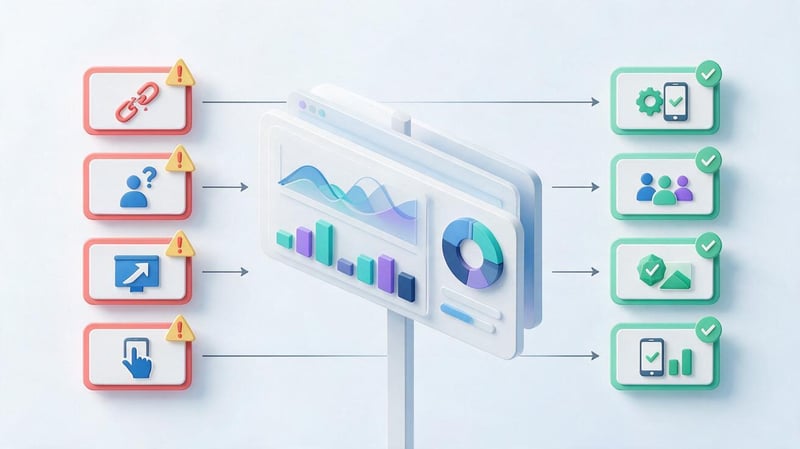
Mobile advertising mistakes often arise even before a campaign launches. An incorrectly chosen objective, poor analytics, or a mismatch between the ad and the actual product can all degrade results, regardless of the advertising platform.
When analyzing a failed campaign, it's helpful to separate issues with user acquisition, the store page, and the app itself. This helps you address the root cause, rather than constantly changing ads without understanding the results.
| Error | Consequence | How to fix |
|---|---|---|
| Select a channel based on popularity only | Advertising is reaching the wrong audience | Study the geography, needs and behavior of users |
| Evaluation by CPI only | Attracting installs without useful actions | Add CPA, retention, and revenue |
| Lack of ASO | The conversion rate of the store page is decreasing | Optimize your title, description, and graphics |
| Launch without analytics | It is impossible to assess acquisition quality | Set up events and attribution |
| Using one creative | Testing capabilities are limited | Prepare several advertising approaches |
| Ignoring geography | Traffic does not match the target market | Check countries, languages, and site availability |
| Premature scaling | Costs are rising without proven return on investment | First, check the quality of the cohorts |
| Frequent changes to settings | It is difficult to determine the cause of the fluctuations | Conduct sequential tests |
| Lack of fraud control | Spending on invalid installs is possible | Use anti-fraud and source analysis |
A separate error involves attempts to artificially boost an app's installs or ratings. Such actions may violate app store policies and pose risks to the product.
For sustainable growth, it's better to engage with a real audience, improve the user experience, and analyze the results of advertising campaigns. This approach provides a more reliable basis for budget allocation.
Mobile app advertising channels differ in audiences, formats, and measurement capabilities. Google Ads, Meta Ads, TikTok Ads, Apple Ads, and mobile ad networks are all suited to different objectives, so the choice should be based on testing data.
For stable growth, it's important to combine advertising campaigns with ASO, accurate analytics, and improved user experience. Results should be measured based on actual actions and the revenue generated by acquired users.
Need a mobile app promotion strategy? Contact Seo-Gen. We'll analyze your product, audience, and existing channels, determine priority advertising areas, and develop a user acquisition plan.


