SEO competitor analysis: what to look for?


SEO competitor analysis helps us understand which sites Google considers strong in a specific topic and which pages contribute to their rankings. We focus on keywords, structure, content, technical condition, internal links, link profile, commercial blocks, and search visibility. This data provides guidance for developing your own project and identifies gaps that hinder its competitiveness in search results.
A list of companies provided by the sales department or business owner is only partially suitable for this task. A website's organic search competitors are determined based on actual search results. The same domain should regularly appear for queries in the desired clusters, and its pages should match the same search intent. Therefore, SEO analysis of competitors' websites begins with the SERPs and then moves on to the figures from services.
What is SEO competitor analysis and why is it needed?
SEO competitor analysis is a sequential comparison of your own project with websites that are already gaining visibility for the desired search queries. This research examines rankings, the semantic core, pages with organic traffic, structure, meta tags, content, technical SEO, internal linking, and backlinks. Commercial factors are also assessed separately when it comes to categories, products, or services.
The analysis becomes useful when each difference identified leads to a concrete conclusion. If three leaders have separate landing pages for a cluster, and our site is driving these queries to a common category, we need to assess the need to expand the structure. If competitors receive a significant share of their traffic from their information section, we can examine their content clusters and identify topics that are suitable for our project.
Competitor analysis also helps assess the scope of work ahead. Sometimes the problem lies in a few weak pages and meta tags. In another niche, growth will require a new structure, dozens of landing pages, systematic link building, and significant technical refinement. Without comparison with search results, such differences are easy to miss.
How is an SEO competitor different from a business competitor?
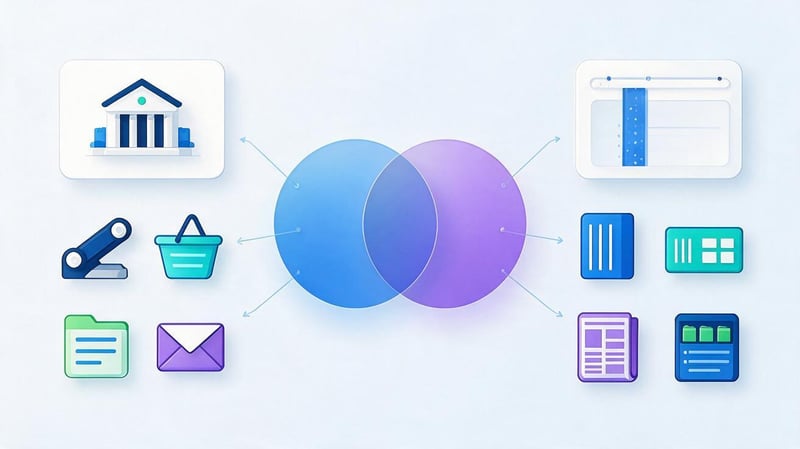
A business competitor targets the same audience and offers a similar product. An SEO competitor ranks in Google for the same queries our website needs. These groups often overlap, but there's usually no perfect match. In search results, a commercial project may compete with a marketplace, directory, aggregator, major media outlet, or information portal.
For example, a clinic considers several medical centers in its city as competitors. Specialized directories, doctor pages, and major medical portals may consistently rank near them for specific services. From a business perspective, these sites are different, but they are important for SEO competitor analysis because they draw visibility and clicks from the same search results.
This difference affects the analysis methodology. SEO competitive analysis is built around specific search clusters and pages. Comparing companies by revenue, number of branches, or advertising budget alone won't explain why one domain is in the top three while another remains beyond the first page.
When is competitor analysis needed?
A full SEO competitor analysis is typically conducted before launching a promotion, revising a strategy, or significantly expanding a website. It's also useful when launching a new line of business, expanding into a different region or language, experiencing a prolonged plateau in growth, or experiencing a significant loss in rankings. In such situations, comparing current search results helps isolate internal website issues from changes within the niche itself.
There's no need to repeat a comprehensive study every month. For regular work, it's sufficient to monitor competitor rankings, new pages, link dynamics, and changes in search visibility. A more in-depth audit of competitors' websites is necessary after major market changes, project updates, or the emergence of new SERP leaders.
If a website is just being created, competitor research helps to structure it early and avoid obvious gaps. For an existing project, it often reveals which sections are already lagging behind the market, where semantics have been lost, and which pages require immediate improvement.
Answers to your questions
How to conduct SEO competitor analysis?
Start by finding domains that regularly appear in Google for your main commercial and informational clusters. Then, gather search queries, positions, traffic pages, structure, Title, H1, content, technical parameters, internal links, and link profile.
Once collected, compare your competitors' data with your own website and note any gaps. The final step is to prioritize tasks and include them in your SEO roadmap. A list of metrics without concrete action is of little use.
How to find competitor websites for SEO analysis?
The most reliable method is to check Google search results for several important queries and list domains that regularly appear in the top 10. You can then expand the list using Ahrefs, Serpstat, Semrush, or SE Ranking, using semantic overlap reports.
Before adding a domain to the main list, check it manually. The site should compete with your project based on relevant intent, region, and page type. A random overlap in several keywords doesn't make it a full-fledged SEO competitor.
How to find out your competitors' keywords?
Competitors' keywords can be collected using Ahrefs, Serpstat, Semrush, SE Ranking, and other visibility services. It's more convenient to first download queries for the entire domain and then view the priority URLs and their rankings separately.
The resulting semantic data must be cleaned of irrelevant topics and grouped by intent. After this, the clusters are compared with the semantic core to identify queries for which the site doesn't have a suitable page or for which the current URL ranks poorly.
How to find out a competitor's website traffic?
Accurate traffic data is available to the website owner in their own analytics system. Third-party services provide estimated values based on their own keyword databases, rankings, and click-through models.
For competitive analysis, this data is usually sufficient if you compare websites in a single service and monitor their dynamics. It's more useful to study traffic pages, query distribution, and visibility changes than to rely on a single absolute number.
Is it possible to do a website competitor analysis for free?
Yes, you can perform a basic check without a paid subscription. Google is suitable for collecting SERPs, PageSpeed Insights is for speed, Schema Markup Validator is for structured data, Web Archive is for page history, and you can also examine the structure and content manually.
Limitations arise when performing large-scale analysis of semantics, links, and historical data. For large projects, paid tools significantly speed up the process and allow for the comparison of thousands of queries and URLs in a single format.
How many competitors do you need to analyze?
For most projects, five to ten key SEO competitors are sufficient. It's better to select a few truly relevant domains that consistently appear in target clusters than to superficially examine twenty random sites.
Additional competitors can be included for specific areas. For example, one domain might be strong in informational content, another in local pages, and a third in link profile. They don't necessarily need to be compared equally across all parameters.
How often should you conduct SEO competitor analysis?
A major analysis is typically performed at the start of a promotion, after major project changes, and then approximately every six to twelve months. In dynamic niches, reviews can be conducted more frequently.
Individual metrics are monitored continuously. Rankings, new pages, links, and visibility changes are tracked at shorter intervals to quickly spot the emergence of new competitors or significant changes in the strategy of existing ones.
What competitor metrics are most important for SEO?
There's no single, universal metric. A comprehensive comparison requires search visibility, queries, structure, content, technical condition, internal links, link profile, and commercial factors.
Priority depends on the project. For one site, growth is limited by indexing, another lacks the necessary landing pages, and a third has weak semantics or links. Therefore, metrics are assessed together and linked to specific tasks.
How to identify competitors for SEO analysis?
Identifying a website's competitors begins with the search results for queries that match the company's core business areas. A single high-frequency keyword doesn't provide a meaningful picture. You need to consider several clusters, check the commercial and informational wording, examine the results at different search volumes, and identify domains that appear regularly.
At this stage, it's useful to separate domain-wide competitors from those of a specific page. One site may overlap with us in dozens of categories, while another may only overlap in a single, priority area. For a specific landing page, the latter approach is sometimes more useful because it shows the actual level of competition for the desired intent.
How to find competitors' websites in Google?
First, select a set of target queries and open the organic search results. Enter domains, page URLs, positions, and result types into a table. If a single site appears for multiple queries within a single cluster or across several important categories, it should be included in the main list for analysis.
The workflow looks like this:
- Select queries from several priority clusters that are already bringing or should bring targeted traffic.
- Add high-frequency, mid-frequency, and low-frequency variations so that search results aren't dependent on a single general query.
- Record the websites and specific URLs that rank in the TOP-10 for each keyword.
- Separately mark domains that appear regularly and maintain the same search intent.
- Remove irrelevant result types if they do not intersect with the objective of your project.
After this collection, it becomes clear which competitors' websites are truly worth exploring in more depth. Searching for competitors on Google also helps spot types of pages that services show less obviously: local pages, collections, articles, filters, or individual categories.
Queries like “how to find competitors' websites”, “find out a website's competitors”, and “identify a website's competitors” often boil down to trying to find a single, all-purpose service. In practice, it's better to combine manual SERP checking with data from SEO platforms. This way, the list is closer to the actual results.
What queries should I use to find competitors?
To find competitors, you need a set of queries that reflect different parts of the semantics. If you use a single, general commercial keyword, the largest domains will be included in the list, but many strong competitors in specific services or categories will go unnoticed. It's better to use several levels of queries and then look for recurring sites.
The basic set typically includes the main commercial query, a category keyword, a specific service query, and several mid- and low-frequency keywords. If the project is developing a blog, informational topics related to commercial areas are added. For local businesses, queries with a city or district are checked separately.
The results reveal the breadth of the competitive landscape surrounding the project. However, analyzing the number of competitors for a given query is of secondary importance. It's much more useful to understand which domains consistently hold strong positions and which pages Google selects for the relevant intent.
How many competitors should I analyze?
For most projects, a detailed analysis of five to ten relevant domains is sufficient. If the niche is narrow, there may be fewer high-quality competitors. For a large eCommerce or aggregator, on the other hand, the list is often broader, but even then, there's no point in conducting an equally in-depth analysis of dozens of sites.
Priority is given to competitors who recur across multiple target clusters, operate in the relevant region, and use a comparable type of page. One or two strong projects from a larger segment can be separately added if you need to look at advanced solutions for structure, content, or interlinking.
After selecting, it's a good idea to divide the list into primary and secondary competitors. This approach simplifies comparative analysis of competitors' websites and avoids cluttering the table with dozens of unhelpful metrics.
How to find competitors using SEO services?
Ahrefs, Serpstat, Semrush, SE Ranking, and similar systems can find domains with overlapping search queries. The service typically compares the number of common keywords, visibility, and ranking distribution. This method complements manual search well, especially on large sites with thousands of pages.
Competitor SEO analytics through the service helps quickly identify domains that weren't immediately obvious. Each result then needs to be opened and manually verified. Sometimes, the platform classifies a large directory or media outlet as a competitor that overlaps with the project on several informational queries but has little to no commercial semantics.
These services are also useful for segmentation. You can view competitors separately by category keywords, blog posts, or specific countries. This makes the site's competitor audit more accurate, as it compares projects with similar page types and search intent.
What to look for when conducting SEO analysis of competitors' websites?

The main stage begins after compiling a list of domains. An SEO analysis of a competitor's website should answer straightforward questions: where does the site get its organic traffic from, what queries does it address, how is its structure organized, which pages are the strongest, how well are the technical elements implemented, and which links enhance the domain's authority.
It's best to immediately document the findings for each area. A simple download from Ahrefs or Serpstat quickly turns into a bunch of numbers that no one uses. Competitor SEO analysis is useful when it helps us understand which gaps need to be addressed immediately, which require a separate project, and which aren't relevant to our strategy at all.
Lead SEO specialist — Gennady
I always start my SEO competitor analysis with search results, not with a list of companies the client considers their competitors. For SEO, the most important sites are those that Google already shows for our target queries. Then I look at the entire system: pages with traffic, semantics, structure, content, interlinking, technical limitations, and link profile. After collecting the data, I identify the gaps that are truly hindering growth and prioritize them.
Visibility and organic traffic of competitors
Analyzing competitor traffic helps assess the scale of their search presence and identify the areas that generate the majority of organic traffic. This includes approximate search traffic, the number of keywords in the top 3, top 10, and top 100, visibility trends, and traffic distribution across pages and countries. For seasonal niches, data is also compared across multiple periods.
Third-party service metrics should be viewed as estimates. It's impossible to know a competitor's exact website traffic without access to their Google Analytics or other internal system. Ahrefs, Semrush, Similarweb, and other platforms build their own models, so absolute numbers may vary. For site comparisons, it's more important to use the same methodology and trends.
It's useful to combine competitor website traffic analysis with page analysis. If a domain is growing, you need to identify which URLs contributed to the increase. If visibility has declined, it's worth looking at which sections have lost rankings. This way, competitor website analysis connects overall trends with specific changes in structure or content.
How to find your competitor's most trafficked pages?
In Ahrefs, Semrush, Serpstat, and similar services, you can sort pages by estimated organic traffic. Then, you need to check the queries for each URL and understand what type of content is driving results. This is often where categories, services, articles, or local landing pages are located that aren't on our website.
A competitor's website traffic should be considered in conjunction with the intent. An article may receive tens of thousands of informational visits and have little to no overlap with the project's commercial objectives. Alternatively, a small service page may generate little traffic but cover a valuable, conversion-rich cluster. Simply comparing numbers without context will yield the wrong priority.
After the analysis, a list of pages worth exploring in more depth is compiled. For each, keywords, rankings, estimated traffic, page format, and connections to commercial areas are recorded. This approach helps assess competitor site traffic and simultaneously identify potential growth opportunities.
Semantics and keywords of competitors

Competitor keyword analysis reveals which queries already bring them rankings and which topics are missing from our structure. We first look at the entire domain's semantics, then move on to specific URLs. Comparing several strong competitors simultaneously is especially helpful, as a single finding doesn't necessarily confirm a consistent search results pattern.
The download typically includes competitors' search queries, search volume, current position, URL, intent, and estimated traffic. The queries are then grouped into clusters. This reveals which areas are covered by separate pages, which are grouped within a common category, and where the competitor is experiencing significant cannibalization.
Competitor keywords are also useful for updating existing pages. If our landing page already ranks for the main keyword but is losing long-tail rankings, analyzing competitors' website keywords helps us understand which subtopics and entities we haven't covered.
What is Keyword Gap?
Keyword Gap shows queries for which competitors are gaining visibility, while our domain or specific page is missing or ranks poorly. Keywords that appear for several competitors at once are particularly interesting. The likelihood of a coincidence is lower, and they're more valuable for further review.
Finding a gap doesn't mean adding every query to the text or creating a separate page for it. First, check its relevance to the business, search intent, and current structure. Sometimes one cluster naturally complements an existing page, while another requires a new URL.
A good competitor analysis by keyword ends with grouping the Keyword Gap by action. Some keywords are used to refine current content, some are used for new landing pages, and irrelevant queries are excluded. This approach protects the site from unsystematic expansion.
How to find out a competitor's semantic core?
A competitor's full internal semantic core is unavailable because we don't see their working documents or optimization history. However, we can collect the actual keywords for which the domain and its pages appear in search results. For this purpose, we use Ahrefs, Serpstat, Semrush, SE Ranking, and other search visibility databases.
It's easier to analyze a competitor's semantic core by URL. The full export for a large website can contain hundreds of thousands of queries across various topics. Analyzing specific categories, services, and articles helps us identify queries related to a specific intent and compare them with our page.
The queries “how to find competitors' keywords”, “how to find competitors' search queries”, and “how to view competitors' keywords” are solved in roughly the same way: download the domain or URL positions, clear irrelevant semantics, group the queries, and compare the resulting clusters with your core.
How do you know what new pages your website needs?
First, compare the structure of several leading sites. If a specific service or category is assigned to a separate URL on three to five strong sites, and these pages rank in their own cluster, there's a compelling reason to check a similar structure for your own site. The decision is made after analyzing the intent and volume of semantics.
A good example is regional pages. If users are clearly searching for a service specific to a city, and individual geographic pages consistently rank in the SERPs, a generic URL may lose out in terms of relevance. However, creating dozens of nearly identical pages without unique content and a real regional presence is not acceptable.
Analyzing competitors' semantic cores also reveals the opposite situation. Sometimes strong websites combine several closely related clusters on a single page. In such cases, artificially fragmenting your own structure can lead to cannibalization.
Competitor's website structure

The structure shows how the competitor has distributed demand across sections and individual URLs. It's important to look at categories, subcategories, service pages, geo-pages, filters, tags, blogs, reference materials, and other indexed page types. After that, compare the depth of nesting and the number of internal clicks to priority URLs.
Analyzing competitors' pages helps us understand which structural levels are common among the leaders. One site might have a random section that emerged from internal business needs. If similar logic is found across most strong domains and is supported by semantics, it should be considered a consistent pattern.
Breadcrumbs, menus, and thematic interlinking blocks are checked separately. They show the site's hierarchy and help understand which pages the project owner considers a priority.
How to compare website sizes?
It's easier to estimate a site's exact size using a crawler and indexing data from your own project. For competitors, use Screaming Frog, Sitebulb, SEO services, and available search operators. The query “site:” can provide a general guideline, but the number of Google results shouldn't be taken as the exact number of indexed URLs.
It's useful to compare page types. If our online store has 150 categories, while our competitors have 600, we need to understand the reason for the difference. Perhaps they've created separate subcategories, geo-pages, or filters that truly address search demand. Simply increasing the number of URLs without semantics won't yield any benefit.
When comparing competitors' websites by size, it makes sense to consider their visibility. A large index with no traffic may indicate weak pages, duplicates, or bloated structure. A compact site with high visibility, on the other hand, indicates a more dense distribution of demand among high-quality URLs.
What to look for in a competitor's structure?
You should look for recurring solutions within the structure. These could be separate pages for services, cities, brands, user tasks, product categories, questions, or information clusters. The more frequently a single format appears among the leaders and the more queries it addresses, the more closely it should be studied.
However, you can't just copy a single site's tree. A competitor may have different products, regions, CMS limitations, and business objectives. First, gather all the options, then compare them with your own semantic core, and only then design the changes.
A good outcome of this stage is a list of missing sections and pages with clear justification. Each new entity should have queries, search intent, and a place in the overall project architecture.
Content and on-page SEO

Content analysis includes the Title, Description, H1, H2-H3 structure, topic coverage, lists, tables, FAQs, images, videos, expert commentary, and internal links. For informational materials, the author, update date, sources, and E-E-A-T indicators are examined separately if the topic requires high expertise.
It's easy to get caught up in a mechanical word count comparison. This approach explains almost nothing. One page may be longer due to repetition and common phrases, while another covers the intent more compactly and ranks better. Therefore, the structure of the response and topic coverage are evaluated first, and then the text length.
A content-level SEO analysis of competitors' websites is especially useful before preparing a copywriter's specifications. It reveals essential subtopics, terminology, frequently asked questions, and presentation formats that users regularly see at the top of search results.
How to analyze competitors' Title, Description, and H1?
The Title and H1 tags should be compiled across a group of pages, rather than reviewed individually. Repeated words, the location of the primary keyword, geo-referencing, commercial modifiers, and differences between the Title and H1 tags are then noted. This analysis helps understand which wording is typical for a particular search intent.
The description primarily influences the page's appearance in search results, although Google can generate the snippet itself. When comparing, it's helpful to look at what advantages and details competitors highlight in their descriptions: price, timelines, service format, delivery, region, or specific category.
The resulting wording shouldn't be applied verbatim to your text. Comparing meta tags is necessary to identify patterns and gaps. The final Title, Description, and H1 tags should be consistent with our page and its content.
How to compare competitors' texts?
To begin, they list all the major semantic blocks and look for recurring themes across multiple pages in the top 10. Then, they highlight tables, examples, FAQs, expert quotes, images, and other elements that help the user understand the topic.
The next step is to compare comprehensiveness. If competitors explain the cost, timeframe, limitations, and process in detail, while our page limits itself to a general description of the service, the difference is obvious. In an informational article, definitions, instructions, examples, tools, and answers to related questions are checked in the same way.
Text length is used as a benchmark. It helps prevent a page from being noticeably thinner than strong competitors, but it doesn't in itself determine quality. For SEO, it's more important to address intent and eliminate information gaps.
Technical condition of competitors' websites
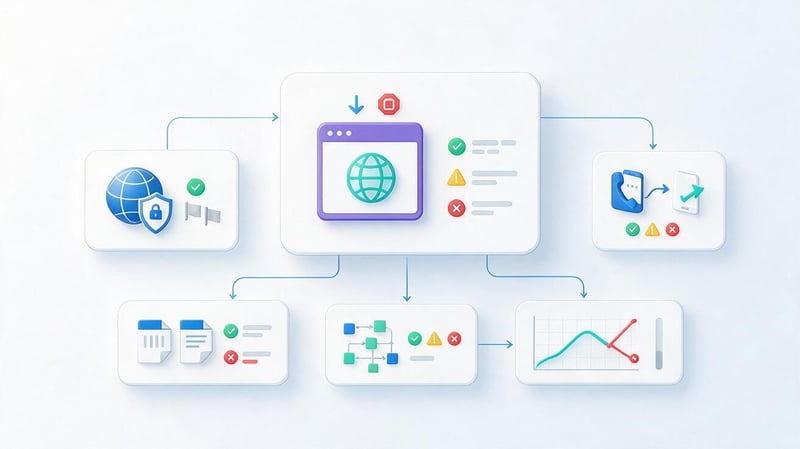
The technical section shows how carefully the pages already ranking in search results are implemented. They check HTTP codes, canonicals, meta robots, robots.txt, sitemap.xml, HTTPS, mobile adaptation, duplicate URLs, parameters, hreflang, and structured data. For large sites, it's also useful to examine the filtering logic and indexing of faceted pages.
You can partially analyze a competitor's website for free using a browser, Google, PageSpeed Insights, Rich Results Test, and Schema Markup Validator. For bulk testing, it's more convenient to use Screaming Frog or Sitebulb, as manually reviewing dozens of URLs quickly becomes cumbersome.
A technical comparison doesn't mean you have to replicate every element of your competitor's website. Mistakes also make it to the top. Our goal is to identify solutions that meet search engine requirements and help the website structure index properly.
Which Core Web Vitals should you compare?
Core Web Vitals looks at LCP, INP, and CLS. LCP relates to the speed at which the main visible content appears, INP indicates the responsiveness of the interface during user interaction, and CLS reflects unexpected element shifts during loading.
For comparison, it's useful to use PageSpeed Insights and Chrome User Experience Report data, if available. The Lighthouse lab score helps identify technical issues, but it's not a direct equivalent to real-world user experience.
If our primary landing pages are significantly inferior to our competitors in Core Web Vitals, the issue should be moved to the technical backlog. If the metrics are identical, there's no point in wasting resources just to boost the lab score.
What microdata should I look at from my competitors?
Competitors should be checked for Schema.org types that correspond to the actual page content. For a company, this could be Organization or LocalBusiness, for articles – Article or BlogPosting, for products – Product, for breadcrumbs – BreadcrumbList.
FAQPage markup should be considered in light of the page type and current Google guidelines. The mere presence of an FAQ on a page doesn't necessarily mean markup is required. The same rule applies to Review and AggregateRating: markup should be based on actual reviews and data the user sees on the page.
Competitors' JSON-LD can be easily verified using Schema Markup Validator and Rich Results Test. This analysis helps identify which entities are used in the niche, but the final microdata should be based on the site's own data.
Competitors' link profile

A link profile shows which external resources link to competitors and which pages receive the most link juice. Typically, referring domains, the number of backlinks, the quality and topic of donors, link acquisition dynamics, anchor text, and the dofollow/nofollow distribution are compared.
Domain Rating and similar metrics from Ahrefs, Semrush, and other services are useful for relative comparisons. They are not Google ranking factors. Therefore, a high DR rating alone does not make a site a good donor.
When analyzing, it's helpful to categorize links by type: articles, media, directories, partners, brand mentions, research, tools, and guest posts. This breakdown shows which link acquisition methods are actually effective in a given niche.
What is Link Intersect?
Link Intersect shows sites that link to multiple competitors but don't yet link to our domain. Such sites are candidates for additional evaluation because they have already published or mentioned projects in our niche.
Next, you need to check the language, region, actual organic traffic, topic, content quality, and the nature of outgoing links. Excessive overlap of donors is sometimes explained by directories, networks, or low-quality sites that are not suitable for link building.
Link Intersect works well as a way to expand your list of potential donors. Placement decisions are made individually after a manual review of each site.
How to analyze competitors' anchors?
The anchor list is conveniently divided into branded queries, URLs, non-anchored phrases, commercial keywords, diluted phrases, and informational anchors. Then, several competitors are compared to see the overall nature of the niche's link profile.
It's not a good idea to copy the percentage distribution of one domain. An old brand may have a huge share of organic mentions, while a new project will have a different profile. Additionally, consider the domain's history, page type, and link acquisition methods.
Anchor analysis helps spot obvious spam and understand which pages competitors are promoting more actively with external links. This data is useful when developing your own link strategy.
Internal linking
Internal links reveal how a site distributes attention between pages and how deeply important URLs are hidden. First, they look at the main menu, categories, breadcrumbs, and cross-cutting blocks. Then, they examine contextual links from articles, services, and adjacent sections.
For large projects, it's useful to calculate internal PageRank or at least the number of internal links to key pages. If an important commercial landing page is five or six clicks away from the main page and is barely mentioned anywhere, it's harder for it to compete with competitors' well-integrated pages.
Monitoring competitors' websites helps us find interesting interlinking patterns: topical hubs, related service blocks, links from popular articles, or navigation between geo-pages. We should use logic that fits our architecture.
Commercial factors and UX
For a commercial page, you need to compare the elements that help users make a decision after clicking through from Google. For services, these typically include the price or pricing principle, timelines, conditions, benefits, case studies, reviews, the team, contact information, forms, and clear CTAs. For local projects, they also look at addresses, hours, a map, and branch information.
In online stores, the list is broader. Users need product availability, specifications, price, delivery and payment options, return policies, reviews, filters, comparisons, and related items. If competitors address these questions directly on the page, and our project forces users to search for information throughout the entire site, the difference impacts both UX and conversion.
It's best to compare your website with competitors using a consistent template. This will reveal where a single issue exists and where a whole set of expected elements is missing. After such an analysis, commercial improvements can be incorporated into the overall SEO roadmap.
How to collect competitor analysis results into one table?

A comprehensive analysis quickly becomes cumbersome when data is scattered across Ahrefs exports, semantic tables, content notes, and technical reports. Therefore, it's best to consolidate the results into a single working file. For each area, record the metrics of your site, several key competitors, the identified gap, and the specific action.
The basic structure might look like this:
| Parameter | Our website | Competitor 1 | Competitor 2 | Competitor 3 | Findings | Action |
|---|---|---|---|---|---|---|
| Search visibility | Project data | Value | Value | Value | Cluster lag | Expand semantics |
| Structure | Current URLs | Pages | Pages | Pages | No separate service pages | Create relevant URLs |
| Content | Current blocks | Blocks | Blocks | Blocks | Questions not covered | Refine the page |
| Technical | Errors | Implementation | Implementation | Implementation | Limitations found | Pass to developer |
| Links | Our profile | Profile | Profile | Profile | Few relevant donors | Create a link building plan |
After filling out the table, don't try to fix all the differences at once. Some discrepancies don't affect the current task, others require significant resources, and some competitors' solutions are completely unsuitable for our project.
It's convenient to assign priority, complexity, and expected impact to each task. This way, a comparative analysis of competitors' websites becomes a clear task list for the SEO specialist, developer, copywriter, and webmaster.
Approximate priority chart
This chart can be used within a worksheet after analysis. It shows the sequence, rather than the universal value, of each area.
| Direction | Typical priority |
|---|---|
| Critical indexing issues | 100% |
| Missing commercial pages | 100% |
| Keyword Gap on existing pages | 80% |
| Internal linking | 80% |
| Weak Title, H1 and content | 80% |
| Core Web Vitals with real problems | 60% |
| Expanding your link profile | 60% |
| Additional informational clusters | 40% |
Priorities vary from project to project. If a site is blocked from indexing or creates massive duplicates, working with new articles won't solve the underlying problem. For a technically sound project with a good structure, the first limitation may be semantics or links.
What tools should I use for SEO competitor analysis?

A single service rarely covers all aspects of analysis. Google displays the actual SERP better, Ahrefs and Semrush are useful for semantics and links, Screaming Frog helps analyze structure, and PageSpeed Insights provides speed data. It's best to choose the right tools for the right task.
| Task | Tools |
|---|---|
| Search for competitors | Google, Serpstat, Ahrefs, Semrush |
| Competitors' keywords | Ahrefs, Serpstat, Semrush, SE Ranking |
| Monitoring competitors' positions | Topvisor, SE Ranking, Serpstat |
| Traffic | Ahrefs, Semrush, Similarweb |
| Structure and crawling | Screaming Frog, Sitebulb |
| Link profile | Ahrefs, Semrush, Serpstat |
| Core Web Vitals | PageSpeed Insights, Lighthouse |
| Page history | Web Archive |
| Schema.org | Schema Markup Validator, Rich Results Test |
| Website technologies | Wappalyzer, BuiltWith |
Queries like “Serpstat competitor analysis” or “Topvisor competitor analysis” shouldn't be taken as a search for the single right product. Serpstat is great for competitive semantics and visibility, Topvisor is convenient for rankings, and Ahrefs is strong in link analysis. The right set of tools depends on the project's scale and available budget.
A competitor analysis website may provide some data for free, but bulk downloads and historical data are usually available with paid plans. Therefore, it's best to determine which metrics your team truly needs before subscribing.
Is it possible to conduct a competitor analysis for free?
A basic website competitor analysis is available for free. Google is used to collect search results and key domains, the structure, title, H1, and content are examined manually, PageSpeed Insights checks the speed, Schema Markup Validator checks the microdata, and Web Archive helps you view older versions of pages.
The free limits of some SEO services are suitable for specific tasks. For example, you can check several domains or queries, view some links, and assess overall visibility. For a large project, this quickly becomes insufficient.
Analyzing competitors' websites online without paid tools will require more manual work and yield less historical data. If the task is one-off and the niche is small, this may be sufficient. For systematic monitoring and a large semantic core, paid databases save significant time.
How to turn competitor analysis into an SEO strategy?
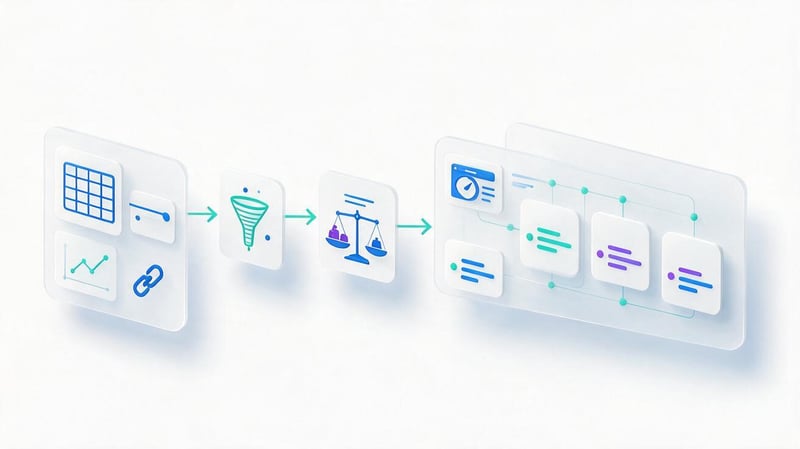
After collecting the data, it's important to determine which differences are truly limiting growth. To do this, all findings are grouped by impact and effort. A technical error that prevents hundreds of pages from being indexed usually receives higher priority than an additional FAQ or a new illustration.
It's convenient to divide tasks into immediate, medium-term, and long-term ones. This structure helps avoid mixing up meta tag edits on one page with the creation of a large new section or an annual link strategy.
Quick tasks
This group includes changes that can be implemented without rebuilding the entire site. For example, fixing a weak title and H1 tag, adding internal links to a priority page, expanding existing text to address a keyword gap, or removing an obvious technical error.
Quick tasks are well suited for the first weeks after an audit. They give the team a specific scope of work and allow them to close any obvious gaps while larger changes are being prepared.
After implementation, the results are recorded separately. This makes it clear which changes have already been completed, which require re-checking, and which need to be carried forward to the next stage.
Medium-term tasks
The mid-term block includes expanding the structure, reworking page groups, creating content clusters, improving commercial factors, and performing template-level technical tasks. Such changes typically involve several specialists and require preliminary design.
For example, a competitor analysis may reveal that a category is too broad and underperforms against individual landing pages in several clusters. In this case, the task involves semantics, designing new URLs, templates, text, interlinking, and meta tags.
For each such task, it's advisable to define a completion criterion. The wording “improve the structure” is too general, while a list of specific pages, new links, and requirements can be delegated to the developer and content team.
Long-term tasks
The long-term portion of an SEO strategy typically revolves around cumulative factors. This includes link profile development, content scaling, E-E-A-T strengthening, expansion into new regions, and the creation of larger website sections.
Such work can't be assessed within a single week. It requires milestones, interim metrics, and regular monitoring. For example, in link building, the quality of new referring domains, anchor text distribution, and landing page performance are monitored.
Ultimately, a complete competitor analysis should culminate in a roadmap, where each task has a reason, priority, owner, and a clear next step. Without this, even a detailed audit quickly gets lost among other documents.
How often should you analyze competitors?

It's wise to conduct a full competitive analysis before starting SEO and then revisit it after major project changes or approximately every six to twelve months. In rapidly changing niches, the interval is shorter, especially if new players regularly appear in search results.
Certain metrics are updated more frequently. Rankings and search visibility are usually monitored continuously, link profiles can be reviewed monthly or quarterly, and new competitor pages are reviewed every one to three months. The frequency depends on the site's size and the rate of change in the niche.
Competitive monitoring is necessary when the team uses data to make decisions. Weekly data exports without root cause analysis are rarely useful. It's better to track a limited set of metrics and analyze significant changes in detail.
Mistakes in SEO competitor analysis
One common mistake is analyzing familiar brands instead of websites that actually compete in search results. A second problem arises when the entire conclusion is based on a single high-frequency query. This type of analysis poorly captures the structure of a niche and often misses strong players in certain areas.
There are other errors that regularly reduce the value of research:
- Compare only one domain and consider its structure as the standard for the entire topic.
- View overall site metrics without analyzing specific URLs and search intent.
- Evaluate the link profile only by DR and the number of backlinks.
- Consider the estimated traffic of a third-party service as accurate competitor statistics.
- Copy texts, blocks, and structure without checking your own semantics.
- Collect dozens of metrics without turning the differences found into tasks.
- Mix commercial and informational pages in one comparison.
- Ignore internal linking and the depth of important URLs.
- Create new pages just because such a URL was found at one competitor.
- Conduct an audit once and use an outdated list of competitors for years.
After reviewing the list, return to the original goal of the analysis. Each metric should help guide decisions about structure, content, technique, or links. If a metric doesn't influence further actions, its value for the working report is limited.
Be especially cautious with automated reports. While competitor analysis software speeds up data collection, it's still up to a specialist to interpret the data. The same metric can mean different things for a new website, an established brand, a local business, and a large marketplace.
SEO competitor analysis checklist

Before completing the research, it's helpful to run through a short checklist. This helps ensure the analysis isn't focused solely on semantics or links, and covers other factors that may impact rankings.
Please check the following points:
- real competitors from SERPs were identified for several target clusters;
- search visibility and estimated organic traffic were collected;
- competitors' search queries and Keyword Gap were analyzed;
- the most traffic-rich pages of each main domain were found;
- the structure, categories, services, blog and geo-pages were compared;
- Title, Description, H1 and H2-H3 structure were checked;
- the content, tables, FAQ, expert blocks and E-E-A-T were studied;
- indexability, canonical, robots.txt and sitemap.xml were checked;
- Core Web Vitals were compared: LCP, INP and CLS;
- Schema.org, JSON-LD and other structured data were studied;
- internal links and the depth of priority pages were analyzed;
- referring domains, backlinks, anchors and Link Intersect were collected;
- the commercial factors and UX of the main landing pages were compared;
- all found gaps were converted into prioritized tasks;
- a roadmap for short-term, medium-term and long-term work was developed.
After completing the checklist, it's a good idea to remove any irrelevant data from the report that doesn't lead to action. The final document should help the team work, so each significant finding should be clearly linked to a specific page or group of pages.
An SEO competitor analysis helps you see the entire search niche: who's ranking, which queries and pages are driving traffic, how strong websites are structured, and where our project is lagging behind. The most valuable analysis comes from one that concludes with specific tasks related to semantics, structure, content, technique, interlinking, and links.
If you need a full competitive SEO analysis, Seo-Gen will compare your site with search leaders, identify growth opportunities, and prepare a prioritized work plan for your SEO specialist, developer, and content team.


