How to open your own online store from scratch?


How do you open an online store so that it's ready for sales, advertising, and organic promotion after launch? You shouldn't start with the homepage design, but rather with the product, demand, economics, and future catalog structure. After that, you can choose the platform, domain, payment methods, and delivery.
If you're planning to open an online store in Ukraine, you need to consider local logistics, business registration, fiscalization, payment services, and personal data management right away. Some issues can be resolved in a few days, while catalog preparation, integrations, and SEO often take much longer.
Below, we'll discuss how to open an online store from scratch, what to prepare for development, how to create an online store website, set up analytics, and choose customer acquisition methods after launch.
How to open an online store: what do you need to prepare?
The first stage is essential to avoid wasting money on a website that will have to be redesigned after the first sales. Before developing it, it's a good idea to know exactly what you're selling, who buys it, where your suppliers are located, what your markup will be, and what sales channels you plan to use.
In short, the list of what you need to open an online store includes the product niche, demand analysis, target audience, competitors, start-up budget, suppliers, product storage model, business registration, domain, platform, payment, delivery, CRM, analytics, and promotion.
Before starting work, the main decisions should be recorded:
- determine the product category, its marginality, seasonality and potential demand;
- find suppliers and clarify the terms of purchase, return and synchronization of balances;
- prepare a rough business plan with costs for the product, website, advertising, logistics and operational work;
- choose a sales model through your own website, marketplaces, social networks, or several channels simultaneously;
- consider the catalog structure, required pages, payment, delivery, analytics, and further SEO promotion.
After this, it becomes clearer how to organize an online store and what work needs to be completed before the first order. This process reduces the risk of a situation where the finished website doesn't match the actual product range or business model.
Determine the format of the future store
The format depends on the product, the available funds, and the team's capabilities. Some businesses purchase products in bulk and store them in their own warehouse, others work on a customized basis, and still others outsource shipments to suppliers using a dropshipping model. For a small project, a combination of several approaches is acceptable.
Your own warehouse provides greater control over stock, packaging, and shipping speed, but requires resources for purchasing and storage. Dropshipping lowers the entry barrier, but the store is more dependent on the supplier, their inventory, order processing speed, and packaging quality.
A marketplace can provide access to a ready-made audience, but the seller operates under the third-party platform's rules and pays commissions. A dedicated website offers greater control over the catalog, analytics, customer base, SEO, and repeat sales. In practice, many stores utilize multiple channels simultaneously.
Calculate your starting budget
It's best to calculate your startup budget before choosing a platform. Otherwise, you could spend a significant portion of your funds on development and, after launch, not have enough left over for advertising, inventory, logistics, and operating expenses. The amount depends on your niche, number of SKUs, development method, and level of automation.
One-time expenses typically include a domain, design preparation, website creation, catalog import, photos, text, and basic integrations. Recurring costs include advertising, SEO, platform or hosting, CRM, banking fees, logistics, content, staff, and website support.
If you're looking to launch your online store on a budget, it's better to limit functionality to the first working version rather than abandon analytics, a convenient checkout process, or a proper catalog structure. These elements impact sales even after launch.
Answers to your questions
What do you need to open an online store in Ukraine?
You need to define a product niche, test demand, find suppliers, calculate your budget and profitability, and choose a business structure and sales method. After that, you can move on to the domain, platform, and catalog structure.
Before launching, payment, delivery, CRM, inventory management, and analytics are also set up. Promotion requires SEO, advertising, or other channels that meet demand and product economics.
Specific legal and tax requirements should be checked against current regulations before commencing sales.
Is it possible to open an online store from scratch for free?
You can technically test how to create an online store for free using a free plan, a trial period, or a social media page. This option is suitable for testing an idea and a small catalog.
A full-scale commercial launch still involves expenses for the product, domain, advertising, logistics, payment, packaging, and maintenance. Therefore, it's best to view a free launch as a test rather than a permanent model.
Once demand is proven, you can gradually add the required features and migrate the catalog to a more suitable platform.
How to create an online store yourself?
First, choose a niche, supplier, and sales model. Then, register a domain, choose a SaaS platform or CMS, and prepare a catalog structure and key information pages.
After that, upload your products, set up your shopping cart, payment, delivery, and analytics. Before opening your store, place a few test orders from your mobile and desktop devices.
Building your online store without constant rework largely depends on preparing your structure and business processes before design begins.
How much does it cost to create an online store?
The price depends on the platform, number of products, design, integration, catalog content method, and automation requirements. A small store on a ready-made platform and a large custom system require different amounts of work.
Separately factor in post-launch costs: advertising, SEO, content, CRM, support, and logistics. These recurring costs often determine the true cost of growing a store.
Before development, it is useful to create a budget for at least the first few months of work.
How to promote a new online store on Google?
Organic promotion requires proper structure, semantics, indexing, optimized categories and product pages, internal linking, and a technically sound website. A blog can address some of the information demand.
To quickly attract traffic, use Google Ads, Shopping, and Performance Max. Before launching ads, set up ecommerce events and test the purchase tracking.
The combination of SEO and advertising helps address both short-term and long-term demand simultaneously.
How to quickly promote an online store?
Paid advertising can generate visitors immediately after launching a campaign if the website, analytics, and product data are configured correctly. SEO requires time for indexing, re-crawling, and increased visibility.
Sales velocity depends on demand, price, product selection, competition, and the quality of the offering itself. Advertising alone won't compensate for stock outs or unfavorable delivery terms.
For a new store, it's best to test several priority categories and then scale up those that show acceptable economics.
How to advertise an online clothing store?
Google Shopping, Meta Ads, Instagram, TikTok, UGC, bloggers, and remarketing work well for clothing. The choice depends on the brand, average order value, and audience.
Ads should show the product itself, fit, fabric details, styles, and available options. On the landing page, shoppers should see the size chart, price, availability, and delivery information.
After the first purchase, you should enable email and personalized selections for repeat sales.
Do you need a course to open an online store?
A course can speed up your learning curve if you plan to manage the platform, analytics, SEO, or advertising yourself. It's not a requirement for launching a store.
It's helpful for the owner to understand the economics, product range, target audience, conversion rates, and sales sources. Technical implementation can be outsourced, but key business metrics should still be monitored.
If you're learning on your own, it's best to work on your own test project right away rather than limit yourself to theory.
Step 1: Choose a niche and check demand
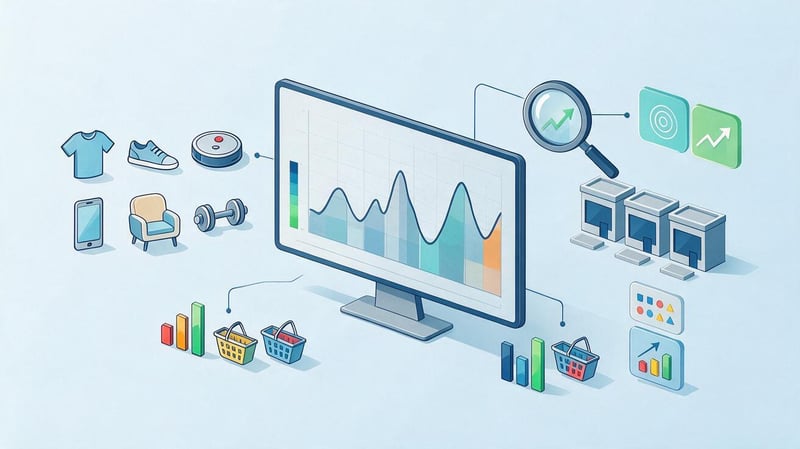
A niche should be assessed across several parameters. High demand alone does not guarantee profitability if margins are low, competition is intense, and logistics are complex. A narrow category can also be attractive if customers return regularly and have a high average order value.
At this stage, it's useful to check search demand, seasonality, competitor prices, the number of sellers, advertising costs, and supply chain capabilities. Google Trends, Keyword Planner, Google search results, and public competitor data are all useful for an initial assessment.
How to choose a niche for an online store?
Start with a list of categories where you understand the product, can find a supplier, and see real demand. Then, track how interest in the product changes year-over-year, what search queries customers are entering, and how many stores already operate in this category.
Consider the economics separately. A product with a high purchase price, complex delivery, and frequent returns may generate lower profits than a simpler category with stable demand. For clothing, consider sizing and returns; for electronics, consider warranty and service; and for everyday products, consider repeat purchases.
Also, consider whether product range expansion is possible. If a customer has purchased a core product, it's helpful to have related items for cross-selling and higher-priced alternatives for upselling. This helps increase the average order value without constantly increasing the cost of acquiring a new customer.
Analyze your competitors
Find stores on Google that rank for key e-commerce queries in your niche. Review their categories, filters, prices, product listings, delivery options, promotions, content, reviews, and contact information. Pay particular attention to advertising and social media presence.
Competitor analysis is necessary to understand market standards and identify gaps. For example, competitors may have a wide product range but poor product selection. Or their prices may be nearly identical, but one store may benefit from fast local delivery, customer service, or superior product information.
Don't copy someone else's catalog exactly. The goal of analysis is to identify buyer expectations and formulate your own offer, explainable in a few sentences.
Define your target audience
The target audience influences the catalog structure, product presentation, advertising, and content. For one store, price may be the primary criterion, while for another, it may be speed of delivery, warranty, product origin, or specialist consultation.
Describe several typical customer groups. For each, define their needs, budget, geography, frequency of purchase, and key objections. For example, a buyer of professional equipment might require technical specifications and documentation, while a clothing buyer might require a clear size chart, photos of models, and an easy return policy.
This description will form the basis for advertising, landing pages, email marketing, and content. The more precisely the customer's need is formulated, the easier it is to explain the product's benefits without generic sales pitches.
Form an assortment
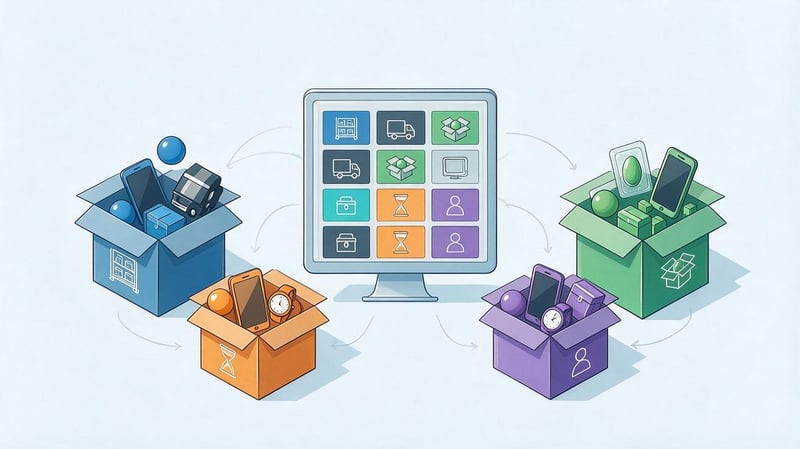
There's no need to add thousands of products at the start just to have a large catalog. It's better to create a manageable assortment based on demand, clear supply, and sufficient margins. A large catalog without up-to-date inventory and proper product cards creates additional strain on the team.
Divide your products into core, related, seasonal, and experimental. For core items, provide full specifications, photos, delivery terms, and answers to frequently asked questions. Related products can be used for cross-selling on the card and in the cart.
For ecommerce, it's also useful to identify products that are most suitable for advertising and those that can generate organic traffic through search. These groups may differ in margins and demand.
Find suppliers
The supplier influences product availability, shipping speed, pricing, and the number of post-sale issues. Before starting a partnership, it's important to obtain the current price list, payment terms, minimum order quantity, return policy, and shipping schedule.
If your store uses dropshipping, find out who is responsible for packaging, documentation, returns, and tracking numbers. Also, check how quickly the supplier updates inventory. Selling out-of-stock items leads to unnecessary cancellations and negative reviews.
A catalog requires specifications, images, and descriptions. If dozens of stores use the same supplier materials, it's advisable to supplement them with your own content.
What to check before starting work with a supplier?
Before entering into agreements, compare more than just the purchase price. A low price is meaningless if the supplier regularly delays shipments, doesn't update inventory, or has difficulty accepting returns. For an online store, these processes directly impact the customer experience.
Please check the following conditions:
- minimum amount or quantity of goods in the first and repeat purchase;
- order completion time and actual frequency of shipments;
- rules for the return of defective goods, exchange and compensation for damaged goods;
- the ability to receive balances via API, XML, CSV or other available format;
- the right to use photographs, specifications, certificates and other materials of the supplier;
- changes in the purchase price, recommended retail price and possible restrictions.
After this, you should place a test order. This will demonstrate the actual processing speed, packaging quality, and whether the product meets the stated specifications.
Calculate margins and business model
Calculating profit solely as the difference between the purchase and retail prices is insufficient. Expenses may include packaging, shipping, payment system fees, advertising, returns, salaries, CRM, taxes, and platform maintenance.
For a simplified calculation, you can use the formula: sales price minus purchase price, logistics, packaging, commissions, advertising, and taxes. This will reveal the actual operating margin per order.
This calculation is necessary even before launching advertising. If attracting a single customer costs more than the store earns from sales, increasing the advertising budget will only accelerate expenses. To evaluate channels later, it's necessary to track customer acquisition cost, conversion rate, average order value, and repeat sales.
Step 2: Register your business for operation in Ukraine

If you plan to open an online store and regularly accept payments from customers, you need to determine the business structure and fiscal processing method in advance. Specific requirements depend on the type of products, the payment method, and the chosen organizational structure.
Legal and tax regulations are constantly changing, so before launching, it's best to check current requirements with official sources or a specialist. This especially applies to cash registers (RRO/PRRO), certain product groups, licensing, receipts, and distance selling regulations.
Choose a business form
For small projects, a sole proprietorship is often considered, while for more complex models, a legal entity is considered. The choice depends on the turnover, partners, number of employees, product range, collaboration with other companies, and future development plans.
Before registration, it is necessary to determine the types of activities, bank account, tax system, and accounting procedures. If some products have special requirements for sale, these conditions should be verified separately before purchasing and publishing the catalog.
The seller's details, contact information, and purchase terms on the website must match the seller's actual business model. Buyers must understand who they are purchasing from and whom to contact about payment, delivery, and returns.
Taxes, RRO/PRRO and documents
Fiscalization issues should be addressed before the first paid order. The store needs to know when an RRO or PRRO (software cash register) is used, how the receipt is generated, where the sales data is stored, and how the process is linked to the website, CRM, or payment system.
Prepare separate documents related to distance selling. These may include payment and delivery terms, exchange and return policies, privacy policy, personal data processing rules, and a public offer.
Don't copy legal texts from random websites. The terms and conditions must be consistent with your sales method, actual logistics, and product group.
Step 3. Choose where to sell: website, marketplace, or social media?
How can you open your own online store if you don't have a large development budget? Initially, you can choose one primary channel and several secondary ones. Marketplaces and social media are suitable for testing demand, but for systematic SEO, in-house analytics, and catalog management, a website is required.
Sales channels don't need to be in conflict. A store can generate organic traffic from Google, simultaneously sell some of its inventory on a marketplace, and drive repeat purchases through Instagram or email.
| Option | Advantages | Limitation | Who is it suitable for? |
|---|---|---|---|
| Your own online store | Control over the catalog, SEO, analytics, design, and client base | Development, support, and independent traffic generation are required. | Businesses that plan to systematically develop online sales |
| Marketplace | A ready audience, a quick start, and a familiar infrastructure for buyers | Commissions, competition within the platform, dependence on platform rules | For product testing and additional sales channel |
| Instagram and social networks | Quick contact with the audience, convenient format for visual products | Limited catalog, making it harder to scale SEO and automation | Clothing, cosmetics, decor and other visual niches |
| Website + marketplaces | More points of contact with the buyer and the ability to distribute risks | Synchronization of balances, prices and orders is required | For stores with ready-made operational processes |
Once launched, it's important to synchronize prices and availability across channels. If a product is sold on the marketplace but remains available on the website, a buyer may place an order for an item that's no longer available.
Is it possible to open an online store for free?
The search for “how to start an online store from scratch for free” often reflects a desire to test demand without major investment. Technically, you can start with a free social media page, a free trial period for a website builder, or a limited platform plan.
However, a full-fledged store almost always has expenses. It requires a domain, products, packaging, shipping, a payment system, advertising, content, and time to process orders. Even if the website is created without paying for development, other costs still remain.
If you want to create your own online store for free to test your idea, start with a minimal catalog and basic features. After your first sales, you can migrate your project to solutions that offer the necessary integrations, SEO settings, and analytics.
Step 4. How to create an online store website?

Once the business model and product range are defined, you can move on to the technical part. If you're looking to create an online store yourself, the workflow is the same: domain, platform, structure, design, catalog, payment, delivery, analytics, and testing.
It's a good idea to map out the stages of creating an online store before development begins. This helps separate essential functionality from features that can be added later. A stable catalog, a user-friendly shopping cart, a reliable payment system, and a robust mobile version are essential for the initial launch.
Select a name and domain
The name should be easy to read, memorable, and not cause problems when dictated verbally. If a client can't write down the domain after a phone conversation without clarification, the name may be too complex.
Before registering, check the availability of the desired domain and similar names in search results. It's also helpful for a brand to check the availability of the same name on major social media platforms.
It's best to register a domain to the business or company owner and keep access rights separate from the contractor. This reduces the risk of losing control of the website if the developer changes.
Choose a platform for your online store
A SaaS platform is suitable if you need a quick launch and a ready-made set of features. A CMS offers more customization options, but often requires separate hosting, updates, and technical support. Custom development is justified when business processes are difficult to implement using standard tools.
Options should be compared based on cost of ownership, not just the initial price. A low-cost system may become expensive once the necessary modules are installed, and a complex, custom solution may be unfeasible for a store with a small catalog.
For SEO, check if you can manage URL, Title, Description, H1, canonical, meta robots, sitemap.xml, redirects, hreflang for a multilingual site, and structured data.
Consider the site structure before starting development
The catalog structure affects navigation, SEO, and future scaling. If you create the design first and then build the semantic core, you often have to add new categories, change the menu, and rework the URLs.
Categories should reflect the actual product range and search method. There's no need to create a landing page for every possible filter combination. Some of these URLs can remain service-specific and not be indexed.
It's best to approve the structure before bulk product uploads. This ensures that product cards are immediately assigned to the correct categories, and internal linking is established without bulk transfers.
Catalog structure
The basis of a catalog is categories, subcategories, and filters. For example, a clothing store might have categories by product type and filters by brand, size, color, material, and season.
Some filters can be turned into SEO landing pages if there's consistent search demand for these combinations. Other parameters remain solely for user navigation.
Before launching, it's important to define rules for URL formation, canonical URLs, and indexing parameters. This will help avoid large numbers of duplicates and pages without independent search demand.
Mandatory information pages
In addition to the catalog, an online store needs pages that answer purchasing questions. Typically, these include “About Us”, “Contact Us”, “Payment and Delivery”, “Exchanges and Returns”, “Warranty”, FAQs, a privacy policy, and any necessary legal documents.
Such pages are essential for users, advertising systems, and search engines. They help understand who is behind the store, how the purchase process works, and what to do after receiving the goods.
Information must be kept up-to-date. Shipping costs that differ from those stated on the website can lead to unnecessary inquiries and refusals at the checkout stage.
Prepare the design and mobile version
An online store's design should help users find products and place orders. A large banner on the homepage doesn't compensate for a clunky catalog, a slow search, or a complicated shopping cart.
On the mobile version, test the menu, filters, search, product page, option selection, buy button, and checkout. A significant portion of users browse the store on their smartphones, so the mobile version should be tested separately.
Avoid overloading pages with animations and large media files. Loading speed and Core Web Vitals impact the user experience and the technical health of the site.
Fill out the product cards
The product card should provide enough information to support a purchasing decision. Include a clear title, high-quality photos, current price, availability, specifications, options, and shipping and return policies.
A description is useful when it explains the product's features rather than repeating them in a long paragraph. For complex products, you can add instructions, a compatibility chart, a video, or answers to frequently asked questions.
Don't copy the same supplier descriptions across your entire catalog unless necessary. If hundreds of sites use the same text, the page gains little unique informational value.
Step 5: Set up payment, delivery, and accounting
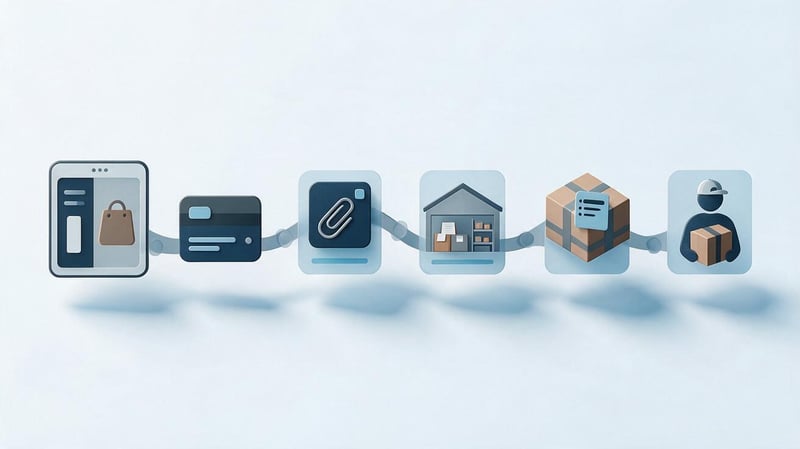
Before launching an ad, customers should be able to complete their order without having to manually confirm it in a messenger. The page should show available payment methods, delivery times, carriers, and return policies.
It's best to test operational processes using several real orders. Check how the order is entered into the CRM, when the item is reserved, how the invoice is generated, and who changes the status after shipment.
Payment methods
The range of payment methods depends on the product and its audience. A store may accept online card payments, cash on delivery, bank transfer, or other methods supported by its payment infrastructure.
Don't display payment methods on the checkout page that don't actually work. If online payment is temporarily unavailable, this should be shown before the customer enters payment details.
Payments also require order status to be correctly transmitted to analytics. A purchase should be recorded after successful payment or a confirmed order, depending on the configured model.
Delivery
Delivery terms must be clearly described. The buyer needs the carrier, estimated delivery time, cost calculation method, and information about free shipping, if available.
If the store operates locally, you can add courier delivery or in-store pickup. For larger items, please clarify the terms of lifting, packaging, and additional fees.
After activating the integration with the carrier, test the search for a city, branch, parcel terminal, and the waybill generation. Errors at this stage often block the order from being processed.
CRM, warehouse and order accounting
A CRM helps maintain order history, customer contacts, statuses, and communications. A simpler system can be used initially for a small catalog, but as the number of orders increases, manual accounting quickly becomes a source of errors.
Inventory control is required to maintain current inventory levels. If a store sells through its website and marketplaces, the system must account for sales across multiple channels and promptly adjust available inventory levels.
Automation is especially useful for notifications, invoice generation, repeat sales, and reporting. It should be added where it eliminates a recurring manual task.
Step 6: Set up analytics before launching your store
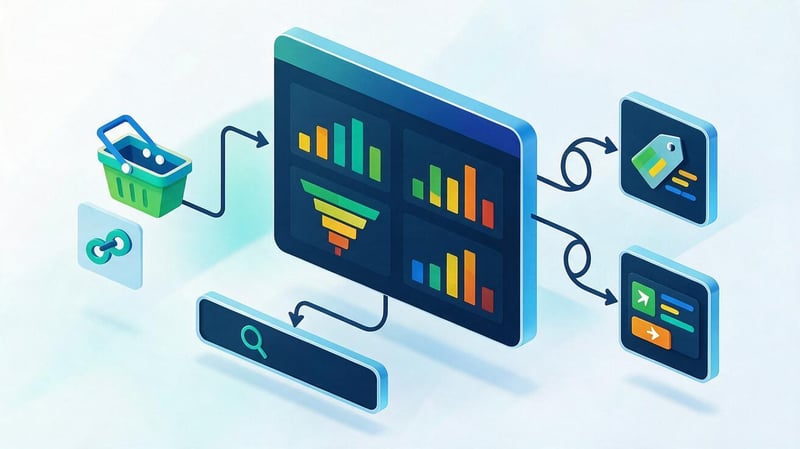
Analytics should be set up before advertising starts, not after the initial budget has been spent. Without the right events, it's difficult to understand which campaigns drive purchases, where users abandon their carts, and which categories convert best.
For basic configuration, Google Analytics 4, Google Search Console, and Google Tag Manager are typically used. Merchant Center is also required for product advertising, and advertising systems may require their own tags or pixels.
What systems need to be connected?
Google Analytics 4 is used for behavior and ecommerce events, while Search Console is used for search visibility, indexation, and technical signals. Google Tag Manager simplifies managing some marketing tags without constant code editing.
Merchant Center is required to transmit product data to Google services that use a feed. It should receive current prices, availability, links, and images without discrepancies with the website.
After integration, it's important to test data transfer. An event sent twice or containing an incorrect purchase price will distort reporting and advertising optimization.
What events should be monitored?
For a store, it's not enough to just see page views. Key actions should be tracked: product views, adding to cart, checkout, choosing a delivery method, purchasing, calling, and submitting a form.
For ecommerce events, it's recommended to transmit the product ID, name, category, quantity, price, currency, and total order amount. This data is necessary for category analysis and advertising campaigns.
Be sure to double-check that the purchase isn't duplicated after the thank-you page is reopened. Otherwise, your revenue will be inflated in the analytics system.
Step 7. How to promote an online store after launch?
After a store launches, traffic doesn't just appear on its own. Initial sales are typically achieved through a combination of advertising, SEO, social media, content marketing, and repeat customer engagement.
How to properly promote an online store is one of the most popular questions store owners ask, and the logic is the same for any niche. First, you need to identify high-margin categories, integrate analytics, and then select channels based on specific products and demand.
Different methods of online store promotion work at different rates. Google Ads can bring clicks soon after a campaign launch, while organic visibility increases gradually after indexing and signal accumulation.
How to promote an online store on Google?
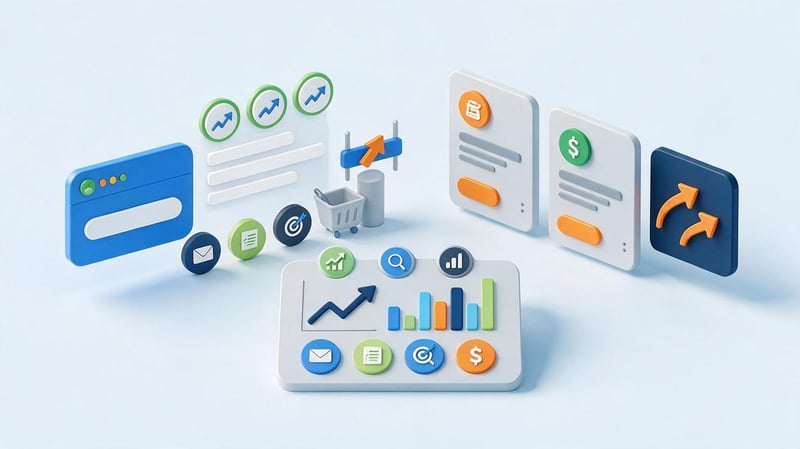
Google has two main pillars: organic search results and paid advertising. SEO is responsible for page visibility in organic search results, while Google Ads delivers paid impressions through configured campaigns.
How can you promote an online store in Google without mixing these channels? For SEO, you need to work on structure, indexing, content, and links. For advertising, you need to work on the feed, keywords, bids, audiences, and proper conversion measurement.
It's often beneficial for a store to use both approaches. Advertising can drive traffic to new categories immediately, while SEO gradually reduces its reliance on paid acquisition for certain search queries.
SEO promotion of an online store
SEO begins with collecting the semantic core and checking the site structure. Queries are distributed among categories, subcategories, filters, products, and informational materials. Each landing page must have its own intent.
Next, configure the Title, Description, H1, canonical, meta robots, sitemap.xml, internal linking, redirects, microdata, and indexing. Site speed, Core Web Vitals, and duplicate URLs with parameters are also checked.
Category content should help users select a product, not consist of repeated keywords. External promotion requires relevant links, brand mentions, and content on sites where the target audience is present.
Lead SEO specialist — Gennady
I recommend planning SEO even before developing an online store. First, we analyze demand and semantics, then create categories, subcategories, filters, and URLs, and only then move on to design and content. If the structure is created without considering search demand, after launch, you often have to rework the catalog, menu, URLs, and internal linking. For a new store, this means unnecessary costs and lost time on indexing.
Which pages should I promote first?
The first pages to be developed are those that are in high commercial demand and likely to generate sales. These are most often categories, subcategories, and in-demand filters. For popular products, product cards are also optimized.
It's advisable to build informational content around actual customer needs. An article about choosing a product should provide internal links to the relevant category or specific models.
Priority can be determined by demand, margins, competition, and the page's readiness for sales. If a category is in high demand but half of the products are out of stock, it's best to address the inventory issue first.
How to set up advertising for an online store?
How to set up advertising for an online store is another query from the semantic core that boils down to properly preparing analytics, a catalog, and landing pages. Launching campaigns on a page with design errors or outdated prices makes no sense.
For search demand, you can use Google Search, and for the product catalog, Google Shopping or Performance Max, if the feed structure and analytics are set up correctly. Remarketing returns users who have already viewed products or abandoned carts.
It's best to distribute your advertising budget across categories with known margins. If you advertise the entire catalog without taking economics into account, the system may spend most of its resources on low-margin products.
How to advertise an online store on social networks?

Social media works well in niches where a product can be showcased visually or in a short video. Meta Ads, Instagram, TikTok, and other platforms that reach the target audience are used for advertising.
Content can include product demonstrations, comparisons, Q&A, customer reviews, user-generated content, and brief instructions. Content that quickly explains the product's benefits without a long introduction works best for new audiences.
Retargeting should be set up separately. A person who has already viewed a product or added it to their cart is at a different stage of the buying process than a cold user.
How to promote an Instagram store?
How to promote a clothing store or any visual store on Instagram? Start with a clear profile that clearly displays product categories, purchase terms, and website links. Posts should reflect the actual product range, not consist solely of advertising banners.
Reels, Stories, images with multiple products, fit videos, and user-generated content (UGC) work well for clothing. If you have a catalog in your store, it's a good idea to direct traffic to the relevant product pages, where users can see sizes, prices, availability, and delivery information.
Don't buy followers or use mass promotions. They don't create demand and reduce the quality of your audience for future advertising.
How to promote an online store in your city?
The question of how to promote your store in your city is relevant for businesses with a physical location, in-store pickup, or local delivery. In this case, you can create separate landing pages for the cities where the store actually operates.
For local SEO, a Google Business Profile, geographic queries, current address, business hours, photos, and real reviews are helpful. If a store operates exclusively online and doesn't have a physical location, there's no need to create fake addresses.
City pages should contain their own useful information: delivery terms, timeframes, available pickup, or other local features. Copies of a single page with a modified city create weak content.
Email, Messengers, and Repeat Sales
Repeat sales are often cheaper than acquiring a new customer. After a purchase, you can send customer service messages, related product recommendations, purchase reminders, and personalized offers.
Email marketing works well for abandoned carts, new products, seasonal selections, and loyalty programs. Messages should be tailored to the user's previous behavior, rather than sending the same catalog to their entire database.
Messengers can be used for order status and support. Marketing emails should be separated from service messages, and consent policies should be followed.
How to promote an online clothing store?
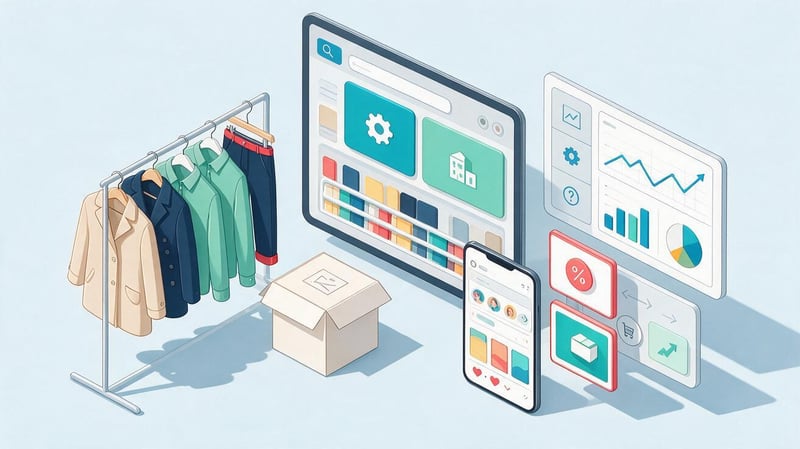
A clothing store has a strong visual component and numerous selection parameters. Customers need photos, size charts, materials, colors, seasonality, and fit information. These same parameters influence the catalog structure and advertising.
How a clothing store is promoted depends on its product range and brand. For a large catalog, category SEO and Google Shopping are important, while for a young brand, Instagram, TikTok, UGC, and blogger engagement can play a significant role.
What is important for a clothing store?
It's best to structure your catalog by product type, gender, season, brand, and other parameters that customers actually use when making their selections. Size, color, material, and style are usually more conveniently implemented as filters.
The card should include photos from different angles, a size chart, material composition, and care instructions. If the fit differs from standard, this should be explained directly on the page.
For SEO purposes, individual parameter combinations can only be indexed if there's search demand. Opening all filters to indexing en masse creates thousands of weak URLs.
How to advertise a clothing store?
Clothing stores are most often advertised through a combination of product ads and social media. Google Shopping taps into existing demand, while Instagram and TikTok help showcase products to audiences through visual content.
UGC complements professional photography well because it shows the product in everyday use. For certain collections, working with bloggers is possible, but before collaborating, it's important to verify the actual audience and review their previous advertising integrations.
Remarketing brings back users who have viewed a category or a specific model. For seasonal products, campaigns should be prepared ahead of time, not after peak demand.
What methods should I use to promote my online store?
Store promotion methods should be selected based on demand, margins, and the business's stage of development. A new store often needs paid advertising to generate initial sales, while SEO and content work over a longer horizon.
There's no need to launch all channels at once with the same budget. First, set up measurements, test multiple traffic sources, and compare conversion rates, average order value, and customer acquisition cost.
| Channel | When to use | Speed of results | What are we promoting? |
|---|---|---|---|
| SEO | When there is stable search demand and a willingness to work long-term | Gradually | Categories, subcategories, products, informational content |
| Google Ads | After setting up analytics and conversions | Fast | Commercial queries, categories and promotions |
| Google Shopping | For stores with a structured product catalog | Fast | Specific products with current prices and availability |
| Meta Ads | For visual niches, cold audiences, and retargeting | Fast | Products, selections, promotions and brands |
| Instagram and TikTok | When a product is well demonstrated by a photo or video | Average | Products, brand, UGC, new collections |
| When you already have a client base | Fast | Repeat sales, abandoned carts, new products | |
| Content Marketing | If there is a demand for information | Gradually | Expert content, SEO, and internal linking |
After the testing period, it's best to shift the budget to channels where the economics are supported by data. Decisions should be based on sales and profit, not just click-through rates.
How much does it cost to open an online store?

There's no single price for all stores. The cost depends on the number of products, development method, design, integration, catalog complexity, content, and the need to integrate third-party systems.
If you want to open your own online store with a small product range, you can start with a basic platform and a minimal set of integrations. A larger store with a CRM, inventory, marketplaces, customized pricing, and complex logic requires a different budget.
One-time expenses
One-time costs include platform development or initial setup, design, domain, catalog import, integration, photos, and initial content preparation. The owner may also perform some of this work themselves.
You should also budget separately for data transfer if your products are already sold on another website or marketplace. Importing a catalog often requires clearing characteristics, categories, and duplicates.
Don't spend your entire startup budget on visuals. After launch, you'll need funds for inventory, advertising, and testing for real demand.
Regular expenses
Recurring expenses include the platform or hosting, advertising, SEO, CRM, content, banking fees, logistics, employees, and technical support. These should be taken into account when calculating profitability.
As your store grows, you may incur additional costs for inventory, automation, customer support, email services, and integrations. Some of these costs reduce manual work and errors.
The budget should be reviewed after data has been accumulated. Channels that aren't generating profitable sales should be adjusted or discontinued.
Do you need courses to create an online store?
A course like “online store from scratch” or other online store creation courses can be useful for owners who want to understand ecommerce, platforms, advertising, analytics, and SEO on their own. Training isn't required to launch a store.
If the technical side is handled by a contractor, it's more important for the owner to understand the product's economics, target audience, product range, margins, and key sales metrics. This helps evaluate the team's performance without having to manually configure each service.
Queries such as “online store creation course”, “online store from scratch courses”, “how to create an online store courses”, “how to open an online store training” and “online store creation courses” share one intent – getting a consistent launch plan. Such a plan can be mastered on your own if you have time for practice and testing.
Common mistakes when launching an online store
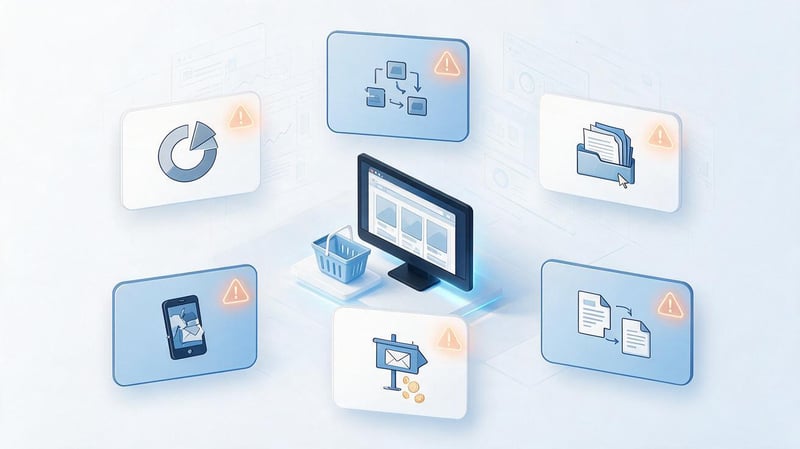
Mistakes at the start often have nothing to do with coding, but with an incorrect workflow. Design comes first, then product procurement, leaving the structure, analytics, and promotion until the last week before launch.
To keep the creation of your online store from turning into constant rework, it's best to establish a business model, catalog, technical requirements, and analytics before active development.
Creating a website without testing demand
A good website doesn't create demand for a product if it doesn't exist. Before developing, it's necessary to check search interest, seasonality, competitors, and current prices in the niche.
For a new product, you can test demand through a small catalog, advertising, or a marketplace. This is cheaper than creating a complex store with extensive functionality right away.
If demand is confirmed, the test data will help determine priority categories and products for launch.
Developing a structure without semantics
A catalog created solely based on supplier logic often doesn't reflect user searches. As a result, some of the search demand doesn't have relevant individual pages.
Semantics helps define categories, subcategories, and filters before design. The structure should remain clear to the buyer and not repeat every keyword.
Once the structure is approved, it's easier to customize the URL, menu, breadcrumbs, and internal linking.
Too wide a range at the start
A large catalog requires more time for content, inventory, pricing, and support. If the team is small, some products quickly become outdated or receive incomplete product listings.
It's best to start with categories that have a stable supplier and clear demand. Once launched, the product range can be expanded based on sales data and search demand.
This approach also simplifies advertising because the budget is not distributed among thousands of items with no sales history.
Lack of margin calculation
Sales alone don't equal profit. Without accounting for advertising, commissions, logistics, and returns, a store can have high turnover and a weak bottom line.
Margins should be calculated by category and, if possible, by individual products. This allows you to decide which items to promote more actively and which items to use only as a supplement to the main order.
Profit data is also necessary to evaluate the return on advertising, and not just the ROAS indicator from the advertising account.
Copying supplier content
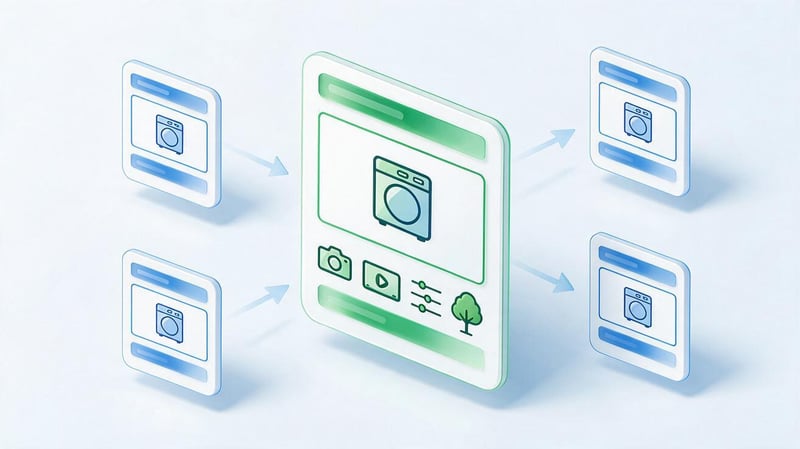
Identical descriptions and specifications appear on dozens of websites. Buyers are often given minimal additional information, and the page itself is virtually indistinguishable from competitors.
For key products, include your photos, answers to frequently asked questions, compatibility charts, or practical recommendations. This is especially helpful for products where the choice depends on technical parameters.
There's no need to rewrite technical specifications for the sake of formal uniqueness. The actual data must remain accurate.
Running ads without analytics
Without configured conversions, the advertising system receives incomplete data, and the owner cannot see which campaigns are driving sales. This complicates budget optimization.
Before launching your ad, test the purchase, adding to cart, checkout initiation, and order value transfer. Separate events should also be set up for calls and forms.
The test order must go all the way from the advertising click to the purchase appearing in the report.
Promotion through only one channel
Depending on a single traffic source creates risk. Changes in advertising costs, social network algorithms, or search rankings can dramatically impact the number of orders.
Typically, a store benefits from multiple sources: organic search, advertising, repeat sales, and direct traffic. The proportion of these sources will vary depending on the niche.
There's no need to launch everything at once. It's better to add new channels gradually and evaluate them based on data.
Ignoring the mobile version
If buttons overlap, filters are difficult to close, or the form doesn't fit on the screen, the store is losing mobile shoppers.
Test key scenarios at different screen widths: search, filter, product page, add to cart, and purchase. Test the loading speed separately.
The mobile version should remain a full-fledged version, not a cut-down copy of the desktop site.
Lack of work with repeat sales
After the first purchase, the customer already knows the store and can return without expensive advertising. If the customer base is unused, the business only pays for new acquisitions.
Repeat sales are achieved through email, loyalty programs, personalized offers, reminders, and product recommendations. The frequency of communication depends on the category.
Don't send the same promotions every day. It's better to use the customer's purchase history and actual needs.
How to open your own online store without unnecessary rework? First, check your niche, demand, suppliers, and profitability, then think through your catalog structure and business processes. Then, move on to the platform, design, payment, delivery, and analytics.
After launch, a store requires systematic promotion. SEO, Google Ads, social media, content marketing, and repeat sales all serve different purposes, so the channel mix should be selected based on data, not a one-size-fits-all approach.
If you're planning to launch an online store, Seo-Gen will help you design your website structure, prepare it for SEO, set up analytics, and build a promotion strategy before the launch of your advertising campaigns.


