How to find keywords for ASO?


Every day, people search for apps in the App Store and Google Play using names, features, and problems they want to solve. To appear in those search results, an app needs search terms that match its features and the interests of its target audience.
Collecting ASO keywords starts with understanding the product and ends with checking optimization results. This guide explains where to find search queries, how to assess their popularity and competition, which tools to use, and how to build a keyword list for app promotion.
What Are ASO Keywords and Why Do They Matter?
ASO keywords are search terms people use to find apps in the App Store and Google Play. They describe a product's features, purpose, category, or a specific task the user wants to complete.
For example, people might search for an expense-tracking app using phrases such as “finance tracker,” “household budget,” or “expense management.” All three phrases refer to a similar product, even though users describe their needs differently.
ASO keyword research helps identify relevant queries and build a keyword list for a mobile app. That list supports metadata creation, search ranking tracking, and decisions about future optimization work.
How Do Keywords Affect App Rankings?
When someone enters a query, the app store selects results based on text relevance and other ranking signals. In the App Store, the app name, subtitle, Keywords field, and category matter. Apple also considers user behavior, including downloads, ratings, and reviews.
An appropriate keyword helps the search system understand what an app is about. Simply placing the term in metadata does not guarantee a high ranking because other characteristics of the product also influence search results.
ASO keyword ranking should therefore be viewed alongside search visibility and installs. An app may rank highly for a rarely searched term yet receive fewer visits than a competitor ranking lower for a popular query.
What Types of Keywords Are Used in ASO?
When building a keyword list, teams usually group queries by popularity, purpose, and specificity. These distinctions help shape a strategy for both a new app and an established product with an existing audience.
ASO professionals often describe queries as high-, medium-, or low-volume keywords. The boundaries depend on the app category, country, and data provided by the chosen analytics service.
| Query type | Example | Characteristics |
|---|---|---|
| High volume | fitness | Broad query with potentially strong demand and high competition |
| Medium volume | home workouts | A more specific user need |
| Low volume | home workouts without equipment | Narrow query with potentially lower demand |
| Branded | name of a specific app | User is looking for a familiar product |
| Non-branded | calorie counter | User chooses an app by its function |
| Long-tail | food diary with calorie tracking | Detailed description of a specific task |
High-volume queries can reach a broad audience, but competition is generally tougher. Low-volume queries and long-tail keywords are useful for reaching people with more clearly defined needs.
When selecting terms, consider potential search demand, how well the app's features match the query, and which competitors appear in the results.
Answers to your questions
How Can You Find ASO Keywords for Free?
Use App Store and Google Play search suggestions, explore competitor listings, and analyze user reviews. These sources help build an initial query list without paying for a specialist platform.
You can also explore free features offered by ASO services and use Google Trends to understand interest in broader topics. Web trends, however, should not be treated as an exact measure of search popularity inside app stores.
After collecting terms, check that every query matches the app's features and target market.
How Many Keywords Should You Use for ASO?
There is no universal number of keywords that guarantees high rankings or large numbers of installs. The size of the working list depends on app features, competition, languages, and target countries.
A spreadsheet may contain dozens or hundreds of queries, while space in metadata is much more limited. For the App Store, the limits for the name, subtitle, and Keywords field are especially important.
Start with priority queries that accurately describe the product, then expand the list based on measured results.
How Do You Check ASO Keyword Competition?
Review search results for the query in your chosen country and app store. See which apps appear near the top and how closely their features match the user's intent.
Use difficulty metrics from specialized ASO services as an additional reference. Compare values within the same tool and account for its calculation methodology.
If competition is high, investigate more specific terms that describe individual app features.
How Do You Choose Low-Competition Keywords?
Start by narrowing broad terms with additional features, usage scenarios, and product characteristics. For example, rather than “workouts,” you might test more specific expressions for exercising at home.
Then assess popularity, search results, and the rankings of relevant competitors. Lower competition is most interesting when your app genuinely solves the problem described.
Do not choose a term solely because its difficulty score is low. Promotion also requires evidence of user search interest.
How Do You Check ASO Keyword Density?
Calculate keyword density by dividing the number of appearances of a term by the total word count and multiplying by 100%. This can help reveal excessive repetition in an app description.
There is no established optimal density for ASO keywords in the App Store or Google Play. Official store guidance calls for relevant wording and discourages repetitive or misleading metadata.
When reviewing copy, focus primarily on readability and whether the keywords match what the app offers.
How Does Keyword Selection Differ Between the App Store and Google Play?
The App Store uses an app name, subtitle, and separate Keywords field. When preparing terms, observe their limits and avoid unnecessary duplication across fields.
Google Play uses an app name, short description, and full description, without a separate Keywords field in its standard listing. Place keywords in meaningful copy that describes the app's features and benefits.
Build a separate priority keyword set for each platform, considering search results and target locales.
How Can You See Which Queries Other Apps Rank For?
First, find a competing app in the App Store or Google Play and study the publicly visible text on its listing. Then check likely queries directly in the chosen store's search results.
ASO services can provide a wider list of queries where competitors rank visibly. These reports are analytical outputs and may contain estimated metrics.
Compare competitors aimed at similar audiences and solving comparable user problems.
How Often Should You Update App Keywords?
Review your keyword list regularly and revisit it after significant product or market changes. New features, declining visibility, additional localizations, and stronger competitors can all justify an update.
When changing metadata, save baseline metrics and compare results over consistent periods. This helps distinguish effects associated with optimization from seasonality and other factors.
Do not change keywords simply to follow a preset schedule when current data shows no reason to make adjustments.
Where Should You Start When Building an App Keyword List?

Before researching keywords, define the problems your app solves and who will use it. Without this preparation, the list can easily fill up with popular queries that have little to do with the product.
The starting inputs for ASO keyword research include a feature list, audience profile, target countries, languages, and competitors. These inputs form the initial keyword set, which you then expand and validate.
Understanding the App's Features and Target Audience
Start by describing a few core app use cases. For a personal finance tool, these might include recording expenses, planning a budget, managing subscriptions, and reviewing spending reports.
Each use case suggests its own search phrases. Someone who wants to record daily spending may search for “expense tracker,” while someone planning family purchases might search for “family budget.”
Also consider the audience's level of experience and the product's specifics. Beginners often use everyday language, while specialists may search using professional terms or precise feature names.
Finish with a list of features the app currently offers. Do not include features still under development and unavailable to users.
Choosing a Country, Language, and Search Intent
Search habits vary by country, language, and local market. People may describe identical app features in different ways, so each target locale deserves its own keyword research.
For example, when selecting keywords for an Arabic locale, examine actual search expressions in the relevant market. A literal translation of English keywords may overlook common synonyms and local usage patterns.
Consider search intent as well. A query such as “store coupons” can indicate interest in discounts, while “shopping list” suggests a different use case. If the app offers both features, group those queries separately.
Creating an Initial List of Search Terms
Initial search terms are known as seed keywords. These short phrases describe the app category, core features, and the most common user needs.
For a note-taking app, the initial list could include “notes,” “notepad,” “to-do list,” “notebook,” and “quick notes.” You can then expand each phrase using synonyms and more specific queries.
At this stage, follow a simple sequence:
- Write down the app's main features in language that users understand.
- Add the tasks people want to accomplish with the product.
- Find common synonyms and conversational expressions.
- Add alternatives for your target languages and countries.
- Check whether each query matches features the app already provides.
These terms become the basis of further research. Make the final decision about using them only after evaluating demand, competition, and relevance.
Branded and Non-Branded Queries
A branded query contains the name of a particular app or company. The user usually knows the product already and wants to find its store listing.
Non-branded queries describe a function without identifying a particular developer. For example, “note-taking app” could apply to several products, whereas a specific app name is a branded search.
Non-branded queries are especially useful for expanding organic reach because they target people who are still choosing a product. Competition from well-known apps in the same category must also be considered.
Analyzing competitors' branded terms can help you understand the search market. Do not place other companies' trademarks or app names in metadata without permission if doing so would violate store policies.
How to Find ASO Keywords: A Step-by-Step Guide
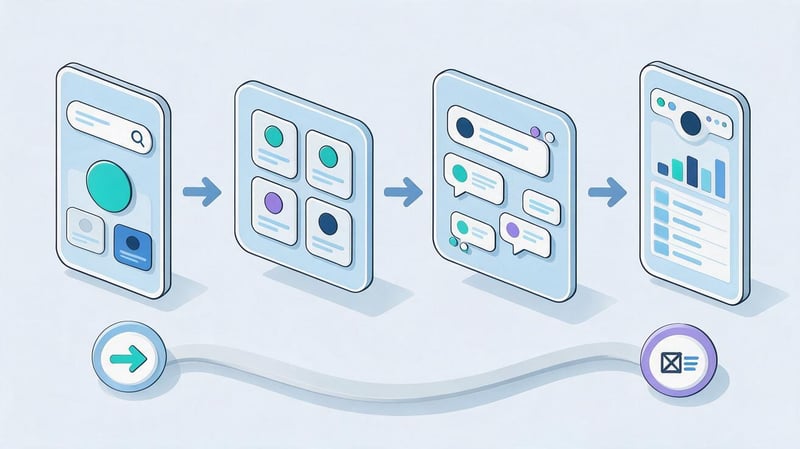
It is best to search for ASO keywords using several sources. Search suggestions reveal common phrasing, competitors help expand your list of terms, and analytics tools provide estimates of demand and ranking difficulty.
Record every term in a working spreadsheet along with its source, language, and target store. This makes later checks easier and lets you trace where each phrase came from.
Step 1. Find Keywords in the App Store and Google Play
Open the relevant app store, select your target country, and start entering the initial terms. Look at autocomplete suggestions, their ordering, and the apps that appear in the results.
For example, when researching a recipe app, you might check “recipes,” “easy recipes,” “dinner recipes,” and “meal planner.” Each phrase reflects a different need that must be compared with the product's actual features.
Gradually expand queries with additional words and test different ways to describe the same task. Record suggestions in your spreadsheet, but do not treat their order as an exact measure of search popularity.
Repeat the process separately for the App Store and Google Play. Search results, available suggestions, and competitive conditions can differ significantly.
Step 2. Analyze Competitors' Keywords
Choose apps that solve similar problems and target the same audience. Comparing an expense tracker with a general banking app is usually less useful than comparing it with other personal finance trackers.
Examine competitors' names, subtitles, descriptions, and most prominent features. Then use ASO keyword analysis tools to investigate the queries for which they rank.
Pay particular attention to queries that appear across several relevant competitors. They may point to a consistent user need, although each term still requires its own demand assessment.
Make a list of queries where competitors are visible in search results but your app currently ranks poorly or is absent from prominent positions.
How Can You Find the Keywords of Other iOS Apps?
In the App Store, you can view the public parts of a competitor's listing: its name, subtitle, description, and category. These details help identify the app's topic and likely promotion priorities.
Another app's hidden Keywords field cannot be viewed directly through its public store listing. ASO services therefore examine observed rankings, search results, and other available signals.
Reports called Competitor Keywords or Missing Keywords should be treated as analytical estimates. They are useful for discovering terms, but they do not reveal the precise contents of a competitor's private Keywords field.
Always use the same country and locale when comparing data. Mixing markets can lead to misleading conclusions about actual competition.
Step 3. Collect Queries from Reviews and User Scenarios

User reviews can uncover wording rarely found in official product descriptions. People often describe tasks in everyday language and refer to features differently from developers.
For example, someone using a task-planning app might say they like being able to “mark tasks as done.” That phrase suggests queries related to to-do lists and daily planning.
Read positive reviews, complaints, and requests for improvement. Record recurring expressions separately so you can later test them in search and with Keyword Suggestions.
Do not add every phrase from a review to your keyword list. Some describe isolated experiences, while others mention features the app does not yet offer.
Step 4. Use ASO Tools
Specialized services speed up keyword collection and help evaluate queries against several characteristics. They commonly offer Keyword Explorer, ranking analysis, competitor terms, and keyword expansion suggestions.
For example, ASOMobile, Asodesk, and App Radar provide keyword research tools. Their exact features, supported countries, and free options depend on the current version of each service.
A typical workflow starts by adding the app, choosing the store and locale, and importing seed terms. The specialist then reviews suggested queries and saves promising terms for further analysis.
Compare metrics within the same tool and take its methodology into account. A popularity index from one service cannot automatically be compared with another service's numerical estimates.
Free and Paid Tools for ASO Keyword Research
Free ASO keyword research works well for an initial investigation or a small app. Paid features become more useful when you need to compare many queries, countries, and competitors regularly.
The following tools offer a starting point. Check access conditions and pricing directly on each provider's website.
| Tool | What it helps with | Limitations |
|---|---|---|
| App Store and Google Play | Search suggestions, examination of results and listings | No full comparative report for all queries |
| ASOMobile | Keyword discovery, competitor and ranking analysis | Some features depend on the plan |
| Asodesk | Keyword expansion, evaluation, competitor research | Available reports depend on subscription |
| App Radar | Keyword research and ASO monitoring | Certain features require paid access |
| Google Trends | Interest in topics and seasonality | Shows web search and other selected sources, not direct app store search volume |
| Apple Ads | Suggestions and metrics for advertising keywords | Advertising data requires separate interpretation |
When choosing a service, consider your target markets, localization accuracy, available metrics, and export options. Even a large toolkit does not replace validation of the terms you find.
How to Analyze and Choose Effective ASO Keywords?

Once you have collected keywords, determine which queries are suitable for further optimization. A large list usually contains popular, highly specific, competitive, and completely irrelevant phrases.
Four characteristics are useful for an initial assessment: relevance to the app, search demand, ranking difficulty, and current ranking. Analyze them separately for each store and locale.
Relevance, Popularity, and Search Demand
Relevance measures how closely a query matches the app's purpose. If the product offers equipment-free home workouts, that phrase describes its features more accurately than a broad word like “sports.”
Popularity helps estimate user interest, but most ASO services rely on their own indexes and models. Without additional verification, their figures should not be treated as exact search or installation counts.
Review metrics such as Search Popularity, Search Volume, and Daily Impressions according to the methodology of the tool you use. Comparisons are most useful within the same country and time period.
Seasonality can also affect results. For example, queries associated with holiday preparation may fluctuate considerably throughout the year.
Competition and Ranking Difficulty
ASO keyword competition depends on which apps already appear in search results. It helps to consider competitor popularity, the relevance of their features to the query, and how stable their rankings are.
Some services display Keyword Difficulty or similar metrics. These measures can help compare terms in advance, but each service may calculate them differently.
Open search results for the target query and study the top entries. If major relevant apps have stable visibility, a new product may need more time to compete.
High competition does not necessarily mean a term must be discarded permanently. Keep it on a list of longer-term opportunities and revisit it as the app grows.
How Can You Find Low-Competition Keywords?
Finding low-competition terms often starts by narrowing a broad user need. Instead of “finance,” for example, test “personal expense tracker,” “family budget planner,” and other feature-specific queries.
These expressions often make it easier to identify user intent. Low competition alone, however, does not prove that a query receives enough searches.
For each candidate, examine popularity, competing results, and what your app offers. A term worth exploring further may describe your product well while matching competitors' features only partially.
Lower-demand queries can become valuable parts of a keyword list, especially when they relate to sought-after features and attract interested users.
How Do You Measure Keyword Effectiveness?
ASO keyword effectiveness is assessed by examining search metrics and promotion outcomes. During selection, you can use a preliminary prioritization system based on relevance, demand, and competition.
For example, give each query one to five points for product relevance, popularity, and ease of competing. Reverse the scale for competition: the easier it seems to compete, the higher the score.
Illustrative scoring example:
| Query | Relevance | Demand | Ease | Total |
|---|---|---|---|---|
| shopping list | 5 | 5 | 2 | 12 |
| shared shopping list | 5 | 3 | 4 | 12 |
| shopping app | 2 | 4 | 2 | 8 |
| shopping with a list | 4 | 3 | 4 | 11 |
These figures are provided only to demonstrate the calculation. Obtain actual metrics for the specific app and target locale.
Lead SEO specialist — Gennady
I do not recommend selecting ASO keywords based on popularity alone. A query with high search demand may be too competitive or bring users whose needs the app does not meet. I first check whether the terms match the product's features, then examine competing search results and estimate the available demand.
For a new app, it often makes sense to begin with specific low- and medium-competition terms that accurately describe what it offers. I also separate keyword lists by App Store, Google Play, and target locale. The same query may perform differently across stores and countries.
After updating metadata, I look at ranking changes, search visibility, store listing visits, and organic installs. Taken together, these indicators help show which queries genuinely contribute to promotion.
How to Clean and Group Your Keyword List?

After expansion, a keyword list can contain hundreds or thousands of queries. Some phrases will be duplicates, others irrelevant, and still others will need further demand checks.
Cleaning and clustering turn the initial set into a usable keyword list. For each query, define its purpose, group, priority, and potential place in the app's metadata.
Removing Irrelevant Queries and Duplicates
Start by checking every query against the app's real features. For a basic notepad, “professional graphic editor” is irrelevant, even if an analytics service suggests it.
Next, find exact duplicates, incorrect variants, and phrases that do not reflect the user's task. Keep synonyms with different search demand for further evaluation rather than deleting them immediately.
Do not remove a query solely because its popularity is low. It may describe a valuable feature and attract genuinely interested users.
Flag uncertain terms separately for review in search results. This approach prevents potentially useful ideas from being lost during cleanup.
Clustering Queries by User Needs
Keyword clustering groups queries that relate to the same feature or user need. For a shopping app, for example, groups might include “shopping list,” “discounts,” “price comparison,” and “expense planning.”
Within each group, retain core phrases, synonyms, and long-tail queries. This makes it easier to choose priority terms for metadata and decide which features to emphasize in the store listing.
Account for differences between stores and languages. A cluster may exist in the master spreadsheet but contain different terms and metrics for individual locales.
Clusters also help prevent several nearly identical phrases from competing for limited space in App Store metadata.
ASO Keyword Spreadsheet Template
Your working spreadsheet should hold the information needed for decision-making and ongoing monitoring. At a minimum, include query, store, locale, popularity, competition, ranking, cluster, and priority.
The following example shows a keyword list for a hypothetical shopping-list app. The figures are included only to illustrate the spreadsheet structure.
| Keyword | Locale | Store | Popularity | Competition | Rank | Cluster | Priority |
|---|---|---|---|---|---|---|---|
| shopping list | en | App Store | 75 | High | 34 | Lists | High |
| shared shopping list | en | App Store | 44 | Medium | 18 | Lists | High |
| shopping with a list | en | Google Play | 38 | Medium | 25 | Lists | Medium |
| store discounts | en | Google Play | 81 | High | 52 | Discounts | Medium |
| shopping planner | en | App Store | 42 | Medium | 21 | Planning | High |
| family shopping list | en | Google Play | 29 | Low | 14 | Lists | High |
For a real project, obtain popularity and competition estimates from your chosen ASO tool and document its methodology. Record rankings for a specific country, store, and date.
You may also want columns for query source, last update, and whether the term appears in metadata. They make it possible to track changes without repeating the entire collection process.
How to Use Collected Keywords in the App Store and Google Play?
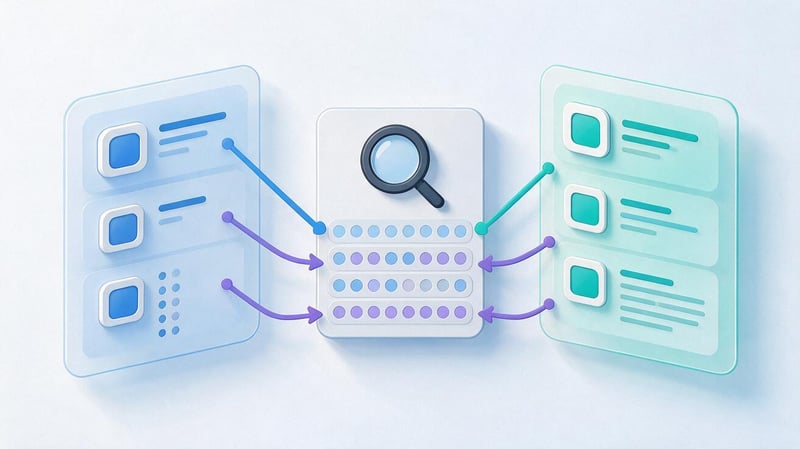
Once the keyword list is ready, distribute queries across the app listing's available text fields. App Store and Google Play metadata rules differ, so copy must be prepared for each platform separately.
In both stores, use natural wording and ensure descriptions match the product's actual features. Excessive repetition and irrelevant terms can reduce listing quality and violate store policies.
Keyword Optimization for the App Store
App Store text fields include the app name, subtitle, a separate Keywords field, and description. Fields that Apple explicitly identifies as text relevance signals are particularly important for search optimization.
The name should clearly identify the product, while the subtitle can explain its main feature. Both fields have a 30-character limit.
Use appropriate terms from your priority clusters in the metadata. Distribute additional queries according to the space available and localization rules.
The full description helps users understand the app and decide whether to install it. Apple does not treat this field as the same type of direct text search signal as the name, subtitle, and Keywords field.
How to Fill In the App Store Keywords Field?
The Keywords field is used for additional search terms describing the app. Apple specifies a 100-character limit, while App Store Connect technical documentation also refers to a 100-byte limit, so check the effective restriction for non-Latin locales.
Separate keywords with commas and avoid unnecessary spaces between entries. Spaces may still be useful within multiword phrases when they are needed for readability.
Avoid repeating words already present in the app name and subtitle, since these are already considered for search. Apple also recommends avoiding unnecessary plural forms, overly generic terms, and special characters without a clear purpose.
Do not include competing app names, other companies' trademarks without permission, or terms unrelated to your product. Before publishing, check the field length and Apple's current search recommendations.
Keyword Optimization for Google Play

Google Play's main text fields are the app name, short description, and full description. Its standard app listing does not have a separate Keywords field equivalent to the one in the App Store.
Place keywords in text that explains what the product does. The name usually includes the brand and core purpose, while the short description helps users quickly understand its benefits.
The full description covers usage scenarios, functionality, and product features. Distribute terms from your keyword list among relevant sections, keeping the language natural.
When preparing Google Play ASO keywords, follow the platform's metadata requirements and avoid repetitive lists. Current requirements are described in Google Play Console Help.
| Field | App Store | Google Play |
|---|---|---|
| App name | Up to 30 characters | Up to 30 characters |
| Subtitle | Up to 30 characters | No separate equivalent field |
| Keywords | Separate field up to 100 characters, subject to technical byte limits | No separate field |
| Short description | No separate Short Description field | Up to 80 characters |
| Full description | Up to 4,000 characters | Up to 4,000 characters |
| Where to use terms | Name, subtitle, Keywords | Name and text descriptions |
Check limits immediately before updating the listing. When working with multiple languages, edit each localized version separately.
What Keyword Density Is Needed for ASO?
There is no universal keyword-density percentage that guarantees high app rankings. App stores do not publish a mandatory Keyword Density threshold that produces a particular ranking outcome.
Density can be calculated by dividing the number of times a word or phrase appears by the total number of words in the text. For example, if a phrase appears five times in a 250-word description, its nominal density is 2%.
This check is mainly useful for spotting excessive repetition. The number does not prove that the selected keyword strategy is correct or that the description is useful to users.
Avoid artificially repeating terms and listing near-identical phrases in Google Play. For the App Store, it is more important to distribute words intelligently across the available metadata in line with Apple's rules.
How to Track Keyword Rankings and Effectiveness?

After changing metadata, check which queries have started producing results. Compare search rankings, app visibility, store listing metrics, and installation data.
Use comparable conditions for measurements: the same country, store, locale, and time period. If you change the description, icon, screenshots, and advertising at once, it becomes harder to isolate the impact of any single change.
Tracking ASO Keyword Ranking
Keyword rankings indicate how visible an app is in search results. You can monitor them in specialized services and keep a history of changes for every query.
Record the baseline ranking before updating metadata and repeat measurements at consistent intervals. When analyzing results, consider search fluctuations, competitor updates, and seasonal demand.
The data can be presented as a chart showing changes in rankings. The illustrative example below uses lower ranking numbers for higher positions in search results.
| Query | Before update | Week 1 | Week 2 | Week 3 |
|---|---|---|---|---|
| shopping list | 28 | 23 | 18 | 15 |
| shared shopping list | 32 | 25 | 19 | 17 |
| shopping planner | 19 | 17 | 16 | 18 |
This trend shows the direction of change but does not, by itself, confirm growth in organic installs. Evaluating the result also requires store listing visits and user action data.
Analyzing Organic Installs and Conversion
Improved search rankings may increase app visibility, but installations also depend on the appeal of the listing, ratings, screenshots, and users' expectations.
App Store Connect Analytics includes information about how users discover an app, including App Store Search. This source may include Apple Ads traffic, so its total should not automatically be counted as entirely organic.
Google Play Console provides reports on traffic sources and search queries within the data it makes available. Google updated Store listing performance reporting in 2026, emphasizing user taps, so comparing time periods requires attention to metric definitions.
Review search visibility, store listing visits, install-related actions, and confirmed installs where those figures are available. Falling conversion alongside rising visibility can indicate an audience mismatch or problems with how the product is presented.
When Should You Review Your Keyword List?
A keyword list needs revision when the app gains or changes features, new competitors emerge, or search demand shifts significantly. Review is also necessary before entering another country or launching an additional localization.
After updating metadata, allow the system time to process changes and collect enough data for comparison. The appropriate evaluation period depends on the store, traffic volume, and the product's update frequency.
During regular reviews, look at queries where rankings have worsened and at promising new phrases. If a keyword change does not deliver the expected outcome, reassess competition, search intent, and the listing itself.
Do not replace the entire keyword list after a brief search ranking fluctuation. Make update decisions based on several comparable measurements.
Common Mistakes When Selecting ASO Keywords

Keyword selection mistakes often happen before metadata is written. Choosing the wrong audience, performing a superficial competitor review, or relying on unverified figures can waste time on terms with little value.
When reviewing your keyword list, watch for these common problems:
- Choosing only popular queries. High demand attracts many competitors, so evaluate ranking difficulty and how well each term matches the app.
- Adding irrelevant keywords. A popular query will not bring high-quality traffic if the app does not solve the problem the user expects it to solve.
- Ignoring localization. Direct translations do not always reflect how people actually search in different countries.
- Repeating keywords excessively. Artificial lists reduce readability and can conflict with app store rules.
- Skipping monitoring. Without ranking and install analysis, it is difficult to decide which queries to keep, replace, or research further.
ASO tool estimates also should not be mistaken for exact search counts. Each service has its own methods for calculating popularity and competition.
Reviewing the keyword list regularly helps identify weak terms in time and make room for more promising phrases.
Example: Building a Keyword List for an App
Consider a hypothetical online shopping app that helps users make shopping lists, track discounts, and plan spending. Its seed keywords can be split into three areas: shopping lists, savings, and planning.
First, collect terms based on app features: “shopping list,” “store discounts,” and “shopping planner.” Then expand them using App Store and Google Play suggestions, competitor research, and user reviews.
The working list may grow to include “shared shopping list,” “family shopping,” “shopping with a list,” and “grocery spending tracker.” Check every phrase against what the product actually does.
Next, set priorities. If shared list editing is a core app feature, related terms can be treated as an important promotion opportunity.
Example of keyword allocation:
| Cluster | Main queries | Potential use |
|---|---|---|
| Shopping lists | shopping list, shared shopping list | Name or subtitle if relevant to the product |
| Discounts | store discounts, find discounts | Metadata and a description of the relevant feature |
| Planning | shopping planner, family shopping | Description of use cases |
| Expense tracking | grocery expenses, shopping budget | Description if the feature is actually available |
After assessing popularity and competition, distribute selected terms across the App Store and Google Play fields. Then record current rankings, update the listing, and monitor the results.
The process is the same for a notepad app, but its seed keywords will differ. For example, notepad ASO keywords might include “notes,” “notepad,” “to-do list,” “quick notes,” and related feature-specific terms.
This example shows why each product needs its own working keyword list. Even apps in the same category may have different strengths, audiences, and priority search terms.
ASO keyword research starts with understanding an app's features and the way its audience searches. Next, identify relevant queries, assess demand and competition, clean and cluster the list, and distribute priority terms across App Store and Google Play metadata.
Evaluate optimization results using ranking trends, search visibility, and user actions. Regular updates to the keyword list help account for changing demand and new competitors.
If you need keyword research for several markets, app ranking analysis, or metadata preparation, contact Seo-Gen about ASO promotion. Our specialists will assess the app, its competitors, and search terms, then prepare recommendations for the App Store and Google Play.


