Website SEO analytics: what to analyze and why?


A website can operate reliably, receiving traffic from Google, and yet gradually lose visibility for important queries. The opposite situation is also common: impressions increase, rankings improve, but leads don't increase. Without data, such changes are usually explained subjectively, although the cause could lie in demand, indexing, CTR, structure, or a specific landing page.
SEO analytics helps break down the situation into measurable metrics. Search visibility, rankings, clicks, organic traffic, technical performance, content, internal links, link profile, and conversions are used for analysis. The correlation between these data points reveals where a site is losing potential traffic and what changes should be implemented first.
What is SEO website analytics and why is it needed?
Website SEO analytics involves regularly reviewing data describing a website's search presence and organic performance. A specialist monitors changes, identifies their causes, formulates a hypothesis, makes adjustments, and then compares the metrics after implementation. This process helps distinguish random fluctuations in metrics from a persistent issue.
A single site analysis provides a snapshot of its status on a specific date. Ongoing analytics reveals trends. For example, a page may maintain its current average position but lose clicks due to changes in search demand or a decrease in CTR. A similar decline in traffic can occur after removing internal links, changing the canonical, or a URL being de-indexed.
How is SEO analysis different from SEO analytics?
An SEO analysis of a website is typically conducted to identify current issues and growth opportunities. A specialist checks indexing, meta tags, structure, semantics, internal linking, backlinks, and other parameters. The result is a list of identified issues and recommendations for addressing them, prioritized.
SEO analytics works with changes over time. Let's say an audit found several pages without organic traffic. Further analysis reveals when the traffic disappeared, which queries lost rankings, whether search demand changed, and whether performance recovered after correction. This is why it's advisable to link website analysis for SEO with subsequent monitoring.
How is SEO analytics different from web analytics?
SEO analytics focuses on organic search. It examines search queries, impressions, search clicks, CTR, average position, indexability, technical errors, semantic core, link profile, and the dynamics of individual landing pages. Google Search Console remains the primary source of data for this area.
Web analytics covers user behavior after landing on a website. Google Analytics 4 lets you study users, sessions, events, conversions, traffic sources, and action sequences. When deciding where to begin with web analytics, you first need to define your business goals and the events that truly reflect the results of a website visit.
What business issues should SEO analytics address?
Good analytics answer specific questions related to traffic and promotion results. It's usually not enough for a website manager or owner to know that the average position has increased from 12th to 9th. They need to understand whether the change has resulted in additional impressions, clicks, applications, and sales, as well as which sections contributed to this increase.
Regular analysis helps you identify which pages are growing, where they're losing rankings, why impressions are increasing without increasing clicks, which queries are driving users without converting, and what technical issues are limiting visibility. A comprehensive site analysis also helps identify areas where expanding the structure or content will be more beneficial than locally adjusting a few meta tags.
Answers to your questions
What is SEO website analysis?
A website's SEO analysis is a review of factors that influence a resource's visibility in organic search. This includes technical condition, indexing, structure, semantics, rankings, content, internal and external links, search traffic, and data on key landing pages.
The result shouldn't be a dump of errors, but a clear picture of the project's status. The specialist identifies the causes of problems, assesses their impact, and makes recommendations. This analysis is useful before launching a promotion, after major website changes, and in the event of a noticeable drop in organic traffic.
Is it possible to do a website analysis online for free?
Yes, you can perform a free online website analysis in certain areas. Google Search Console displays queries and indexing, PageSpeed Insights helps evaluate speed, and free versions of other services allow you to check meta tags, links, or a limited number of pages.
However, a single free service rarely covers all tasks. If you need a free technical analysis of your website, you can collect data using several tools, but you'll still have to interpret it manually. For a large project, the limitations of free plans usually become apparent already at the full scan stage.
What services should I use for SEO analytics?
For your own website, the primary sources remain Google Search Console and Google Analytics 4. Screaming Frog and similar programs are used for crawling, while Ahrefs, Semrush, Serpstat, and SE Ranking are suitable for semantics, rankings, competitors, and link profiles.
It's best to choose SEO website analysis services based on a specific task. There's no need to purchase multiple platforms with nearly identical features. What's more important is that your team regularly receives the necessary data and can compare it with actual GSC, GA4, and CRM metrics.
How often should you conduct SEO analysis of your website?
It's advisable to monitor critical technical metrics on an ongoing basis, especially after releases and major changes. Rankings, impressions, and key landing pages are conveniently analyzed weekly, while comprehensive traffic and conversion dynamics are monitored monthly.
A more comprehensive analysis of semantics, structure, competitors, and links can be performed every few months. The frequency depends on the project's size and the number of changes. If the site is actively developing, new categories and templates require checking significantly more frequently than a smaller resource with infrequent updates.
How is SEO analytics different from web analytics?
SEO analytics focuses on organic search: queries, visibility, rankings, clicks, indexing, content, and other SEO factors. Web analytics examines user behavior on a website, regardless of the referral source, and records events, conversions, and user journeys.
These areas of work are interconnected. Search Console shows how a person found a page on Google, and GA4 helps understand what happened after that click. If you add a CRM, you can track the entire customer journey all the way to the sale.
What is end-to-end analytics?
End-to-end analytics links marketing sources to leads, deals, and revenue. Data from advertising accounts, the website, call tracking, CRM, and other sources is fed into the system, allowing for comparison of channels using unified business metrics.
An end-to-end analytics service is especially useful for companies with multiple acquisition channels and long sales cycles. Without a CRM connection, traditional web analytics ends with form submissions, although for businesses, the end result is sales and actual revenue.
What should you analyze in SEO?

A full website SEO analysis covers several data sets. Looking at rankings alone isn't enough, as increased visibility doesn't necessarily translate into more clicks. Similarly, increased organic traffic doesn't always translate into more conversions if users land on pages that poorly match their search queries or don't lead to the desired action.
For regular work, it's convenient to collect data by level: search visibility, organic traffic, technical condition, semantics, content, internal links, external links, and conversions. This categorization speeds up the search for the cause. If a metric changes dramatically, the specialist immediately understands which data sources to compare.
Website search visibility
Search visibility measures how widely a website's pages are represented in Google for the target semantic core. The assessment uses impressions, clicks, rankings, and the number of queries for which URLs rank in the top 3, top 10, or top 20. It's best to monitor trends for individual clusters, not just the entire domain.
Search demand should also be considered. A decrease in impressions with stable rankings may be due to seasonality, while a simultaneous drop in rankings and clicks more often requires a website review. Website analysis in search engines is more useful when the data is considered together, with each major section having its own dynamics.
Rankings for key queries
It's easy to track rankings by commercial categories, services, informational materials, and other page groups. A site-wide average can mask problems: some queries are growing, others are falling out of the top 10, and the overall figure remains virtually unchanged. Analyzing your site by keywords helps identify such discrepancies.
Queries that rank near the top 10 or top 20 require special attention. Here, improving relevance, internal linking, or page content can sometimes yield a significant increase in visibility. If rankings drop, first compare the target URL, competitors in the search results, changes to the page, and the indexing situation.
Impressions and CTR
The number of impressions shows how many times a website's pages appear in search results for user queries. CTR reflects the share of impressions that lead to a click-through. If rankings remain stable but the CTR declines, it's worth examining the snippet, search results changes, and competing pages.
Click-through rates are affected by the title, description, how well the wording matches the query, and additional SERP elements. Sometimes Google starts showing answer boxes, maps, products, or other modules that steal some of the clicks. Therefore, a drop in CTR can't be automatically attributed to a weak title without checking the search results themselves.
Organic traffic

Organic traffic is analyzed by users, sessions, landing pages, and conversions. In GA4, you can highlight Organic Search and compare it to the previous period or the same period last year. Year-over-year comparisons are especially useful for topics with significant seasonality.
For large websites, it's best to segment data by section. An online store may simultaneously experience a loss of traffic to its categories and growth in its informational blog. The overall traffic line will smooth out these changes, although the commercial results will suffer. Website marketing analysis requires considering the quality of traffic generated, not just traffic volume.
Which pages drive search traffic?
A landing page shows where a user first landed from organic search. Analyzing these URLs helps identify the categories, services, products, and articles that generate the majority of clicks. You can then compare the visibility, engagement, and conversion rates of each group.
It's useful to distinguish between growth pages and decline pages. If a URL receives a lot of impressions and few clicks, check its position and snippet. If there are clicks but conversions are significantly below average, examine the search intent, page content, application form, and user path to the target action.
How to distinguish an SEO problem from a change in demand?
First, compare impressions, rankings, and clicks. If rankings remain virtually unchanged, but impressions across the cluster have decreased, a decrease in search demand may be the cause. A simultaneous decline in rankings increases the likelihood of a ranking issue, although a definitive conclusion requires a page review.
Seasonality is best assessed over a long period, comparing the same months across years. Trends in individual queries and search results changes are also helpful. This approach reduces the risk that a natural decline in demand will be reported as an SEO error and lead to unnecessary changes to the website.
How to analyze the technical condition of a website?

A technical website analysis reveals whether a search engine robot can properly find, crawl, and index the required pages. Even good content will not produce the expected results if the target URL is blocked from indexing, contains an incorrect canonical, or is accessible through a long chain of redirects.
For initial diagnostics, you can use automatic site analysis, a crawler, Google Search Console, and specific technical services. A full site error analysis requires identifying the connections between issues. A single 404 URL may be insignificant, but hundreds of internal links to such pages can impact site crawling and user experience.
Page indexing
Google Search Console reports should compare indexed and excluded URLs. Robots.txt, meta robots, canonical, sitemap.xml, and pages with GET parameters are checked separately. An accidental noindex or canonical to a different URL can remove an important landing page from search results without any visible error to the user.
The number of pages in the index should be compared with the actual site structure. A sharp increase in URLs is sometimes due to filters, sorting, tags, or technical duplicates. A significant decrease in the number of pages requires an audit of templates, indexing rules, redirects, and changes made before the drop.
Crawl errors and HTTP statuses
When crawling a site, 200, 3xx, 4xx, and 5xx responses are checked. Internal links to redirects create unnecessary hops for the robot, while 404 links lead users to non-existent pages. Chains and cyclic redirects require special fixes, especially when they affect important sections.
Online technical website analysis can quickly identify some of these issues, but the results depend on the crawl depth and service settings. For larger projects, it's more convenient to use a full-fledged crawler that preserves URL relationships, link source pages, canonical tags, headers, and indexability.
Core Web Vitals and site speed
Core Web Vitals evaluate user experience based on several metrics. LCP measures the speed at which the main content displays, INP characterizes the responsiveness of the interface, and CLS measures the visual stability of elements. This data can be viewed in Search Console and PageSpeed Insights.
A lab speed assessment helps diagnose problems, but it shouldn't be used as a standalone goal. A site with a high PageSpeed score doesn't guarantee a ranking advantage. For SEO, it's more important to address real loading and interaction issues, especially on mobile devices.
Structure and depth of pages
Page depth measures how many internal link clicks separate a page from its entry point, usually the homepage. Important commercial URLs shouldn't be buried too deeply if they can be logically linked to categories, menus, breadcrumbs, and relevant content.
A crawler helps identify orphan pages, weak interlinking, and sections of the structure where internal link weight is distributed randomly. Internal links can then be redistributed based on priority pages. Anchors should also be checked to ensure they clearly describe the destination page without mechanically repeating identical keywords.
How to analyze website semantics and positions?
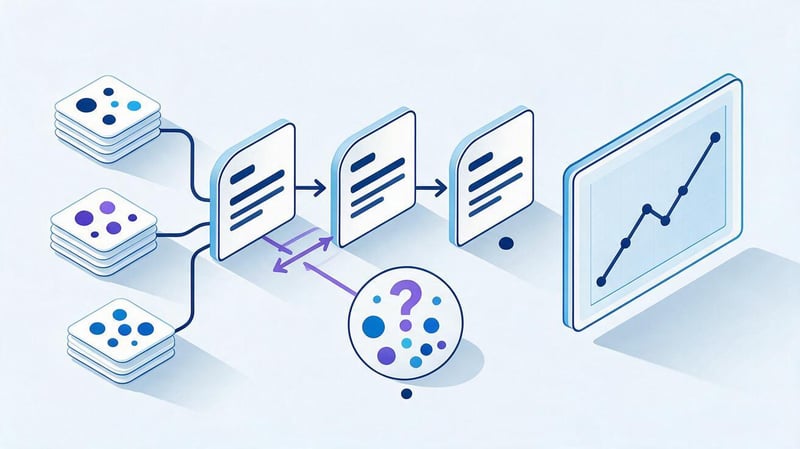
Semantics establishes the connection between search demand and website pages. If queries are collected without clustering, multiple URLs may claim the same intent, leaving part of the demand without a suitable page. Therefore, website SEO analysis includes an examination of the core itself and its distribution.
The work begins with queries for which the site already receives impressions and is supplemented by external semantic sources. After clustering, each group is assigned a target URL. Then, the page's position, search volume, search results, and actual relevance to the selected intent are compared.
Website analysis by key queries
It's best to categorize queries by page type and user intent. Commercial phrases typically require service, category, or product pages, while question-based queries more often lead to articles and reference materials. Mixing intents on a single URL can reduce the relevance of the entire page.
During the audit, the current position, target URL, search volume, changes over time, and closest competitors are recorded. This makes it possible to see where an existing page needs to be optimized, and where the site structure doesn't even contain a suitable document for a standalone cluster.
Query cannibalization
Cannibalization occurs when multiple website pages regularly swap rankings for the same set of queries. This can occur due to similar content, poor semantic distribution, similar meta tags, or two pages with identical user intent.
The solution depends on the cause. Sometimes pages are merged, sometimes the semantics and content of each page are clarified, and in other cases, internal linking can be simply corrected. Automatically merging all URLs with overlapping queries is a mistake, as similar keywords may refer to different search scenarios.
Content Gap
Content Gap reveals topics and queries for which competitors are already gaining search visibility, while the analyzed site lacks a corresponding page or the existing URL doesn't adequately address the topic. It's convenient to run this analysis against several real competitors from the search results.
The results need to be assessed manually. The presence of a competitor's page doesn't necessarily mean your site needs similar content. First, check demand, intent, the topic's place in the structure, commercial value, and the ability to internally link the new content to the main pages.
How to conduct a website content analysis?
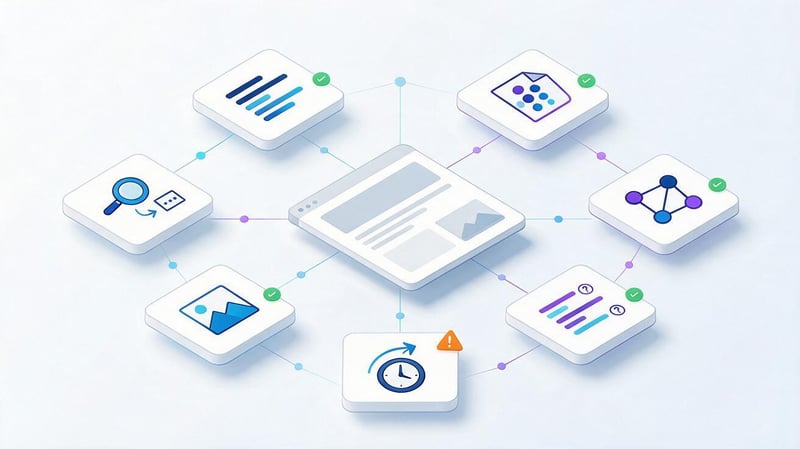
A website's content analysis begins with the page's relevance to search intent. It checks whether the content answers the user's question, whether the page type matches the search results, and whether there's enough information to make a decision. Then, the H1-H3 structure, tables, FAQs, images, and internal navigation are assessed.
A website's text analysis helps identify repetition, keyword stuffing, and weak thematic areas, but quantitative metrics can't be used in isolation. A page with a formally correct keyword density may be inferior to competitors if it poorly responds to queries or contains outdated data.
Page matching to search intent
Before reworking content, you need to look at the actual search results for the target cluster. If Google displays categories of online stores, an informational article usually won't replace a full-fledged category. For a commercial query, the terms, product range, prices, proof of expertise, and a convenient contact path are important.
Informational intent is assessed by the completeness of the topic's coverage, the logical structure, and the availability of answers to related questions. Headings should help users quickly find the desired section. Additional blocks should be added when they truly answer the query, not just to copy a competitor's.
SEO text analysis
SEO text analysis includes topic relevance, use of keywords and relevant vocabulary, structure, and the quality of the topic's presentation. There is no universal density percentage that guarantees good rankings. Mechanically repeating the phrase “website SEO analysis” reduces readability and is no substitute for rich content.
Keyword phrases should be used naturally. For example, queries like “free online website analysis”, “free technical website analysis”, and “free online SEO website analysis” can be expanded upon in a single, logical section about free services, without repeating the same idea in every paragraph.
Outdated content
Even a well-written page gradually loses its relevance. Prices, service interfaces, statistics, links, screenshots, and recommendations need to be updated if the initial conditions change. Materials about tools, algorithms, legislation, and technical requirements become especially outdated quickly.
When updating, it's helpful to compare the old and new search results. The intent of a search can change: Google begins showing more commercial pages, videos, maps, or other formats. In such a situation, a cosmetic edit of a few paragraphs is usually not enough.
How to analyze website links?
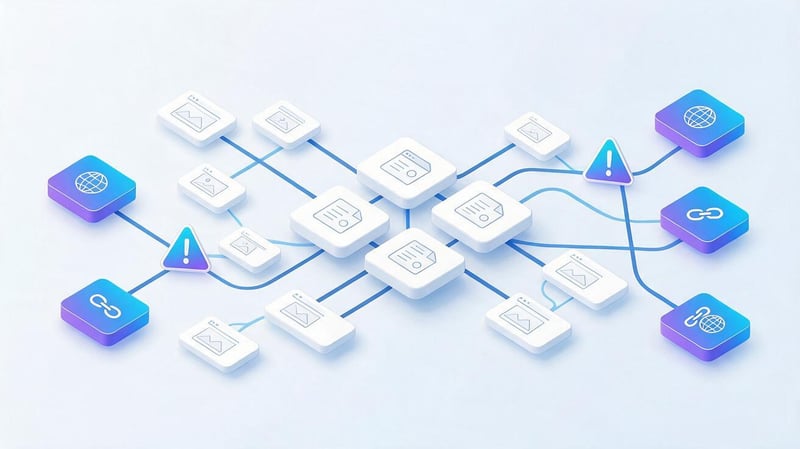
Links are analyzed at two levels: within the website itself and on external domains. Internal linking helps crawlers find pages and shows relationships between sections. External links provide search engines with additional signals about the popularity and thematic relevance of a resource.
Website analysis by link isn't limited to the number of URLs found. It also considers the source page, destination page, anchor text, HTTP response, link attribute, and placement. For external profiles, the donor topic, dynamics, and naturalness of anchor text distribution are also assessed.
Internal links
When analyzing internal links, check for broken URLs, 3xx links, pages with few incoming links, and inappropriate nofollow. Important sections should receive logical links from related categories, content, and navigation elements, rather than existing in isolation.
Anchors also need to be analyzed. They should clearly describe the navigation direction and remain natural for the reader. If hundreds of links use a single commercial anchor, the distribution appears artificial and degrades navigation quality even without a direct penalty from the search engine.
External link profile
The external profile looks at the number of referring domains, the quality and subject matter of donors, the dynamics of backlink acquisition and loss, page types, and anchor text. An increase in the number of domains alone doesn't indicate quality if the links come from irrelevant or weak resources.
Metrics from Ahrefs, Semrush, and other services are convenient for comparison, but they can't be considered direct Google metrics. A high DR helps quickly assess the domain's size, but making a decision on a specific link requires looking at the site's traffic, topic, visibility, placement, and health.
How to analyze competitors?
SEO competitors are identified by search results, so they may differ from companies a business considers its direct rivals. A website may compete for one cluster with a marketplace, another with a media outlet, and a third with a specialized service or local company.
The analysis compares the structure, landing pages, queries, content, link profile, and additional SERP elements. The goal is to understand the established search results pattern and identify gaps in your own website. Simply copying competitors' headlines and blocks doesn't account for the differences between projects.
What competitor data is useful for SEO?
It's useful to look at which of your competitors' pages consistently receive traffic, which clusters they've created dedicated URLs for, and how these pages are interconnected. Additionally, consider the size of their link profile, the content of their snippets, the structure of their commercial blocks, and the topics of their informational sections.
This data helps identify content gaps, missing landing pages, and weak interlinking. Competitive analysis also reveals topics where the site is wasting resources without any apparent demand. The decision to implement a specific topic is made after verifying its semantics and alignment with business objectives.
What SEO metrics should you really track?
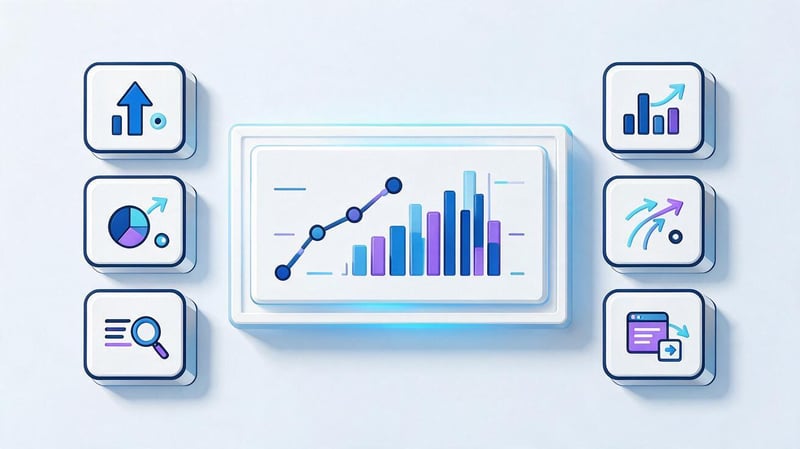
The set of metrics depends on the type of website, but the basic logic is the same: the data should show the path from search presence to on-site results. A traffic graph alone isn't enough. You need to understand which queries generated impressions, how many users clicked through, and what happened after that click.
It's more convenient to collect metrics in a single table or dashboard. This reduces the time spent on manual comparisons and helps you quickly spot discrepancies, such as increased visibility while conversion rates decline. Key metrics can be categorized as follows.
| Metric | What it shows | Where to look | What to check when it changes |
|---|---|---|---|
| Impressions | How often pages appear in Google | Google Search Console | Demand, visibility, indexability |
| Clicks | Clicks from search | Google Search Console | Positions, CTR, SERP |
| CTR | Share of clicks from impressions | Google Search Console | Snippet, position, search results features |
| Average position | Ranking dynamics | GSC, trackers | Queries, URLs, competitors |
| Organic traffic | Organic visits | GA4 | Landing pages, seasonality |
| Conversions | Goal actions | GA4, CRM | Traffic and page quality |
| Indexing | URL availability in Google | GSC | robots, canonical, sitemap |
| Core Web Vitals | User experience | GSC, PageSpeed | LCP, INP, CLS |
| Referring domains | Link profile scale | Ahrefs, Semrush | Donors, anchors, dynamics |
Metrics should be interpreted together. For example, an increase in impressions without an increase in clicks may be normal if a site begins appearing in low positions for a large number of new queries. Therefore, any noticeable shift should be examined at the query level and specific URLs.
What tools should I use for SEO analytics?
SEO website analysis services vary in their data sources and the depth of their analysis. Some tools are good at displaying Google queries, others are better for crawling, and others store the history of positions and links. The full range of tools depends on the scale of the project and the team's goals.
For most websites, Google Search Console and Google Analytics 4 serve as the base. They are supplemented with a crawler, a position tracking service, and a link analysis tool. Data can be collected in Looker Studio or another BI system if regular reporting is time-consuming.
Google Search Console
Google Search Console displays the queries, pages, countries, and devices from which a site receives impressions and clicks. CTR and average position are also available. This data is especially useful when analyzing a page that has lost traffic or started ranking for new queries.
Search Console also checks indexing, sitemap.xml, and Core Web Vitals. It doesn't replace a crawler, as it displays the site from Google's perspective and maintains its own dataset. Therefore, it's advisable to confirm technical issues with additional crawling.
Google Analytics 4
GA4 shows what a user does after landing on a website. It analyzes organic search, landing pages, events, conversions, new users, and content interactions. For a commercial website, this data is linked to form submissions, phone calls, purchases, or other measurable actions.
Combining GA4 and GSC provides a more complete picture. Search Console shows the path up to a click from Google, while GA4 continues it after the click. If leads are passed to a CRM, the chain can be expanded to qualified leads, deals, and revenue.
Ahrefs, Semrush, Serpstat and SE Ranking

Ahrefs, Semrush, Serpstat, and SE Ranking are used to analyze semantics, rankings, competitors, and backlinks. Their capabilities overlap, so it's usually not necessary to use all services simultaneously. The choice depends on the region, available databases, and the team's internal processes.
These systems make it easy to find new queries, compare domains, track ranking dynamics, and conduct content gap analysis. Traffic and search volume figures should be taken as service estimates. For your own website, it's best to check actual data against GSC and GA4.
Screaming Frog and site crawlers
Screaming Frog and other crawlers simulate a site's internal link crawl. They collect HTTP codes, Title, Description, H1-H6, canonical, indexability, depth, internal links, and other technical parameters. For a large site, this export significantly speeds up the detection of common template errors.
The crawler is also useful after changes have been implemented. If the developer has changed canonical rules, redirects, or meta tag templates, a rescan shows whether the changes have been applied to all relevant pages. It's recommended to run the check on the same settings for accurate comparison.
Looker Studio
Looker Studio is used for dashboards that aggregate data from multiple sources in a single interface. A single screen can display clicks from GSC, organic traffic from GA4, rankings for priority queries, and conversions for a selected period.
A dashboard is especially useful for regular reporting. It reduces manual work and helps identify deviations faster. However, the visualization must answer a specific question; otherwise, dozens of charts complicate analysis and distract from the metrics that require action.
| Tool | Basic data | What tasks is it suitable for? |
|---|---|---|
| Google Search Console | Queries, clicks, impressions, CTR, indexing | Search visibility and diagnostics |
| Google Analytics 4 | Traffic, events, conversions | Behavior and results of visits |
| Ahrefs / Semrush / Serpstat | Semantics, competitors, links | External analysis and core expansion |
| SE Ranking | Positions, competitors, audit | Regular monitoring |
| Screaming Frog | Technical URL parameters | Crawling and mass diagnostics |
| Looker Studio | Summary data | Dashboards and SEO reporting |
Is it possible to do an online SEO analysis of a website for free?

A partial website analysis is available for free. Tools exist for checking website speed, indexability, meta tags, HTTP codes, links, and individual technical parameters. This online website analysis is suitable for an initial search for obvious errors and for performing a small independent audit.
A comprehensive website analysis requires more data. Automatic reports don't capture business priorities, don't fully understand search intent, and don't pinpoint the cause of every drop. Therefore, the query “free SEO website analysis” is usually answered by a set of separate services rather than a single, comprehensive check.
What can automatic website analysis check?
A website analysis service can collect basic technical parameters of a page and highlight typical deviations. Depending on the tool, you can check the Title, Description, H1–H6, canonical, meta robots, sitemap.xml, HTTP responses, image attributes, speed, and links.
Online website error analysis is especially convenient for quickly checking a single URL. Analyzing a website by link takes just a few seconds and helps spot obvious problems. For a large project, the service must be able to scan the entire domain; otherwise, a significant portion of the structure will be left unchecked.
What won't the automatic service show?
Automatic website analysis software doesn't understand the business value of individual pages or independently determine the correct search intent. It can find two similar titles, but it can't always tell whether the pages are duplicates or solve different user problems.
It's also difficult for the service to assess the quality of commercial factors, the potential of a new cluster, the actual cause of cannibalization, and the priority of a specific error. Therefore, a full SEO website analysis combines automatic data collection and manual interpretation of the results by a specialist.
What is end-to-end analytics and how does it relate to SEO?
End-to-end web analytics connects the source of user acquisition with subsequent events and business results. For SEO, the chain might look like this: search query → impression → click → landing page → application → transaction → revenue. This approach helps evaluate organic channels based on sales data.
End-to-end business analytics is especially useful for companies with long sales cycles. A simple form conversion doesn't necessarily indicate lead quality. If website data is linked to a CRM, you can see which landing pages drive inquiries that ultimately lead to a paid transaction.
Data schema:
Search query → impression → click → landing page → interaction → application → qualified lead → sale
What data does the end-to-end analytics system integrate?
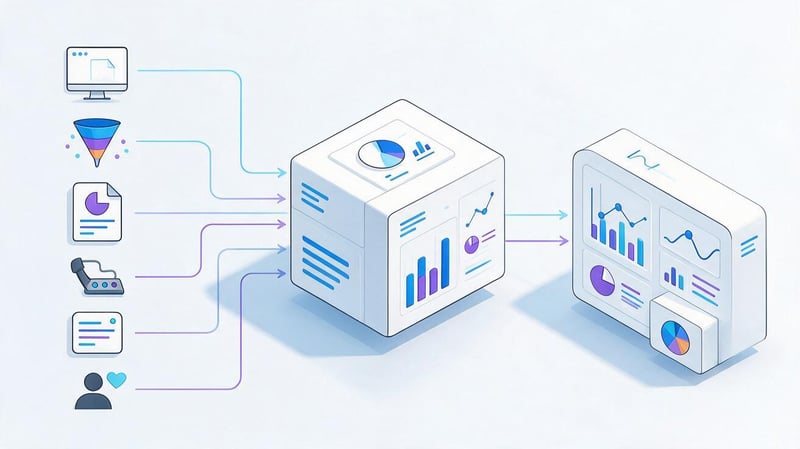
An end-to-end analytics system typically receives data from advertising accounts, web analytics, forms, call tracking, CRM, and other sources. UTM tags and user or transaction IDs are often used to match a visit to an advertising campaign.
With proper setup, you can compare SEO, contextual advertising, and other channels using the same business metrics. Building end-to-end analytics requires defining events and attribution rules in advance; otherwise, the same sale may be counted differently by different systems.
What does the end-to-end analytics report show?
An end-to-end analytics report can include inquiries, qualified leads, deals, revenue, acquisition cost, and other metrics. The specific metrics depend on the business and CRM structure. For SEO, linking a specific landing page to the lead's subsequent progression through the funnel is especially useful.
End-to-end conversion helps identify situations where a channel generates a lot of inquiries but few actual customers. In this case, the problem may lie in the semantics, the page, the quality of demand, or subsequent processing of the lead. The conclusion is reached after comparing several stages of the funnel.
What end-to-end analytics services exist?
End-to-end analytics services vary in their integration options, attribution models, and data storage methods. Roistat is used to integrate marketing sources, web analytics, calls, and CRM. Roistat analytics is suitable for projects that require a ready-made interface and a set of standard integrations.
Some companies find it more convenient to develop their own end-to-end business analytics system based on GA4, CRM, data warehouse, and BI. The best end-to-end analytics services can't be determined by a single rating: the choice depends on advertising channels, CRM, data volume, and reporting requirements.
When does a business need to set up end-to-end analytics?
Setting up end-to-end analytics makes sense when a company receives leads from multiple channels and uses a CRM. The longer the deal cycle, the less information a standard lead report provides. This gap is especially noticeable for B2B, real estate, healthcare, financial services, and luxury goods.
The question “how much does it cost to set up end-to-end analytics” cannot be estimated without the project architecture. Cost depends on the number of advertising sources, telephony, CRM, attribution model, the quality of existing markup, and the need to improve data transfer between systems.
How to conduct a comprehensive website analysis?
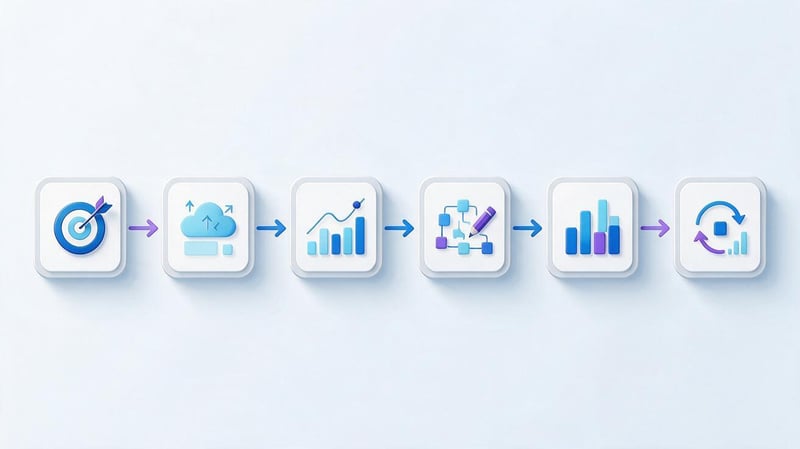
A comprehensive website analysis is best conducted according to a predetermined scenario. Collecting all available metrics without a goal in mind quickly results in a report that grows cumbersome and becomes difficult to work with. Before beginning, define the problem, the comparison period, and the data set that will help verify possible causes.
This approach is suitable for both regular SEO and a one-time audit after a drop. You can conduct a website analysis yourself if you have access to GSC, GA4, and technical tools. For complex projects, you'll also need data from your CRM, position tracking service, and link analysis.
Step 1: Determine the purpose of the analysis
A goal should describe a specific situation. For example, organic traffic has declined after a redesign, online store categories have stopped growing, commercial pages are receiving impressions without clicks, or a new section isn't indexed. The set of checks will vary for each task.
If a general website analysis is conducted before launching promotion, baseline metrics are recorded first. These will serve as a basis for comparison later. Without a baseline, it's difficult to understand which changes are related to the work performed and which are due to seasonality or external factors.
Step 2: Collect data
For a basic analysis, you'll need GSC, GA4, and technical scan results. For a project with active promotion, it's worth adding a ranking service, backlink data, and website change history. For commercial projects, it's helpful to connect information from your CRM.
All sources should use the same comparison period. If traffic data is taken for a month, but rankings are calculated based on the most recent week, the results may be inaccurate. If there are significant changes, the date of the release, transfer, template change, or other major work should be additionally recorded.
Step 3. Find deviations
First, they look for the areas where the change is most pronounced. These could be individual catalogs, service groups, page types, or query clusters. Comparing the entire site with a single number rarely reveals the problem, especially on projects with thousands of URLs.
Next, it's worth checking year-over-year and period-over-period changes. A page that loses traffic every September may be due to seasonality. If the decline only occurred this year, you need to look for an additional cause in rankings, demand, technical changes, or content.
Step 4: Identify the causes
A statement like “SEO traffic has dropped” isn't enough for a developer or content team. It's necessary to identify the specific section, the start date of the decline, the queries, and the pages. After that, indexing, rankings, CTR, content changes, and the status of internal links are checked.
A single issue can have multiple causes. For example, after a structure change, some old URLs received a 301 redirect, some pages were left without redirects, and new sections lost internal links. These causes should be separated in the report because they require different fixes and priorities.
Step 5. Generate recommendations
Each recommendation should be related to the issue identified. If 404 links are detected, the task should include the source pages, broken URLs, and correct destinations. If the issue is related to cannibalization, it is necessary to determine the target page and further action for overlapping URLs.
Priority depends on the scale and impact of the issue. A canonical error in the main category is usually more important than a missing description in an old article. This order helps the developer and SEO team first fix issues that have the greatest impact on indexing, traffic, and conversions.
Step 6. Re-measure the result
After implementation, it's necessary to verify that the change has actually been applied. Technical edits are re-checked by the crawler and browser, indexing is monitored through Search Console, and rankings and traffic are compared after a sufficient period of data accumulation.
If the expected result isn't achieved, the hypothesis is reconsidered. For example, correcting the title might not improve CTR if the root cause is related to positioning or a new search result block. Repeated measurement protects the team from a situation where the work is marked as complete even though the underlying problem remains.
How often should you conduct SEO analysis of your website?

The frequency depends on the site's scale and the rate of change. A small corporate website doesn't need a full daily SEO audit, while an online store with thousands of URLs may require constant monitoring of critical technical indicators.
It's convenient to divide monitoring into daily, weekly, monthly, and quarterly schedules. This schedule doesn't mean you have to look at each metric on a specific day. It helps you distribute tasks and avoid wasting time on in-depth analysis of slow-moving metrics.
Daily
Daily monitoring is necessary for critical issues: site unavailability, massive 5xx errors, sudden drops in traffic, accidental pages being blocked from indexing, or issues after a major release. For priority commercial queries, you can additionally track significant ranking changes.
Normal daily fluctuations don't require immediate action. Decisions are made after assessing the scale and context. Particular caution should be exercised when evaluating data from smaller sites, where a few additional clicks can significantly alter percentages.
Weekly
It's helpful to monitor the dynamics of key clusters, clicks, impressions, and primary landing pages once a week. This period reveals trends better than a single day and helps identify problems before the end of the month.
You can also check the results of recent changes. If meta tags or internal links were updated, the status of the corresponding pages is recorded. For technical edits, it's also important to ensure that the search engine crawler has had time to reprocess the changed URLs.
Monthly
A monthly SEO report typically includes organic traffic, visibility, rankings, clicks, conversions, and pages that are growing and declining. It's more useful to show changes by direction than to compile dozens of graphs without explanation.
The report should conclude with a list of conclusions and next steps. If the data shows a decline in a category, the team should be tasked with addressing that category. A negative percentage in the table alone doesn't help improve the website.
Quarterly
Every few months, it makes sense to review your semantics, structure, competitors, content, and link profile. During this time, new pages may appear in search results, demand may change, or a separate cluster may form that didn't exist before.
Quarterly analysis is also suitable for strategy evaluation. You can compare the growth of different sections, the quality of organic leads, and the results of content efforts. The plan is then adjusted based on actual data, not just initial forecasts.
How to interpret SEO analytics results?

Data rarely provides a definitive answer with a single indicator. A specialist compares multiple sources and looks for logical connections between changes. This is why it's better to conduct a website analysis using scenarios rather than simply skimming reports from top to bottom.
The same traffic decline can have different causes. If impressions and rankings drop simultaneously, one set of checks applies. If rankings are stable but CTR has dropped sharply, the work will be done in a different direction. Common situations are listed below.
There are positions, but no traffic
First, you need to check search volume and the number of impressions. A good ranking for a query with minimal demand won't generate significant traffic. Then, look at the CTR, search results, and the relevance of the snippet to the query.
If a page is at the top of the search results and receives impressions but few clicks, it's worth comparing the title and description with those of competitors. You should also check whether maps, products, videos, Quick Answers, or other Google features are stealing attention.
Traffic is growing, but there are no leads
Increased traffic can come from informational queries that rarely lead directly to inquiries. Therefore, it's important to separate commercial and informational landing pages and then test the conversion rate of each group.
For commercial URLs, the search intent, content, terms, forms, and user flow are analyzed. If visitors arrive with relevant queries but don't complete the desired action, the problem may lie within the page or the offer itself.
Impressions are growing, but rankings remain low
An increase in impressions often means the page is ranking for more queries. If rankings remain below the first page, you should review the new keywords and determine how well the current content is responding to their intent.
Next, you can expand the content, refine the structure, strengthen internal linking, or create a separate page for a standalone cluster. The decision depends on the search results. Several similar words in queries do not necessarily indicate the same user needs.
Organic traffic has dropped sharply
First, they record the date and extent of the drop. Then, they compare GSC and GA4 to determine whether the site has lost clicks from Google or whether the issue is related to analytics. After that, they check rankings, indexing, technical changes, redirects, and canonicals.
Additionally, it's worth examining search demand and search results changes. If the drop coincided with a website update, the affected templates and URLs are examined especially closely. If there were no technical changes, the analysis is expanded to include content, competitors, and external factors.
Lead SEO specialist — Gennady
I don't view SEO analytics as a monthly report with rankings and a traffic graph. For me, analytics begins with the ability to identify the cause of the change and make a concrete decision. If a page has lost traffic, I separately look at impressions, queries, rankings, CTR, target URL, indexability, and changes to the page itself. After that, I can see whether demand has decreased, search results have changed, rankings have dropped, or a problem has emerged on the website.
What mistakes are made during SEO analytics?
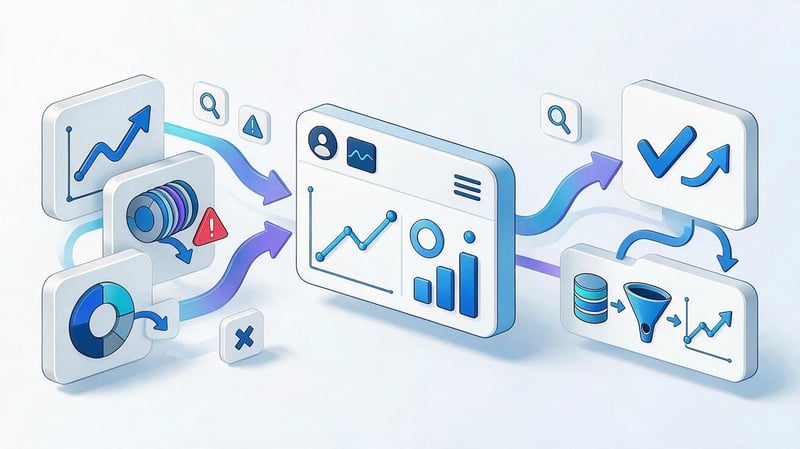
One common mistake is evaluating SEO results solely by rankings. A keyword might rank in the top five but generate almost no traffic due to low demand. Another keyword might rank lower but regularly generate inquiries due to its high commercial value and a relevant landing page.
Problems also arise when analyzing a site using a single overall figure. A blog's growth can offset the decline in the commercial section, so overall traffic will remain positive. For a business, such a picture would be misleading if the primary promotional goal is sales or leads.
Typical errors can be reduced to several groups:
- Compare adjacent months without taking seasonality into account and draw conclusions about the decline in SEO after each change in traffic.
- Mix branded and non-branded traffic, although the reasons for growth in these groups of queries are significantly different.
- Use only GA4 and do not check queries, positions, impressions and indexing through Google Search Console.
- Collect dozens of indicators in a report, but do not link them to recommendations and further tasks.
- Do not check the result after implementation and consider a task that did not actually affect the original problem as fixed.
A separate mistake is attributing every drop to Google algorithm updates. Algorithmic changes can indeed impact visibility, but first, technical issues, changes in demand, URL loss, redirects, indexing errors, and actions within the site itself must be ruled out.
Comprehensive Website Analysis Checklist
Website analysis should be conducted using the same logic, especially if the audit is performed regularly. A checklist reduces the risk of missing a critical piece of data and helps compare results across different periods. For a large project, the checklist can be divided between technical SEO, content, and analytics.
The basic list looks like this:
- Check search visibility, positions, impressions, clicks, and CTR for key query clusters.
- Compare organic traffic, landing pages, events, and conversions over comparable periods.
- Check indexing, robots.txt, sitemap.xml, canonical, HTTP codes, and technical duplicates.
- Assess Core Web Vitals, mobile version, and issues affecting the loading of key pages.
- Check the semantic core, cannibalization, search intent, and missing thematic clusters.
- Conduct a content analysis of the website, evaluate the relevance, structure and completeness of priority pages.
- Check for internal linking, broken links, redirects, and pages with insufficient internal clicks.
- Analyze backlinks, referring domains, anchors, lost links and competitor profiles.
- Compare your website pages with those of real SEO competitors and identify missing page types or blocks.
- Record the issues, fix priority, responsible team, and metric for re-checking.
After collecting data, a working to-do list is needed. Site analysis and recommendations are valuable when the developer, content team, or marketer understands exactly what needs to be changed. For each critical issue, it's advisable to specify the URL, cause, required action, and post-implementation monitoring method.
How much does it cost to set up end-to-end analytics?
The price depends on the number of sources, the CRM used, telephony, advertising accounts, and attribution requirements. Simple integration of a ready-made service requires fewer resources than a custom system with a data warehouse and customized BI reports.
Before calculating, it's necessary to determine which events are currently being transmitted and which systems need to exchange data. Otherwise, the cost will be arbitrary. End-to-end analytics software may also have a separate subscription fee, which depends on the selected product and the volume of usage.
What is included in a comprehensive SEO website analysis?
A comprehensive analysis includes a technical audit, indexing, semantic core, rankings, content, structure, interlinking, external links, and competitors. For existing businesses, organic traffic, conversions, and landing page quality are also analyzed.
The scope of the audit depends on the size of the project. For a small website, some data can be collected manually, while a large online store will require crawling and automated URL processing. A full site analysis usually concludes with a prioritized list of development and content tasks.
SEO analytics helps understand how a website is represented in search, which pages drive organic traffic, and where losses are occurring. This requires a combined analysis of queries, rankings, CTR, indexation, technical condition, content, links, and conversions. A single metric rarely explains the cause of changes.
A regular approach is built around a simple sequence: collect data, identify deviations, determine the cause, make changes, and re-measure the results. If you need a website analysis and specific recommendations for development, content, and SEO, send your site to Seo-Gen specialists for a comprehensive audit.
More articles about SEO Promotion


